How to Organize Sales Leads: A 2026 System That Scales
Messy lead lists kill pipeline faster than bad copy. Here is a field-tested system for organizing sales leads by tier, stage, and data quality — plus the fields, tables, and hygiene rules that keep it clean.
TL;DR
- Organizing sales leads is a three-axis problem: fit (do they match your ICP?), stage (where are they in the buying motion?), and data quality (is the contact record actually usable?). Most teams only track stage, which is why their lists rot.
- Build a single source of truth in your CRM with a locked field schema — 12 to 15 fields, no free-text status columns, no "notes" as a system of record.
- Tier leads A/B/C by fit score before anyone touches a sequence. A-tier gets manual research, C-tier gets automation or nothing.
- Verify and enrich at the point of entry, not at the point of send. A bounced email costs you domain reputation, not just a credit.
- Run a 30-minute weekly hygiene ritual: merge duplicates, archive dead records, re-verify anything older than 90 days.
Why do sales leads get disorganized in the first place?#
Because leads arrive from five different doors and nobody agrees on what a lead record looks like.
A demo request lands in HubSpot. A conference badge scan arrives as a CSV three weeks later. An SDR scrapes 400 LinkedIn profiles into a Google Sheet. Marketing uploads a webinar list. Someone forwards an intro email. Each source has different fields, different naming conventions, and different levels of verification.
The result is predictable. You end up with three records for the same person under three spellings, a "status" column with 19 unique values including "warm?" and "maybe Q3", and a bounce rate that quietly climbs past 8%.
The fix is not a better CRM. Most teams already own a perfectly capable one. The fix is a schema and a set of rules that every inbound path has to conform to before a record is allowed to exist.

What does a well-organized lead record actually contain?#
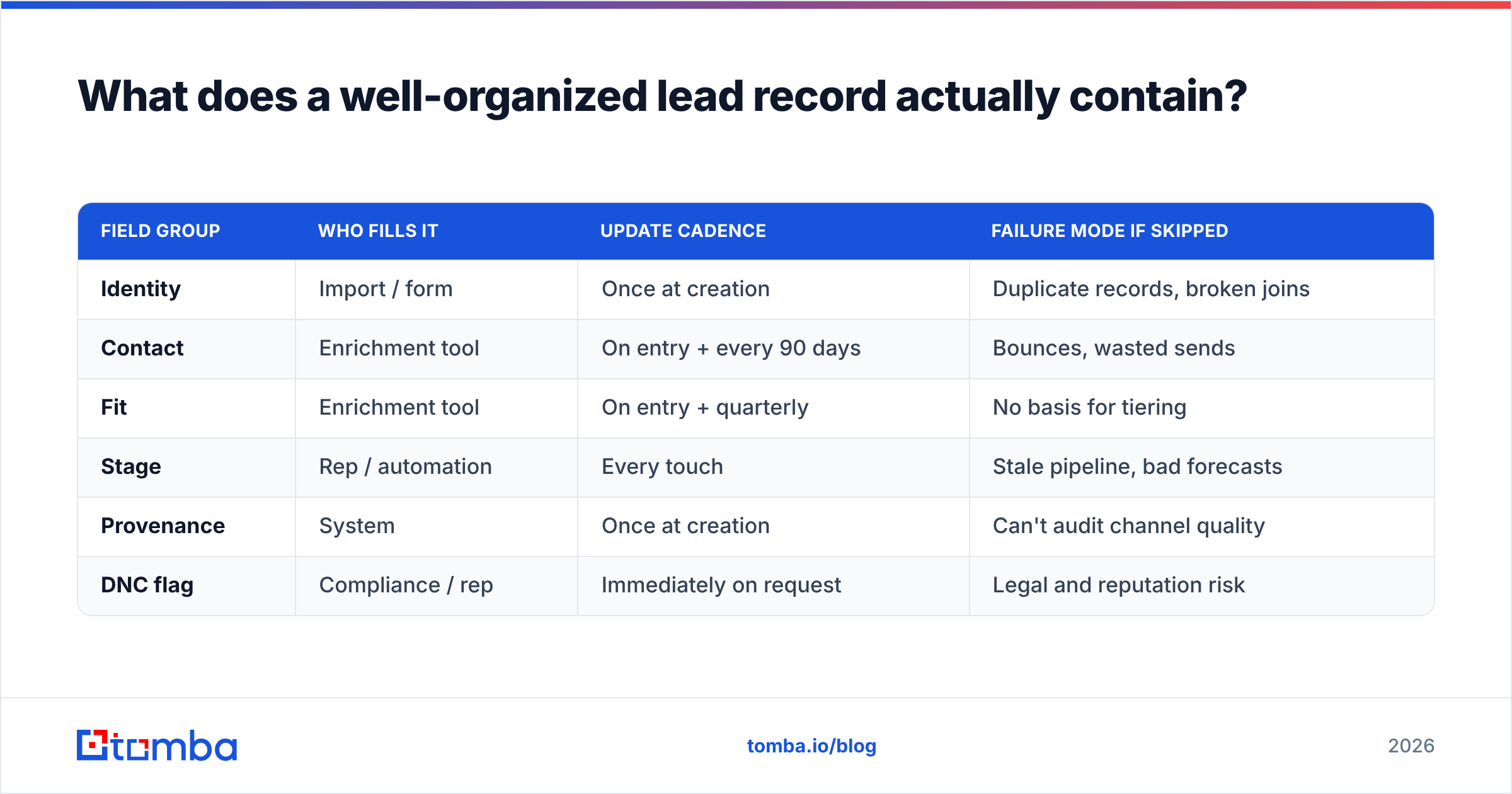
Fifteen fields, maximum. Every field you add is a field someone will leave blank, and a blank field is worse than no field — it creates the illusion of structure.
Here is the schema that holds up across most B2B motions:
- Identity fields — first name, last name, company name, company domain. The domain is your join key, not the company name. "Acme Inc." and "Acme, Inc" are different strings; acme.com is not.
- Contact fields — verified email, verification status, direct phone, LinkedIn URL. Verification status is a field, not an assumption.
- Fit fields — employee count, industry, country, tech stack signal. These drive your tiering and should be enriched automatically, never typed by hand.
- Stage fields — lifecycle stage (single-select, max 6 values), owner, last touch date, next action date.
- Provenance fields — source, source date, and the campaign or list that created the record. Without provenance you cannot tell which channel produces junk.
- Do-not-contact flag — a single boolean that overrides everything. Suppression lists that live in someone's inbox are not suppression lists.
Notice what is absent: no free-text status, no "priority" field that anyone can edit, no "notes" column doing structural work. Notes are for context, not for state.
| Field group | Who fills it | Update cadence | Failure mode if skipped |
|---|---|---|---|
| Identity | Import / form | Once at creation | Duplicate records, broken joins |
| Contact | Enrichment tool | On entry + every 90 days | Bounces, wasted sends |
| Fit | Enrichment tool | On entry + quarterly | No basis for tiering |
| Stage | Rep / automation | Every touch | Stale pipeline, bad forecasts |
| Provenance | System | Once at creation | Can't audit channel quality |
| DNC flag | Compliance / rep | Immediately on request | Legal and reputation risk |
How do you tier leads by fit before you sequence them?#
Score on fit first, intent second, and do it before a single email goes out.
Fit scoring does not need machine learning. It needs four or five weighted criteria drawn from your actual closed-won accounts. Pull your last 50 wins, find what they share, and turn those attributes into points.
A workable starting model:
- Company size in range — 30 points
- Industry in your top three verticals — 25 points
- Uses a technology you integrate with or replace — 20 points
- Title matches a known buying role — 15 points
- Geography you can support — 10 points
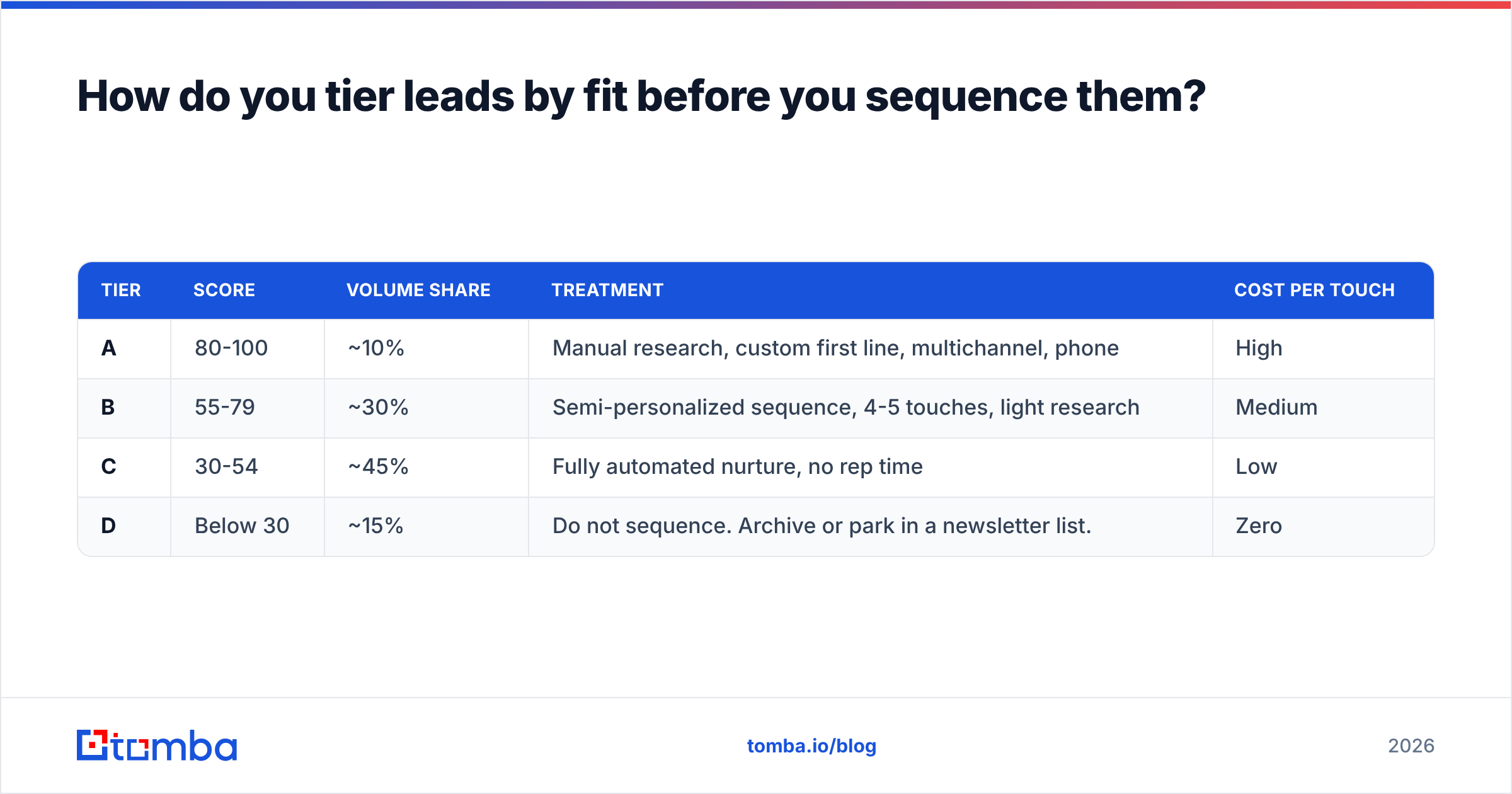
Then split the output:
| Tier | Score | Volume share | Treatment | Cost per touch |
|---|---|---|---|---|
| A | 80-100 | ~10% | Manual research, custom first line, multichannel, phone | High |
| B | 55-79 | ~30% | Semi-personalized sequence, 4-5 touches, light research | Medium |
| C | 30-54 | ~45% | Fully automated nurture, no rep time | Low |
| D | Below 30 | ~15% | Do not sequence. Archive or park in a newsletter list. | Zero |
This is the highest-leverage organizational move available to you. Most teams spend equal effort across a list where 10% of records represent 60% of the winnable revenue. Tiering fixes the allocation, and it also fixes the emotional problem — reps stop treating every lead as equally urgent, which is what produces the "I'll get to it" pile.
If you are unsure how to gather the fit attributes at scale, data enrichment fills company size, industry, and technology fields from a domain alone, which means your tiering runs on real data instead of guesses.
What is the right lifecycle stage model?#
Six stages, maximum, with an explicit exit criterion for each. More than six and reps start guessing.
- New — record exists, not yet reviewed. Exit: tiered and assigned.
- Working — active outreach in progress. Exit: reply received or sequence exhausted.
- Engaged — replied, opened a conversation, but no meeting booked. Exit: meeting scheduled or explicit no.
- Qualified — meeting held, fit and need confirmed. Exit: opportunity created. This is roughly where a marketing qualified lead converts into a sales-accepted one.
- Nurture — not now, but real. Exit: re-engagement trigger fires.
- Disqualified — closed with a reason code. Never delete; the reason code is data.
The critical detail is the reason code on disqualification. Ten values is plenty: no budget, no authority, wrong ICP, using a competitor, no response, bad data, unsubscribed, timing, no need, other. Six months later that field tells you whether your problem is targeting, messaging, or data quality. Without it, everything looks like "they didn't reply."
How do you keep the data clean once it's organized?#
Verification at entry plus a weekly hygiene ritual. Both are non-negotiable.
Verify before the record is created. A lead that enters your CRM with an unverified email is a liability that compounds. Every bounce chips away at your sender reputation, and reputation damage affects every other email you send, including to leads that were perfectly good. Run addresses through an email verifier at import, tag the result, and route anything that comes back risky or catch-all into a separate queue rather than your main sequence.
Deduplicate on domain plus normalized name. Not on email — people change addresses. Not on company name — spelling varies. Match on domain + lowercase(lastname) and you will catch the overwhelming majority of duplicates before they generate the awkward "your colleague already emailed me" reply.
Re-verify on a 90-day clock. B2B contact data decays at roughly 22-30% per year according to widely cited industry estimates, driven by job changes, company rebrands, and mail server changes. A record verified in January is meaningfully less reliable by April. Set a last_verified_at timestamp and batch re-verify anything older than 90 days before it enters a new campaign.
Run a 30-minute Friday ritual. Merge duplicates flagged that week. Archive anything in New for more than 21 days — if nobody touched it, it isn't a lead. Review disqualification reason codes for patterns. Export the week's bounces and trace them back to their source field to find which channel is feeding you junk.

Which tools handle which part of the job?#
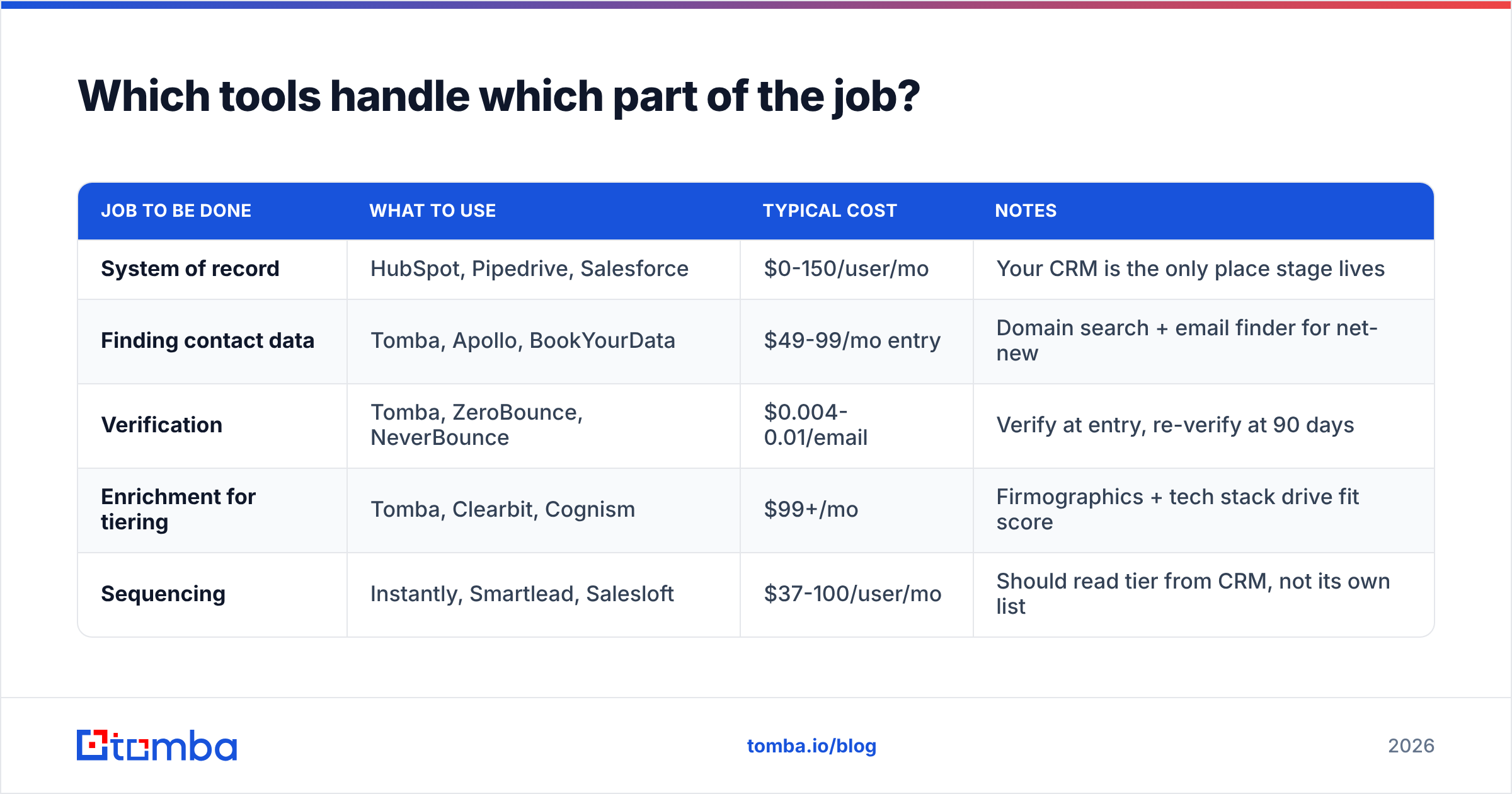
No single tool does all four functions well. Here is the honest split.
| Job to be done | What to use | Typical cost | Notes |
|---|---|---|---|
| System of record | HubSpot, Pipedrive, Salesforce | $0-150/user/mo | Your CRM is the only place stage lives |
| Finding contact data | Tomba, Apollo, BookYourData | $49-99/mo entry | Domain search + email finder for net-new |
| Verification | Tomba, ZeroBounce, NeverBounce | $0.004-0.01/email | Verify at entry, re-verify at 90 days |
| Enrichment for tiering | Tomba, Clearbit, Cognism | $99+/mo | Firmographics + tech stack drive fit score |
| Sequencing | Instantly, Smartlead, Salesloft | $37-100/user/mo | Should read tier from CRM, not its own list |
A few notes on where the lines blur. HubSpot and Salesforce both ship native enrichment, but coverage on smaller and non-US companies is thin — most teams supplement. BookYourData is a strong choice when you want a pre-built list with pay-as-you-go pricing rather than a subscription, particularly for geographies where prospecting from scratch is slow.
For the find-and-verify layer, Tomba pricing starts with a free tier at 25 searches per month, then $49/mo for Starter, $99/mo for Growth, and $249/mo for Pro. The practical advantage for an organization-focused workflow is that finding, verifying, and enriching happen in one place with one credit pool — you are not reconciling three exports. The bulk email finder handles list-level operations, and the Tomba API lets you wire verification directly into the form or import step so unverified records never land in the CRM at all.
Check independent reviews on G2 before committing to any of these — coverage varies dramatically by region and company size, and the only meaningful test is against your own target account list.
How do you organize leads if you're still in a spreadsheet?#
You can run a clean system in Google Sheets up to about 2,000 records. Past that, the manual reconciliation cost exceeds a CRM seat.
If you are in the spreadsheet phase, apply the same discipline:
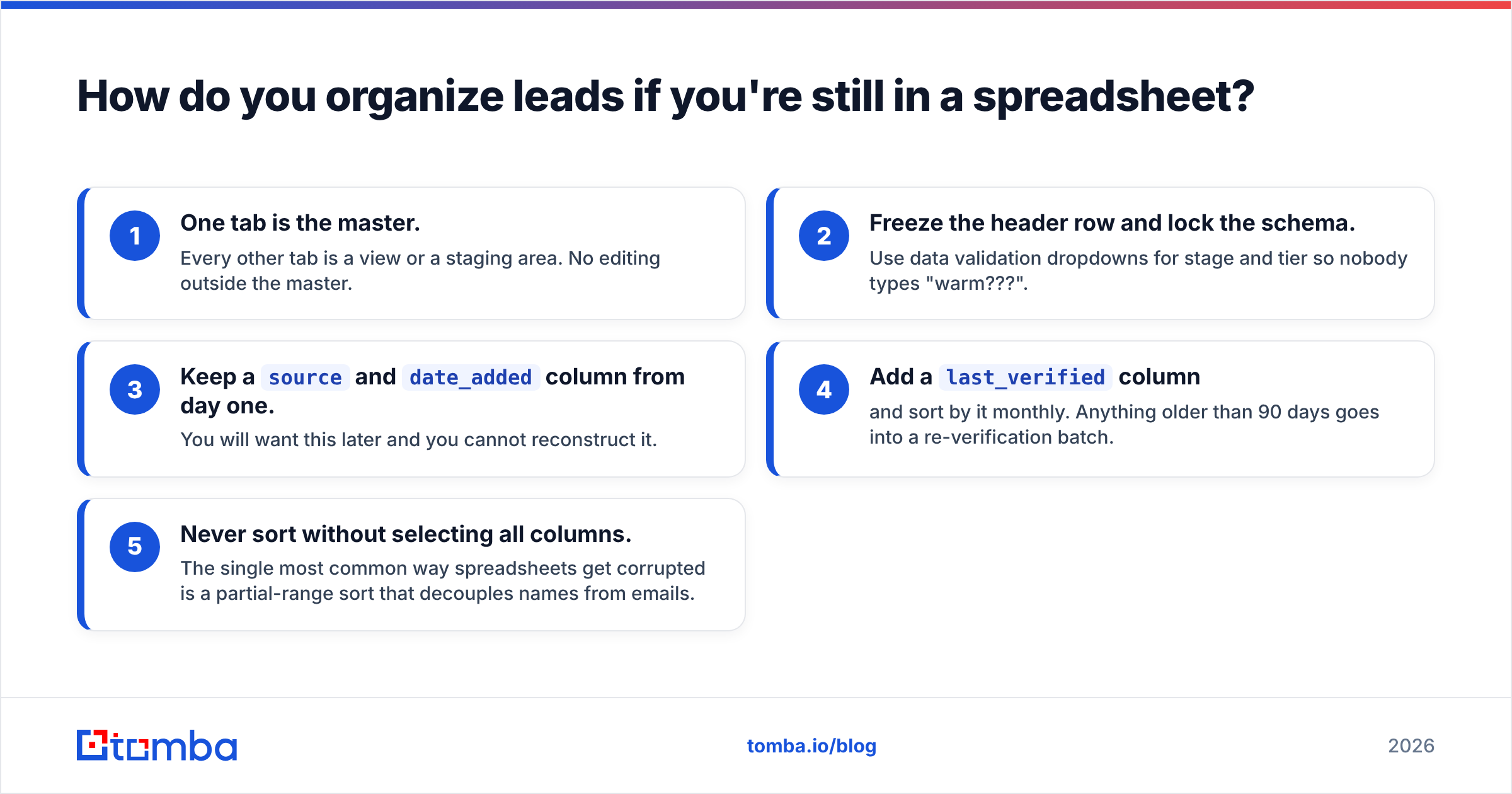
- One tab is the master. Every other tab is a view or a staging area. No editing outside the master.
- Freeze the header row and lock the schema. Use data validation dropdowns for stage and tier so nobody types "warm???".
- Keep a
sourceanddate_addedcolumn from day one. You will want this later and you cannot reconstruct it. - Add a
last_verifiedcolumn and sort by it monthly. Anything older than 90 days goes into a re-verification batch. - Never sort without selecting all columns. The single most common way spreadsheets get corrupted is a partial-range sort that decouples names from emails.
A Google Sheets add-on that finds and verifies emails in place removes the export-import round trip, which is where most spreadsheet corruption happens.
What does the weekly and monthly rhythm look like?#
Organizing leads is not a project you finish. It is a cadence you maintain.
Weekly, 30 minutes: merge duplicates, archive stale New records, review bounces by source, check that every A-tier lead has a next action date.
Monthly, 60 minutes: re-verify the 90-day batch, audit disqualification reason codes, recalculate fit scores for anything where firmographics changed, review which sources produced qualified leads versus noise.
Quarterly, half a day: rebuild the fit model from the last quarter's closed-won accounts. Your ICP drifts. If your scoring model is a year old, it is scoring against a company you no longer are. Also audit your field schema — delete any field with under 40% fill rate, because it is not being used and it is adding noise.
What is the fastest way to start?#
Do not migrate everything at once. Pick your active pipeline — the leads someone is genuinely working right now — and apply the schema to those records only. Usually that is 200 to 500 records, which is a two-hour job.
Then apply the rules to every new record from that day forward. Backfill the archive later, or never. Historical junk that nobody is touching costs you nothing sitting in a separate table; historical junk mixed into your working list costs you every single day.
The order that works: lock the schema, tier the active list, verify the emails, set the stages with exit criteria, then turn on the weekly ritual. Each step takes under two hours and each one is useful on its own even if you stop there.
Organized leads are worth nothing if the contact data underneath them is wrong. Start at the foundation: use the Tomba Email Finder to find verified professional emails by name and domain, so every record entering your CRM is already accurate, already enriched, and already ready to tier. The free tier gives you 25 searches a month to test it against your own list before you commit to a plan.
Related guides#
// get started
Find, verify and enrich your first contacts today
Start on the free plan with 25 searches a month, then scale when your team is ready.
Free plan · No credit card required · GDPR & CCPA
// about the author