How to See If an Email Address Exists: 7 Proven Methods
Seven ways to check whether an email address actually exists — from free syntax checks to SMTP pings and catch-all handling — plus what each method can and can't prove.
TL;DR
- You cannot prove an email address exists with 100% certainty without sending to it — but a layered check gets you to roughly 95-99% confidence with zero sends.
- The reliable stack is: syntax check → domain/MX lookup → SMTP handshake → catch-all and role-account handling → risk scoring.
- Free browser tools are fine for one-off lookups. For lists over ~100 addresses you need an API or bulk uploader, because manual SMTP pings from your own IP will get you rate-limited or blacklisted.
- Catch-all domains (which accept every address at the SMTP layer) are where most "verified" lists quietly break. Treat them as a separate bucket, not as valid.
- Never verify from your sending domain's IP. Use a verification provider that maintains its own reputation-isolated infrastructure.
What does it actually mean for an email address to "exist"?#
An email address exists when a mail server somewhere is configured to accept and deliver messages addressed to that exact mailbox. That's a narrower claim than most people assume, and the gap causes real problems.
Think of it like checking whether an apartment is occupied. You can confirm the building exists (the domain resolves). You can confirm the building accepts mail at all (MX records are published). You can knock and hear someone answer (the SMTP server says "250 OK"). But none of that tells you whether the person you're writing to still lives there, or whether the doorman is just accepting every letter and dumping the ones with no match.
Four states matter, and most tools collapse them into two:
- Deliverable — the mailbox exists and accepts mail. Safe to send.
- Undeliverable — the mailbox rejects mail. Hard bounce guaranteed. Never send.
- Catch-all / accept-all — the domain accepts every address without checking. Unknowable via SMTP alone.
- Risky — disposable domains, role accounts (info@, sales@), full mailboxes, greylisted servers.
If a tool gives you a binary valid/invalid and never mentions bucket three, it is silently marking catch-all addresses as valid. That's how a "98% verified" list produces a 12% bounce rate.
How do you see if an email address exists, step by step?#
Here's the layered method, ordered from cheapest to most expensive. Run them in sequence and stop as soon as you get a definitive negative.
- Syntax validation (RFC 5322) — Does the string parse as a legal address? Catches typos like
john@@acme.com, trailing spaces, and illegal characters. Costs nothing, kills roughly 2-4% of a scraped list instantly. - Domain resolution + MX record lookup — Does
acme.comresolve, and does it publish mail exchanger records? A domain with no MX records cannot receive email, full stop. This is a hard disqualifier and it removes another 3-8% of typical lists. - Disposable and role-account screening — Flag
mailinator.com-style throwaway domains and generic mailboxes (info@,admin@,support@). These often technically exist but convert terribly and inflate complaint rates. - SMTP handshake (the RCPT TO probe) — Open a connection to the MX host, say
HELO, declare a sender, then issueRCPT TO:<target>and read the response code without ever sendingDATA. A250means accepted;550means no such user. This is the only step that actually interrogates the mailbox. - Catch-all detection — Before trusting a
250, probe a deliberately fake address at the same domain (kj3h4kj2h@acme.com). If that also returns250, the server accepts everything and your original250proves nothing. - Risk scoring — Combine the signals: greylisting behavior, historical bounce data for that domain, mailbox-full responses, and pattern confidence. Output a score, not a boolean.
That sequence is what any serious email verifier runs under the hood. The difference between vendors is almost entirely in steps 5 and 6.

Can you check a single address for free without sending anything?#
Yes, and for a one-off lookup you should. Three approaches work.
Use a browser-based checker. Paste the address, get a verdict. A free email checker runs syntax, MX, and SMTP probing in a couple of seconds. Most providers allow a handful of free lookups without an account. This is the right tool when a colleague sends you a business card photo and you want to know if the address is live before replying.
Run the SMTP handshake manually. On any machine with telnet or nc, you can do it yourself:
nslookup -type=mx acme.com
telnet aspmx.l.google.com 25
HELO verify.example.com
MAIL FROM:<check@verify.example.com>
RCPT TO:<john.doe@acme.com>
A 250 2.1.5 OK suggests the mailbox exists. A 550 5.1.1 User unknown means it doesn't. Educational, but do not scale it. Google, Microsoft, and most enterprise mail providers rate-limit or outright block IPs that issue repeated RCPT TO probes without following through, and your residential or office IP will get flagged fast.
Check the company's email pattern first. If you already know that Acme uses first.last@acme.com, and your target address is j.doe@acme.com, the pattern mismatch is a strong prior before you probe anything. A company email pattern lookup gives you the dominant format across a domain, which is often enough to spot a bad guess without any network call.

Which method should you use for your situation?#
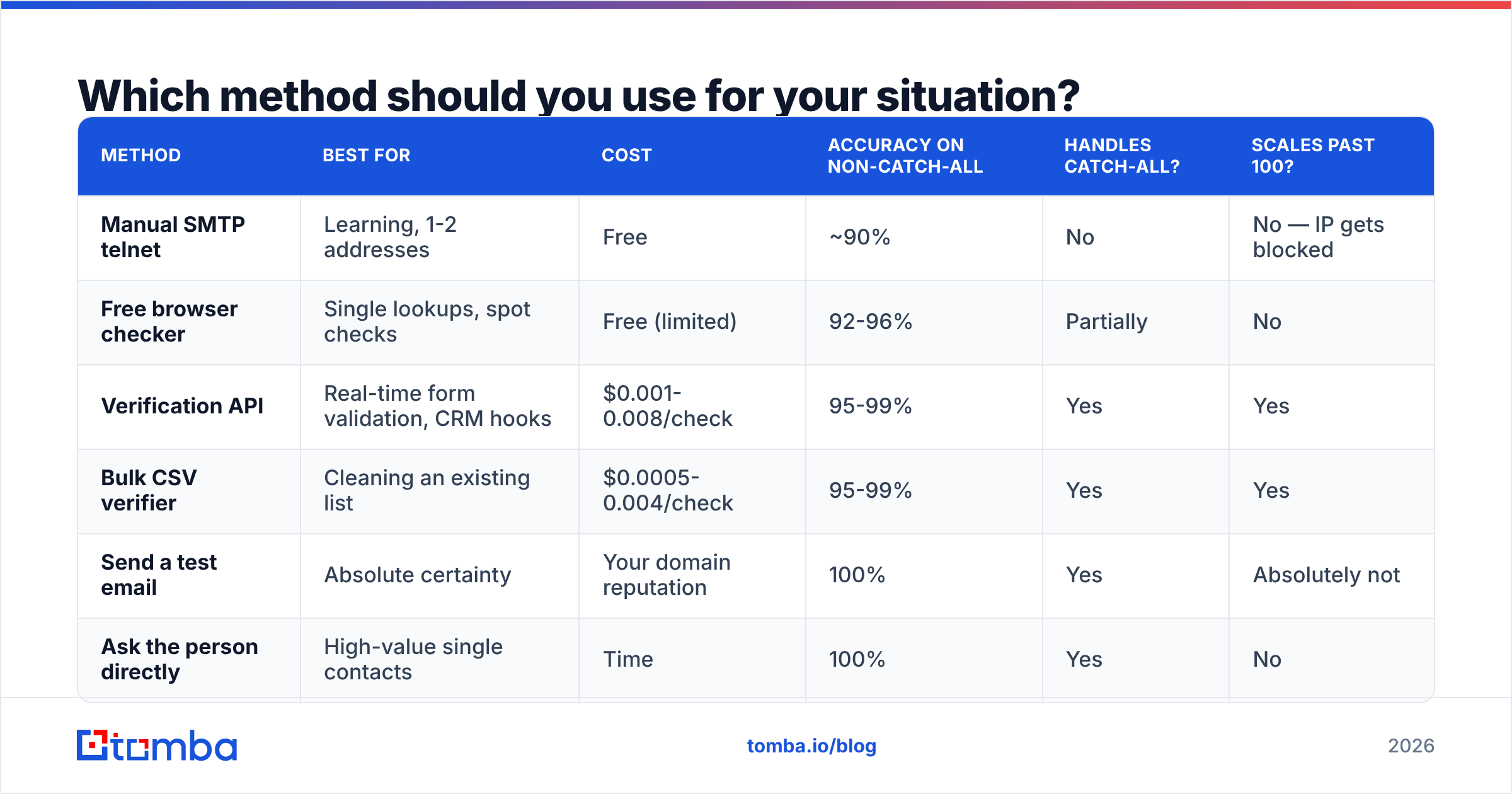
The right approach depends almost entirely on volume and on what happens if you're wrong.
| Method | Best for | Cost | Accuracy on non-catch-all | Handles catch-all? | Scales past 100? |
|---|---|---|---|---|---|
| Manual SMTP telnet | Learning, 1-2 addresses | Free | ~90% | No | No — IP gets blocked |
| Free browser checker | Single lookups, spot checks | Free (limited) | 92-96% | Partially | No |
| Verification API | Real-time form validation, CRM hooks | $0.001-0.008/check | 95-99% | Yes | Yes |
| Bulk CSV verifier | Cleaning an existing list | $0.0005-0.004/check | 95-99% | Yes | Yes |
| Send a test email | Absolute certainty | Your domain reputation | 100% | Yes | Absolutely not |
| Ask the person directly | High-value single contacts | Time | 100% | Yes | No |
The last two rows are worth dwelling on. Sending a test message is the only method that gives you certainty, and it is also the method that spends the asset you're trying to protect. Every hard bounce is a signal to mailbox providers that you don't manage your lists. Email deliverability degrades with bounce rate, and once your sender reputation drops, even your valid addresses start landing in spam. Verification exists precisely so you never have to trade reputation for information.
For anything past a handful of addresses, an API or bulk verify run is not a luxury. It's the only path that doesn't put your domain at risk.
What about catch-all domains — the case that breaks everything?#
Catch-all is the single biggest source of "I verified this list and it still bounced."
A catch-all (or accept-all) server is configured to say 250 OK to every recipient address, valid or not, and then sort it out internally — routing unknown recipients to a shared inbox, or silently discarding them. From the outside, ceo@acme.com and zzqqxx99@acme.com look identical. Roughly 15-25% of B2B domains run this way, and it skews heavily toward larger enterprises using Microsoft 365 with permissive configurations.
Standard SMTP verification simply cannot resolve these. What separates good tools from mediocre ones is what they do next:
- Bad tools return "valid" and let you find out at send time.
- Mediocre tools return "unknown" and hand you the problem.
- Good tools apply secondary signals — historical delivery data for that domain, pattern confidence for the specific mailbox format, engagement records, and cross-source corroboration — then return a probability with a clear label.
Tomba's catch-all verifier sits in the third bucket: it isolates catch-all domains, then scores each address against known-good patterns and observed deliveries rather than pretending the SMTP 250 settled the question.
Practically, here's how to handle catch-all addresses in a campaign:
- Segment them out of your main send. Never mix them with confirmed-deliverable contacts.
- Warm into them slowly — small batches from a secondary domain, monitored for bounce spikes.
- Prioritize the ones where the pattern matches the domain's dominant format (a
first.last@address on a domain that overwhelmingly usesfirst.last@is a much safer bet than aflast@outlier). - Drop role accounts from the catch-all bucket entirely.
info@on a catch-all domain is nearly always a dead end.

How accurate are email verification tools, really?#
Vendor accuracy claims deserve scrutiny, because the denominator is almost never disclosed.
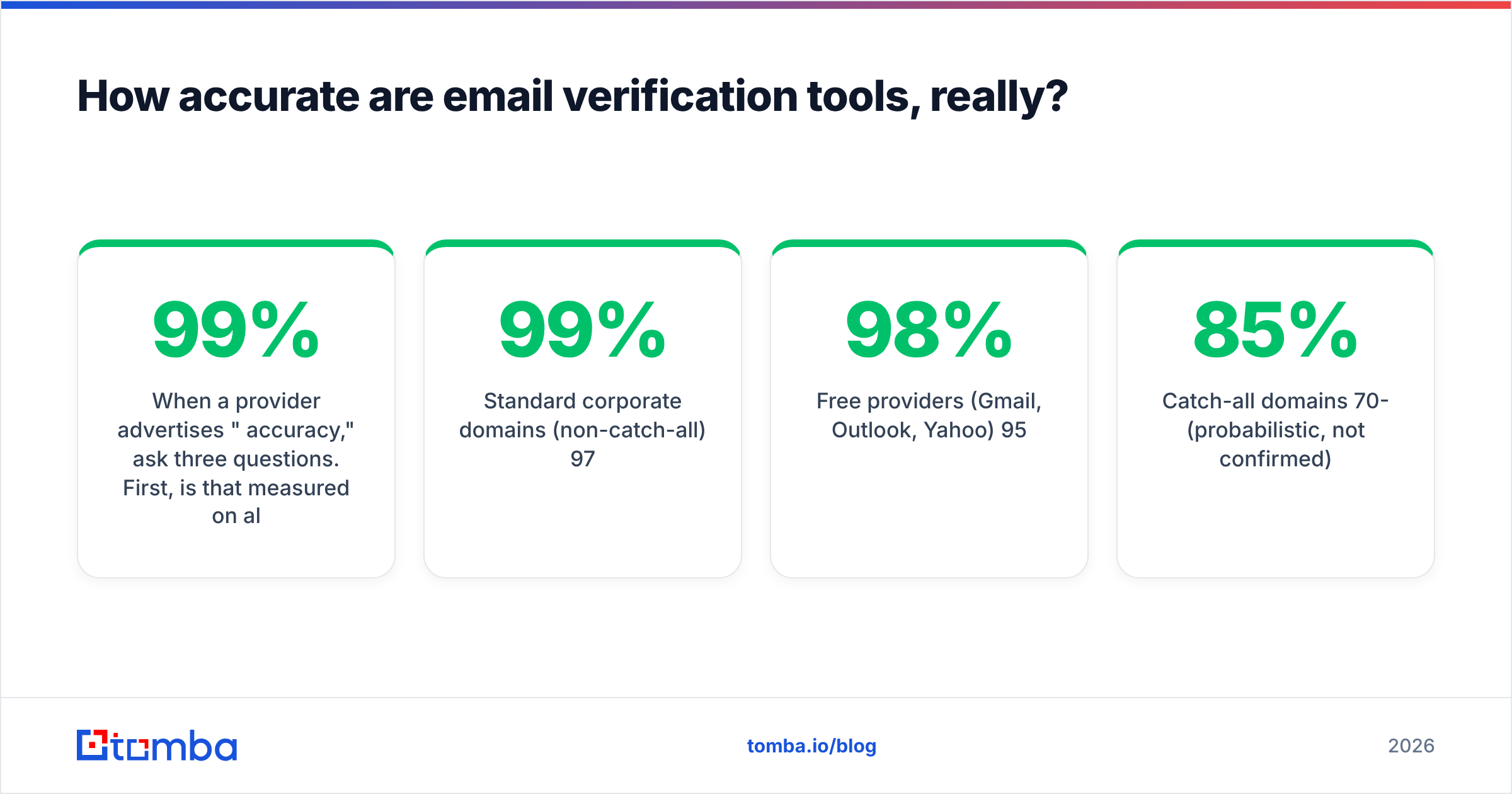
When a provider advertises "99% accuracy," ask three questions. First, is that measured on all addresses submitted, or only on the ones the tool was willing to classify? A tool that marks 30% of your list "unknown" and gets 99% right on the remainder is far less useful than one that classifies 95% at 96% accuracy. Second, are catch-all addresses counted in the sample? Excluding them inflates every number. Third, is accuracy measured against actual send outcomes or against a curated test list?
Independent user reviews on G2 tend to tell a more grounded story than vendor landing pages — look specifically at reviews mentioning bounce rates after import, not general satisfaction scores.
Realistic expectations for a well-built verifier in 2026:
| Segment | Typical real-world accuracy |
|---|---|
| Standard corporate domains (non-catch-all) | 97-99% |
| Free providers (Gmail, Outlook, Yahoo) | 95-98% |
| Catch-all domains | 70-85% (probabilistic, not confirmed) |
| Role accounts | Detectable at ~99%, but deliverability varies |
| Recently created domains (< 90 days) | 85-92% |
Note the ceiling. Nobody hits 100% because mailboxes change between your check and your send. A mailbox verified on Monday can be deprovisioned on Tuesday when someone leaves the company. B2B email data decays at roughly 22-30% per year, which means a list verified twelve months ago is materially worse than one verified last week. Re-verify before every major campaign, not once at import.
How do you verify a whole list without wrecking your sender reputation?#
The core rule: never let verification traffic originate from the IP or domain you send campaigns from.
This is the mistake that turns a cleanup project into a deliverability incident. If you script SMTP probes from your own mail server, you are generating exactly the traffic pattern that spam filters are trained to catch — many RCPT TO commands, few completed sends, high unknown-user rate. Microsoft's filtering in particular treats this as a strong negative signal.
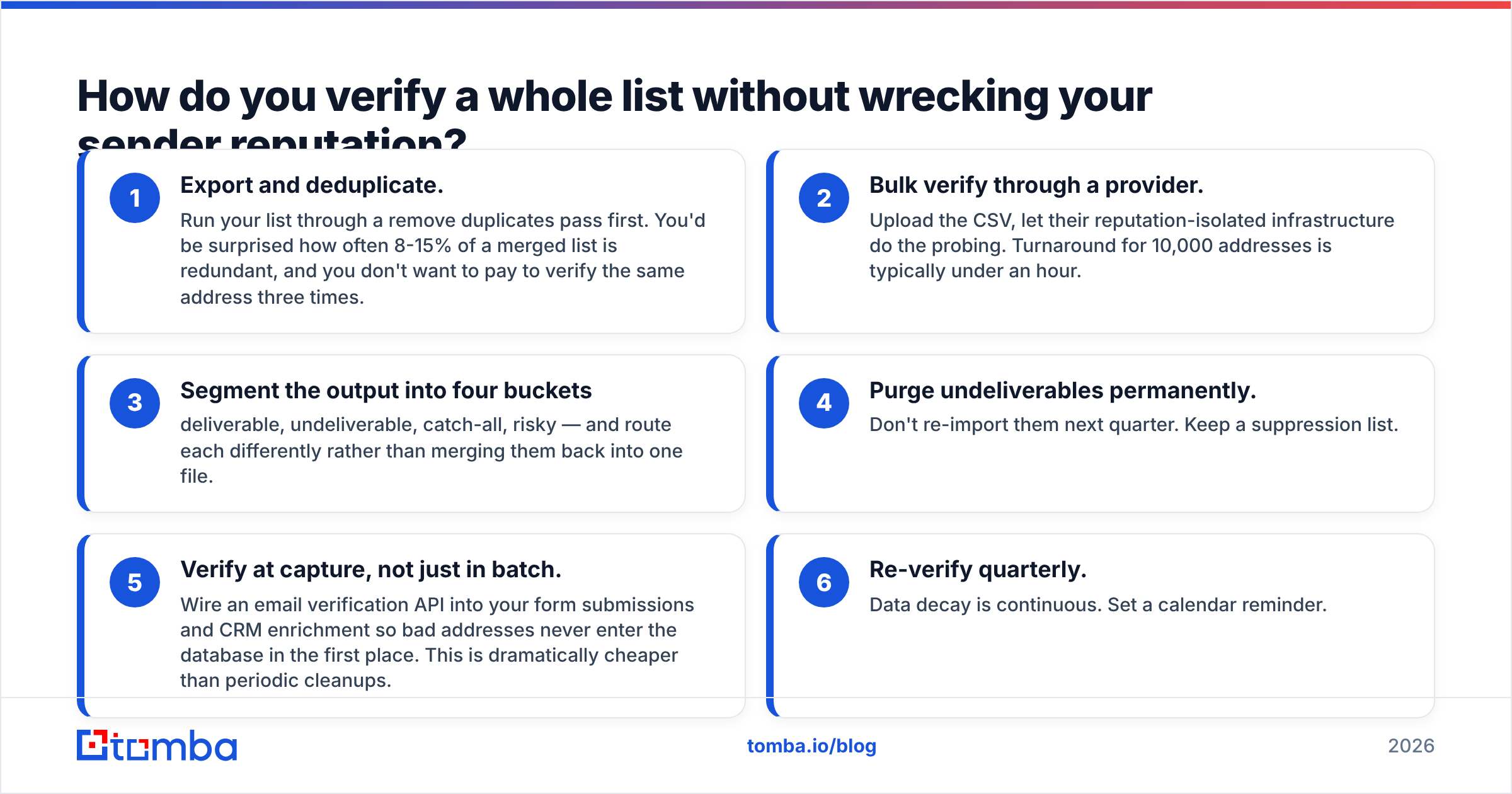
The safe workflow:
- Export and deduplicate. Run your list through a remove duplicates pass first. You'd be surprised how often 8-15% of a merged list is redundant, and you don't want to pay to verify the same address three times.
- Bulk verify through a provider. Upload the CSV, let their reputation-isolated infrastructure do the probing. Turnaround for 10,000 addresses is typically under an hour.
- Segment the output into four buckets — deliverable, undeliverable, catch-all, risky — and route each differently rather than merging them back into one file.
- Purge undeliverables permanently. Don't re-import them next quarter. Keep a suppression list.
- Verify at capture, not just in batch. Wire an email verification API into your form submissions and CRM enrichment so bad addresses never enter the database in the first place. This is dramatically cheaper than periodic cleanups.
- Re-verify quarterly. Data decay is continuous. Set a calendar reminder.
If you're operating inside a CRM, the HubSpot integration pattern applies broadly: verify on record creation, flag on update, and expose the verification status as a field your sales team can filter on. HubSpot's own deliverability documentation makes the same argument from the sending side — list hygiene is upstream of everything else.
What if the address doesn't exist — how do you find the right one?#
Verification tells you an address is dead. Finding the live one is a different job.
When a check comes back undeliverable, the address is usually not fabricated — it's stale or malformed. The person exists; the string is wrong. Three recovery paths, in order of hit rate:
Search the domain. A domain search returns known addresses across a company plus the dominant format. If Acme uses first.last@acme.com and you had jdoe@acme.com, you now know what to construct. This is the highest-yield move and it takes seconds.
Look up the person by name and domain. Give an email finder a first name, last name, and domain, and it returns the most likely address with a confidence score, sourced from crawled public records rather than pure guessing. Confidence above 90% with a verified SMTP result is production-ready.
Generate and test permutations. If neither works, an email permutator produces every plausible format, and you verify the batch. Low elegance, decent hit rate, and it's the standard fallback for small or private companies with thin public data.
One caveat: permutation-plus-verify fails completely on catch-all domains, since every permutation returns 250. On those, pattern intelligence from a domain search is the only signal that means anything.
Which tools handle this best in 2026?#
The verification market splits into three groups, and they solve different problems.
Pure verifiers (ZeroBounce, NeverBounce, Bouncer) take a list and clean it. Strong at what they do, but they can't find a replacement address when one turns out to be dead.
Data providers with verification built in (Tomba, Hunter, BookYourData) combine finding and verifying in one workflow. BookYourData, for instance, is a solid option if you want pre-verified contacts delivered ready to use rather than sourcing and checking them yourself — a genuinely different buying motion from API-first tools. Tomba's angle is the API-plus-tooling side: verification, domain search, and finding all run off the same credit pool, so a failed check flows straight into a replacement lookup without a second vendor.
Sales engagement platforms (Apollo, Outreach) bundle basic verification into a much larger suite. Convenient if you already pay for the platform, generally less accurate than a specialist, and rarely transparent about catch-all handling.

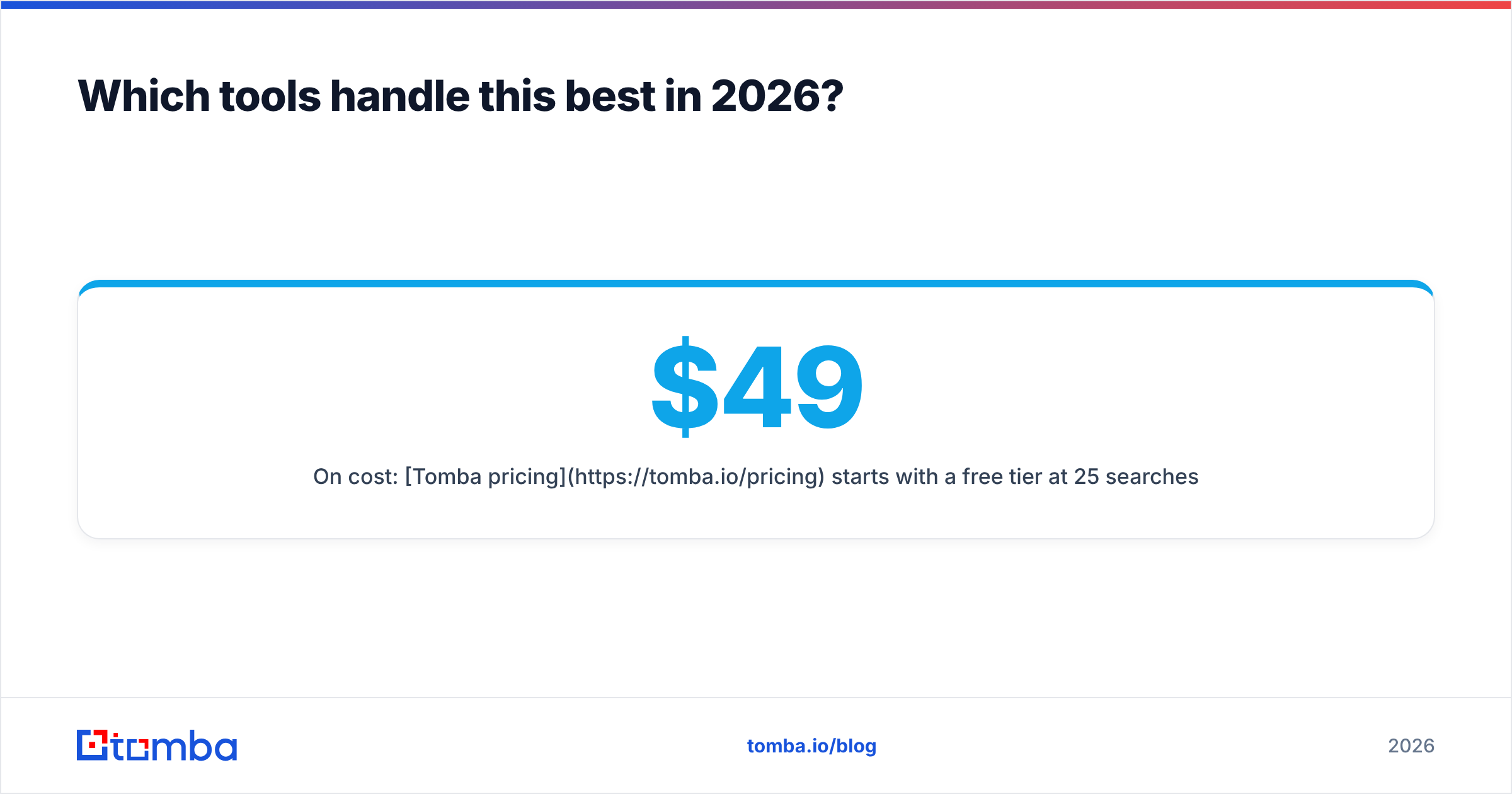
On cost: Tomba pricing starts with a free tier at 25 searches per month, then Starter at $49/mo, Growth at $99/mo, and Pro at $249/mo, with Enterprise negotiated. Credits are shared across finding, verifying, and enrichment, which matters more than the headline number — a verify-only plan looks cheaper until you need to replace the 15% of addresses that failed and discover you need a second subscription.
Whatever you pick, evaluate on your own data. Take 500 addresses you already know the outcome for — from a real campaign with real bounce logs — and run them through each candidate's free tier. Compare against actual bounces, not against each other. Vendors disagree with each other constantly, and the only tiebreaker that matters is what your mail server recorded.
What should you do next?#
Start with the cheap checks. Syntax and MX filtering cost nothing and remove the obviously dead entries before you spend a credit on anything. Then run SMTP verification through a provider whose IPs aren't yours. Then segment catch-alls into their own bucket instead of pretending they're clean. Then re-verify on a schedule, because the list you cleaned in January is measurably worse by April.
The habit that separates teams with 1% bounce rates from teams at 8% isn't a better tool. It's verifying at the point of capture rather than batch-cleaning after the damage is baked in.
If you need to both check whether addresses exist and find the correct ones when they don't, start with the Tomba Email Finder. It returns a confidence score and a live SMTP verification on every lookup, handles catch-all domains with pattern intelligence instead of a shrug, and the free tier gives you 25 searches a month to test it against a list you already know the answers to. Run your own bounce log through it before you commit to anything.
Related guides#
// get started
Find, verify and enrich your first contacts today
Start on the free plan with 25 searches a month, then scale when your team is ready.
Free plan · No credit card required · GDPR & CCPA
// about the author