How to Send an Introduction Email That Gets a Reply in 2026
Most introduction emails die because they lead with the sender, not the reader. Here is the structure, timing, and verification workflow that turns a cold intro into a booked reply.
TL;DR
- An introduction email works when the first 12 words are about the recipient, not you. Lead with the trigger event, not your job title.
- Keep it to 75–125 words, one ask, one link maximum. Longer intros do not get read on mobile, and roughly 6 in 10 B2B emails are opened on a phone.
- Verify the address before you send. A single bad address in a 50-contact intro batch drags your bounce rate to 2% — the threshold where Google and Microsoft start throttling.
- Send Tuesday–Thursday, 7–10am in the recipient's timezone. Follow up twice, 3 and 7 days later, on the same thread.
- Warm intros (referral, mutual connection, community) reply at several times the rate of pure cold intros. Always look for the bridge before you write.
What Is an Introduction Email, Exactly?#
An introduction email is the first message you send to someone who does not know you, where the goal is recognition and a reply — not a sale. Think of it like walking up to someone at a conference. You do not open with a pricing sheet. You say who you are, why you walked over specifically to them, and ask one small question that is easy to answer.
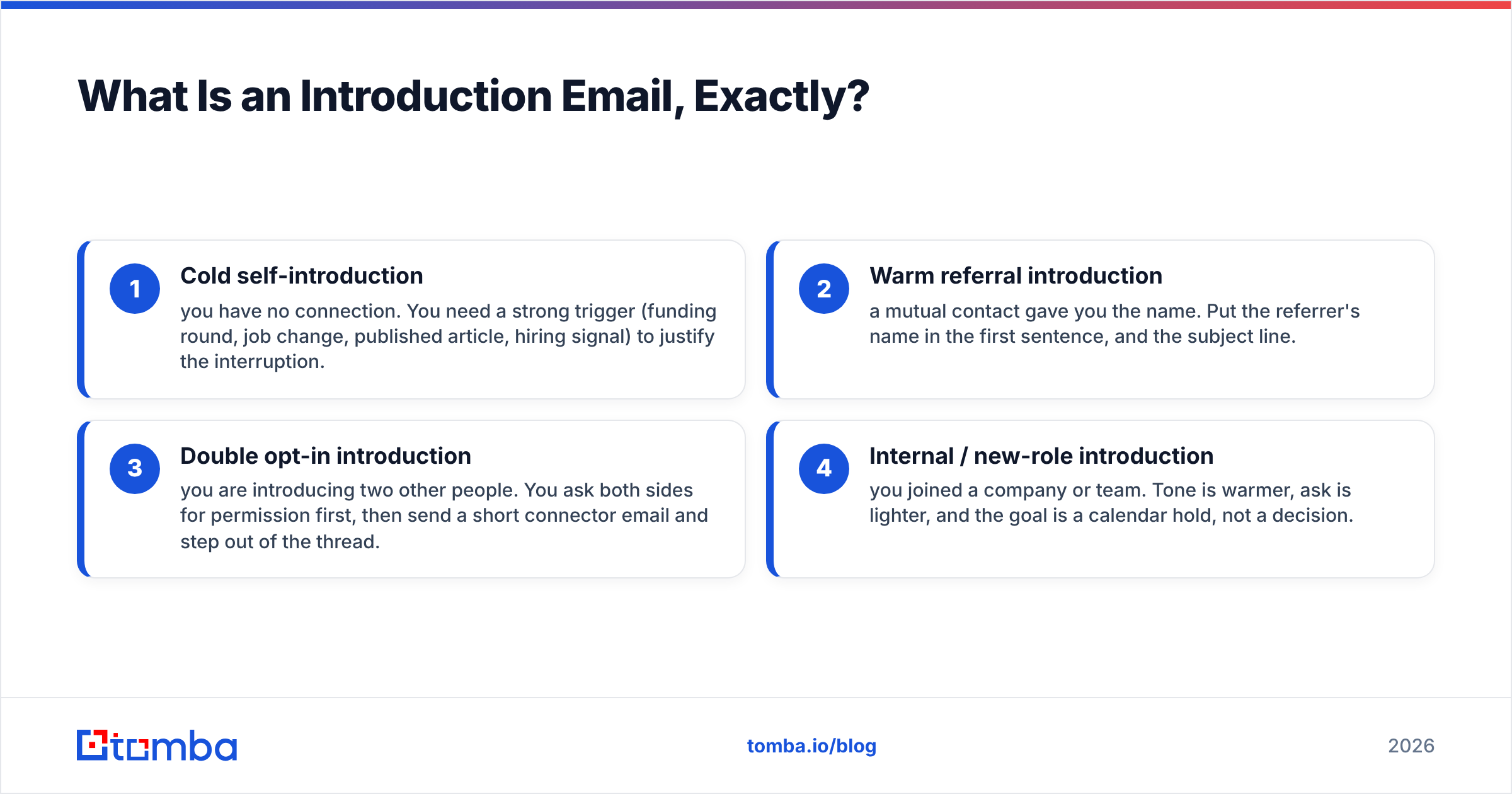
There are four distinct types, and mixing them up is the most common reason intros fail:
- Cold self-introduction — you have no connection. You need a strong trigger (funding round, job change, published article, hiring signal) to justify the interruption.
- Warm referral introduction — a mutual contact gave you the name. Put the referrer's name in the first sentence, and the subject line.
- Double opt-in introduction — you are introducing two other people. You ask both sides for permission first, then send a short connector email and step out of the thread.
- Internal / new-role introduction — you joined a company or team. Tone is warmer, ask is lighter, and the goal is a calendar hold, not a decision.
The structure below applies to all four. What changes is the opener and the size of the ask.
How Do You Send an Introduction Email in 5 Steps?#
Step 1 — Find and verify the address. Guessing firstname@company.com is how you end up in a spam trap. Use a domain search to pull the real pattern for the company, then run the result through an email verifier before it enters your sending tool. If the domain is catch-all, treat the address as unconfirmed and lower your send volume to that domain.
Step 2 — Write the trigger line. One sentence naming a specific, recent, checkable thing about them. "Saw the Series B announcement Tuesday" beats "I hope this email finds you well" every time. If you cannot find a trigger in 90 seconds, the prospect is not researched enough to email yet.
Step 3 — State who you are in one clause. Not a paragraph. "I run partnerships at Northwind — we handle payment reconciliation for marketplaces your size." Name, company, relevance. Stop.
Step 4 — Make one small ask. The ask should cost the reader under 30 seconds to grant. "Worth a 15-minute call next week?" is fine. "Are you the right person for this, or should I talk to someone on the ops side?" is often better, because answering it requires almost no commitment.
Step 5 — Send, then schedule the follow-ups. Two follow-ups on the same thread, at day 3 and day 7. Each one adds something new — a case study, a relevant data point, a shorter ask — rather than "just bumping this."

Placeholder: screenshot of a Gmail Postmaster Tools reputation dashboard showing bounce rate crossing the 2% line.
What Does a Good Introduction Email Look Like?#
Here are three you can adapt. Keep the word count where it is.
Cold intro with a trigger:
Subject: your Series B + reconciliation
Hi Dana,
Saw the Series B on Tuesday — congrats. Teams that raise at your stage usually hit a reconciliation wall around 40 marketplace sellers.
I run partnerships at Northwind. We rebuilt that flow for Loop and Retail Depot; both cut manual matching by about 70%.
Are you the right person to talk to about payment ops, or is that someone else on your team?
— Sam
Warm referral intro:
Subject: Priya Nair suggested I reach out
Hi Marcus,
Priya Nair mentioned you're rebuilding the SDR stack at Halcyon and said we should talk.
I've done that migration twice — happy to share what broke both times, no pitch.
Free for 15 minutes Thursday or Friday?
— Sam
Double opt-in connector (after both said yes):
Subject: Marcus <> Priya
Marcus, meet Priya — she led the exact CRM migration you described last week.
Priya, Marcus is VP Sales at Halcyon, six months into the same problem.
I'll get out of the way. Enjoy.
Notice what is missing: no "I hope this finds you well," no company boilerplate, no attachment, no calendar link in the first email. Every one of those is a reason to delete.
Which Introduction Email Format Performs Best?#
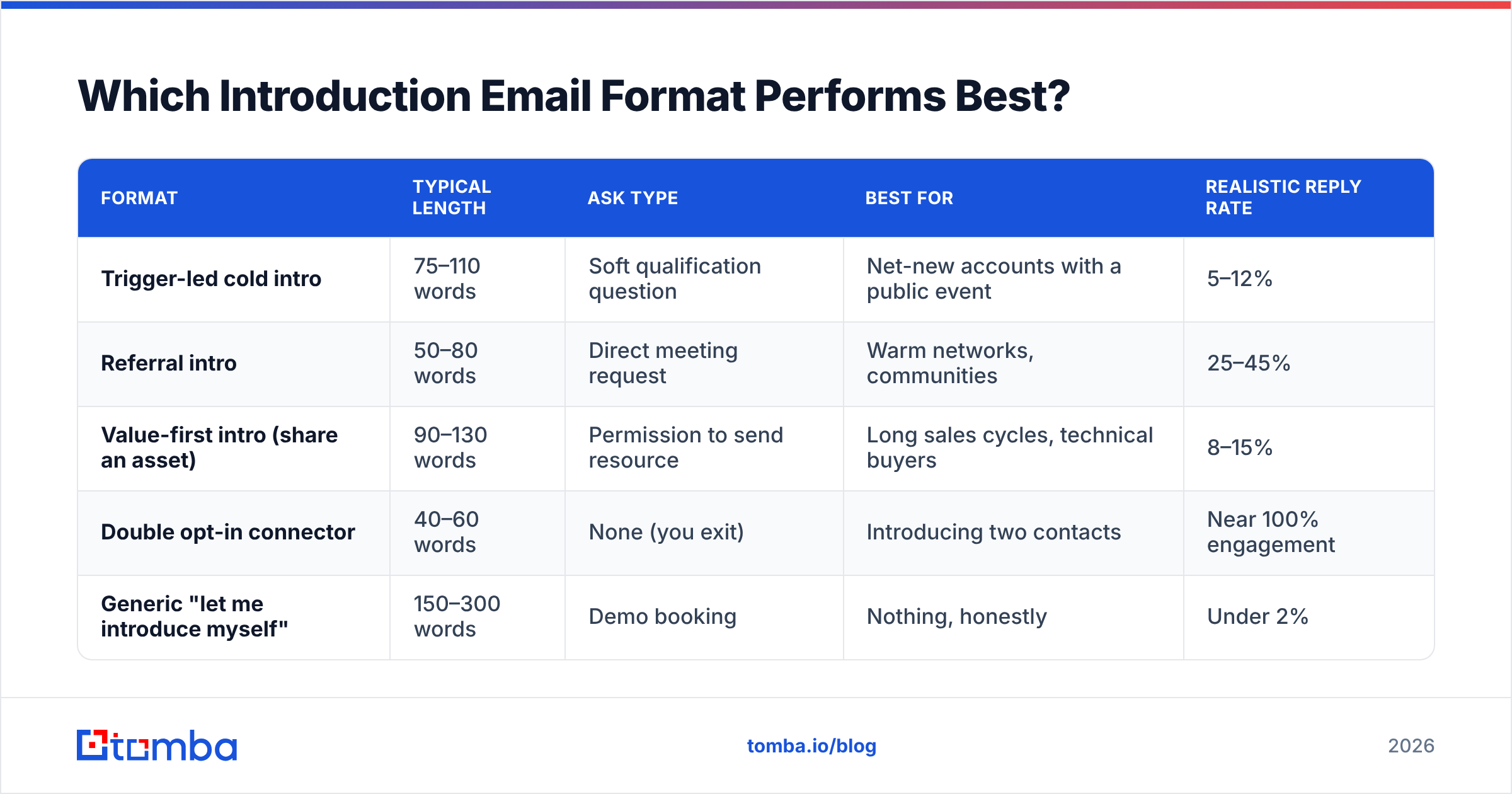
Format matters more than most people assume, because the reader decides in the preview pane. Here is how the common approaches compare on the variables that actually move reply rate.
| Format | Typical length | Ask type | Best for | Realistic reply rate |
|---|---|---|---|---|
| Trigger-led cold intro | 75–110 words | Soft qualification question | Net-new accounts with a public event | 5–12% |
| Referral intro | 50–80 words | Direct meeting request | Warm networks, communities | 25–45% |
| Value-first intro (share an asset) | 90–130 words | Permission to send resource | Long sales cycles, technical buyers | 8–15% |
| Double opt-in connector | 40–60 words | None (you exit) | Introducing two contacts | Near 100% engagement |
| Generic "let me introduce myself" | 150–300 words | Demo booking | Nothing, honestly | Under 2% |
The gap between the top and bottom rows is not writing talent. It is whether the email is anchored to something the reader already cares about.
When Should You Send an Introduction Email?#
Timing is a smaller lever than content, but it is a free one.
- Days: Tuesday, Wednesday, and Thursday consistently outperform Monday and Friday for B2B. Monday mornings compete with the weekend backlog; Friday afternoons get archived unread.
- Hours: 7:00–10:00am local to the recipient. Aim for the window when they triage the inbox, not the window when you happen to be writing.
- Timezone: send in their timezone. If your tool cannot stagger by timezone, segment your list manually. This alone recovers a meaningful chunk of opens.
- Cadence: one intro, follow-up at day 3, follow-up at day 7, then stop and re-engage in 60–90 days with new information.
- Volume: if the domain is new, ramp. Under 20 sends per day for the first two weeks, then step up. Use a warmup calculator to plan the ramp instead of guessing.
One caveat on timing advice generally: published "best time to send" studies disagree with each other, and your own sent-mail data will beat any of them within about 300 sends. Treat the windows above as a starting hypothesis, not a rule.
Why Do Most Introduction Emails Fail?#
Five failure modes account for the overwhelming majority of dead intros:
- The address was wrong. Bounces are silent killers. Mailbox providers read a rising bounce rate as a signal you bought a list. Google's bulk sender guidelines are explicit that senders should stay well under a 0.3% spam-complaint rate, and bounce hygiene is part of the same reputation picture. Verify first, always.
- You led with yourself. "My name is X and I work at Y" as sentence one tells the reader this email was written for the sender's convenience.
- The ask was too big. "Book a 45-minute demo" from a stranger is a rejected ask by default. Shrink it.
- You sent to a shared alias.
info@,sales@, andcontact@are triage queues, not people. Find the individual instead — a LinkedIn finder or a targeted email finder will usually get you the named contact. - No follow-up. A large share of replies arrive on message two or three. Sending once and moving on wastes the research you already did.
There is a sixth, subtler one: sending at scale without segmenting. If the same intro goes to a CFO and a DevOps lead, the trigger line cannot be specific for both. Two smaller, sharper lists outperform one big one nearly every time.
How Do You Personalize Without Spending an Hour Per Email?#
Personalization is a spectrum, not a switch. You do not need a custom paragraph for every contact — you need a custom first line.
Build a small research stack and cap yourself at three minutes per contact:
- Company-level trigger — funding, hiring, product launch, new office. One source: their newsroom or a funding database.
- Person-level trigger — a post, a podcast, a conference talk, a job change under 90 days old.
- Pattern-level trigger — something true of their segment. "Most marketplaces at 40+ sellers hit this." Weaker than the first two, but scalable.
Then enrich in bulk rather than one at a time. Pull the list, run data enrichment to fill in titles and company data, and write the trigger lines in one sitting. Batching the research and batching the writing is roughly twice as fast as doing both per contact.
For competitive context on tooling, G2's sales intelligence category is a reasonable place to compare enrichment vendors — including BookYourData, which takes a pay-as-you-go approach that suits teams sending in bursts rather than continuously. Different buying model, same underlying job: get a correct, current address in front of a real person.
What Should You Do After You Hit Send?#
Three things, in order.
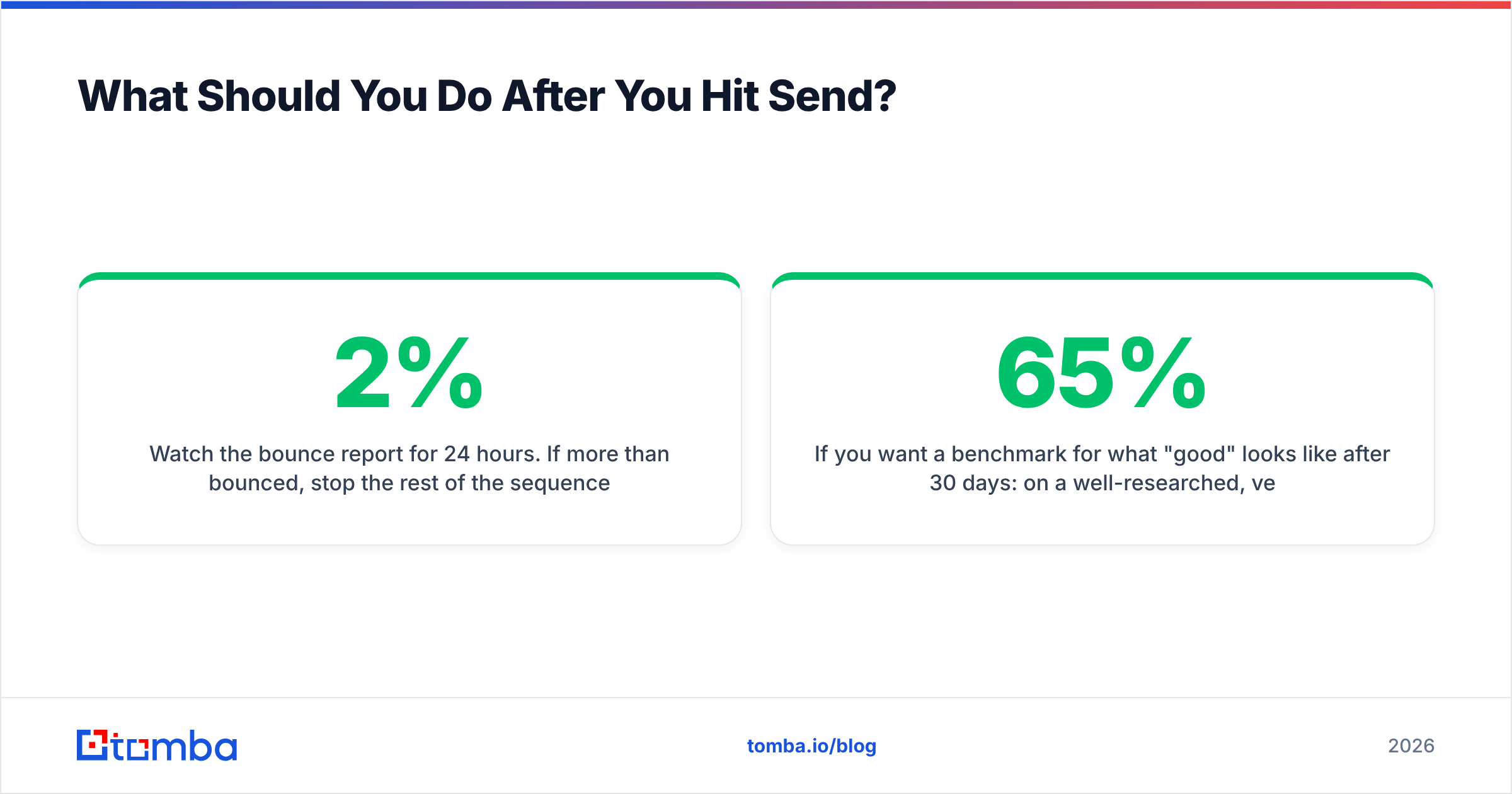
Watch the bounce report for 24 hours. If more than 2% bounced, stop the rest of the sequence and re-verify the list. Continuing a send on a list that is already bouncing is how a domain gets throttled for a month.
Log the reply type, not just the reply. "Not me, talk to Jordan" is a win — it is a referral. "Not now" is a win — it is a date. Only "no interest, remove me" is a real no. Track those categories separately or you will misjudge which triggers are working.
Re-verify quarterly. B2B contact data decays fast; people change jobs, companies rename domains, aliases get retired. A list you verified in January is not a verified list in June. Running your CRM through a bulk email finder on a quarterly cycle keeps the decay from compounding.
If you want a benchmark for what "good" looks like after 30 days: on a well-researched, verified list of 200 contacts, expect roughly 55–65% opens, 6–10% replies, and 2–4% booked conversations. If your opens are fine but replies are near zero, the problem is your ask. If opens are low, the problem is your subject line or your deliverability — check your sender reputation before rewriting anything.
Frequently Asked Questions#
How long should an introduction email be? 75–125 words for cold, 50–80 for referral. If it does not fit in a phone preview without scrolling twice, cut it.
Should I include a calendar link? Not in the first email. A booking link in message one signals you have already decided the meeting is happening. Add it in the follow-up, after they express interest.
Is it okay to use a template? Yes, for the structure. No, for the first line. Template the skeleton, write the trigger fresh. If you want starting points, cold email templates are useful scaffolding — just replace the opener.
What subject line works best for intros? Short and lowercase-ish, 3–6 words, referencing the trigger or the referrer. "Priya suggested I reach out" and "your Series B + reconciliation" both beat "Introduction — Northwind Partnerships."
How many follow-ups before I stop? Two after the initial send. Then pause 60–90 days and re-approach with genuinely new information.
Start With a Correct Address#
Everything in this guide collapses if the address is wrong. The best trigger line in the world cannot outrun a bounce.
Use the Tomba Email Finder to pull verified, individual addresses by name and domain before you write a single intro — free tier covers 25 searches a month, and paid plans start at $49/mo on the Starter tier if you are sending in volume. See full Tomba pricing for the Growth and Pro tiers. Get the address right first; then spend your time on the sentence that actually earns the reply.
Related guides#
// get started
Find, verify and enrich your first contacts today
Start on the free plan with 25 searches a month, then scale when your team is ready.
Free plan · No credit card required · GDPR & CCPA
// about the author