How to Verify an Email Address in 2026: 5 Proven Methods
Bounces kill your sender reputation before your copy ever gets read. Here are five ways to verify an email address — from free manual checks to SMTP-level API validation — and when each one is worth your time.
TL;DR
- Verifying an email address means proving four things in order: the syntax is legal, the domain resolves, the mailbox exists, and the address isn't a trap or role account.
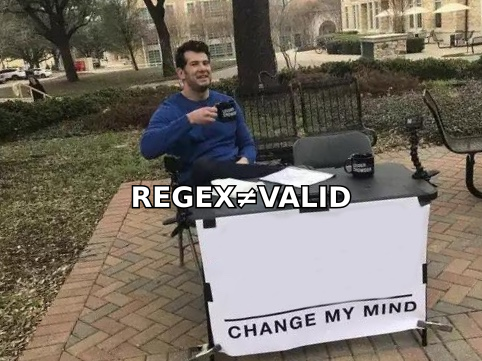
- Regex and "it looks fine" checks catch typos only. They pass
ceo@thisdomainneverexisted.comwithout blinking. - The real signal comes from an SMTP handshake plus MX records — that's what separates a 0.4% bounce rate from a 9% one.
- Catch-all domains (roughly 15–20% of B2B domains) accept every address at the SMTP layer, so they need pattern-confidence scoring, not a binary verdict.
- For one-off checks, a free web tool is enough. For lists over ~500 rows or anything running inside a CRM, use a bulk or API-based verifier.
What does it actually mean to verify an email address?#
Verifying an email address is like checking whether a street address can receive mail. You confirm the format is a real address format, that the street exists on a map, that a building sits at that number, and that someone actually collects post there. Skip any layer and your letter comes back stamped "return to sender" — except in email, the postal service also remembers you and starts throwing your future mail in the bin.
Technically, verification runs through four independent checks:
- Syntax validation — Does the string obey RFC 5322? One
@, no spaces, legal characters, a TLD that exists. This is the cheapest check and the weakest one. - Domain and MX check — Does the domain resolve in DNS, and does it publish MX records? A domain with no MX record cannot receive mail at all, full stop.
- Mailbox (SMTP) check — Connect to the receiving mail server, start an SMTP conversation, issue
RCPT TO, and read the response code. A250suggests the mailbox exists; a550means it doesn't. - Risk classification — Is it a disposable domain, a role account (
info@,sales@), a known spam trap, or a catch-all domain that accepts everything? These pass the SMTP test but still hurt you.
Most people stop at step 1 and wonder why their email deliverability collapsed.
How do you verify an email address manually, for free?#
You can do a surprising amount with tools already on your machine. This is the method to use when you have three addresses to check and no budget.
Step 1 — Check the MX records. Open a terminal and run:
nslookup -type=mx example.comor on macOS/Linux:
dig MX example.com +shortIf nothing comes back, stop. The domain cannot receive email and every address at it will bounce.
Step 2 — Run a manual SMTP handshake. Telnet into the highest-priority MX host on port 25:
telnet aspmx.l.google.com 25
HELO yourdomain.com
MAIL FROM: <you@yourdomain.com>
RCPT TO: <target@example.com>
A 250 OK after RCPT TO means the server accepted the recipient. A 550 5.1.1 means no such user. Then send QUIT — never DATA.
Two large caveats. Most residential ISPs and cloud providers block outbound port 25, so this often fails before it starts. And Microsoft 365 in particular now returns 250 for nearly everything as an anti-enumeration defence, which makes manual telnet close to useless against Outlook-hosted domains — a shift documented in Microsoft's own Exchange Online protection guidance.
Step 3 — Check the email pattern. If firstname.lastname@ is the company's convention, an address shaped f.lastname@ is probably wrong. A company email pattern lookup resolves this in a second, and an email permutator will generate the plausible variants for you to test.
Step 4 — Send a plain-text probe from a burner domain. Last resort only, and never from your primary sending domain. One line, no links, no images, no tracking pixel.
Manual checks cost nothing and teach you what the automated tools are doing under the hood. They do not scale past about ten addresses.
Which verification method should you use?#
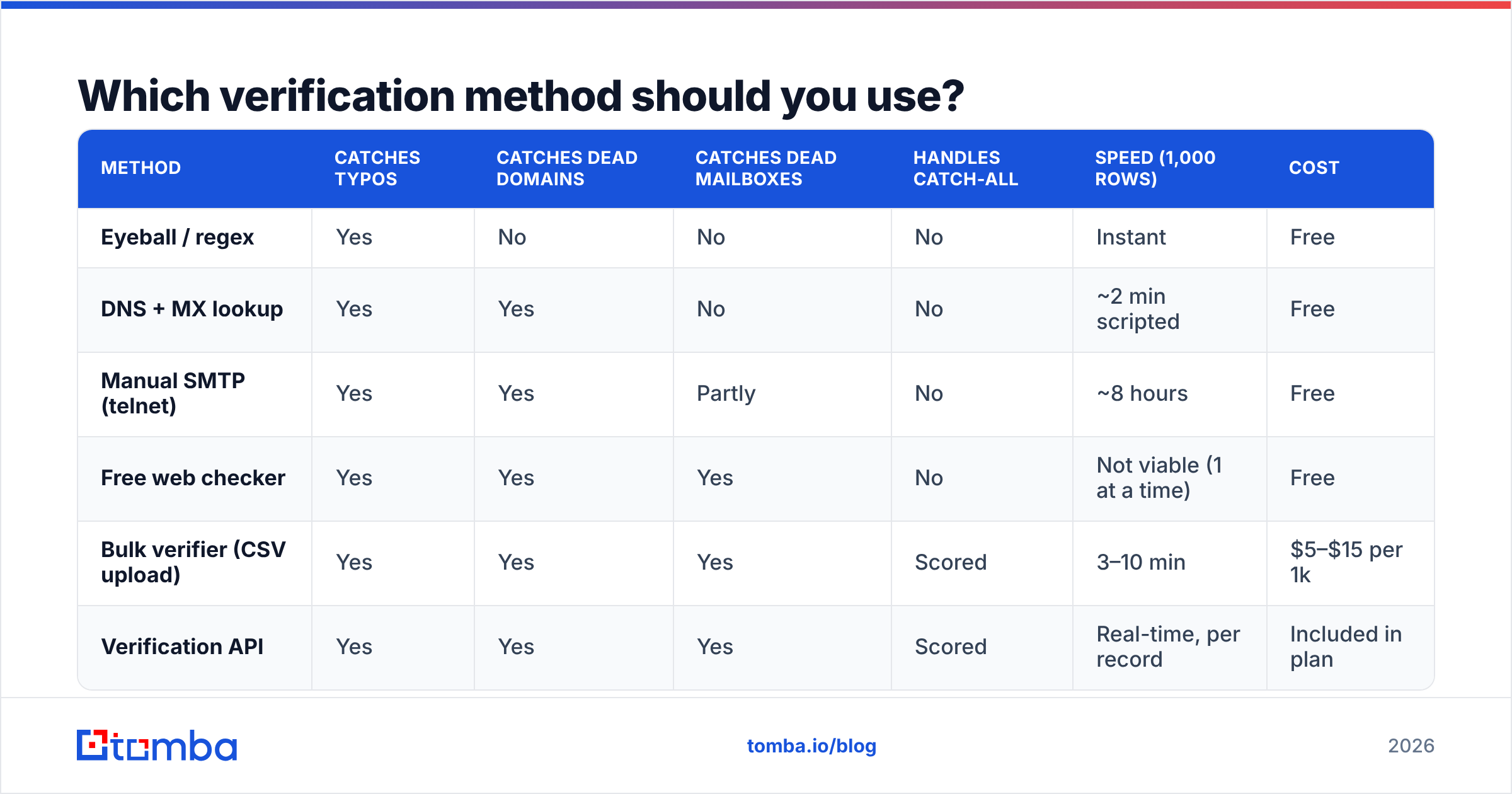
The honest answer depends on volume and how much a bounce costs you. Here's the comparison:
| Method | Catches typos | Catches dead domains | Catches dead mailboxes | Handles catch-all | Speed (1,000 rows) | Cost |
|---|---|---|---|---|---|---|
| Eyeball / regex | Yes | No | No | No | Instant | Free |
| DNS + MX lookup | Yes | Yes | No | No | ~2 min scripted | Free |
| Manual SMTP (telnet) | Yes | Yes | Partly | No | ~8 hours | Free |
| Free web checker | Yes | Yes | Yes | No | Not viable (1 at a time) | Free |
| Bulk verifier (CSV upload) | Yes | Yes | Yes | Scored | 3–10 min | $5–$15 per 1k |
| Verification API | Yes | Yes | Yes | Scored | Real-time, per record | Included in plan |
The pattern is clear: free methods answer "could this address exist?" while paid verification answers "will this address accept mail today?" Those are different questions, and only the second one protects your sender reputation.
Why do bounces matter more than they used to?#
Because the mailbox providers changed the rules and enforcement got automatic.
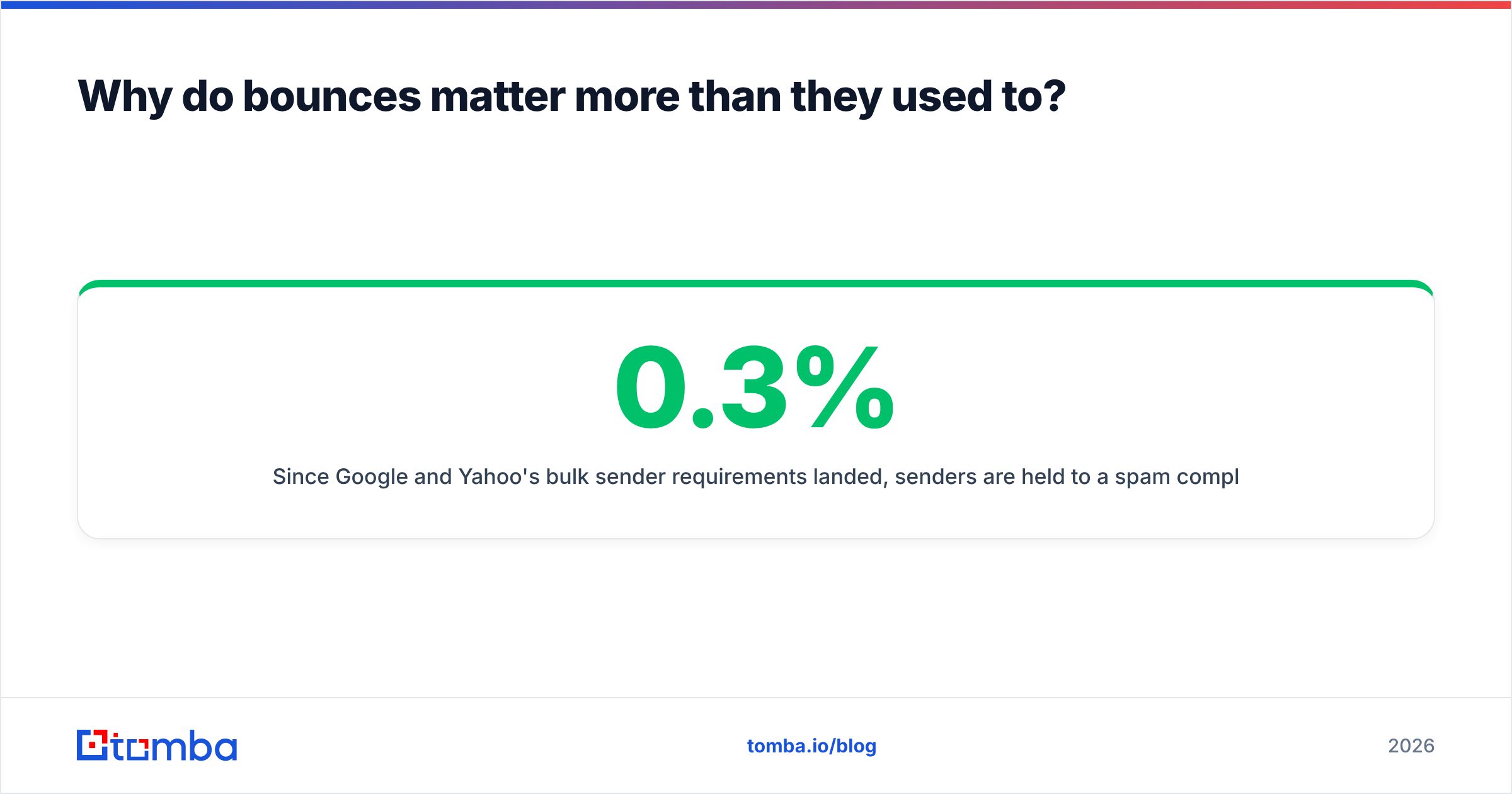
Since Google and Yahoo's bulk sender requirements landed, senders are held to a spam complaint rate under 0.3%, and hard bounce rates above roughly 2% start triggering throttling and outright blocks. Google spells this out in its Email sender guidelines. A list with 8% invalid addresses doesn't just waste eight sends per hundred — it degrades the delivery of the other 92.
The compounding damage looks like this:
- Hard bounces signal to the receiving server that you don't maintain your list. Reputation drops for the whole sending domain, not just that campaign.
- Spam traps are recycled dead addresses turned into detectors. Hitting one can blacklist your domain outright; check with a blacklist checker if your open rates fell off a cliff.
- Cold outreach amplifies it. Sequences send 3–5 touches per contact, so one invalid address becomes five bounce events.
- Cost per reply rises. Every dead row still consumes a sending slot, a sequence seat, and a credit.
Verify before you import, not after your reply rate cratered.
How does catch-all verification work?#
Catch-all is the case where clean verification breaks down, and it's worth understanding before you trust any tool's verdict.
A catch-all (or "accept-all") domain is configured to accept mail sent to any address at that domain, then sort it out internally. RCPT TO: <asdkjh2837@company.com> returns 250 OK just like rcpt to: <jane.doe@company.com> does. The SMTP layer has no more information to give you.
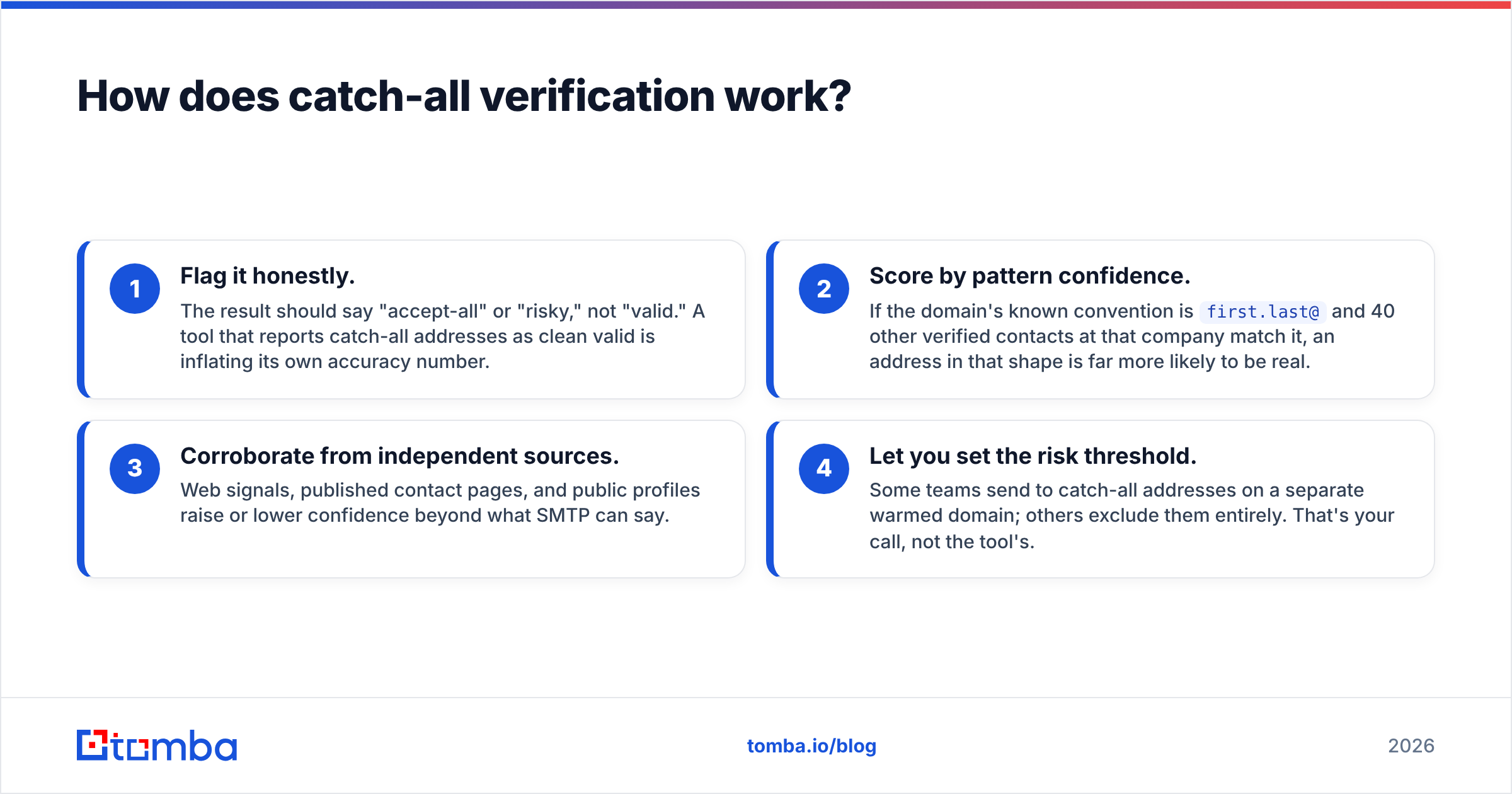
Good verifiers respond in three ways rather than shrugging:
- Flag it honestly. The result should say "accept-all" or "risky," not "valid." A tool that reports catch-all addresses as clean valid is inflating its own accuracy number.
- Score by pattern confidence. If the domain's known convention is
first.last@and 40 other verified contacts at that company match it, an address in that shape is far more likely to be real. - Corroborate from independent sources. Web signals, published contact pages, and public profiles raise or lower confidence beyond what SMTP can say.
- Let you set the risk threshold. Some teams send to catch-all addresses on a separate warmed domain; others exclude them entirely. That's your call, not the tool's.
Tomba exposes this explicitly with a catch-all verifier that returns a confidence score plus the pattern evidence behind it, rather than a binary yes/no you can't audit. If you'd rather see how a vendor sources this in the first place, their data sources page documents the inputs.

What do the tools cost, and which one fits your volume?#
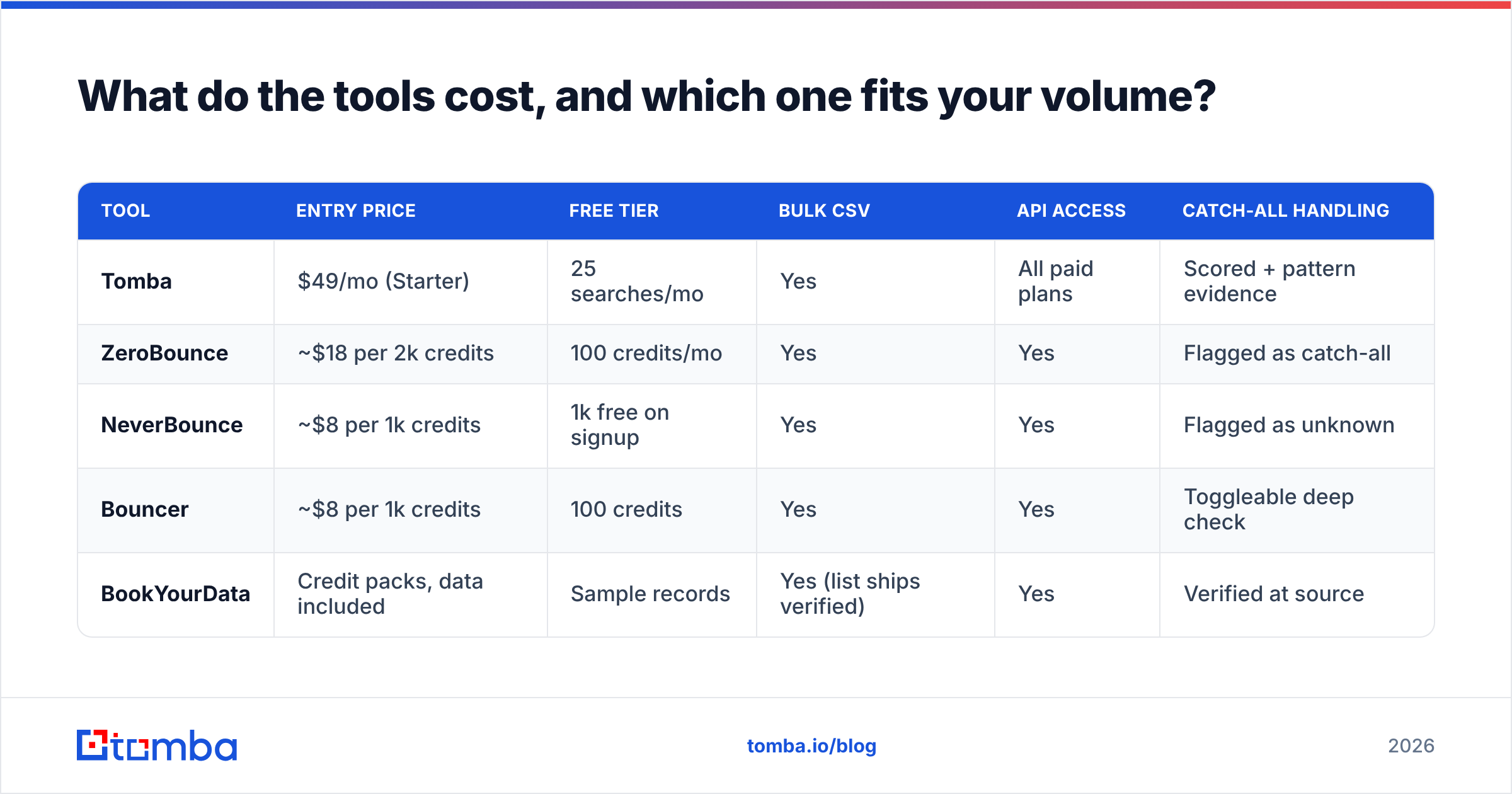
Verification pricing splits into three shapes: per-credit bulk, subscription with monthly credits, and pay-as-you-go API. Here's how the common options compare for a team verifying a few thousand addresses a month:
| Tool | Entry price | Free tier | Bulk CSV | API access | Catch-all handling |
|---|---|---|---|---|---|
| Tomba | $49/mo (Starter) | 25 searches/mo | Yes | All paid plans | Scored + pattern evidence |
| ZeroBounce | ~$18 per 2k credits | 100 credits/mo | Yes | Yes | Flagged as catch-all |
| NeverBounce | ~$8 per 1k credits | 1k free on signup | Yes | Yes | Flagged as unknown |
| Bouncer | ~$8 per 1k credits | 100 credits | Yes | Yes | Toggleable deep check |
| BookYourData | Credit packs, data included | Sample records | Yes (list ships verified) | Yes | Verified at source |
Two things to read out of that table. First, the pure verifiers are cheaper per credit than platforms that also find emails — because they only answer one question. If you're already sourcing contacts, paying twice for two vendors rarely pencils out. Second, BookYourData sits in a different lane: it sells pre-verified contact lists rather than checking yours, which suits teams who want data and validation bundled rather than a standalone checker.
Tomba's plans run Free (25 searches/mo), Starter $49/mo, Growth $99/mo, Pro $249/mo, and Enterprise custom — full Tomba pricing is public. The relevant difference for verification workflows is that finding and verifying share the same credit pool, so you're not reconciling two invoices.
How do you verify emails at scale without babysitting a CSV?#
Three approaches, in rising order of automation.
Bulk upload. Export your list, upload the CSV, download the scored file. Works fine for a monthly list hygiene pass. Tools like bulk verify handle thousands of rows in minutes, and the output typically includes status, score, and reason code per row.
Spreadsheet add-ins. If your list lives in a sheet and never leaves it, a Google Sheets add-on or an Excel add-in verifies in place with a formula. No export, no re-import, no version confusion.
API integration. The durable answer. Call an email verification API at the moment an address enters your system — form submission, CRM import, scraper output — and reject or quarantine bad rows before they ever reach a sequence. A typical request:
GET https://api.tomba.io/v1/email-verifier/jane.doe@example.comThe response carries the status (valid, invalid, accept_all, disposable, webmail), a numeric score, MX and SMTP booleans, and the reason. Wire that into your signup flow and your list stays clean by construction instead of by cleanup.
For CRM-native teams, the HubSpot integration and Salesforce integration push verification results onto the contact record directly, so reps see the status without leaving the deal view.
What are the common mistakes to avoid?#
- Trusting regex as validation.
test@test.testpasses every regex ever written and bounces every time. - Verifying once and never again. B2B email decays around 22–30% per year as people change jobs. A list verified in January is measurably worse by June.
- Treating catch-all as valid. It inflates your "clean list" number and hides the bounce risk until send day.
- Sending probe emails from your production domain. You're spending reputation to gather information a verifier gives you for free.
- Skipping role accounts.
info@andsupport@are technically valid and almost never convert in cold outreach. Filter them separately rather than deleting them — they're useful for support and partnership plays. - Ignoring the authentication side. Verification cleans your list; SPF, DKIM, and DMARC establish your right to send. Run an SPF checker alongside your list hygiene, because a perfect list still bounces from a misconfigured domain.
How often should you re-verify your list?#
Set it on a schedule tied to how the data ages:
- Purchased or scraped lists — verify immediately on import, before a single send.
- Active outbound lists — re-verify every 60–90 days.
- Newsletter subscribers — re-verify every 6 months, and prune anyone with zero opens across 12 months regardless of verification status.
- CRM contact records — verify on write via API, then re-check annually.
- Anything older than 12 months — assume roughly a quarter of it is dead and verify before reuse.
The cheapest verification is the one that happens at the point of entry. The most expensive is the one you run after your domain reputation already tanked.
Start with a clean list#
If you're checking a handful of addresses, the free email checker will settle it in a few seconds with no account. If you're building lists — sourcing contacts by company, enriching a CRM, or feeding a sequencer — verify at the point of discovery instead of cleaning up later. The Tomba Email Finder returns addresses with a confidence score and verification status attached, so the row that lands in your sheet is already checked, catch-all flagged, and ready to send. Start on the free tier at 25 searches a month, and move up only when volume actually demands it.
Related guides#
// get started
Find, verify and enrich your first contacts today
Start on the free plan with 25 searches a month, then scale when your team is ready.
Free plan · No credit card required · GDPR & CCPA
// about the author