How to Verify DKIM Is Working: A 2026 Testing Guide
Your DKIM record exists — but is it actually signing and passing? Here are five ways to confirm DKIM is working, from raw header checks to DMARC aggregate reports.
TL;DR
- A published DKIM record is not proof of a working DKIM setup. The only reliable evidence is
dkim=passin the Authentication-Results header of a message your server actually sent. - The fastest verification loop: send a test message to a Gmail address, open Show original, and confirm DKIM shows PASS with your own domain in the
header.iord=field. - Command-line check:
dig TXT selector._domainkey.yourdomain.comconfirms the public key is published and reachable. It does not confirm signing. - The two failures nobody catches: DKIM aligning to your ESP's domain instead of yours, and signatures breaking on forwarded or list-relayed mail.
- Verify once at setup, then keep verifying with DMARC aggregate reports — they tell you the pass rate across every sending source, not just your test send.
You configured DKIM last month. The DNS record is there, your ESP dashboard shows a green checkmark, and you assumed the job was finished. Then open rates dipped and someone forwarded you a screenshot of your own email sitting in Promotions with a "this message may not be from who it says it is" warning.
The green checkmark meant your record parsed. It did not mean your outbound mail is being signed, that the signature validates, or that it aligns with the domain in your From address. Those are three separate things, and this guide walks through how to verify each one.
What Does "DKIM Is Working" Actually Mean?#
DKIM is a wax seal on a letter. The sending server stamps the message with a private key; the receiving server looks up the matching public key in your DNS and checks whether the seal is intact. If the letter was opened and altered in transit, the seal breaks.
That analogy hides three moving parts, and "working" requires all three:
- The key pair exists and the public half is published. Your DNS holds a TXT record at
selector._domainkey.yourdomain.comcontaining the public key. - Your sending server is actually signing. The private half is loaded and applied to outbound messages, producing a
DKIM-Signatureheader. - The signature validates and aligns. The receiving server recomputes the hash, it matches, and the
d=domain in the signature relates to the domain in your visible From address — which is what DMARC requires.
Most "my DKIM is broken" tickets are failures at step 2 or step 3 while step 1 looks perfect. A DNS lookup tool will happily tell you the record is valid while every message you send goes out unsigned.
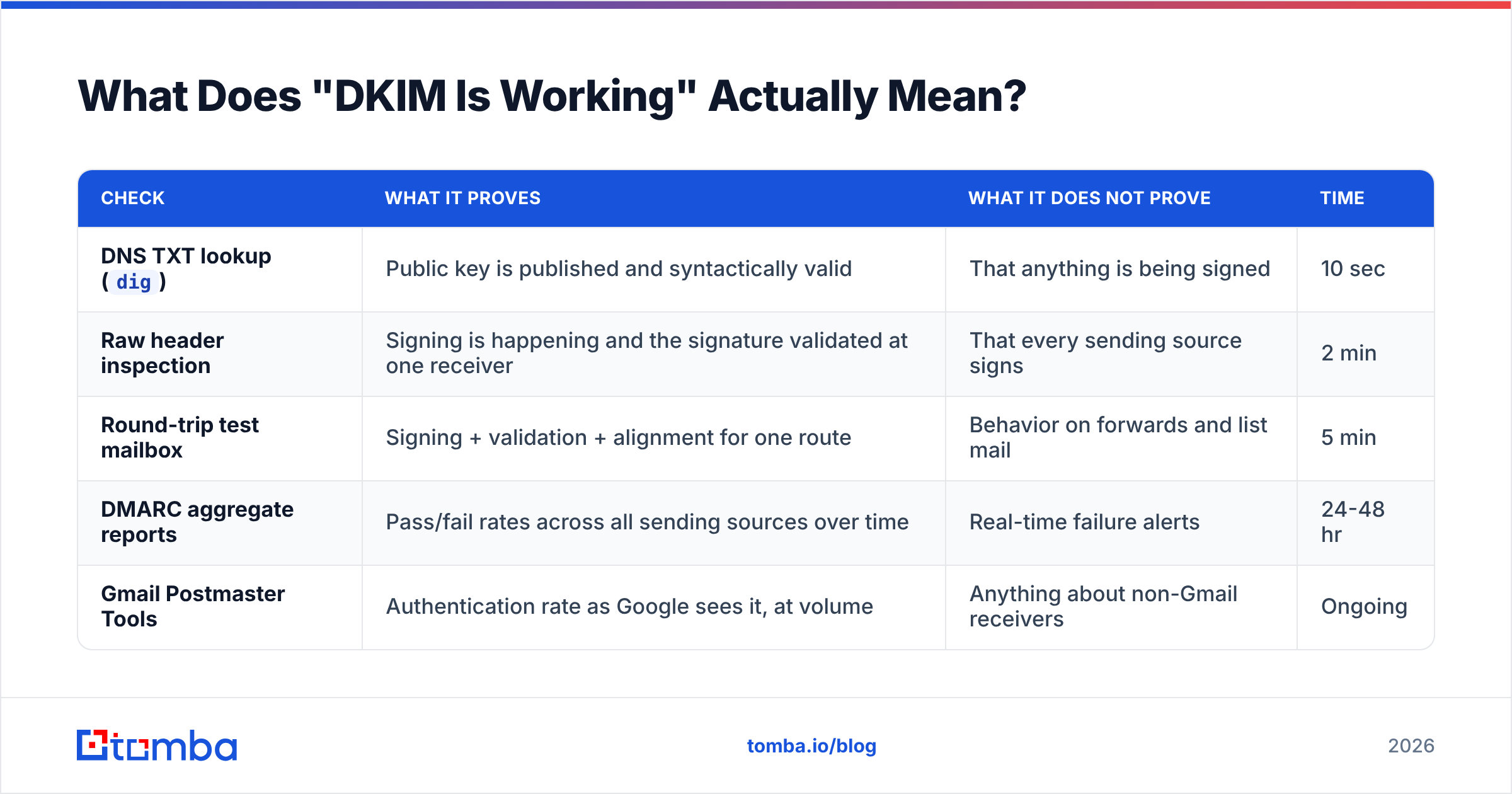
| Check | What it proves | What it does NOT prove | Time |
|---|---|---|---|
DNS TXT lookup (dig) |
Public key is published and syntactically valid | That anything is being signed | 10 sec |
| Raw header inspection | Signing is happening and the signature validated at one receiver | That every sending source signs | 2 min |
| Round-trip test mailbox | Signing + validation + alignment for one route | Behavior on forwards and list mail | 5 min |
| DMARC aggregate reports | Pass/fail rates across all sending sources over time | Real-time failure alerts | 24-48 hr |
| Gmail Postmaster Tools | Authentication rate as Google sees it, at volume | Anything about non-Gmail receivers | Ongoing |
How Do You Verify DKIM Is Working in Under Five Minutes?#
Send yourself a message and read the headers. Every other method is a supplement to this one.
Step 1 — Send from the system you actually use. Not from your desktop client, not from a test script. If your cold outreach goes through a sequencer, send the test from the sequencer. If your transactional receipts go through a different provider, test that separately. Each sending source has its own DKIM configuration.
Step 2 — Open the message in Gmail and click the three-dot menu → Show original. Google prints a summary block at the top:
SPF:       PASS with IP 198.51.100.24
DKIM:      'PASS' with domain yourdomain.com
DMARC:     'PASS'
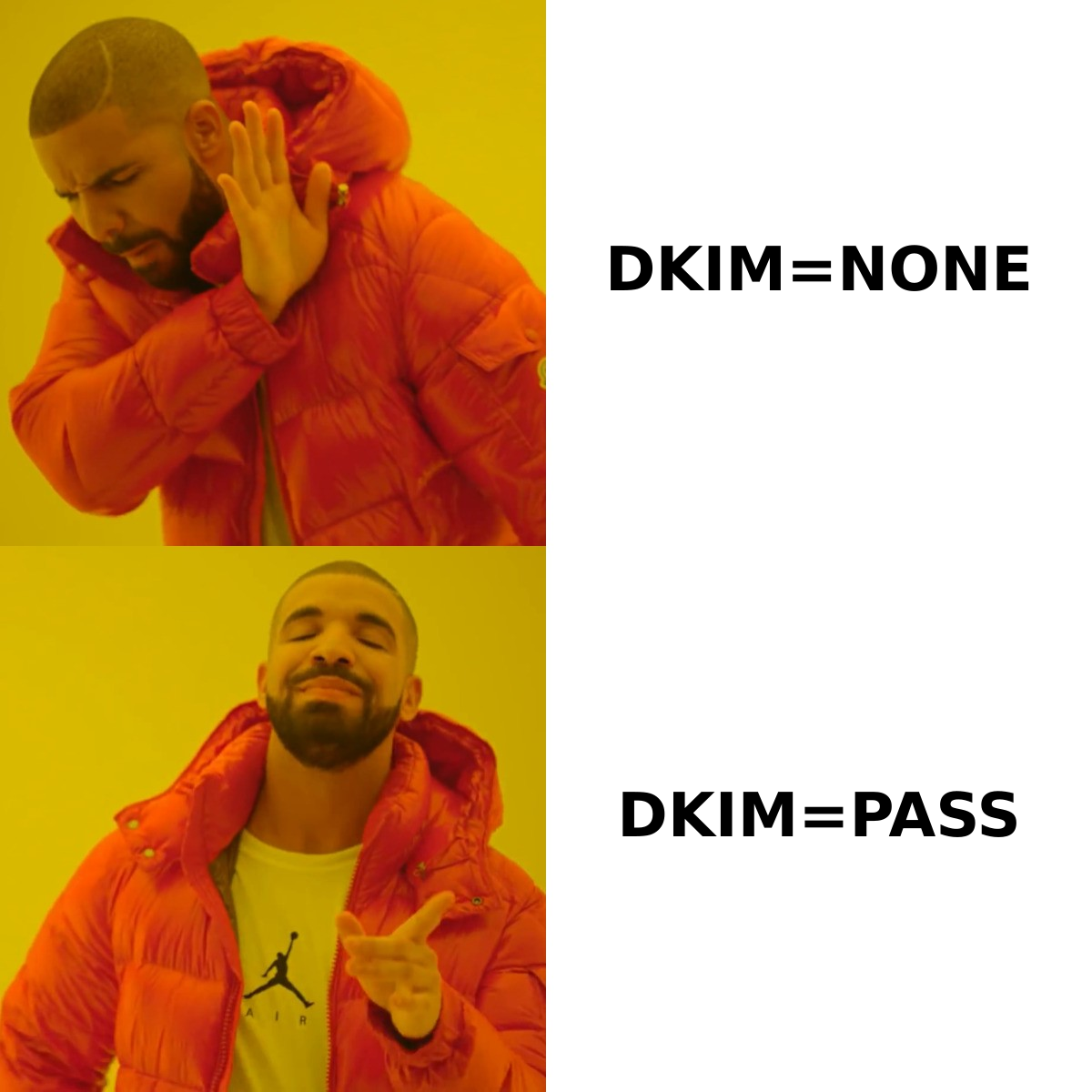
The critical detail is the domain. PASS with domain yourdomain.com is what you want. PASS with domain sendgrid.net or PASS with domain amazonses.com means the message was signed — just not by you. That is a valid DKIM signature that will fail DMARC alignment, and it is the single most common misconfiguration in B2B sending stacks.
Step 3 — Read the raw Authentication-Results header. Scroll past the summary to the full source:
Authentication-Results: mx.google.com;
       dkim=pass header.i=@yourdomain.com header.s=selector1 header.b=Xk2p9dQz;
       spf=pass (google.com: domain of bounce@yourdomain.com designates 198.51.100.24 as permitted sender);
       dmarc=pass (p=QUARANTINE sp=QUARANTINE dis=NONE) header.from=yourdomain.com
Three things to confirm: dkim=pass, header.i=@yourdomain.com matching your From domain, and header.s= showing the selector you expect. If header.s shows a selector you have never heard of, your ESP is signing with its own key.
Step 4 — Repeat at a Microsoft mailbox. Outlook and Microsoft 365 apply their own parsing. A signature that passes at Gmail but fails at Outlook usually points to a header-canonicalization mismatch — switch from simple/simple to relaxed/relaxed in your signing config and retest.
How Do You Check the DKIM Record Itself?#
Use dig or nslookup against the selector. You need to know your selector first — read it off the header.s= value in a message you already sent, or pull it from your ESP's DNS setup page.
dig TXT selector1._domainkey.yourdomain.com +shortA healthy response looks like:
"v=DKIM1; k=rsa; p=MIIBIjANBgkqhkiG9w0BAQEFAAOCAQ8AMIIBCgKCAQEA..."What to look for:
v=DKIM1must be first. Some DNS providers strip or reorder tags.p=must be non-empty. An emptyp=is the official way to revoke a key — if you seep=;the key is deliberately dead.- Key length. Decode the base64 or count the string. A
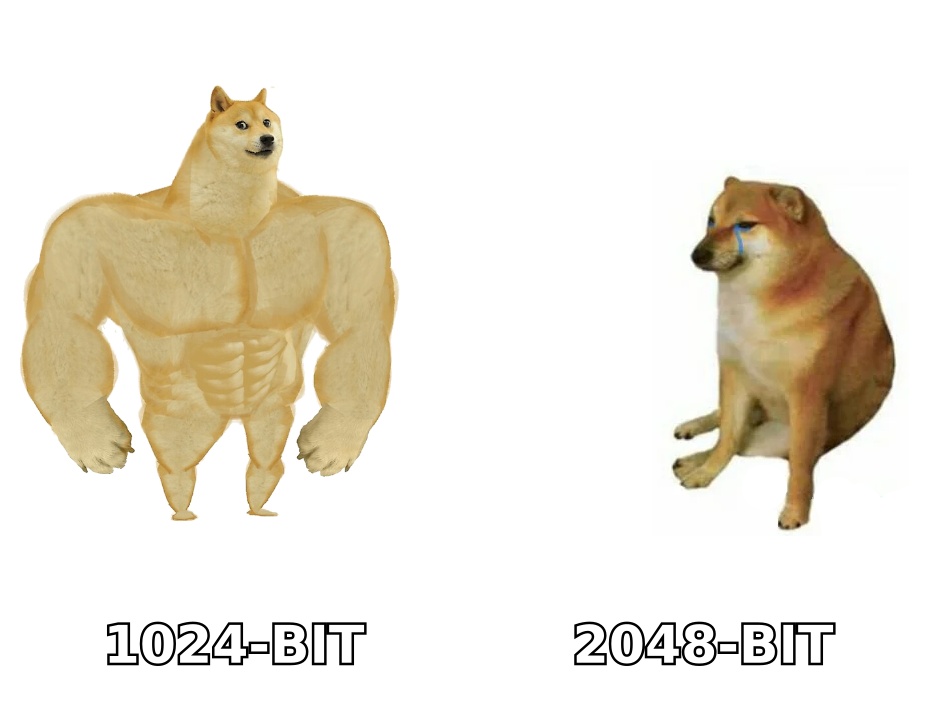
p=value under roughly 220 characters is a 1024-bit key. In 2026, 2048-bit is the working standard, and both Google and Yahoo's bulk-sender requirements assume it. Rotate up if you are still on 1024. - No string splitting damage. TXT records over 255 characters get split into chunks. Most DNS hosts stitch them correctly; some do not, and a mangled 2048-bit key produces a permanent
dkim=permerror. - No CNAME chain breaks. ESPs often hand you CNAMEs pointing at their infrastructure. Confirm each hop resolves:
dig CNAME s1._domainkey.yourdomain.com.
A record that resolves cleanly is necessary but not sufficient. You still have not proven your mail server is signing anything. Pair the DNS check with an SPF checker run and a blacklist checker sweep so you are looking at your whole authentication posture, not one record in isolation.
What Are the Silent DKIM Failures Most Senders Miss?#
These are the ones that pass every setup test and still cost you replies.
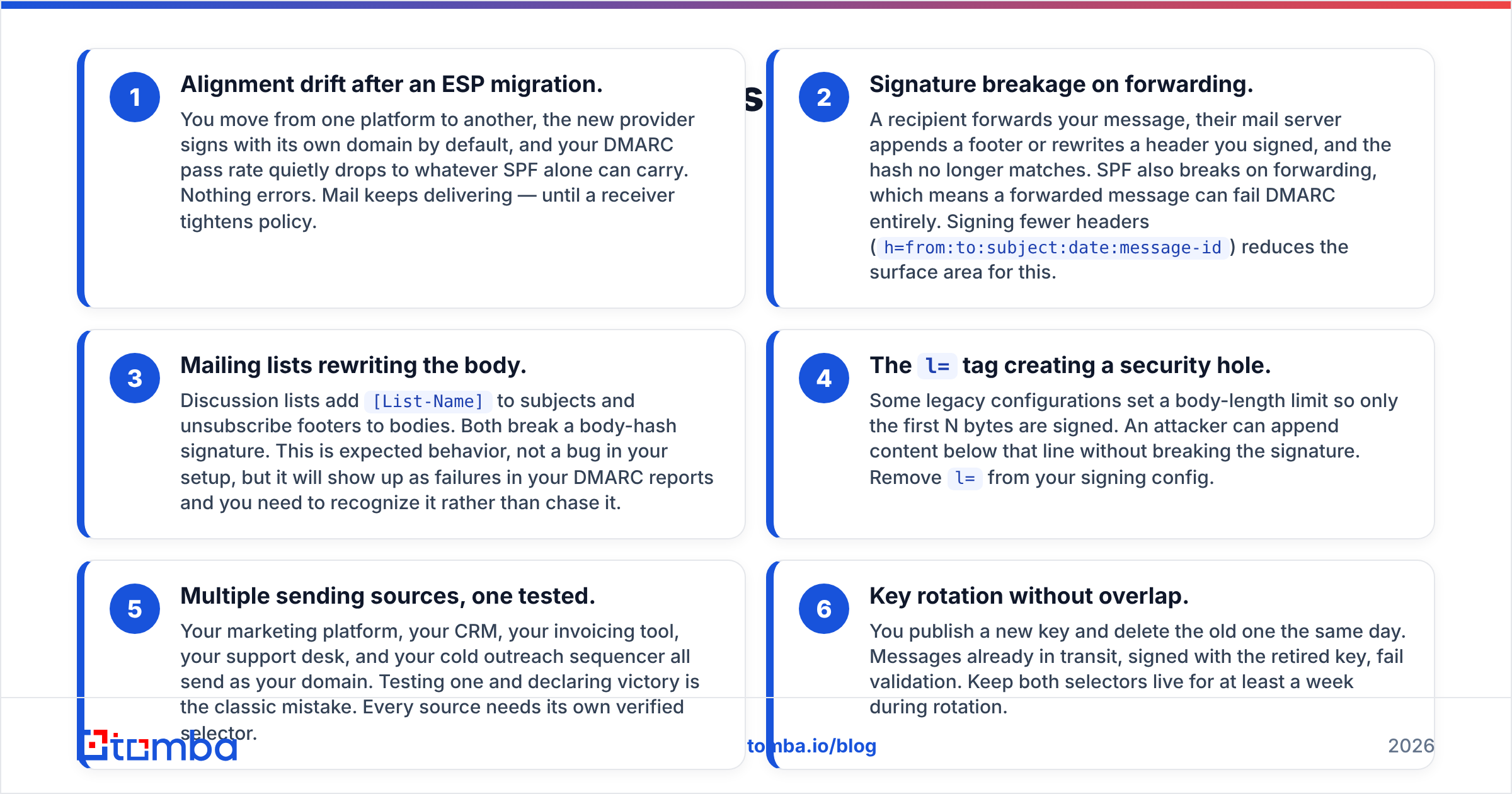
Alignment drift after an ESP migration. You move from one platform to another, the new provider signs with its own domain by default, and your DMARC pass rate quietly drops to whatever SPF alone can carry. Nothing errors. Mail keeps delivering — until a receiver tightens policy.
Signature breakage on forwarding. A recipient forwards your message, their mail server appends a footer or rewrites a header you signed, and the hash no longer matches. SPF also breaks on forwarding, which means a forwarded message can fail DMARC entirely. Signing fewer headers (
h=from:to:subject:date:message-id) reduces the surface area for this.Mailing lists rewriting the body. Discussion lists add
[List-Name]to subjects and unsubscribe footers to bodies. Both break a body-hash signature. This is expected behavior, not a bug in your setup, but it will show up as failures in your DMARC reports and you need to recognize it rather than chase it.The
l=tag creating a security hole. Some legacy configurations set a body-length limit so only the first N bytes are signed. An attacker can append content below that line without breaking the signature. Removel=from your signing config.Multiple sending sources, one tested. Your marketing platform, your CRM, your invoicing tool, your support desk, and your cold outreach sequencer all send as your domain. Testing one and declaring victory is the classic mistake. Every source needs its own verified selector.
Key rotation without overlap. You publish a new key and delete the old one the same day. Messages already in transit, signed with the retired key, fail validation. Keep both selectors live for at least a week during rotation.
Which DKIM Verification Tools Should You Actually Use?#
Different tools answer different questions. Picking the wrong one is why people think they have verified something they have not.
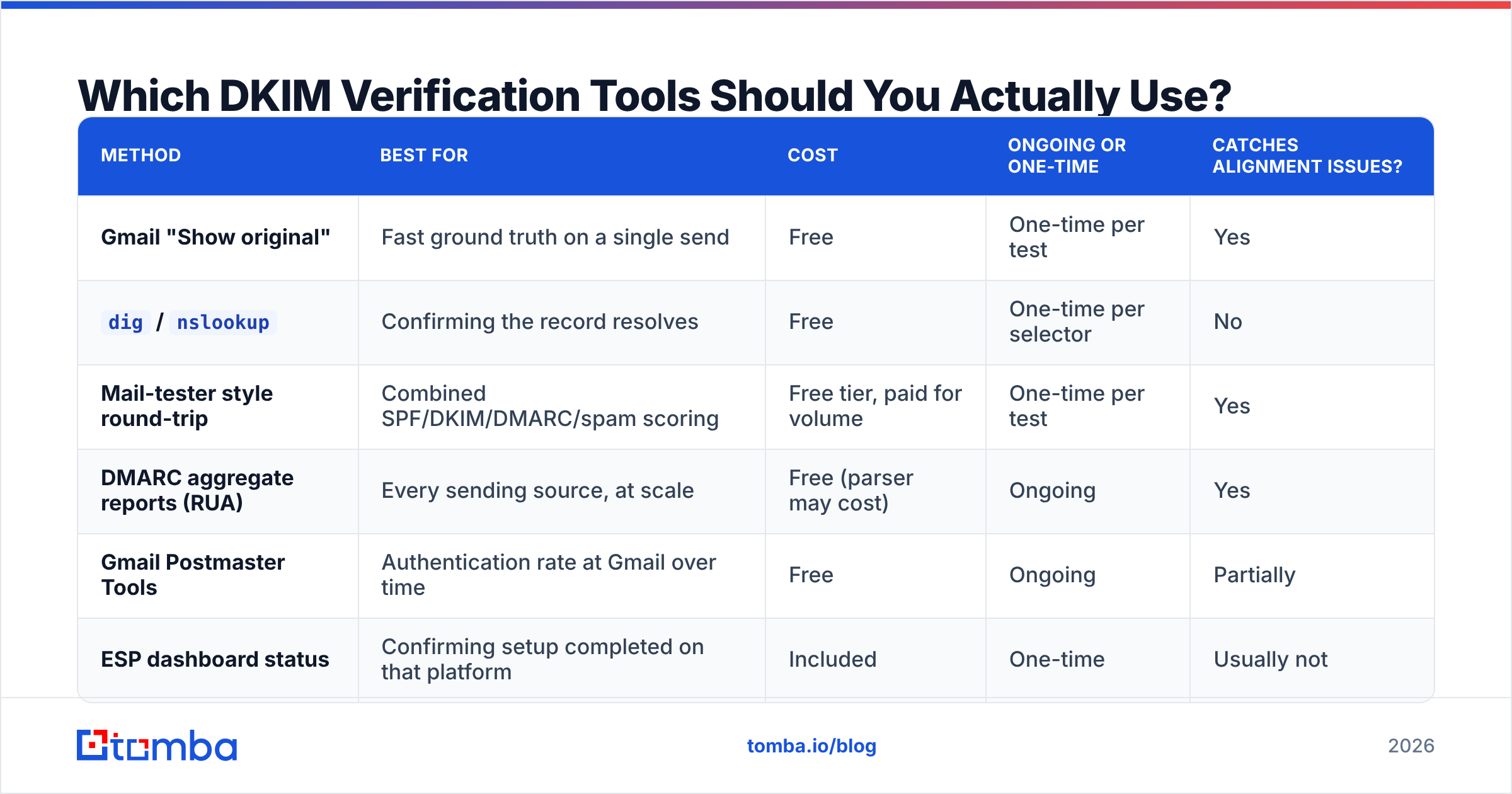
| Method | Best for | Cost | Ongoing or one-time | Catches alignment issues? |
|---|---|---|---|---|
| Gmail "Show original" | Fast ground truth on a single send | Free | One-time per test | Yes |
dig / nslookup |
Confirming the record resolves | Free | One-time per selector | No |
| Mail-tester style round-trip | Combined SPF/DKIM/DMARC/spam scoring | Free tier, paid for volume | One-time per test | Yes |
| DMARC aggregate reports (RUA) | Every sending source, at scale | Free (parser may cost) | Ongoing | Yes |
| Gmail Postmaster Tools | Authentication rate at Gmail over time | Free | Ongoing | Partially |
| ESP dashboard status | Confirming setup completed on that platform | Included | One-time | Usually not |
The pairing that actually covers you: Show original for the immediate check, DMARC aggregate reports for the standing check. Everything else is convenience.
To start receiving aggregate reports, publish a DMARC record with a rua address:
v=DMARC1; p=none; rua=mailto:dmarc-reports@yourdomain.com; fo=1; pct=100Start at p=none. You will get XML reports from Google, Microsoft, Yahoo and others within 24 to 48 hours showing, per sending IP, how many messages passed DKIM, how many passed SPF, and whether each aligned. That is the only view that covers sources you forgot you had. Once your DKIM pass rate sits above 98% across all legitimate sources, move to p=quarantine, then p=reject.
How Does DKIM Verification Fit Into Cold Outreach Health?#
Authentication is the floor, not the ceiling. Passing DKIM gets your message evaluated on its merits instead of being pre-filtered. It does not make a bad list deliver.
The three-part stack that determines whether your outbound lands:
- Authentication — SPF, DKIM, DMARC all passing and aligned. This is a config problem you solve once and monitor.
- Reputation — your sender reputation as receivers score it, built from complaint rates, bounce rates, and engagement. This is a behavior problem.
- List quality — whether the addresses you send to exist and belong to real people who might reply. This is a data problem.
Perfect DKIM with a 30% bounce rate is worse than no DKIM at all, because now you are reliably identified as the domain sending garbage. Hard bounces from invalid addresses do more damage to a new domain than almost anything else, which is why running a list through an email verifier before the first send matters more than any DNS record.
The order that works: verify authentication with the header check above, verify the list, warm the domain gradually, then scale. Skipping the middle step is how teams end up with a perfectly authenticated domain that nobody's inbox trusts.
If you send to catch-all domains — common in enterprise B2B — standard verification returns "unknown" and you are guessing. A dedicated catch-all verifier resolves a meaningful share of those, which keeps your bounce rate low without forcing you to drop enterprise prospects from the list entirely.
What Should Your Ongoing DKIM Monitoring Look Like?#
Set a cadence rather than treating verification as a one-time task.
- Weekly: Skim DMARC aggregate reports for new sending IPs you do not recognize and for any source whose DKIM pass rate dropped.
- Monthly: Send a fresh test through each production sending path and read the headers. Configurations drift when platforms update.
- Quarterly: Rotate DKIM keys, keeping the old selector live for a week of overlap. Confirm key length is 2048-bit across every selector.
- On any change: New ESP, new subdomain, new sequencer, DNS provider migration — retest immediately. Every one of those events has broken DKIM for someone this year.
For teams running outbound at volume, wire the header check into your process rather than relying on memory. A single test send to a monitored mailbox before each new campaign catches configuration drift before it costs you a week of sends.
Get the Contact Data Right Before You Worry About Headers#
Authentication proves you are who you say you are. It says nothing about whether the person on the other end exists.
Once your DKIM is verified and passing, the next constraint on reply rate is data quality — sending to real, current, correctly-formatted addresses at the companies you actually want to reach. Tomba Email Finder finds professional email addresses by domain, name, or company, with verification built into the same workflow so you are not exporting a list to a second tool before every send. The free tier gives you 25 searches per month to test accuracy against contacts you can independently confirm; paid plans start at $49/mo on Starter, $99/mo on Growth, and $249/mo on Pro — see full Tomba pricing for credit allocations and API limits.
Verify the headers. Then verify the list. Both, or neither works.
Related guides#
// get started
Find, verify and enrich your first contacts today
Start on the free plan with 25 searches a month, then scale when your team is ready.
Free plan · No credit card required · GDPR & CCPA
// about the author