How to Write an Email Offering Services That Gets Replies
Most service-offer emails fail before the pitch lands. Here is the exact structure, five real templates, and the send-side checks that turn a cold offer into a booked call.
TL;DR
- A service-offer email wins on relevance, not eloquence. Lead with a specific observation about the prospect, not your company history.
- Use a six-part structure: subject, trigger line, problem framing, proof, single ask, and a low-friction close. Keep it under 150 words.
- One clear call to action beats three. "Worth a 15-minute look?" outperforms "book a demo, reply, or check our site."
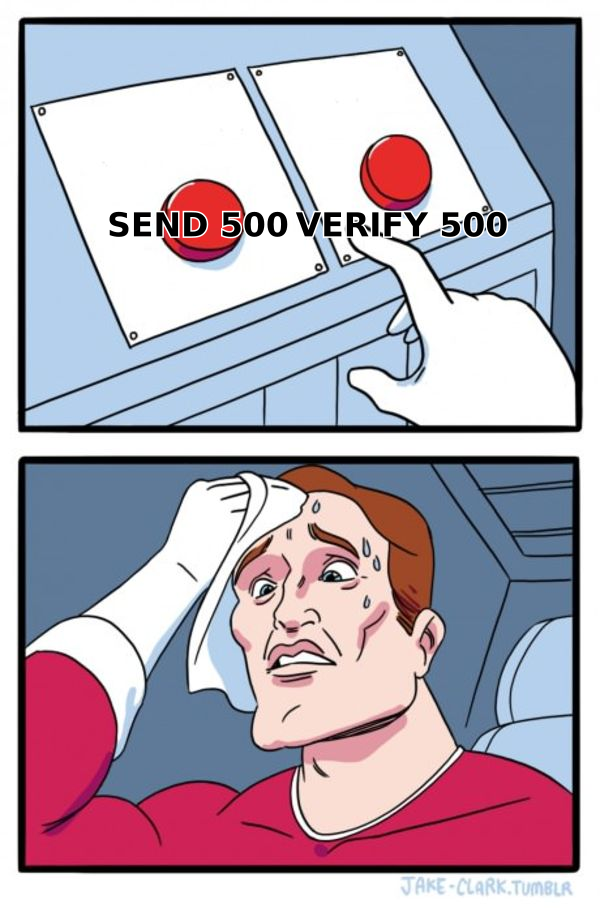
- Deliverability is half the battle. A perfect pitch to an unverified address is a bounce, and bounces damage the domain you need for the next 500 sends.
- Personalize the first two lines, template the rest. That ratio is what makes offer emails scale without reading like spam.
What Is an Email Offering Services, and Why Do Most Fail?#
An email offering services is a cold or semi-cold outbound message where you propose paid work to someone who did not ask for it. Agencies send them. Freelancers send them. SaaS founders send them under the label "partnership." The category covers everything from a web designer pitching a redesign to a fractional CFO pitching a monthly retainer.
Most fail for one of four reasons, and none of them is bad writing:
- The email reached the wrong person. You pitched a marketing service to a VP of Engineering because that was the only contact you could scrape.
- The email never arrived. Unverified addresses bounced, or the domain had no authentication and Google routed the message to spam.
- The opening line was about you. "We're a full-service agency founded in 2019" tells the reader nothing they can act on.
- The ask was too heavy. A 45-minute discovery call is a big commitment from someone who has known you for eleven seconds.
Fix those four and your copy barely matters. Get the copy perfect and ignore those four, and nothing happens.

What Structure Should a Service Offer Email Follow?#
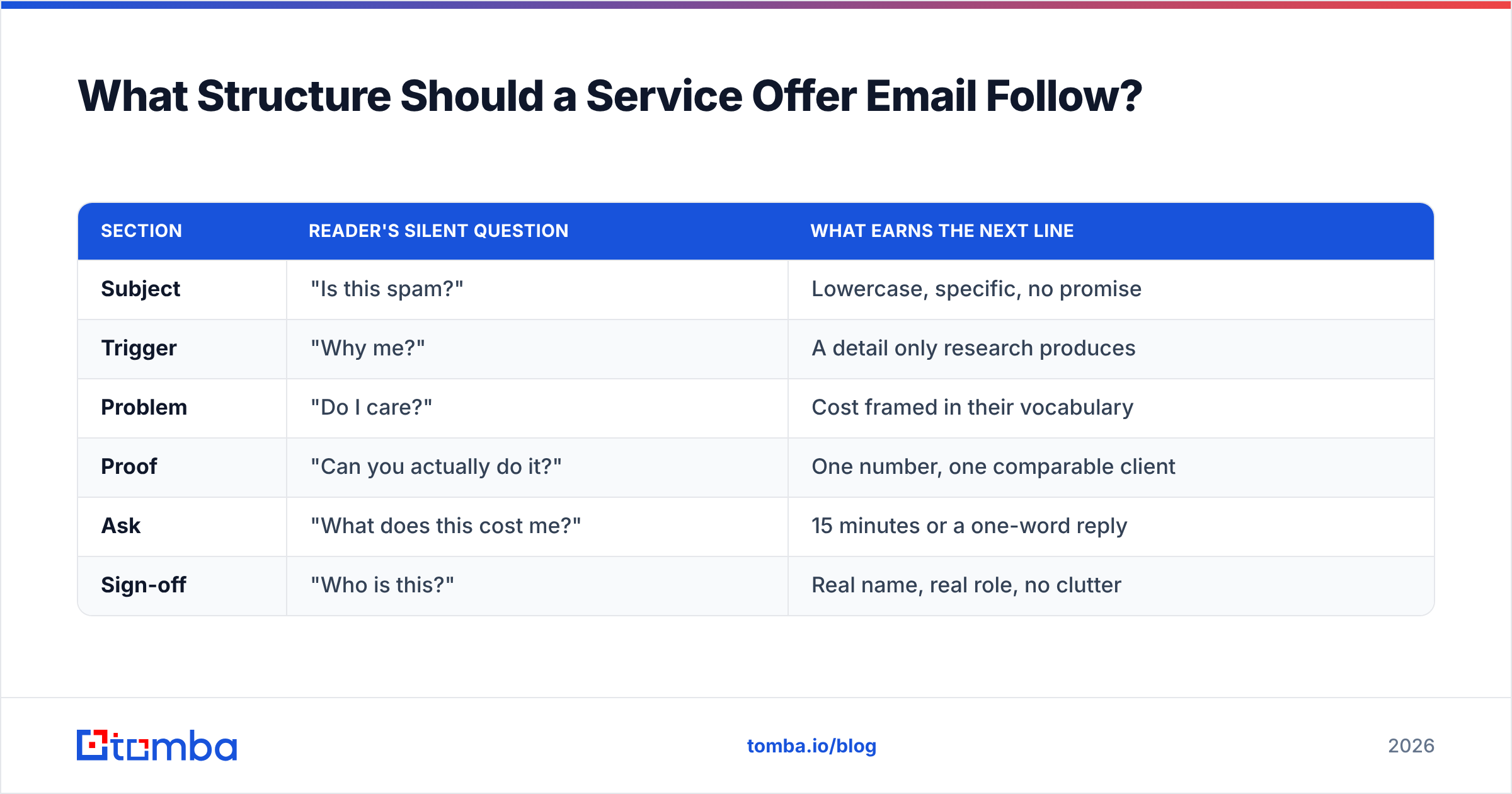
Six parts, in this order. Each one has a job, and if a sentence does not serve one of these jobs, delete it.
- Subject line (3–6 words). Descriptive, lowercase, no hype. "quick question re: your checkout flow" beats "Unlock 3x Revenue Growth Today."
- Trigger line (1 sentence). The specific reason you are emailing this person now — a hire, a funding round, a page you actually looked at, a competitor they lost to.
- Problem framing (1–2 sentences). Name the cost of the status quo in their language. Not "inefficiency" — "your sales team is re-keying leads into HubSpot by hand."
- Proof (1 sentence). One comparable client, one number, one outcome. No logo wall, no case-study PDF.
- The ask (1 sentence). Single, small, and answerable with a yes or no.
- Sign-off. Name, role, company. No 300-pixel banner, no legal disclaimer, no "sent from my iPhone."
That is roughly 90–140 words. If you are over 200, you have written a proposal, not an email.
How the six parts map to reader psychology#
| Section | Reader's silent question | What earns the next line |
|---|---|---|
| Subject | "Is this spam?" | Lowercase, specific, no promise |
| Trigger | "Why me?" | A detail only research produces |
| Problem | "Do I care?" | Cost framed in their vocabulary |
| Proof | "Can you actually do it?" | One number, one comparable client |
| Ask | "What does this cost me?" | 15 minutes or a one-word reply |
| Sign-off | "Who is this?" | Real name, real role, no clutter |
How Do You Write the Opening Line?#
The opening line is the entire email. If it does not survive the preview pane, nothing after it exists.
Three openings that work, ranked by effort:
Tier 1 — Observed behavior. You saw something they did. "Saw you're hiring two SDRs in Austin — usually means the pipeline math is about to change." This requires a job-board check and takes 40 seconds per prospect.
Tier 2 — Segment insight. True of their whole category, specific enough to sting. "Most Shopify Plus brands your size lose 8–12% of checkout sessions to a slow third-party review widget." Researched once, reused across 200 prospects.
Tier 3 — Mutual context. A shared connection, a conference, a community. "We were both in the RevOps Slack thread about attribution last week."
Openings that never work: "I hope this email finds you well," "My name is X and I work at Y," and any sentence starting with "As a leading provider of."
What Do the Templates Actually Look Like?#
Five structures covering the common service-offer scenarios. Replace the brackets, keep the rhythm.
1. The trigger-based offer (agency to funded startup)
Subject: your new SDR hires
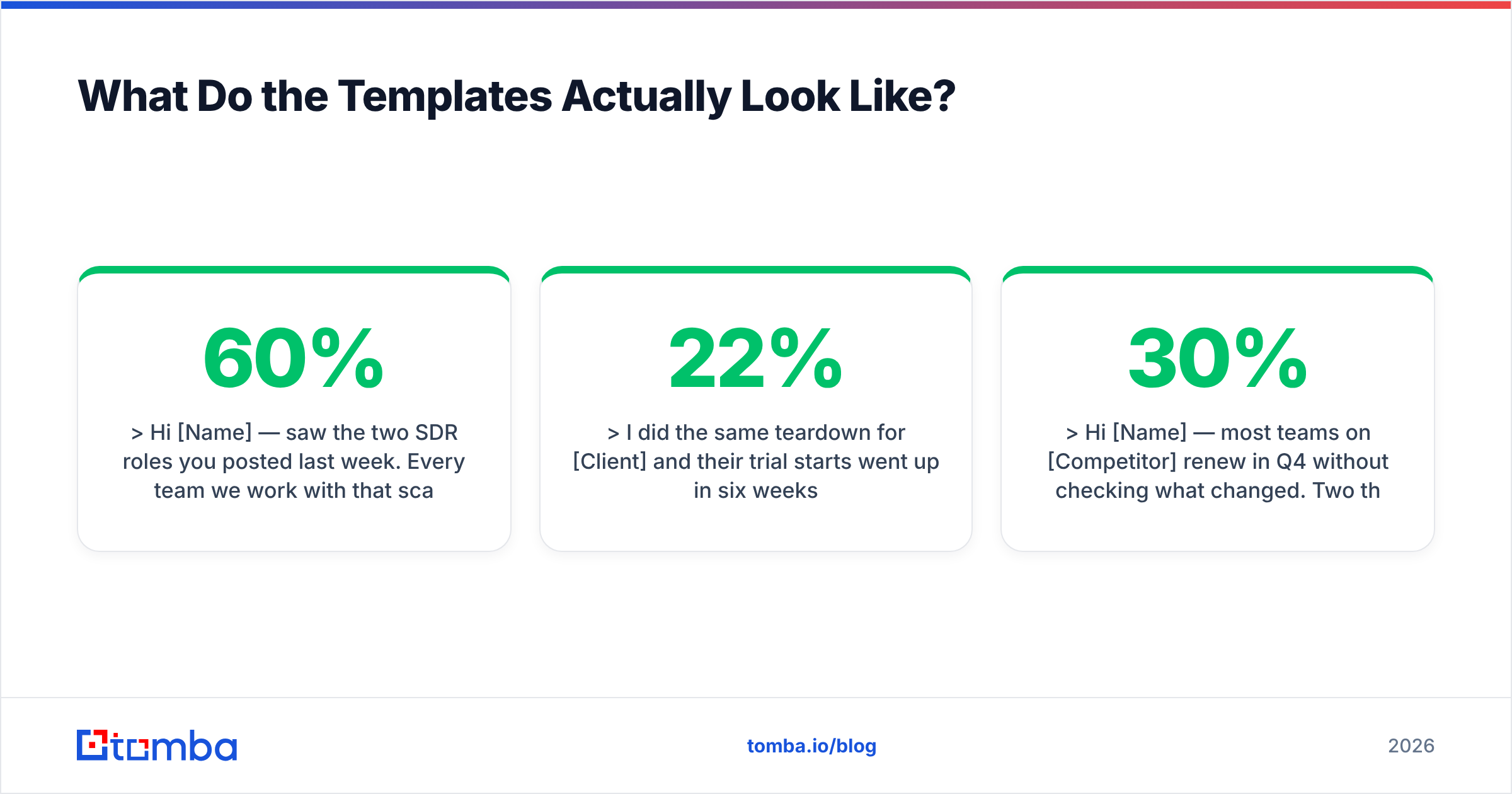
Hi [Name] — saw the two SDR roles you posted last week. Every team we work with that scales SDRs past four people hits the same wall: reps spend 60% of the day finding contact data instead of talking to people.
We built the outbound data layer for [Comparable Company] and their reps went from 18 to 44 conversations a week without adding headcount.
Worth a 15-minute look at how yours is set up?
[Your name], [Role] at [Company]
2. The audit offer (freelancer to SMB)
Subject: your pricing page
Hi [Name] — I went through [Company]'s pricing page this morning. Three things are costing you signups, and the biggest one is that the annual toggle doesn't show the savings amount.
I did the same teardown for [Client] and their trial starts went up 22% in six weeks.
Want me to send the other two? No call needed.
[Your name]
3. The competitor-displacement offer
Subject: [Competitor] renewal
Hi [Name] — most teams on [Competitor] renew in Q4 without checking what changed. Two things did: their per-seat pricing went up 30%, and the export API is now gated to Enterprise.
We moved [Client] over in nine days with no data loss. Happy to send the migration checklist either way.
Want it?
[Your name]
4. The referral-warmed offer
Subject: [Referrer] suggested I reach out
Hi [Name] — [Referrer] mentioned you're rebuilding the reporting stack this quarter. We did that project for her team in March; the piece that took longest was reconciling the CRM field mismatches, so I'd start there.
Free for 15 minutes Thursday to walk through what we hit?
[Your name]
5. The re-engagement offer (dormant lead)
Subject: picking this back up
Hi [Name] — we talked in [Month] about [Project] and you said the timing was wrong. Budgets are usually set for next quarter around now, so checking: is it worth revisiting, or should I close the file?
Either answer is useful.
[Your name]
That last one works because it gives permission to say no. A one-word "not now" is still a reply, and replies keep the thread alive.
Which Call to Action Actually Gets a Reply?#
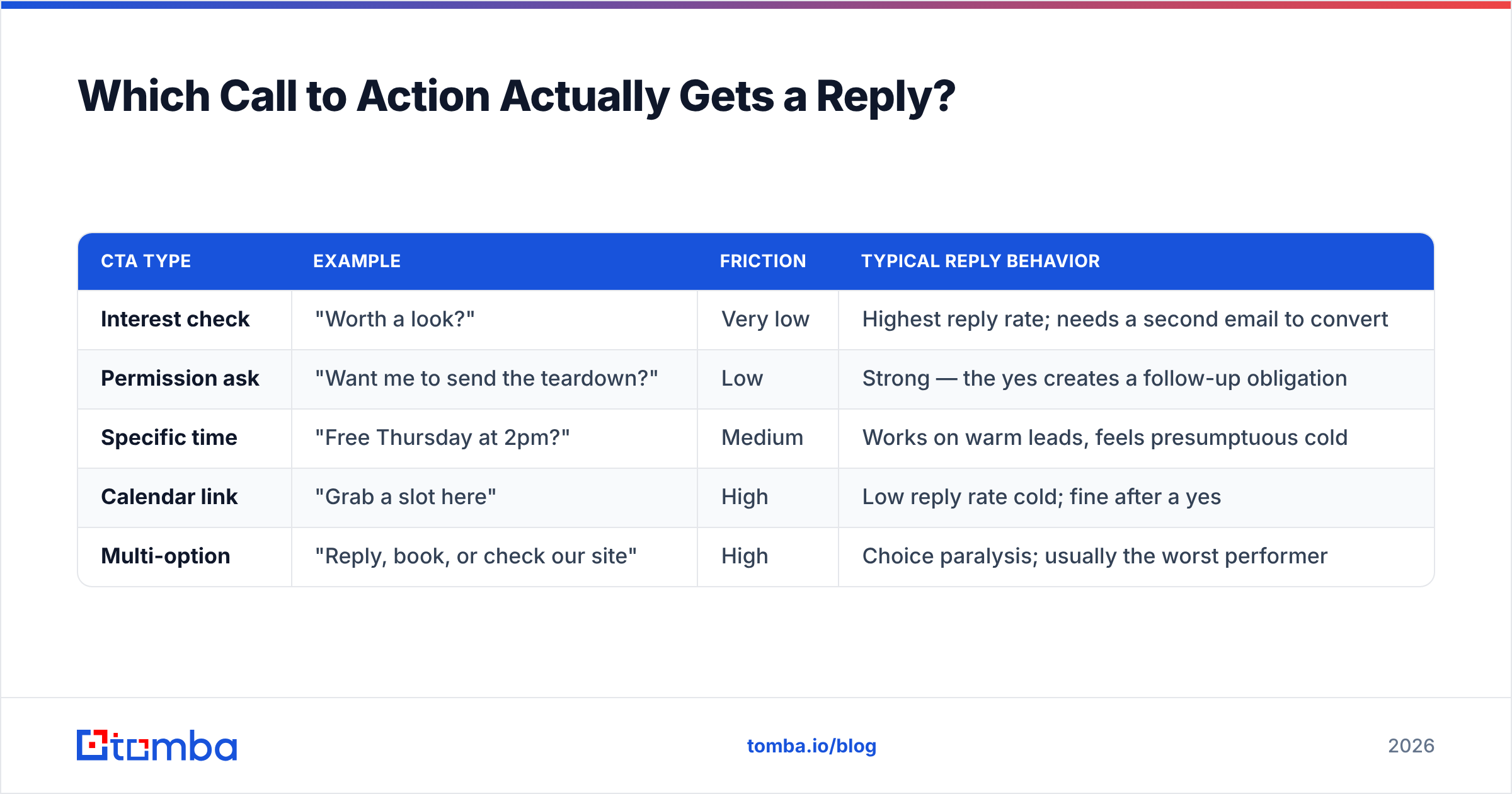
The single biggest lever in a service-offer email is the size of the ask. Compare the common options:
| CTA type | Example | Friction | Typical reply behavior |
|---|---|---|---|
| Interest check | "Worth a look?" | Very low | Highest reply rate; needs a second email to convert |
| Permission ask | "Want me to send the teardown?" | Low | Strong — the yes creates a follow-up obligation |
| Specific time | "Free Thursday at 2pm?" | Medium | Works on warm leads, feels presumptuous cold |
| Calendar link | "Grab a slot here" | High | Low reply rate cold; fine after a yes |
| Multi-option | "Reply, book, or check our site" | High | Choice paralysis; usually the worst performer |
Pick one. The interest check and the permission ask are the two that reliably move cold prospects. Save the calendar link for after they have said yes to something smaller.
One more rule: never ask for time in the first email if you have not yet earned the right to it. "Worth 15 minutes?" is an interest check. "Here's my Calendly" is a bill.
How Do You Make Sure the Email Actually Arrives?#
Copy is worthless if the message lands in spam or bounces. Three things to lock down before any send.
Verify every address before sending. A bounce rate above 3% starts damaging your sender reputation, and above 5% mailbox providers begin filtering your domain wholesale. Run the list through an email verifier and drop anything that comes back invalid. For domains that accept everything, use a catch-all verifier so you are not guessing.
Authenticate the sending domain. SPF, DKIM, and DMARC are table stakes now that Google and Yahoo enforce bulk-sender requirements. Google's own sender guidelines spell out the thresholds — including keeping spam complaints below 0.3%. Check your record with an SPF checker before you scale volume.
Use a separate domain for outbound. Send service offers from a lookalike domain, not the domain your invoices and support tickets run on. If outbound reputation tanks, your primary business email survives.
What Are the Mistakes That Kill Reply Rates?#
Ranked by how often they show up in audits:
- Writing about yourself for three sentences before mentioning the reader. Flip the order. The reader appears in sentence one or the email dies.
- Attaching a PDF deck. Attachments from unknown senders raise spam scores and almost never get opened. Link to a page instead, or better, put the one relevant number in the body.
- Merge-tag failures. "Hi {{first_name}}" is worse than no personalization at all. Test your merge fields on a live send to yourself first.
- Vague proof. "We help companies grow" is noise. "We took [Client] from 4% to 11% reply rate in eight weeks" is a claim someone can evaluate.
- Following up without new information. A "just bumping this" email adds nothing. Each follow-up should carry a new angle: a different problem, a relevant case, a piece of news about their market.
- Sending at scale before testing at small scale. Send 30, read the replies, fix the copy, then send 300. Research from HubSpot's sales data consistently shows that iteration on subject lines and openers moves reply rates more than volume does.
- Ignoring the unsubscribe path. Even one-to-one outbound should offer an easy out. A one-line "tell me to stop and I will" costs nothing and keeps complaints down.
How Do You Scale This Without Sounding Automated?#
The trick is deciding which parts are personalized and which are templated. A workable ratio: personalize the subject line and the first sentence, template everything else.
That means the research burden per prospect is one fact — a hire, a page, a launch, a competitor. Everything downstream is reusable. Fifty prospects at 60 seconds of research each is under an hour of work, and it produces email that reads like it was written for one person, because the part the reader judges was.
To make that work you need contact data that is accurate and structured enough to feed the merge fields. Pull verified addresses at the company level with domain search, and use data enrichment to fill in role, seniority, and company size — the three fields that let you segment your problem framing instead of writing one generic pitch for everyone.
A practical weekly cadence for a solo operator or small agency:
- Monday: build the list (40–60 accounts, one contact each).
- Tuesday: verify and enrich; drop anything unverifiable.
- Wednesday: write 3–4 trigger-line variants per segment.
- Thursday: send in batches of 25 across the morning.
- Following Tuesday: one follow-up with a new angle, then stop.
Two touches, then move on. A third and fourth email to a cold prospect who has ignored two costs more in reputation than it returns in replies.
How Do You Know If It's Working?#
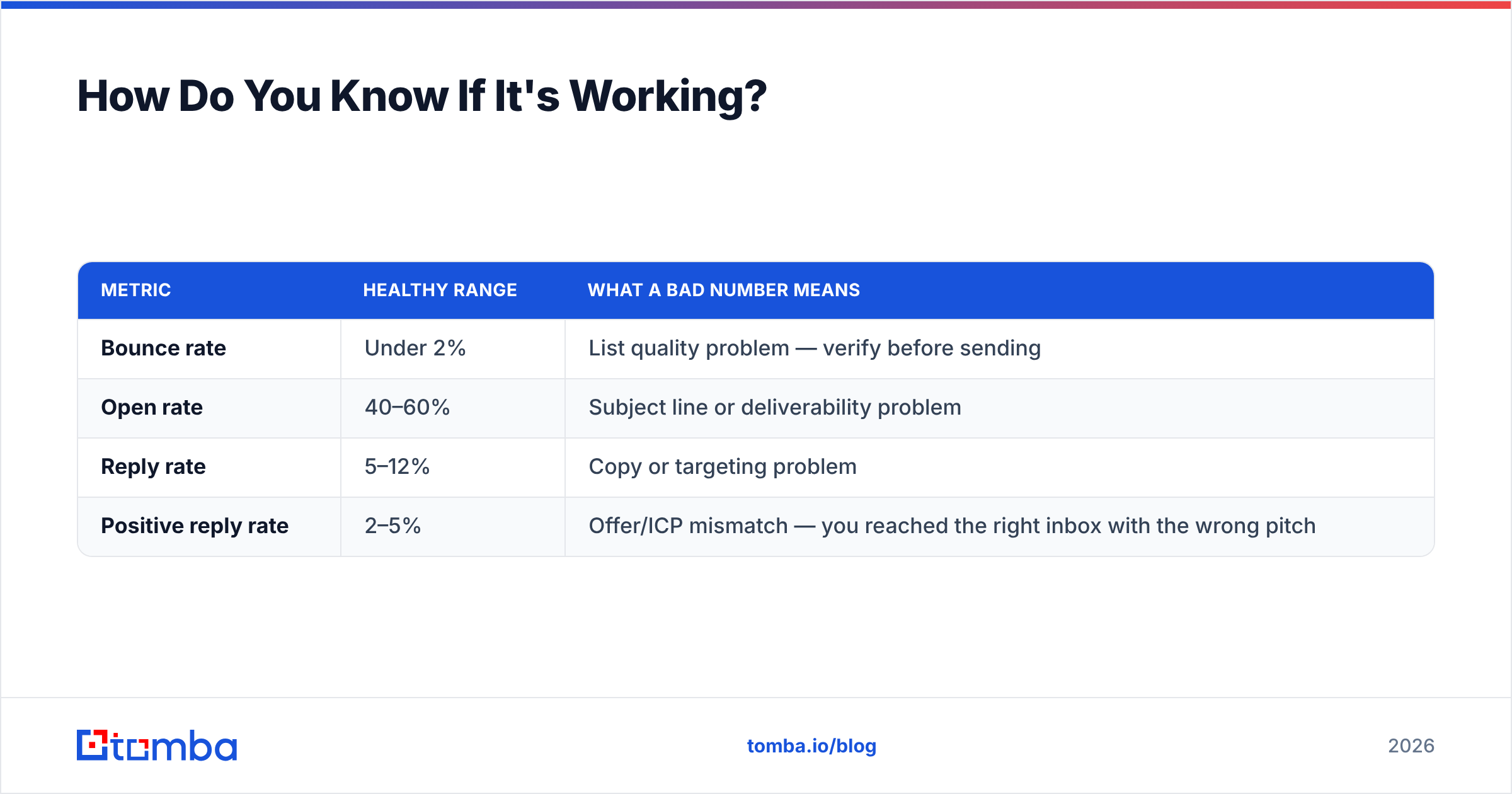
Track four numbers, in this order:
| Metric | Healthy range | What a bad number means |
|---|---|---|
| Bounce rate | Under 2% | List quality problem — verify before sending |
| Open rate | 40–60% | Subject line or deliverability problem |
| Reply rate | 5–12% | Copy or targeting problem |
| Positive reply rate | 2–5% | Offer/ICP mismatch — you reached the right inbox with the wrong pitch |
Diagnose top-down. If bounces are high, nothing below it means anything — you are measuring copy performance on a sample that never arrived. If opens are fine and replies are flat, the problem is the body, usually the ask. If replies are healthy but positive replies are near zero, you are pitching the wrong service to the right people, and no rewrite fixes that. Change the segment.
Benchmarks vary by industry; G2's software category reviews are a reasonable place to sanity-check what tools in this space claim versus what practitioners report.
Ready to Send Offers That Land?#
The structure in this post takes twenty minutes to learn. Getting the email in front of the right person is the part that needs infrastructure.
Start with the contact layer. Tomba's Email Finder gives you verified professional addresses by name, company, or domain, so every offer email you write reaches a real inbox instead of bouncing off a guessed address. The free tier covers 25 searches a month if you want to test the workflow first; paid plans start at $49/mo on Starter and $99/mo on Growth — see Tomba pricing for the full breakdown.
Write fewer emails. Send them to people who exist. That is the whole game.
Related guides#
// get started
Find, verify and enrich your first contacts today
Start on the free plan with 25 searches a month, then scale when your team is ready.
Free plan · No credit card required · GDPR & CCPA
// about the author