Hunter vs Lead Carrot: Which B2B Email Tool Wins in 2026?
Hunter finds verified emails at scale from any domain. Lead Carrot builds local-business lead lists with audit data attached. They solve different problems — here's the honest breakdown of which one your pipeline actually needs.
Hunter vs Lead Carrot is a strange fight. One tool finds and verifies emails at companies you already picked. The other builds lists of local businesses you have never heard of. This guide shows which one fits your outbound, and when neither is enough.
TL;DR
- Hunter finds and verifies emails. Give it a domain or a name, get a validated work email. It works on any company, in any country, in any industry.
- Lead Carrot builds local-business lead lists for agencies. It pulls small businesses from map and directory data. Each row carries website, SEO, and contact signals.
- They are not the same product. Hunter wins on verification depth and API access. Lead Carrot wins if your buyers are "plumbers in Phoenix without a mobile-friendly site."
- Pricing differs. Hunter charges per credit tier. Lead Carrot sells a flat monthly plan. Cost per usable contact is the only number that matters.
- Need both? You want breadth on any domain plus verification your deliverability team can defend. A finder-plus-verifier stack like Tomba usually costs less per validated contact than either tool.
What is Hunter and what problem does it solve?#
Hunter (formerly Email Hunter) is one of the oldest names in email discovery. The core loop is simple. You feed it a company domain. It returns the emails it has crawled or inferred there, each with a confidence score and the public sources behind it. Add a name and Hunter guesses the address from the company's detected pattern, then runs an SMTP check before handing it back.
The product line has widened over the years — Domain Search, Email Finder, Email Verifier, a light campaign sender, a Chrome extension, and a Sheets add-on. The center of gravity has not moved. Hunter is a contact discovery layer, not a prospect list builder. It assumes you already know which companies you want to reach.
That assumption matters. Show up with no target list and Hunter gives you very little. Show up with 4,000 domains exported from a CRM or a scraper and Hunter is genuinely good at turning them into deliverable addresses. You can see the current feature set on hunter.io.
What is Lead Carrot and who is it built for?#
Lead Carrot comes at outbound from the opposite end. It is a lead-sourcing tool for agencies, freelancers, and local service sellers. You pick a business category and a place — "chiropractors, Austin metro." It returns matching businesses with the signals an agency needs to pitch. Do they have a website? Is the site mobile-friendly? Do they run ads? Does the listing look neglected? Whatever contact details exist come attached.
That last clause is the important one. Lead Carrot's contact data is a byproduct of the list, not the product itself. For small local firms that is often fine. The "decision maker email" is usually the generic info@ on the contact page, and the owner reads it. For a 900-person SaaS company in Berlin, the model breaks down. No generic inbox reaches the VP of Engineering.
Lead Carrot sells itself as a research shortcut. You cold call or cold email local prospects with a specific, evidence-based pitch attached. You can review the current positioning and plans at leadcarrot.io.
Hunter vs Lead Carrot: how do they compare feature by feature?#
Here is the honest side-by-side. Prices and limits shift, so treat the pricing row as directional. Confirm on each vendor's own page before you buy.
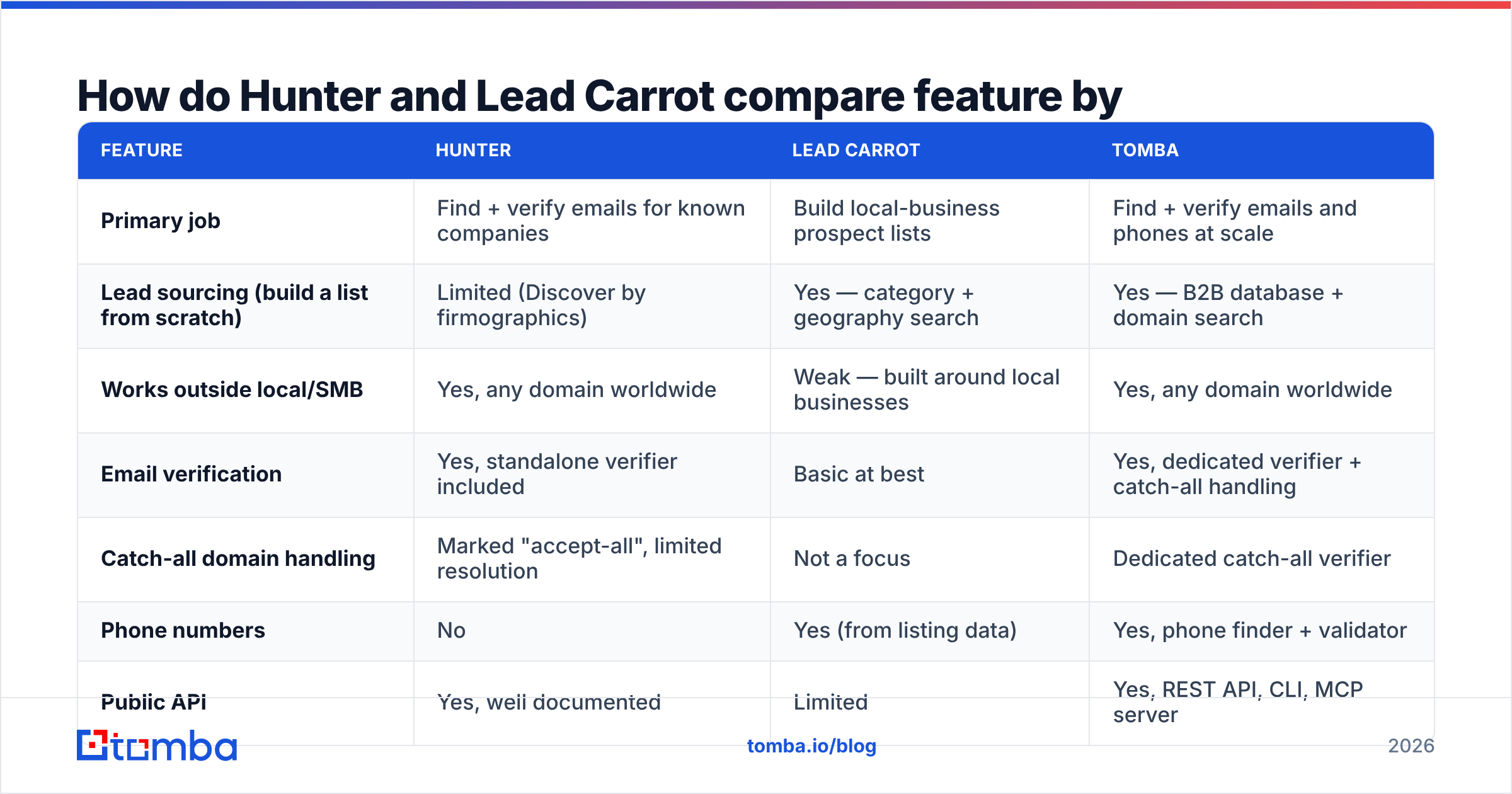
| Feature | Hunter | Lead Carrot | Tomba |
|---|---|---|---|
| Primary job | Find + verify emails for known companies | Build local-business prospect lists | Find + verify emails and phones at scale |
| Lead sourcing (build a list from scratch) | Limited (Discover by firmographics) | Yes — category + geography search | Yes — B2B database + domain search |
| Works outside local/SMB | Yes, any domain worldwide | Weak — built around local businesses | Yes, any domain worldwide |
| Email verification | Yes, standalone verifier included | Basic at best | Yes, dedicated verifier + catch-all handling |
| Catch-all domain handling | Marked "accept-all", limited resolution | Not a focus | Dedicated catch-all verifier |
| Phone numbers | No | Yes (from listing data) | Yes, phone finder + validator |
| Public API | Yes, well documented | Limited | Yes, REST API, CLI, MCP server |
| Free tier | 25 searches/mo | Trial only | 25 searches/mo |
| Entry paid price | ~$34/mo annual, ~$49/mo monthly | Flat single-tier subscription (~$100/mo range) | $49/mo Starter |
| Best for | SDR teams with a target account list | Agencies selling web/SEO to local SMBs | Teams that need volume plus verification |
The table makes the real decision obvious. You are not choosing between two versions of the same tool. You are choosing which half of the problem you already solved. Have a list and need addresses? Hunter. Need the list itself, and your buyers are local businesses? Lead Carrot. Need both halves, with buyers anywhere on earth? Neither is a complete answer on its own.

Which one has better data accuracy?#
Accuracy is where the comparison stops being symmetric, because the two tools are measured on different things.
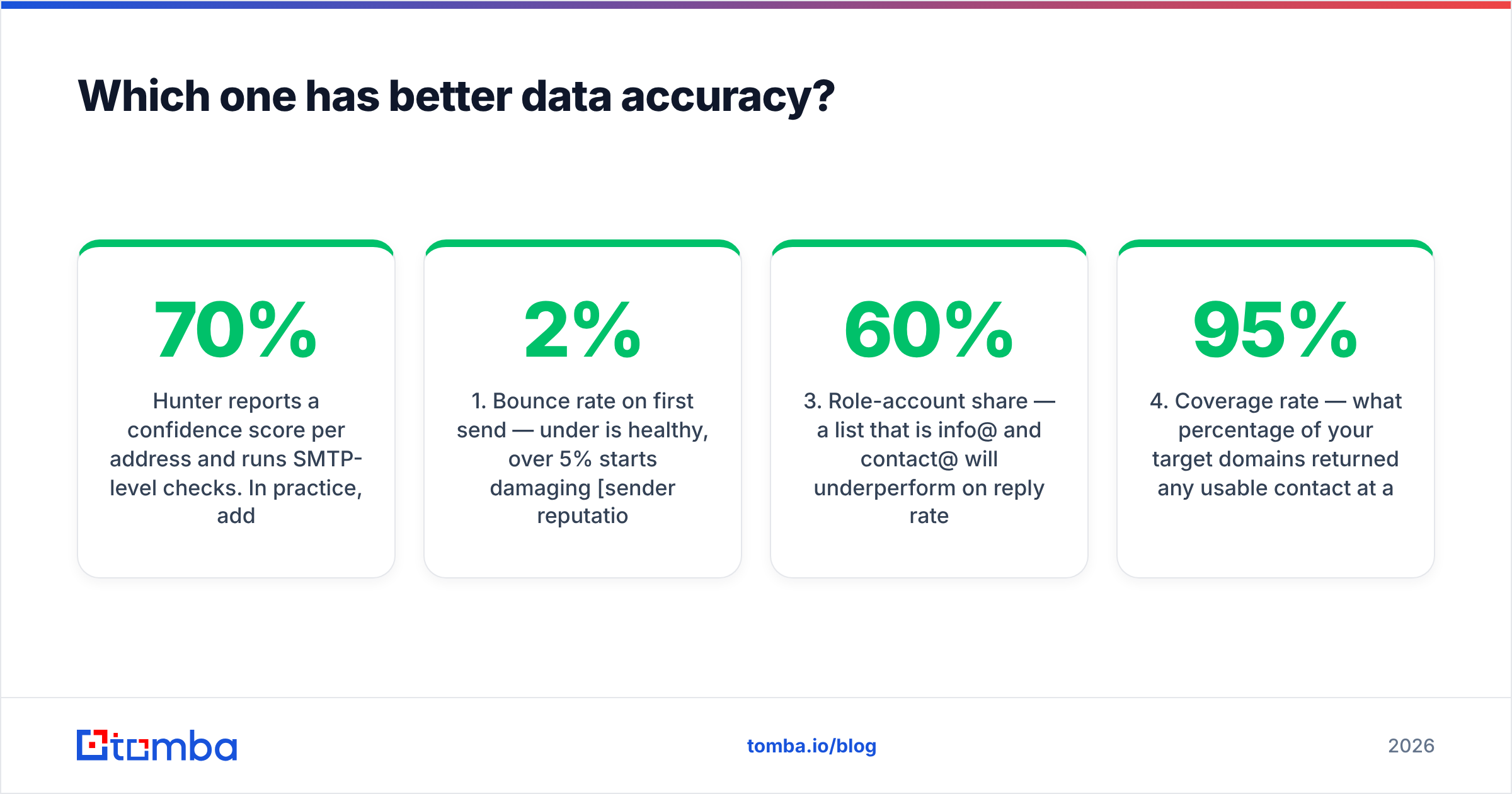
Hunter reports a confidence score per address and runs SMTP-level checks. High-confidence addresses land reliably. Addresses at 50-70% confidence are pattern guesses that survived a soft check, and bouncing 15-25% of those is normal. Hunter is open about this — the score is right there. Yet many teams import everything above zero. Then they wonder why their email deliverability collapsed in week three.
Lead Carrot's contact accuracy tracks the listing data behind it. Where a business keeps its Google Business Profile and contact page current, the phone number and generic inbox usually work. Where it does not, you get whatever was last published. That can be years stale. There is no real verification layer to catch it before you send.

The metric that actually predicts campaign health is not "database size" or a headline accuracy claim. It is:
- Bounce rate on first send — under 2% is healthy. Over 5% starts to damage sender reputation.
- Catch-all share of your list — domains that accept everything hide bad addresses. You need a tool that resolves them rather than shrugging.
- Role-account share — a list that is 60%
info@andcontact@will underperform on replies, even if every address is technically valid. - Coverage rate — how many of your target domains returned a usable contact at all. A 95% accurate tool that covers 30% of your list is worse than an 88% accurate tool covering 80%.
- Cost per verified contact — divide the monthly bill by the addresses that passed verification, not by credits purchased.
Run those five numbers on a 200-domain sample before you commit to an annual plan. Any vendor confident in its data will let you.
What does each one actually cost in 2026?#
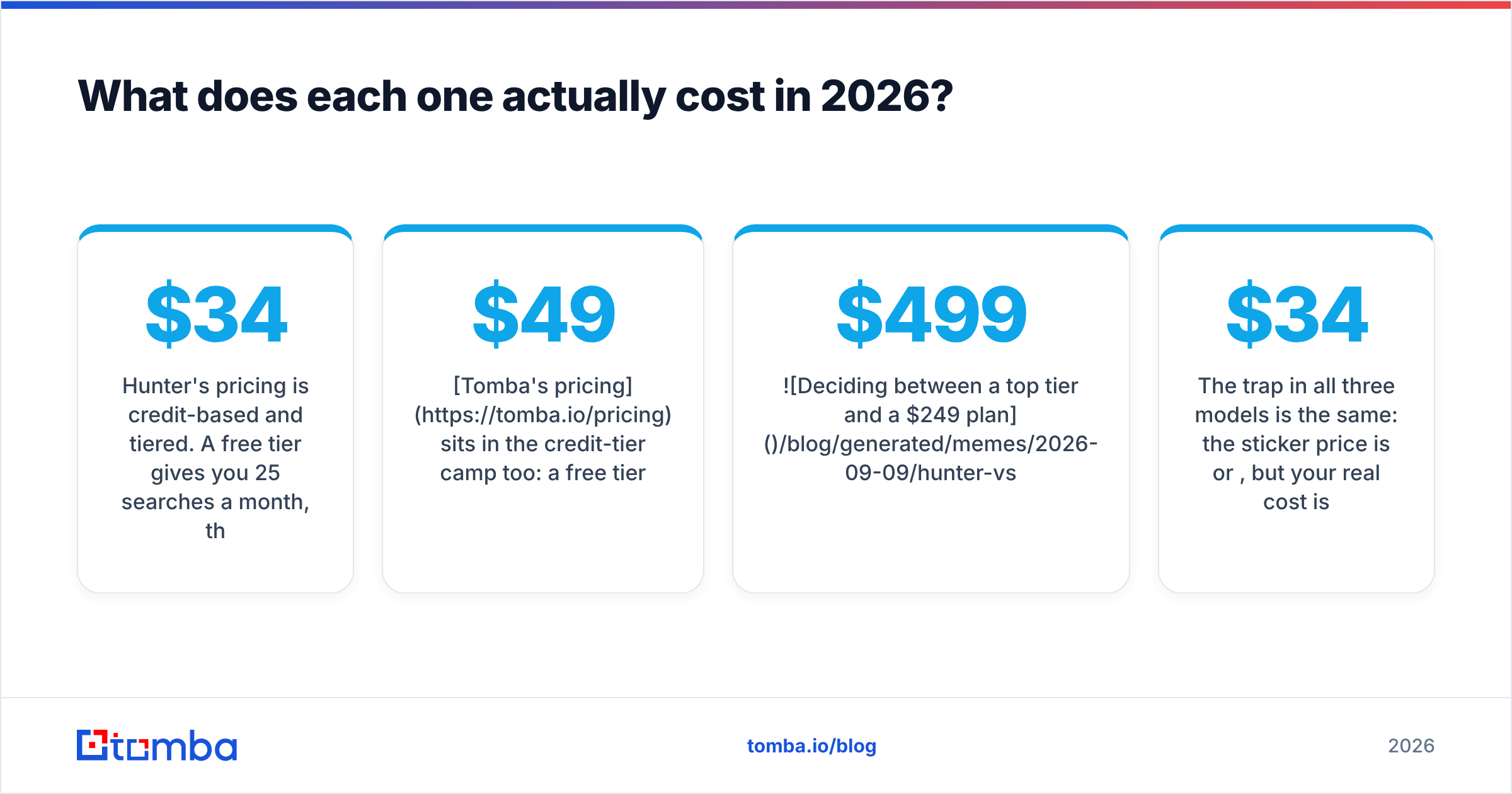
Hunter's pricing is credit-based and tiered. The free tier gives you 25 searches a month. Paid plans start near $34/mo on an annual deal and climb to several hundred at the top. Searches and verifications draw from separate allowances. Heavy verification work pushes you up a tier faster than the search count alone suggests.
Lead Carrot sells a flat monthly subscription instead of credit tiers. One price, generous usage inside the product's scope. For an agency running the same "find 500 local businesses with bad websites" play every month, flat pricing is attractive. It also removes the credit anxiety that makes people under-use metered tools.
Tomba's pricing sits in the credit-tier camp too. A free tier at 25 searches/mo, Starter at $49/mo, Growth at $99/mo, Pro at $249/mo, and custom Enterprise pricing. Verification is included alongside search rather than sold as a separate concern. That is the part that changes the cost-per-usable-contact math.

The trap in all three models is the same. The sticker price is per credit or per month. Your real cost is per contact that replies. A $34/mo plan that yields 120 verified, non-role addresses costs more per usable contact than a $99/mo plan yielding 700.
Who should choose Lead Carrot?#
Pick Lead Carrot if most of these are true:
- Your ICP is local and SMB. Dentists, contractors, restaurants, gyms, med spas, law offices with three attorneys.
- You sell websites, SEO, ads, or reputation management. The audit signals are the pitch. Knowing a prospect's site fails mobile usability beats knowing the owner's personal email.
- You call as much as you email. Listing-sourced phone numbers are a real asset, and cold calling converts better than cold email in local services.
- You want one flat bill. No credit math, no mid-month upgrade panic.
- Your volume is hundreds, not tens of thousands. Agency-scale, not enterprise-SDR-scale.
Where it stops working: mid-market and enterprise B2B. Anything outside its geographic sweet spot. Anything that needs a named decision-maker rather than a business. Any workflow you want to automate through an API into your own systems.
Who should choose Hunter?#
Pick Hunter if most of these are true:
- You already have a target account list. From a CRM export, an intent-data provider, a conference attendee list, or a scraper.
- You need named contacts, not generic inboxes. Finding
sarah.chen@at a specific company is the whole job. - You operate internationally. Hunter's crawl-based approach is domain-agnostic. It does not care whether the company sits in Ohio or Osaka.
- You want verification bundled in. A standalone verifier plus confidence scoring is a meaningful safety net.
- Developers are involved. The API is mature and the docs are good, which matters when email lookup is one step in a larger enrichment pipeline.
Where it stops working: it will not build your list for you in any serious way. Catch-all domains stay ambiguous. Phone numbers are missing entirely. Top tiers get expensive fast when verification volume runs high next to search volume. If those limits bite, the Apollo alternative page and its neighbors are worth reading alongside this one. The same tradeoffs repeat across the category.
Can you use both — and should you?#
Yes, and for some agencies it is the correct answer. The stack looks like this. Lead Carrot builds the local list and supplies the pitch angle. You then run the resulting domains through a finder and verifier to get named-contact emails instead of generic inboxes. Owner-addressed outreach beats info@ outreach consistently, and the audit data still gives you the hook.
That two-step pipeline is where a bulk email finder earns its keep. You upload the domain column and get back named contacts with verification status. No manual lookup. You also avoid paying a premium tier at either vendor for a job the other one already covers.
The reverse combination is less clean. Hunter's Discover feature is firmographic rather than local, so it competes with the ICP tooling most teams already have.
How do you pick without wasting a month?#
Run a structured 48-hour test instead of reading more reviews. User feedback on G2 helps you spot support and billing complaints. It will not tell you how a tool performs on your list.
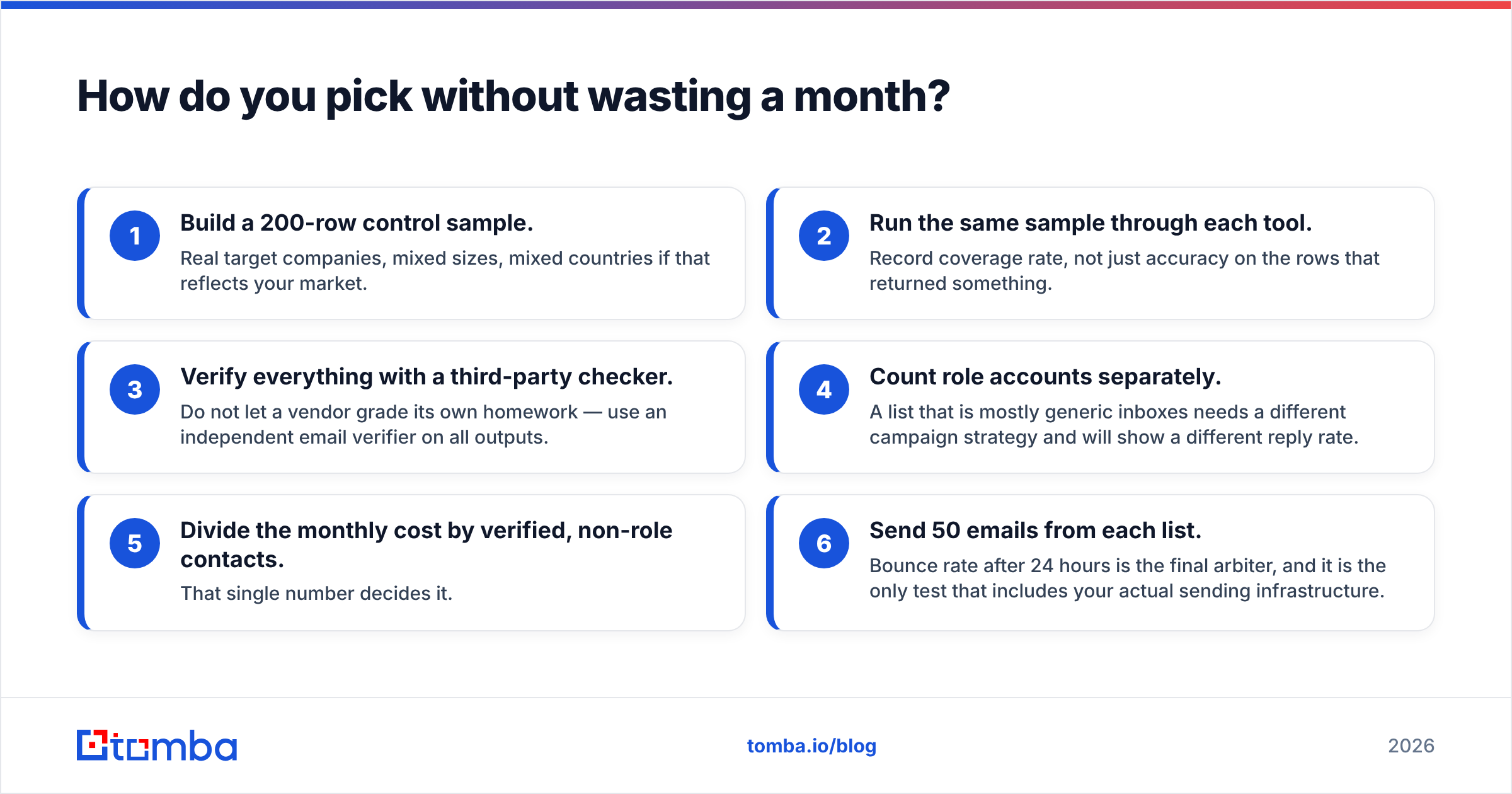
- Build a 200-row control sample. Real target companies, mixed sizes, mixed countries if that reflects your market.
- Run the same sample through each tool. Record coverage rate, not just accuracy on the rows that returned something.
- Verify everything with a third-party checker. Do not let a vendor grade its own homework. Use an independent email verifier on all outputs.
- Count role accounts separately. A list of mostly generic inboxes needs a different campaign strategy and shows a different reply rate.
- Divide the monthly cost by verified, non-role contacts. That single number decides it.
- Send 50 emails from each list. Bounce rate after 24 hours is the final arbiter. It is the only test that includes your own sending infrastructure.
Most teams find the winner is obvious by step five. The teams that skip the test are still arguing about it three quarters later.
Where does Tomba fit in this comparison?#
Tomba overlaps Hunter directly and Lead Carrot in part. It does the same domain-agnostic contact discovery Hunter does — domain search, name-based lookup, pattern detection. It then adds the pieces both products tend to miss. A dedicated catch-all verifier, so accept-all domains stop being a coin flip. Phone finding and validation, so your callers are covered. And a database you can query when you have no target list yet.
It is not a local-business audit tool. If your entire business is selling websites to dentists in one metro, Lead Carrot's audit signals are a real advantage that Tomba does not replicate. But the Hunter vs Lead Carrot choice narrows fast once your prospecting spans industries, countries, and company sizes. If every address must be defensible before it hits your sending domain, a combined find-and-verify stack removes a vendor from the chain. It usually lowers cost per verified contact too.
Start with the free tier and run the 200-row test above against whatever you use today. Upload your target domains to the Tomba Email Finder, verify the output, and compare bounce rates side by side. Twenty-five free searches is enough to see the difference on a real sample, and the numbers will settle the argument faster than any comparison post, including this one.
Related guides#
// get started
Find, verify and enrich your first contacts today
Start on the free plan with 25 searches a month, then scale when your team is ready.
Free plan · No credit card required · GDPR & CCPA
// about the author