9 Best Inbox Monster Alternatives for Deliverability in 2026
Inbox Monster is a strong enterprise deliverability platform, but it is quote-based, annual, and overkill for most senders. Here are 9 alternatives compared on seed testing, blocklist alerts, and real cost.

TL;DR
- Inbox Monster is a genuine enterprise deliverability platform — seed-based inbox placement, blocklist monitoring, ESP-level reputation tracking — sold on annual, quote-based contracts. It is not priced for a 5-person outbound team.
- Most teams searching for Inbox Monster alternatives want one of three things: self-serve pricing, faster onboarding, or a tool that covers cold outbound rather than ESP broadcast sends.
- Validity Everest is the closest like-for-like enterprise swap. GlockApps and Mailgun Optimize are the realistic mid-market picks. Google Postmaster Tools plus a blocklist checker covers a surprising amount for $0.
- No monitoring tool fixes a dirty list. Roughly half the "deliverability problems" we see are bounce-rate problems caused by unverified contacts hitting the send.
- Pick by sending model, not by feature count: broadcast marketing needs seed testing; cold outbound needs list hygiene, warmup, and per-mailbox reputation.
What is Inbox Monster, and who actually needs it?#
Inbox Monster is a deliverability intelligence platform built for teams that send at real volume — retailers, publishers, banks, marketplaces. It sits between your ESP and the mailbox providers and answers a question your ESP cannot answer honestly: did this campaign land in the inbox, the promotions tab, or the spam folder?
The core capabilities are the ones every enterprise deliverability suite ships:
- Seed list inbox placement testing — Inbox Monster owns test mailboxes across Gmail, Outlook, Yahoo, and regional providers. You add the seeds to your send, and the platform reports where the message landed per provider.
- Blocklist and reputation monitoring — continuous checks against Spamhaus, SURBL, and similar, plus IP and domain reputation trend lines.
- Campaign-level rendering and content checks — how the email looks and whether the content trips filters.
- Authentication monitoring — SPF, DKIM, DMARC alignment across sending domains and subdomains.
- Alerting and workflow — Slack/email alerts when placement drops or a listing appears, so someone acts before the next batch goes out.
- Analyst support — the part people actually pay for. Enterprise deliverability contracts usually bundle human help.
That last point matters. When you compare Inbox Monster to a $49/month tool, you are not comparing feature lists. You are comparing "a dashboard" to "a dashboard plus someone who reads it for you."
Think of it like a car dealership service plan versus a check-engine-light reader. The reader tells you a code. The service plan tells you what to do about it and does the work. Both are legitimate purchases — they just aren't the same product.

Why do teams look for Inbox Monster alternatives?#
Four reasons come up over and over, and only one of them is about product quality.
Pricing opacity and contract length. Inbox Monster does not publish self-serve pricing. Enterprise deliverability platforms in this category typically land in the four-to-five-figures-per-year range with annual commitments. If you cannot get a purchase order approved for a tool nobody on the team has used yet, that is a hard stop regardless of how good the product is.
Wrong sending model. Seed testing assumes broadcast sends — one creative, many recipients, one sending domain. Cold outbound is the inverse: many mailboxes, low volume each, heavy personalisation, rotating domains. Seed placement data is far less actionable when each mailbox sends 30 emails a day from its own domain.
Time to value. Enterprise onboarding means implementation calls, seed integration, and a domain audit. Teams in a deliverability fire want an answer this week.
Overlap with what the ESP already gives you. If you send through a modern ESP with its own deliverability tooling, you may be buying a second copy of half the feature set.
None of that makes Inbox Monster a bad product. It makes it a specific product. The question is whether your sending profile matches it.
What should you compare before switching?#
Do not compare on feature checkboxes — every vendor in this category checks the same boxes. Compare on these six axes instead:
- Seed network quality and freshness. A seed list is only useful if the mailboxes look like real accounts to the filter. Ask how often seeds are rotated and how many providers are covered outside the US.
- Panel data vs. seed data. Some platforms supplement seeds with anonymised real-user panel data. Panel data is closer to truth but has coverage gaps. Seeds are consistent but gameable. Good tools use both and say which is which.
- Alert latency. A blocklist alert that arrives 12 hours late is a post-mortem, not a control. Ask for the actual polling interval, not the marketing claim.
- Authentication depth. SPF, DKIM, and DMARC checking is table stakes; DMARC aggregate report parsing is not. If you run subdomains across multiple senders, you want the reports parsed.
- Cold outbound support. Per-mailbox reputation, warmup scheduling, and domain rotation are a different feature family from broadcast placement testing. Almost no tool does both well.
- Contract shape. Monthly self-serve vs. annual commit changes the risk profile more than any single feature. You can leave a monthly tool in 30 days if it does not earn its keep.
Also settle the vocabulary before you shop. Email deliverability means where the message lands; delivery rate means whether the server accepted it. Vendors blur the two, and the blur usually favours the vendor.
Which are the best Inbox Monster alternatives in 2026?#
Pricing in this category changes constantly and most enterprise tiers are quote-based, so treat the pricing column as a shape, not a quote. Verify on the vendor's own page before you budget.
| Tool | Best for | Inbox placement seeds | Blocklist & reputation alerts | Pricing model |
|---|---|---|---|---|
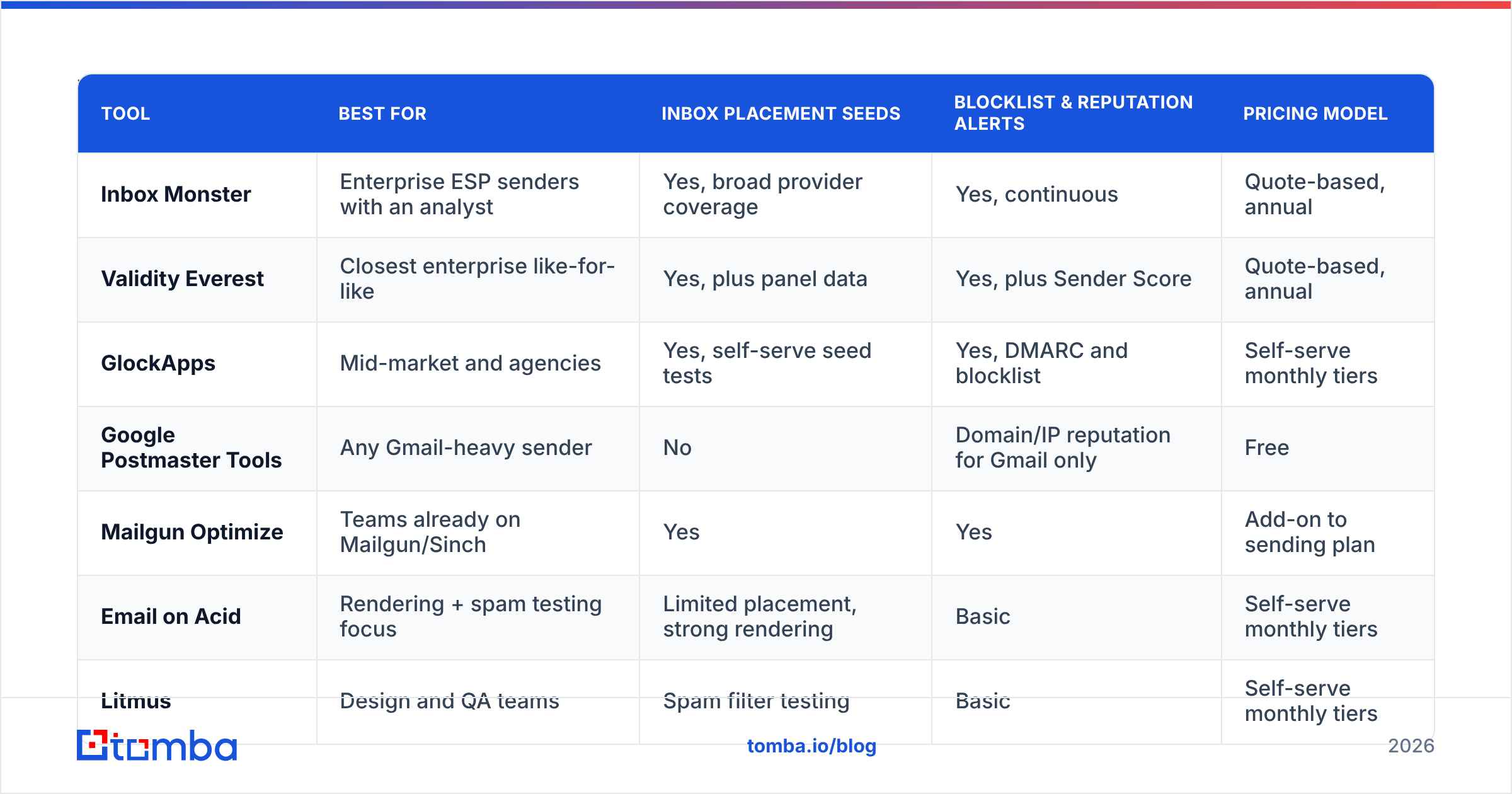
| Inbox Monster | Enterprise ESP senders with an analyst | Yes, broad provider coverage | Yes, continuous | Quote-based, annual |
| Validity Everest | Closest enterprise like-for-like | Yes, plus panel data | Yes, plus Sender Score | Quote-based, annual |
| GlockApps | Mid-market and agencies | Yes, self-serve seed tests | Yes, DMARC and blocklist | Self-serve monthly tiers |
| Google Postmaster Tools | Any Gmail-heavy sender | No | Domain/IP reputation for Gmail only | Free |
| Mailgun Optimize | Teams already on Mailgun/Sinch | Yes | Yes | Add-on to sending plan |
| Email on Acid | Rendering + spam testing focus | Limited placement, strong rendering | Basic | Self-serve monthly tiers |
| Litmus | Design and QA teams | Spam filter testing | Basic | Self-serve monthly tiers |
| MailReach | Cold outbound warmup and placement | Per-mailbox placement tests | Limited | Self-serve per mailbox |
| Tomba (list hygiene layer) | Fixing the input, not the output | No | No | Free tier, then $49/mo |
A few notes on the rows that need them.
Validity Everest — the direct enterprise swap#
Validity absorbed 250ok and Return Path, which means Everest carries the deepest historical reputation dataset in the category, including Sender Score. If you need to replace Inbox Monster without downgrading capability, this is the shortlist of one. Expect the same quote-based, annual motion — you are switching vendors, not switching models. Buyer reviews on G2 consistently praise the data and flag the price.
GlockApps — the mid-market default#
GlockApps does the 80% of Inbox Monster that most teams actually use — seed-based inbox placement across major providers, DMARC monitoring, blocklist checks, and content analysis — on self-serve monthly plans you can start without procurement. The trade-off is depth of panel data and no bundled analyst. For a 10–50 person company sending marketing email, that trade is usually correct.
Google Postmaster Tools — free and non-optional#
Postmaster Tools gives you domain reputation, IP reputation, spam-complaint rate, and authentication pass rates straight from Gmail. It only covers Gmail, it requires DKIM-authenticated volume to populate, and the UI is spartan. It is also first-party data from the single most important mailbox provider in B2B. Every sender should have it configured, including senders who also pay for a commercial platform.
Mailgun Optimize, Email on Acid, and Litmus — adjacent, not identical#
These three overlap with Inbox Monster but centre different problems. Mailgun Optimize is deliverability tooling attached to a sending platform — convenient if you are already in the Sinch ecosystem, awkward if you are not. Email on Acid and Litmus are rendering-and-QA platforms that include spam filter testing; if your real pain is "the email looks broken in Outlook," they solve that better than any deliverability suite.
MailReach and the cold-outbound family#
Cold outbound has its own tooling lineage: warmup pools, per-mailbox health scores, placement tests run from the actual sending mailbox rather than a broadcast seed list. If your sending model is 20 mailboxes at 30 emails a day, this family is a better fit than any enterprise seed platform — and it is priced per mailbox, which scales the way your problem scales. Model your ramp with a warmup calculator before you commit to volume.
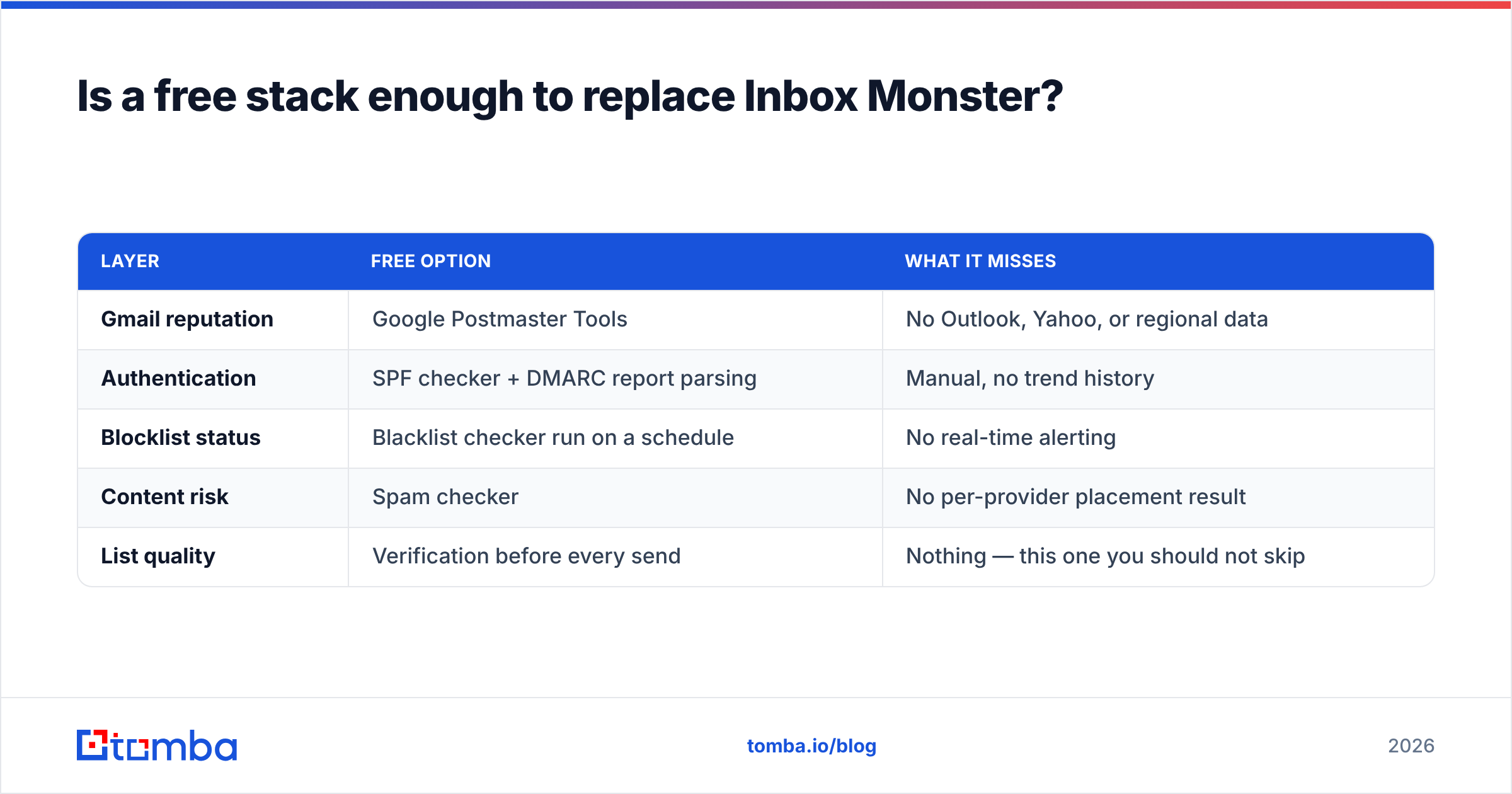
Is a free stack enough to replace Inbox Monster?#
For a lot of senders, yes — at least as a first move.
| Layer | Free option | What it misses |
|---|---|---|
| Gmail reputation | Google Postmaster Tools | No Outlook, Yahoo, or regional data |
| Authentication | SPF checker + DMARC report parsing | Manual, no trend history |
| Blocklist status | Blacklist checker run on a schedule | No real-time alerting |
| Content risk | Spam checker | No per-provider placement result |
| List quality | Verification before every send | Nothing — this one you should not skip |
What the free stack cannot give you is per-provider placement: the difference between "Gmail says my reputation is medium" and "43% of my Gmail volume landed in Promotions and 6% in Spam." If that distinction drives revenue decisions at your company, buy the paid tool. If you are still at the stage where your bounce rate is 8% and nobody has audited the list, the free stack plus a cleanup will move your numbers further than any dashboard.
How much does list quality change your results?#
More than the monitoring layer does, and it is the cheapest lever available.
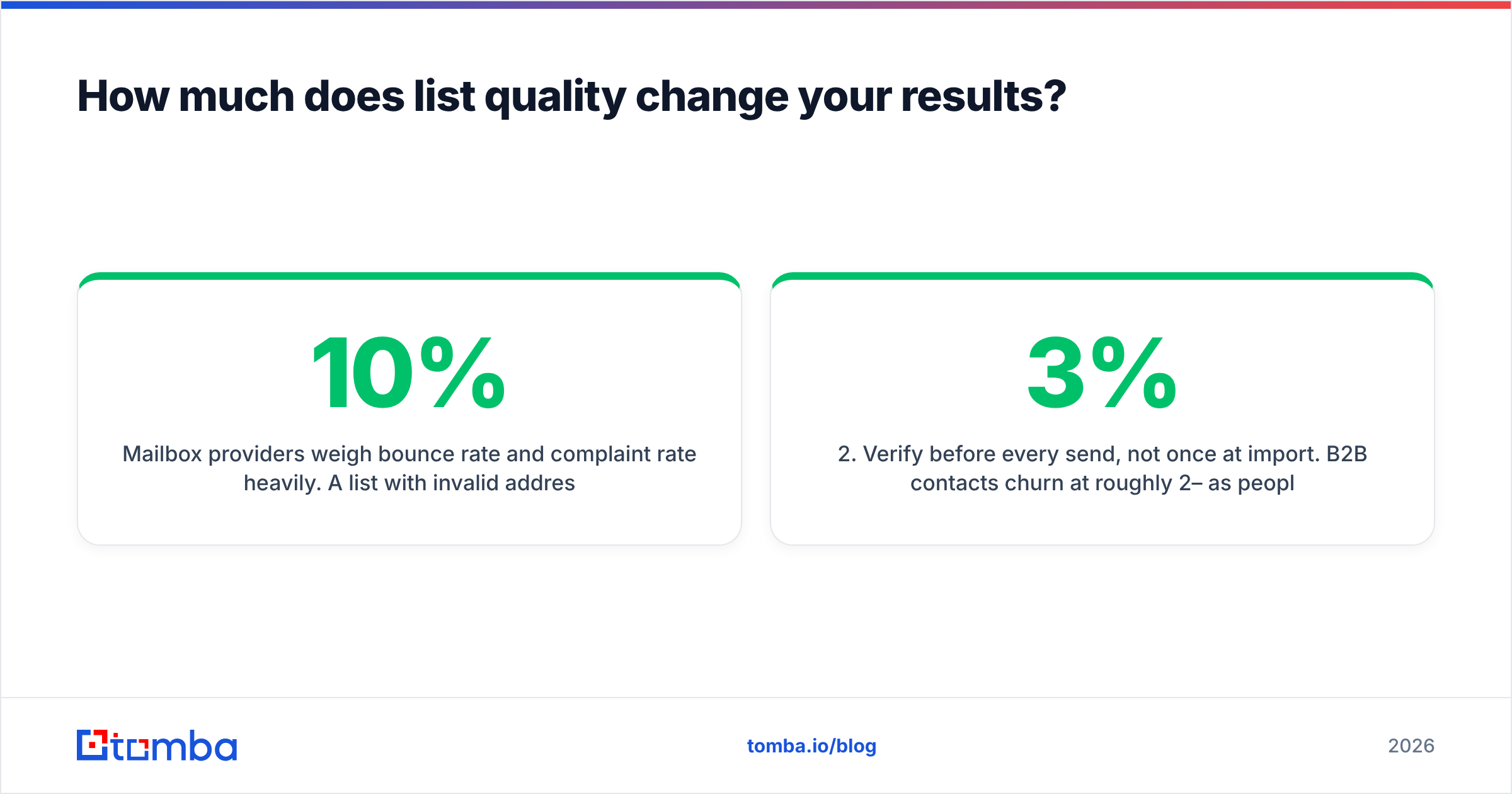
Mailbox providers weigh bounce rate and complaint rate heavily. A list with 10% invalid addresses generates hard bounces that read as "this sender does not know who their recipients are," and reputation degrades across every subsequent send — including to the valid addresses. You can watch that happen in beautiful detail on a $30,000 platform, or you can prevent it.
The order of operations that actually works:
- Source contacts from live data, not scraped exports. A CSV from 2023 is a bounce list with extra steps.
- Verify before every send, not once at import. B2B contacts churn at roughly 2–3% per month as people change jobs.
- Handle catch-all domains explicitly. They accept everything at SMTP and tell you nothing, which is why a dedicated catch-all verifier exists.
- Suppress role accounts and known complainers before they cost you reputation.
- Then monitor placement — with clean inputs, the data is finally interpretable.
If you buy lists rather than build them, buy from providers that publish their verification standard and guarantee accuracy at export — BookYourData is one of the vendors that does this well, and starting from verified data removes an entire class of problem before it reaches your ESP.

Run an email verifier pass over the full list before your next campaign and compare the bounce rate to your last send. That single number usually explains more of your deliverability trend than any placement chart. For large lists, do it in one pass with bulk verify rather than trickling requests through the API.
Which Inbox Monster alternative should you pick?#
- Enterprise ESP sender, 1M+ emails/month, dedicated deliverability owner → Validity Everest. Same class of tool, comparable data depth, and the migration story is well-trodden.
- Mid-market marketing team, self-serve budget, needs placement data next week → GlockApps. Start monthly, prove value, expand.
- Already sending through Mailgun or Sinch → Mailgun Optimize, purely for the integration tax you avoid.
- Cold outbound, many mailboxes, low per-mailbox volume → a warmup-and-placement tool like MailReach, plus rigorous list verification. Enterprise seed platforms are the wrong shape for this.
- Design and QA is the real complaint → Litmus or Email on Acid. You have a rendering problem wearing a deliverability costume.
- Budget is zero right now → Google Postmaster Tools, DMARC reports, scheduled blocklist checks, and a verification pass. Revisit paid tooling in a quarter with real baseline data.
What questions should you ask on the demo call?#
Ask these five and you will separate the platforms quickly:
- How many seed mailboxes per provider, and how often are they rotated?
- Do you have panel data, and what percentage of my sends would it cover?
- What is the actual detection-to-alert latency for a Spamhaus listing?
- Is analyst time included, and how many hours per month?
- What is the shortest contract term you will write?
Question five tells you the most. A vendor confident in the product will write a shorter term.
Start with clean data, then buy the dashboard#
Every tool on this list measures the consequences of decisions you made earlier — which contacts you sourced, whether you verified them, how fast you ramped. Monitoring is worth paying for once those inputs are under control, and mostly wasted before then.
If your list is the weak link, fix that first. Tomba Email Finder sources verified professional addresses by domain, name, or company, with verification built into the same workflow — free tier at 25 searches/month, Starter at $49/month, Growth at $99/month, and Pro at $249/month, with no annual commitment required to find out whether it helps. See full Tomba pricing, run one verified campaign, and then decide which deliverability platform you actually need.
Related guides#
// get started
Find, verify and enrich your first contacts today
Start on the free plan with 25 searches a month, then scale when your team is ready.
Free plan · No credit card required · GDPR & CCPA
// about the author