7 Best InboxKit Alternatives for Cold Email in 2026
InboxKit made cheap cold-email inboxes easy to buy. But provisioning is only one third of the job. Here are seven alternatives compared on infrastructure type, price bands, setup speed, and what actually happens to your deliverability.

TL;DR
- InboxKit is an inbox-provisioning vendor: it sells you domains and pre-configured Google Workspace or Microsoft mailboxes so you don't have to click through DNS records yourself. That's a real, useful service — and a narrow one.
- The main reasons teams shop for InboxKit alternatives are price per mailbox at scale, control over the sending infrastructure (shared Google tenants vs. private SMTP), and support response time when a batch of mailboxes gets suspended.
- Your three practical choices are: managed Google/Outlook resellers (Zapmail, Mailscale, InboxKit), private SMTP infrastructure (Mailreef, Maildoso, Infraforge, Superwave), or DIY direct with Google Workspace.
- Private infrastructure is cheaper per mailbox and immune to tenant-wide suspensions, but it starts from a cold IP with zero reputation. Google/Outlook mailboxes borrow reputation you didn't earn — which is exactly why providers keep getting shut down.
- No provider on this list fixes a bad list. Bounce rate above 3% will sink any infrastructure, so verification and accurate sourcing matter more than which vendor you pick.
What does InboxKit actually do?#
InboxKit (inboxkit.com) sells cold-email sending infrastructure as a done-for-you package. You pick a number of mailboxes, it registers or connects secondary domains, provisions the accounts on Google Workspace or Microsoft 365, writes the SPF, DKIM and DMARC records, and hands you credentials or a direct connection into a sequencer like Instantly or Smartlead.
The pitch is time. Setting up 30 mailboxes across 10 domains by hand is roughly a full day of DNS propagation, billing forms, and admin-console clicking. A provisioning vendor turns that into a checkout page and a 24–48 hour wait.
What InboxKit does not do: warm the mailboxes for you in any meaningful way, guarantee the accounts survive a policy sweep, or improve the quality of the list you're about to email. Those are separate problems with separate vendors — and confusing "I bought inboxes" with "I fixed deliverability" is the single most expensive mistake in outbound right now.
What are you actually buying from an inbox provider?#
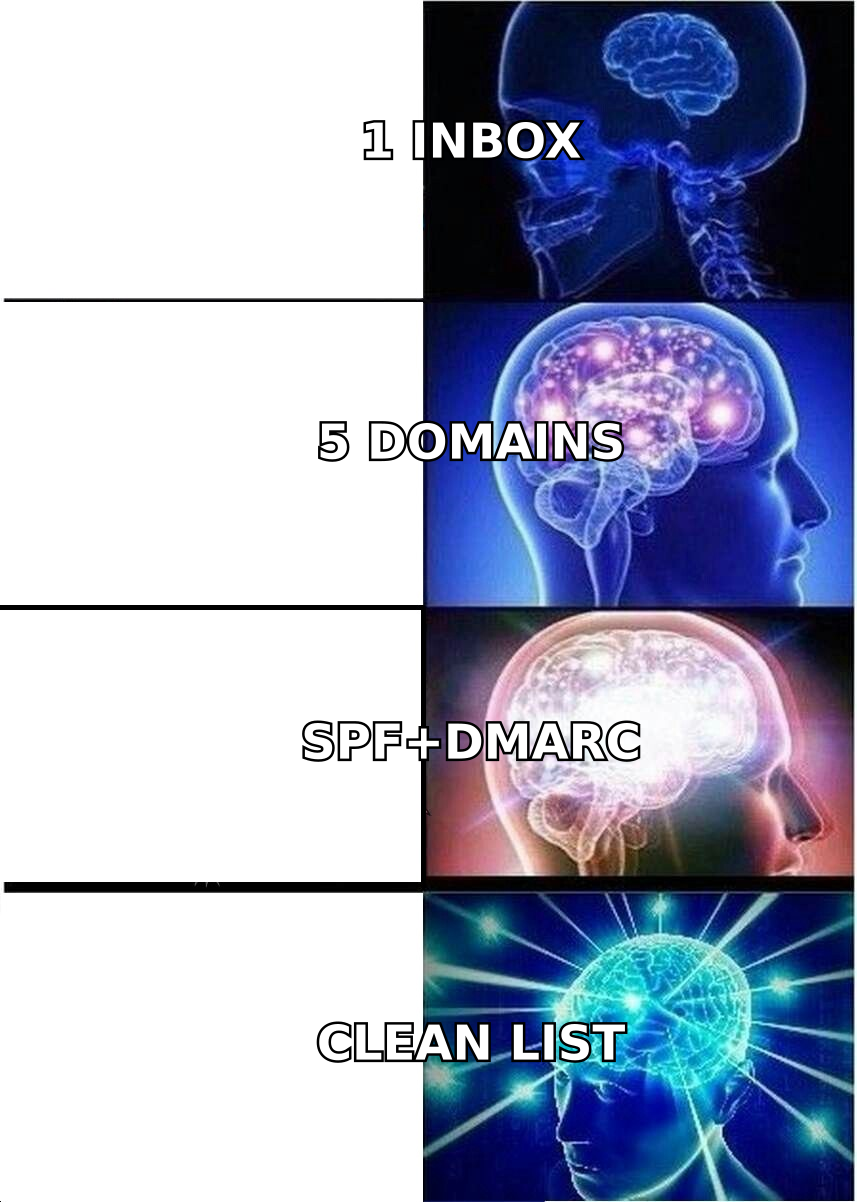
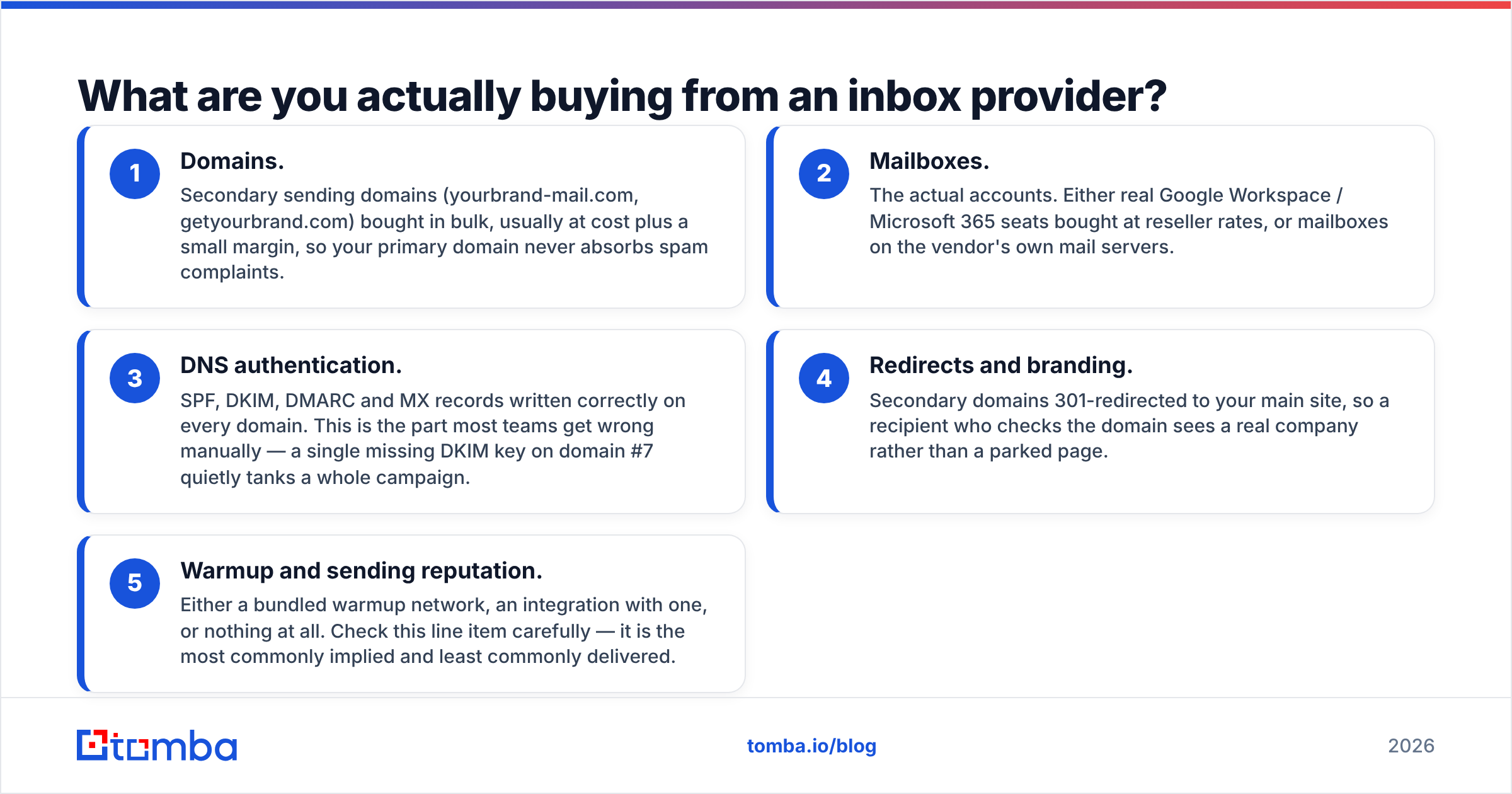
Every vendor in this category sells some mix of the same five components. Knowing which ones you're paying for makes the price comparisons legible:
- Domains. Secondary sending domains (yourbrand-mail.com, getyourbrand.com) bought in bulk, usually at cost plus a small margin, so your primary domain never absorbs spam complaints.
- Mailboxes. The actual accounts. Either real Google Workspace / Microsoft 365 seats bought at reseller rates, or mailboxes on the vendor's own mail servers.
- DNS authentication. SPF, DKIM, DMARC and MX records written correctly on every domain. This is the part most teams get wrong manually — a single missing DKIM key on domain #7 quietly tanks a whole campaign.
- Redirects and branding. Secondary domains 301-redirected to your main site, so a recipient who checks the domain sees a real company rather than a parked page.
- Warmup and sending reputation. Either a bundled warmup network, an integration with one, or nothing at all. Check this line item carefully — it is the most commonly implied and least commonly delivered.
If a provider is meaningfully cheaper than the rest, it's almost always because it's supplying #2 from its own servers rather than reselling Google seats. That's not a scam; it's a different risk profile, and we'll get to it.
Which InboxKit alternatives are worth comparing in 2026?#
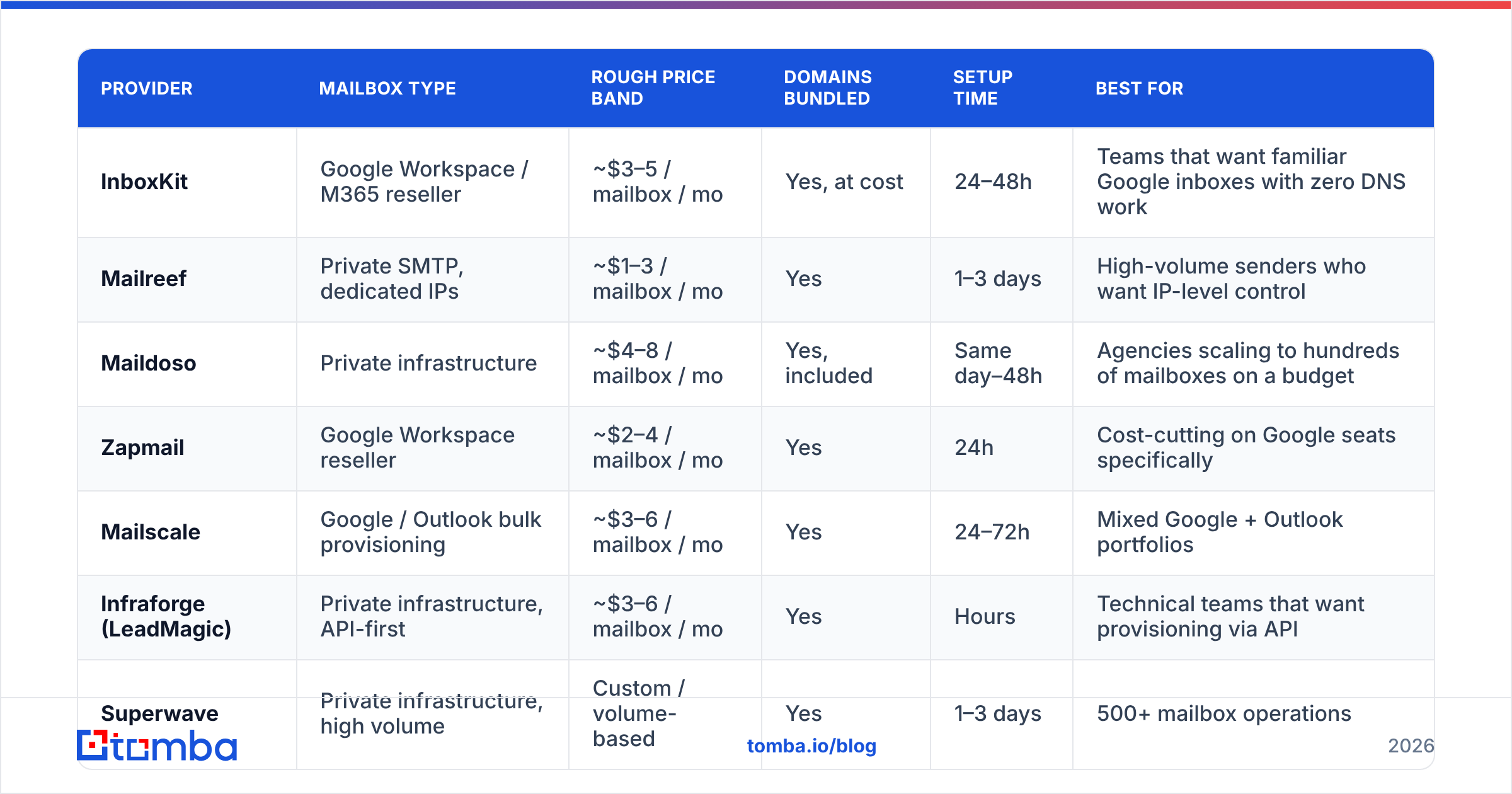
Seven providers cover the realistic range, from cheapest-per-mailbox to most controllable. Price bands below are approximate at the time of writing and change often — treat them as ranges for budgeting, not quotes, and confirm on each vendor's site.
| Provider | Mailbox type | Rough price band | Domains bundled | Setup time | Best for |
|---|---|---|---|---|---|
| InboxKit | Google Workspace / M365 reseller | ~$3–5 / mailbox / mo | Yes, at cost | 24–48h | Teams that want familiar Google inboxes with zero DNS work |
| Mailreef | Private SMTP, dedicated IPs | ~$1–3 / mailbox / mo | Yes | 1–3 days | High-volume senders who want IP-level control |
| Maildoso | Private infrastructure | ~$4–8 / mailbox / mo | Yes, included | Same day–48h | Agencies scaling to hundreds of mailboxes on a budget |
| Zapmail | Google Workspace reseller | ~$2–4 / mailbox / mo | Yes | 24h | Cost-cutting on Google seats specifically |
| Mailscale | Google / Outlook bulk provisioning | ~$3–6 / mailbox / mo | Yes | 24–72h | Mixed Google + Outlook portfolios |
| Infraforge (LeadMagic) | Private infrastructure, API-first | ~$3–6 / mailbox / mo | Yes | Hours | Technical teams that want provisioning via API |
| Superwave | Private infrastructure, high volume | Custom / volume-based | Yes | 1–3 days | 500+ mailbox operations |
| Google Workspace (direct) | First-party | $7.20+ / seat / mo | No, buy separately | Manual, hours per domain | Small teams sending under 200/day from 2–5 inboxes |
Two things stand out in that table. First, direct Google Workspace is two to five times the per-seat cost of every reseller — which tells you resellers are operating on volume agreements or multi-user tenants, and that the discount comes with dependency. Second, the private-infrastructure vendors cluster in the same price band as the resellers while offering more control, which is why the market has drifted their way over the past two years.
Is private SMTP infrastructure better than Google Workspace mailboxes?#
It depends entirely on which failure mode hurts you more.
Google/Outlook mailboxes inherit the sending reputation of the world's two largest mail platforms. Mail from a fresh Workspace account lands in the inbox more often on day one than mail from a fresh IP, because receiving servers extend trust to Google's ranges by default. The catch: you're a guest. Google has been aggressive about bulk-provisioned reseller tenants, and suspensions are collective — when a tenant gets flagged, every mailbox on it goes dark, including yours. Recovery is measured in days and depends on your vendor's support queue.
Private infrastructure flips both sides. Nobody can suspend your account for someone else's behavior, you get real control over IP allocation and sending patterns, and the marginal cost of an extra mailbox is close to zero. But you start from nothing. A brand-new IP with no history is treated with suspicion by Microsoft's filters in particular, and that means a longer, more disciplined ramp: two to four weeks of low-volume warming before you send anything that matters.
There's also a compliance dimension people skip. Google's bulk sender guidelines apply to your mail regardless of where it originates — DMARC alignment, one-click unsubscribe on bulk mail, and a spam complaint rate under 0.3%. Private infrastructure doesn't exempt you; it just means you're the one responsible for getting the records right. Run every new domain through an SPF checker before it sends a single message, and understand what email deliverability actually measures before you blame a vendor for low reply rates.
The honest rule of thumb: under 50 mailboxes, managed Google seats are simpler and the price difference is noise. Over 200 mailboxes, private infrastructure wins on both economics and control, and the warmup discipline you need is something you should be doing anyway.
How should you choose between these InboxKit alternatives?#
Run through five questions in order. The answers narrow the field fast.
- How many mailboxes, realistically? Under 20, buy Google Workspace directly and skip the whole category. The reseller discount doesn't justify the extra dependency at that scale.
- Who fixes it when mailboxes go down? Ask every vendor for their replacement policy in writing. "We'll replace suspended mailboxes free" is standard; "within 24 hours" is not. This clause matters more than $1/mailbox.
- Do you need API provisioning? Agencies spinning up client infrastructure weekly should filter hard on this. Infraforge and Mailreef expose provisioning APIs; several competitors are dashboard-only, which means a human clicks for every client onboarding.
- Google, Outlook, or both? Some ICPs are overwhelmingly Microsoft shops. Mail from an Outlook-hosted domain to an Outlook recipient often has a measurable placement advantage, so portfolio mix isn't cosmetic.
- What's your actual sending volume per mailbox? Anything over 30–50 emails/day per mailbox is asking for trouble regardless of provider. Do the arithmetic before you buy: 1,000 sends/day means 20–30 mailboxes minimum. A warmup calculator will give you a realistic ramp schedule instead of a guess.
Cross-check whatever shortlist you land on against recent reviews on G2 — this category churns fast, and a vendor that was excellent in 2024 may have been acquired, repriced, or overwhelmed since.

Does buying more inboxes actually fix your reply rate?#
Almost never, and this is where most infrastructure spend gets wasted.
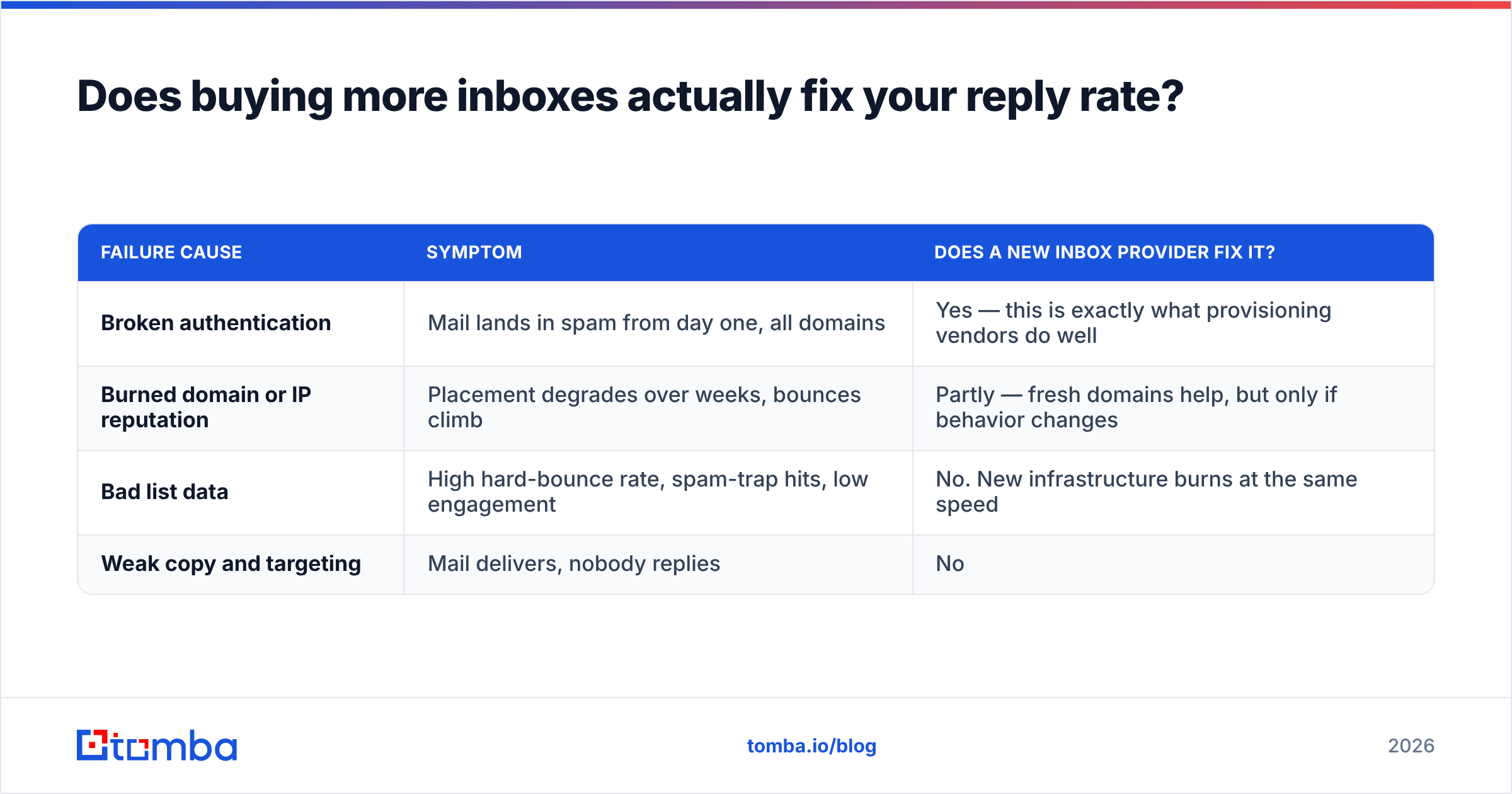
Deliverability failures have three causes, and provisioning addresses only one of them:
| Failure cause | Symptom | Does a new inbox provider fix it? |
|---|---|---|
| Broken authentication | Mail lands in spam from day one, all domains | Yes — this is exactly what provisioning vendors do well |
| Burned domain or IP reputation | Placement degrades over weeks, bounces climb | Partly — fresh domains help, but only if behavior changes |
| Bad list data | High hard-bounce rate, spam-trap hits, low engagement | No. New infrastructure burns at the same speed |
| Weak copy and targeting | Mail delivers, nobody replies | No |
The third row is the one that quietly destroys expensive setups. Hard bounces above 3% signal to receiving servers that you're sending to a list you didn't validate, and mailbox providers respond by throttling everything from your domain. Spam traps — recycled addresses that once belonged to real people — do worse damage: a single hit can put a domain on a blocklist for weeks. You can buy 200 pristine mailboxes and torch them all in nine days with a scraped list.
So the sequence matters. Source contacts from a provider that maintains and re-checks its data rather than reselling a static dump, run the list through an email verifier before it ever touches a sequencer, and handle catch-all domains explicitly — a catch-all verifier distinguishes "this domain accepts everything" from "this person exists," which generic validation tools flatten into a single ambiguous status.
If bounce rate is under 2% and reply rate is still near zero, the problem is targeting or copy, and no amount of infrastructure spend will touch it.
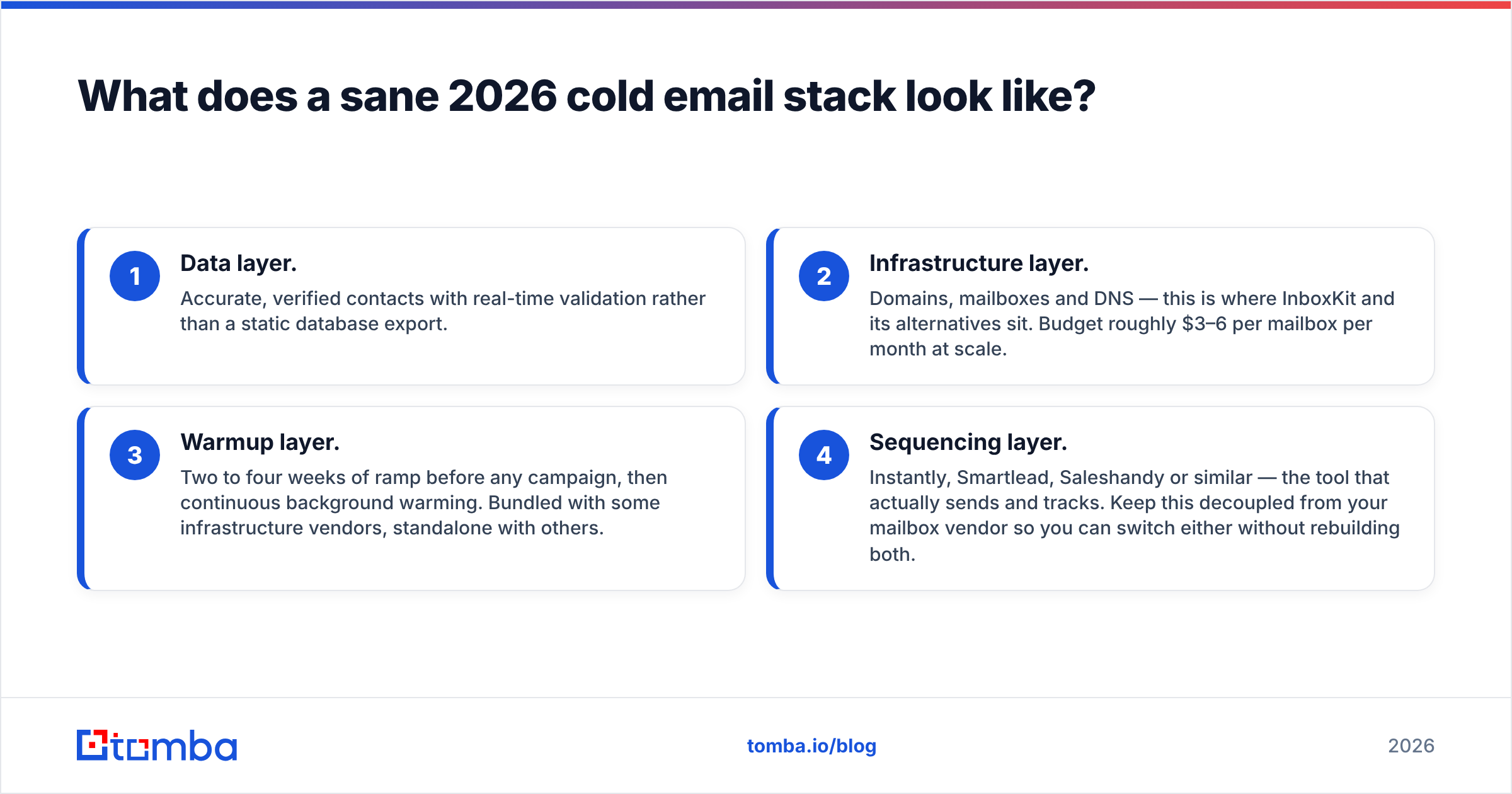
What does a sane 2026 cold email stack look like?#
Four layers, bought separately, each replaceable:
- Data layer. Accurate, verified contacts with real-time validation rather than a static database export.
- Infrastructure layer. Domains, mailboxes and DNS — this is where InboxKit and its alternatives sit. Budget roughly $3–6 per mailbox per month at scale.
- Warmup layer. Two to four weeks of ramp before any campaign, then continuous background warming. Bundled with some infrastructure vendors, standalone with others.
- Sequencing layer. Instantly, Smartlead, Saleshandy or similar — the tool that actually sends and tracks. Keep this decoupled from your mailbox vendor so you can switch either without rebuilding both.
Teams that buy all four from one vendor get a discount and a single point of failure. Teams that buy them separately pay slightly more and can swap any layer in an afternoon. At any serious volume, the second arrangement is worth the overhead.
The layer nobody should economize on is the first one. Infrastructure is a commodity — every vendor in the table above provisions a functionally identical mailbox — but the accuracy of your contact data determines whether that infrastructure survives the quarter.
Where does Tomba fit?#
Tomba isn't an infrastructure vendor and won't sell you mailboxes. It sits one layer up: finding and verifying the addresses those mailboxes send to.
The Tomba Email Finder resolves professional email addresses from a name and domain, or pulls every discoverable address at a company, with a confidence score and the sources behind each result. Verification runs on the same call, so contacts arrive validated instead of needing a second pass. Free tier gives you 25 searches a month to test accuracy against a list you already know; paid plans start at $49/mo on Starter and $99/mo on Growth, with full Tomba pricing published rather than quote-gated.
Pick your infrastructure vendor on price, support terms, and whether you want private SMTP or borrowed Google reputation. Then feed it a list that won't burn it down.
Related guides#
// get started
Find, verify and enrich your first contacts today
Start on the free plan with 25 searches a month, then scale when your team is ready.
Free plan · No credit card required · GDPR & CCPA
// about the author