Influno vs Lusha (2026): Outreach Tool vs Contact Data
Influno sends the emails. Lusha supplies the contacts. Here is an honest breakdown of what each tool actually does, where the data gaps show up, and which one belongs in your 2026 outbound stack.
TL;DR
- Influno vs Lusha is not a like-for-like fight. Influno is an outbound email platform: you write sequences and it sends them. Lusha is a B2B contact database: it hands you emails and phone numbers. One is the sprinkler. The other is the water main.
- If your problem is "I have a list but nothing goes out," you need Influno-style sending.
- If your problem is "I have ICP criteria but no contacts," you need Lusha-style data. Or a cheaper email finder that does not charge per seat.
- Lusha's best asset is direct-dial phone coverage in North America. Its worst is per-seat credit pricing. The bill jumps as soon as more than two reps touch it.
- Most teams buy both. Then they learn the real bottleneck was bounce rate, a data problem that neither tool fully solves.
Influno vs Lusha: what does each tool actually do?#
Start with the category. It decides everything else.
Influno is a cold outreach platform. You connect mailboxes, build multi-step sequences, personalize at scale, and handle replies in one shared inbox. The pitch is simple. Sending, follow-ups, and inbox health sit in one plan instead of three.
Lusha is a B2B data provider. Its core is a Chrome add-on that reveals work emails and direct dials on LinkedIn profiles and company sites. It also ships a prospecting app, CRM sync, and an API. Lusha does not send your campaigns. It fills the columns your campaign reads from.
That gap matters more than any feature checkbox. A sequencer with bad contacts makes bounces spike. A great database with no sending layer makes a CSV that nobody emails.
What does Influno do well?#
Here is the honest shape of an outreach tool's value, and where Influno fits:
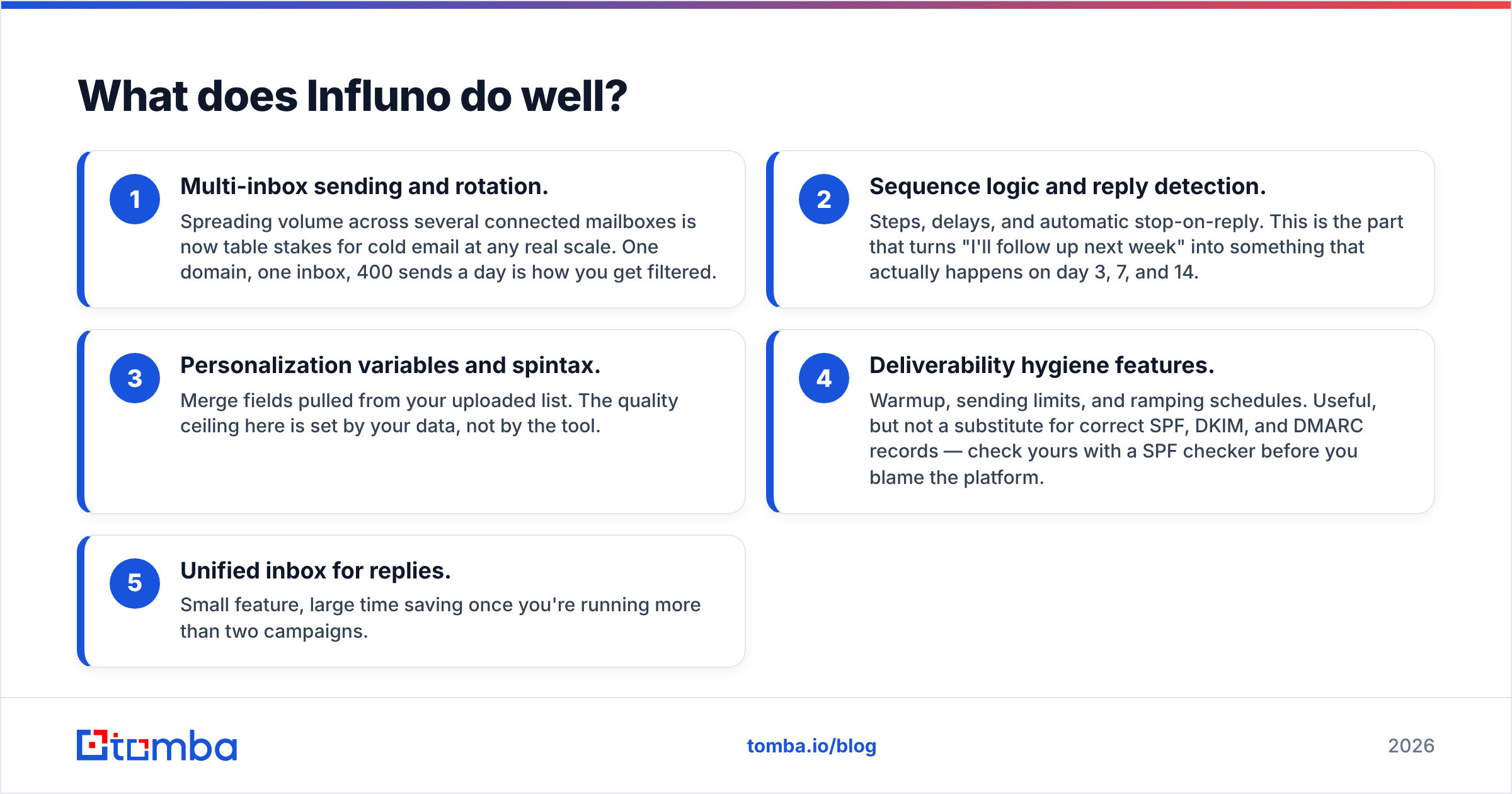
- Multi-inbox sending and rotation. Spread volume across several mailboxes. That is table stakes for cold email now. One domain, one inbox, 400 sends a day is how you get filtered.
- Sequence logic and reply detection. Steps, delays, and auto stop-on-reply. This turns "I'll follow up next week" into a real send on day 3, 7, and 14.
- Merge fields and spintax. The fields pull from the list you upload. Your data sets the ceiling here, not the tool.
- Inbox health features. Warmup, send limits, and ramp schedules. All useful. None of them replace correct SPF, DKIM, and DMARC records, so check yours with a SPF checker before you blame the platform.
- One inbox for all replies. Small feature, big time saver once you run more than two campaigns.
What Influno does not do is source contacts. You bring the list. That is the job Lusha applies for.

What does Lusha do well?#
Lusha's name rests on a few things:
- Direct-dial phone numbers. This is the real moat. If your team calls first, mobile coverage on US and Western European contacts is strong. It is why sales teams keep renewing despite the price.
- The browser add-on. Reps live in LinkedIn. Revealing a contact in place, with no tab switching, beats a pure API tool for people who do not code.
- CRM enrichment and sync. Push straight to Salesforce or HubSpot, refresh stale rows, fill blank fields in bulk.
- Filters in the prospecting app. Build lists by tech stack, headcount, or team. Beats hunting one profile at a time.
The trade-offs show up in public reviews on G2. Credits burn on every reveal, valid or not. Pricing is per seat, so cost tracks headcount rather than usage.
Influno vs Lusha: how do they compare head-to-head?#
The categories differ, so the useful view is a three-way one. Line up a sending platform, a contact database, and a dedicated email-finding layer. Then you can see which box your need falls into.
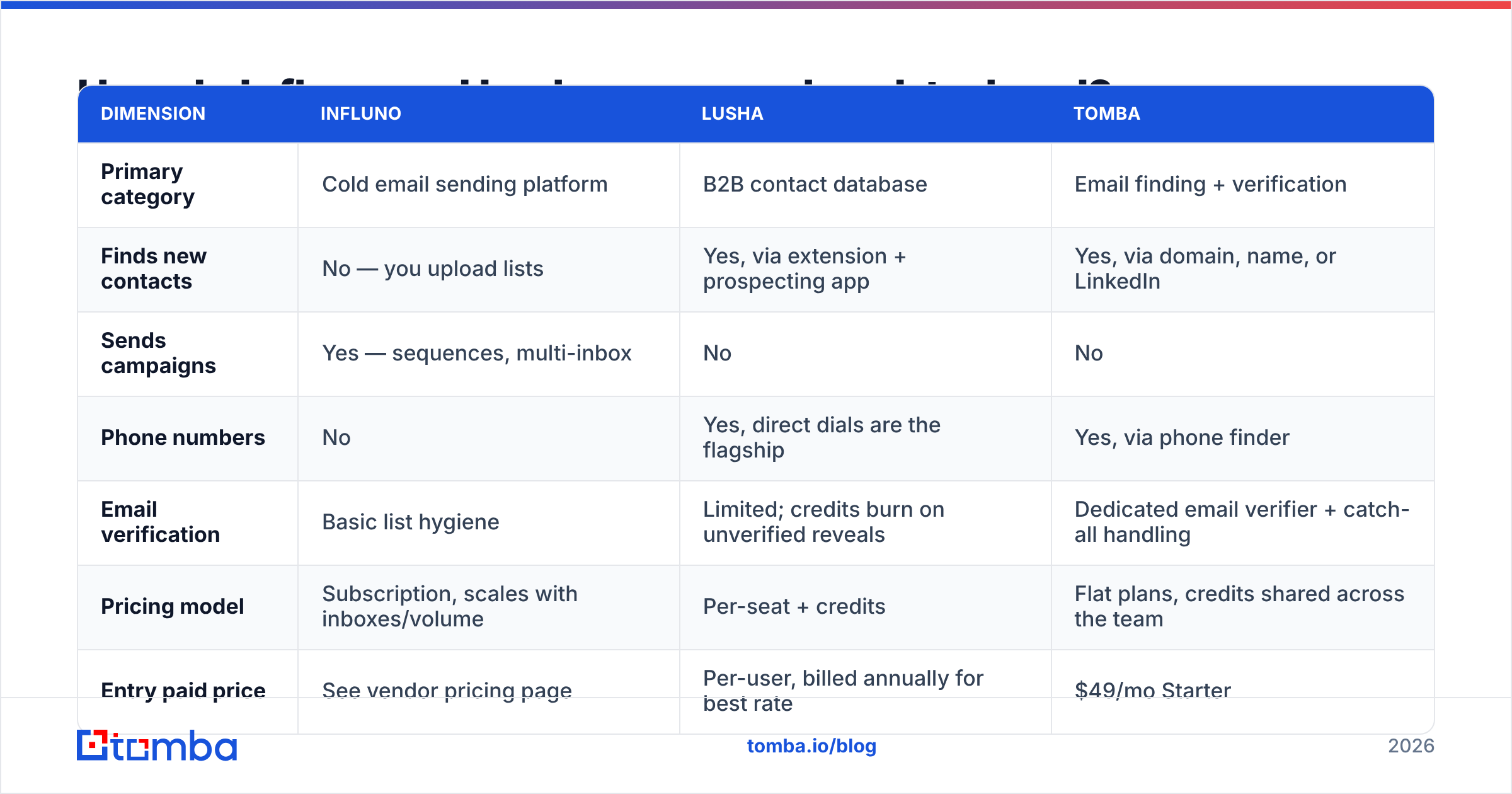
| Dimension | Influno | Lusha | Tomba |
|---|---|---|---|
| Primary category | Cold email sending platform | B2B contact database | Email finding + verification |
| Finds new contacts | No — you upload lists | Yes, via extension + prospecting app | Yes, via domain, name, or LinkedIn |
| Sends campaigns | Yes — sequences, multi-inbox | No | No |
| Phone numbers | No | Yes, direct dials are the flagship | Yes, via phone finder |
| Email verification | Basic list hygiene | Limited; credits burn on unverified reveals | Dedicated email verifier + catch-all handling |
| Pricing model | Subscription, scales with inboxes/volume | Per-seat + credits | Flat plans, credits shared across the team |
| Entry paid price | See vendor pricing page | Per-user, billed annually for best rate | $49/mo Starter |
| Free tier | Trial-based | Yes, limited monthly credits | Yes, 25 searches/mo |
| API access | Limited | Yes, on higher tiers | Yes, on all paid plans |
| Best for | Teams with lists but no sending system | Call-heavy SDR teams in NA | Teams who need accurate emails at volume without seat fees |
Read that table as a shopping list, not a scoreboard. The winner depends on which row is your real bottleneck this quarter.
Is Influno better than Lusha for cold email?#
For the act of sending: yes, and it is not close. Lusha has no sequencer. If you bought Lusha to run campaigns, you bought a data tool.
For the outcome — replies booked — the answer flips more often than vendors admit. A sequencer amplifies whatever list you feed it. Run 5,000 contacts with a 12% invalid rate and you do not get 88% of the results. You get a hurt sending domain. Mailbox providers read hard bounces as proof that you email people who never asked to hear from you. Google and Microsoft both raised the bar for bulk senders in 2024, and it has not moved back down.
So the order of purchase matters:
- Fix contact data quality first.
- Verify it before it enters the sending tool.
- Then buy sending tools and scale volume.
Teams that swap steps 1 and 3 spend two months repairing sender reputation instead of booking meetings.
Which one has better data quality?#
Only Lusha is in the data business. So this is really Lusha against the wider email-finder market: Apollo, Cognism, BookYourData, RocketReach, Tomba, and others.
Three things to know before you trust any headline accuracy number:
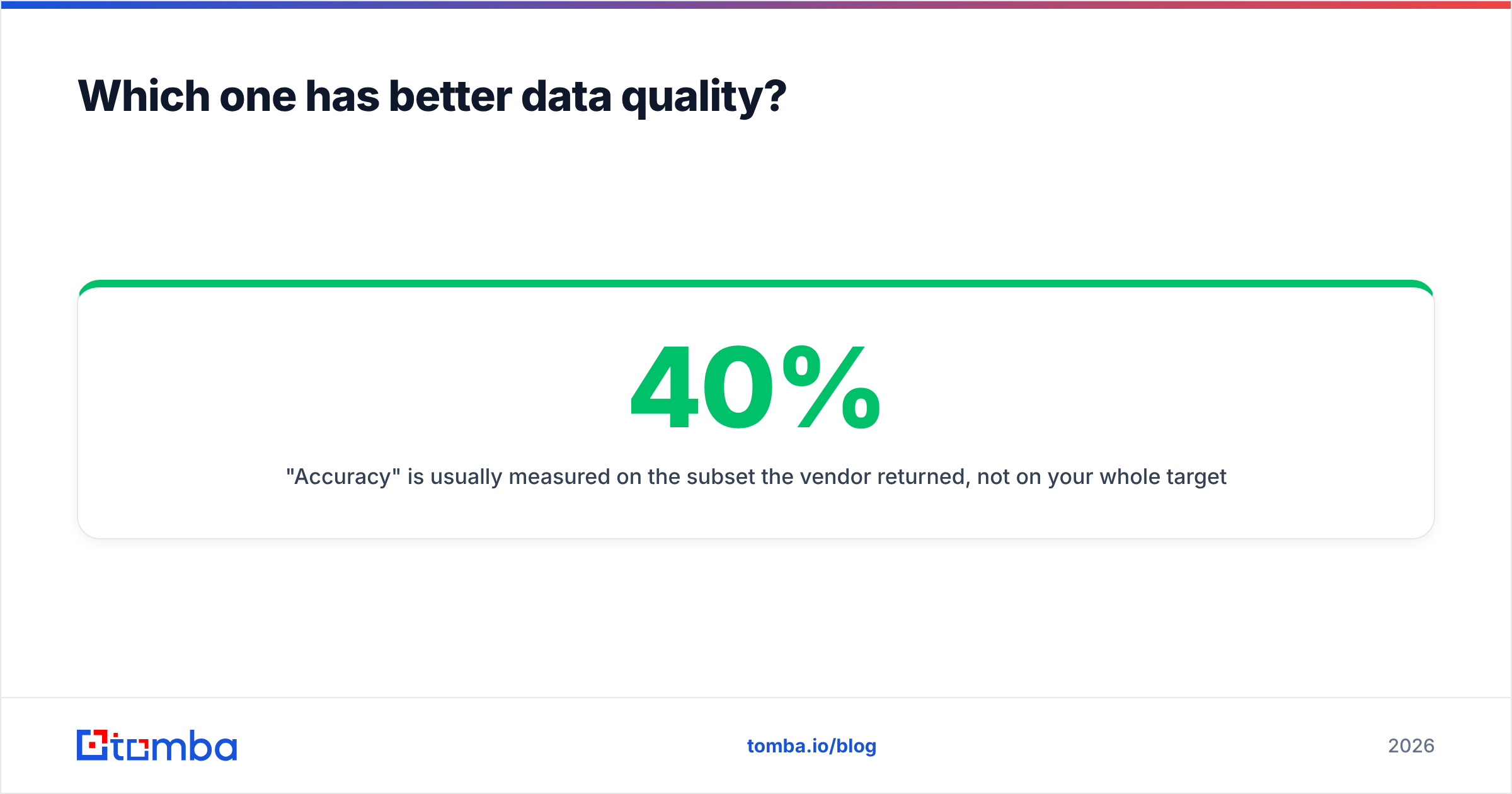
- "Accuracy" is measured on what the vendor returned, not on your whole list. A tool that returns emails for 40% of your list at 95% accuracy can be worse than one that returns 70% at 90%.
- Catch-all domains skew every benchmark. Many big domains accept all mail at the SMTP layer, so a naive check marks them "valid." You need a real catch-all verifier to split deliverable from merely accepted.
- Coverage is regional. Lusha is strong on North American mobiles. Results in APAC and parts of Europe thin out fast. Test on your own ICP, not on a vendor sample list.
The real test is free. Take 100 known-good contacts from closed-won accounts. Run them through each tool. Measure match rate and bounce rate yourself. Every vendor will look worse than its marketing page. The one that drops the least is your winner.

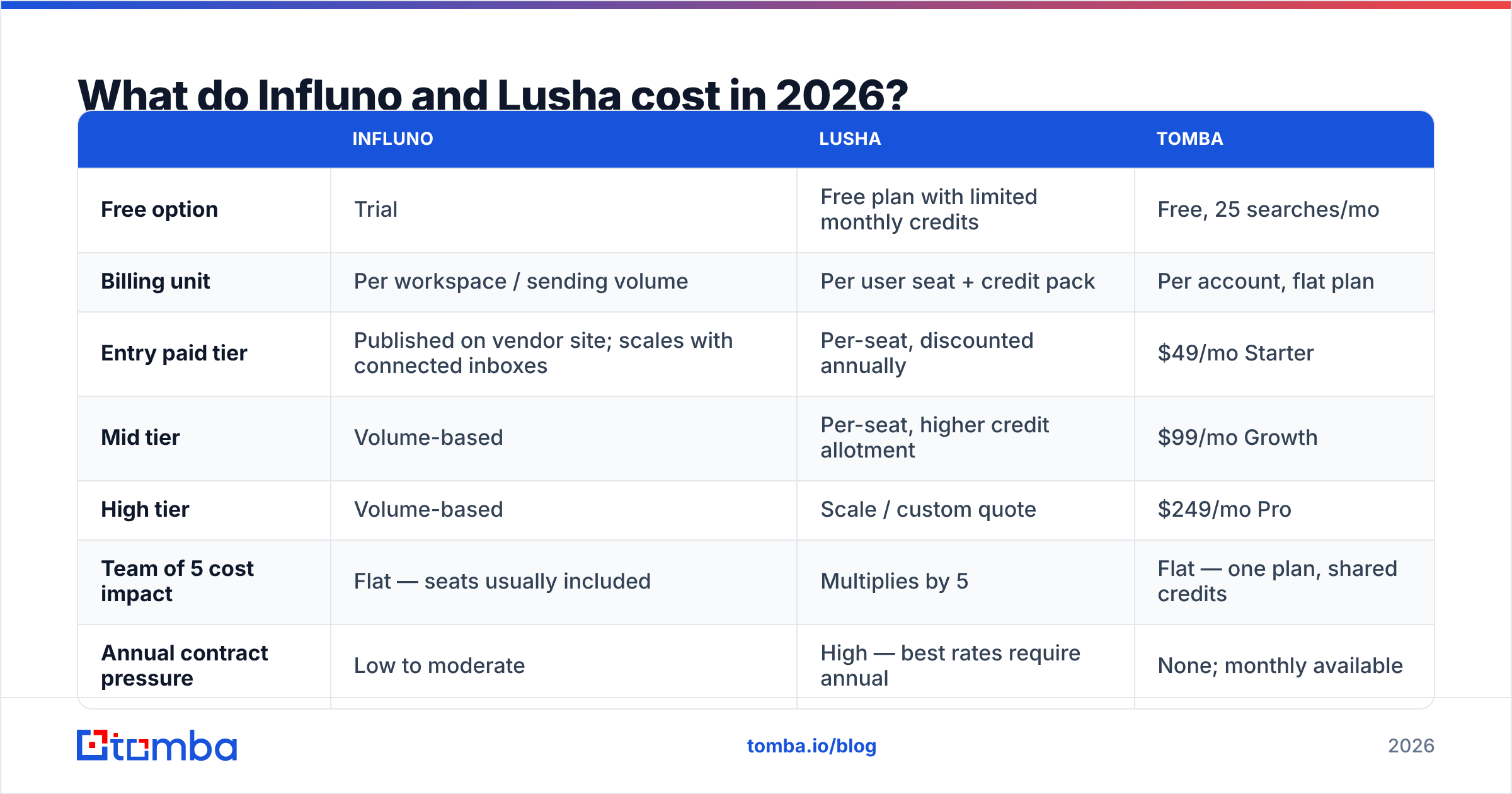
Influno vs Lusha pricing: what does each cost in 2026?#
Prices move on both sides. Treat published numbers as a guide, and check the vendor page before you sign.
| Influno | Lusha | Tomba | |
|---|---|---|---|
| Free option | Trial | Free plan with limited monthly credits | Free, 25 searches/mo |
| Billing unit | Per workspace / sending volume | Per user seat + credit pack | Per account, flat plan |
| Entry paid tier | Published on vendor site; scales with connected inboxes | Per-seat, discounted annually | $49/mo Starter |
| Mid tier | Volume-based | Per-seat, higher credit allotment | $99/mo Growth |
| High tier | Volume-based | Scale / custom quote | $249/mo Pro |
| Team of 5 cost impact | Flat — seats usually included | Multiplies by 5 | Flat — one plan, shared credits |
| Annual contract pressure | Low to moderate | High — best rates require annual | None; monthly available |
The per-seat row is the one that changes budgets. A five-rep team on a per-seat data tool often pays more for contact data than for its CRM. Flat-rate finders like the Tomba plans trade away the polished in-app prospecting UI. What you get back is a cost curve that stays flat as you hire.
Where do both tools leave gaps?#
Run Influno and Lusha side by side and three gaps remain:
- Verify before you send. Reveals from any database age out. A quarter to a third of B2B records decay each year as people change jobs. Verify at send time, not at list-build time.
- Bulk enrichment of old records. Say you hold 20,000 CRM rows with no emails. A one-by-one browser add-on is the wrong tool. You want bulk lead generation or an API call.
- API access on cheap plans. Your RevOps team may want to enrich inside a workflow: Clay, Make, n8n, or a script of its own. For that you need an email finder API with no sales call attached.
Influno vs Lusha: which one should you pick?#
Match the tool to the line that sounds like your team:
- "We have lists but nothing ships." Buy the sending platform. Influno, Instantly, Smartlead — pick on inbox limits and reply UX. Stop researching after a week.
- "Our reps live on the phone." Lusha earns its price here. Direct dials are the hardest data to source cheaply.
- "We need thousands of verified emails a month." Skip the seat-priced tool. A flat-rate email finder plus verification costs far less at that volume.
- "We're enriching a database we already have." Go API-first. Batch jobs, not browser add-ons.
- "We're two people testing outbound." Start on free tiers of a finder and a sender. Prove reply rate on 200 contacts first.
- "We need both and have budget." Layer them: data tool, then verify, then sequencer. Keep the verify step even if a vendor claims to do it inline.
What's the fastest way to stop guessing?#
Run a bake-off for two weeks. Same 300-contact list. Same ICP. Same message. Measure four numbers per tool: match rate, bounce rate, cost per verified contact, and replies per 100 sent. Any homepage chart that ranks Influno vs Lusha, this one too, is worth less than your own 300-row sheet.
One thing holds up across most of these tests. The sending platform is rarely the constraint. Contact accuracy is. Teams switch sequencers hoping for lift and get none. Then they switch data vendors and watch bounce rate fall from 9% to under 2%. At that point the old sequencer starts to work.
Fix the data layer first. The Tomba Email Finder returns verified work emails by domain, name, or company. You get confidence scores, catch-all checks, and flat pricing with no per-seat fee. Start free at 25 searches a month. Run it on your own closed-won list and compare the bounce rate to what you use now. If it does not win on your data, you lost one afternoon.
Related guides#
// get started
Find, verify and enrich your first contacts today
Start on the free plan with 25 searches a month, then scale when your team is ready.
Free plan · No credit card required · GDPR & CCPA
// about the author