Instantly Pros and Cons: An Honest 2026 Review
Instantly.ai bundles unlimited inboxes, warmup, and a lead database for $37/mo — but the deliverability claims, data quality, and support gaps deserve scrutiny before you commit.
TL;DR
- Instantly is strongest as a sending engine: unlimited email accounts on every paid plan, built-in warmup, and a unibox that keeps replies manageable at scale.
- It is weakest as a data source: the bundled B2B lead database is add-on priced, patchier than dedicated finders, and most teams end up paying twice — once for sending, once for accurate contacts.
- Pricing starts at $37/mo for Growth, but the real cost is the sending-warmup add-on plus the separate Lead Finder credits, which pushes serious users past $150/mo fast.
- Deliverability is a shared-responsibility model. Instantly gives you the tooling; it does not give you domain reputation, and no warmup pool compensates for a bad list.
- Best fit: agencies and outbound teams sending 10k+ emails/month who already have a reliable contact source. Worst fit: anyone expecting "one tool does everything" accuracy.
Instantly.ai went from a scrappy warmup tool to one of the most recognized names in cold email in about three years. That growth curve makes honest evaluation harder, not easier — most of what you'll find searching "Instantly pros and cons" is affiliate content with a coupon code attached. This is not that. Here's what the platform actually does well, where it falls down, and how to decide whether it belongs in your stack in 2026.
What is Instantly and who is it actually for?#
Instantly is a cold email sending platform. You connect email accounts (Google Workspace, Microsoft 365, or any SMTP provider), it rotates sends across them, warms them up against a shared network of real inboxes, and manages replies in a unified inbox.
The core value proposition is volume without per-seat or per-inbox pricing. Most competitors charge by mailbox. Instantly doesn't — connect 5 accounts or 500, the plan price is the same. For an agency running outbound for a dozen clients, that pricing model alone is the reason to look.
Who it fits, concretely:
- Lead-gen agencies running multi-client campaigns across dozens of domains. The unlimited-inbox model and workspace separation were built for this.
- Outbound SDR teams sending 5,000–50,000 emails/month who need rotation and reply routing more than they need CRM depth.
- Solo founders doing their own prospecting who want warmup and sending in one subscription instead of three.
- Recruiters and agencies with an existing candidate/contact list who need throughput, not discovery.
- Teams already paying for data — Apollo, ZoomInfo, a scraper, or a dedicated email finder — who only need the send layer.
Who it does not fit: anyone treating it as a full GTM platform. There's no dialer, the CRM is thin, and the native data is the weakest component in the box.

What are the real pros of Instantly?#
Unlimited email accounts on every paid plan#
This is the headline feature and it holds up. Competitors like Outreach and Salesloft price per seat in the $100+/user/month range; Smartlead and Instantly both went unlimited-inbox and reset the market. If you run 40 sending accounts across 10 domains, you're paying one flat plan price instead of 40 mailbox fees. For agencies, the math is decisive.
Warmup that actually runs on a large pool#
Instantly's warmup network is one of the bigger ones in the category — real accounts sending, opening, replying, and pulling messages out of spam. It runs automatically alongside campaigns rather than requiring a separate subscription to a tool like Warmbox or Mailreach. You can tune ramp speed, daily volume, and reply rate per account.
A caveat worth stating plainly: warmup pools are a signal, not a cure. Google and Microsoft have gotten better at recognizing artificial engagement patterns. Warmup buys you a reputation floor; it does not override a list full of dead addresses. Run a proper email verifier before sending and the warmup does its job.
The unibox and reply handling#
At 10,000 sends a month across 30 inboxes, reply management becomes the actual bottleneck. Instantly's unibox pulls every reply into one view, auto-flags positive sentiment, and lets you mark leads as interested/won/lost without leaving the tab. It's not a CRM, but it's enough to stop you from missing a warm reply buried in inbox #22.
Campaign mechanics: rotation, spintax, sub-sequences#
The sending logic is mature. Inbox rotation distributes volume so no single account spikes. Spintax varies phrasing to reduce fingerprinting. Sub-sequences branch based on reply behavior. A/Z testing runs variants at the step level. None of this is unique in 2026, but it's all present and it works.
Deliverability tooling and analytics#
Instantly ships a deliverability dashboard, DNS checks for SPF/DKIM/DMARC, and per-account health scores. You can verify your SPF record setup before launching rather than discovering a misconfiguration three thousand sends in. The analytics show open, reply, and bounce rates per sequence step — enough to diagnose a bad subject line versus a bad list.
What are the real cons of Instantly?#
The lead database is the weak link#
Instantly's Lead Finder markets 450M+ contacts. In practice, the quality is inconsistent — heavier in US SMB, thinner in EMEA and APAC, and noticeably stale on job-title data for anyone who changed roles in the last 12 months. That's a common problem with aggregated databases that refresh on a slow cycle rather than verifying at query time.
The practical consequence: teams using Instantly's native data report higher bounce rates than teams importing from dedicated finders. And bounces are the single fastest way to torch the domain reputation that Instantly's warmup just spent three weeks building. It's a self-defeating loop.
Pricing is not what the landing page implies#
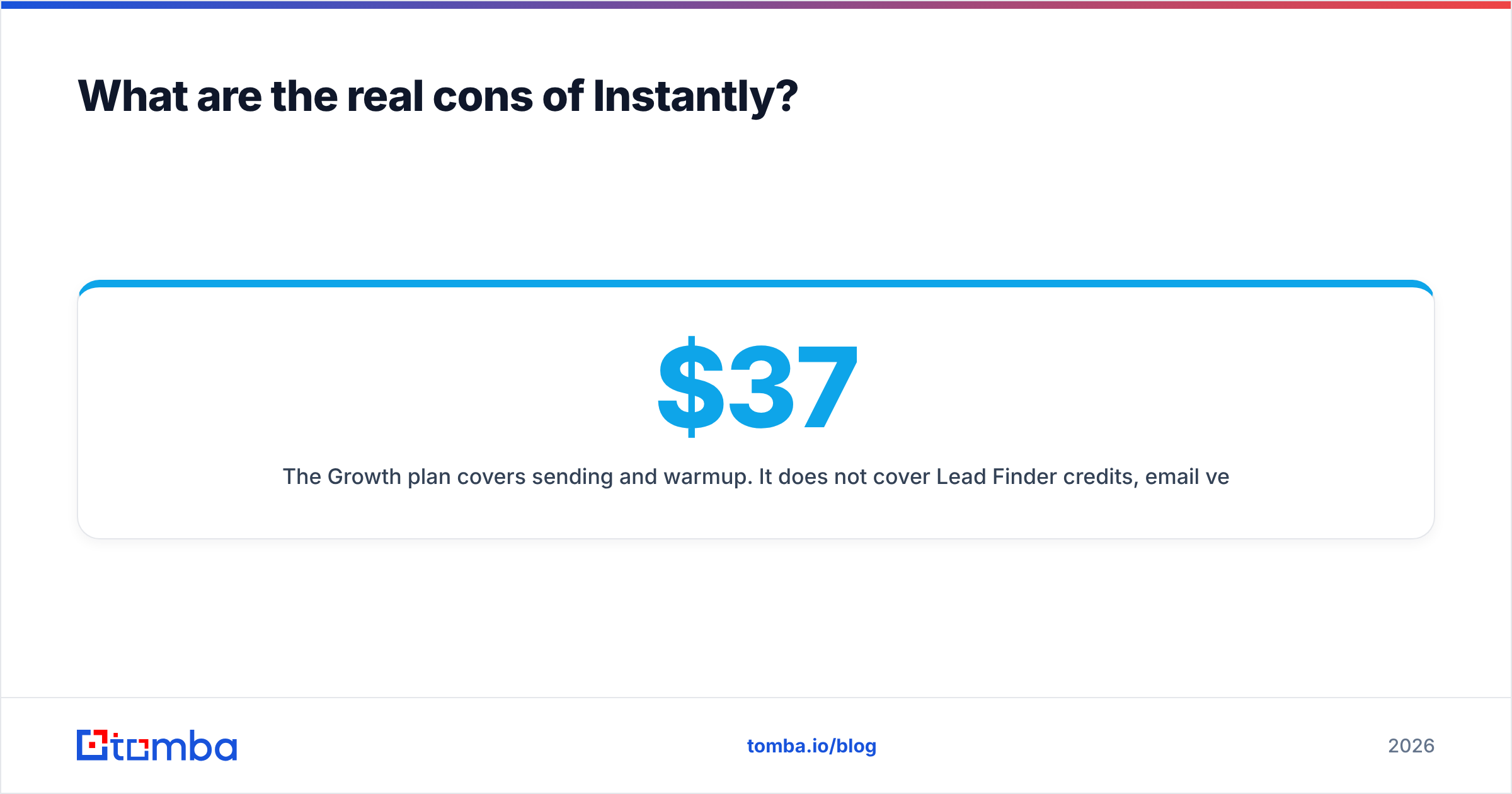
The $37/mo Growth plan covers sending and warmup. It does not cover Lead Finder credits, email verification credits, or the CRM tier. Stack what an actual outbound team needs and you're at $97–$358/mo depending on volume. That's not unreasonable for the value — it's just not $37.
Support quality scales inversely with growth#
This is the most consistent complaint across G2 reviews and community threads: response times stretched as the user base grew. Chat support is available on higher tiers; lower tiers route to email with multi-day turnaround. If your entire outbound operation goes dark because of an account-sync issue, a 48-hour reply window is a business problem.
Account suspensions and sudden lockouts#
Instantly enforces anti-spam policies aggressively, and users have reported accounts suspended with limited explanation and slow appeals. The policy intent is defensible — a sending platform's reputation depends on policing its users — but the execution has caused real disruption. Keep your lead data and sequence copy exported outside the platform so a lockout doesn't cost you your assets.
No native dialer, thin CRM#
If your motion is email-plus-phone, Instantly covers half of it. You'll need a separate dialer and a separate source of B2B phone numbers. The built-in CRM handles pipeline stages but won't replace HubSpot or Pipedrive for anything past a simple deal board.

How does Instantly compare to the alternatives?#
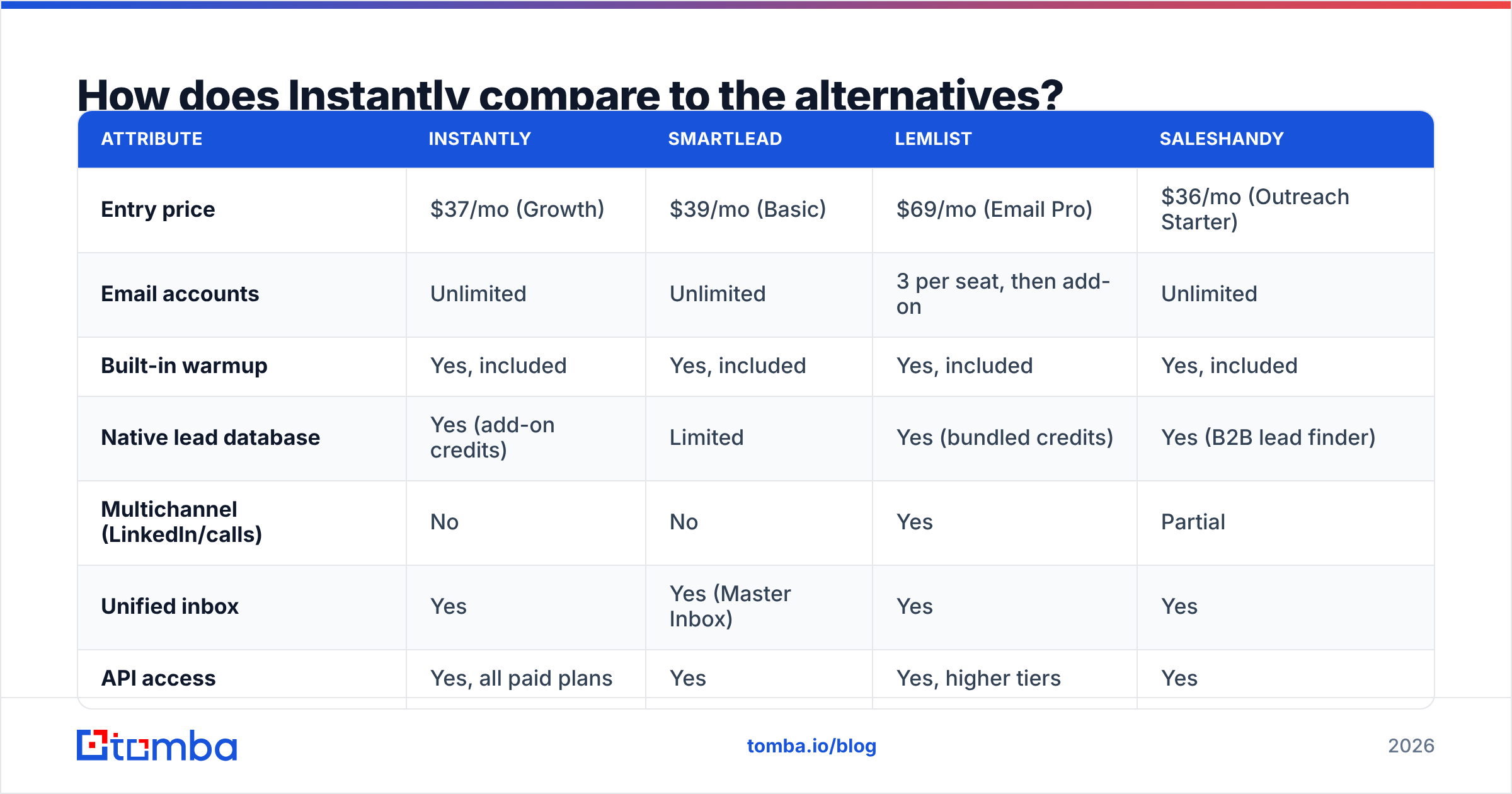
The realistic shortlist in 2026 is Instantly, Smartlead, Lemlist, and Saleshandy for sending — plus a dedicated data provider alongside whichever you pick.
| Attribute | Instantly | Smartlead | Lemlist | Saleshandy |
|---|---|---|---|---|
| Entry price | $37/mo (Growth) | $39/mo (Basic) | $69/mo (Email Pro) | $36/mo (Outreach Starter) |
| Email accounts | Unlimited | Unlimited | 3 per seat, then add-on | Unlimited |
| Built-in warmup | Yes, included | Yes, included | Yes, included | Yes, included |
| Native lead database | Yes (add-on credits) | Limited | Yes (bundled credits) | Yes (B2B lead finder) |
| Multichannel (LinkedIn/calls) | No | No | Yes | Partial |
| Unified inbox | Yes | Yes (Master Inbox) | Yes | Yes |
| API access | Yes, all paid plans | Yes | Yes, higher tiers | Yes |
| Best for | Agencies, high volume | Technical teams, API-first | Multichannel SMB | Budget-conscious teams |
The honest read: Instantly and Smartlead are near-substitutes on the sending layer. Smartlead's API is deeper and its subsequence logic is more flexible; Instantly's UI is cleaner and its warmup pool is larger. Lemlist wins if you need LinkedIn touches in the same sequence. Saleshandy competes on price.
None of them solve data. That's the structural point of this whole comparison — every sending platform's native database is a secondary product built to reduce churn, not a best-in-class data asset. If you want to see how a dedicated provider handles this differently, look at how data sources are compiled and verified at query time rather than served from a stale cache.
For teams evaluating a switch, there's a fuller breakdown of the Instantly alternative landscape worth reading alongside this.
Does Instantly actually improve deliverability?#
Partially — and understanding the boundary saves you a lot of frustration.
Instantly controls: sending cadence, inbox rotation, warmup engagement signals, spintax variation, and bounce handling. Those are real levers and the platform pulls them well.
Instantly does not control: your domain age, your DNS configuration correctness, your copy's spam signals, your list hygiene, or your recipients' actual engagement. Those account for most of the variance in inbox placement.
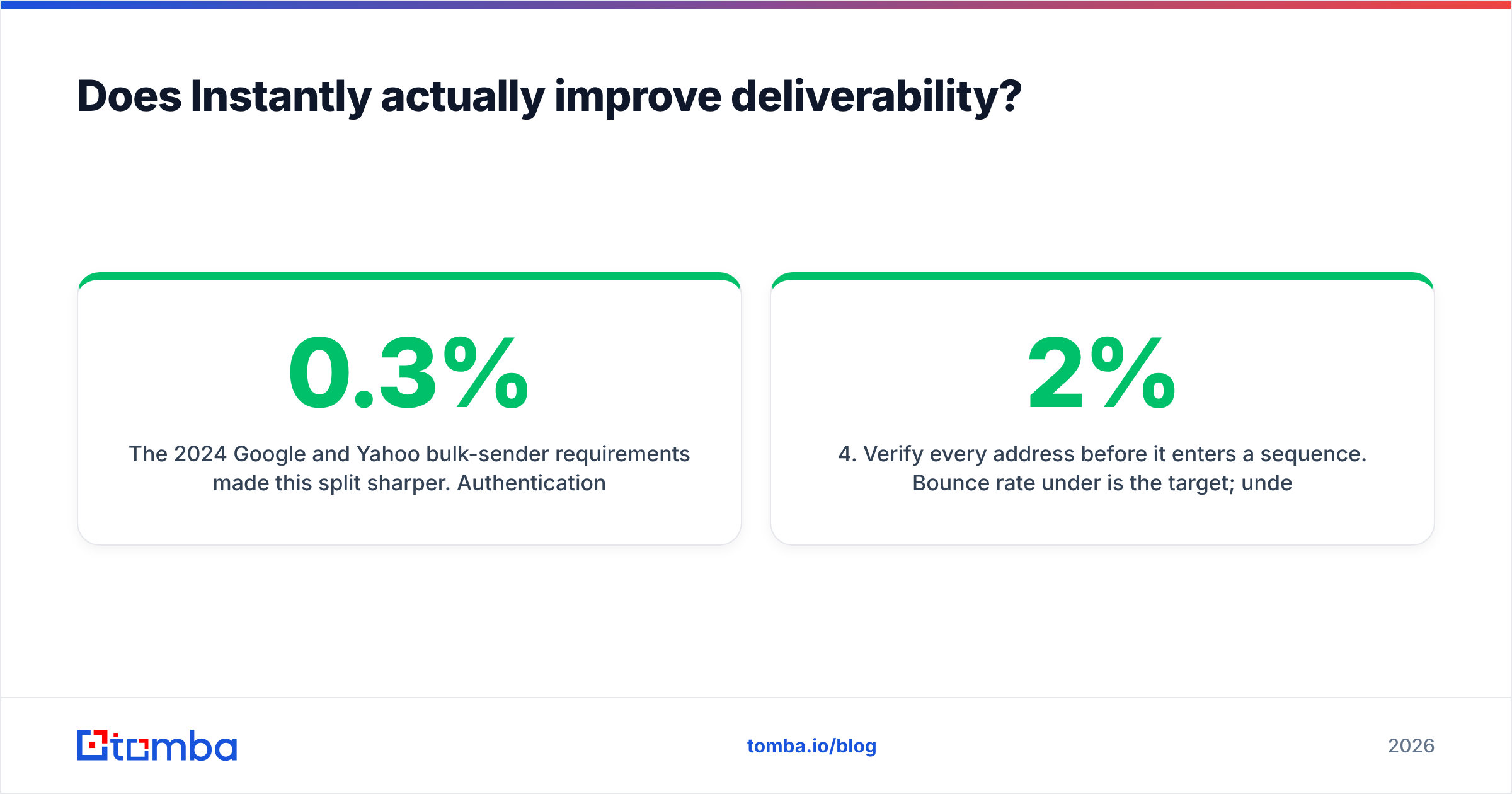
The 2024 Google and Yahoo bulk-sender requirements made this split sharper. Authentication (SPF, DKIM, DMARC) is now table stakes, and spam complaint rates above 0.3% get you throttled regardless of how well your warmup pool behaves. Google's own sender guidelines are the authoritative source here, and no tool overrides them.
The practical sequence that works:
- Buy secondary domains — never send cold from your primary. Keep the money domain clean.
- Configure authentication fully — SPF, DKIM, DMARC with a policy, not just a record that exists.
- Warm for 3–4 weeks minimum before real volume. Use a warmup calculator to set a realistic ramp rather than guessing.
- Verify every address before it enters a sequence. Bounce rate under 2% is the target; under 1% is the goal.
- Cap per-inbox volume at 30–50/day regardless of what the platform allows.
- Monitor sender reputation weekly — Google Postmaster Tools plus a blacklist checker catches problems before they compound.
Steps 4 and 6 are where most teams lose. They're also the steps Instantly helps with least.
What does Instantly cost once you add what you actually need?#
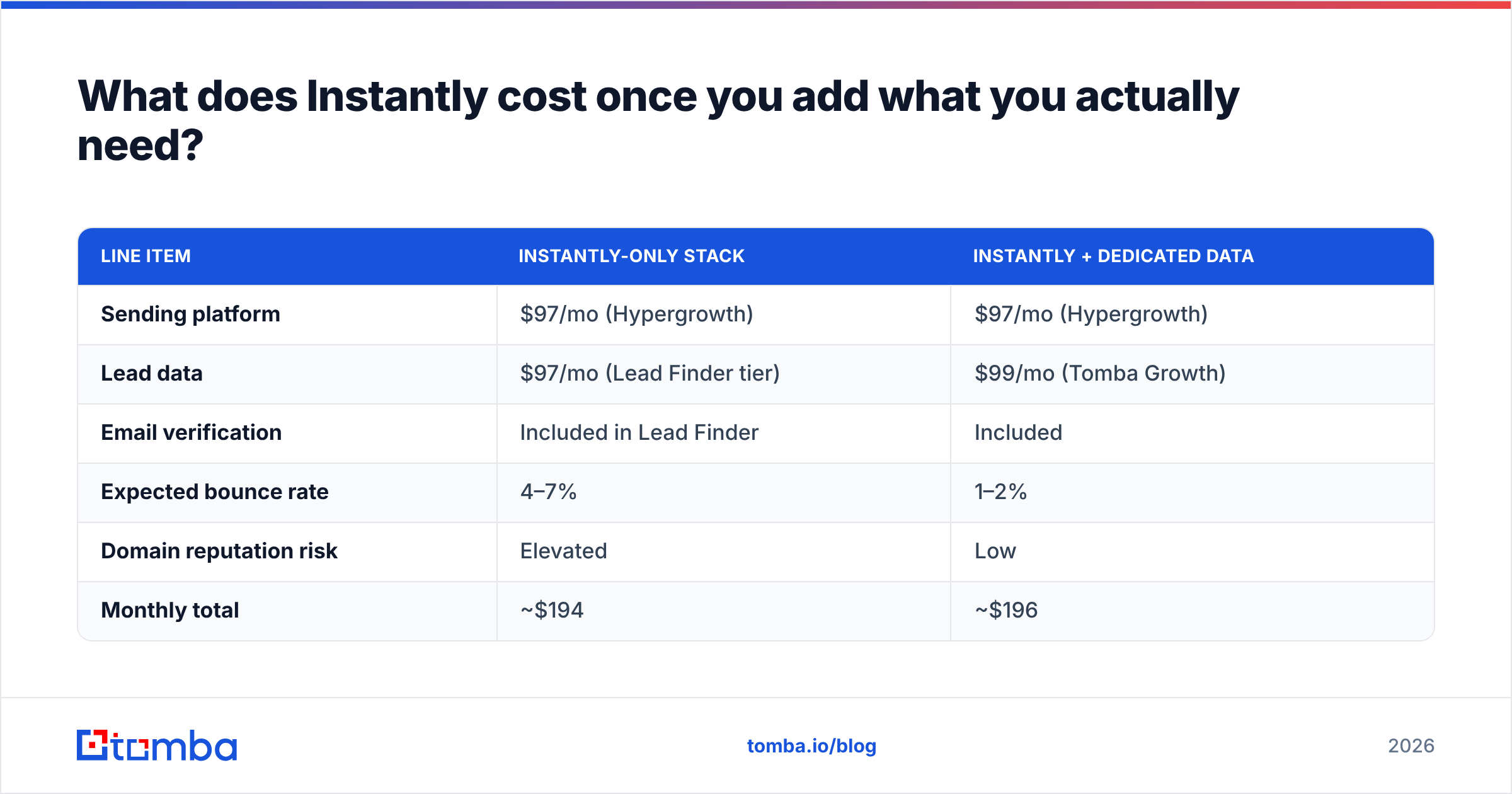
Here's the realistic stacked cost for a small outbound team sending roughly 15,000 emails/month to 4,000 new contacts.
| Line item | Instantly-only stack | Instantly + dedicated data |
|---|---|---|
| Sending platform | $97/mo (Hypergrowth) | $97/mo (Hypergrowth) |
| Lead data | $97/mo (Lead Finder tier) | $99/mo (Tomba Growth) |
| Email verification | Included in Lead Finder | Included |
| Expected bounce rate | 4–7% | 1–2% |
| Domain reputation risk | Elevated | Low |
| Monthly total | ~$194 | ~$196 |
The costs land in the same place. The difference is bounce rate — and at 15,000 sends/month, the gap between 5% and 1.5% bounces is roughly 525 dead sends hitting your domains every month. That's the compounding cost nobody puts on the pricing page.
If you're running the second column, you can pull contacts via domain search or the Tomba API, verify them in the same pass, and push the clean list straight into an Instantly campaign. Full Tomba pricing runs Free (25 searches/mo), Starter $49/mo, Growth $99/mo, Pro $249/mo.
For teams that want a single-vendor contact database instead, BookYourData takes a different approach — pay-as-you-go credits with a bounce guarantee, which suits low-frequency buyers who don't want a subscription. It's a legitimate alternative depending on how often you refresh lists.
Is Instantly worth it in 2026?#
Yes, with a specific scope: buy Instantly as a sending platform, not as a data platform.
Choose Instantly if:
- You send 5,000+ cold emails/month across multiple domains
- You run an agency and need workspace separation per client
- You already have a reliable contact source
- Clean UI and fast onboarding matter more to you than API depth
Skip Instantly if:
- Your volume is under 1,000/month — the overhead isn't worth it, a simpler tool will do
- You need LinkedIn or calling in the same sequence — look at Lemlist or a multichannel platform
- You want one vendor for data and sending — that product doesn't really exist at quality, and pretending it does costs you deliverability
- You need enterprise support SLAs — the support model isn't built for that yet
The most common failure mode isn't picking the wrong sending tool. It's pairing a good sending tool with bad data and then blaming the sending tool when response rates crater. Cold email math is unforgiving: a 5% bounce rate on a 20,000-email month is 1,000 hard bounces, and hard bounces are the loudest negative signal you can send to a mailbox provider.
Get the list right first. The platform decision matters less than people think.
Pair your sending stack with data that doesn't bounce. The Tomba Email Finder returns verified professional emails by domain, name, or company — with verification built into the same call, so nothing enters your Instantly campaign unchecked. Start free with 25 searches a month, no card required, and see what your bounce rate looks like when the list is actually clean.
Related guides#
// get started
Find, verify and enrich your first contacts today
Start on the free plan with 25 searches a month, then scale when your team is ready.
Free plan · No credit card required · GDPR & CCPA
// about the author