IP Blacklist Check Tool: How to Find and Fix Listings Fast
Most IP blacklist checkers scan 100+ lists and scare you with results that don't matter. Here's which blacklists actually affect inbox placement, how to read a check, and the exact delisting path for each major list.
TL;DR
- An IP blacklist check tool queries DNS-based blocklists (DNSBLs) to see whether your sending IP is flagged. Most tools scan 60–120 lists; only about six of them meaningfully affect whether Gmail, Outlook, or Yahoo accept your mail.
- Spamhaus (SBL/CSS/XBL/PBL), Barracuda, SpamCop, SORBS, and Invaluement are the lists worth reacting to. UCEPROTECT L2/L3, Backscatterer, and most vanity lists are noise you can usually document and ignore.
- A listing is a symptom, not the disease. The root cause is almost always dirty list data, a compromised account, sudden volume spikes, or a shared IP neighbor.
- Checking your IP without also checking your domain reputation and list hygiene gives you half the picture. Bounce rate above 3% will relist you within days.
- Free tools are fine for one-off lookups. Pay for monitoring only if you run a dedicated IP or send above ~50k/month.
What is an IP blacklist check tool?#
An IP blacklist check tool takes a sending IP address and queries it against dozens of public DNS-based blocklists in parallel, returning a listed/not-listed result for each one.
Think of it like a background check before you rent an apartment. The landlord doesn't care about every database in existence — they care about the two or three that lenders and other landlords actually consult. An IP blacklist check tool runs all the databases, but you need to know which results the "landlord" (Gmail, Microsoft, Yahoo) actually reads.
Mechanically, it's simple. To check 198.51.100.24 against Spamhaus, the tool reverses the octets and appends the blocklist zone, producing a DNS query for 24.100.51.198.zen.spamhaus.org. If that name resolves to a 127.0.0.x address, you're listed, and the last octet encodes which sub-list caught you. If it returns NXDOMAIN, you're clean. The whole check takes milliseconds. Running a blacklist checker across 80 zones is just 80 of those queries fired at once.
The nuance that trips people up: there is no central authority. Every list is an independent operator with its own criteria, its own delisting process, and its own level of adoption. A "listing" on a blocklist nobody subscribes to has exactly zero effect on your inbox rate. A listing on Spamhaus SBL can stop your mail cold within an hour.
Which blacklists actually matter in 2026?#
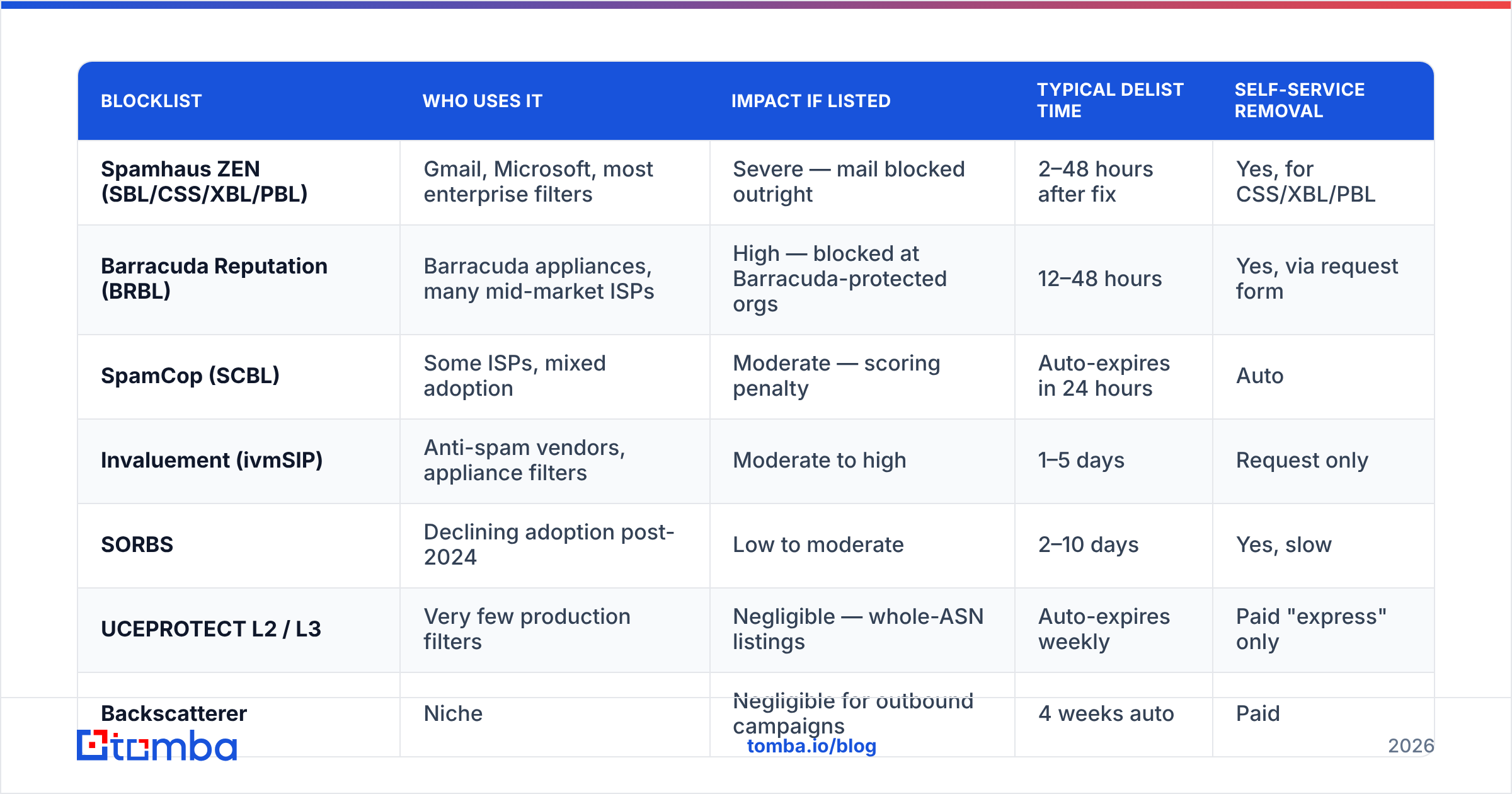
Here is the practical tiering. Sort your check results into these buckets before you panic.
| Blocklist | Who uses it | Impact if listed | Typical delist time | Self-service removal |
|---|---|---|---|---|
| Spamhaus ZEN (SBL/CSS/XBL/PBL) | Gmail, Microsoft, most enterprise filters | Severe — mail blocked outright | 2–48 hours after fix | Yes, for CSS/XBL/PBL |
| Barracuda Reputation (BRBL) | Barracuda appliances, many mid-market ISPs | High — blocked at Barracuda-protected orgs | 12–48 hours | Yes, via request form |
| SpamCop (SCBL) | Some ISPs, mixed adoption | Moderate — scoring penalty | Auto-expires in 24 hours | Auto |
| Invaluement (ivmSIP) | Anti-spam vendors, appliance filters | Moderate to high | 1–5 days | Request only |
| SORBS | Declining adoption post-2024 | Low to moderate | 2–10 days | Yes, slow |
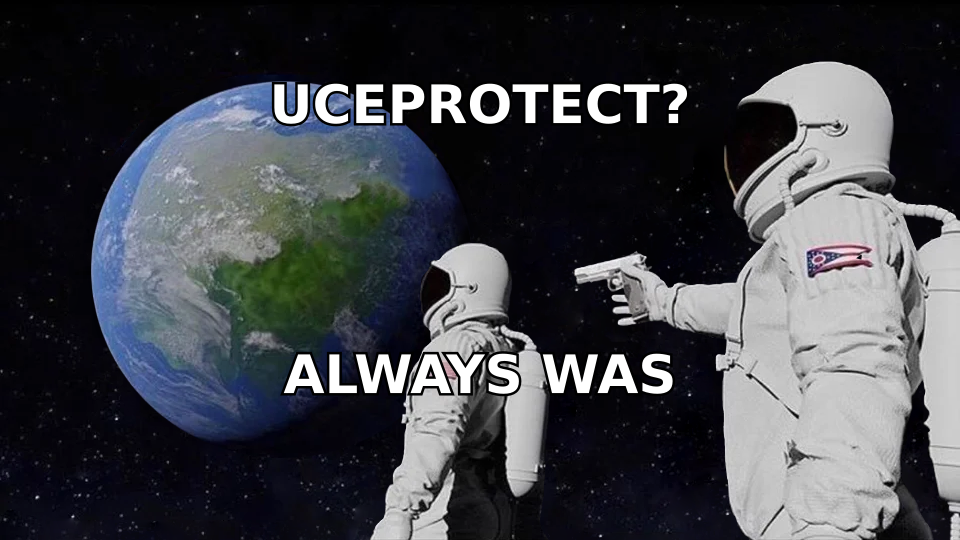
| UCEPROTECT L2 / L3 | Very few production filters | Negligible — whole-ASN listings | Auto-expires weekly | Paid "express" only |
| Backscatterer | Niche | Negligible for outbound campaigns | 4 weeks auto | Paid |
Two rules follow from this table.
First, if Spamhaus is clean and Barracuda is clean, and you're still seeing poor placement, the problem isn't your IP. It's your domain reputation, your content, or your authentication. Stop hunting for listings and go check sender reputation signals instead.
Second, never pay a list to be removed. UCEPROTECT's Level 3 lists entire autonomous systems — every IP your hosting provider owns — and then offers "express delisting" for a fee. Filter operators know this, which is why almost nobody subscribes to L3. Document it, move on. Spamhaus's own blocklist removal center is free, as it should be.
How does an IP actually get blacklisted?#
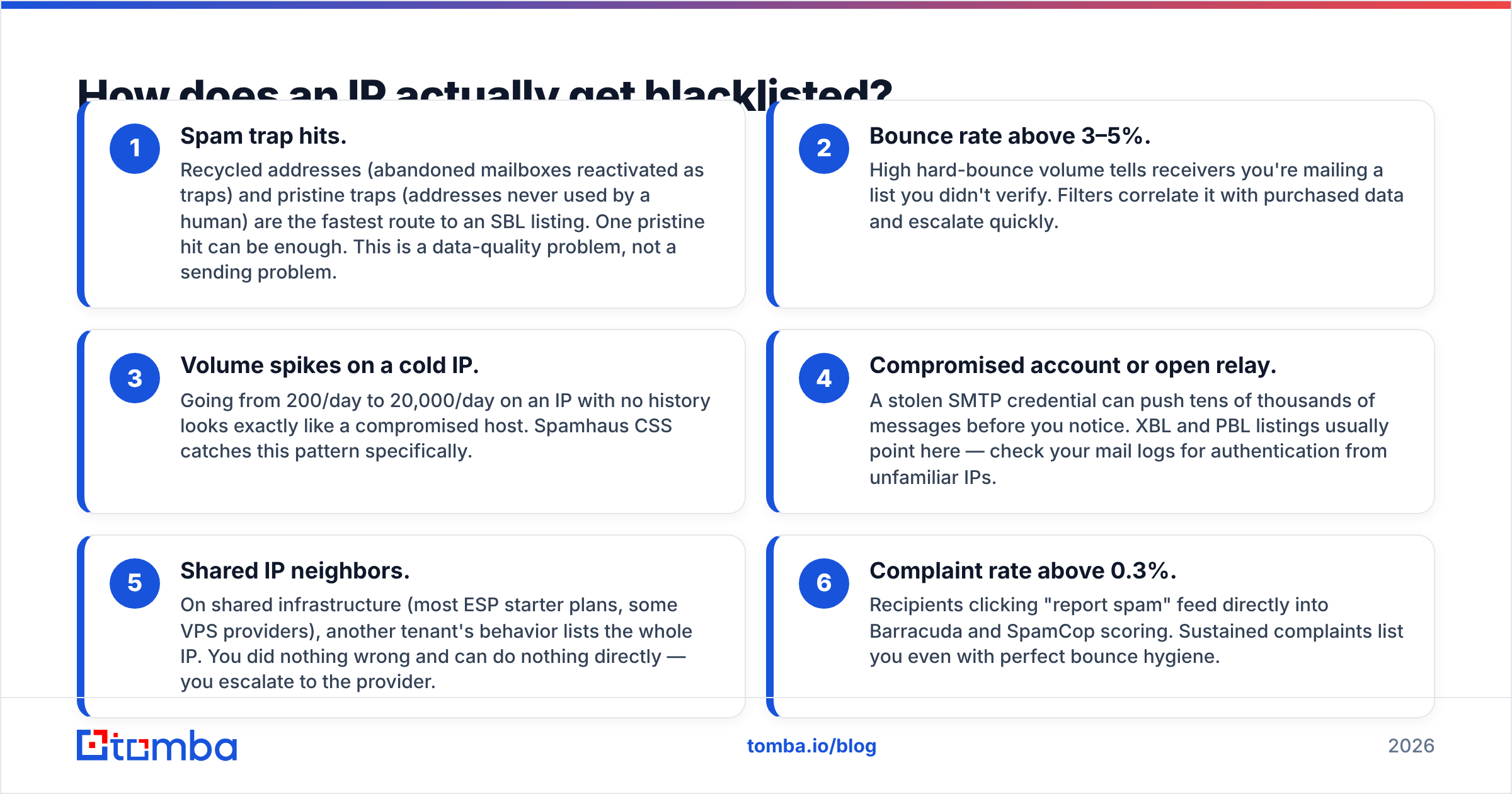
Listings are reactive. Something in your sending triggered a threshold. In order of how often they show up in real incidents:
- Spam trap hits. Recycled addresses (abandoned mailboxes reactivated as traps) and pristine traps (addresses never used by a human) are the fastest route to an SBL listing. One pristine hit can be enough. This is a data-quality problem, not a sending problem.
- Bounce rate above 3–5%. High hard-bounce volume tells receivers you're mailing a list you didn't verify. Filters correlate it with purchased data and escalate quickly.
- Volume spikes on a cold IP. Going from 200/day to 20,000/day on an IP with no history looks exactly like a compromised host. Spamhaus CSS catches this pattern specifically.
- Compromised account or open relay. A stolen SMTP credential can push tens of thousands of messages before you notice. XBL and PBL listings usually point here — check your mail logs for authentication from unfamiliar IPs.
- Shared IP neighbors. On shared infrastructure (most ESP starter plans, some VPS providers), another tenant's behavior lists the whole IP. You did nothing wrong and can do nothing directly — you escalate to the provider.
- Complaint rate above 0.3%. Recipients clicking "report spam" feed directly into Barracuda and SpamCop scoring. Sustained complaints list you even with perfect bounce hygiene.
Notice that four of those six trace back to list quality. That's the uncomfortable part of deliverability work: the blacklist check is the smoke alarm, and the fire is usually in your data.
How do you read an IP blacklist check result correctly?#
Run the check, then triage in this order.
Confirm which IP you're actually checking. If you send through an ESP, the IP in your check tool may be your web server, not your relay. Pull the Received: headers from a test message you sent to yourself and look for the last hop before the recipient's server. That's the IP receivers judge.
Read the return code, not just "LISTED." Spamhaus ZEN returns 127.0.0.2 for SBL (manual spam source listing), 127.0.0.3 for CSS (snowshoe/automated detection), 127.0.0.4-7 for XBL (exploited machines), and 127.0.0.10-11 for PBL (dynamic/residential space that shouldn't send directly). PBL on a consumer connection is expected and harmless — you're supposed to relay through your ISP. CSS on a dedicated sending IP is urgent.
Check the domain, not just the IP. Domain-based lists like Spamhaus DBL and SURBL flag the URLs inside your message body. A clean IP with a listed link domain still gets filtered. If you use a link shortener or a shared tracking domain, test those separately.
Cross-reference with postmaster data. Google Postmaster Tools shows your IP and domain reputation on Gmail's own scale, plus spam-rate trends. If Postmaster says "High" reputation while a fringe list flags you, believe Postmaster.
Timestamp everything. Note when the listing appeared and correlate it with your send log. A listing that appeared four hours after a 15,000-message batch tells you which campaign caused it.
Which IP blacklist check tool should you use?#
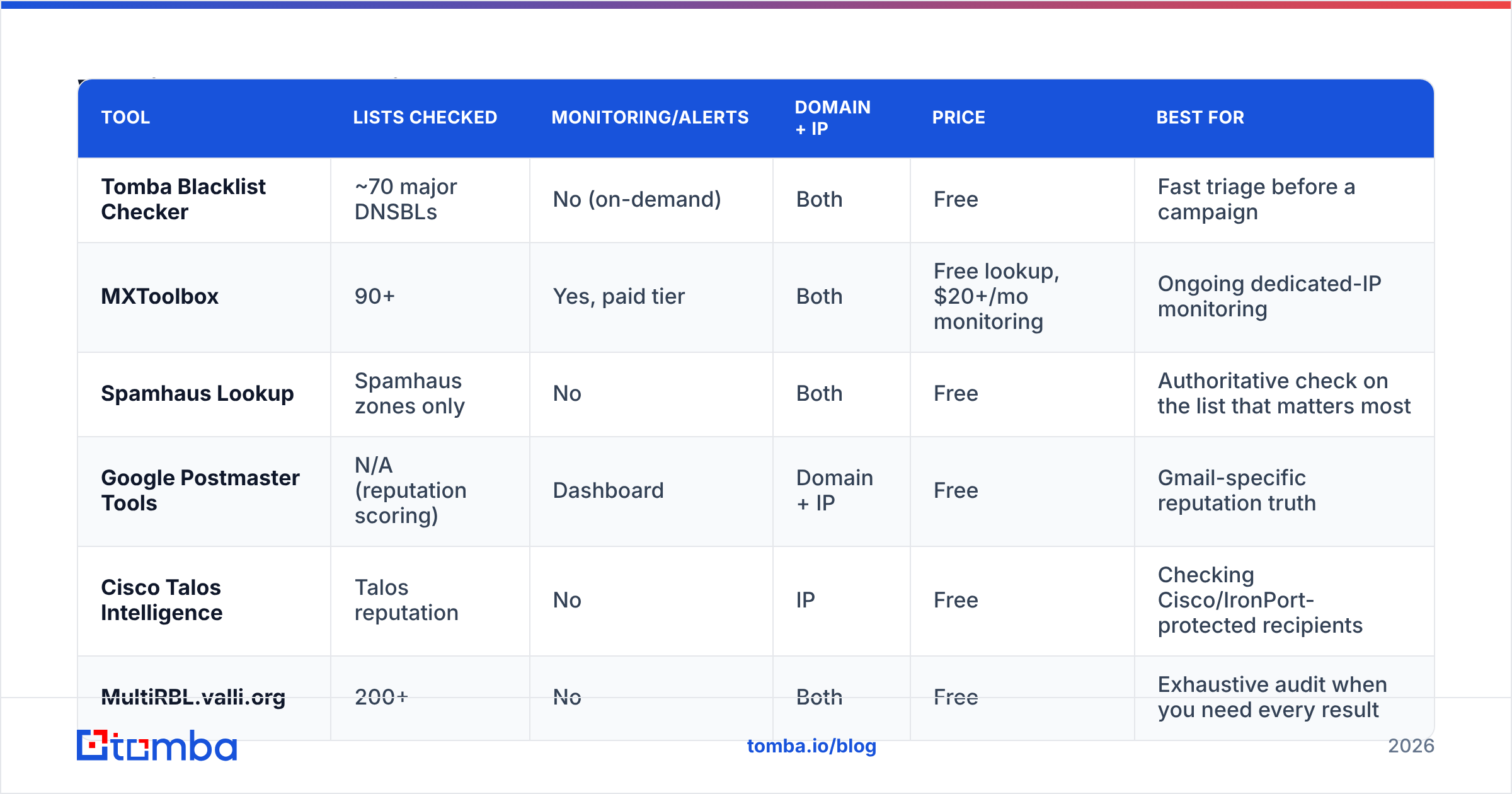
Different tools serve different jobs. Here's the honest split.
| Tool | Lists checked | Monitoring/alerts | Domain + IP | Price | Best for |
|---|---|---|---|---|---|
| Tomba Blacklist Checker | ~70 major DNSBLs | No (on-demand) | Both | Free | Fast triage before a campaign |
| MXToolbox | 90+ | Yes, paid tier | Both | Free lookup, $20+/mo monitoring | Ongoing dedicated-IP monitoring |
| Spamhaus Lookup | Spamhaus zones only | No | Both | Free | Authoritative check on the list that matters most |
| Google Postmaster Tools | N/A (reputation scoring) | Dashboard | Domain + IP | Free | Gmail-specific reputation truth |
| Cisco Talos Intelligence | Talos reputation | No | IP | Free | Checking Cisco/IronPort-protected recipients |
| MultiRBL.valli.org | 200+ | No | Both | Free | Exhaustive audit when you need every result |
For most teams the workflow is: free on-demand checker before and after each major send, Postmaster Tools open weekly, and paid monitoring only once you've moved to a dedicated IP. If you're on a shared ESP pool, monitoring alerts mostly tell you about other people's problems.
One caveat on 200-list tools: more lists means more false alarms. MXToolbox's blacklist check is the industry default partly because its list selection is curated toward lists that production filters actually query. A tool that reports "3 of 217 lists" will send you chasing ghosts.
How do you get delisted?#
The sequence matters — delisting before fixing the cause gets you relisted, often with a longer penalty.
Step 1: Stop sending from that IP. Pause campaigns immediately. Continued sending while listed generates more complaints and trap hits.
Step 2: Find and fix the cause. Pull bounce logs from the last 30 days. If hard bounces exceed 2%, your list is the problem. Audit SMTP auth logs for unfamiliar sources. Check whether a volume ramp preceded the listing.
Step 3: Clean the list. Remove every hard bounce, every address that hasn't engaged in 180 days, and every role account (info@, sales@, admin@) you didn't explicitly confirm. Then run the remainder through an email verifier so you're not re-importing the same traps. Verification catches syntax errors, dead domains, and known-invalid mailboxes before they bounce.
Step 4: Submit the removal request. Spamhaus, Barracuda, and SORBS each have their own form. Be specific: state what caused the listing, what you changed, and what prevents recurrence. Vague requests ("please remove, we are legitimate") get rejected or ignored.
Step 5: Re-warm. After delisting, restart at roughly 20% of your previous volume and ramp over 7–14 days. Jumping straight back to full volume on a freshly delisted IP is the single most common way to get relisted.
Is checking your IP enough for good deliverability?#
No — and this is where most teams stop too early. A clean IP is table stakes, not a strategy. The 2026 filtering stack weights domain reputation, authentication, and engagement far more heavily than IP reputation alone.
Run through this checklist alongside your blacklist check:
- Authentication. SPF, DKIM, and DMARC all aligned and passing. Gmail and Yahoo have required DMARC for bulk senders since 2024. Verify your record with an SPF checker — a single lookup overflow silently breaks alignment.
- List quality at the source. Where the addresses come from determines your bounce rate more than any downstream cleanup. Scraped and purchased lists carry trap density that no verifier fully removes.
- Engagement signals. Opens, replies, and "not spam" clicks build domain reputation. Sending to unengaged contacts for months erodes it even with zero bounces.
- Content and links. A listed link domain in your body copy, excessive image-to-text ratio, or a tracking domain with no history all suppress placement independently of IP status.
- Volume consistency. Steady daily sending beats bursty campaigns. Filters model your normal pattern and treat deviation as a risk signal.
If you want a broader primer on how these factors compound, the email deliverability fundamentals cover the underlying model. For background on how blocklists work technically, the DNSBL article on Wikipedia is accurate and well-sourced.
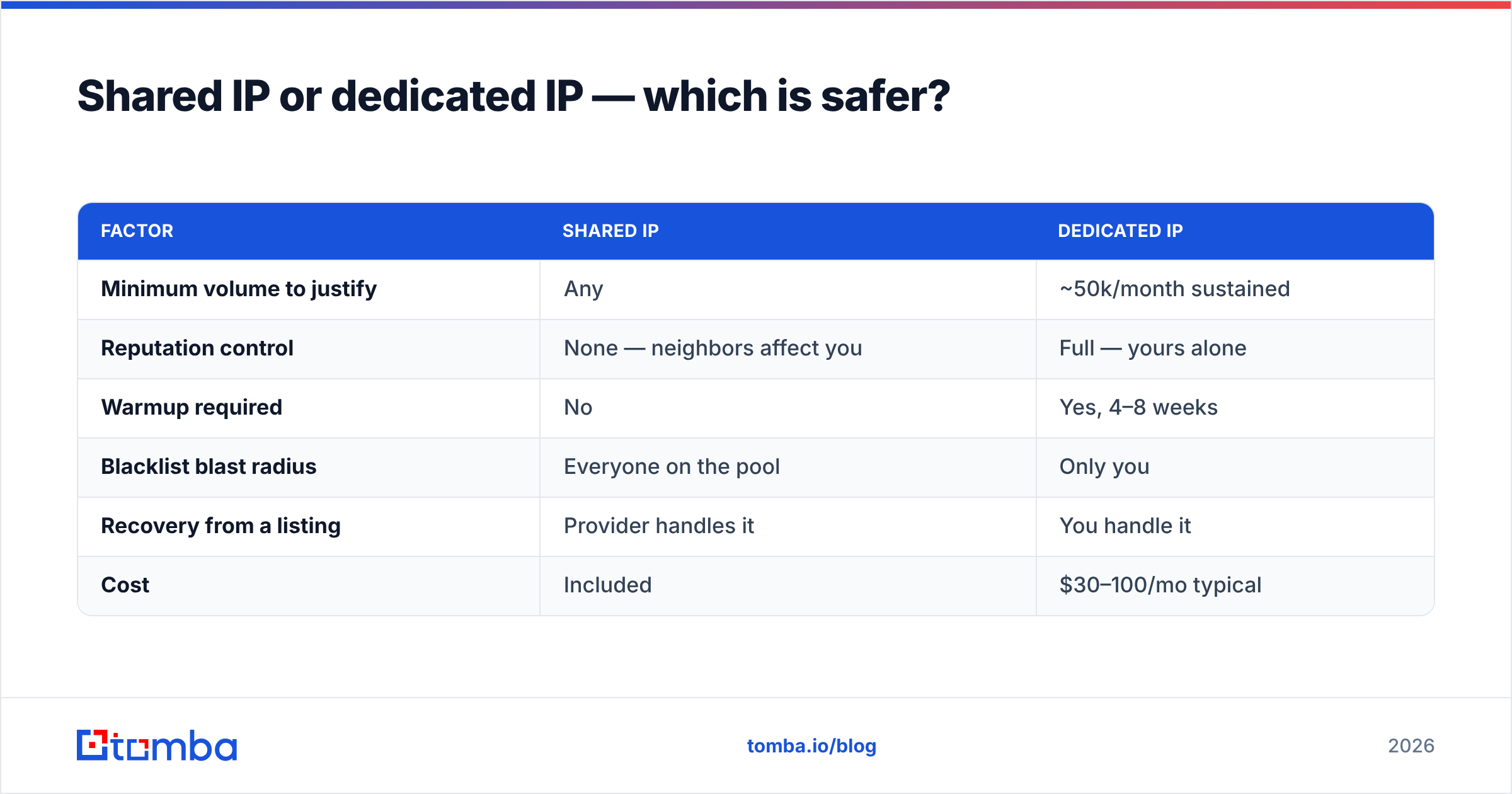
Shared IP or dedicated IP — which is safer?#
It depends entirely on volume, and the tradeoff is straightforward.
| Factor | Shared IP | Dedicated IP |
|---|---|---|
| Minimum volume to justify | Any | ~50k/month sustained |
| Reputation control | None — neighbors affect you | Full — yours alone |
| Warmup required | No | Yes, 4–8 weeks |
| Blacklist blast radius | Everyone on the pool | Only you |
| Recovery from a listing | Provider handles it | You handle it |
| Cost | Included | $30–100/mo typical |
Below roughly 50,000 messages per month, a dedicated IP hurts you. There isn't enough volume to establish a reputation signal, so receivers treat you as unknown indefinitely — and unknown skews toward the spam folder. Stay on a reputable shared pool and let the pool's aggregate history work for you.
Above that threshold, the calculus flips. Your volume alone is enough to build reputation, and you stop absorbing the consequences of a neighbor's bad campaign. The cost is that warmup and delisting become entirely your responsibility.
What should you do right now?#
Run a check on your actual relay IP, triage the results against the tier table above, and ignore anything below the Spamhaus/Barracuda/Invaluement line. If you're listed on one that matters, fix the data before you file the removal request — otherwise you'll be back in the same place in a week.
And since most listings trace back to bad contact data in the first place, the durable fix is upstream. Tomba's email finder returns verified, source-attributed professional addresses with a confidence score on every result, so you're building lists from data that was checked before it ever reached your sending infrastructure — not cleaning up after bounces have already cost you an IP. The free tier covers 25 searches per month; paid plans start at $49/mo. See Tomba pricing for the full breakdown.
Clean data in, clean blacklist checks out. That order never reverses.
Related guides#
// get started
Find, verify and enrich your first contacts today
Start on the free plan with 25 searches a month, then scale when your team is ready.
Free plan · No credit card required · GDPR & CCPA
// about the author