Jet Leads Pro vs LeadGibbon: Honest 2026 Comparison
Two lightweight lead tools, two very different bets. We compare Jet Leads Pro and LeadGibbon on data sourcing, verification, credit math, exports and API access — plus what to use when neither fits.
TL;DR
- LeadGibbon is the more established of the two: a LinkedIn-first list-building tool that turns Sales Navigator searches into enriched CSVs with emails attached. Its strength is speed from search result to spreadsheet.
- Jet Leads Pro sits in the newer, thinner tier of lead tools — cheap entry pricing, lifetime-deal distribution, limited public documentation. Verify every claim on its own site before you commit budget.
- Neither publishes an independently audited accuracy figure. Both quote "verified" emails without defining whether that means syntax, MX, SMTP, or catch-all handling.
- If you need an API, bulk verification, and catch-all handling as first-class features rather than add-ons, both tools will hit a ceiling fast.
- Our practical read: LeadGibbon for LinkedIn-sourced list building, a dedicated finder-plus-verifier stack for anything that touches revenue reporting.
What are Jet Leads Pro and LeadGibbon?#
The short version: LeadGibbon is a LinkedIn list-building tool with email enrichment bolted on; Jet Leads Pro is a budget lead-database and finder product that competes on price rather than depth. The Jet Leads Pro vs LeadGibbon question comes up most often for solo founders and two-person SDR teams who want a cheap way to get from "here's my ICP" to "here's a CSV I can load into a sequencer."
LeadGibbon has been around long enough to build a real user base. Its core workflow is a Chrome extension that reads a LinkedIn or Sales Navigator search result page, pulls the profiles, and appends business emails and company data. You export to CSV or Google Sheets and move on. It is deliberately narrow — it does one job and does not pretend to be a full sales engagement platform.
Jet Leads Pro belongs to a different category of vendor: products that appear on lifetime-deal marketplaces, price aggressively, and iterate fast. That is not automatically a red flag. Plenty of good tools started there. But it does change your due diligence. With a vendor that has thin third-party review coverage on sites like G2, you are underwriting the risk yourself — so test with your own domains before you trust the output.
One thing worth saying plainly: we could not find a public, dated accuracy benchmark for either product from a neutral third party. Any accuracy number you see on either vendor's own marketing page is self-reported. Treat it accordingly.
How does each tool actually find an email address?#
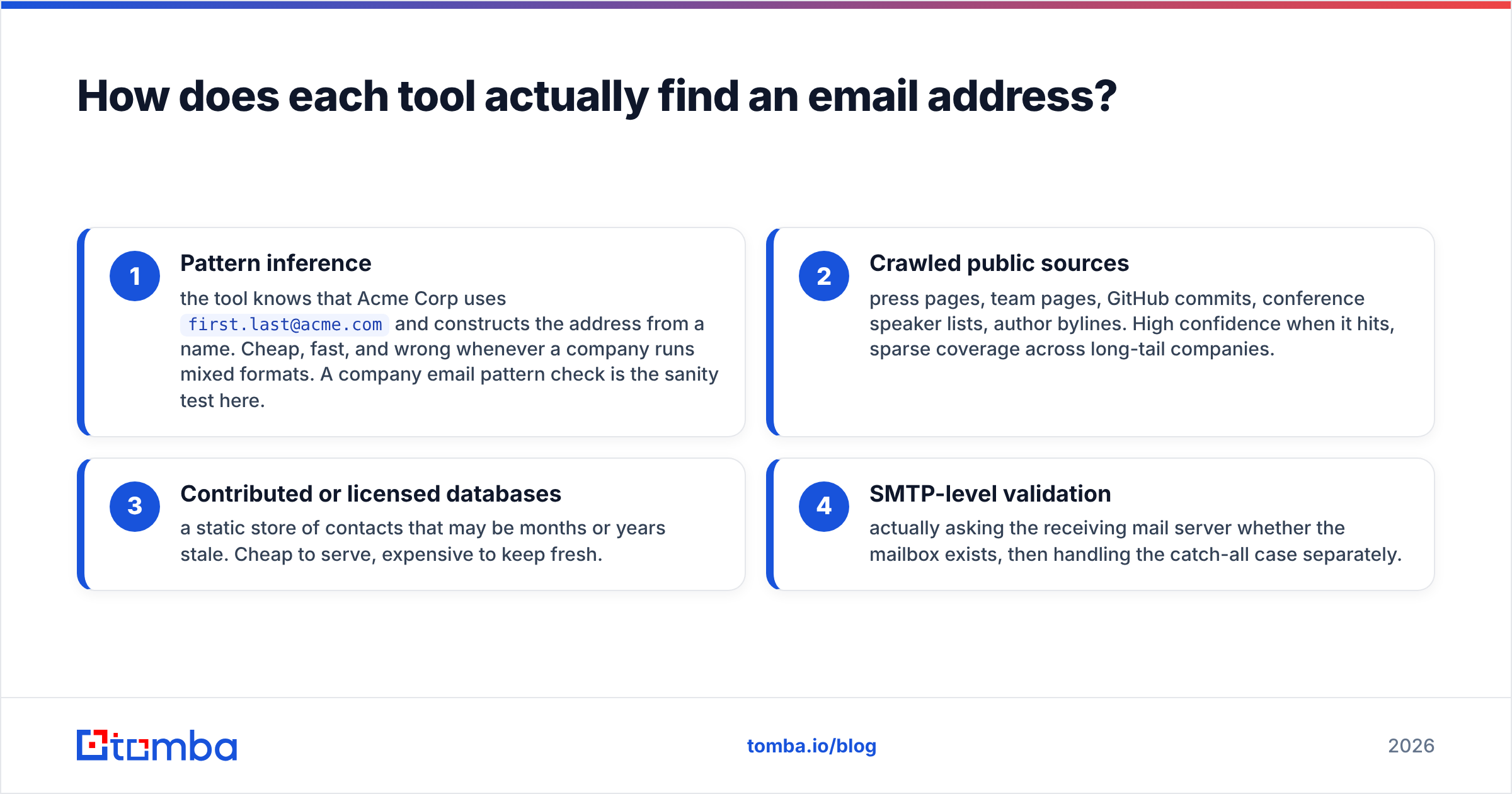
Every B2B email tool is doing some combination of four things. Knowing which combination a vendor uses tells you more than any marketing claim.
- Pattern inference — the tool knows that Acme Corp uses
first.last@acme.comand constructs the address from a name. Cheap, fast, and wrong whenever a company runs mixed formats. A company email pattern check is the sanity test here. - Crawled public sources — press pages, team pages, GitHub commits, conference speaker lists, author bylines. High confidence when it hits, sparse coverage across long-tail companies.
- Contributed or licensed databases — a static store of contacts that may be months or years stale. Cheap to serve, expensive to keep fresh.
- SMTP-level validation — actually asking the receiving mail server whether the mailbox exists, then handling the catch-all case separately.
LeadGibbon leans on (1), (2) and (3), with validation applied before the row hits your export. Jet Leads Pro appears to lean more heavily on (3) — a database lookup model — which is why it can price low. The tradeoff with database-first products is predictable: excellent hit rates on large, well-covered companies; noticeably worse on the 11-to-50-employee bracket where most outbound actually lives.

The practical consequence: if your ICP is Series B and above in North America, either tool will feel fine. If your ICP is European mid-market, regional agencies, or anything outside the tech bubble, run a 200-row bake-off before you buy an annual plan.
Which one is more accurate in 2026?#
Neither vendor will give you a defensible answer, so build your own test. The method takes an afternoon and is worth more than every review site combined:
- Take 200 contacts you already have confirmed, working emails for. Strip the emails.
- Run the list through each tool.
- Score three numbers per tool: coverage (rows returned), precision (returned rows that match your known-good email), and silent failure rate (rows returned with high confidence that are wrong).
That third number is the one that matters. A tool that returns nothing costs you a lead. A tool that confidently returns a wrong address costs you sender reputation, and that is far more expensive. A 4% bounce rate on a fresh domain is enough to trigger throttling at Google and Microsoft.

This is also where catch-all domains break most cheap tools. A catch-all domain accepts every address at SMTP time, so naive validators mark everything as valid. Roughly a fifth of B2B domains are configured this way. If a tool has no explicit catch-all logic — a catch-all verifier step that scores deliverability probability rather than returning a blanket "valid" — its reported accuracy is inflated by exactly the share of catch-alls in your list.
Ask both vendors one question: what does your tool return for a known catch-all domain? The answer separates serious verification from marketing copy.
How do Jet Leads Pro and LeadGibbon compare on features and pricing?#
Pricing on both products moves, and Jet Leads Pro in particular has run promotional and lifetime tiers. Always confirm on the vendor's own pricing page before purchase — the table below reflects the structural shape of each offer, not a price guarantee.
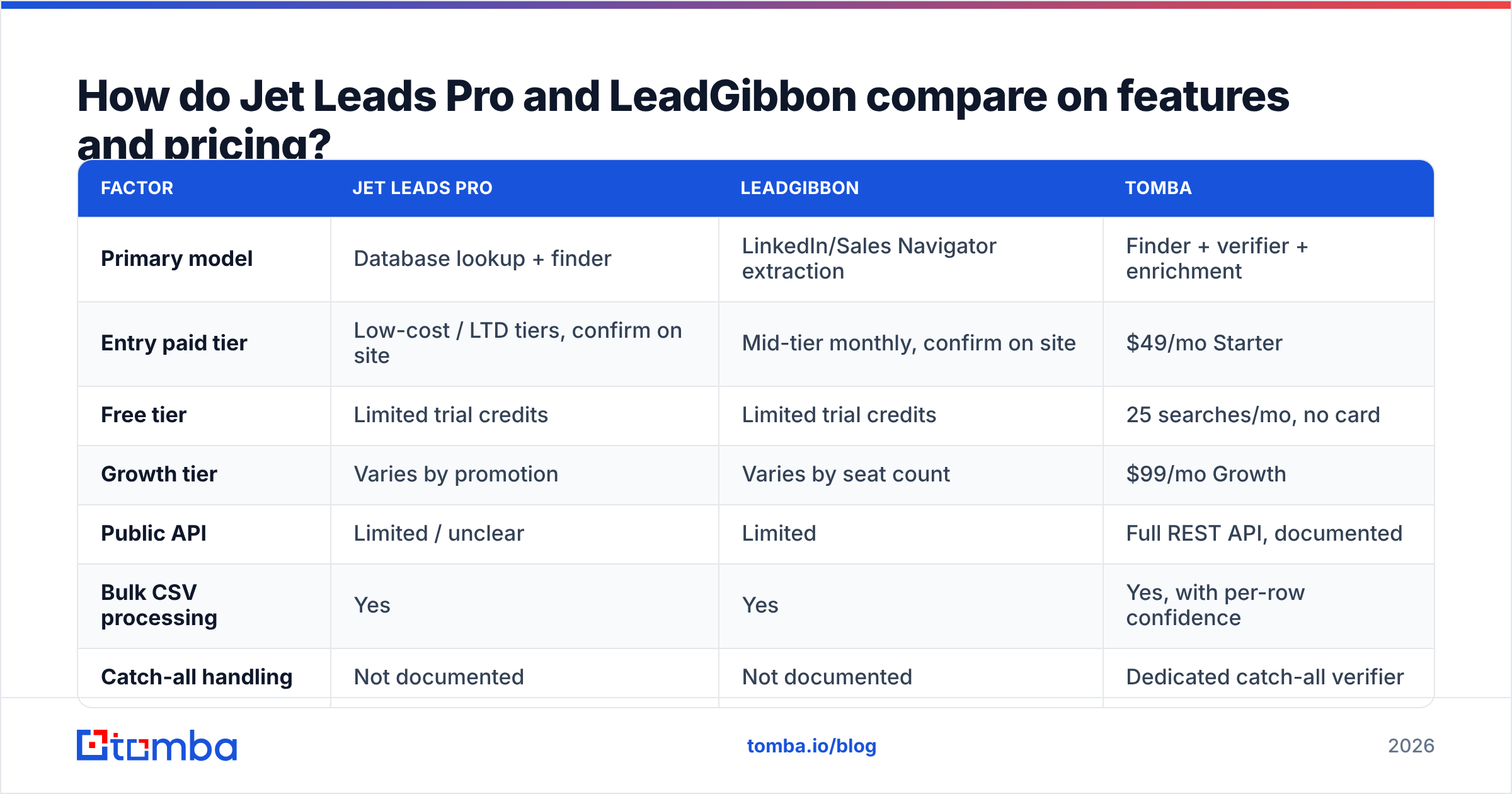
| Factor | Jet Leads Pro | LeadGibbon | Tomba |
|---|---|---|---|
| Primary model | Database lookup + finder | LinkedIn/Sales Navigator extraction | Finder + verifier + enrichment |
| Entry paid tier | Low-cost / LTD tiers, confirm on site | Mid-tier monthly, confirm on site | $49/mo Starter |
| Free tier | Limited trial credits | Limited trial credits | 25 searches/mo, no card |
| Growth tier | Varies by promotion | Varies by seat count | $99/mo Growth |
| Public API | Limited / unclear | Limited | Full REST API, documented |
| Bulk CSV processing | Yes | Yes | Yes, with per-row confidence |
| Catch-all handling | Not documented | Not documented | Dedicated catch-all verifier |
| Phone numbers | Sometimes, by tier | No | Yes, via phone finder |
| Chrome extension | Yes | Yes (core workflow) | Yes |
| Third-party review depth | Thin | Moderate | Moderate |
| Best for | Cheapest possible list volume | LinkedIn-sourced list building | Verified data feeding a real stack |

Two structural notes on that table.
First, credits are not comparable across vendors. One tool charges a credit for a search that returns nothing; another charges only on a successful find; a third charges separately for finding and verifying the same contact. A "2,000 credits for $X" headline can mean 2,000 usable contacts or 700. Ask for the burn rule in writing.
Second, API access is the line that separates a tool from infrastructure. If enrichment only happens when a human clicks an extension, it cannot run inside your form-fill flow, your CRM sync, or your nightly hygiene job. That is the constraint most teams discover in month three, not month one.
What are the hidden costs neither pricing page mentions?#
- Re-verification. B2B email data decays at roughly 2 to 2.5 percent per month as people change jobs. A list you bought in January is meaningfully worse by June. If your tool charges full price to re-verify a contact you already paid for, your real annual cost is roughly double the sticker.
- Bounce cleanup. Every bad address you send to has a reputation cost that does not appear on an invoice. Cheaper data that raises your bounce rate from 1.5% to 5% can cost you more in email deliverability than you saved.
- Manual dedupe. Extraction tools that append rows across multiple searches produce duplicates. Budget the hour, or run the list through a remove duplicates pass before import.
- Seat math. Extension-based tools often price per seat. Three SDRs on a "cheap" tool can cost more than one API key that everyone's systems share.
- Migration friction. If the tool has no native HubSpot integration or Zapier path, someone is uploading CSVs by hand every week. That is a recurring salary cost dressed up as a free workflow.

Which tool should you pick for your team?#
Match the tool to the shape of your motion, not to the feature list.
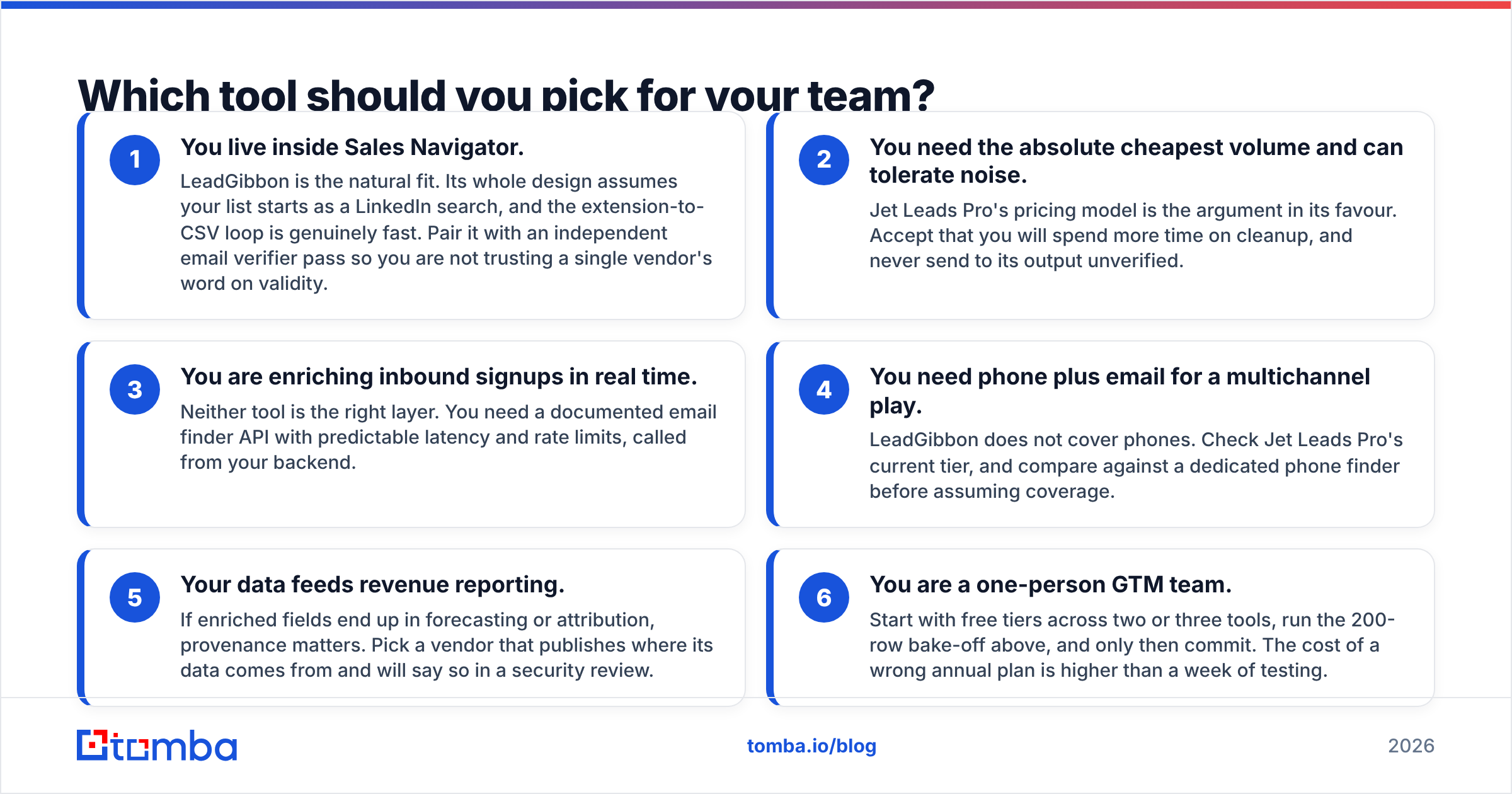
- You live inside Sales Navigator. LeadGibbon is the natural fit. Its whole design assumes your list starts as a LinkedIn search, and the extension-to-CSV loop is genuinely fast. Pair it with an independent email verifier pass so you are not trusting a single vendor's word on validity.
- You need the absolute cheapest volume and can tolerate noise. Jet Leads Pro's pricing model is the argument in its favour. Accept that you will spend more time on cleanup, and never send to its output unverified.
- You are enriching inbound signups in real time. Neither tool is the right layer. You need a documented email finder API with predictable latency and rate limits, called from your backend.
- You need phone plus email for a multichannel play. LeadGibbon does not cover phones. Check Jet Leads Pro's current tier, and compare against a dedicated phone finder before assuming coverage.
- Your data feeds revenue reporting. If enriched fields end up in forecasting or attribution, provenance matters. Pick a vendor that publishes where its data comes from and will say so in a security review.
- You are a one-person GTM team. Start with free tiers across two or three tools, run the 200-row bake-off above, and only then commit. The cost of a wrong annual plan is higher than a week of testing.
Is there a better option than either?#
Sometimes the honest answer to a head-to-head is "the matchup is too narrow." Both of these products solve the finding half of the problem and treat verification as a checkbox. For outbound at any real volume, finding and verifying are separate disciplines with separate failure modes.
That is the gap Tomba is built for. The email finder handles name-and-domain lookups and full domain search sweeps; the verifier and catch-all tooling score deliverability rather than returning a binary valid flag; and everything is reachable through a documented API, a CLI, Google Sheets, and the usual CRM integrations, so the same data path serves a rep clicking an extension and a cron job cleaning 40,000 rows overnight.
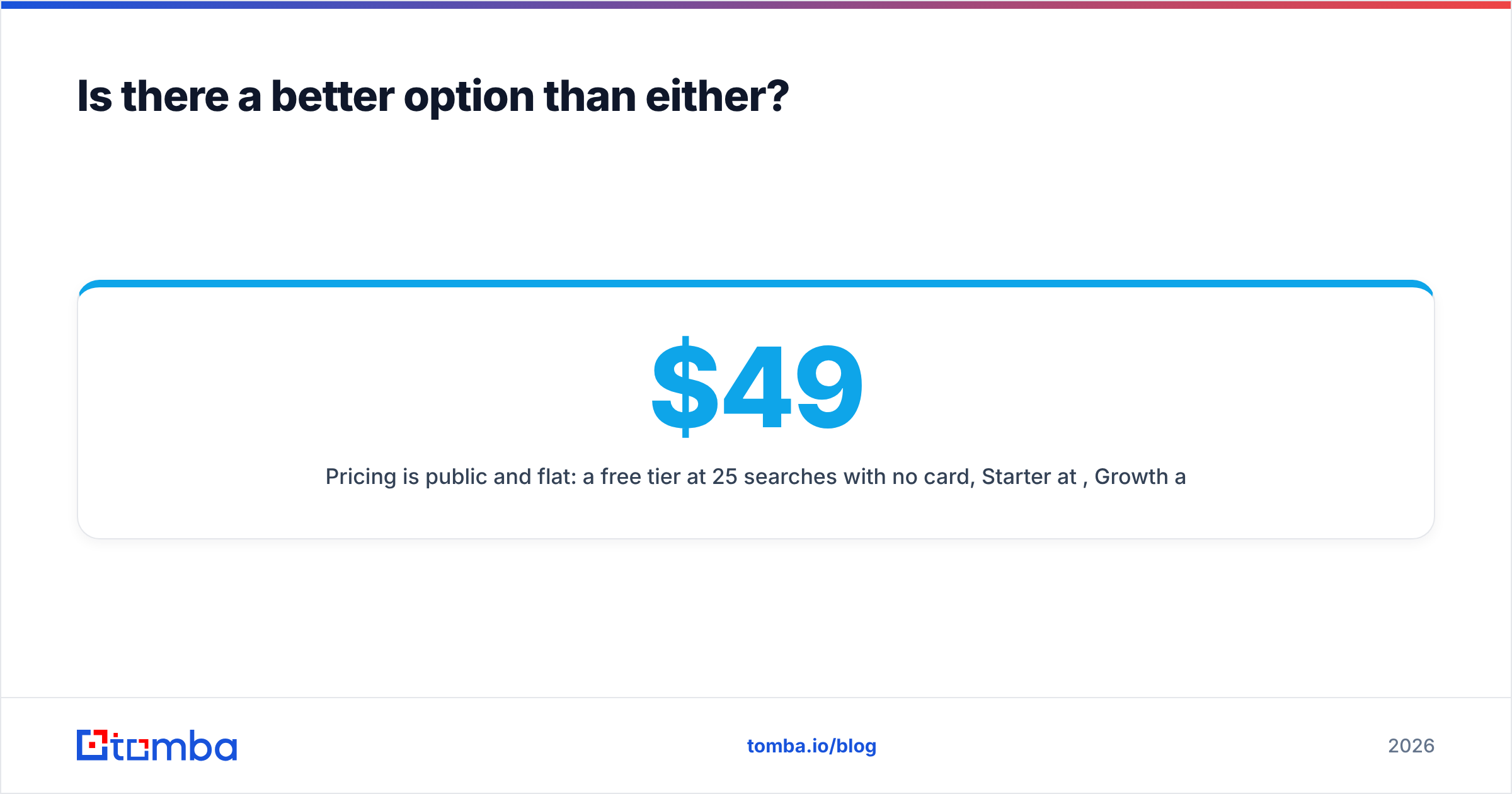
Pricing is public and flat: a free tier at 25 searches per month with no card, Starter at $49/mo, Growth at $99/mo, Pro at $249/mo, and custom enterprise terms. Full Tomba pricing is on the site — no promotional maze to decode.
To be clear about the tradeoff: if your entire workflow is "search LinkedIn, export CSV, send," LeadGibbon's extension is more purpose-built for that single loop, and you may not need anything else. The argument for a broader stack starts when the CSV stops being the final destination.
How do you validate any of this before you buy?#
Run this checklist against whichever tool you shortlist. It takes under two hours and has saved teams from four-figure mistakes.
- Pull 50 contacts at companies you know well. Check the returned addresses against reality, not against the tool's confidence score.
- Include at least 10 contacts at catch-all domains. See whether the tool flags them or silently marks them valid.
- Send a 100-address test campaign from a warmed secondary domain. Measure the actual bounce rate, not the predicted one.
- Ask support the credit-burn question directly and keep the reply.
- Check whether you can export your data if you cancel. Some tools make list export a paid-tier feature.
- Confirm GDPR posture in writing if you are prospecting into the EU.
Ready to test the data yourself?#
Comparison posts can only take you so far — the only accuracy number that matters is the one your own list produces. Run your next 25 lookups through the Tomba Email Finder free tier, side by side with whichever of these two tools you are considering, and compare coverage and bounce rate on the same contacts. No card required, and the results will settle the Jet Leads Pro vs LeadGibbon question for your specific ICP faster than any review site can.
Related guides#
// get started
Find, verify and enrich your first contacts today
Start on the free plan with 25 searches a month, then scale when your team is ready.
Free plan · No credit card required · GDPR & CCPA
// about the author