Kaspr vs LeadGenius in 2026: Which B2B Data Tool Wins?
Kaspr sells self-serve LinkedIn contact data by the seat. LeadGenius sells managed, custom-built datasets by contract. Here is the honest breakdown of pricing, accuracy, coverage and which one fits your outbound motion.
TL;DR
- Kaspr is a self-serve LinkedIn contact extension. You install a Chrome plugin, open a profile or a Sales Navigator list, and pull emails and mobile numbers credit by credit. Strongest in Europe, weakest outside LinkedIn.
- LeadGenius is a managed data service. You brief a team, they build a custom dataset with human researchers plus automation, and it lands in your CRM on a schedule. Strongest for weird fields nobody else sells.
- They are not really competitors. One is a $50-per-seat tool a rep buys on a Tuesday; the other is an annual contract a RevOps lead signs after a scoping call.
- Price gap is roughly 20x. Kaspr publishes per-seat tiers. LeadGenius quotes per project and does not publish pricing at all.
- If you mostly need verified work emails at volume via API or bulk upload, neither is the cheapest path — a dedicated email finder covers that job for less.
If you are stuck between these two, the real question is not "which tool is better." It is "am I buying software or am I buying a research team?" Everything else follows from that.
What is Kaspr and who actually uses it?#
Kaspr is a B2B contact data tool built around a Chrome extension that overlays LinkedIn, Sales Navigator and Recruiter. Hover a profile, click the sidebar, and it returns mobile numbers, direct dials and email addresses for that person. It was acquired by Cognism in 2022 and now functions as the lighter, self-serve entry point into that ecosystem — you can read the current feature set on kaspr.io.
The typical buyer is an individual SDR, a two-person founder-led sales team, or a recruiter. The workflow is manual and visual: you are already browsing LinkedIn, so you reveal contacts as you go, drop them into a list, and push them to your CRM or sequencer.
What Kaspr is good at:
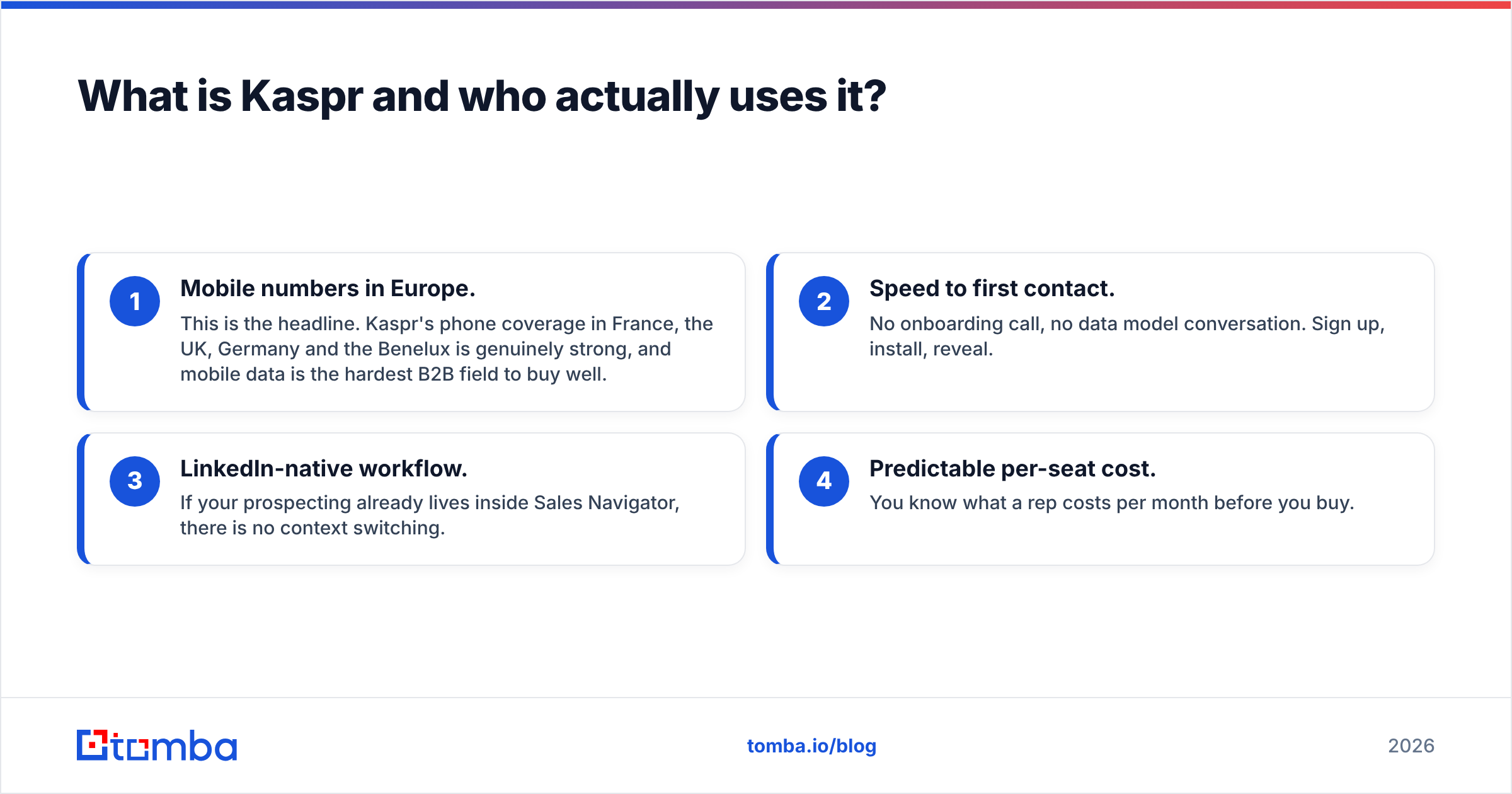
- Mobile numbers in Europe. This is the headline. Kaspr's phone coverage in France, the UK, Germany and the Benelux is genuinely strong, and mobile data is the hardest B2B field to buy well.
- Speed to first contact. No onboarding call, no data model conversation. Sign up, install, reveal.
- LinkedIn-native workflow. If your prospecting already lives inside Sales Navigator, there is no context switching.
- Predictable per-seat cost. You know what a rep costs per month before you buy.
What it is not good at:
- Off-LinkedIn prospecting. If your ICP is a list of 400 manufacturing domains with no active LinkedIn presence, the extension has nothing to grab.
- Custom attributes. Kaspr sells the standard fields: name, title, company, email, phone. It does not tell you whether a company runs a specific ERP or has a job board with 12 open roles.
- Volume economics. Credit consumption climbs fast when a rep is revealing 60 profiles a day, and per-seat licensing means costs scale linearly with headcount.
Correction on the image above — embedded properly:

What is LeadGenius and why is it priced differently?#
LeadGenius is not a self-serve tool. It is a managed data operation: a blend of machine extraction and human researchers who build datasets to your specification, then keep them refreshed. Their positioning on leadgenius.com leans on "custom data" — fields that are not available in any off-the-shelf database.
Concrete examples of what that means in practice:
- "Every US dental practice with 3+ locations, the name of the office manager, and whether they use Dentrix."
- "All Shopify stores in DACH doing over €5M GMV, with the head of e-commerce and their direct email."
- "Companies that posted a Salesforce admin role in the last 60 days, enriched with the hiring manager."
No database sells those combinations. A researcher builds them. That is the product, and that is why the pricing model looks nothing like Kaspr's.
LeadGenius does not publish rates. Expect a scoping call, an annual or multi-quarter agreement, and a quote based on record volume and field complexity. For budgeting conversations, treat it as a line item in the same bucket as an enterprise data contract, not a seat-based SaaS tool. If you want peer pricing signals before the call, the reviews on G2 are more useful than any vendor page.

Kaspr vs LeadGenius: how do they compare head to head?#
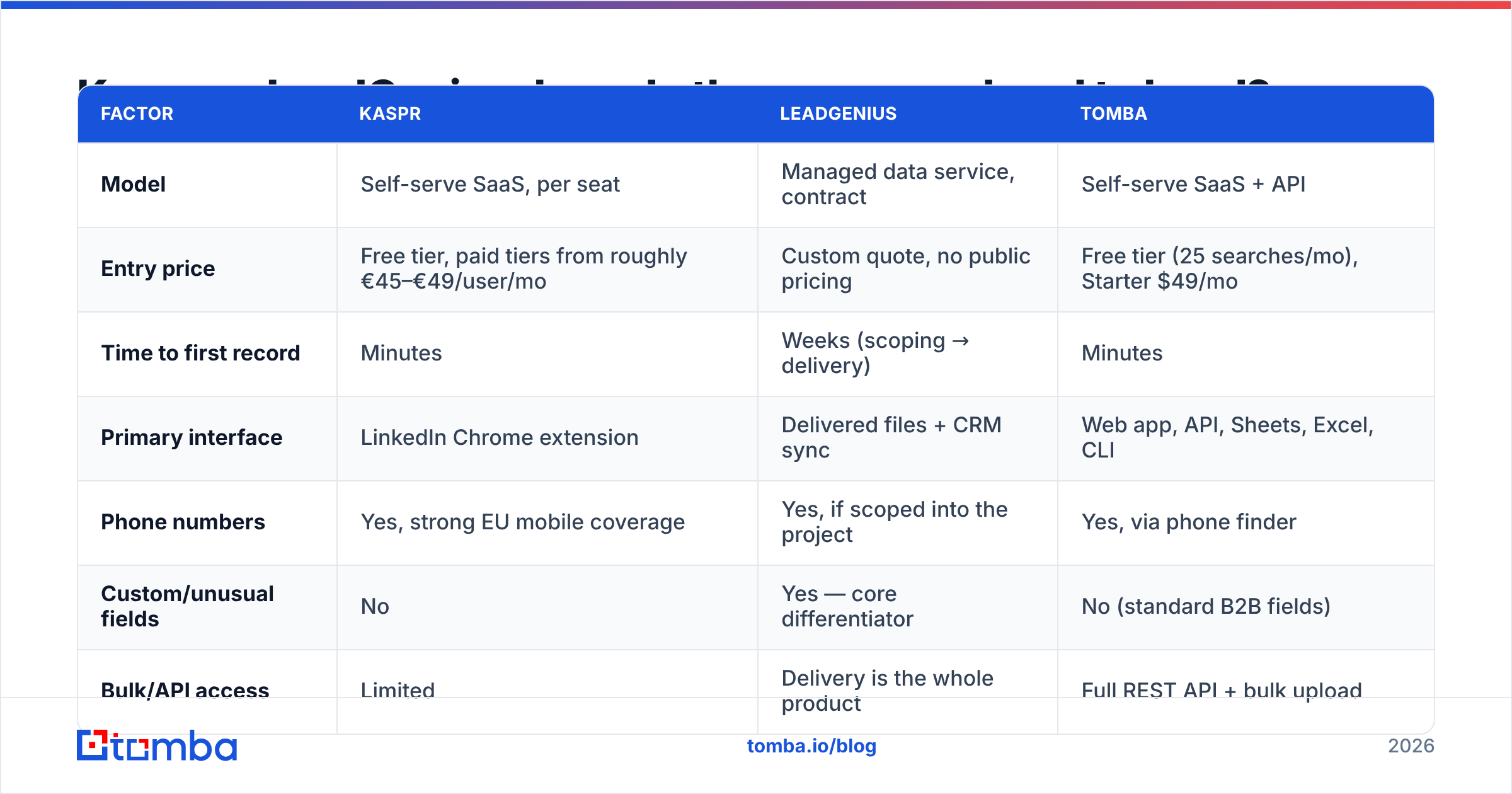
Here is the side-by-side, with a self-serve email-finding baseline in the third column so you can see where each model sits on cost.
| Factor | Kaspr | LeadGenius | Tomba |
|---|---|---|---|
| Model | Self-serve SaaS, per seat | Managed data service, contract | Self-serve SaaS + API |
| Entry price | Free tier, paid tiers from roughly €45–€49/user/mo | Custom quote, no public pricing | Free tier (25 searches/mo), Starter $49/mo |
| Time to first record | Minutes | Weeks (scoping → delivery) | Minutes |
| Primary interface | LinkedIn Chrome extension | Delivered files + CRM sync | Web app, API, Sheets, Excel, CLI |
| Phone numbers | Yes, strong EU mobile coverage | Yes, if scoped into the project | Yes, via phone finder |
| Custom/unusual fields | No | Yes — core differentiator | No (standard B2B fields) |
| Bulk/API access | Limited | Delivery is the whole product | Full REST API + bulk upload |
| Best buyer | Individual SDR, small team | RevOps / enterprise data owner | Growth team, agency, developer |
| Worst fit | Non-LinkedIn ICPs | Anyone needing data this week | Highly custom research briefs |
Read that table as three different purchases, not three versions of the same one. A 4-person startup that signs a LeadGenius contract will feel it in the runway. A 300-person enterprise that hands every rep a Kaspr seat will end up with 300 disconnected contact lists and no data governance.
Which one has better data accuracy?#
Different definitions of accuracy, so the comparison needs unpacking.
Kaspr's accuracy question is "is this phone number current?" Mobile data decays fast — people change jobs, carriers and numbers. Community-contributed and aggregated phone datasets are excellent when fresh and misleading when stale. In practice, EU mobile hit rates are the strong suit and email accuracy is mid-pack: good enough to sequence, not good enough to skip verification. Run anything you export through an email verifier before it touches a sending domain.
LeadGenius's accuracy question is "did the researcher get the right answer?" Because a human validated the record against a source, precision on custom fields is high. The risk is different: freshness. A dataset built in January describes January. Refresh cadence is a contract term you negotiate, not a feature toggle.
The self-serve email-finder question is "what percentage of my list resolves to a valid, deliverable address?" That is the metric most outbound teams actually optimize, and it is measurable across vendors.

A practical rule regardless of which vendor you pick: never trust a single source's "verified" label on a catch-all domain. Catch-all servers accept everything at the SMTP layer, which means a naive verifier marks garbage as valid. Use a dedicated catch-all verifier on those domains or accept that a chunk of your bounces are hiding there.
Is Kaspr or LeadGenius better for cold outbound?#
For a standard cold email and cold call motion, Kaspr wins on speed and LeadGenius wins on differentiation.
Kaspr suits you if:
- Your ICP is findable on LinkedIn and you want to call people this week.
- You sell into Europe and mobile connect rate is your bottleneck.
- Your team is under 10 reps and nobody owns "data operations" as a job.
LeadGenius suits you if:
- Your targeting criteria cannot be expressed as filters in any existing database.
- You have already exhausted the obvious lists and your TAM looks saturated.
- Someone in your org owns data quality and can write a proper brief.
There is a third path that a lot of teams land on after trying both: buy the firmographics and emails cheaply at volume, and spend the saved budget on sequencing and human research only where it matters. That is where a bulk email finder plus an API-first enrichment layer beats either extreme. You upload a domain list, get patterns and verified addresses back, and reserve the expensive managed research for the 200 accounts that justify it.
What does each one cost in a realistic scenario?#
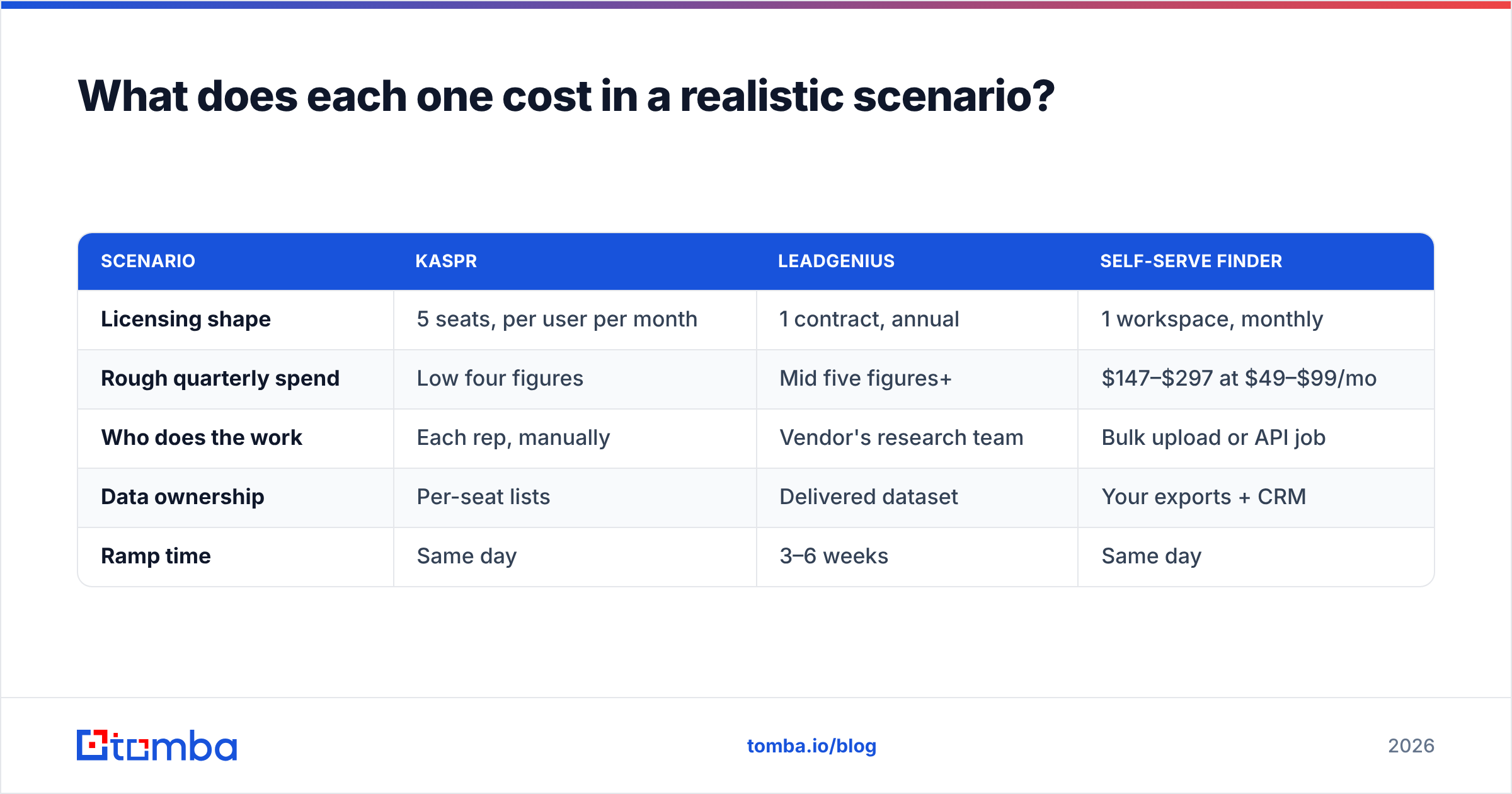
Take a five-person SDR team targeting 3,000 new contacts per quarter.
| Scenario | Kaspr | LeadGenius | Self-serve finder |
|---|---|---|---|
| Licensing shape | 5 seats, per user per month | 1 contract, annual | 1 workspace, monthly |
| Rough quarterly spend | Low four figures | Mid five figures+ | $147–$297 at $49–$99/mo |
| Who does the work | Each rep, manually | Vendor's research team | Bulk upload or API job |
| Data ownership | Per-seat lists | Delivered dataset | Your exports + CRM |
| Ramp time | Same day | 3–6 weeks | Same day |
Those quarterly figures are directional, not quotes — Kaspr's public tiers move and LeadGenius genuinely prices per project. But the order of magnitude is the point. The gap between the cheapest and most expensive column here is not 2x, it is closer to 100x, and the deciding factor is whether you need custom research or just need contact details.
For reference, Tomba pricing runs Free (25 searches/mo), Starter $49/mo, Growth $99/mo, Pro $249/mo, and Enterprise on request — which puts a full team's data spend below what a single Kaspr seat plus a sequencer costs in some configurations.
How do they fit into your existing stack?#
This is where a lot of evaluations go wrong. The tool that wins the demo often loses the integration review.
Kaspr lives in the browser. Exports go to CSV or push to connected CRMs and sequencers. It is a rep-facing tool, which means data enters your system one reveal at a time, in whatever shape the rep chose. If you care about clean, deduplicated records in your CRM, you will need a cleanup step downstream.
LeadGenius delivers structured files or syncs directly into Salesforce, HubSpot and similar. Because the schema is agreed up front, what lands is consistent. The cost is flexibility: changing the schema means going back to the vendor.
An API-first finder sits in the middle. You control the schema because you control the job. A nightly script hits the email finder API, enriches new accounts, verifies them, and writes back. No rep behavior to manage, no vendor ticket to file. If you would rather not write code, the same work runs through a Google Sheets add-on or a HubSpot integration.

What are the real alternatives to both?#
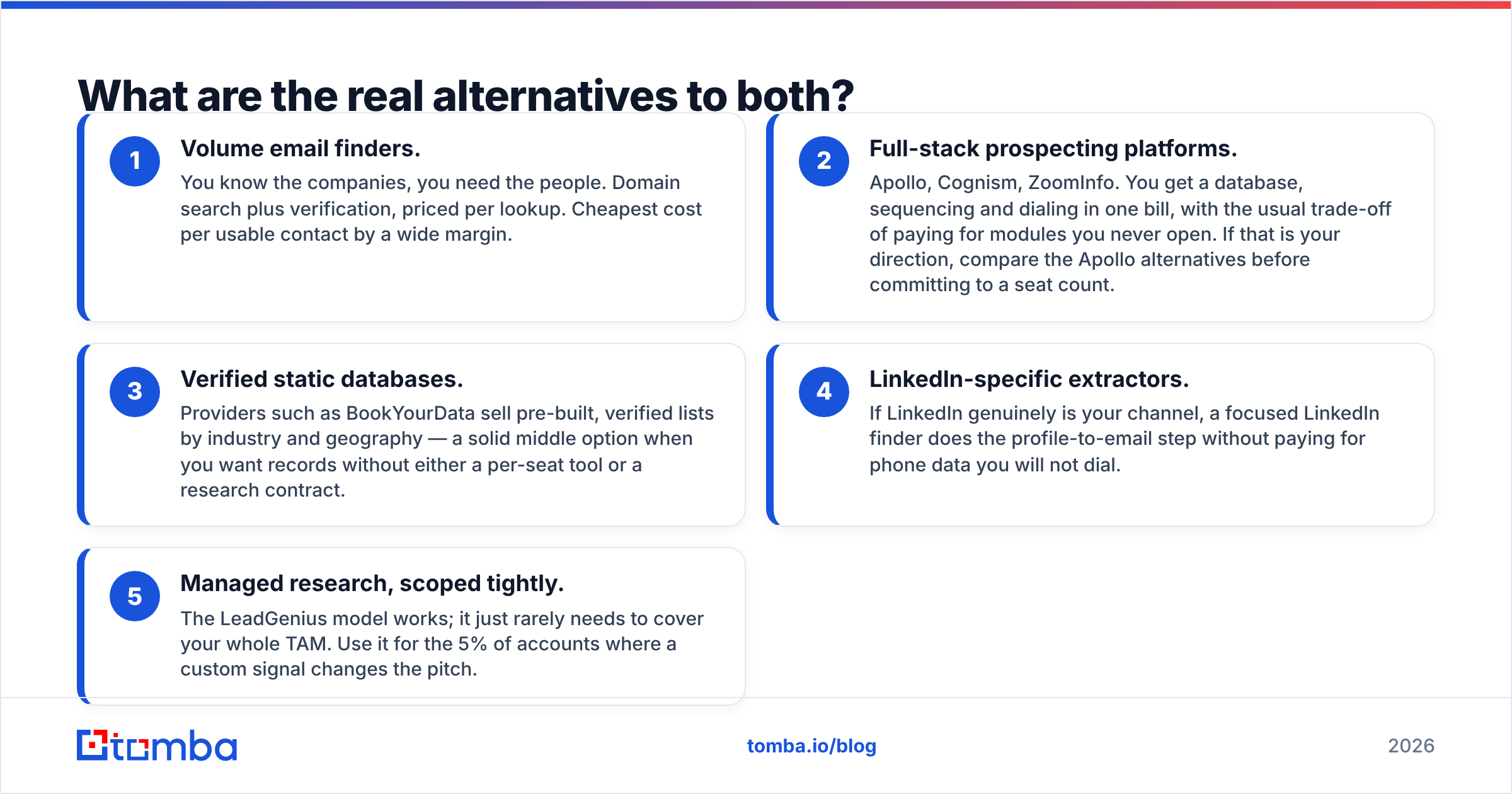
Neither Kaspr nor LeadGenius is the default answer for most mid-market outbound teams, so it is worth naming the shape of the alternatives:
- Volume email finders. You know the companies, you need the people. Domain search plus verification, priced per lookup. Cheapest cost per usable contact by a wide margin.
- Full-stack prospecting platforms. Apollo, Cognism, ZoomInfo. You get a database, sequencing and dialing in one bill, with the usual trade-off of paying for modules you never open. If that is your direction, compare the Apollo alternatives before committing to a seat count.
- Verified static databases. Providers such as BookYourData sell pre-built, verified lists by industry and geography — a solid middle option when you want records without either a per-seat tool or a research contract.
- LinkedIn-specific extractors. If LinkedIn genuinely is your channel, a focused LinkedIn finder does the profile-to-email step without paying for phone data you will not dial.
- Managed research, scoped tightly. The LeadGenius model works; it just rarely needs to cover your whole TAM. Use it for the 5% of accounts where a custom signal changes the pitch.
So which should you choose?#
Choose Kaspr if you are a small European sales team that lives in LinkedIn, needs mobile numbers, and wants to be productive by lunchtime. Accept that you will verify emails separately and that costs scale per head.
Choose LeadGenius if your competitive edge depends on data nobody else has, you have budget approval for an annual contract, and you have someone who can own the brief. Do not buy it to solve "we need more emails" — that is an expensive way to answer a cheap question.
Choose neither if your actual problem is volume: you have a list of domains and titles, and you need verified addresses attached to them fast, at a price that does not scale with headcount. That is a tooling problem, not a research problem.
If that last paragraph describes you, start with the Tomba Email Finder. The free tier gives you 25 searches a month to sanity-check accuracy against your own known-good contacts before spending anything, Starter is $49/mo, and the same data is reachable through the web app, bulk upload, Sheets, Excel and a REST API. Test it against a sample of 100 accounts you already have verified addresses for — that single experiment will tell you more than any vendor comparison page, including this one.
Related guides#
// get started
Find, verify and enrich your first contacts today
Start on the free plan with 25 searches a month, then scale when your team is ready.
Free plan · No credit card required · GDPR & CCPA
// about the author