Kaspr vs LFBBD Lead For Business: Which Wins in 2026?
One is a live LinkedIn extension that pulls phones and emails one profile at a time. The other sells prepackaged B2B lists by the thousand. Here's how Kaspr and LFBBD Lead for Business actually compare on accuracy, cost per usable contact, and compliance.
TL;DR
- Kaspr is a live lookup tool: a Chrome extension that reveals phone numbers and emails on LinkedIn profiles, one at a time, using credits. It is owned by Cognism.
- LFBBD Lead for Business is a list vendor: you buy a prebuilt B2B contact database filtered by industry, geography, or job title, and you receive a CSV.
- They fail in opposite directions. Kaspr gives you fresher records but caps volume with credits and per-seat pricing. LFBBD gives you volume cheaply but the file is a snapshot that decays from the day it was exported.
- Neither replaces verification. Any list older than 90 days needs a re-check before it touches your sending domain.
- If your workflow is domain-first (you know the companies, you need the people), a straight email finder with an API is usually cheaper per usable contact than either.
What are Kaspr and LFBBD Lead for Business?#
They are not the same category of product, which is exactly why teams end up comparing them.
Kaspr sits on top of LinkedIn. You install the browser extension, open a profile or a Sales Navigator list, and Kaspr surfaces mobile numbers, direct dials, and email addresses for that person. Data comes from a contributory network plus third-party sources. Kaspr was acquired by Cognism in 2022 and now shares parts of that data infrastructure. You can see current plan details on the official Kaspr site.
LFBBD Lead for Business works the other way around. Instead of enriching a profile you are already looking at, you define a segment (say, "HR directors at 200-1000 employee companies in Germany") and buy the resulting file. The value proposition is volume and price per record. The tradeoff is that you are buying a static export, not a live lookup.
Put simply: Kaspr is a tap you turn on when you need one glass of water. LFBBD is a tanker delivery. Both get you water. Only one of them is still fresh in six months.
How do Kaspr and LFBBD Lead for Business compare head-to-head?#
Here is the practical breakdown. Treat vendor pricing as directional and confirm on their own pages before you buy, since both have changed rate cards in the last 18 months.
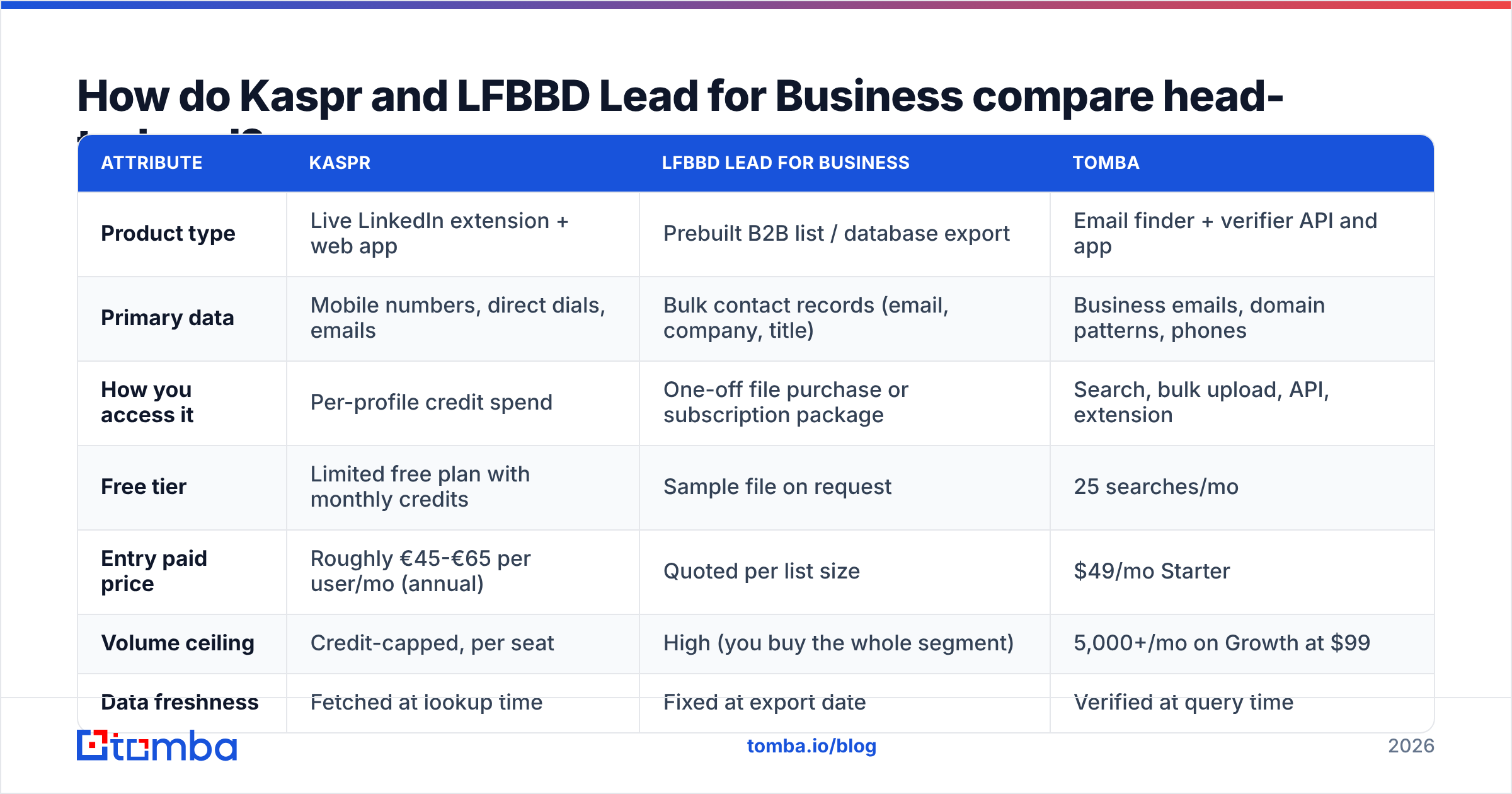
| Attribute | Kaspr | LFBBD Lead for Business | Tomba |
|---|---|---|---|
| Product type | Live LinkedIn extension + web app | Prebuilt B2B list / database export | Email finder + verifier API and app |
| Primary data | Mobile numbers, direct dials, emails | Bulk contact records (email, company, title) | Business emails, domain patterns, phones |
| How you access it | Per-profile credit spend | One-off file purchase or subscription package | Search, bulk upload, API, extension |
| Free tier | Limited free plan with monthly credits | Sample file on request | 25 searches/mo |
| Entry paid price | Roughly €45-€65 per user/mo (annual) | Quoted per list size | $49/mo Starter |
| Volume ceiling | Credit-capped, per seat | High (you buy the whole segment) | 5,000+/mo on Growth at $99 |
| Data freshness | Fetched at lookup time | Fixed at export date | Verified at query time |
| Verification included | Basic | Varies by package | SMTP + catch-all handling built in |
| Best for | AE/SDR calling into LinkedIn lists | Broad top-of-funnel list builds | Domain-first prospecting and enrichment at scale |

The row that decides most evaluations is volume ceiling versus freshness. Kaspr's per-seat credit model means a four-person SDR team pays four times over, and heavy prospecting weeks hit the cap. LFBBD has no cap because there is nothing to meter, but nothing is refreshed either.

Which one has better data accuracy?#
Kaspr wins on phone numbers. LFBBD wins on raw record count. Neither wins on email deliverability without a verification step in front of your sequencer.
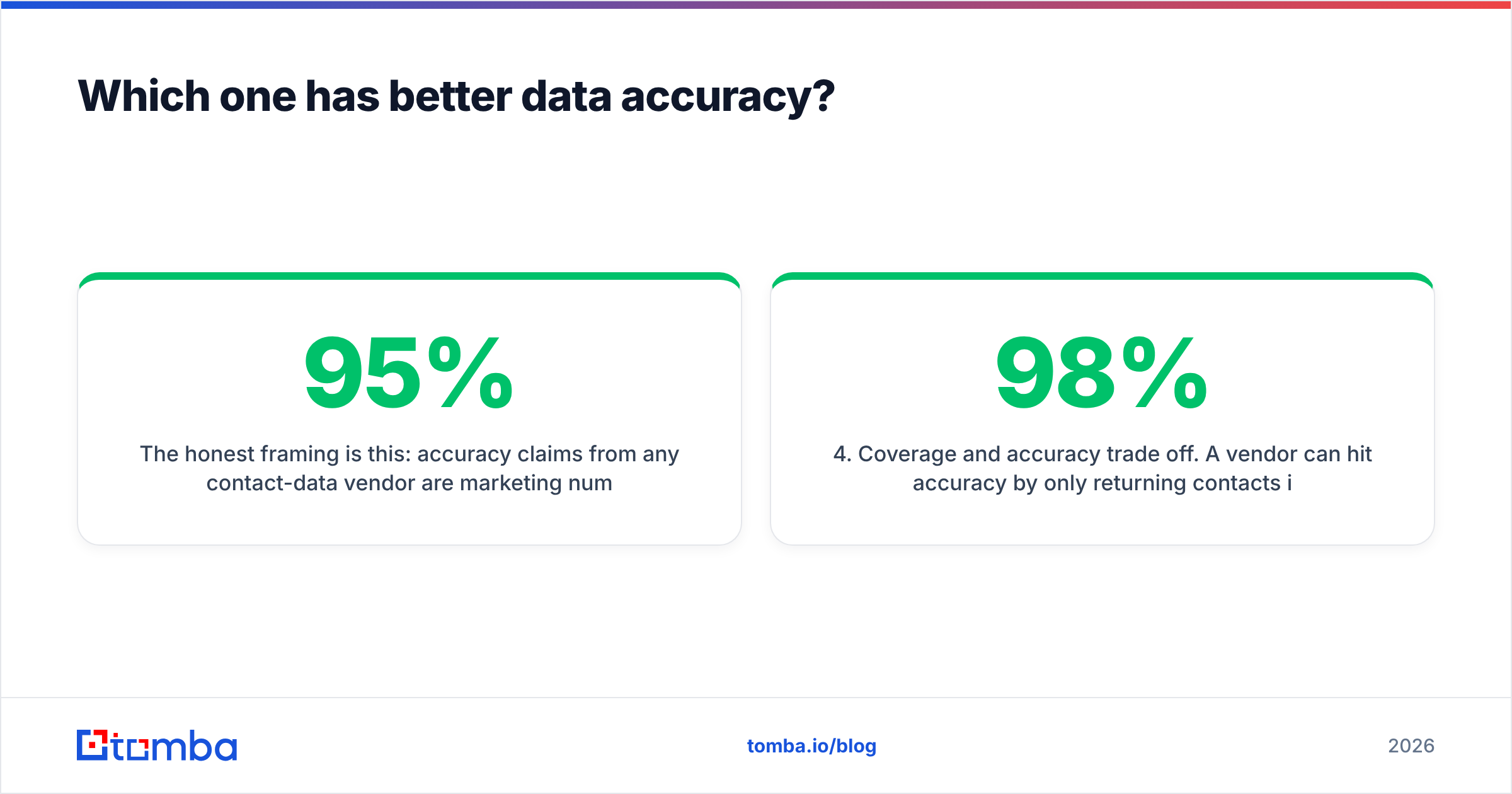
The honest framing is this: accuracy claims from any contact-data vendor are marketing numbers measured on the vendor's own sample. What matters is your bounce rate on your ICP. A provider that hits 95% on US tech mid-market can drop to 70% on French manufacturing SMBs, and the published figure never tells you that.

What we consistently see across contact-data evaluations:
- Live lookup beats static export on email validity. A record fetched today reflects today's mail server. A CSV exported in Q1 does not know about the reorg in Q2.
- Phone data decays slower than email. Mobile numbers follow the person. Work emails die with the job change. If you are buying primarily for dialing, the static-file penalty is smaller.
- Catch-all domains distort every benchmark. Roughly one in five B2B domains accepts all mail at the server level, so "valid" is unprovable by SMTP alone. Vendors that count catch-alls as valid inflate their accuracy number. Run a catch-all verifier before you trust those rows.
- Coverage and accuracy trade off. A vendor can hit 98% accuracy by only returning contacts it is certain about, and leave you with 40% coverage. Always measure both together, not one in isolation.
Run your own test before you commit. Take 200 contacts from your actual ICP, pull them from each vendor, verify them independently, and compare the four numbers that matter: match rate, bounce rate, cost per delivered email, and cost per connected call.
What does each actually cost in 2026?#
The sticker price is the wrong number. Cost per usable contact is the right one.
Say you need 5,000 verified emails a month for a two-person outbound team.
- Kaspr: two seats on a mid-tier plan, plus credit top-ups to clear 5,000 lookups. Per-seat pricing means the bill scales with headcount, not with output. Expect meaningful overage once you exceed the included credits.
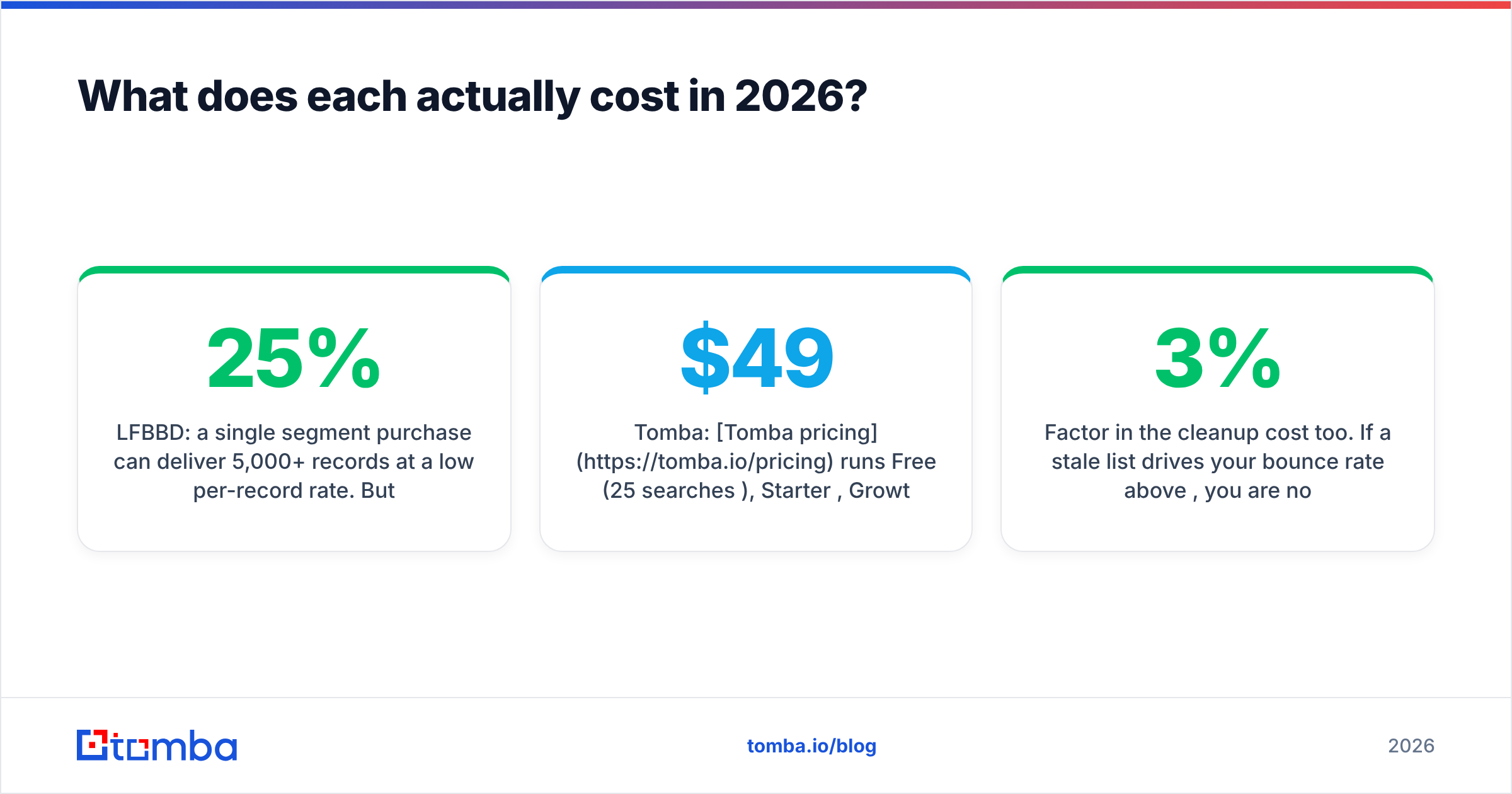
- LFBBD: a single segment purchase can deliver 5,000+ records at a low per-record rate. But if 25% are stale, your effective price per usable record is 33% higher than quoted, and you have burned deliverability learning that.
- Tomba: Tomba pricing runs Free (25 searches/mo), Starter $49/mo, Growth $99/mo, Pro $249/mo. Credits are account-level, not per seat, so adding a second SDR costs nothing extra.
The per-seat versus per-account distinction is the single biggest hidden cost in this comparison. A five-person team on a seat-based tool pays five subscriptions to do the work one account-level credit pool would cover.
Factor in the cleanup cost too. If a stale list drives your bounce rate above 3%, you are not just wasting credits, you are damaging sender reputation on the domain your whole team sends from. That repair takes weeks.
Who should choose Kaspr, and who should choose LFBBD?#
Choose Kaspr if:
- Your reps live inside LinkedIn and Sales Navigator all day.
- Phone outreach is core, not a fallback. Kaspr's mobile coverage is its strongest asset.
- You have a small team where per-seat pricing stays manageable.
- You need the contact right now, in-context, without leaving the profile.
Choose LFBBD Lead for Business if:
- You need breadth fast: an entire vertical or region loaded into the CRM in one go.
- Your motion tolerates lower precision because you are running volume plays or building an ABM universe rather than a precision sequence.
- Budget per record is the constraint and you have a verification step you trust downstream.
Choose a domain-first email finder if:
- You already know which companies you want and need the right people at them. That is what domain search does: give it a company domain, get back the contacts and the email pattern.
- You want the same data available in the app, in a spreadsheet, and over an email finder API without three different subscriptions.
- You are enriching an existing CRM rather than starting from zero.
Does either option create a compliance problem?#
Both require the same diligence, and the answers differ by geography more than by vendor.
Extension-based tools that read LinkedIn profiles operate in tension with the platform's rules. LinkedIn's User Agreement restricts automated scraping and data extraction, and enforcement against extensions has tightened. That risk lands on the account doing the browsing, not on the vendor. Whether it matters depends on how aggressively your reps use it.
Purchased lists carry a different exposure. Under GDPR, a legitimate-interest basis for B2B outreach is defensible in many EU jurisdictions, but only if you can document the source, honor opt-outs, and prove the data was lawfully obtained. A CSV from a vendor that cannot tell you where each record came from is a weak position in an audit. Ask both providers for documented provenance. Tomba publishes its data sources for exactly this reason.
Practical rule: whichever you pick, keep a suppression list, honor unsubscribes at the account level, and never import a file you cannot trace back to a source.
How do you cut bounce rates no matter which vendor you pick?#
This is the part most teams skip, and it costs them more than the subscription ever did.

A workable sequence, regardless of source:
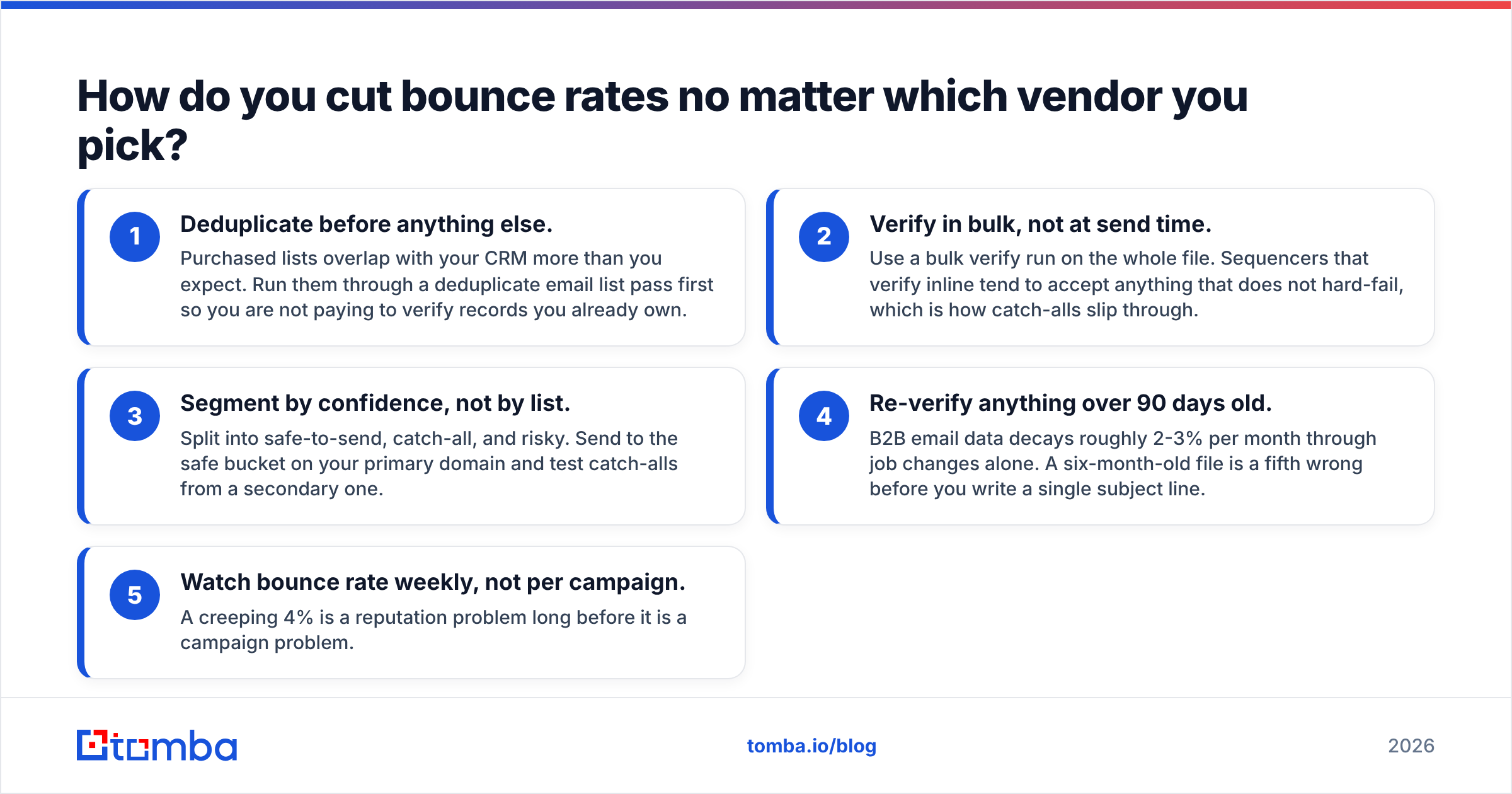
- Deduplicate before anything else. Purchased lists overlap with your CRM more than you expect. Run them through a deduplicate email list pass first so you are not paying to verify records you already own.
- Verify in bulk, not at send time. Use a bulk verify run on the whole file. Sequencers that verify inline tend to accept anything that does not hard-fail, which is how catch-alls slip through.
- Segment by confidence, not by list. Split into safe-to-send, catch-all, and risky. Send to the safe bucket on your primary domain and test catch-alls from a secondary one.
- Re-verify anything over 90 days old. B2B email data decays roughly 2-3% per month through job changes alone. A six-month-old file is a fifth wrong before you write a single subject line.
- Watch bounce rate weekly, not per campaign. A creeping 4% is a reputation problem long before it is a campaign problem.
Do these five things and the accuracy gap between any two vendors narrows sharply. Skip them and the best data in the market still lands in spam.
Is there a middle ground between a live extension and a bought list?#
Yes, and it is where most teams eventually land: a search-and-verify layer you control, wired into whatever you already use.
The reason is structural. Kaspr is optimized for one rep, one profile, one lookup. LFBBD is optimized for one purchase, one file, one import. Neither is optimized for the thing outbound teams actually do every week, which is take a rolling list of target accounts and keep contacts current against it.
That workflow wants three properties: account-level credits so teammates share a pool, an API so enrichment runs on a schedule instead of by hand, and verification in the same system so you are not paying two vendors to disagree about the same address. Check independent category reviews on G2 to see how buyers weight those three against raw record count.
You can also mix. Plenty of teams buy a broad segment from a list vendor for TAM mapping, then re-verify and re-enrich the slice they actually plan to contact. That is the cheapest path to volume without the deliverability tax, provided the verification step is real and not a checkbox.
The bottom line#
Kaspr vs LFBBD Lead for Business is a choice between freshness with a ceiling and volume with decay. If your reps dial from LinkedIn all day and your team is small, Kaspr's live lookups justify the per-seat cost. If you need an entire market loaded into the CRM this week and you have a verification pipeline, LFBBD's economics are hard to beat. Both are legitimate picks for the job they were built for.
But if the job is "find the right people at accounts we have already picked, keep the data current, and don't blow up our sending domain," neither shape fits cleanly. That is a domain-first problem.
Start with the Tomba Email Finder. Give it a company domain or a name, get back verified professional emails with a confidence score and the source behind each one. The free tier covers 25 searches a month so you can benchmark it against your current vendor on your own ICP before you move a dollar of budget. Run 200 contacts through all three, compare bounce rates, and let the numbers pick the winner.
Related guides#
// get started
Find, verify and enrich your first contacts today
Start on the free plan with 25 searches a month, then scale when your team is ready.
Free plan · No credit card required · GDPR & CCPA
// about the author