Klaviyo Bounce Rate: What's Normal and How to Fix It in 2026
Klaviyo flags a bounce rate over 2% as a problem, but the real damage starts far below that. Here's what a healthy number looks like, why yours spiked, and the fixes that actually move it.
TL;DR
- A healthy Klaviyo bounce rate is under 0.5% on warm segments and under 2% on any campaign. Klaviyo's own deliverability warnings start firing around 2%, but inbox providers notice long before that.
- Klaviyo splits bounces into hard (permanent) and soft (temporary). Hard bounces suppress the profile instantly. Soft bounces retry, then suppress after repeated failures.
- Bounce spikes almost always trace to one of five causes: an imported cold list, a form with no protection, a long-dormant segment, a new sending domain, or a catch-all-heavy B2B audience.
- The fix order that works: stop the inflow (verify before import), clean what's already in the account, add a sunset flow, then re-warm.
- Verification is cheaper than the damage. One bad 20,000-contact import can cost you weeks of sender reputation repair across Gmail and Microsoft.
What exactly does Klaviyo count as a bounce rate?#
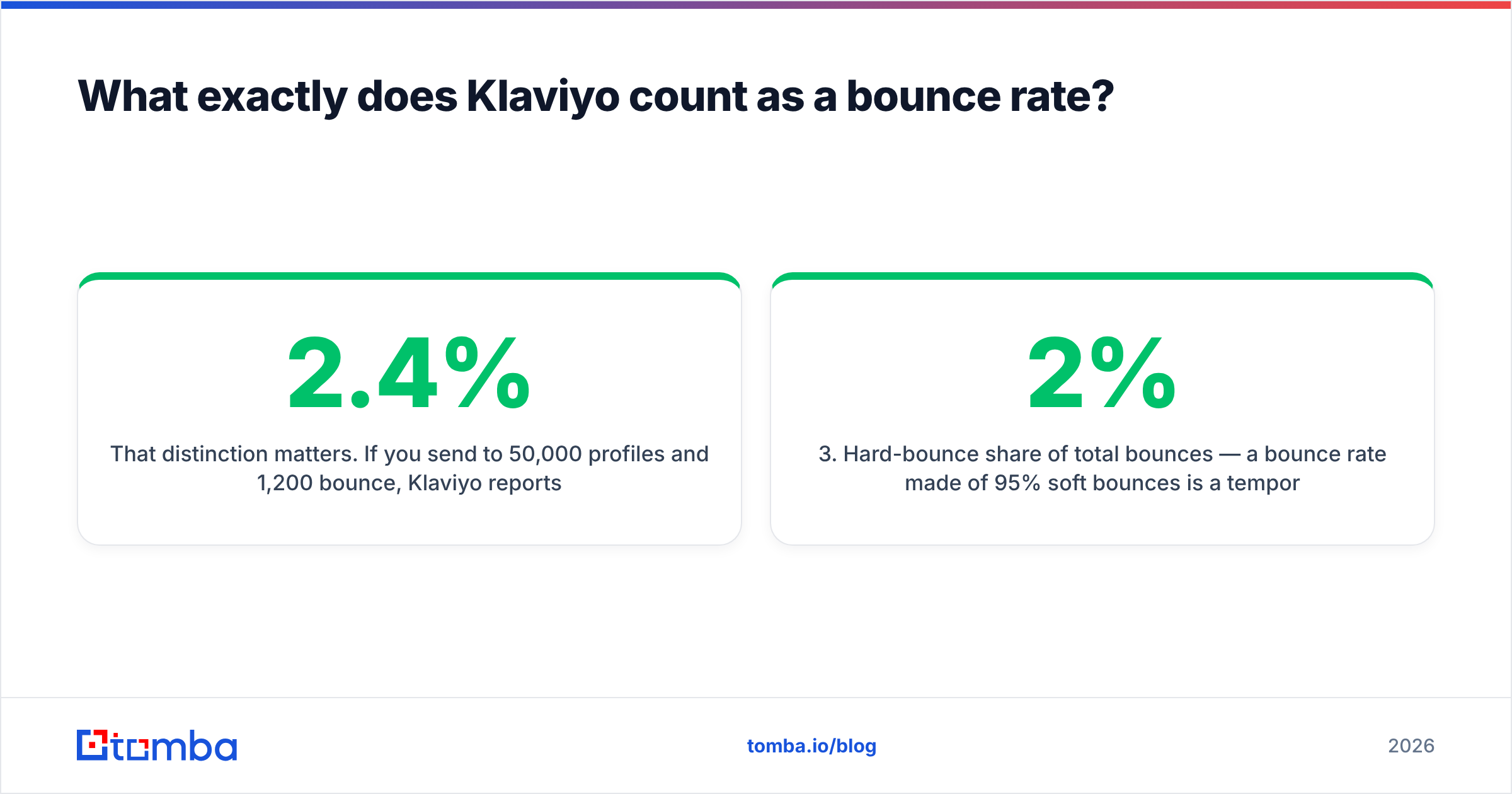
Your Klaviyo bounce rate is the percentage of delivered attempts that came back rejected, not the percentage of your list. Klaviyo calculates it as bounced messages divided by total messages sent for a given campaign or flow message.
That distinction matters. If you send to 50,000 profiles and 1,200 bounce, Klaviyo reports 2.4% — and it reports that number per send, which means a single bad campaign can look catastrophic while your account-level health is fine. Conversely, a clean-looking 0.8% campaign average can hide a flow that quietly bounces at 6% every night because it fires on newly captured form submissions that nobody checked.
Three numbers to pull before you diagnose anything:
- Campaign-level bounce rate — the headline number in Klaviyo Analytics.
- Flow-level bounce rate — usually worse than campaigns, because flows hit fresh, unvalidated addresses first.
- Hard-bounce share of total bounces — a 2% bounce rate made of 95% soft bounces is a temporary problem. A 2% rate made of 90% hard bounces is a list-quality problem.
Klaviyo surfaces all three, but only the first is on the default dashboard. The other two require you to filter by message type and export bounce reasons.
What is a good Klaviyo bounce rate in 2026?#
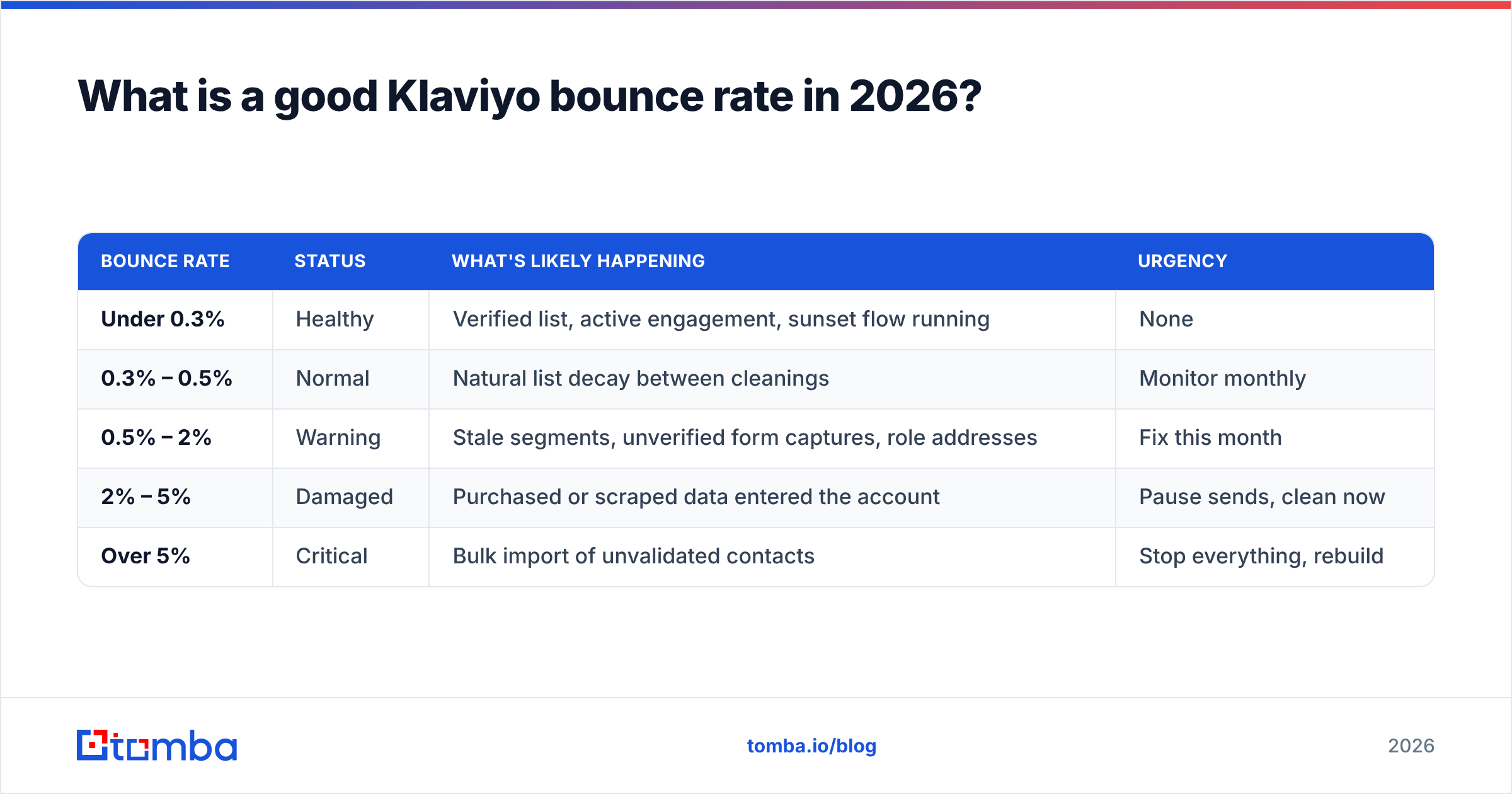
Under 0.5% is the target. Between 0.5% and 2% is the zone where you should be actively investigating. Above 2% and you are already paying a reputation tax at Gmail, Yahoo, and Microsoft — regardless of what Klaviyo's UI tells you.
| Bounce rate | Status | What's likely happening | Urgency |
|---|---|---|---|
| Under 0.3% | Healthy | Verified list, active engagement, sunset flow running | None |
| 0.3% – 0.5% | Normal | Natural list decay between cleanings | Monitor monthly |
| 0.5% – 2% | Warning | Stale segments, unverified form captures, role addresses | Fix this month |
| 2% – 5% | Damaged | Purchased or scraped data entered the account | Pause sends, clean now |
| Over 5% | Critical | Bulk import of unvalidated contacts | Stop everything, rebuild |
Context matters more than the raw number. B2C ecommerce lists built from checkout data typically sit at 0.1%–0.3% because payment processors already validated the address. B2B lists built from prospecting data run three to ten times higher, because business addresses churn at roughly 25%–30% per year as people change jobs. A 1.2% bounce rate on a B2B newsletter is unremarkable; the same number on a Shopify abandoned-cart flow means something broke.
The threshold that actually governs your fate is set by the mailbox providers, not by Klaviyo. Google's sender guidelines require bulk senders to keep spam complaint rates under 0.3% and to authenticate properly — and high bounce volume is one of the strongest signals Gmail uses to decide you are sending to a list you did not earn.
How does Klaviyo treat hard bounces vs soft bounces?#
Klaviyo handles the two categories very differently, and knowing which one you have determines whether you clean your list or fix your infrastructure.
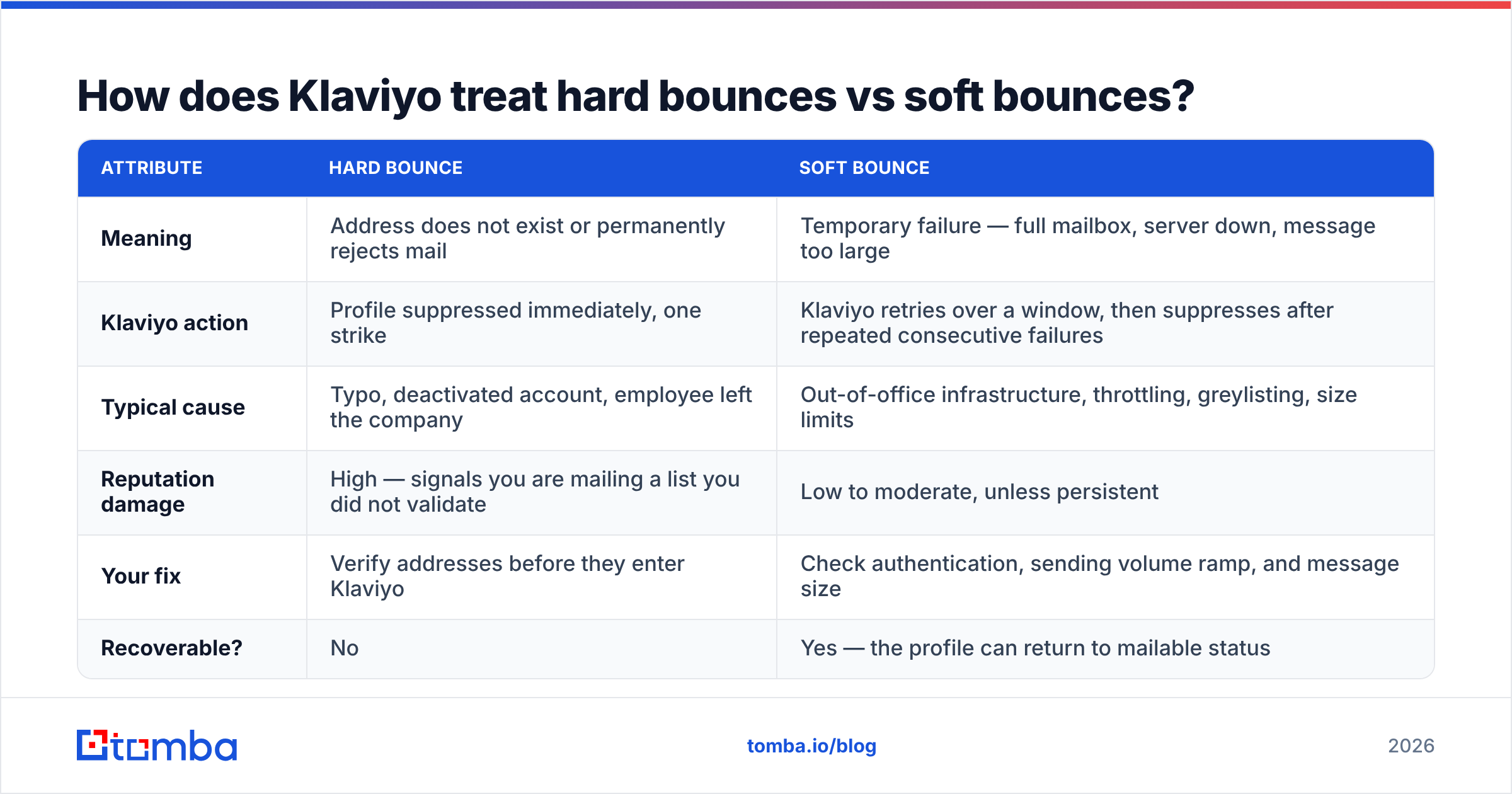
| Attribute | Hard bounce | Soft bounce |
|---|---|---|
| Meaning | Address does not exist or permanently rejects mail | Temporary failure — full mailbox, server down, message too large |
| Klaviyo action | Profile suppressed immediately, one strike | Klaviyo retries over a window, then suppresses after repeated consecutive failures |
| Typical cause | Typo, deactivated account, employee left the company | Out-of-office infrastructure, throttling, greylisting, size limits |
| Reputation damage | High — signals you are mailing a list you did not validate | Low to moderate, unless persistent |
| Your fix | Verify addresses before they enter Klaviyo | Check authentication, sending volume ramp, and message size |
| Recoverable? | No | Yes — the profile can return to mailable status |
The practical implication: hard bounces are a data problem, soft bounces are usually a sending problem. If your exported bounce report is dominated by 550 5.1.1 User unknown, no amount of warmup or DKIM tinkering will help. If it is dominated by 421 throttling codes or 452 Insufficient system storage, your list is probably fine and you are sending too fast from a domain that has not earned the volume.
One nuance specific to Klaviyo: soft-bounce suppression is not instant, and Klaviyo's exact retry threshold has changed over the years. Check the current behavior in Klaviyo's help center rather than trusting a number from an old blog post — including this one. What has stayed constant is that consecutive soft bounces eventually convert a profile to suppressed.
Why did your Klaviyo bounce rate suddenly spike?#
Sudden spikes have a short list of suspects. Work through them in this order:
- A bulk import happened. Check the account's recent imports. Someone uploaded a conference list, a scraped export, or an old CRM dump. This causes 80% of the spikes we see, and the timestamp usually lines up within 48 hours.
- A signup form lost its protection. Bots hammer unprotected forms with garbage addresses. If your list growth chart shows an unexplained step change three days before the bounce spike, that is your answer. Add reCAPTCHA and double opt-in.
- You re-engaged a dormant segment. Mailing people who have not opened in 12+ months will surface every address that died in the meantime. This is expected — but it should be done in small, throttled batches, not one 40,000-contact blast.
- You switched sending domains or started a fresh one. A cold domain gets throttled and greylisted, producing a wave of soft bounces that has nothing to do with list quality. Verify your SPF record, DKIM, and DMARC before blaming the data.
- Your B2B audience is catch-all heavy. Catch-all domains accept everything at SMTP time, then bounce asynchronously hours later. Your campaign looks clean for an hour, then the bounce count climbs. Standard verification tools mark these "unknown" — you need a dedicated catch-all verifier to resolve them.
- A large employer did a layoff round. Uncommon, but real. If you sell into a specific industry and a major account cut staff, you will see a cluster of hard bounces from one domain.
Export the bounce report and group by domain and by SMTP response code. Five minutes of pivot-table work usually names the culprit faster than any amount of guessing.
How do you fix a high Klaviyo bounce rate?#
Fix the inflow before you fix the existing list. Cleaning an account that keeps ingesting bad data is a treadmill.
Step 1 — Stop the bleeding. Pause any campaign or flow currently sending to the suspect segment. If your last send was over 3% bounce, do not send again until you have cleaned. Each additional bad send compounds the reputation hit.
Step 2 — Quarantine the source. Create a Klaviyo segment filtered on the import date or source property of the bad batch. Suppress the whole segment temporarily. Yes, this includes the good addresses in it — you will bring them back after verification.
Step 3 — Export and verify. Pull the quarantined segment to CSV and run it through an email verifier before reintroducing anyone. A proper verification pass checks syntax, domain MX records, disposable-domain lists, role accounts (info@, sales@), and mailbox existence via SMTP. For lists over a few thousand rows, use bulk verify rather than hitting the API row by row.
Step 4 — Reimport only the valid tier. Most verifiers return valid / invalid / risky / unknown. Reimport valid only. Park risky and unknown in a separate segment you mail sparingly, and never include them in your first re-warm campaigns.
Step 5 — Rebuild engagement gradually. Send to your most engaged 10% first (opened in the last 30 days), then widen over two to three weeks. Watch Google Postmaster Tools for your domain reputation to climb back from "Low" to "Medium" or "High" before resuming full volume.
Step 6 — Install a sunset flow. This is the permanent fix. A sunset flow automatically suppresses profiles that have not opened or clicked in a defined window — typically 90 to 180 days depending on your purchase cycle. It stops list decay from ever reaching campaign level again.
Should you verify emails before they enter Klaviyo?#
Yes — and it is almost always cheaper than the alternative. Verification costs cents per thousand addresses. Reputation repair costs weeks of suppressed revenue.
The bigger question is where in your stack verification belongs. Three patterns:
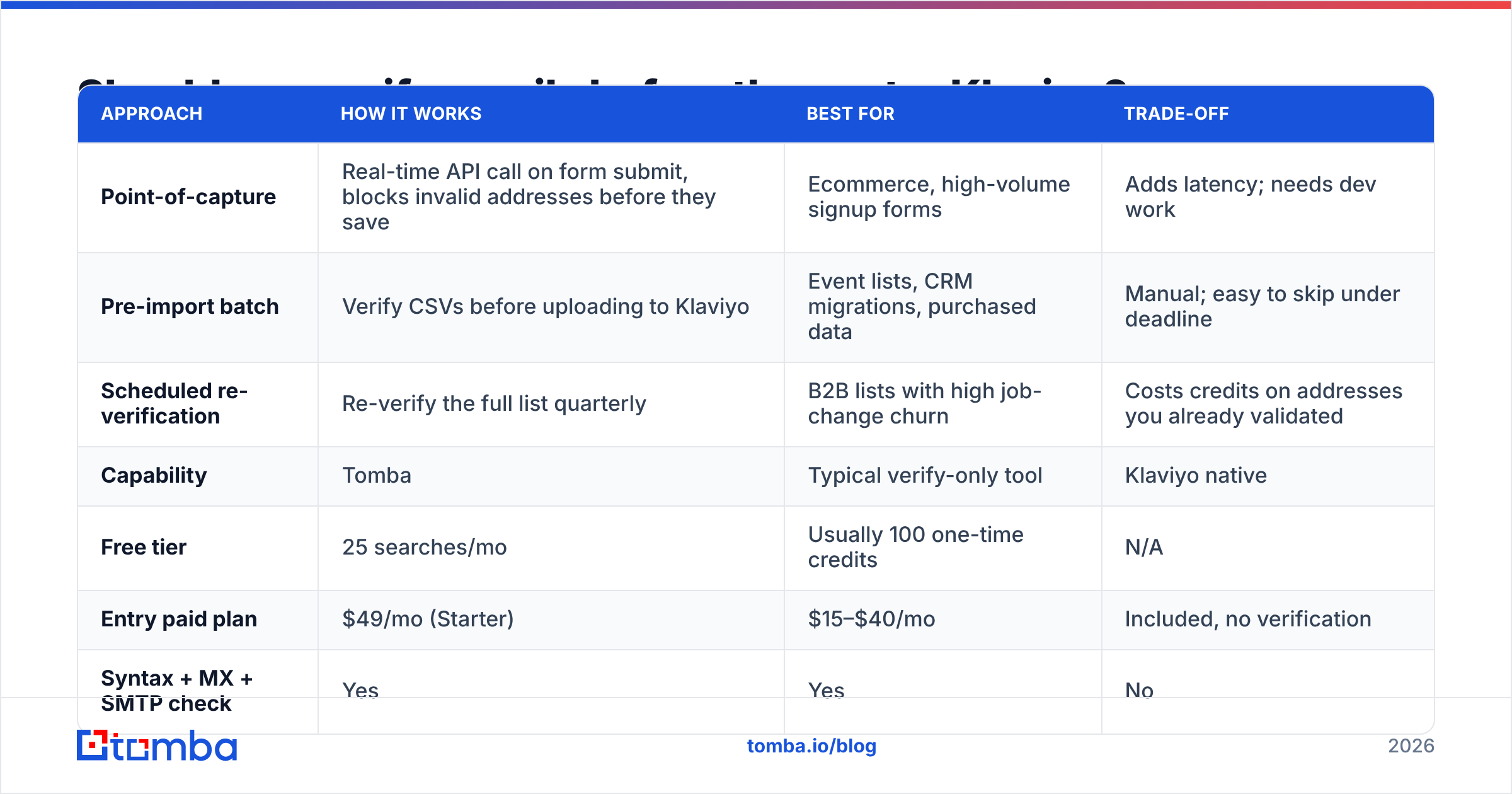
| Approach | How it works | Best for | Trade-off |
|---|---|---|---|
| Point-of-capture | Real-time API call on form submit, blocks invalid addresses before they save | Ecommerce, high-volume signup forms | Adds latency; needs dev work |
| Pre-import batch | Verify CSVs before uploading to Klaviyo | Event lists, CRM migrations, purchased data | Manual; easy to skip under deadline |
| Scheduled re-verification | Re-verify the full list quarterly | B2B lists with high job-change churn | Costs credits on addresses you already validated |
Most teams need the first and the second. B2B teams with lists older than a year need all three, because business addresses expire on a schedule that consumer addresses do not.
On tooling, the honest comparison looks like this:
| Capability | Tomba | Typical verify-only tool | Klaviyo native |
|---|---|---|---|
| Free tier | 25 searches/mo | Usually 100 one-time credits | N/A |
| Entry paid plan | $49/mo (Starter) | $15–$40/mo | Included, no verification |
| Syntax + MX + SMTP check | Yes | Yes | No |
| Catch-all resolution | Yes, dedicated tool | Usually returns "unknown" | No |
| Finds missing addresses | Yes — email finder + domain search | No | No |
| API / bulk upload | Yes, both | Varies | Import only |
| Pre-send bounce prevention | Yes | Yes | No — bounces after the fact |
Klaviyo itself does not verify addresses before you send. It reacts to bounces after they happen, which is exactly one send too late. That gap is the entire reason a pre-send verification step exists in mature stacks. Peers in the space handle it differently — BookYourData, for example, verifies at the point of purchase so the data arrives already validated, which is a reasonable model if you are buying lists rather than building them.
If you are doing B2B outbound rather than ecommerce marketing, the problem shifts from verifying what you have to finding correct addresses in the first place — that is where a domain search beats guessing patterns and hoping the bounce rate holds.
How do you keep your Klaviyo bounce rate low permanently?#
Four habits separate accounts that never think about bounce rate from accounts that fight it quarterly:
- Double opt-in on every form. It costs you 10%–20% of raw signups and returns nearly all of it in deliverability. The addresses you lose were mostly typos and bots.
- Sunset flow at 120 days. Set it once. It is the single highest-leverage automation for sender reputation in the entire platform.
- Never import without verifying. Make it a rule with no exceptions, including "just this one list from the trade show." Trade show lists are the worst offenders because they are hand-transcribed from badges.
- Monitor by flow, not just by campaign. Flows fire on fresh data and will show you a bounce problem two weeks before your monthly campaign does.
Also watch the adjacent signals. Bounce rate never moves alone — it travels with complaint rate and open-rate collapse. If Google Postmaster Tools shows your domain reputation slipping while your bounce rate looks flat, you likely have a spam-trap problem rather than a dead-address problem, and the remedy is different: aggressive segment pruning, not verification.
One last calibration point. Reviews on G2 consistently show that teams who complain about Klaviyo deliverability are usually describing a list-sourcing problem, not a platform problem. Klaviyo's infrastructure is solid. What arrives in it is your responsibility.
Where should you start this week?#
Pick the one that matches your situation. If your bounce rate is above 2%, quarantine and verify before your next send. If it is between 0.5% and 2%, build the sunset flow first — it will pull you under 0.5% within two cycles without any manual cleanup. If you are already under 0.5%, add point-of-capture verification so you stay there while the list grows.
For the verification step itself, run your export through Tomba's Email Verifier before anything touches Klaviyo — syntax, MX, disposable, role, and mailbox checks in one pass, with catch-all resolution for the B2B domains most tools give up on. The free tier covers 25 lookups if you want to spot-check a sample first; Tomba pricing starts at $49/mo on Starter and scales to Growth at $99/mo when bulk volume picks up. Verify once, import clean, and stop paying the bounce tax on every send.
Related guides#
// get started
Find, verify and enrich your first contacts today
Start on the free plan with 25 searches a month, then scale when your team is ready.
Free plan · No credit card required · GDPR & CCPA
// about the author