9 Best Kommo Alternatives in 2026: Compared and Ranked
Kommo is a cheap, messenger-first CRM that works until your pipeline gets complicated. Here are nine Kommo alternatives compared on price, reporting depth, automation, and how well they handle real B2B outbound.
TL;DR
- Kommo (formerly amoCRM) is a messenger-first CRM built around WhatsApp, Instagram, and Telegram conversations. It is genuinely good at that and genuinely thin everywhere else.
- Most teams leave Kommo for one of three reasons: reporting depth, customization limits, or the fact that it holds conversations but does not source contacts.
- The strongest all-round replacements are Pipedrive (pipeline clarity), HubSpot Sales Hub (free entry + ecosystem), and Zoho CRM (customization per dollar).
- If you sell outbound rather than inbound-DM, the CRM is only half the stack — you still need a reliable source of verified work emails and phone numbers feeding it.
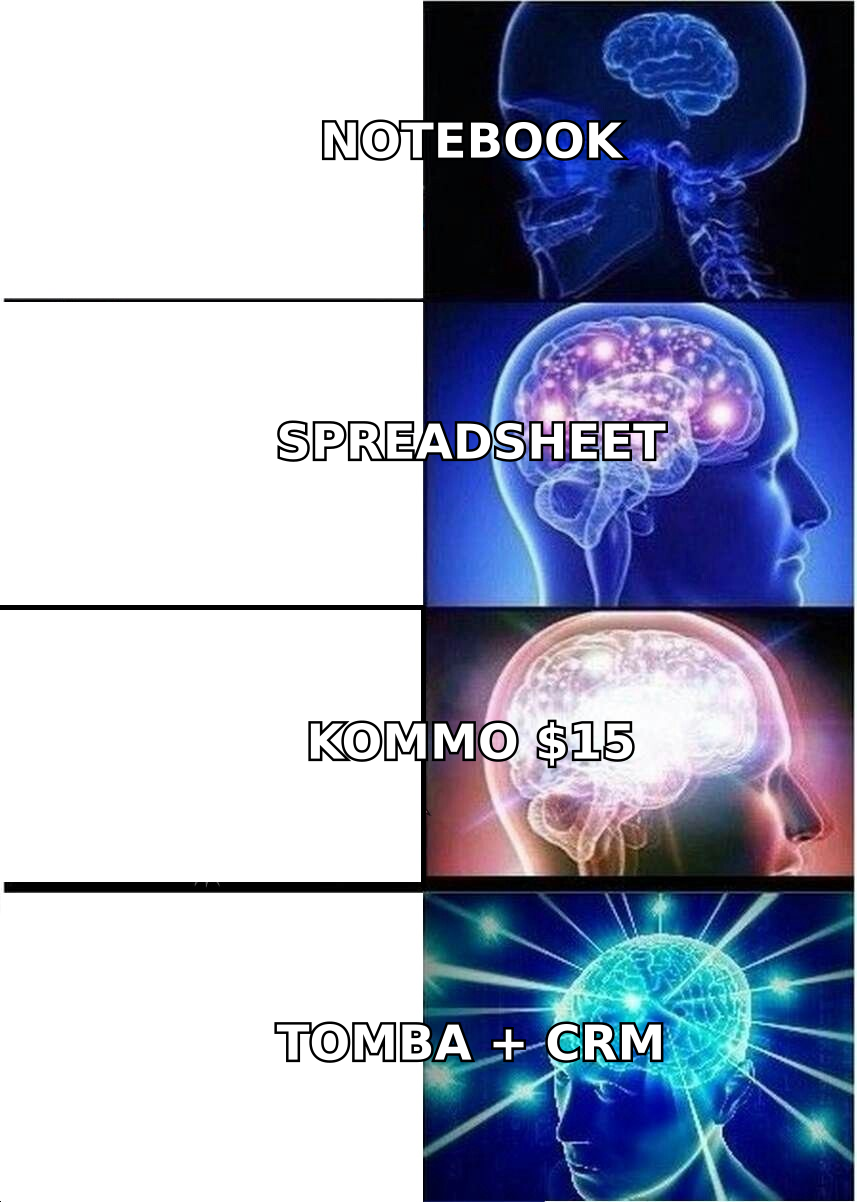
- Budget honestly: a "$15/user" CRM usually lands between $35 and $60 per user once messaging APIs, data, and enrichment are added.
What is Kommo, and who is it actually built for?#
Kommo is a sales CRM that treats chat as the primary channel. Instead of starting from a contact record and logging calls against it, you start from an inbox that merges WhatsApp, Instagram DMs, Telegram, Facebook Messenger, live chat, and email into one thread per lead. Deals move across a drag-and-drop pipeline, and a no-code bot builder (Salesbot) handles qualification questions and follow-up nudges.
That design is a deliberate bet. In markets where buyers message businesses rather than fill out forms — Latin America, Southeast Asia, the Middle East, much of southern Europe — the bet pays off. A small agency, clinic, real-estate team, or e-commerce brand fielding 200 DMs a week gets more out of Kommo than out of a traditional record-first CRM.
Kommo's list pricing starts around $15 per user per month on Base, roughly $25 on Advanced, and roughly $45 on Enterprise, billed annually (check kommo.com for current numbers, since tiers move). There is no permanent free plan, only a trial, and seats are billed individually with no partial seats.
The trouble starts when your motion is not inbound chat. Outbound B2B teams, SaaS companies with multi-stakeholder deals, and anyone who needs forecast-grade reporting tend to outgrow it in the second year.
Why do teams start looking for Kommo alternatives?#
Five complaints show up repeatedly in G2 and Capterra reviews, and in migration conversations:
- Reporting stops at the surface. Pipeline value, conversion by stage, and a sales-rep leaderboard are there. Cohort analysis, multi-touch attribution, and custom-field-driven dashboards are not, without exporting to a BI tool.
- Customization has a ceiling. Custom fields exist, but complex object relationships — accounts to subsidiaries, products to line items, territories to quotas — get awkward fast compared to Zoho or Salesforce.
- WhatsApp costs compound. The Business API conversation fees are charged by Meta and by whichever provider you route through. Teams that budgeted $15/user get a surprise on the second invoice.
- No native prospecting data. Kommo manages conversations you already have. It does not tell you who to contact at a target company, which is the entire job for outbound teams.
- Integration gaps for B2B tooling. The marketplace leans toward messaging, telephony, and regional payment tools. If your stack is HubSpot Marketing, Segment, and a data warehouse, you will be writing more middleware than you expected.
None of these make Kommo a bad product. They make it a specialized one. The right question is not "is Kommo good" but "does my sales motion look like the motion Kommo was designed for."
How should you evaluate a Kommo alternative?#
Before you demo anything, score candidates against these five criteria. Most CRM migrations fail because the buyer optimized for feature count instead of these.
- Channel fit — Is your primary channel chat, email, phone, or a mix? A CRM that treats your main channel as an add-on will always feel like friction.
- Reporting ceiling — Can a sales manager build a new dashboard without engineering help? Ask the vendor to build one live during the demo, using your custom field.
- Data model depth — Do you need accounts separate from contacts, products with line items, or multiple pipelines with different stages? Kommo handles multiple pipelines; it handles complex object relationships less well.
- True per-seat cost — Add the base seat price, required add-ons, messaging API fees, and the data source that fills the CRM. Compare that number, not the headline price.
- Data in, not just data stored — A CRM is a container. Whether it is full of accurate, current contact records depends on an email finder or enrichment layer upstream, not the CRM itself.
What are the best Kommo alternatives in 2026?#
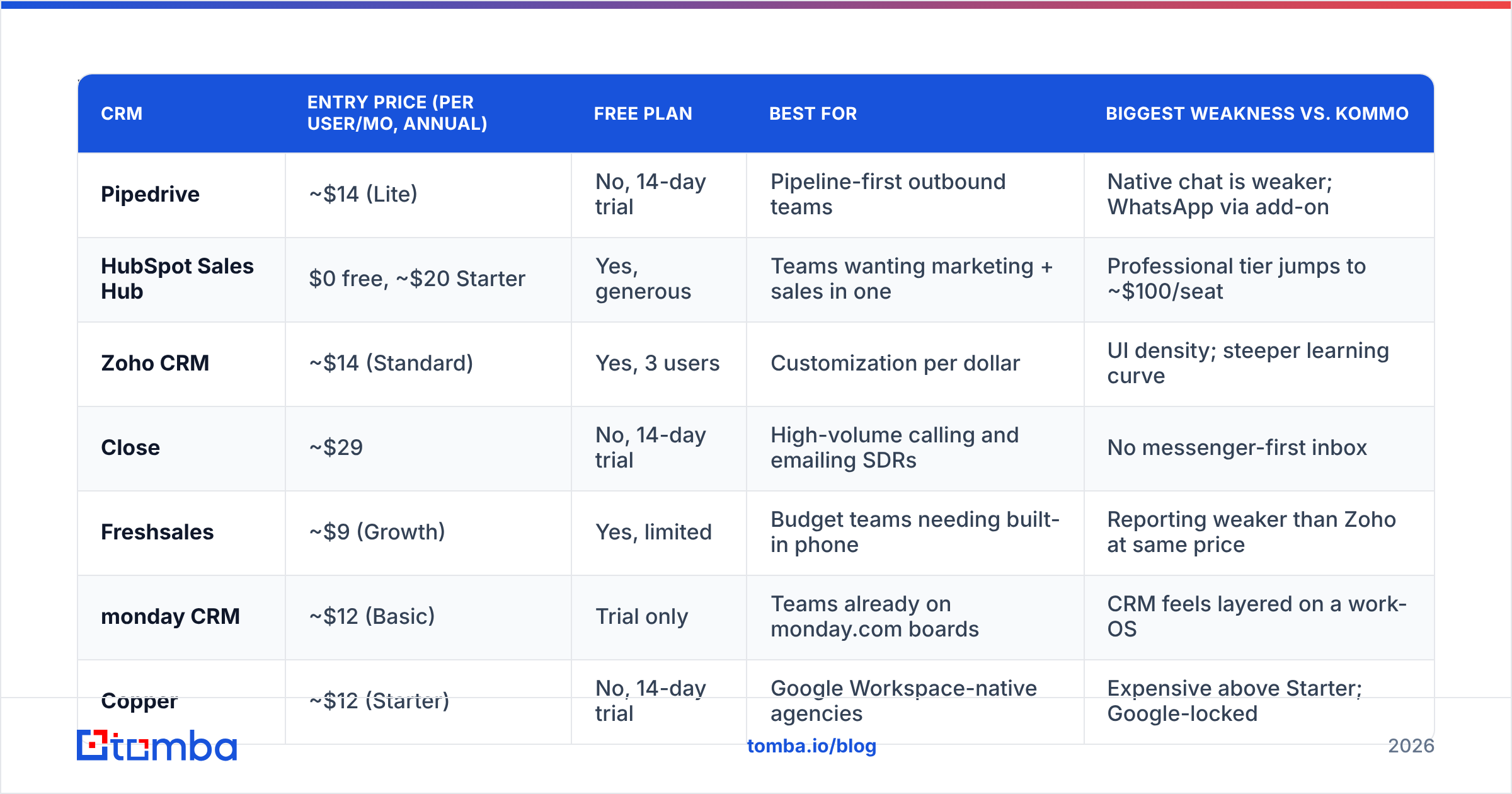
| CRM | Entry price (per user/mo, annual) | Free plan | Best for | Biggest weakness vs. Kommo |
|---|---|---|---|---|
| Pipedrive | ~$14 (Lite) | No, 14-day trial | Pipeline-first outbound teams | Native chat is weaker; WhatsApp via add-on |
| HubSpot Sales Hub | $0 free, ~$20 Starter | Yes, generous | Teams wanting marketing + sales in one | Professional tier jumps to ~$100/seat |
| Zoho CRM | ~$14 (Standard) | Yes, 3 users | Customization per dollar | UI density; steeper learning curve |
| Close | ~$29 | No, 14-day trial | High-volume calling and emailing SDRs | No messenger-first inbox |
| Freshsales | ~$9 (Growth) | Yes, limited | Budget teams needing built-in phone | Reporting weaker than Zoho at same price |
| monday CRM | ~$12 (Basic) | Trial only | Teams already on monday.com boards | CRM feels layered on a work-OS |
| Copper | ~$12 (Starter) | No, 14-day trial | Google Workspace-native agencies | Expensive above Starter; Google-locked |
| EngageBay | $0 free, ~$13 Basic | Yes | All-in-one on a tight budget | Thinner integrations and support depth |
| Salesmate | ~$23 | No, 15-day trial | Automation-heavy SMB sales teams | Smaller ecosystem than Zoho or HubSpot |
Prices are list rates at time of writing and change frequently. Always confirm on the vendor's own pricing page before you budget.
Pipedrive — the clearest swap for pipeline-driven teams#
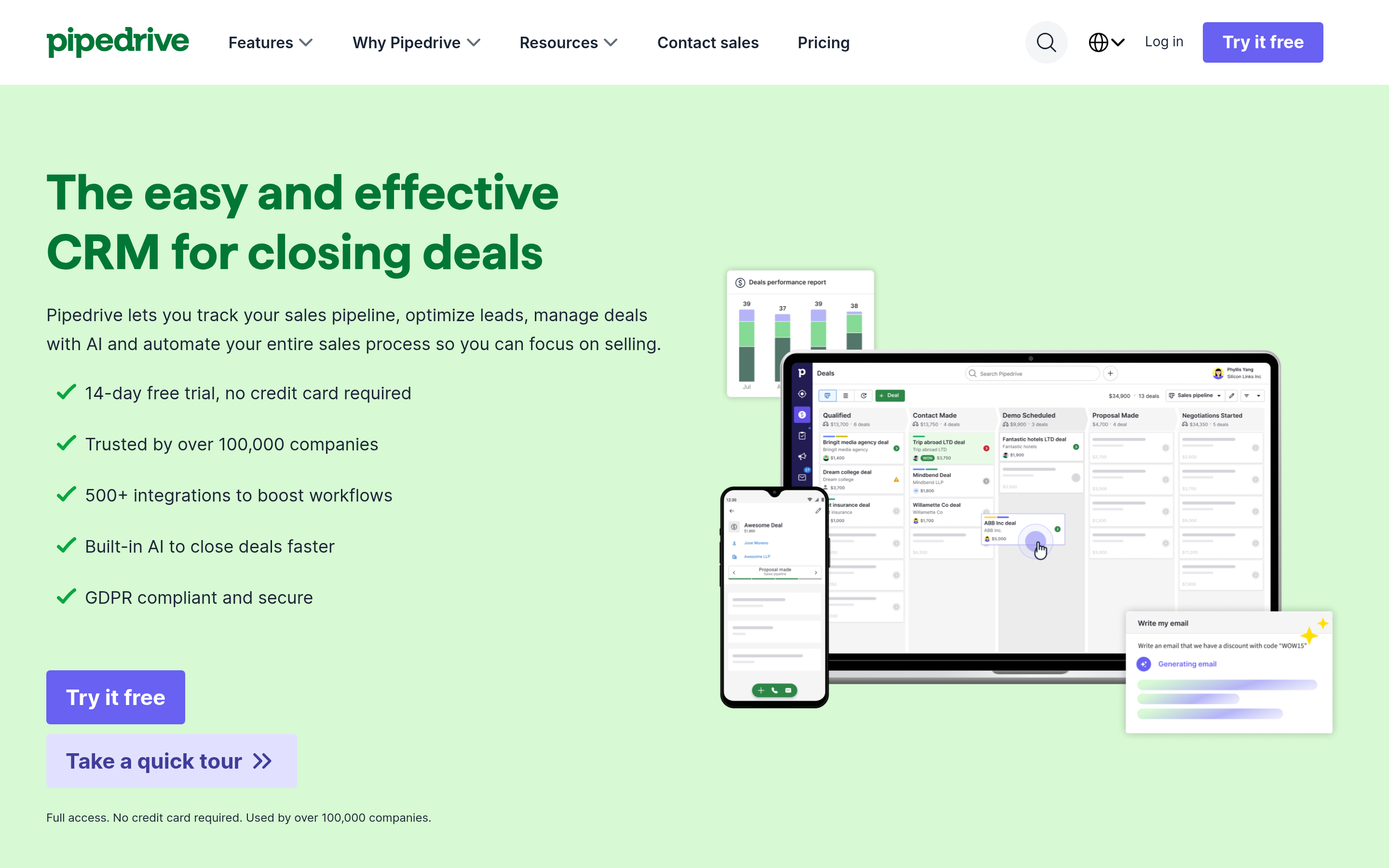
Pipedrive is the alternative most Kommo users actually end up on, because it keeps the visual pipeline that made Kommo appealing while adding stronger deal-level reporting, revenue forecasting, and a much larger app marketplace. Activity-based selling is baked in: every deal nags you until a next step is scheduled.
What you give up is the unified messenger inbox. WhatsApp exists through third-party integrations rather than as a first-class channel. If chat is 80% of your volume, that is a real downgrade. If chat is 20%, Pipedrive wins on everything else.
Pair it with a Pipedrive integration that pushes verified contacts straight into deals and you close the prospecting gap Kommo never filled.
HubSpot Sales Hub — best free entry point#
HubSpot's free CRM is not a crippled trial. Unlimited contacts, deal pipelines, email tracking, meeting links, and basic reporting cost nothing, which makes it the lowest-risk migration target from a paid Kommo seat. Starter adds sequences and removes branding for around $20 per seat.
The catch is the cliff. The moment you need custom reporting, workflow automation, or forecasting, you are on Professional at roughly $100 per seat per month plus an onboarding fee. Teams that migrate for the free tier and then scale often end up paying more than they ever did on Kommo.
Read HubSpot's own CRM documentation before assuming a feature is in your tier — the tier matrix is where most surprises live. If you go this route, wire up the HubSpot integration so enriched contacts land as properties instead of manual paste.
Zoho CRM — most customization per dollar#
Zoho is the answer when Kommo's data model felt like a straitjacket. Custom modules, custom layouts per sales process, scoring rules, territory management, and a scripting layer (Deluge) all exist at mid-tier pricing. The Professional plan at roughly $23 per user sits under HubSpot Starter in capability terms and far under HubSpot Professional in price.
The trade-off is interface density and setup time. Zoho rewards an admin who enjoys configuration. If nobody on your team wants that job, Zoho becomes shelfware.
Close — for teams whose channel is the phone#
Close bundles a power dialer, predictive dialer, call recording, SMS, and email sequencing into the CRM itself. For an SDR team running 80 dials a day, that consolidation is worth more than any pipeline view. Entry pricing is higher — around $29 per user — but it replaces a separate dialer subscription.
Close is a poor Kommo replacement for chat-led businesses. It is an excellent one for outbound teams who were using Kommo as a glorified contact list.
Freshsales, monday CRM, Copper, EngageBay, and Salesmate — the situational picks#
- Freshsales gives you a built-in phone, AI lead scoring, and a usable free tier for very small teams. Reporting is the weak spot.
- monday CRM makes sense only if your company already runs on monday.com boards; the shared workspace beats the CRM depth.
- Copper lives inside Gmail and Google Calendar. Agencies and consultancies that work entirely in Workspace love it. Everyone else finds it limiting above the Starter tier.
- EngageBay bundles CRM, marketing automation, and helpdesk at a price that undercuts everyone, with the trade-off being ecosystem maturity.
- Salesmate is the closest to a like-for-like Kommo replacement with better automation and built-in calling, at a slightly higher seat cost.

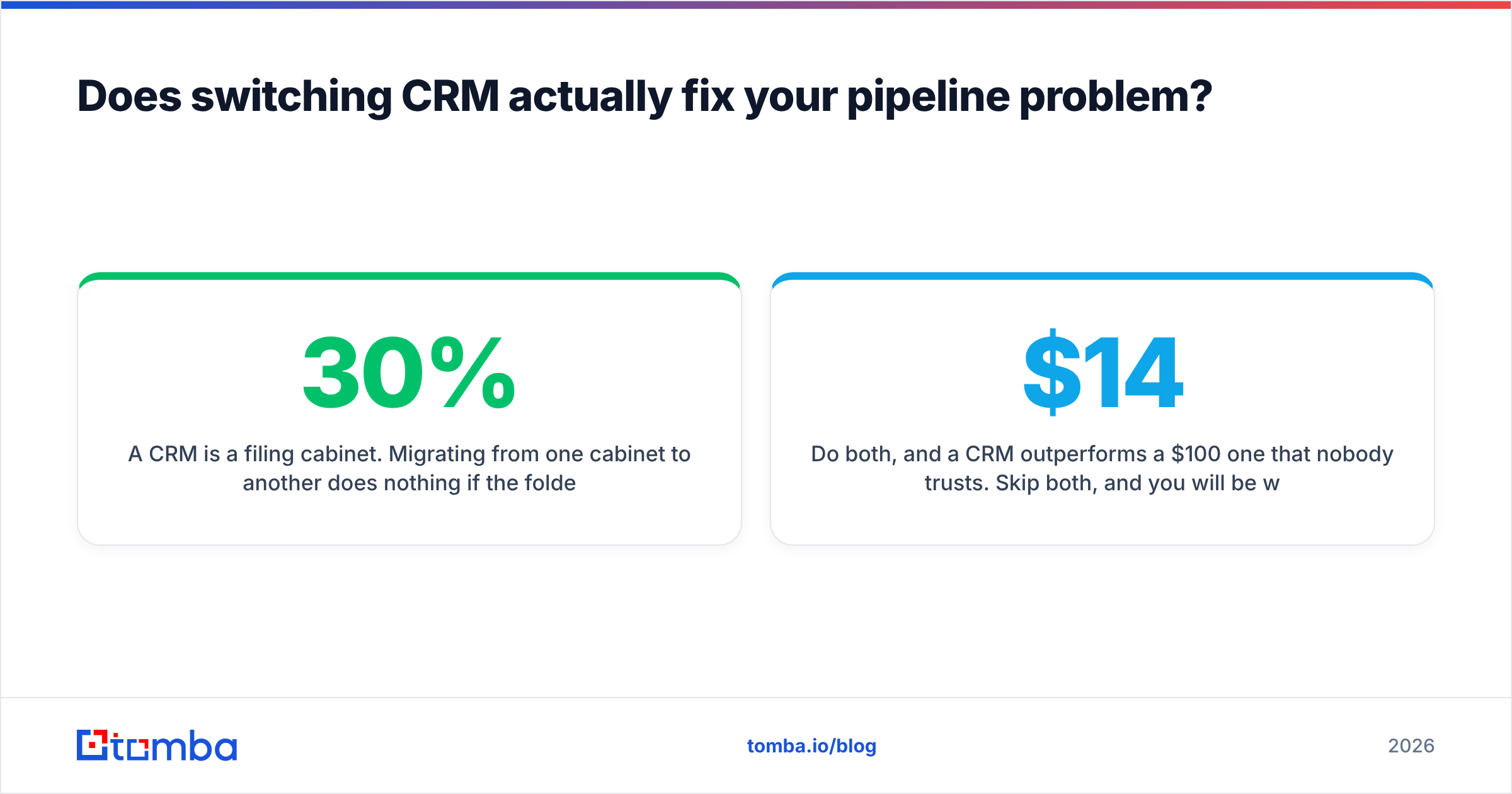
Does switching CRM actually fix your pipeline problem?#
Usually not on its own. Here is the uncomfortable diagnostic: if your reps complain about the CRM, ask what percentage of records in it have a verified, deliverable work email and a direct phone number. In most SMB stacks the honest answer is under half.
A CRM is a filing cabinet. Migrating from one cabinet to another does nothing if the folders are half empty. B2B contact data decays at roughly 25–30% per year as people change jobs, companies rebrand, and domains consolidate. That decay hits Kommo and every alternative on this list equally.
Two fixes matter more than the migration itself:
Fix the intake. Every new account added to the CRM should arrive with a verified email, a role, and a company domain already attached. Running a domain search against a target company returns the people and the email pattern in one call, so a rep is not guessing at firstname.lastname@ formats.
Fix the decay. Schedule a quarterly pass that re-verifies existing records and flags dead ones. An email verifier run across your database costs a fraction of what a bounced campaign costs you in sender reputation. Layering data enrichment on top backfills job titles, company size, and LinkedIn profiles that reps otherwise research manually.
Do both, and a $14 CRM outperforms a $100 one that nobody trusts. Skip both, and you will be writing this same comparison article again in eighteen months.
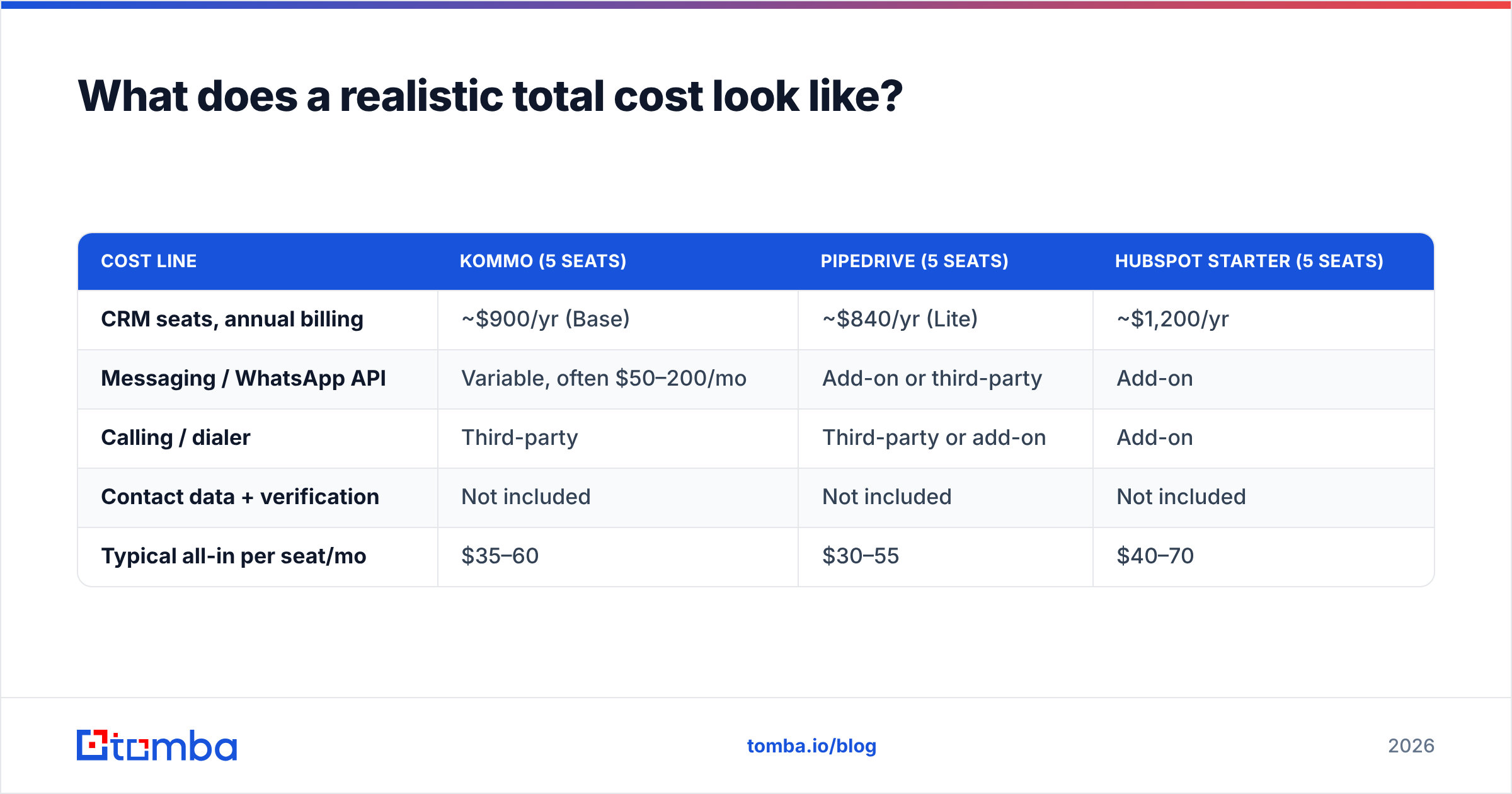
What does a realistic total cost look like?#
| Cost line | Kommo (5 seats) | Pipedrive (5 seats) | HubSpot Starter (5 seats) |
|---|---|---|---|
| CRM seats, annual billing | ~$900/yr (Base) | ~$840/yr (Lite) | ~$1,200/yr |
| Messaging / WhatsApp API | Variable, often $50–200/mo | Add-on or third-party | Add-on |
| Calling / dialer | Third-party | Third-party or add-on | Add-on |
| Contact data + verification | Not included | Not included | Not included |
| Typical all-in per seat/mo | $35–60 | $30–55 | $40–70 |
The pattern holds across every vendor: the seat price is roughly half the real cost. Budget for the data layer explicitly rather than discovering it after the contract is signed. Tomba's own pricing starts with a free tier at 25 searches per month, then $49/mo Starter, $99/mo Growth, and $249/mo Pro — which for most five-person teams is a smaller line item than the CRM itself.
Which Kommo alternative should you pick?#
Match the motion, not the feature list:
- Inbound DMs are your main channel and Kommo mostly works — stay. Add reporting via export rather than migrating.
- You run outbound email and calls — Pipedrive or Close.
- You want marketing and sales under one roof and can live with the Professional cliff — HubSpot.
- You have an admin who likes building things — Zoho CRM.
- You live in Google Workspace and sell services — Copper.
- Budget is the binding constraint — EngageBay or Freshsales free tiers.
Then, whichever you choose, solve the input problem. Peer reviews on G2 will tell you which CRM has the better interface; none of them will tell you whose database is full of bounced addresses, because that is a stack problem, not a vendor problem.
Ready to fill whichever CRM you pick?#
Migrating CRMs gives you a cleaner interface. It does not give you more people to sell to. Start a free Tomba account and use the Tomba Email Finder to pull verified, deliverable work emails for your target accounts — 25 free searches a month, no card, and native pushes into HubSpot, Pipedrive, and Sheets so the records land where your reps already work. Get the data right first; the CRM decision gets a lot easier after that.
Related guides#
// get started
Find, verify and enrich your first contacts today
Start on the free plan with 25 searches a month, then scale when your team is ready.
Free plan · No credit card required · GDPR & CCPA
// about the author