Kular AI Alternatives: 9 Better Outbound Tools for 2026
Kular AI's pay-per-lead pitch sounds risk-free until you price out a full quarter. Here are nine alternatives, from self-serve email finders to full outbound platforms, compared on cost, control and data ownership.
TL;DR
- Kular AI sells outbound on a pay-per-lead basis: you approve an ICP, their system runs the sending, and you pay for qualified replies instead of seats. It removes setup work and removes control at the same time.
- The economics flip once you send at volume. Below roughly 30-40 qualified leads a quarter, per-lead pricing usually wins. Above that, a $49-$149/mo stack almost always costs less per meeting.
- The nine alternatives below split into three groups: data-first tools (Tomba, BookYourData), sending platforms (Instantly, Smartlead, Saleshandy, lemlist), and full-stack or managed options (Apollo, Clay, Amplemarket).
- The biggest hidden cost of any managed outbound service is that you do not keep the list, the sequences, or the reply data when you leave.
- If you want to own the asset, start with verified contact data and a cheap sender, not with a per-lead invoice.
What is Kular AI, and how does it actually work?#
Kular AI is a managed AI outbound service. You describe your ideal customer profile, Kular builds the target list, writes and sends the cold emails from domains it manages, and bills you when a prospect replies with interest. You can see the current model on kular.ai. It sits in the same category as done-for-you lead gen agencies, except the labour is largely automated.
The appeal is obvious. You skip domain warmup, copywriting, list building, and the six weeks of tuning that most in-house outbound programs need before they produce anything. You also skip the tooling bill: no separate email finder, no verifier, no sequencer, no deliverability monitor.
The trade-off is equally obvious once you run the numbers. Per-lead pricing is a variable cost that scales linearly with success, while a self-managed stack is mostly fixed cost. Two quarters of decent performance and the variable model is the more expensive one.
There is a second trade-off that founders notice later: you do not own the output. The verified contacts, the domain reputation, the subject lines that worked, the reply patterns by segment — those live inside the vendor. Cancel, and your pipeline goes to zero the same week.
Why do teams look for Kular AI alternatives?#
The complaints that push teams to shop around are consistent across managed outbound services:
- Cost per qualified lead stops making sense at volume. A price that feels fair for your first 10 leads feels punitive at 100. Self-serve stacks have a flat ceiling; per-lead pricing does not.
- Lead quality definitions are the vendor's, not yours. "Qualified" usually means a positive reply. A positive reply from a 12-person company when you sell to mid-market is still billable.
- No control over messaging. If your category needs a specific technical angle, generic AI copy underperforms, and you cannot rewrite it yourself at 9pm before a launch.
- No data portability. You cannot export the list into your CRM, enrich it further, or retarget it on LinkedIn.
- Deliverability is a black box. When reply rates drop, you get an explanation instead of a sender reputation dashboard you can inspect yourself.
None of that makes Kular a bad product. It makes it a specific product for a specific stage: pre-first-hire, no outbound experience in house, willing to pay a premium for speed.
How do the pricing models actually compare?#
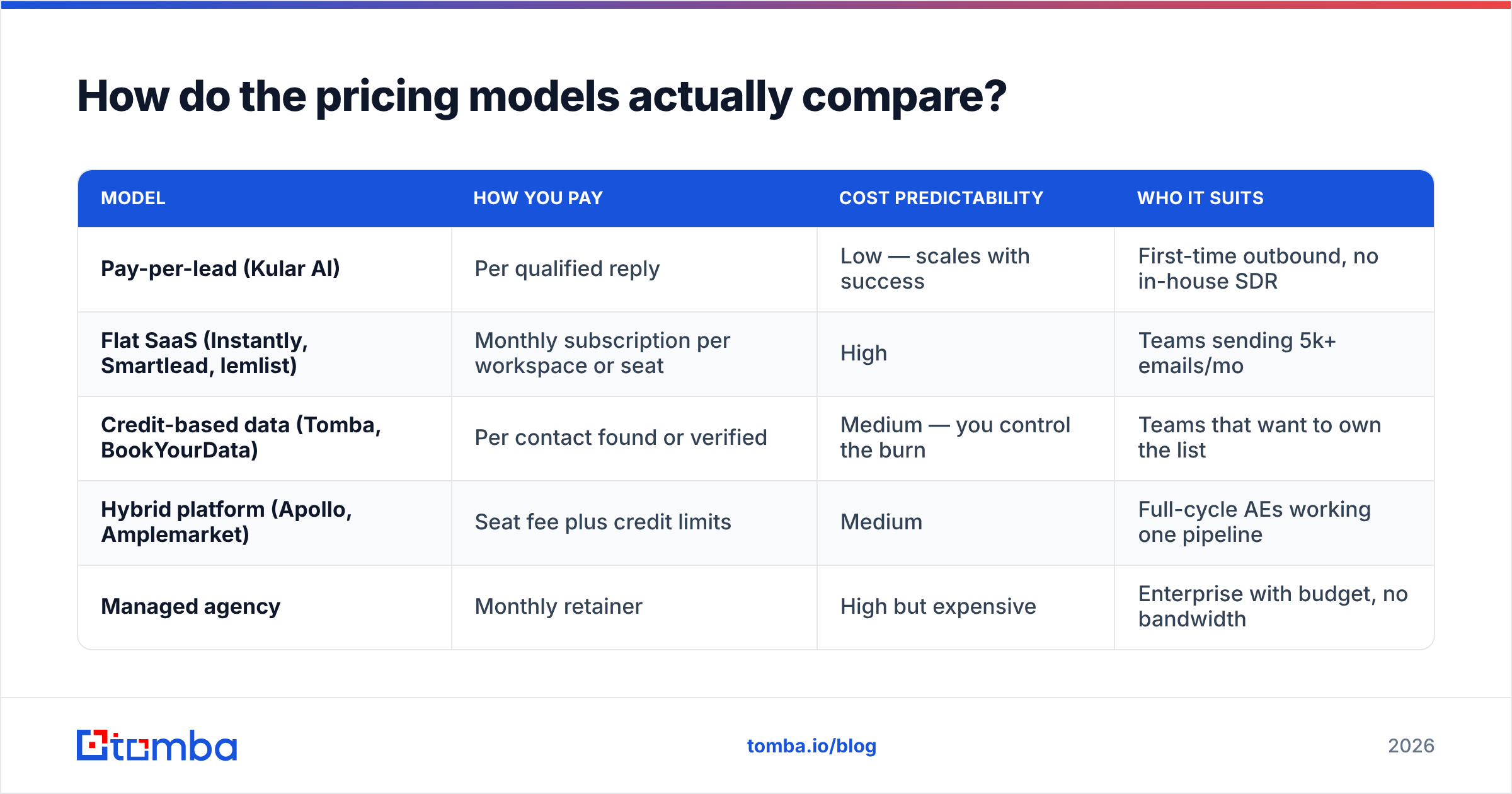
Three models dominate this market, and the differences matter more than the feature lists.
| Model | How you pay | Cost predictability | Who it suits |
|---|---|---|---|
| Pay-per-lead (Kular AI) | Per qualified reply | Low — scales with success | First-time outbound, no in-house SDR |
| Flat SaaS (Instantly, Smartlead, lemlist) | Monthly subscription per workspace or seat | High | Teams sending 5k+ emails/mo |
| Credit-based data (Tomba, BookYourData) | Per contact found or verified | Medium — you control the burn | Teams that want to own the list |
| Hybrid platform (Apollo, Amplemarket) | Seat fee plus credit limits | Medium | Full-cycle AEs working one pipeline |
| Managed agency | Monthly retainer | High but expensive | Enterprise with budget, no bandwidth |
Run a quick sanity check before you sign anything. If a managed service quotes you per qualified lead and you need 40 leads a quarter, compare that total against roughly $150/mo of tooling plus eight hours a week of an SDR's time. In most B2B categories with deal sizes under $30k, the tooling stack wins on a three-month horizon — and you keep the data.
What are the 9 best Kular AI alternatives in 2026?#
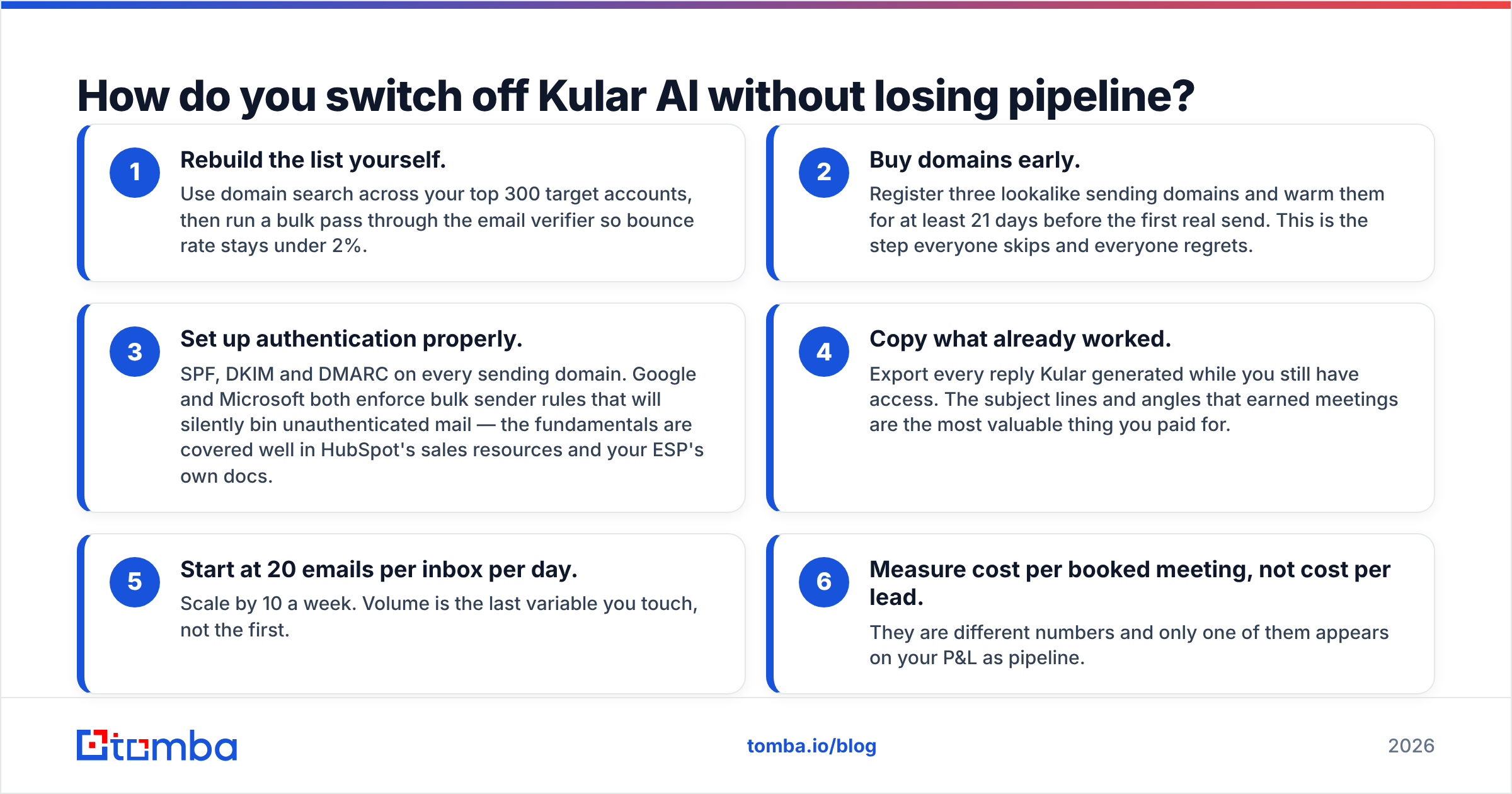
| Tool | Best for | Pricing model | Entry price | You keep the data? |
|---|---|---|---|---|
| Tomba | Verified contact data + API | Credits | Free (25/mo), $49/mo Starter | Yes |
| BookYourData | Prebuilt, filterable B2B lists | Pay-as-you-go credits | Credit packs | Yes |
| Instantly | High-volume sending + inbox rotation | Flat SaaS | ~$37/mo | Yes |
| Smartlead | Deliverability-heavy multi-inbox sending | Flat SaaS | ~$39/mo | Yes |
| Saleshandy | Budget sequencing with built-in leads | Flat SaaS | ~$36/mo | Yes |
| lemlist | Personalisation and multichannel | Flat SaaS | ~$69/mo | Yes |
| Apollo.io | All-in-one database + sequencer | Seat + credits | ~$49/seat/mo | Partially (export limits) |
| Clay | Enrichment waterfalls and AI research | Credit-based | ~$149/mo | Yes |
| Amplemarket | Enterprise AI outbound | Custom | Quote | Yes |
Prices are approximate list prices at the time of writing; check each vendor before you budget.
1. Tomba — best if you want to own the list#
Tomba is the data layer, not the sender. You use the email finder to turn a name and a domain into a verified work address, run domain search to pull every public contact at a target account, and push the results into whichever sequencer you already pay for.
Why it replaces part of Kular: the single hardest thing about DIY outbound is not sending, it is building an accurate list. Once that is solved by an API call, the rest of the stack is commodity. Tomba pricing starts free at 25 searches per month, then $49/mo (Starter), $99/mo (Growth) and $249/mo (Pro). Everything you find is exportable and yours.
Weak spot: Tomba does not send email for you. Pair it with Instantly or Smartlead.
2. BookYourData — best for instant, filterable lists#
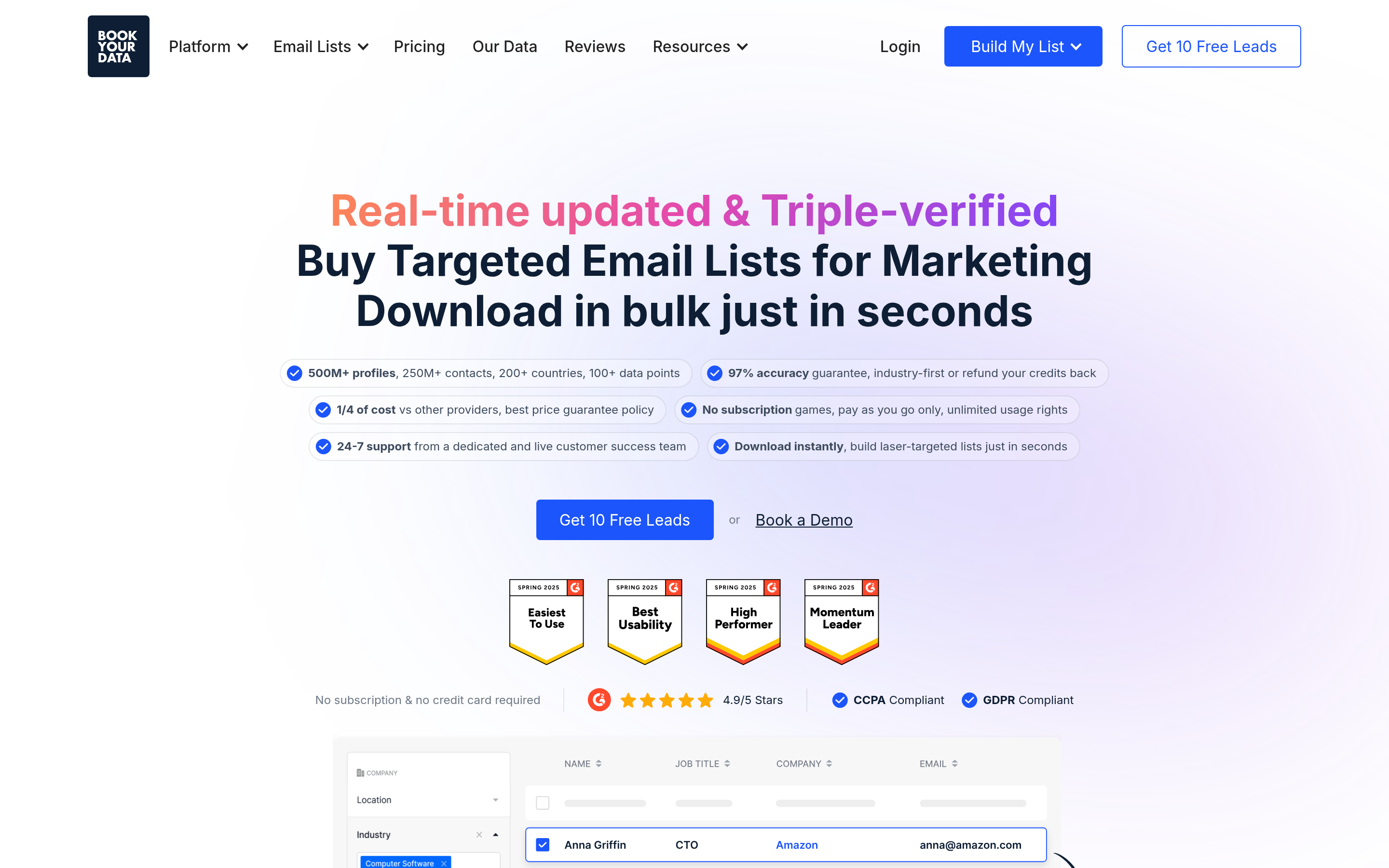
BookYourData is a respected data provider with a large prebuilt B2B contact database and pay-as-you-go credits, so you can filter by industry, title, geography and company size, then buy exactly the slice you need without a subscription. For teams that want a clean starting list on day one — especially in well-defined verticals — it is a genuinely fast route from ICP to CSV, and the pay-as-you-go structure keeps commitment low.
Best used alongside a verification pass before you send, which is standard practice with any bulk list regardless of source.
3. Instantly — best for volume sending#
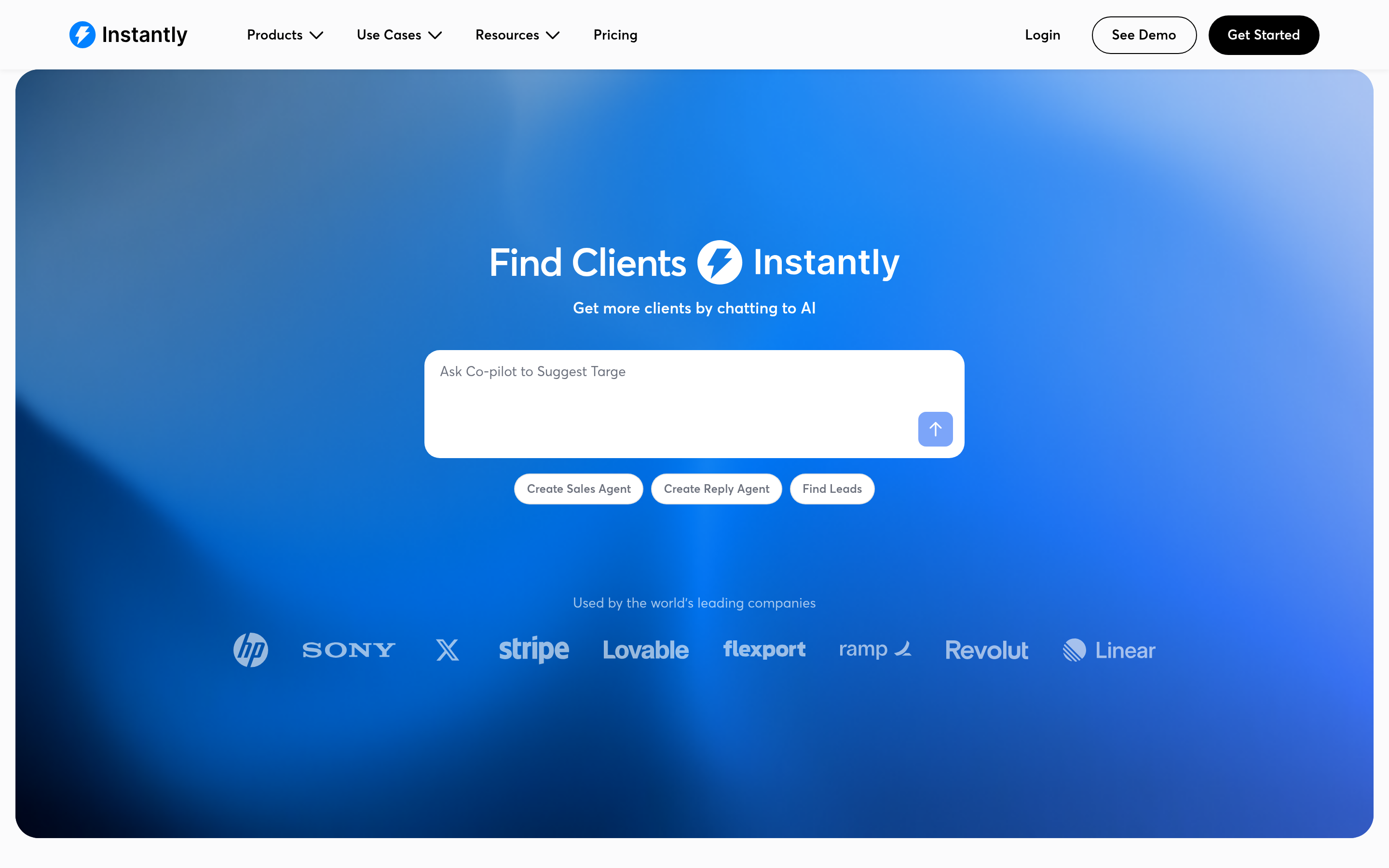
Instantly (instantly.ai) handles unlimited connected inboxes, rotation, warmup and a unified reply inbox. It is the closest thing to "the sending half of Kular" that you can run yourself for under $50/mo. Feed it verified contacts and it will push serious volume without wrecking your domains — provided you warm up properly first.
4. Smartlead — best for deliverability paranoia#
Smartlead's differentiator is infrastructure: per-inbox reputation tracking, automatic rotation, custom sending schedules and sub-account structures for agencies. If your last outbound attempt died in spam, this is the tool that tells you why. Pair it with an SPF and DMARC audit before you scale.
5. Saleshandy — best budget sequencer with data included#
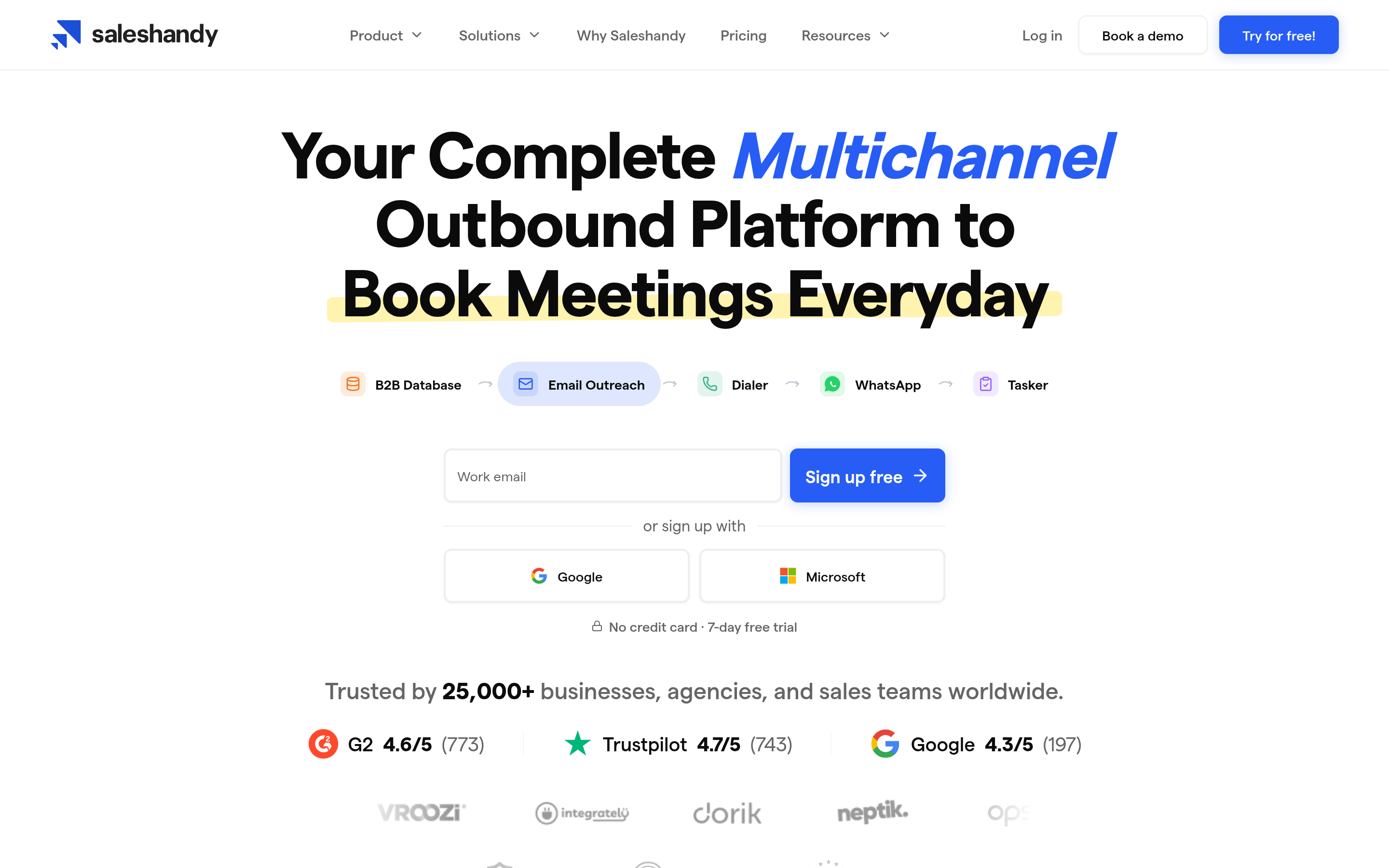
Saleshandy bundles a modest lead database with sequencing, which makes it the cheapest "one tool does both" option on this list. The database is thinner than Apollo's, but for SMB targeting in common verticals it is often enough. See the Saleshandy alternative breakdown if you are comparing sequencers head to head.
6. lemlist — best for personalisation-heavy campaigns#
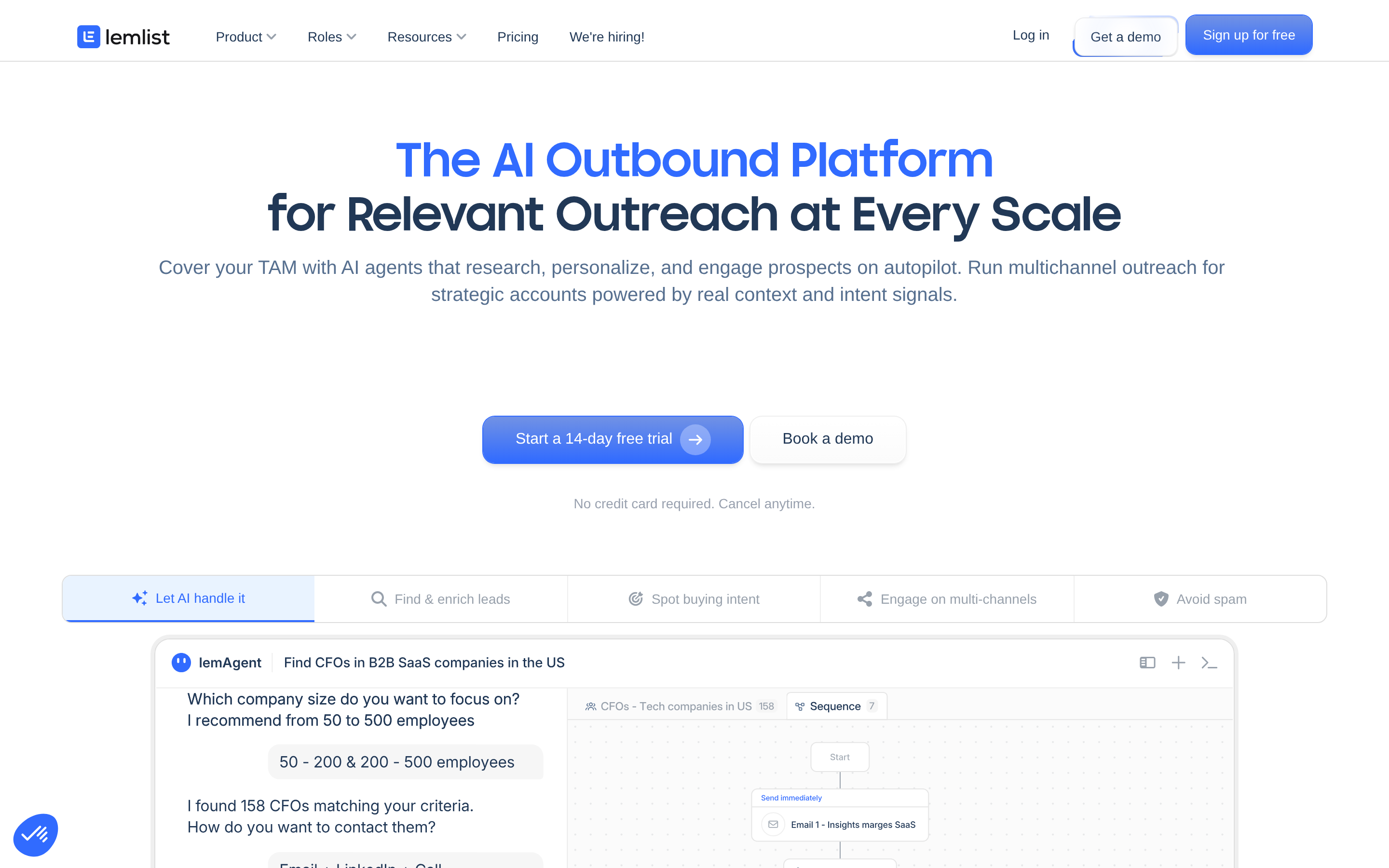
lemlist leans into custom images, dynamic landing pages and LinkedIn steps in the same sequence. It costs more per seat than Instantly or Smartlead, and it is the right call when your list is 300 accounts rather than 30,000 and each touch needs to look hand-made.
7. Apollo.io — best all-in-one for small teams#

Apollo gives you a contact database, sequencer, dialer and basic CRM in one seat. It is the fastest way to go from zero to sending without assembling a stack. The caveats are export limits on lower tiers and data freshness that varies by region — worth reading current reviews on G2 before committing a year. If Apollo's credit ceilings bite, the Apollo alternative comparison covers the swap.
8. Clay — best for research-heavy, low-volume outbound#
Clay orchestrates dozens of data providers in a waterfall and layers AI research on top, so each row in your list can carry a custom research snippet before it hits the sequencer. It is powerful and it is not cheap, and it assumes someone on your team enjoys building tables. For ABM-style motions against 200 named accounts, nothing else comes close.
9. Amplemarket — best enterprise-grade AI outbound#
Amplemarket is the closest philosophical match to Kular: AI-assisted sourcing, writing and sending, sold to larger teams on custom contracts. You get more control than a pure per-lead service and more hand-holding than a self-serve stack, at enterprise pricing. See the Amplemarket alternative page for how it stacks up against lighter tooling.

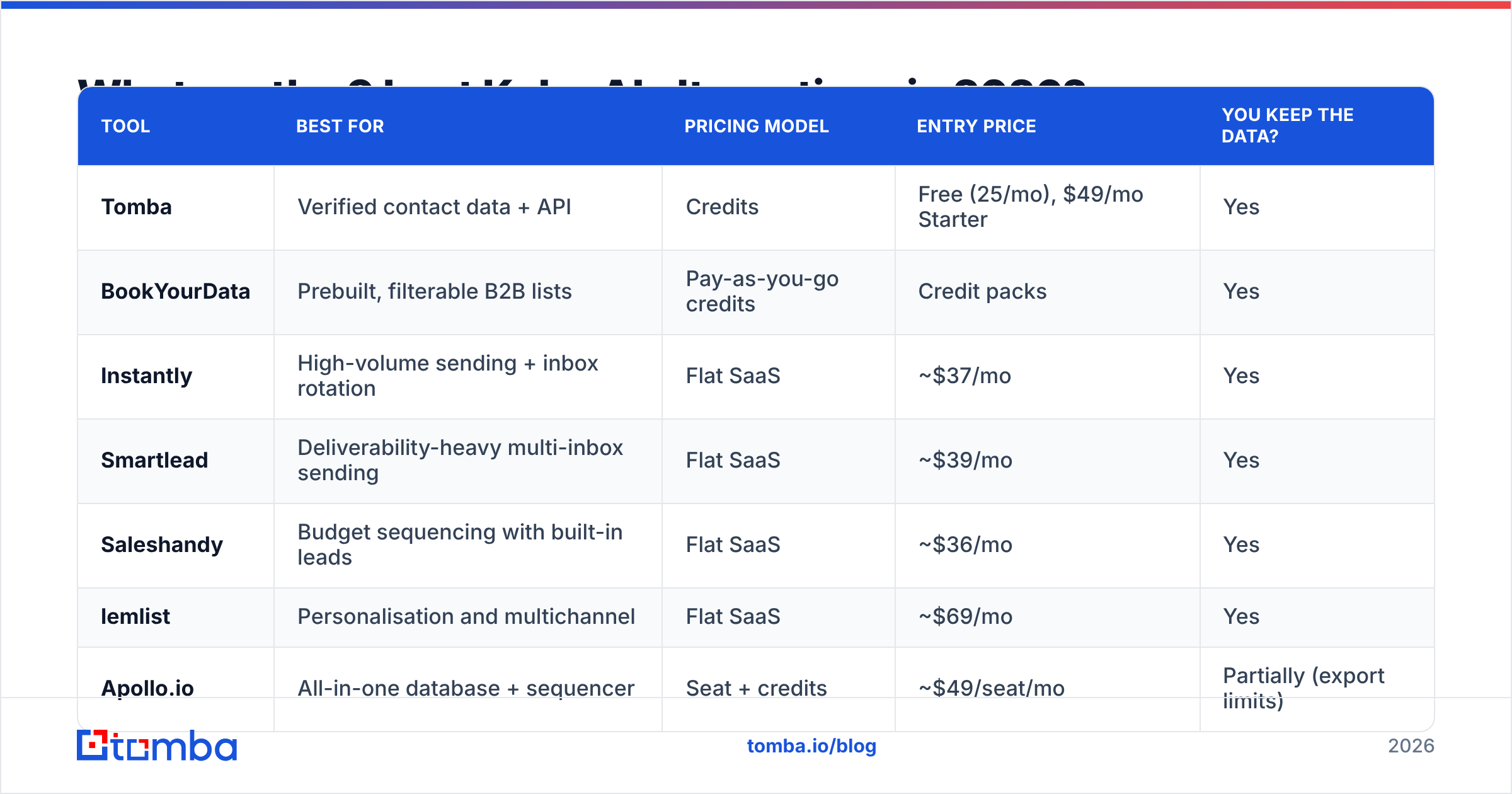
Is pay-per-lead actually cheaper than building your own stack?#
Only in the first quarter, and only at low volume.
Model it honestly. A self-managed stack looks like this:
- Data: $49-$99/mo for a finder and verifier
- Sending: $37-$69/mo for a sequencer with warmup
- Domains and inboxes: $30-$80/mo for three to five secondary domains
- Human time: 6-10 hours a week for list review, copy iteration and reply handling
That is roughly $150-$250/mo in software plus part of one person. If that setup produces 40 qualified conversations a quarter, your software cost per conversation is under $20. No per-lead model competes with that number once the machine is running.
The honest counterpoint: the machine takes six to ten weeks to start running, and the first four weeks produce almost nothing while domains warm. Managed services sell you past that gap. If you need pipeline in 14 days and have no outbound experience, paying the premium is a rational decision — just treat it as a bridge, not a permanent line item.
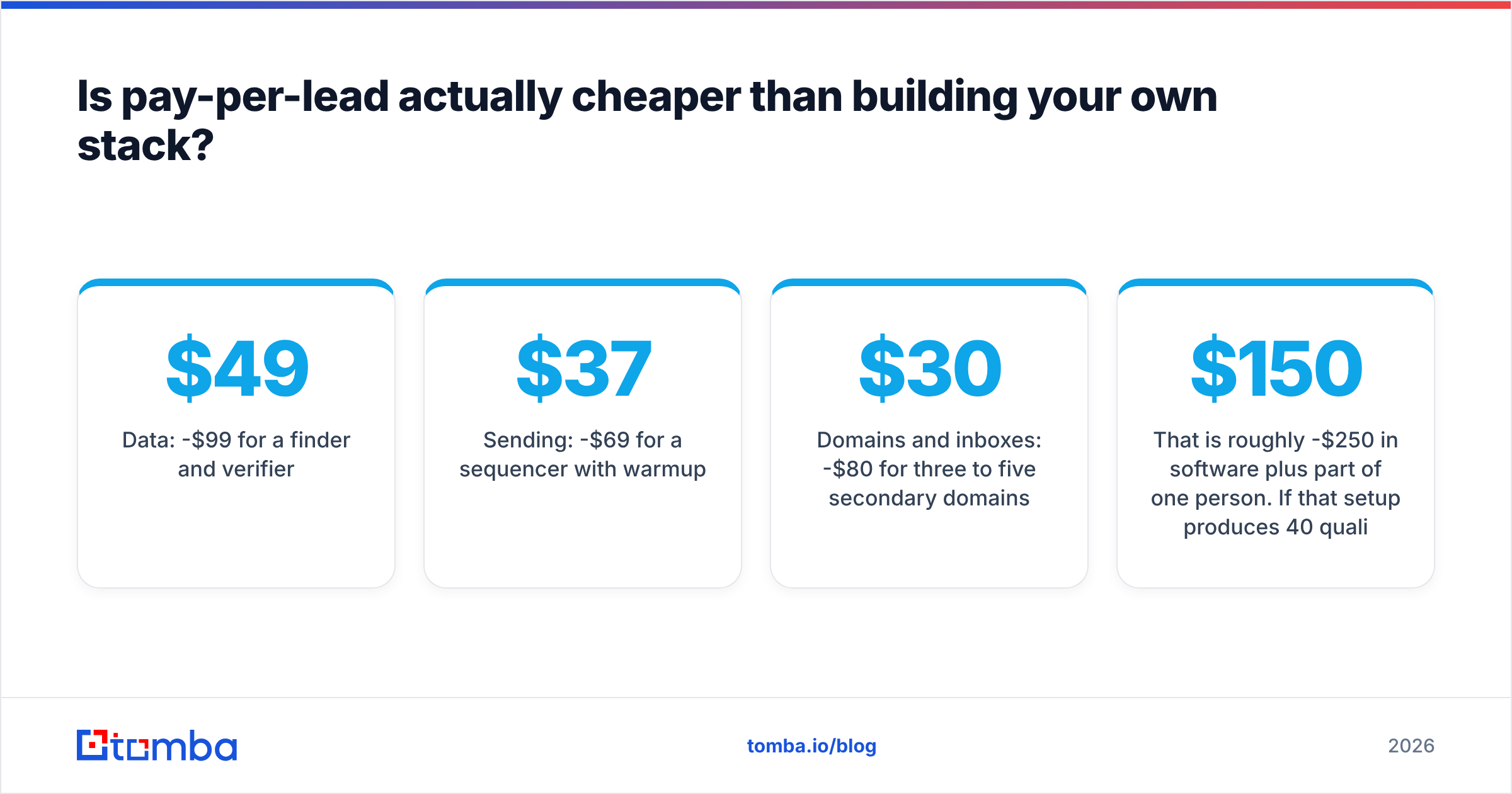
How do you switch off Kular AI without losing pipeline?#
Run both in parallel for one quarter. Do not cancel first.
- Rebuild the list yourself. Use domain search across your top 300 target accounts, then run a bulk pass through the email verifier so bounce rate stays under 2%.
- Buy domains early. Register three lookalike sending domains and warm them for at least 21 days before the first real send. This is the step everyone skips and everyone regrets.
- Set up authentication properly. SPF, DKIM and DMARC on every sending domain. Google and Microsoft both enforce bulk sender rules that will silently bin unauthenticated mail — the fundamentals are covered well in HubSpot's sales resources and your ESP's own docs.
- Copy what already worked. Export every reply Kular generated while you still have access. The subject lines and angles that earned meetings are the most valuable thing you paid for.
- Start at 20 emails per inbox per day. Scale by 10 a week. Volume is the last variable you touch, not the first.
- Measure cost per booked meeting, not cost per lead. They are different numbers and only one of them appears on your P&L as pipeline.
Automate the data half with the Tomba API and the whole list-building step becomes a nightly job instead of a weekly chore.
Which Kular AI alternative should you pick?#
- No outbound experience, need pipeline this month: stay with a managed service or look at Amplemarket. Budget for the premium.
- One founder doing outbound, under $200/mo: Tomba for data plus Instantly or Smartlead for sending.
- Small SDR team, want one login: Apollo.io, with a data top-up when credits run dry.
- ABM against named accounts: Clay for research plus lemlist for personalised delivery.
- Need a clean prebuilt list today: BookYourData, verified before first send.
- High-volume, deliverability-first: Smartlead plus a verified list and disciplined warmup.
The pattern across every option that works long term: the data is yours, the domains are yours, and the copy is yours. Anything you rent, you lose.
Start with the data layer#
Outbound built on bad addresses fails no matter which sequencer sits on top of it — bounces wreck reputation, reputation wrecks deliverability, and deliverability wrecks the whole quarter. Fix that first.
Run your next 50 target accounts through Tomba Email Finder on the free tier (25 searches a month, no card), check the bounce rate against whatever list you are using now, and scale to Starter at $49/mo when the numbers convince you. Own the list, then decide who sends it.
Related guides#
// get started
Find, verify and enrich your first contacts today
Start on the free plan with 25 searches a month, then scale when your team is ready.
Free plan · No credit card required · GDPR & CCPA
// about the author