Lead Generation Software Comparison: 9 Tools Tested in 2026
Most lead gen tools look identical on a pricing page and behave nothing alike in production. Here is a category-by-category comparison of 9 platforms, with the cost, data, and bounce-rate questions vendors hope you skip.
TL;DR
- "Lead generation software" is five different product categories wearing the same label. Comparing a data provider to a sequencer is how teams end up paying twice for the same job.
- Entry pricing ranges from $0 to roughly $15,000/year. The spread is driven by seat licensing and contract length far more than by data quality.
- Nobody's published accuracy number is auditable. Run the same 200-contact list through every finalist and count real bounces — that is the only comparison that survives contact with your inbox.
- For most teams under 20 reps, a focused data tool plus a sequencer beats an all-in-one suite on both cost and deliverability.
- Budget for the hidden line items: seat minimums, credit rollover rules, export caps, annual-only terms, and re-verification of data you already bought.
What counts as lead generation software in 2026?#
The phrase covers any tool that moves a stranger closer to a booked meeting. That is too wide to shop for. Before you run any lead generation software comparison, split the market into the five jobs these products actually do — because a tool that is excellent at one is usually mediocre at the next.
- Contact data providers — find and verify the email address, phone number, and firmographics for a named person or domain. Examples: Tomba, BookYourData, Apollo's database layer, ZoomInfo.
- List-building and enrichment engines — take a rough ICP or a messy CRM export and turn it into an enriched, deduplicated, routable list. Examples: Clay, Tomba enrichment, Clearbit-style APIs.
- Outbound execution platforms — sequencing, inbox rotation, warmup, reply detection. Examples: Instantly, Smartlead, Outreach, Salesloft.
- Inbound capture and visitor identification — forms, chat, and reverse-IP reveal that turn existing traffic into named accounts. Examples: HubSpot, Albacross, visitor reveal tools.
- Intent and signal layers — third-party intent, job-change alerts, technographics that tell you when to reach out. Examples: 6sense, Demandbase, Vainu.
Most teams need two or three of these, not all five. The expensive mistake is buying a platform that bundles all five at an enterprise price and then using it for one.

How do the main lead generation platforms compare on price and data?#
Here is the comparison that matters at the shortlist stage. Prices are publicly listed entry tiers at the time of writing — always re-check the vendor's own pricing page before you build a business case, because this category re-prices constantly.
| Tool | Primary category | Entry price | Free tier | Pricing model | Best for |
|---|---|---|---|---|---|
| Tomba | Contact data + verification | $49/mo (Starter) | 25 searches/mo | Credit-based, no seat minimum | Teams that want finding and verifying in one tool |
| BookYourData | Prebuilt B2B contact lists | Pay-as-you-go credit packs | Sample credits | Buy credits, no subscription lock-in | Buyers who want list ownership without a yearly contract |
| Apollo | All-in-one data + sequencing | ~$49–$99 per user/mo | Limited free plan | Per seat, credits per seat | Small teams wanting one login for data and email |
| ZoomInfo | Enterprise data + intent | Custom, commonly five figures/yr | No | Annual contract, seat minimums | Enterprise RevOps with procurement budget |
| Clay | Enrichment + waterfall | ~$149/mo at Starter | Free plan with limited credits | Credit-based, provider costs stack | Ops-heavy teams building custom enrichment flows |
| Instantly | Sending + warmup | ~$37–$97/mo | Trial only | Per mailbox/contact volume | High-volume cold email senders |
| Hunter | Domain-based email finding | ~$34/mo entry | 25–50 searches/mo | Credit-based | Solo founders doing light prospecting |
| HubSpot | Inbound capture + CRM | Free CRM, paid tiers scale fast | Yes | Per seat + contact tiers | Inbound-led teams that need the CRM anyway |
| 6sense | Intent and account signals | Custom, enterprise | No | Annual platform fee | ABM programs with a defined target account list |
Two things jump out of that grid.
First, category confusion inflates spend. Apollo, ZoomInfo, and HubSpot all appear on shortlists next to Tomba and Hunter, but only the first three charge per seat. If you have eight people who occasionally need an email address, seat-based pricing multiplies a $49 problem into a $400 one. Credit-based tools like Tomba and BookYourData let one workflow serve the whole team.
Second, the free tier tells you how confident a vendor is. A meaningful free allowance — Tomba's 25 searches a month, Hunter's similar band, Clay's starter credits — means the vendor expects the output to sell itself. Vendors with no trial at all are usually selling a contract, not a product.
How do you compare data accuracy without trusting vendor claims?#
Assume every accuracy number on every marketing site is measured differently, and treat them as unusable for comparison. A vendor that excludes catch-all domains from its denominator will always beat one that includes them, regardless of real-world performance.
Run your own test instead. It takes an afternoon.
- Build a control list of 200 contacts from your actual ICP — not a list of Fortune 500 CMOs every provider has covered, and not a list of one-person consultancies nobody has. Mix company sizes and at least three countries.
- Give every finalist the same input: full name plus company domain. Do not let one vendor work from LinkedIn URLs and another from names only.
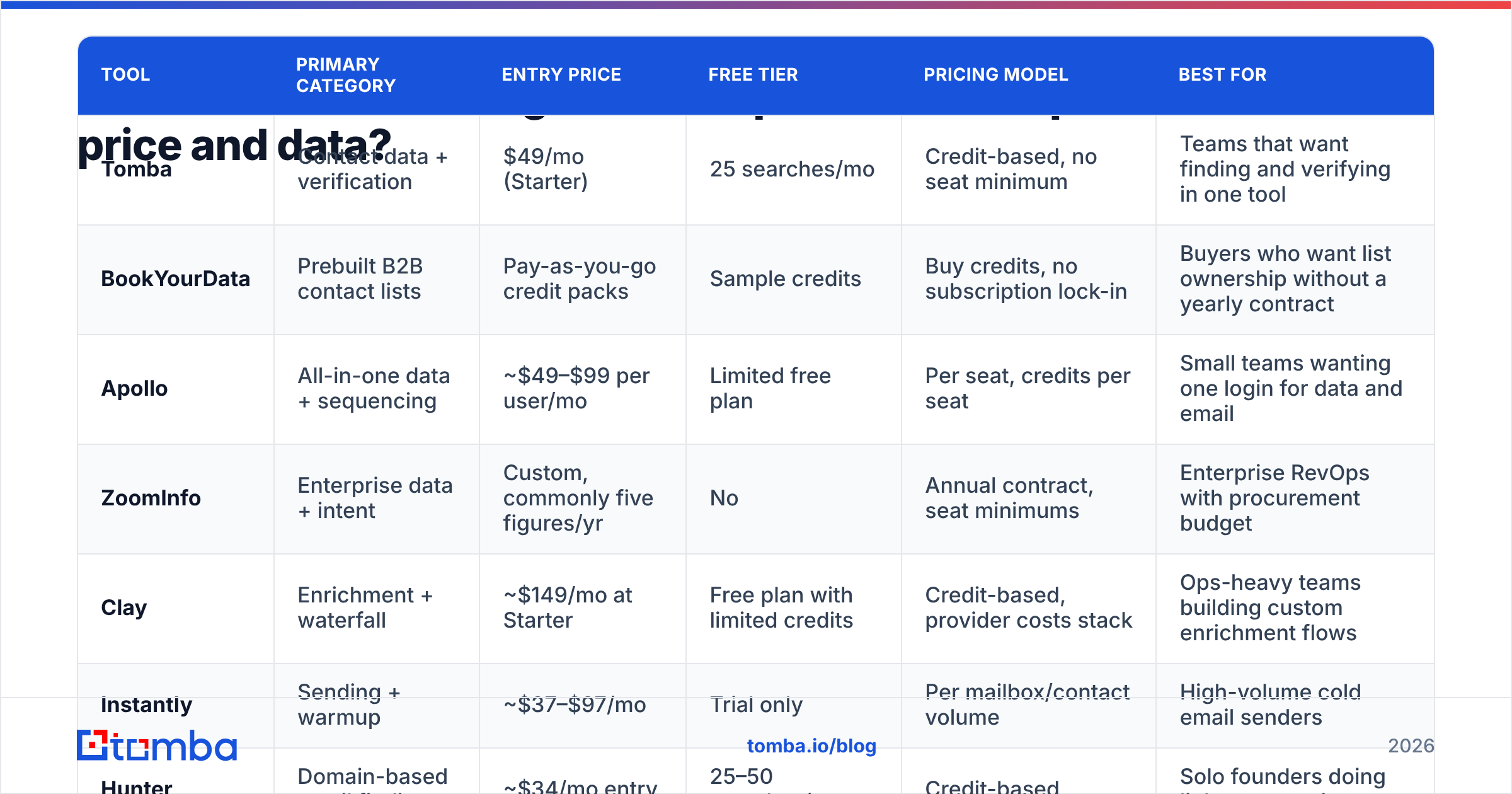
- Record coverage first — what percentage came back with any address at all. This is where cheap providers collapse; they return 30% and claim 99% accuracy on the 30%.
- Verify all results through one neutral checker, not each vendor's own verifier. Run everything through a single email verifier so the grading is consistent.
- Send a real, low-volume campaign to the survivors from a throwaway domain and count hard bounces after 72 hours.
- Score cost per usable contact, not cost per credit. A tool at $0.02 a credit with 40% coverage is more expensive than one at $0.05 a credit with 85%.
The number that comes out of step 6 is the only figure worth putting in front of a budget holder. It also reframes the whole lead generation software comparison: you stop arguing about subscription prices and start arguing about unit economics, which is a much shorter conversation.
Pay particular attention to catch-all domains. A large slice of mid-market B2B sits behind mail servers that accept everything, so a pass/fail verifier is useless there. Tools with dedicated catch-all verification give you a risk score instead of a coin flip, and that difference shows up directly in your bounce rate.

Is an all-in-one platform better than a stack of point tools?#
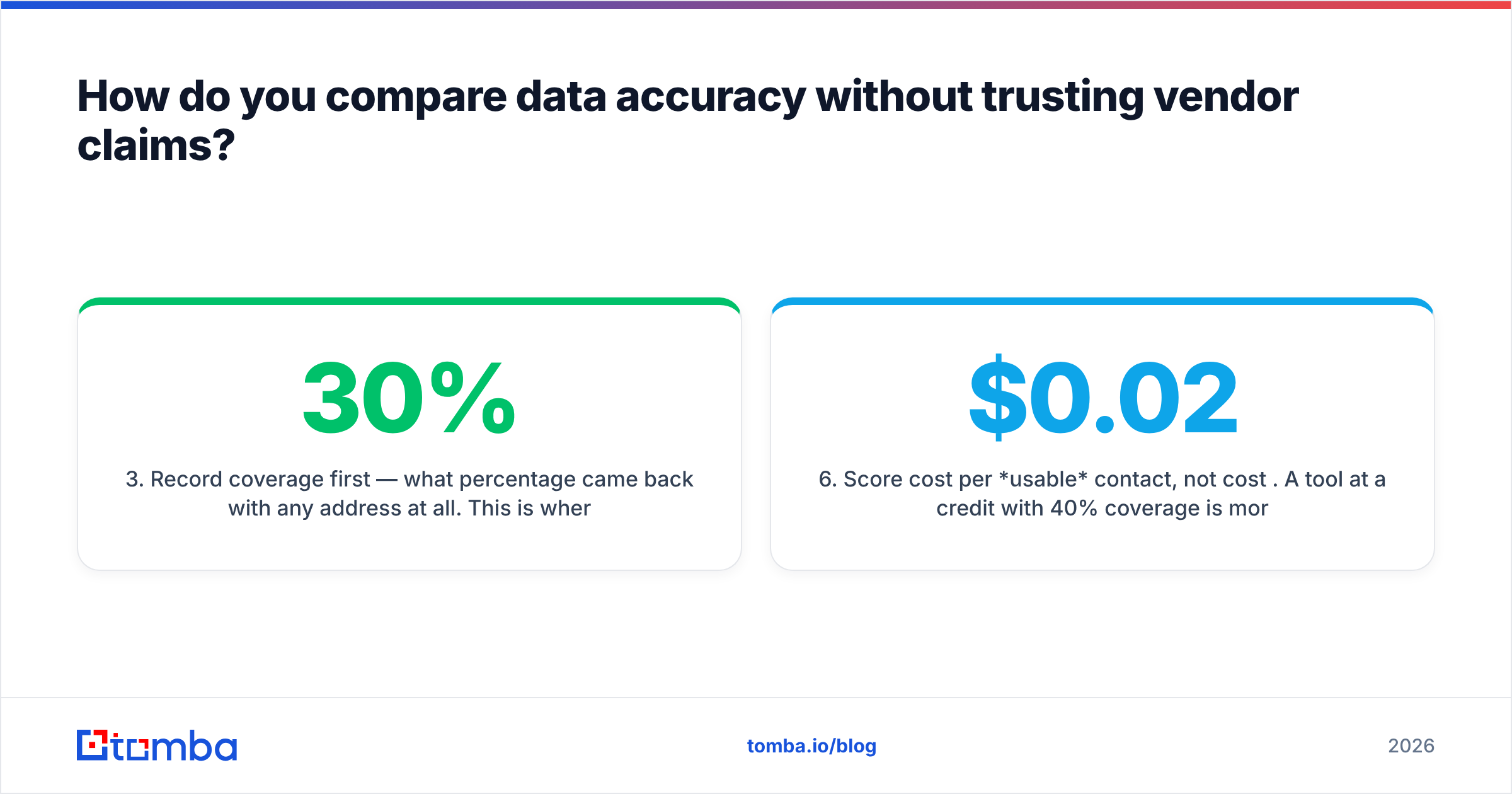
The honest answer depends almost entirely on headcount, and the tipping point is lower than vendors suggest.
| Factor | All-in-one suite | Point-tool stack |
|---|---|---|
| Time to first campaign | Days — one login, one onboarding | 1–2 weeks — you wire the pieces yourself |
| Cost at 3 reps | Often higher (seat pricing) | Usually lower ($49–$150/mo total) |
| Cost at 30 reps | Competitive, volume discounts | Can fragment across 4+ invoices |
| Data quality control | Take what the platform gives you | Swap the weak provider without re-platforming |
| Deliverability control | Shared infrastructure, less tuning | Full control of domains, warmup, throttling |
| Switching cost | High — data, sequences, and reporting all locked in | Low per component |
| Reporting | Unified out of the box | Needs a CRM or BI layer to unify |
Under roughly 15 reps, the stack usually wins. You keep the ability to fire one underperforming component without renegotiating a whole contract, and you avoid paying seat fees for people who touch the tool twice a month. Above 30 reps, the coordination overhead of five invoices and five admin panels starts to cost more than the licensing delta, and unified reporting becomes a genuine requirement rather than a nice-to-have.
The middle band — 15 to 30 — is where most bad decisions get made. The usual failure mode is buying the suite for the reporting and then discovering the bundled data layer is the weakest component, so you buy a dedicated data tool anyway and pay twice. If that is your situation, buy the data layer first and the suite second; data quality constrains everything downstream, and no sequencer rescues a bad list.
What hidden costs should you check before signing?#
The sticker price is rarely the real price. Before any contract goes to legal, get written answers to these:
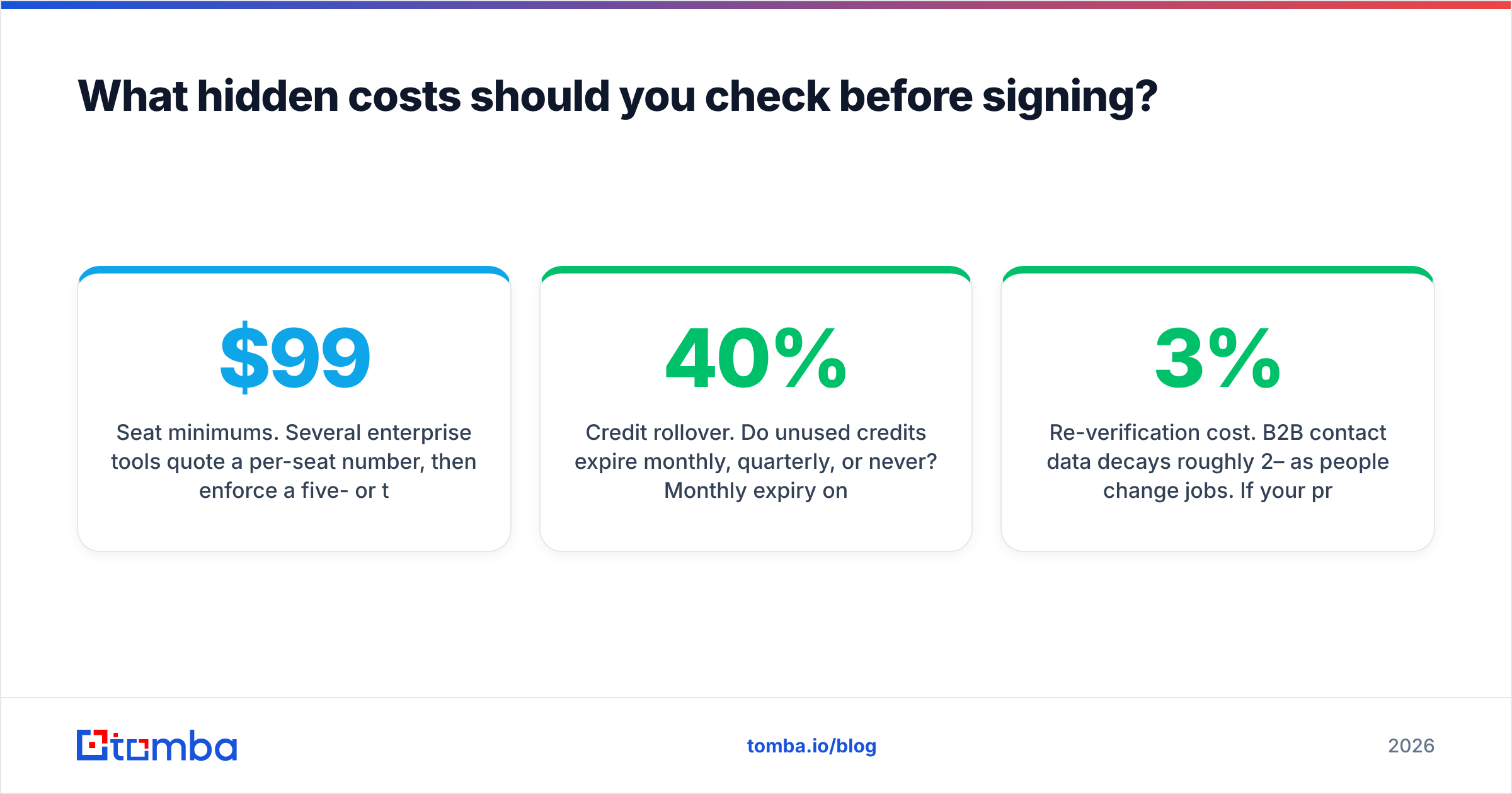
- Seat minimums. Several enterprise tools quote a per-seat number, then enforce a five- or ten-seat floor. Your $99/user platform is a $990 platform.
- Credit rollover. Do unused credits expire monthly, quarterly, or never? Monthly expiry on a seasonal business is a straight 30–40% effective price increase.
- Export limits. Some platforms cap how many records you can export per month regardless of credits — they want the data used inside their sequencer. Check that your bulk email finder workflow or CSV export is actually unrestricted.
- API access tier. API keys are frequently gated to the second or third tier. If you plan to enrich inside your CRM or a workflow tool, confirm the tier and rate limits before you price the build.
- Annual-only terms. Monthly billing is disappearing from the enterprise end of this market. A 12-month commitment on unproven data is the single largest avoidable risk here.
- Re-verification cost. B2B contact data decays roughly 2–3% per month as people change jobs. If your provider charges full credits to re-verify a record you already bought, factor that into year-two cost.
- Compliance scope. GDPR and CCPA posture varies by provider, particularly for European personal data and mobile numbers. Ask where the data originates and what the opt-out process is.
Vendors answer all of these honestly when asked in writing. The problem is that almost nobody asks before the demo ends.
Which lead generation software fits which team?#
Matching the tool to the motion, rather than to the feature list, gets you to a decision fastest:
- Solo founder or two-person team. Start with a credit-based data tool on a free or entry tier plus a low-cost sender. Under $100/month total. Avoid anything with per-seat pricing or an annual term.
- Agency running campaigns for multiple clients. You need clean separation and predictable unit costs. Credit-based data plus your own sending infrastructure, with a domain search workflow to map each client's target accounts quickly.
- SMB sales team, 5–20 reps. One shared data source, one sequencer, one CRM. Resist the suite until reporting genuinely hurts. Compare Tomba pricing against per-seat platforms at your actual headcount — the gap is usually larger than expected.
- Mid-market with a RevOps function. This is where enrichment engines earn their keep. Waterfall across two or three data providers, route by score, and keep the CRM as the source of truth.
- Enterprise ABM. Intent and account signals justify their price only when you have a fixed target account list and the headcount to work it. If your target list is still being debated, intent data is premature.
- Inbound-heavy business. Visitor identification and form capture outrank outbound data. You already have the traffic; identify it before you buy more strangers.
A practical note on vendor research: read the negative reviews on G2's sales intelligence category rather than the positive ones, and filter by company size that matches yours. Complaints cluster by segment — enterprise buyers complain about support, SMB buyers complain about pricing changes, and those are genuinely different products.
How should you run a 14-day bake-off?#
Pick three finalists, no more. Four or more and the evaluation drags past the point where anyone remembers the criteria.
Days 1–2: define the control list and the success metric (cost per usable, verified contact). Write it down before you see any results, so you cannot rationalize afterwards.
Days 3–7: run the same list through all three. Log coverage, verification pass rate, and time spent per 100 contacts, including manual cleanup. That last metric is underrated — a tool that returns 90% coverage but needs 20 minutes of deduplication per batch is not cheaper than one at 80% that returns clean rows.
Days 8–11: send a 150-contact campaign per provider from separate subdomains. Identical copy, identical send windows. Measure hard bounces, spam complaints, and reply rate.
Days 12–14: run the numbers, check the hidden-cost list against each contract, and negotiate. Providers discount hardest when you can name the competitor and the metric you measured. Vendors including Apollo and BookYourData publish enough pricing detail publicly that you can walk into that conversation with real figures rather than guesses.
Document the result even if you renew with your incumbent. The comparison you build here is reusable every year, and this market changes fast enough that an annual re-run is justified.
The short version#
Stop comparing lead generation platforms as if they are interchangeable. Split them by job, shortlist two or three per job, and let a 200-contact bake-off decide rather than a feature matrix. Cost per usable contact, bounce rate, and contract flexibility are the three numbers that predict whether you will still be happy in month nine.
If the job you are solving is contact data — finding the right address and knowing it will land — start with the Tomba Email Finder. The free tier gives you 25 searches a month to run your own accuracy test before you spend anything, Starter is $49/mo with credits shared across your whole team rather than metered per seat, and verification is built in instead of sold as a second subscription. Run your control list through it alongside whichever platform you are currently paying for, and compare the only number that matters.
Related guides#
// get started
Find, verify and enrich your first contacts today
Start on the free plan with 25 searches a month, then scale when your team is ready.
Free plan · No credit card required · GDPR & CCPA
// about the author