Lead Segmentation: 7 Models, Real Examples, and a 2026 Playbook
Sending the same message to every lead wastes most of your list. Here are the 7 lead segmentation models B2B teams use in 2026, the data each one needs, and how to build segments that stay accurate.
TL;DR
- Lead segmentation means splitting your leads into groups that share traits that matter, like company size, role, intent, or buying stage, so each group gets a message and a follow-up cadence built for it.
- The seven models that work in B2B are firmographic, technographic, role/persona, behavioral, intent, lifecycle stage, and fit-by-engagement (a two-axis matrix). Most teams need three of them layered together, not all seven.
- A segment is only as good as the fields behind it. Missing job titles, stale company sizes, and unverified emails cause more segmentation failures than bad strategy does.
- Begin with 4 to 6 segments you can actually act on. Twenty micro-segments that nobody writes copy for are worse than none.
- Re-check segment membership every quarter. People change jobs, companies grow, and a segment you built in January can be wrong by June.
What is lead segmentation?#
Lead segmentation is the practice of dividing your lead database into smaller groups according to shared attributes, then treating each group differently in messaging, channel, priority, and sales ownership.
It borrows from classic market segmentation, but it works at a finer grain. Market segmentation asks "which markets should we serve?" Lead segmentation asks "of the 14,000 contacts in our CRM, which 600 should hear about our SOC 2 integration this week, and who should call them?"
In practice, a segment is a saved filter in your CRM or sequencing tool with three parts:
- A membership rule (for example: employees 50–500, industry = SaaS, title contains "RevOps" or "Sales Ops")
- A treatment (a specific sequence, offer, or rep assignment)
- A success metric (reply rate, meeting rate, or pipeline created per segment)
Without the treatment and the metric, you have a list, not a segment. A lot of teams stop at the list.
Why does lead segmentation matter so much for B2B?#
Relevance is the thing that actually moves outbound results, and segmentation is how you get relevance at scale.
A VP of Finance at a 2,000-person manufacturer and a founder of a 12-person agency won't respond to the same email. They have different pains, different budget processes, and different amounts of patience for a cold pitch. If both get one generic sequence, you get the worst of both: the message is too vague for either of them, and your email response rate drops for everyone.
Segmentation fixes three problems at once:
- Message fit. Each segment gets pain points, proof points, and case studies that match its world.
- Resource allocation. Your best reps spend their time on high-fit, high-intent accounts and automation handles the long tail.
- Measurement. A campaign-wide 2% reply rate might really be 6% in one segment and 0.5% in another. You can't see that without segments, so you can't fix it.
Deliverability improves too. Relevant emails get fewer spam complaints and more replies, and mailbox providers read both as positive signals.

What are the 7 main lead segmentation models?#
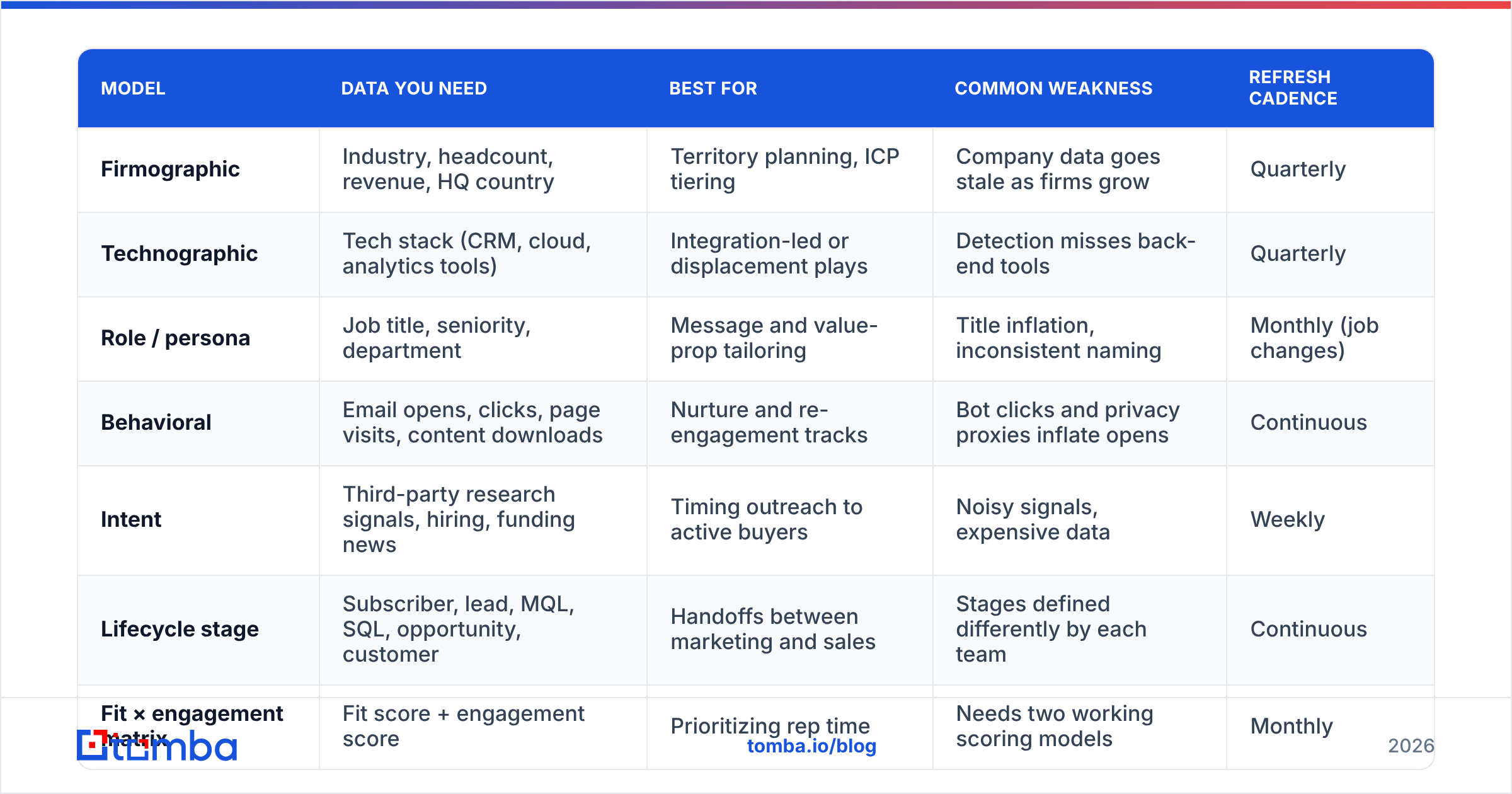
Most B2B segmentation schemes combine the seven models below. The table shows what data each needs, where it works best, and where it tends to break.
| Model | Data you need | Best for | Common weakness | Refresh cadence |
|---|---|---|---|---|
| Firmographic | Industry, headcount, revenue, HQ country | Territory planning, ICP tiering | Company data goes stale as firms grow | Quarterly |
| Technographic | Tech stack (CRM, cloud, analytics tools) | Integration-led or displacement plays | Detection misses back-end tools | Quarterly |
| Role / persona | Job title, seniority, department | Message and value-prop tailoring | Title inflation, inconsistent naming | Monthly (job changes) |
| Behavioral | Email opens, clicks, page visits, content downloads | Nurture and re-engagement tracks | Bot clicks and privacy proxies inflate opens | Continuous |
| Intent | Third-party research signals, hiring, funding news | Timing outreach to active buyers | Noisy signals, expensive data | Weekly |
| Lifecycle stage | Subscriber, lead, MQL, SQL, opportunity, customer | Handoffs between marketing and sales | Stages defined differently by each team | Continuous |
| Fit × engagement matrix | Fit score + engagement score | Prioritizing rep time | Needs two working scoring models | Monthly |
Here's each one in more detail.
Firmographic segmentation#
This is the base layer. You group by industry, employee count, revenue band, and geography. Nearly every B2B team starts here because the data is easy to get and it links directly to pricing and sales capacity: SMB goes to self-serve or inside sales, mid-market to AEs, enterprise to named-account teams.
The risk is that the data decays. A startup that had 40 employees when it entered your CRM might have 180 now. Re-enrich regularly or your SMB sequence will end up going to companies that now need a mid-market conversation.
Technographic segmentation#
Here you group by the tools a company runs. If your product integrates with Salesforce, "companies on Salesforce" is a segment with a built-in reason to reach out. If you're displacing a competitor, "companies using Competitor X" becomes your conquest list.
Technographic data comes from website tag detection, job postings that mention tools, and third-party providers. It's good for front-end and marketing tools and weaker for back-end infrastructure.
Role and persona segmentation#
The same company contains several buyers. The economic buyer (CFO, VP Sales), the technical evaluator (RevOps manager, IT lead), and the end user (SDR) all care about different things. Persona segmentation lets you send the CFO the ROI angle and the RevOps manager the "it syncs with HubSpot in 10 minutes" angle.
This model depends on clean titles. "Head of Growth" can mean marketing, sales, or product depending on the company. Normalize titles into a controlled list of seniority levels and departments before you segment on them.
Behavioral segmentation#
Here you segment by what leads do: opened three emails, visited the pricing page twice, downloaded the integration guide, attended a webinar. Behavior is a strong signal for nurture tracks and re-engagement.
In 2026 you need to be careful with opens. Apple Mail Privacy Protection and corporate security scanners generate phantom opens and clicks, so weight replies, page visits, and form fills more heavily than opens.
Intent segmentation#
Intent data tries to catch accounts that are actively researching your category, through topic consumption on publisher networks, review-site activity, hiring for relevant roles, or funding events. The payoff is timing: you reach buyers while they're in a buying window.
Intent is the most expensive and the noisiest model. Use it to prioritize inside a segment that already fits your ICP. Don't use it to define segments by itself.
Lifecycle stage segmentation#
Lifecycle segmentation places each lead at a stage of the funnel, such as subscriber, lead, marketing qualified lead, sales qualified lead, opportunity, or customer. Its main job is handoffs. When a lead crosses from MQL to SQL, ownership moves and the treatment changes.
Most CRMs support this natively. HubSpot's CRM, for example, ships with a default lifecycle stage property. The failure mode is organizational, not technical: marketing and sales each define "qualified" their own way. Write the definitions down and get both teams to sign off.
Fit × engagement matrix#
This model combines two scores into a 2×2 grid:
- High fit, high engagement: route to a rep today
- High fit, low engagement: targeted outbound, account-based plays
- Low fit, high engagement: nurture or self-serve; don't burn rep time
- Low fit, low engagement: suppress or leave in a low-cost newsletter track
It's the most useful model for prioritization, but only if both scores are built on accurate data. It's often the second or third model a team adds, after firmographic and persona segmentation are working.
How do you build a lead segmentation strategy step by step?#
The process below works for a five-person startup and for a 50-rep sales floor. The only thing that changes is how many segments you can support.
- Define your ICP from closed-won data. Pull your last 50 to 100 won deals and look for patterns in industry, headcount, tech stack, and the title of the champion. Segments should start from what actually converted, not from what the pitch deck says.
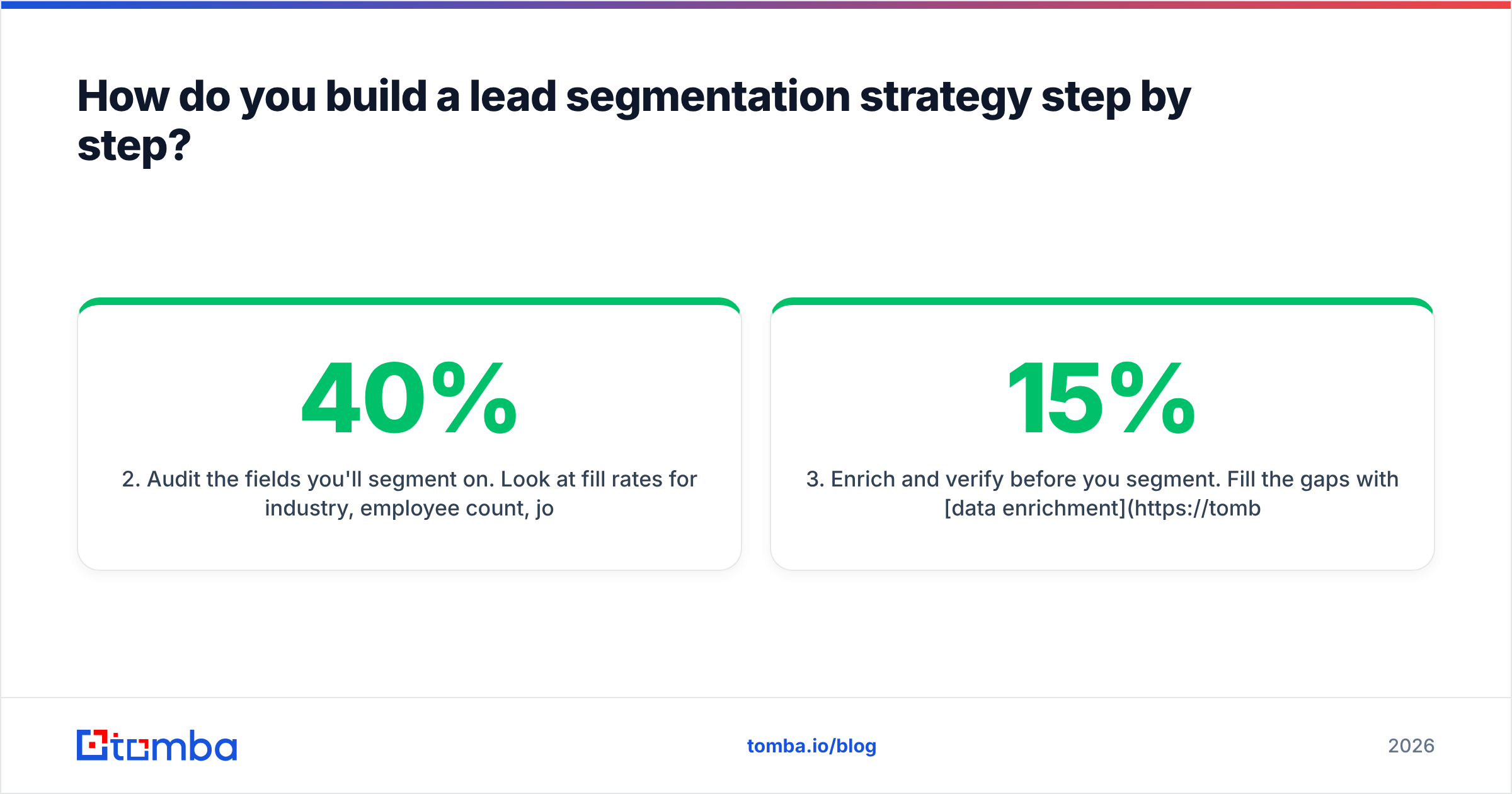
- Audit the fields you'll segment on. Look at fill rates for industry, employee count, job title, seniority, and a verified email. If job title is blank on 40% of records, a persona model will quietly drop 40% of your leads into "Other."
- Enrich and verify before you segment. Fill the gaps with data enrichment and run every address through an email verifier. A perfectly targeted segment still hurts you if 15% of it bounces.
- Choose 4 to 6 actionable segments. Layer two or three models (for example, firmographic tier × persona). Each segment needs to be big enough to learn from and distinct enough to deserve its own copy.
- Build a treatment per segment. Write a separate sequence, offer, and proof point for each one, and assign an owner. If two segments would get the same email, merge them.
- Measure and re-cut every quarter. Track reply rate, meeting rate, and pipeline per segment. Kill segments that underperform, split the ones that outperform, and re-enrich membership so people who changed jobs or companies that grew move to the right bucket.
What data do you need for accurate lead segmentation?#
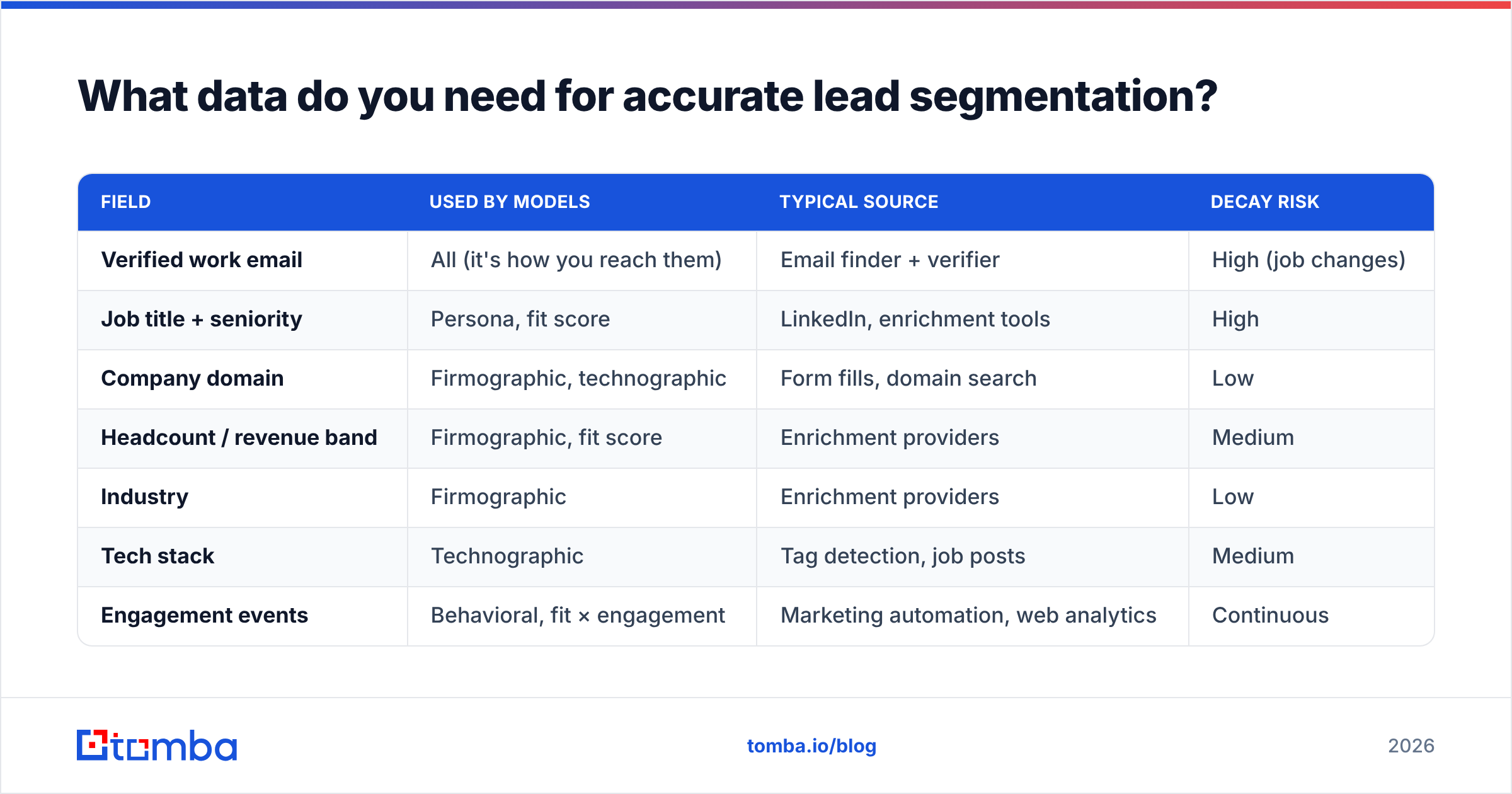
Every segmentation model rests on a few core fields. Here's the minimum viable data layer and where each field usually comes from.
| Field | Used by models | Typical source | Decay risk |
|---|---|---|---|
| Verified work email | All (it's how you reach them) | Email finder + verifier | High (job changes) |
| Job title + seniority | Persona, fit score | LinkedIn, enrichment tools | High |
| Company domain | Firmographic, technographic | Form fills, domain search | Low |
| Headcount / revenue band | Firmographic, fit score | Enrichment providers | Medium |
| Industry | Firmographic | Enrichment providers | Low |
| Tech stack | Technographic | Tag detection, job posts | Medium |
| Engagement events | Behavioral, fit × engagement | Marketing automation, web analytics | Continuous |
Two points stand out.
First, the company domain is the anchor key. With a clean domain you can pull firmographics, technographics, and contact lists for that company. A domain search turns one domain into the full set of reachable contacts at the account, which is how account-based segments get filled in.
Second, contact-level fields decay fastest. B2B contact data goes out of date quickly because people change roles, get promoted, and leave. Firmographic data changes more slowly. That's why the persona segment usually breaks first and why re-verification belongs on a schedule rather than being a one-time cleanup.
Where does this data live? Usually in your CRM: Salesforce, HubSpot, or Pipedrive. Enrichment and verification tools write into it. Keep a single source of truth. If segments are defined in the CRM but your sequencing tool has its own copy of the data, the two will drift apart within weeks.
What are common lead segmentation mistakes?#
Most segmentation failures follow a handful of patterns.
Too many segments. A team builds 24 micro-segments and then writes copy for four of them. The other 20 end up getting the default sequence anyway. Only create segments you'll actually treat differently.
Segmenting on vanity signals. "Opened 3+ emails" used to be meaningful. Now it can just mean the recipient's security gateway pre-fetched your pixel. Segment on replies, clicks from real sessions, and high-intent page visits instead.
No suppression logic. Customers, open opportunities, competitors, and people who asked to be removed should be excluded from outbound segments automatically. Emailing a current customer a "switch to us" pitch is embarrassing and completely avoidable.
Static lists. A CSV exported in March is a snapshot, not a segment. Use dynamic, rule-based lists that update as fields change.
Ignoring data quality until the bounce report arrives. Segmentation logic can be perfect and still fail on the input. If your "Enterprise RevOps leaders" segment is 20% unverified addresses, you'll damage sender reputation on the leads you care about most.

Is lead segmentation the same as lead scoring?#
No. They're related, and they're often confused.
- Lead segmentation groups leads by shared characteristics so each group gets a different treatment. It's categorical: this lead is in the "Mid-market SaaS / RevOps" segment.
- Lead scoring ranks leads by likelihood to buy so you know who to contact first. It's numerical: this lead scores 78 out of 100.
They work best together. Segments decide what you say and who owns the lead. Scores decide when and in what order you act inside each segment. The fit × engagement matrix above is where the two meet.
A practical rule: build segmentation first, then scoring. A scoring model built without segments tends to reward whatever your biggest segment does, which pulls attention away from smaller segments that might convert better.
Which tools help with lead segmentation?#
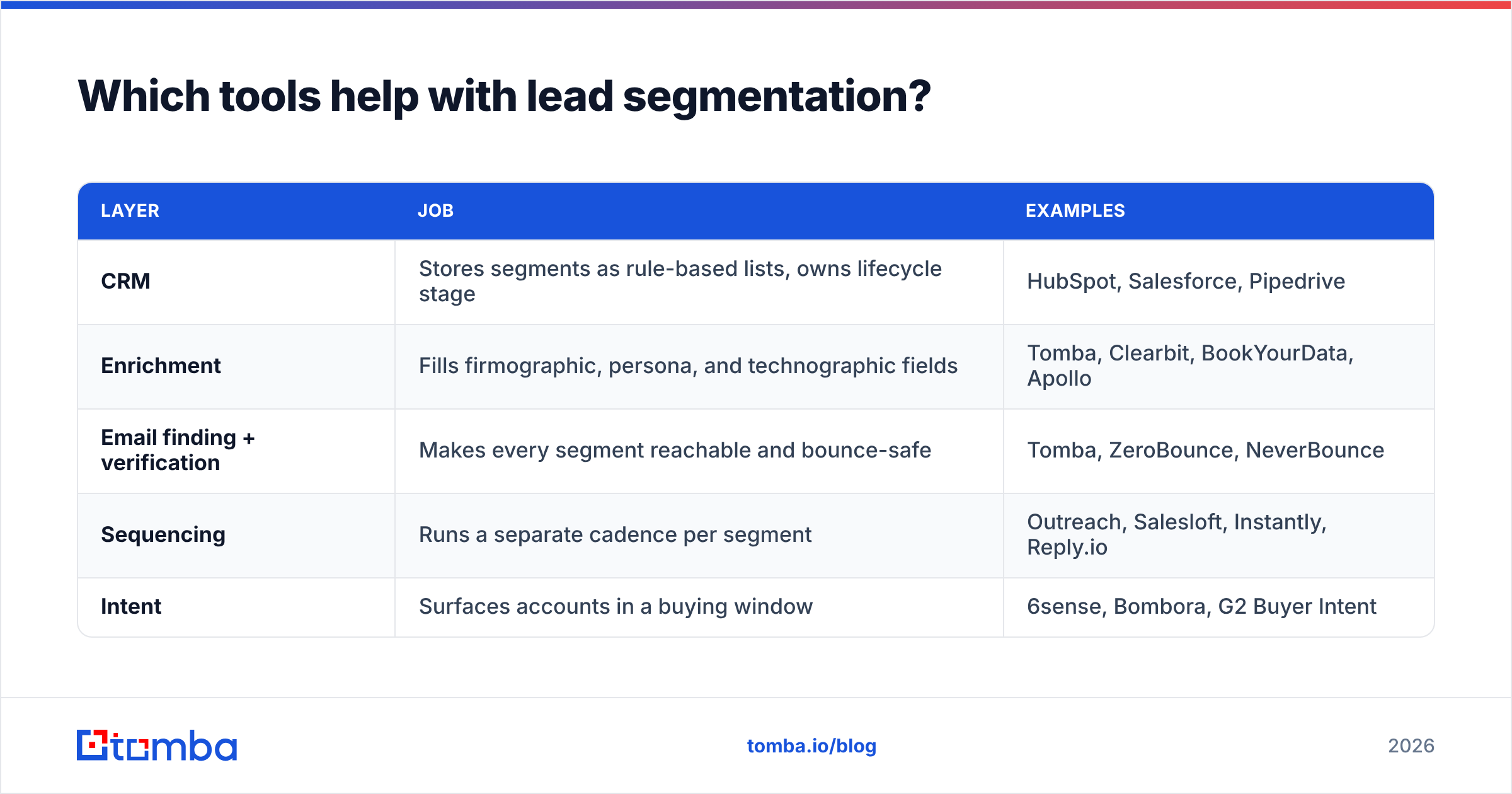
You don't need a dedicated "segmentation platform." Most teams segment inside tools they already pay for and add data tools to feed them. Here's how the stack usually splits:
| Layer | Job | Examples |
|---|---|---|
| CRM | Stores segments as rule-based lists, owns lifecycle stage | HubSpot, Salesforce, Pipedrive |
| Enrichment | Fills firmographic, persona, and technographic fields | Tomba, Clearbit, BookYourData, Apollo |
| Email finding + verification | Makes every segment reachable and bounce-safe | Tomba, ZeroBounce, NeverBounce |
| Sequencing | Runs a separate cadence per segment | Outreach, Salesloft, Instantly, Reply.io |
| Intent | Surfaces accounts in a buying window | 6sense, Bombora, G2 Buyer Intent |
When you compare vendors, review sites like G2 are useful for seeing how each tool holds up at your company size, since a tool that works well for a 10-person team can struggle at 200 seats.
The layer that gets skipped most often is email finding and verification, because it seems like plumbing. But it's what decides how much of each segment you can actually reach. A persona segment of 800 VPs is only worth something if you have working inboxes for most of them.
How often should you refresh your lead segments?#
A reasonable default schedule:
- Continuous: behavioral and lifecycle segments (these should update automatically from events)
- Weekly: intent-based priority lists
- Monthly: persona fields and email validity for active outbound segments
- Quarterly: firmographic tiers, technographic tags, and the segment definitions themselves
The quarterly review matters most. Look at which segments generated pipeline and which only generated activity, then adjust. Segmentation is a hypothesis about your market, and you should keep testing it.
Start segmenting on data you can trust#
Lead segmentation pays off quickly: more relevant messages, better use of rep time, and clearer reporting on what's working. Almost every segmentation problem, though, traces back to the contact layer: missing emails, stale titles, and addresses that bounce.
If you're building segments now, fill that layer first. Tomba Email Finder lets you find verified professional email addresses by name, company, or domain, so every segment you define can actually be reached. There's a free tier with 25 searches a month to test it on one segment, and paid plans start at $49/mo when you're ready to cover your whole ICP.
Related guides#
// get started
Find, verify and enrich your first contacts today
Start on the free plan with 25 searches a month, then scale when your team is ready.
Free plan · No credit card required · GDPR & CCPA
// about the author