Lead Wrench Alternatives: 7 Email Finders Compared for 2026
Outgrown Lead Wrench, or need better accuracy, bulk tools or an API? Here are 7 Lead Wrench alternatives compared on data quality, verification, pricing and workflow fit.
TL;DR
- If you're looking at Lead Wrench alternatives, you probably want one of three things: more accurate emails, verification built into the same tool, or a way to run lookups in bulk or through an API.
- Tomba is the best all-round pick for most teams. It has a free tier (25 searches/mo), paid plans from $49/mo, and domain search, verification, catch-all checks and an API all in one account.
- Apollo is the pick if you want a big contact database with sequencing included. Hunter is the simplest domain-first finder. BookYourData suits teams that want pay-as-you-go list building with an accuracy guarantee.
- Before you commit to any tool, run 100 known contacts from your own ICP through it. Accuracy on your market matters more than any vendor's headline number.
- Always verify before you send. Swapping one finder for another won't help much if unverified addresses keep going into your sequences.
What is Lead Wrench, and why are people looking for alternatives?#
Lead Wrench is a lightweight lead-finding tool. It helps sales and marketing teams pull contact details, mostly business email addresses, for prospects they've already found. It fits a common early-stage workflow: you have a list of companies or names, and you need a way to reach them.
Most people don't move away from a tool like this because it's broken. They move because their needs grow. The usual triggers are:
- Volume. Looking people up one at a time works for 20 leads a week. It doesn't work for 2,000.
- Accuracy on your ICP. Coverage varies a lot by region, company size and industry. A tool that's strong on US SaaS can be weak on European manufacturing.
- Verification. Finding an address and confirming it can receive mail are separate jobs. If your finder doesn't verify, you need a second tool.
- Integrations. Once your team runs on a CRM, Google Sheets or an automation platform, a tool without native connectors or an API adds manual copy-paste work.
- Pricing structure. Credit rollovers, per-seat charges and export limits start to matter when you're spending money every month.
Plans and features change often, so check Lead Wrench's current plan page before deciding. The comparison below focuses on what each alternative does well and who it suits.
What should you look for in a Lead Wrench alternative?#
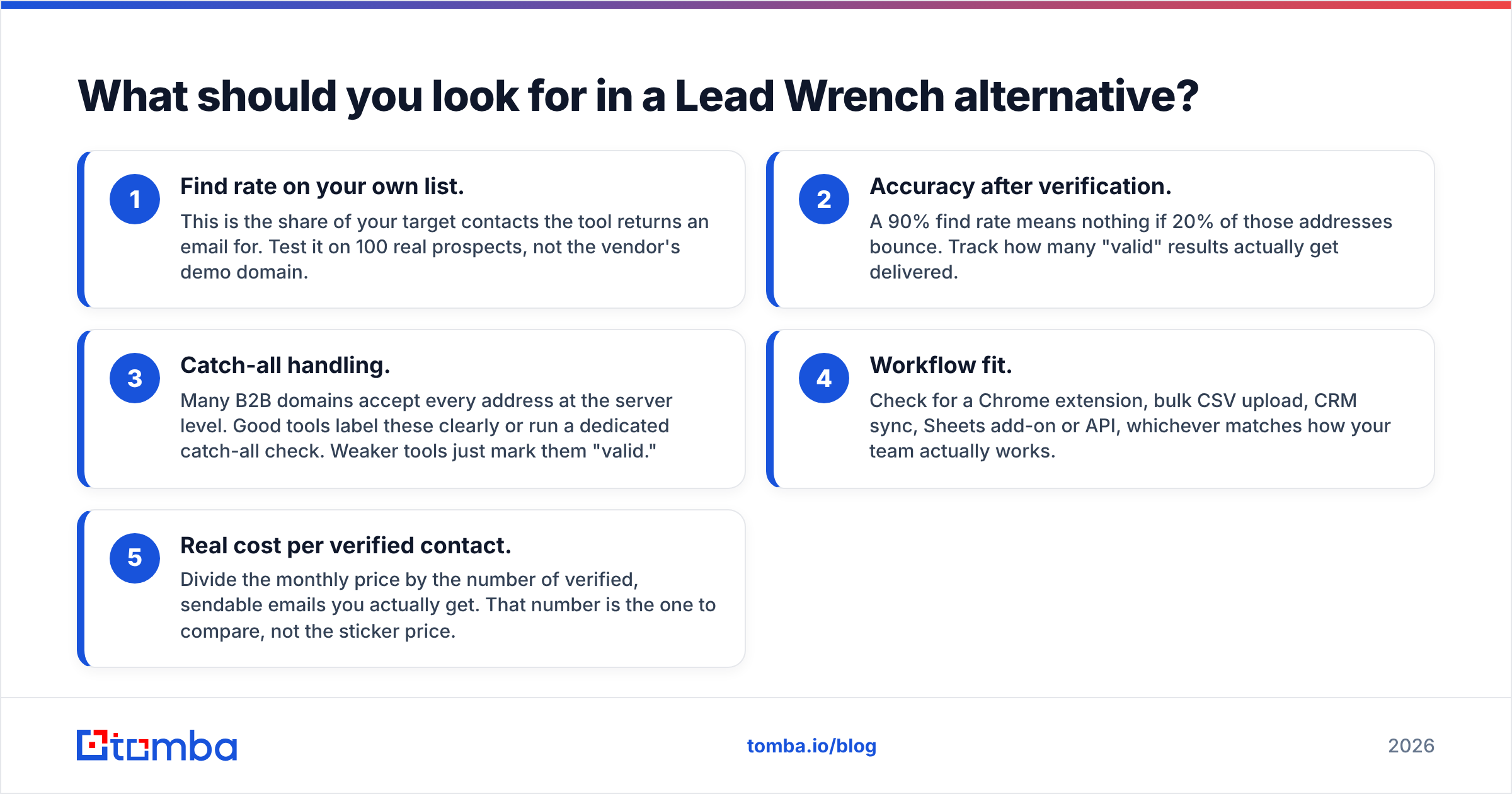
Don't start with feature grids. Start with the five criteria that decide whether your outbound actually lands:
- Find rate on your own list. This is the share of your target contacts the tool returns an email for. Test it on 100 real prospects, not the vendor's demo domain.
- Accuracy after verification. A 90% find rate means nothing if 20% of those addresses bounce. Track how many "valid" results actually get delivered.
- Catch-all handling. Many B2B domains accept every address at the server level. Good tools label these clearly or run a dedicated catch-all check. Weaker tools just mark them "valid."
- Workflow fit. Check for a Chrome extension, bulk CSV upload, CRM sync, Sheets add-on or API, whichever matches how your team actually works.
- Real cost per verified contact. Divide the monthly price by the number of verified, sendable emails you actually get. That number is the one to compare, not the sticker price.
Bounce rate isn't just a vanity metric. Mailbox providers read it as a signal of list quality. Google's sender guidelines say bulk senders should keep complaint and bounce signals low or risk throttling, and a bad list can damage a domain you spent months warming up.
Which Lead Wrench alternatives are worth considering in 2026?#
Here are seven tools that cover the realistic range of options, from focused email finders to full sales-intelligence platforms.
1. Tomba — best all-round email finder with verification built in#
Tomba's core product is its email finder. You can search by name and company, by domain, or from a LinkedIn profile using the Chrome extension. The main difference from a single-purpose finder is that everything around the lookup is in the same account. That includes an email verifier, a catch-all verifier, a phone finder, data enrichment, bulk uploads, and a REST API with Sheets, Excel, Airtable, HubSpot, Salesforce and Zapier connectors.
If your main reason for leaving Lead Wrench is ending up with a stack of three tools (finder, verifier, spreadsheet), Tomba collapses that into one.
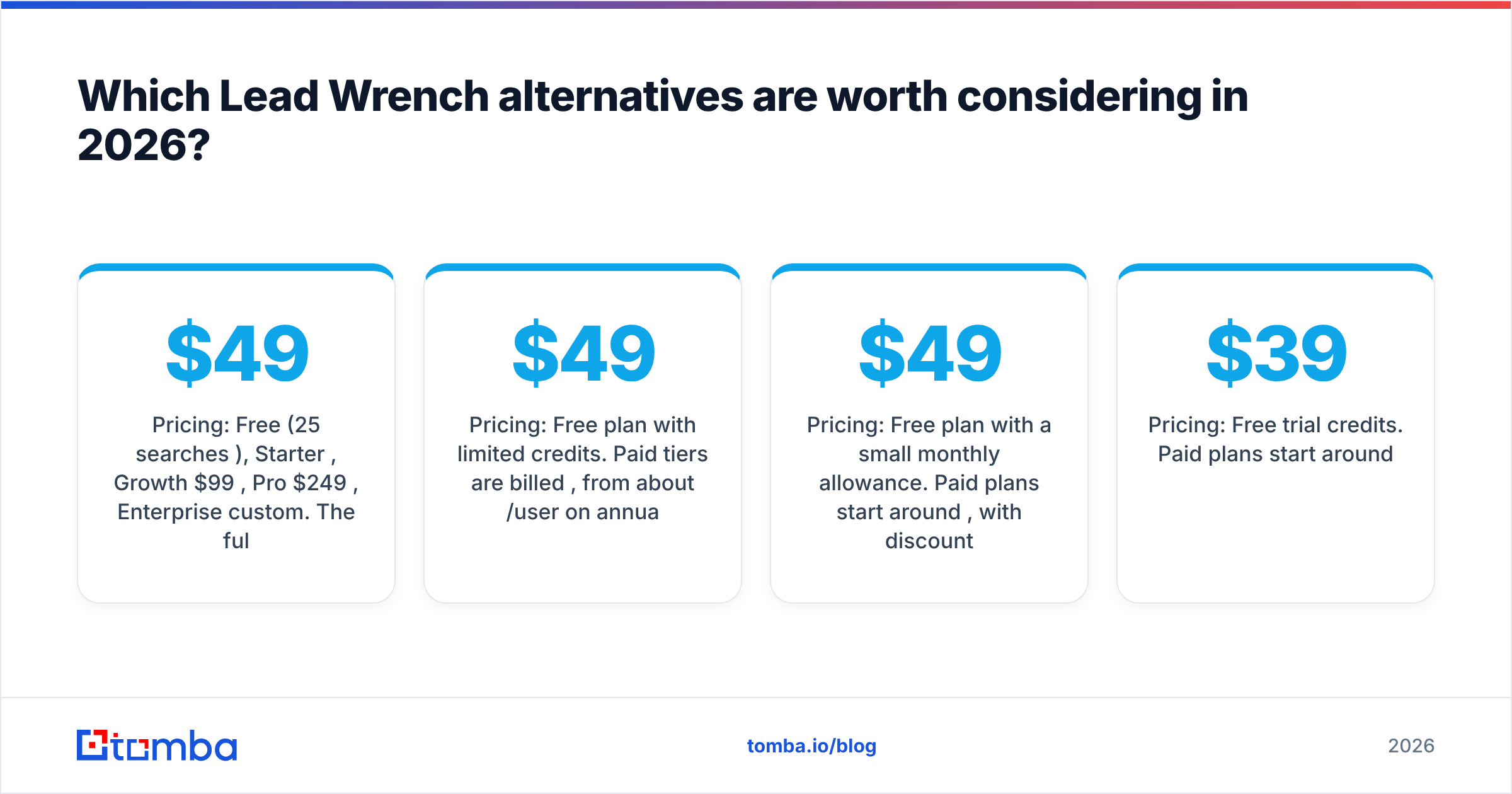
- Pricing: Free (25 searches/mo), Starter $49/mo, Growth $99/mo, Pro $249/mo, Enterprise custom. The full breakdown is on the Tomba pricing page.
- Best for: SDR teams, agencies and founders who want finding, verifying and enriching in one place, plus API access when they're ready to automate.
- Watch out for: It's a finder and enrichment platform, not a sequencer. You'll still send from your outreach tool of choice.
2. Apollo — best for a database plus sequencing in one#

Apollo combines a large B2B contact database with filters, intent signals and built-in email sequences. If you want to build lists and send from the same platform, it's the most complete all-in-one option.
- Pricing: Free plan with limited credits. Paid tiers are billed per user, from about $49/user/mo on annual billing.
- Best for: Teams that want prospecting and sequencing under one login.
- Watch out for: Per-seat pricing adds up quickly, and some users report weaker data accuracy outside North America. Always verify exports before sending. If Apollo's scope is more than you need, see our Apollo alternative breakdown.
3. Hunter — best simple domain-first finder#
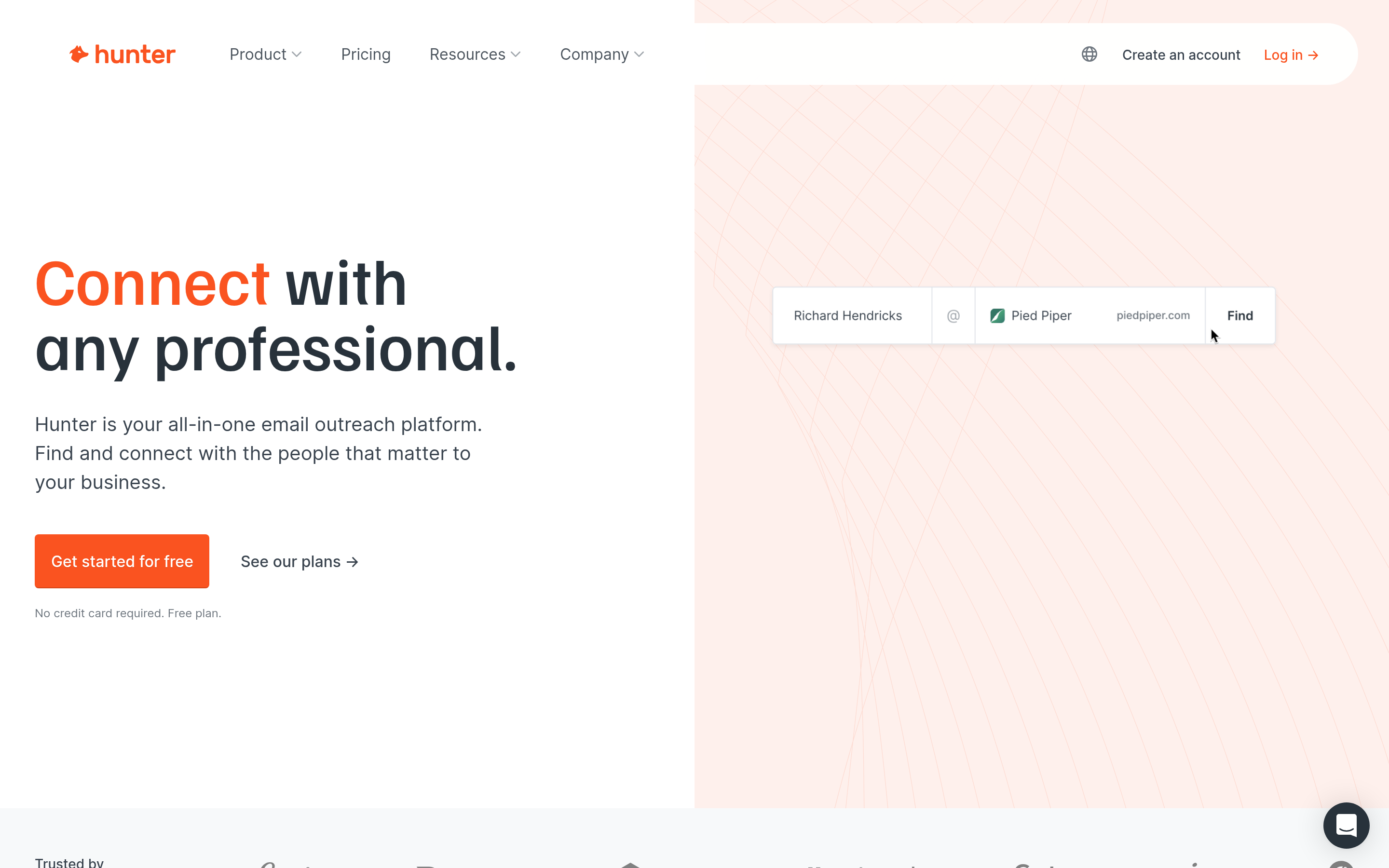
Hunter popularised domain-based email search. You type in a company domain and get back the email pattern and the addresses it has found publicly, with source links. The interface is clean and the free plan is easy to start with.
- Pricing: Free plan with a small monthly allowance. Paid plans start around $49/mo, with discounts for annual billing.
- Best for: Marketers and link builders who mostly search by domain.
- Watch out for: It's less useful when you start from a person's name and a messy company name, and it has less enrichment depth than broader platforms.
4. Snov.io — best budget finder plus light automation#
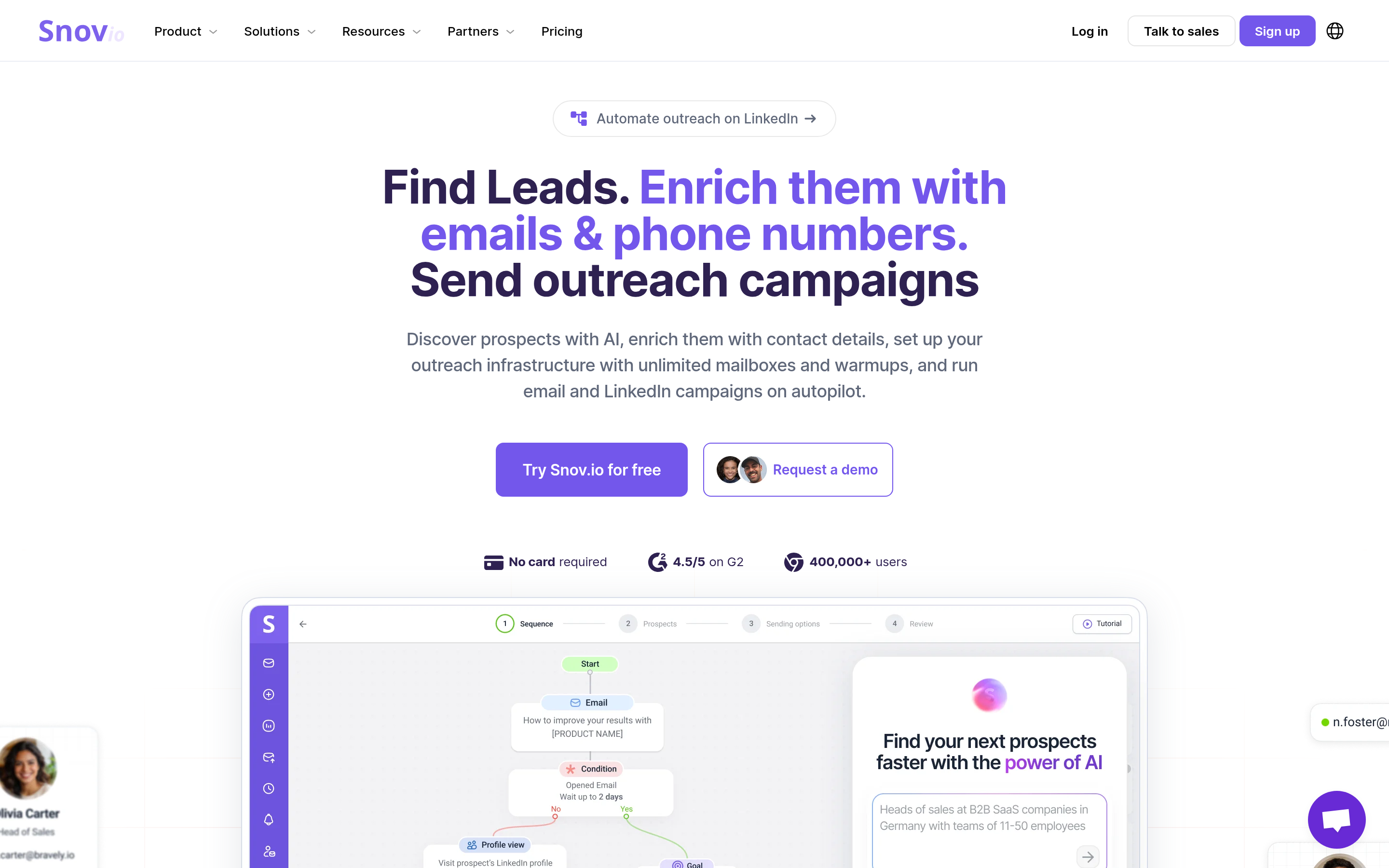
Snov.io bundles an email finder, a verifier, drip campaigns and a basic CRM. It's popular with small teams that want a lot of features for a modest monthly price.
- Pricing: Free trial credits. Paid plans start around $39/mo.
- Best for: Solo founders and small agencies on a tight budget.
- Watch out for: The breadth comes at the cost of depth. Heavy users often end up pairing it with a dedicated verifier or sender.
5. BookYourData — best for pay-as-you-go list building#
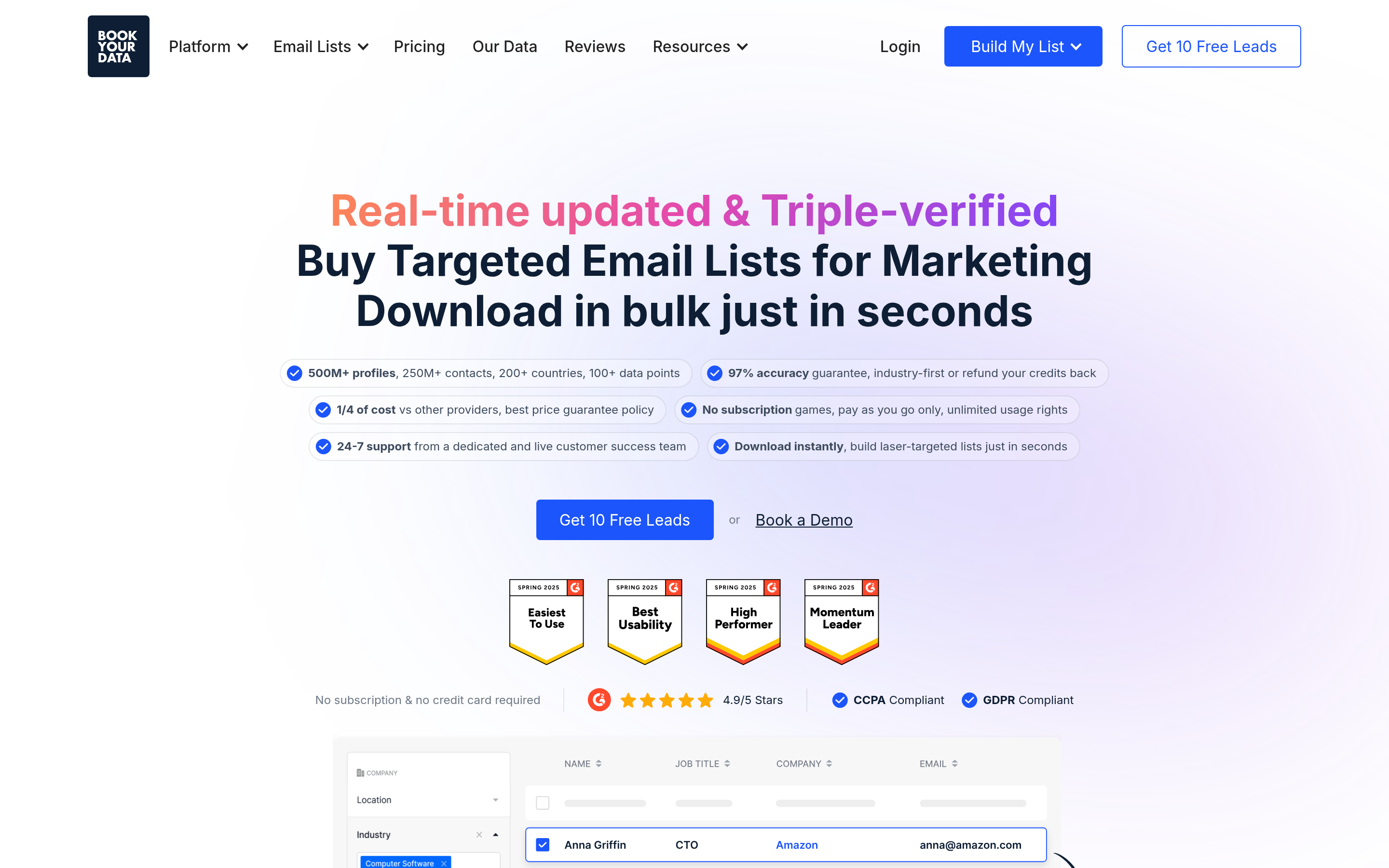
BookYourData lets you build targeted B2B contact lists by filters such as industry, title, company size and location, then pay only for the records you download. Its accuracy guarantee on emails is a genuine selling point if you've been burned by bad lists before.
- Pricing: Credit-based, pay-as-you-go, with free trial credits to test.
- Best for: Teams that need a finished list for a campaign rather than one lookup at a time, and that prefer not to pay a subscription.
- Watch out for: It's list-first rather than lookup-first. If your workflow is "I have this exact person, find their email," a dedicated finder can be the faster tool.
6. RocketReach — best for executive and phone coverage#
RocketReach has deep coverage of senior titles and offers phone numbers alongside emails. That makes it popular with recruiters and enterprise AEs.
- Pricing: Paid tiers from roughly $39/mo, depending on billing cycle and whether you need phone numbers.
- Best for: Recruiting and enterprise sales where you're targeting senior people.
- Watch out for: The cost per lookup is higher than lighter tools, and phone access sits on higher plans. See our RocketReach alternative guide for cheaper options.
7. Lusha — best Chrome-extension-first workflow#
Lusha is built around a browser extension that shows emails and direct dials while you browse LinkedIn or company sites. It's fast for reps who prospect one profile at a time.
- Pricing: Free plan with limited credits. Paid plans are billed per user, starting around $30–$40/user/mo.
- Best for: Individual reps who live in LinkedIn.
- Watch out for: Credits run out fast for bulk work, and per-seat pricing scales poorly across large teams.

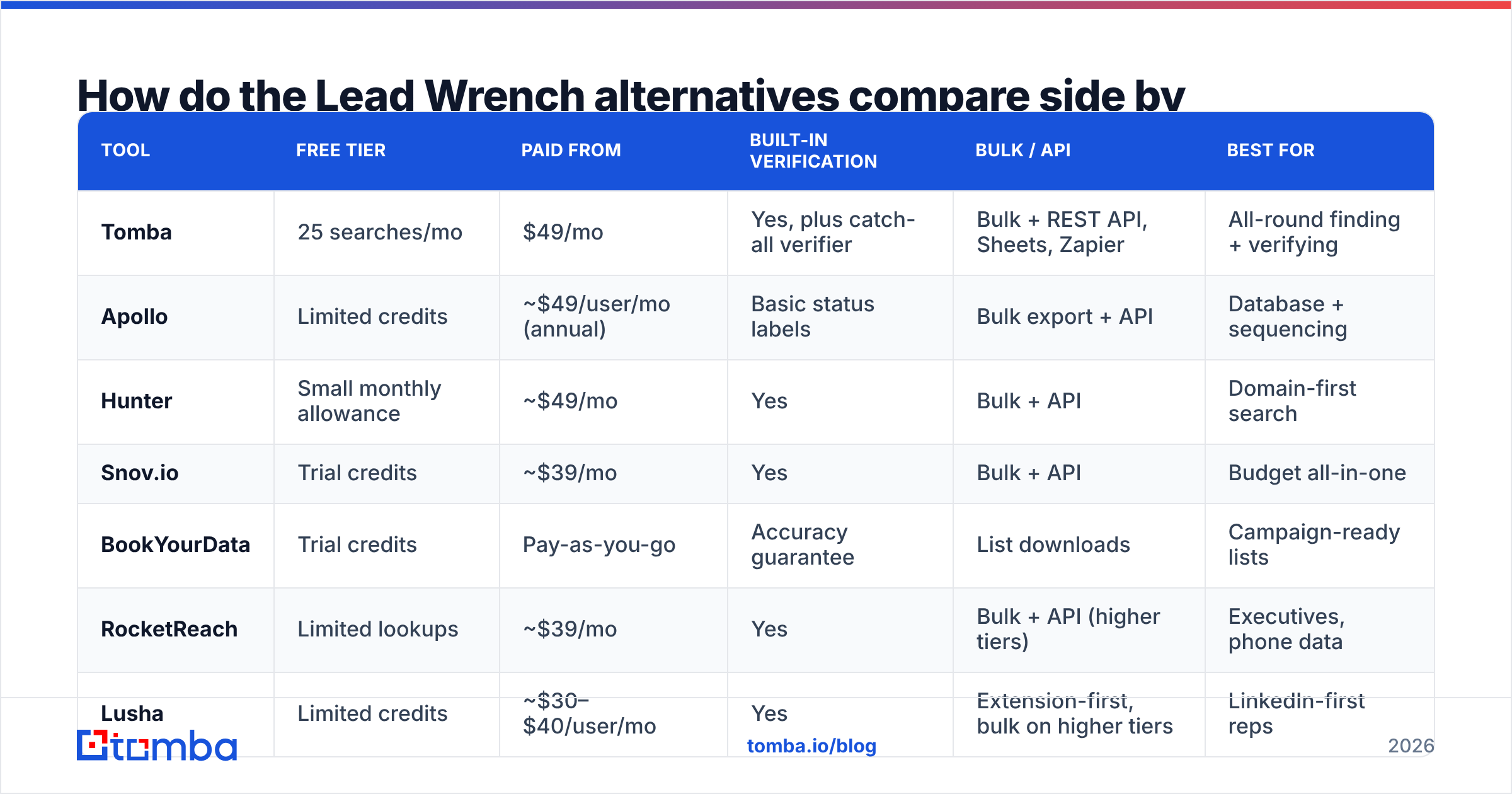
How do the Lead Wrench alternatives compare side by side?#
The table puts the practical differences side by side. Prices are starting points and vendors change them often, so confirm on each pricing page before you buy.
| Tool | Free tier | Paid from | Built-in verification | Bulk / API | Best for |
|---|---|---|---|---|---|
| Tomba | 25 searches/mo | $49/mo | Yes, plus catch-all verifier | Bulk + REST API, Sheets, Zapier | All-round finding + verifying |
| Apollo | Limited credits | ~$49/user/mo (annual) | Basic status labels | Bulk export + API | Database + sequencing |
| Hunter | Small monthly allowance | ~$49/mo | Yes | Bulk + API | Domain-first search |
| Snov.io | Trial credits | ~$39/mo | Yes | Bulk + API | Budget all-in-one |
| BookYourData | Trial credits | Pay-as-you-go | Accuracy guarantee | List downloads | Campaign-ready lists |
| RocketReach | Limited lookups | ~$39/mo | Yes | Bulk + API (higher tiers) | Executives, phone data |
| Lusha | Limited credits | ~$30–$40/user/mo | Yes | Extension-first, bulk on higher tiers | LinkedIn-first reps |

User reviews on G2 are useful for checking support quality and billing experiences. Weight recent reviews from companies your size more heavily than overall star averages.
Is Tomba better than Lead Wrench?#
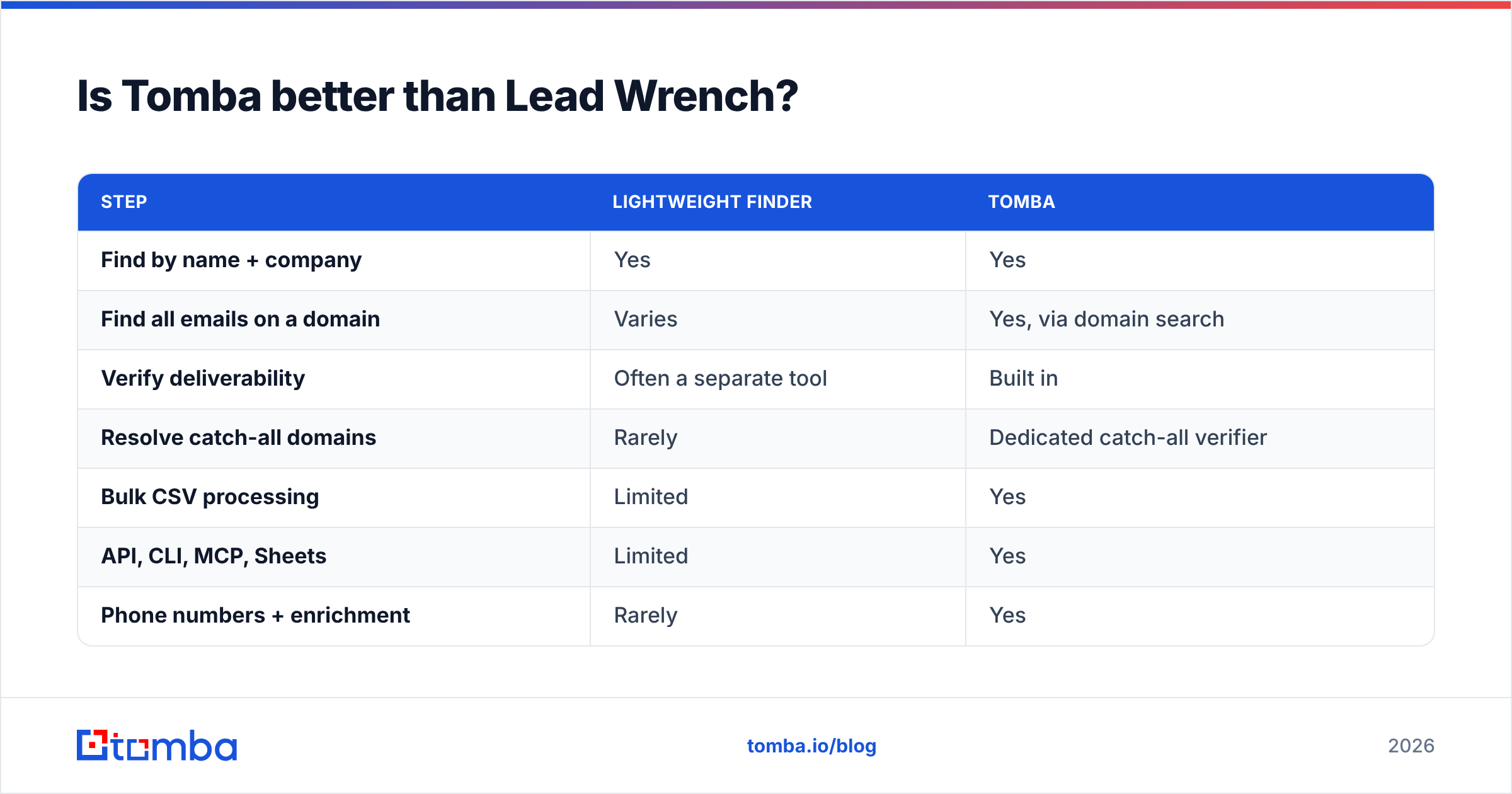
For most teams that are outgrowing a lightweight finder, yes, and the reason is structural rather than any one feature. Tomba covers the whole path from "I have a name" to "this address is safe to send to":
| Step | Lightweight finder | Tomba |
|---|---|---|
| Find by name + company | Yes | Yes |
| Find all emails on a domain | Varies | Yes, via domain search |
| Verify deliverability | Often a separate tool | Built in |
| Resolve catch-all domains | Rarely | Dedicated catch-all verifier |
| Bulk CSV processing | Limited | Yes |
| API, CLI, MCP, Sheets | Limited | Yes |
| Phone numbers + enrichment | Rarely | Yes |
In practice, where you'll feel the difference is catch-all domains. On a typical B2B list, a noticeable share of companies run catch-all mail servers. A basic finder marks those addresses "valid" because the server accepts everything, and then they bounce or disappear into a black hole. Checking catch-alls separately is one of the most effective ways to cut bounces without shrinking your list.
Tomba isn't the right answer for everyone, though. If you want sequencing included, Apollo is the better fit. If you want a finished list without a subscription, BookYourData fits better.

How do you switch from Lead Wrench without losing momentum?#
Switching tools mid-quarter makes reps nervous. A two-week migration keeps pipeline moving:
- Export everything first. Pull your saved leads, lists and any notes out of Lead Wrench as CSV before your billing cycle ends.
- Run a 100-contact bake-off. Pick 100 prospects you already have confirmed emails for. Run them through two or three shortlisted alternatives and record find rate, verified rate and time spent.
- Re-verify your existing list. Addresses decay as people change jobs. Run your exported list through a verifier before importing it into your CRM. Catching stale addresses now protects your sender reputation later.
- Connect the tool to your system of record. Set up the CRM, Sheets or HubSpot sync on day one, so new contacts land in the right place and nobody keeps a shadow spreadsheet.
- Set a bounce-rate guardrail. Agree on a threshold, for example under 2% hard bounces per campaign, and pause any list that goes over it. That turns data quality into a number the whole team watches.
Which Lead Wrench alternative fits your team?#
Match the tool to how you actually prospect, not to the longest feature list:
- You prospect by name and company, then send from a separate sequencer: Tomba or Hunter.
- You want one platform for data and outreach: Apollo.
- You're a solo founder watching every dollar: Tomba's free tier or Snov.io.
- You buy targeted lists per campaign: BookYourData.
- You sell into the C-suite and need phone numbers: RocketReach, or Tomba's phone finder paired with its email finder.
- Your reps live inside LinkedIn: Lusha or Tomba's Chrome extension.
- You're building internal tooling or AI agents: Tomba, since the API, CLI and MCP server make lookups scriptable.
What mistakes should you avoid when replacing an email finder?#
A few patterns show up again and again when teams switch tools:
- Picking on database size alone. A database of 200 million contacts doesn't matter if it's thin in your segment. Test on your ICP.
- Skipping verification because the finder says "valid." Finder confidence scores and SMTP verification are different signals. Use both.
- Ignoring per-seat maths. A $39/user tool for eight reps costs more than a $99 flat team plan. Work out the annual cost at your real headcount.
- Treating catch-all as valid. Separate catch-all addresses into their own segment, send to them at lower volume, and watch the bounces.
- Not reading the credit rules. Some tools charge for "not found" results or don't roll unused credits over. Read the fine print before buying annual.
Ready to replace Lead Wrench?#
If you want one tool that finds the address, verifies it, handles catch-all domains and plugs into your CRM or scripts, start with the Tomba Email Finder. The free tier gives you 25 searches a month, which is enough to run the 100-contact bake-off above over a few weeks. Paid plans start at $49/mo when you're ready to scale. Run your own prospects through it, compare the verified find rate against Lead Wrench, and let your data make the decision.
Related guides#
// get started
Find, verify and enrich your first contacts today
Start on the free plan with 25 searches a month, then scale when your team is ready.
Free plan · No credit card required · GDPR & CCPA
// about the author