8 Best LeadEngineAI Alternatives for B2B Lead Generation
AI lead engines promise a finished pipeline and often deliver an unverified CSV. Here is an honest breakdown of 8 LeadEngineAI alternatives, what each one is actually good at, and how to test them in two weeks.
TL;DR
- "AI lead engine" tools bundle sourcing, enrichment and sequencing into one subscription. That convenience is real, but it usually hides the one number that matters: how many of those emails actually land.
- The strongest LeadEngineAI alternatives split into three camps — accuracy-first finders (Tomba, Findymail), all-in-one platforms (Apollo, HubSpot Breeze Intelligence), and data marketplaces or workflow layers (BookYourData, Clay).
- Before you switch, benchmark on your own ICP: 200 contacts, same list, same week, measured on verified-rate and bounce-rate, not on dashboard screenshots.
- Credit models matter more than headline price. A $49/mo plan that charges for failed lookups can cost more than a $99/mo plan that does not.
- If your main gap is "we have company names but no reliable emails," a dedicated finder plus verifier is cheaper and more accurate than another all-in-one seat.
What is LeadEngineAI and who is it actually for?#
LeadEngineAI sits in the "AI lead engine" category — software that promises to take a rough ICP description, find matching companies and people, enrich them with contact data, and hand you an outbound-ready list (often with AI-written copy attached). The pitch is compression: one tool instead of a finder, a verifier, a data provider and a sequencer.
That pitch works well for small teams with no data ops function. One login, one bill, one workflow. It works less well the moment your motion gets specific — narrow verticals, non-US geographies, engineering or clinical titles, or any segment where the underlying database is thin.
The category-level issue is not AI. It is provenance. An AI layer can rank, cluster and write, but it cannot invent a mailbox that does not exist. If the database beneath the AI is stale, the output is a confident, well-formatted list of bounces. That is the reason most people start searching for LeadEngineAI alternatives in the first place.
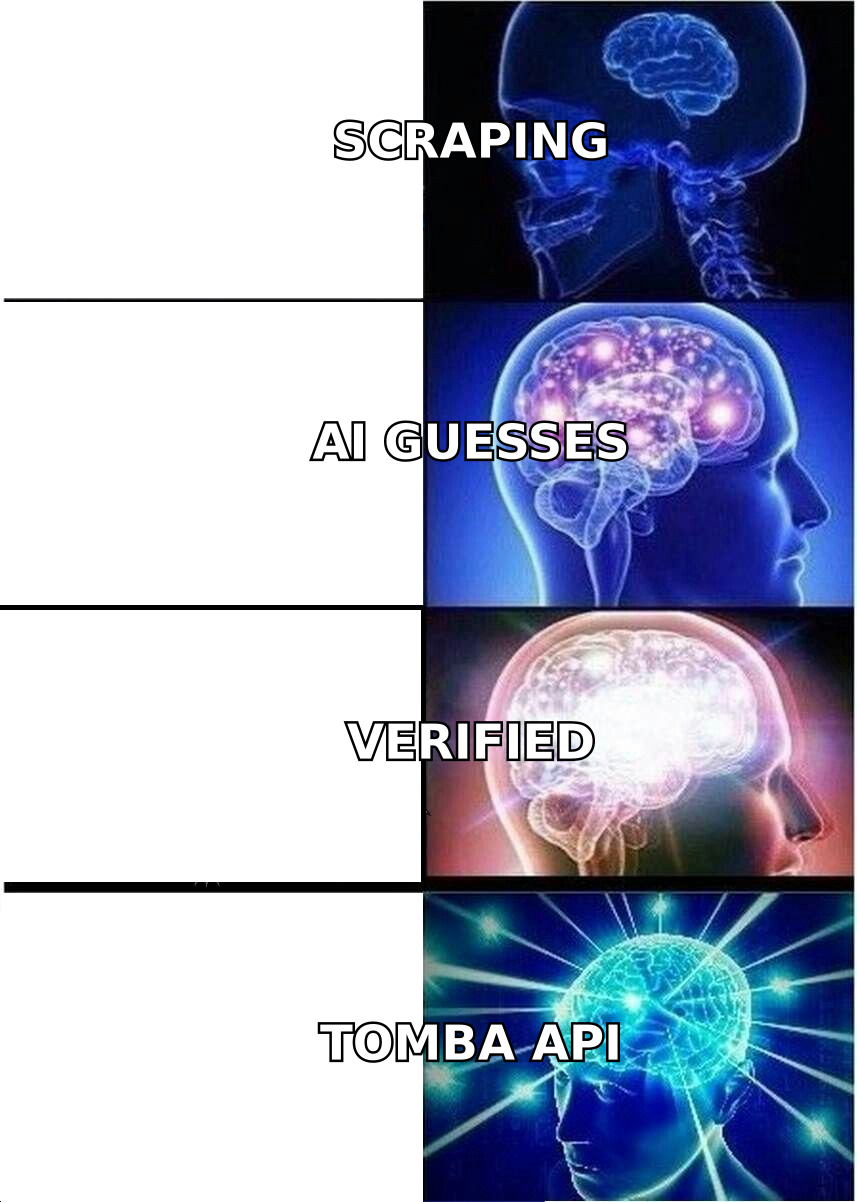
Correction — the image above is the meme placeholder:
Why do teams look for LeadEngineAI alternatives?#
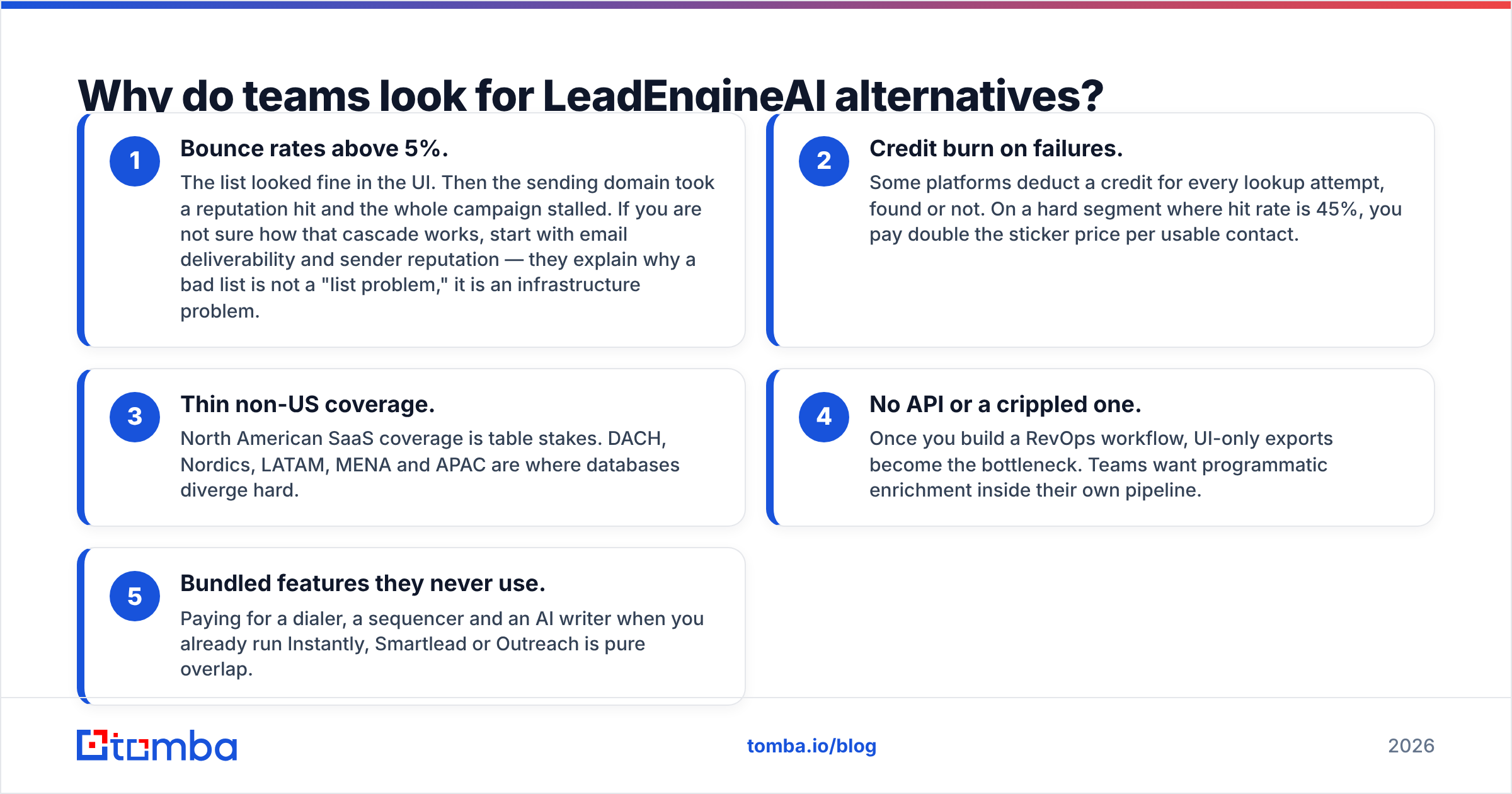
From the switching conversations we see repeatedly, the triggers cluster into five patterns:
- Bounce rates above 5%. The list looked fine in the UI. Then the sending domain took a reputation hit and the whole campaign stalled. If you are not sure how that cascade works, start with email deliverability and sender reputation — they explain why a bad list is not a "list problem," it is an infrastructure problem.
- Credit burn on failures. Some platforms deduct a credit for every lookup attempt, found or not. On a hard segment where hit rate is 45%, you pay double the sticker price per usable contact.
- Thin non-US coverage. North American SaaS coverage is table stakes. DACH, Nordics, LATAM, MENA and APAC are where databases diverge hard.
- No API or a crippled one. Once you build a RevOps workflow, UI-only exports become the bottleneck. Teams want programmatic enrichment inside their own pipeline.
- Bundled features they never use. Paying for a dialer, a sequencer and an AI writer when you already run Instantly, Smartlead or Outreach is pure overlap.
If two or more of these describe you, the right move is usually not "find a better all-in-one." It is to unbundle: keep the sequencer you like, and replace the data layer with something you can audit.
What should you compare before switching?#
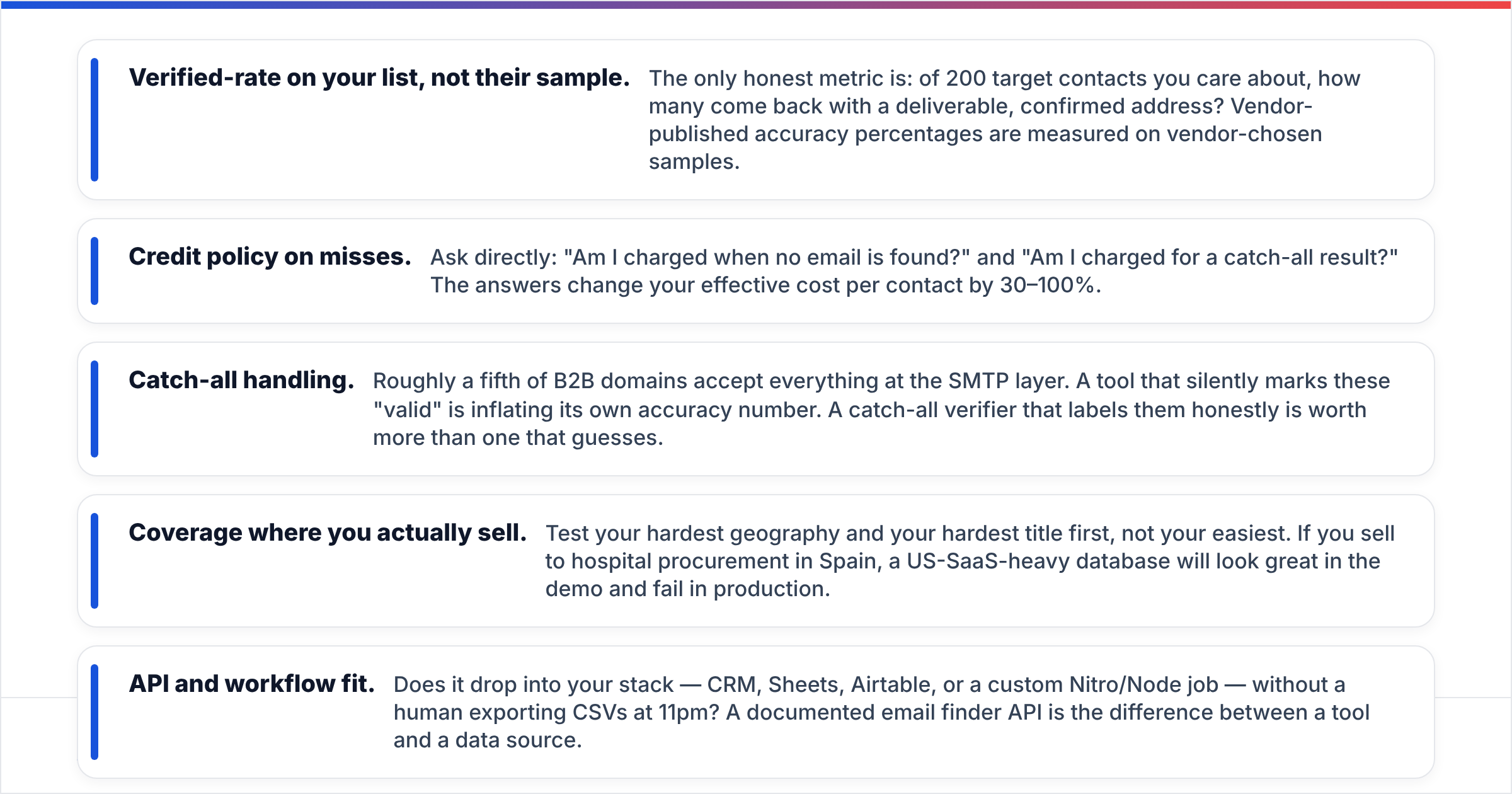
Ignore feature checklists. Five attributes decide whether a tool survives contact with your ICP:
- Verified-rate on your list, not their sample. The only honest metric is: of 200 target contacts you care about, how many come back with a deliverable, confirmed address? Vendor-published accuracy percentages are measured on vendor-chosen samples.
- Credit policy on misses. Ask directly: "Am I charged when no email is found?" and "Am I charged for a catch-all result?" The answers change your effective cost per contact by 30–100%.
- Catch-all handling. Roughly a fifth of B2B domains accept everything at the SMTP layer. A tool that silently marks these "valid" is inflating its own accuracy number. A catch-all verifier that labels them honestly is worth more than one that guesses.
- Coverage where you actually sell. Test your hardest geography and your hardest title first, not your easiest. If you sell to hospital procurement in Spain, a US-SaaS-heavy database will look great in the demo and fail in production.
- API and workflow fit. Does it drop into your stack — CRM, Sheets, Airtable, or a custom Nitro/Node job — without a human exporting CSVs at 11pm? A documented email finder API is the difference between a tool and a data source.
Score every candidate on those five. Most shortlists collapse from eight tools to two within an hour.
Which LeadEngineAI alternatives are worth testing in 2026?#
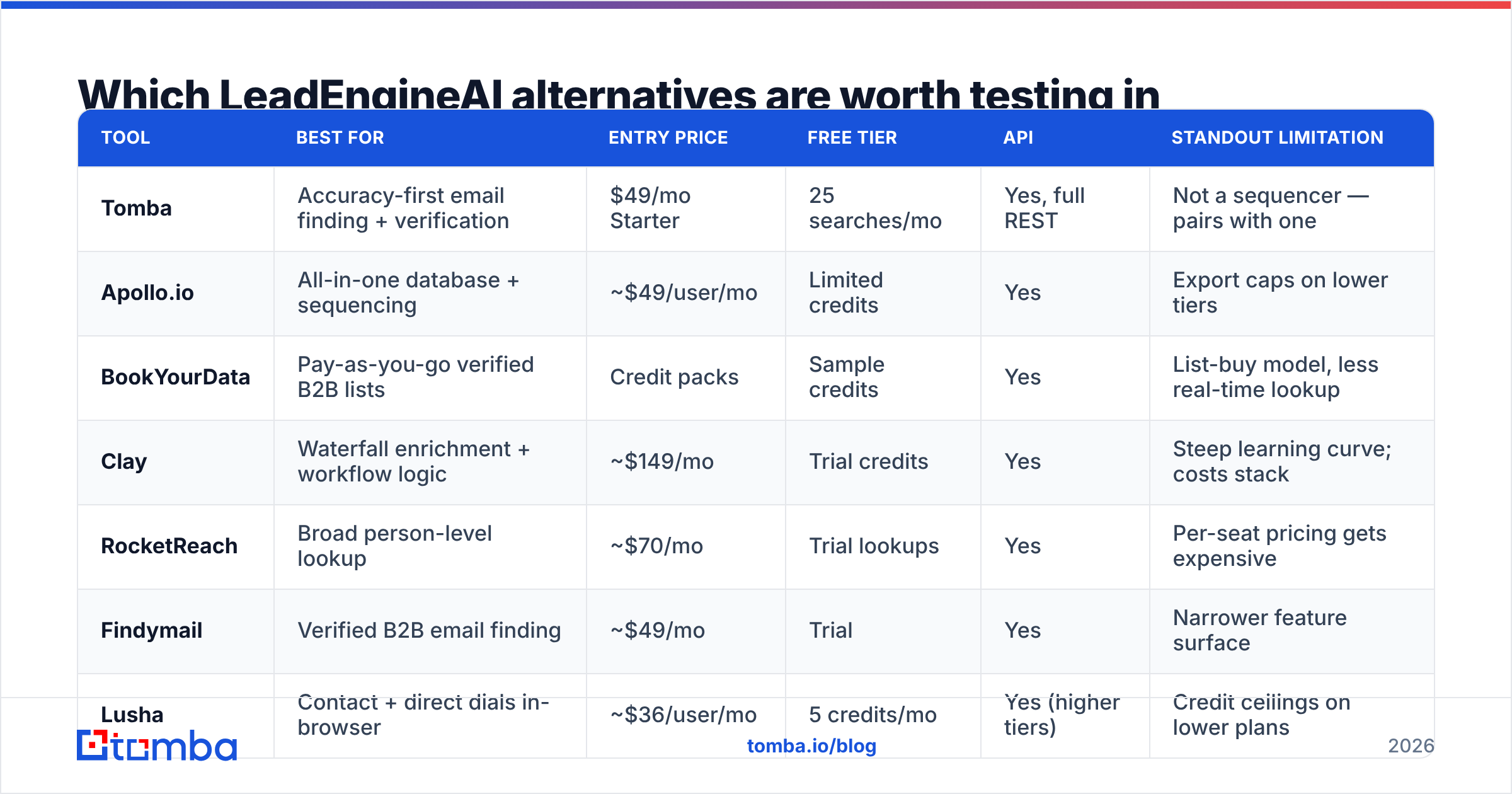
Here is the comparison that usually settles the shortlist. Pricing is entry-tier at time of writing (September 2026) and vendors change tiers often — verify on each vendor's own pricing page before you commit.
| Tool | Best for | Entry price | Free tier | API | Standout limitation |
|---|---|---|---|---|---|
| Tomba | Accuracy-first email finding + verification | $49/mo Starter | 25 searches/mo | Yes, full REST | Not a sequencer — pairs with one |
| Apollo.io | All-in-one database + sequencing | ~$49/user/mo | Limited credits | Yes | Export caps on lower tiers |
| BookYourData | Pay-as-you-go verified B2B lists | Credit packs | Sample credits | Yes | List-buy model, less real-time lookup |
| Clay | Waterfall enrichment + workflow logic | ~$149/mo | Trial credits | Yes | Steep learning curve; costs stack |
| RocketReach | Broad person-level lookup | ~$70/mo | Trial lookups | Yes | Per-seat pricing gets expensive |
| Findymail | Verified B2B email finding | ~$49/mo | Trial | Yes | Narrower feature surface |
| Lusha | Contact + direct dials in-browser | ~$36/user/mo | 5 credits/mo | Yes (higher tiers) | Credit ceilings on lower plans |
| HubSpot Breeze Intelligence | Enrichment inside an existing HubSpot CRM | Credit add-on | No | Via HubSpot API | Only makes sense if you run HubSpot |
Is Tomba a good LeadEngineAI alternative?#
Yes, if your gap is data rather than orchestration. Tomba is built around the finder-plus-verifier core: domain search, name-based lookup, catch-all detection, phone finder and enrichment, all exposed through the same API. Pricing is flat and seat-independent — Free (25 searches/mo), Starter $49/mo, Growth $99/mo, Pro $249/mo, Enterprise custom — which is what you want when four people share one workflow. See current Tomba pricing for credit allocations per tier.
Where it does not compete: it is not a sequencer and does not pretend to be. If you want one vendor for sourcing, sending and reporting, look at Apollo or HubSpot instead.
Is Apollo.io a better fit than an AI lead engine?#
Apollo is the default answer for teams that genuinely want everything in one place — a 200M+ contact database, sequences, dialer and basic CRM functionality. If you are replacing a bundled AI tool with another bundle, this is the safest landing spot. Check the Apollo.io site for current tiers, and read the export limits carefully: the friction on cheaper plans is usually how many records you can pull out per month, not how many you can see. Teams that hit that wall often move to an Apollo alternative with cleaner credit math.
Where does BookYourData fit?#
BookYourData takes a different and genuinely useful angle: pay-as-you-go, verified B2B contact lists with a bounce guarantee, filtered by industry, title, geography and company size. There is no monthly seat to justify, which makes it a strong fit for campaign-based teams — agencies, event-driven outbound, or a one-off market test — where you need 5,000 clean contacts this month and nothing next month. Pair it with real-time lookup when you need net-new contacts that no list can anticipate.
When is Clay the right call?#
Clay is the power-user option. Instead of one data source, you build a waterfall: try provider A, fall back to B, then C, then run an AI step on whatever is left. Hit rates on hard segments genuinely improve. The trade-offs are cost stacking (each provider in the waterfall bills you) and time-to-value — expect a real onboarding week, not an afternoon. Choose Clay when a RevOps owner will actually own it. Skip it when the person running outbound is also the person closing deals.
What about RocketReach, Findymail and Lusha?#
- RocketReach wins on breadth of person-level lookup, especially outside pure SaaS. Per-seat pricing is the constraint — see the RocketReach alternative comparison if seat count is your blocker.
- Findymail is deliberately narrow: find verified B2B emails, avoid bounces, integrate with sequencers. Very little bloat, which some teams prefer.
- Lusha is strongest as a browser-side workflow for reps working LinkedIn manually, and for direct dials. It is a rep tool more than a data pipeline.
And HubSpot Breeze Intelligence?#
If your company already runs HubSpot as the system of record, enriching inside the CRM removes an entire sync problem. HubSpot sells enrichment as a credit-based add-on that fills company and contact fields automatically. It is rarely the most accurate option in isolation, and it is close to useless if HubSpot is not your CRM — but the workflow savings are real for teams that live there. A HubSpot integration on top of a dedicated finder gets you both sides.

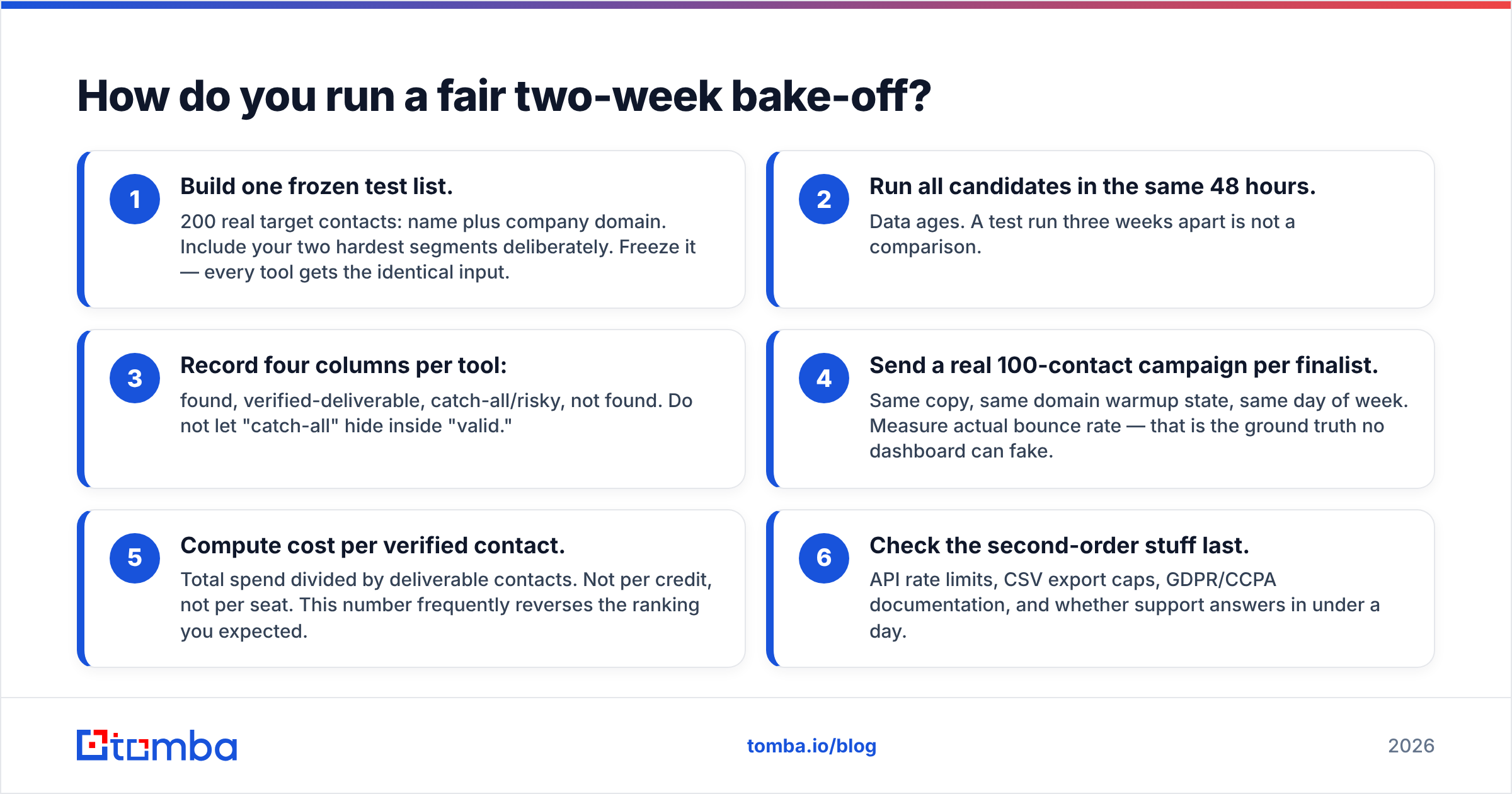
How do you run a fair two-week bake-off?#
Do not evaluate on demos. Run this instead — it takes about three hours of setup and settles the argument with numbers.
- Build one frozen test list. 200 real target contacts: name plus company domain. Include your two hardest segments deliberately. Freeze it — every tool gets the identical input.
- Run all candidates in the same 48 hours. Data ages. A test run three weeks apart is not a comparison.
- Record four columns per tool: found, verified-deliverable, catch-all/risky, not found. Do not let "catch-all" hide inside "valid."
- Send a real 100-contact campaign per finalist. Same copy, same domain warmup state, same day of week. Measure actual bounce rate — that is the ground truth no dashboard can fake.
- Compute cost per verified contact. Total spend divided by deliverable contacts. Not per credit, not per seat. This number frequently reverses the ranking you expected.
- Check the second-order stuff last. API rate limits, CSV export caps, GDPR/CCPA documentation, and whether support answers in under a day.
Step 5 is the one people skip and the one that decides the bill. A tool at half the price with a 40% hit rate is more expensive than the "premium" option at 80%.
How much accuracy difference should you actually expect?#
Be skeptical of any vendor — including us — quoting a single accuracy number. Hit rates swing enormously by segment. A realistic expectation for 2026:
- Mid-market US/EU SaaS with public company domains: 70–90% find rate across serious providers, with a few points separating them.
- SMB, local services, and non-English-language markets: 35–60%, and the spread between tools widens dramatically.
- Regulated industries with private mail infrastructure (healthcare, government, finance): lowest rates everywhere, highest share of catch-all domains.
This is exactly why the 200-contact test beats any published benchmark. Run every found address through a proper email verifier before it touches your sequencer, regardless of which vendor supplied it. Independent review aggregators like G2's lead intelligence category are useful for spotting support and billing complaints that never show up in a demo, but they will not tell you how a tool performs on your list.
Should you unbundle or stay all-in-one?#
Short answer: unbundle if you have a repeatable outbound motion and at least one person who owns data quality. Stay bundled if outbound is a side activity for a team of two.
The bundled model's real cost is not money, it is opacity. When sourcing, enrichment and sending live inside one box, a drop in reply rate gives you no signal about which layer failed. Separating the data layer from the sending layer makes the problem legible: bad data shows up as bounces, bad copy shows up as low response rate with clean delivery.
For most teams migrating off an AI lead engine in 2026, the winning stack is boringly simple: one accurate data source with an API, one verifier step, one sequencer you already know, and a CRM that everything writes into.
Ready to test the data layer on your own list?#
Take your 200 hardest contacts and run them through the Tomba Email Finder before you renew anything. The free tier gives you 25 searches a month with no card, which is enough to sanity-check a segment; Starter at $49/mo covers a real pilot; Growth at $99/mo handles sustained outbound without per-seat math. Pair it with the verifier, export to your sequencer, and compare bounce rates against whatever you are running today. If the numbers do not move, you have lost an afternoon. If they do, you have found the layer that was quietly capping your pipeline.
Related guides#
// get started
Find, verify and enrich your first contacts today
Start on the free plan with 25 searches a month, then scale when your team is ready.
Free plan · No credit card required · GDPR & CCPA
// about the author