LeadEngineAI vs LeadsRush: Which Lead Tool Wins in 2026?
Two AI-branded lead platforms, almost no public benchmarks, and a lot of marketing copy. Here is a neutral breakdown of LeadEngineAI vs LeadsRush, the questions that actually decide the purchase, and a 30-minute test that settles it before you pay.
TL;DR
- LeadEngineAI and LeadsRush sit in the same bucket: AI-branded lead sourcing tools that promise to build and enrich B2B prospect lists faster than manual research. Neither publishes an independently audited accuracy benchmark, so brand claims are not evidence.
- The difference that matters is not the AI. It is where the contact data comes from and whether the platform verifies an address at the SMTP layer before handing it to you.
- Run the same 50-contact test list through both trials, verify the output with a neutral third-party verifier, and compare bounce-adjusted cost per usable contact. That single test outranks every feature page.
- Budget for the verification layer separately. A cheap list that is 60% valid costs more than an expensive list that is 95% valid once you price in domain damage.
- If your bottleneck is finding and verifying work emails at scale rather than buying a full workflow suite, a focused finder plus verifier stack (Tomba's Free tier starts at 25 searches/month, Starter is $49/mo) usually beats an all-in-one you only half use.
What are LeadEngineAI and LeadsRush?#
Both are lead generation platforms that market themselves on automation: describe your ideal customer, and the product returns a list of matching companies and contacts, usually with email addresses attached and some form of enrichment layered on top. That positioning puts them in the same competitive set as the dozens of tools listed under sales intelligence on G2 and lead generation software on Capterra.
Here is the honest caveat, and it is the reason this comparison is structured the way it is: neither vendor has the public documentation footprint of an Apollo or a Clearbit. There is no published coverage audit, no third-party bounce-rate study, and limited independent review volume. Anyone writing a confident "LeadEngineAI has 210 million contacts and LeadsRush has 180 million" comparison is repeating marketing copy, not measurement.
So this post does something more useful than reciting claims. It gives you the evaluation framework that separates these two, tells you which signals to look for on each vendor's site, and hands you a test you can run in half an hour during both free trials. If you have ever bought a list tool on a demo and then watched a 22% bounce rate torch your sending domain, you already know why this order of operations matters.
How do LeadEngineAI and LeadsRush differ on paper?#
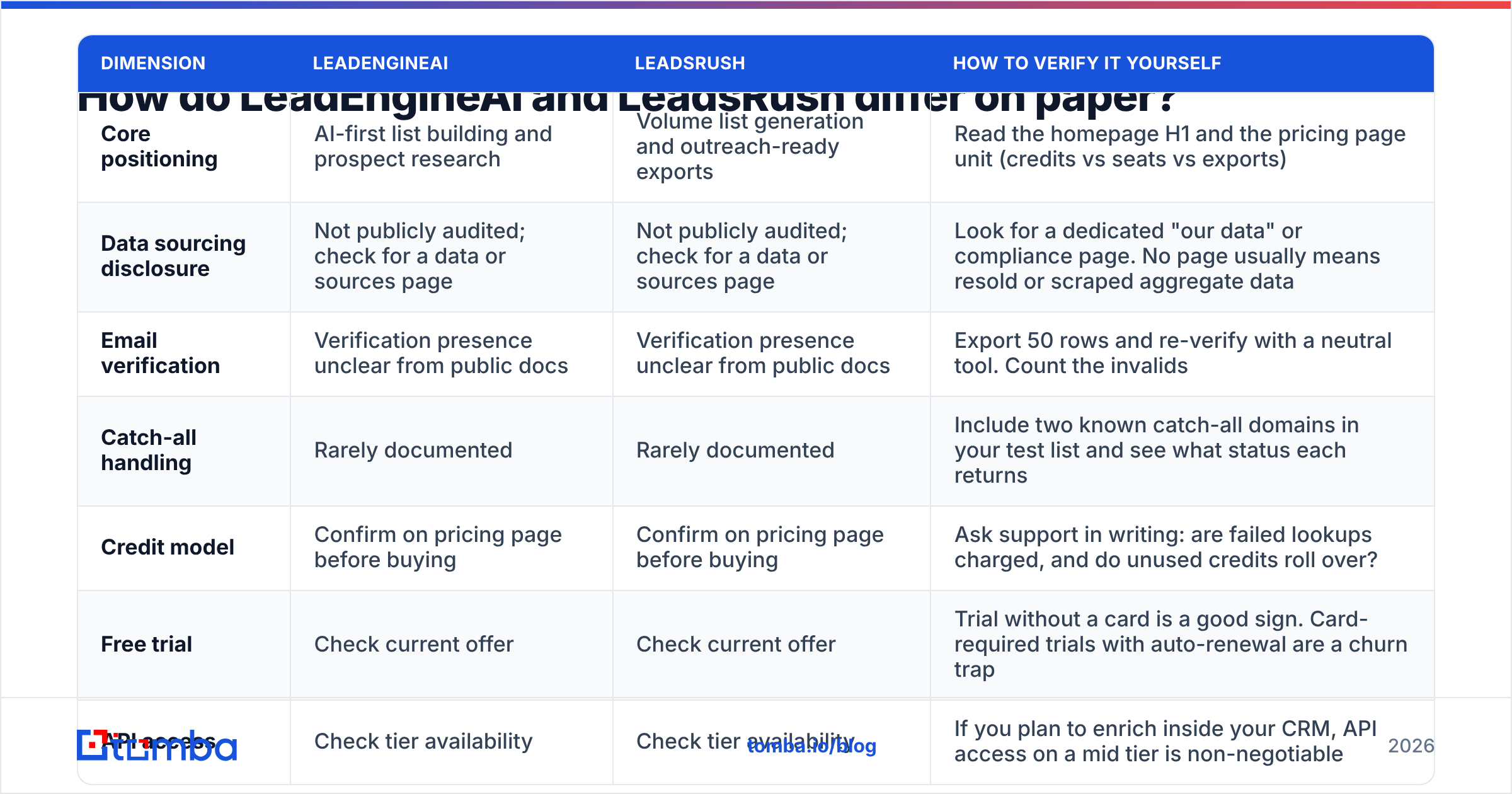
This table maps the dimensions that actually change your outcome, and, critically, tells you how to confirm each one yourself rather than trusting a feature grid.
| Dimension | LeadEngineAI | LeadsRush | How to verify it yourself |
|---|---|---|---|
| Core positioning | AI-first list building and prospect research | Volume list generation and outreach-ready exports | Read the homepage H1 and the pricing page unit (credits vs seats vs exports) |
| Data sourcing disclosure | Not publicly audited; check for a data or sources page | Not publicly audited; check for a data or sources page | Look for a dedicated "our data" or compliance page. No page usually means resold or scraped aggregate data |
| Email verification | Verification presence unclear from public docs | Verification presence unclear from public docs | Export 50 rows and re-verify with a neutral tool. Count the invalids |
| Catch-all handling | Rarely documented | Rarely documented | Include two known catch-all domains in your test list and see what status each returns |
| Credit model | Confirm on pricing page before buying | Confirm on pricing page before buying | Ask support in writing: are failed lookups charged, and do unused credits roll over? |
| Free trial | Check current offer | Check current offer | Trial without a card is a good sign. Card-required trials with auto-renewal are a churn trap |
| API access | Check tier availability | Check tier availability | If you plan to enrich inside your CRM, API access on a mid tier is non-negotiable |
| Best fit | Teams wanting research automation in one place | Teams wanting raw list volume fast | Match to your actual bottleneck, not the demo's most impressive screen |
Two things should jump out. First, most of the right-hand column is work you do, not work the vendor does for you. Second, the rows that decide your bounce rate — sourcing, verification, catch-all handling — are exactly the rows vendors in this tier document least.
What should you actually compare when public data is thin?#
When two products are this closely matched in marketing language, ignore the feature checklists and score them on six things. This is the core of the evaluation, and it applies to any tool in the category, not just these two.
- Where the data originates. Contributed contact data (from users who connected inboxes or extensions), public web crawling, licensed partnerships, and pattern inference are four very different sources with four very different decay rates. A vendor who explains their sourcing is signalling confidence. A vendor who only says "proprietary AI" is signalling nothing. For reference on what disclosure looks like, compare against a published data sources page.
- Whether verification happens before delivery. There is a real difference between "we generated this address from a first-name-dot-last-name pattern" and "we generated it, then confirmed the mailbox accepts mail." The first is a guess wearing a confidence score. Always run exports through an independent email verifier before you trust them.
- How catch-all domains are labelled. Roughly a fifth of B2B domains accept all mail, which makes standard SMTP checks useless. A tool that silently marks catch-alls as "valid" is inflating its own accuracy number. A tool that marks them "unknown" and offers deeper checking is being honest with you.
- The real unit of cost. Credits, exports, seats, and rows are not interchangeable. One platform charging per successful find is cheaper than a rival charging per attempted lookup, even at a higher headline price. Ask whether failed searches consume credits.
- Freshness and re-verification cadence. B2B contact data decays at roughly 2 to 3% per month through job changes alone. A database refreshed quarterly is meaningfully worse than one refreshed continuously, regardless of raw size.
- Exit cost. Can you export everything you paid for as clean CSV, and does the platform lock your sequences, notes, and history behind the subscription? All-in-one tools score worse here than composable stacks by design.
Score both vendors 1 to 5 on each line during your trials. The one with the higher total wins, and you will have a defensible reason to tell your finance team.
Is LeadEngineAI better than LeadsRush for cold outbound?#
It depends entirely on which half of the outbound problem you are solving.
If your problem is targeting — you do not know which accounts to approach, and your ICP definition is still fuzzy — a research-heavy, AI-first tool is the better spend. You are paying for filtering, signal detection, and account prioritisation. Raw contact volume is not your constraint; relevance is.
If your problem is volume — you know exactly who to hit, you have a proven sequence, and you simply need 3,000 more verified addresses at a specific job title in a specific geography — then a list-generation tool optimised for export throughput is the better spend. Paying a premium for AI research you will not read is waste.
Where both tool types tend to disappoint is the middle layer: making sure the addresses are actually deliverable. This is why experienced outbound teams almost always run a two-stage stack. Sourcing tool finds and filters. Dedicated verifier gates what reaches the sender. It is not a coincidence that mature teams keep the verification step outside whichever list vendor they happen to be using that quarter, because list vendors change and the domain you send from does not.
Before any of this matters, confirm your sending setup is sound. A perfect list still bounces if your authentication is broken, so run an SPF checker on your sending domain and fix records before you scale volume.
How much do they actually cost per usable contact?#
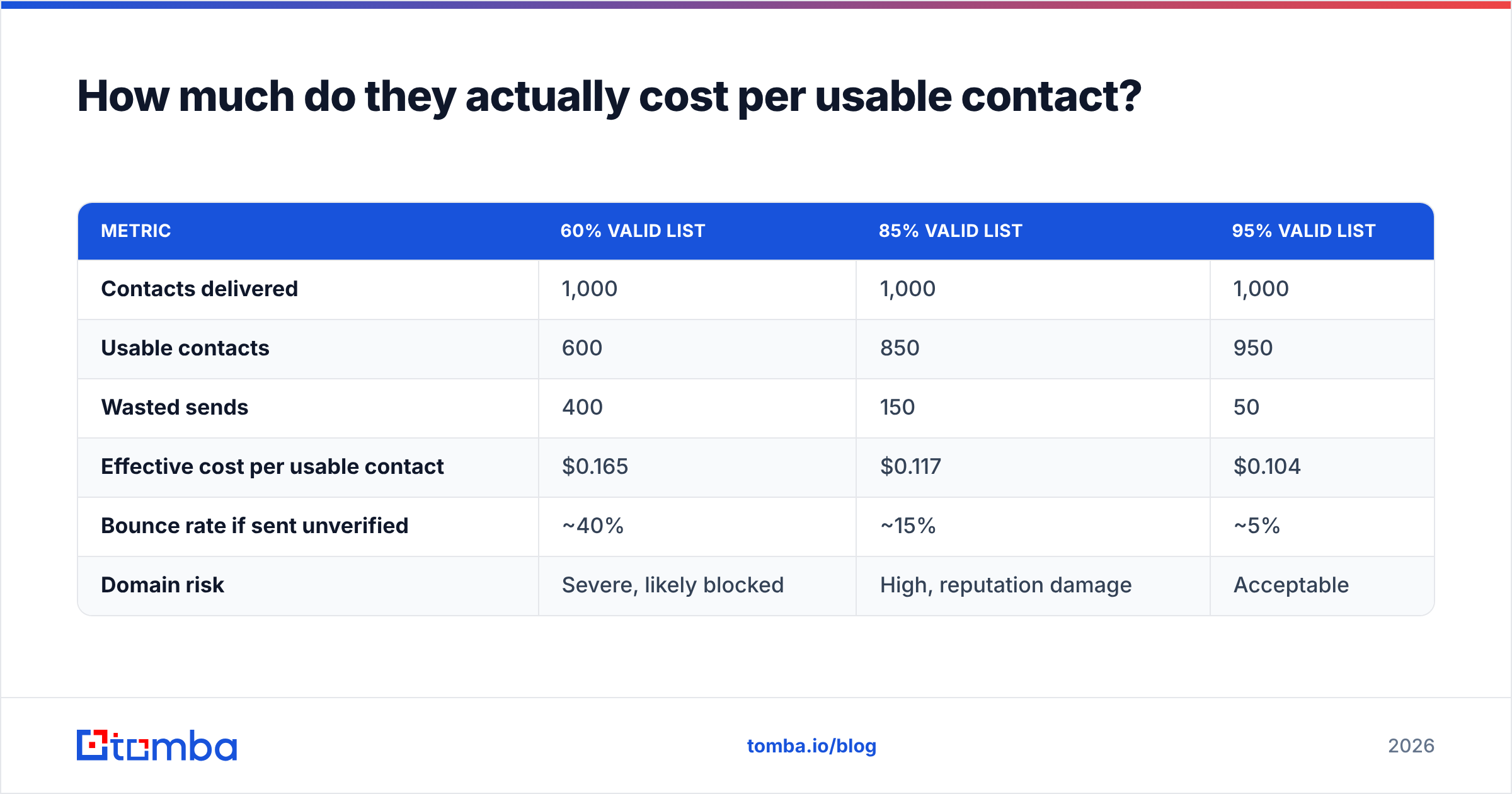
Headline pricing is the wrong number. The number that matters is cost per usable contact, meaning contacts that are valid, deliverable, and match your ICP. Here is the math, using a $99/month plan delivering 1,000 contacts, at three different validity rates.
| Metric | 60% valid list | 85% valid list | 95% valid list |
|---|---|---|---|
| Contacts delivered | 1,000 | 1,000 | 1,000 |
| Usable contacts | 600 | 850 | 950 |
| Wasted sends | 400 | 150 | 50 |
| Effective cost per usable contact | $0.165 | $0.117 | $0.104 |
| Bounce rate if sent unverified | ~40% | ~15% | ~5% |
| Domain risk | Severe, likely blocked | High, reputation damage | Acceptable |
The cost delta between the 60% list and the 95% list looks small, around six cents a contact. The reputation delta does not. A 40% bounce rate does not just waste credits; it gets your sending domain filtered, which costs you every future campaign from that domain, including the ones with perfect lists. That asymmetry is why you should weight validity far more heavily than price when choosing between LeadEngineAI and LeadsRush.
For context on how mailbox providers treat this, a sustained bounce rate above roughly 2% is where most inbox providers start throttling. The economics of lead generation as a channel break down quickly once you are in that band.
What is the 30-minute test that settles it?#
Do not buy on a demo. Buy on your own data. Here is the protocol.
Step 1 — Build a control list (10 minutes). Pick 50 real prospects you already know exist: people you have emailed successfully, or contacts pulled from a CRM segment where you know the address is live. Include at least five contacts at known catch-all domains and five at companies under 20 employees, where thin data hurts most.
Step 2 — Run both trials against it (10 minutes). Feed the same names and company domains into LeadEngineAI and LeadsRush. Record three things per row: did it return an address, did it return the correct address, and what confidence label did it attach.
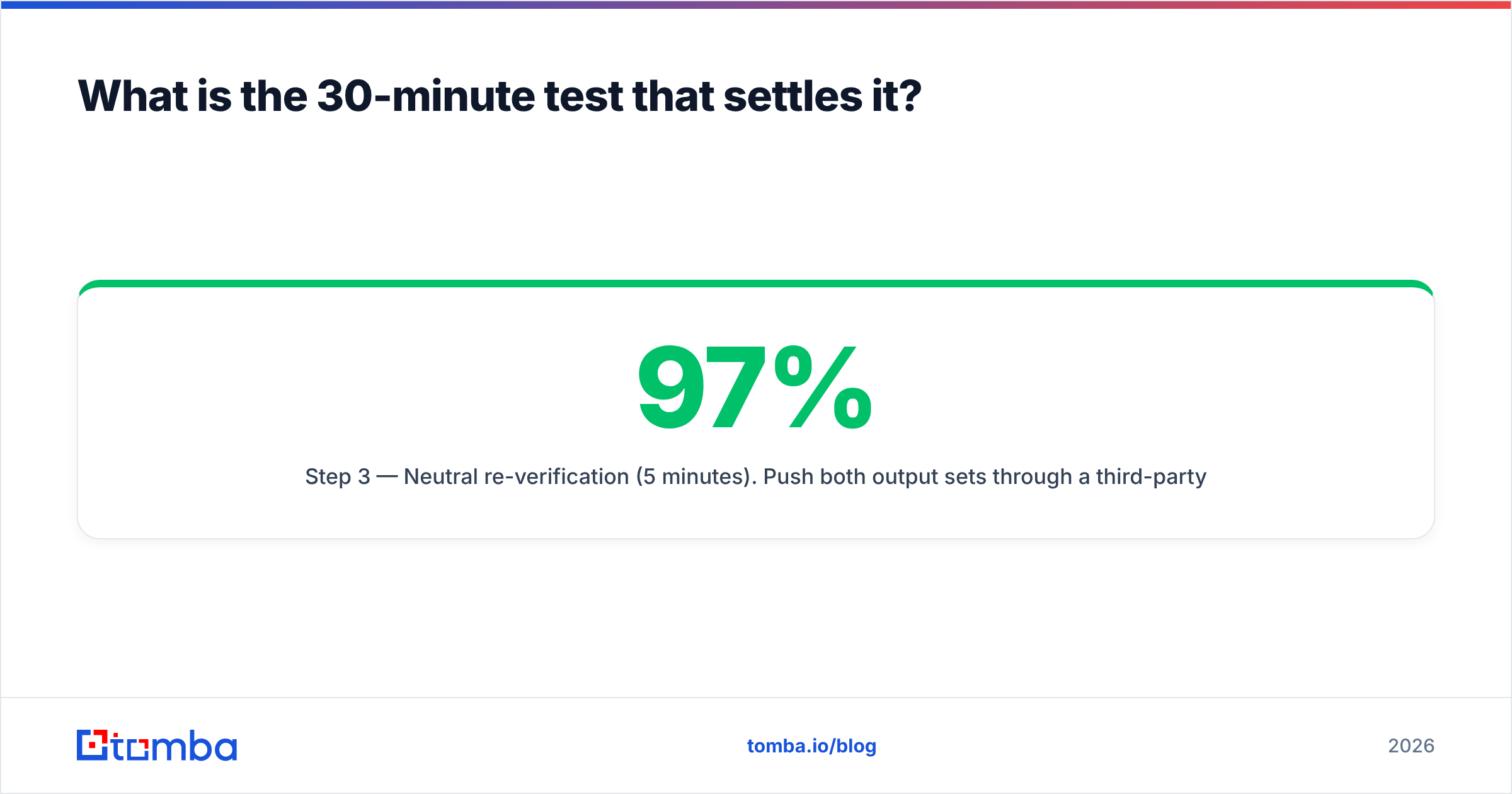
Step 3 — Neutral re-verification (5 minutes). Push both output sets through a third-party verifier that has no stake in the result. Count hard invalids and catch-alls separately. A tool claiming 97% accuracy that produces 18% invalids on re-verification has just told you its confidence score is decorative.
Step 4 — Price the result (5 minutes). Divide what each plan would cost by the number of confirmed-correct addresses. That is your true unit price, and it is frequently 2 to 3x the headline number.
Teams that run this test usually find the winner is not the tool with the better interface. It is the one whose confidence labels are honest.
Where does a dedicated email finder fit into this?#
Alongside, not instead of — at least at first.
The reason so many outbound teams end up with a finder-plus-verifier layer next to their main platform is coverage gaps. Every database has holes, and the holes cluster exactly where you need coverage most: sub-50-employee companies, non-US domains, and recently changed roles. When your primary tool returns nothing, a pattern-based email finder that works from a name and domain fills the gap without a second subscription to a full suite.
The same logic applies to bulk work. If you already have a company list and just need contacts at each domain, running a domain search is faster and cheaper than rebuilding the segment inside an AI platform's filter UI.
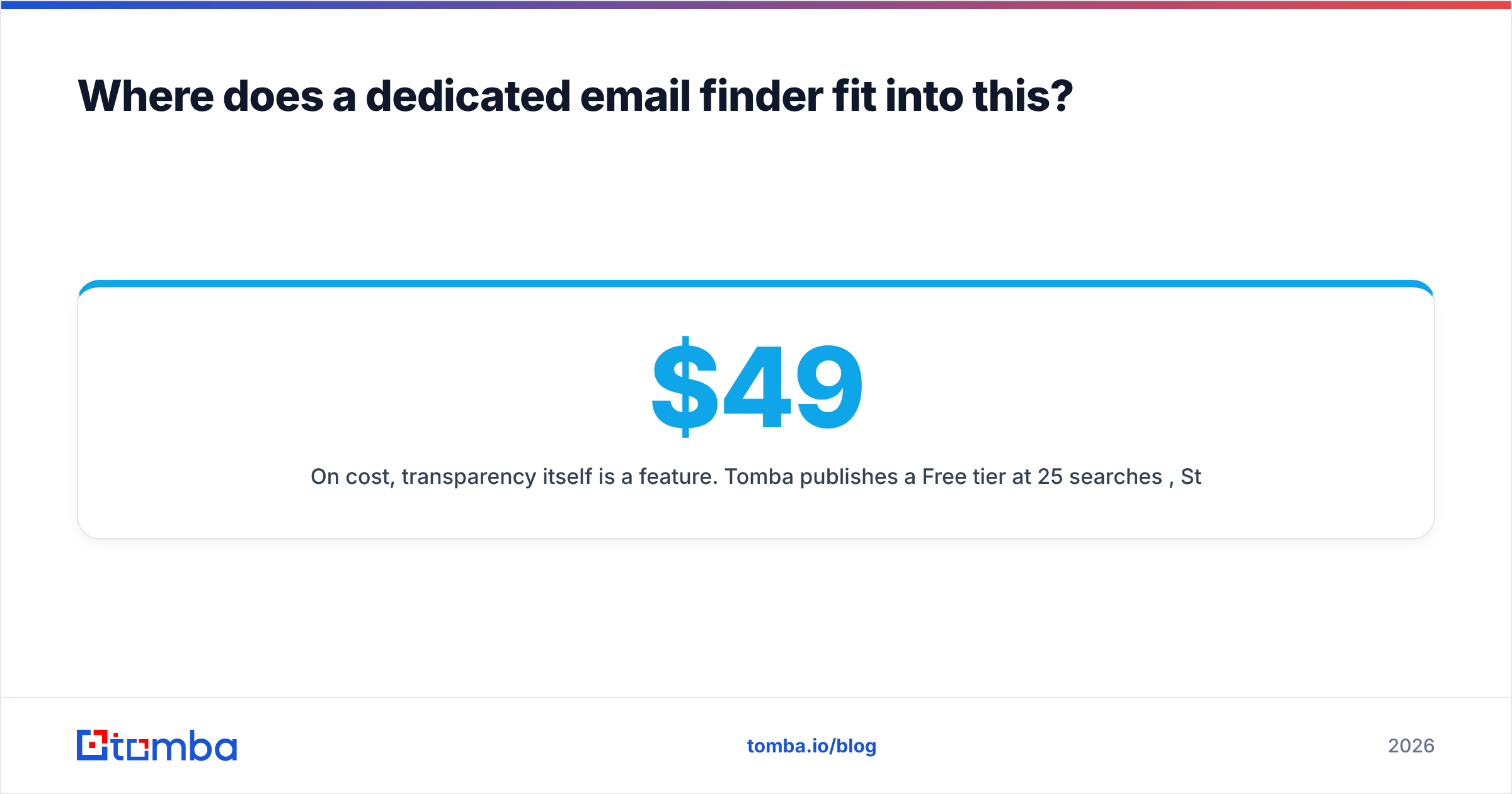
On cost, transparency itself is a feature. Tomba publishes a Free tier at 25 searches per month, Starter at $49/mo, Growth at $99/mo, and Pro at $249/mo on its pricing page, with Enterprise quoted. You can do the cost-per-usable-contact math before you talk to anyone. If either LeadEngineAI or LeadsRush hides pricing behind a mandatory demo, treat that as a data point about how the rest of the relationship will go.
For teams pushing enrichment into a CRM or workflow automation, check whether the vendor exposes a documented email finder API on a tier you can actually afford, rather than gating it behind Enterprise. That single detail often decides whether a tool becomes infrastructure or stays a browser tab someone forgets to renew.
So which one should you pick?#
- Pick LeadEngineAI if your trial shows stronger ICP filtering and account research, your team is small enough that one platform doing several jobs adequately beats three doing them well, and your verified-accuracy test comes back competitive.
- Pick LeadsRush if your test shows higher raw match rates on your exact segment, you already own sequencing and CRM elsewhere, and you need export volume more than research depth.
- Pick neither, yet if both fail the 50-contact control test. A tool that cannot resolve prospects you already know exist will not magically resolve the ones you do not.
- Pick a composable stack if your bottleneck is deliverability rather than discovery. Sourcing tool for targeting, dedicated finder for gap-filling, dedicated verifier as the gate before anything reaches your sender. This stack survives vendor churn; an all-in-one does not.
Whatever you choose, keep the verification step independent of the sourcing vendor. Asking a list seller to grade its own list quality is not a control, it is a marketing input.
Ready to test the data layer for yourself?#
Start with the part of the stack that protects everything downstream. Run your LeadEngineAI and LeadsRush trial exports through the Tomba Email Finder and its verification layer, compare confirmed-correct addresses against what each platform claimed, and let the numbers pick the winner. The Free tier gives you 25 searches a month, which is more than enough to run the 50-row control test described above across both vendors before a single dollar leaves your budget.
Related guides#
// get started
Find, verify and enrich your first contacts today
Start on the free plan with 25 searches a month, then scale when your team is ready.
Free plan · No credit card required · GDPR & CCPA
// about the author