LeadEngineAI vs ReachInbox: Which Outbound Tool Wins in 2026?
LeadEngineAI and ReachInbox both promise AI-run outbound, but they solve different halves of the problem. Here is an honest breakdown of data, deliverability, pricing, and which one belongs in your stack.
Short answer on LeadEngineAI vs ReachInbox: they are not rivals. ReachInbox sends your cold email. LeadEngineAI builds the list you send to. Pick the one that fixes your broken half.
TL;DR
- They are not the same tool. ReachInbox is cold email plumbing: inbox rotation, warmup, a shared inbox, AI reply handling. LeadEngineAI builds and scores the list first.
- Emails landing in spam? ReachInbox is the closer fit.
- Not enough good-fit contacts? A lead-gen layer helps more.
- Neither one replaces verified data. Both lean on the addresses you feed them. In an all-in-one suite, the bundled data is the weak part.
- Pricing works in different ways. ReachInbox posts self-serve tiers. LeadEngineAI is newer and quote-led, so check the numbers yourself.
- The setup that wins in 2026: one data source (an email finder plus checking) feeding one sending tool.
What is the real difference in LeadEngineAI vs ReachInbox?#
People search leadengineai vs reachinbox and expect two rivals. They are not. Both brands sell the same three words: AI, outbound, pipeline. Strip the ads away. The two tools sit at opposite ends of one workflow.
ReachInbox is a cold email platform. Its value is plumbing. You link many mailboxes and rotate sends across them. You warm them up. You run multi-step campaigns. You read every reply in one inbox, with AI to sort and draft. It competes with Instantly, Smartlead, and Saleshandy. The buyer is an agency or an SDR team. They have a list. They need it to land.
LeadEngineAI sits earlier in the funnel. The pitch: AI builds and scores your target list. It pulls company and contact signals, filters for fit, and hands you people instead of raw filters. The buyer is a founder or a small team with no list-building habit yet.
So the honest question is not "which one is better." It is this: which half of your outbound machine is broken right now?
One warning before the feature grids. ReachInbox leaves a long public trail — reviews on G2, a clear feature set, open pricing. LeadEngineAI is newer, with a much thinner record. That gap matters more than any single feature. Ask a quiet vendor for three things. A data sample against your ICP. A written bounce-rate promise. An export path for the day you leave.
LeadEngineAI vs ReachInbox: the head-to-head table#
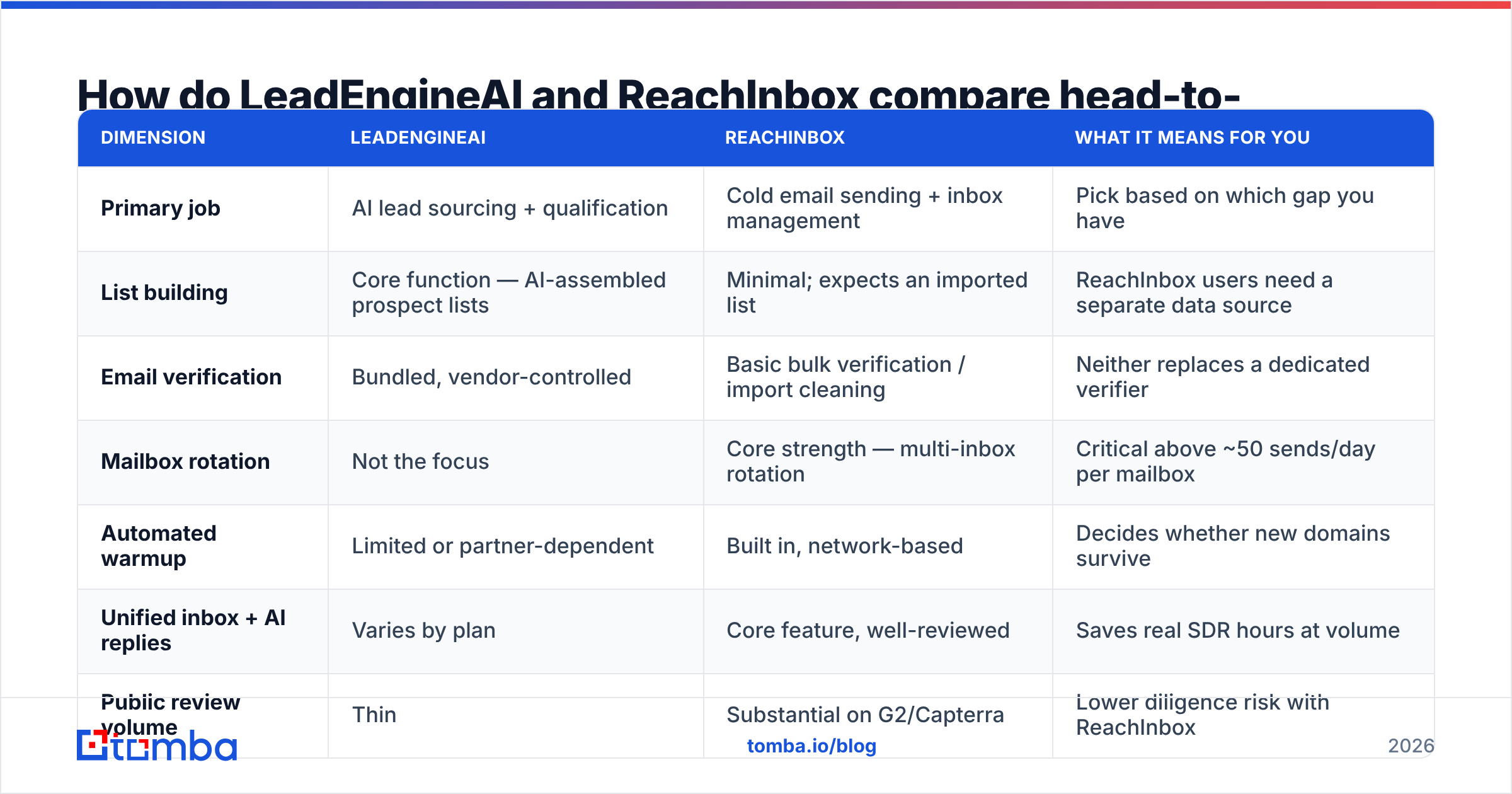
| Dimension | LeadEngineAI | ReachInbox | What it means for you |
|---|---|---|---|
| Primary job | AI lead sourcing + qualification | Cold email sending + inbox management | Pick based on which gap you have |
| List building | Core function — AI-assembled prospect lists | Minimal; expects an imported list | ReachInbox users need a separate data source |
| Email verification | Bundled, vendor-controlled | Basic bulk verification / import cleaning | Neither replaces a dedicated verifier |
| Mailbox rotation | Not the focus | Core strength — multi-inbox rotation | Critical above ~50 sends/day per mailbox |
| Automated warmup | Limited or partner-dependent | Built in, network-based | Decides whether new domains survive |
| Unified inbox + AI replies | Varies by plan | Core feature, well-reviewed | Saves real SDR hours at volume |
| Public review volume | Thin | Substantial on G2/Capterra | Lower diligence risk with ReachInbox |
| Pricing transparency | Demo/quote-led at time of writing | Published self-serve tiers | Verify both before budgeting |
| Best-fit buyer | Founder-led team with no list | Agency or SDR team with a list | Many teams eventually need both |
Two rows matter most. Mailbox rotation and warmup are no longer extras. Google and Microsoft now police bulk senders. A tool with no rotation caps what you can send. Bundled checking is where all-in-one suites fall down. Vendors tune it to be good enough to send. They do not tune it to guard a domain you built over two years.

What does each tool do well?#
Skip the spec dump. Here is where each one earns its keep.
- ReachInbox — volume sending. It rotates dozens of mailboxes, ramps new ones slowly, and caps sends per domain.
- ReachInbox — reply handling. One inbox sorts replies into interested, not now, and objection. At 200 replies a week, that saves real hours.
- LeadEngineAI — the cold start. With no list and no data person, a scored prospect set beats an empty filter screen.
- LeadEngineAI — fit scoring. Scoring people before a sequence cuts wasted sends. That guards your sender reputation.
- Both — fewer logins. One tool instead of four helps a two-person team. Just accept that each module is mid-tier.
- Neither — true data. Treat each vendor address as unchecked until an email verifier says otherwise.
That last point costs teams the most money. So it gets its own section.
Which one gives you better data quality?#
Neither vendor is a data company. That is the whole answer.
ReachInbox is upfront about it. It sends; you bring the list. LeadEngineAI leans on data as a selling point, so it earns harder questions. When a bundle promises data, that data is often licensed from an aggregator. Or it is scraped and checked in a light pass. Nobody publishes how often it is refreshed.
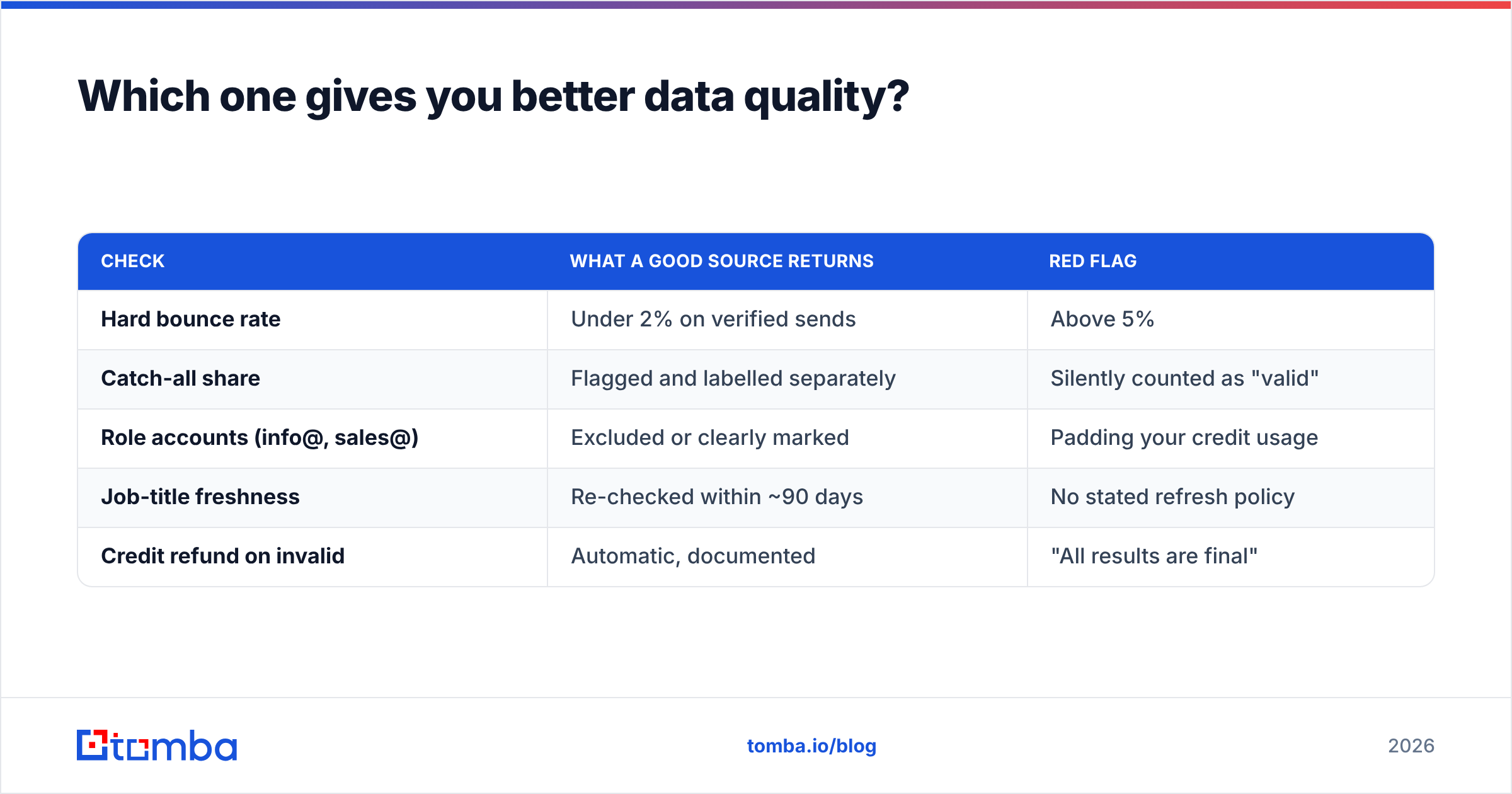
Here is the test that sorts vendors out. Pull 200 contacts from any tool. Then measure:
| Check | What a good source returns | Red flag |
|---|---|---|
| Hard bounce rate | Under 2% on verified sends | Above 5% |
| Catch-all share | Flagged and labelled separately | Silently counted as "valid" |
| Role accounts (info@, sales@) | Excluded or clearly marked | Padding your credit usage |
| Job-title freshness | Re-checked within ~90 days | No stated refresh policy |
| Credit refund on invalid | Automatic, documented | "All results are final" |
The catch-all row is where bundles quietly fail. A catch-all domain accepts every address at the SMTP layer. A lazy checker then marks the whole domain valid. You learn the truth when you send. A dedicated catch-all verifier sorts those out instead of guessing. That one gap often explains four points of bounce rate between two lists that look the same.
Doing domain-level prospecting? Try domain search against a purpose-built index. It beats the prospecting module inside a sending tool, because coverage is that vendor's only product.
Which platform wins on deliverability?#
ReachInbox, clearly. But one caveat undercuts the question.
ReachInbox owns the controls that keep a domain alive: rotation, slow warmup, throttling, spintax, custom tracking domains, and bounce handling. LeadEngineAI sits upstream. It touches email deliverability only through list quality.
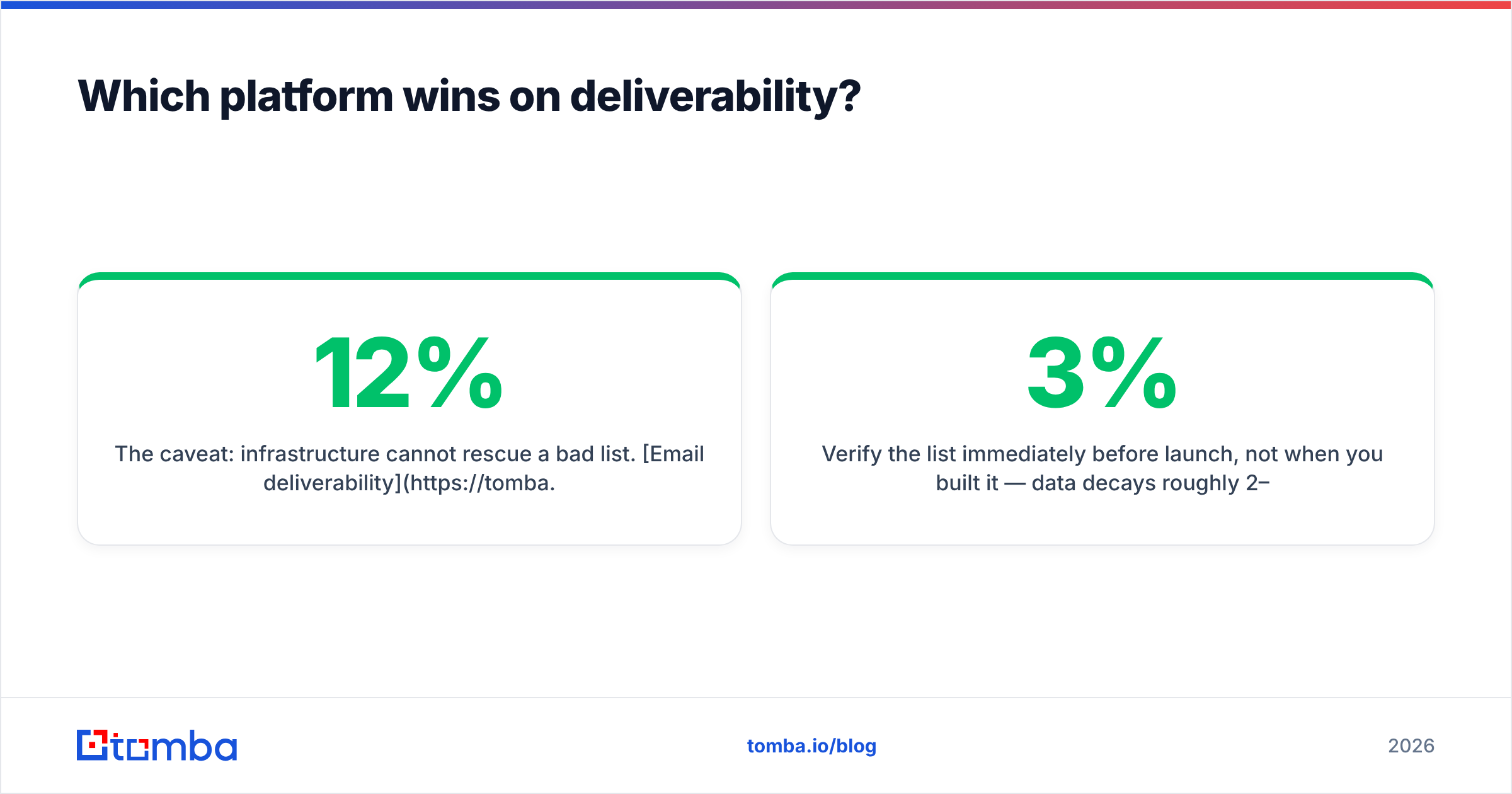
The caveat: plumbing cannot save a bad list. Deliverability is two-thirds list hygiene and one-third sending mechanics. A 12% bounce rate will torch your name on any platform. Inbox providers read bounces as proof that you have no right to the data. Keep hard bounces under 2%. Treat 5% as a fire.
This sequence works whichever tool you pick:
- Set up an SPF record, DKIM, and DMARC on every sending domain first.
- Warm each new mailbox for three or four weeks. Set the ramp with a warmup calculator.
- Check the list right before launch, not when you built it. Data rots 2–3% a month.
- Cap each mailbox at 30–50 cold sends a day. Add mailboxes, not volume.
- Re-check any segment older than 60 days.
Do those five things. The platform choice then matters far less than the vendor pages claim.
How does pricing compare in LeadEngineAI vs ReachInbox?#
The two price so differently that a headline number misleads.
ReachInbox posts self-serve tiers. They scale by mailboxes, contacts, and live campaigns. That is easy to model. LeadEngineAI has been quote-led. That usually means a yearly deal and per-seat pricing. Check both yourself. Do not trust any third-party number, this one included.
The costs that never show up on a pricing page:
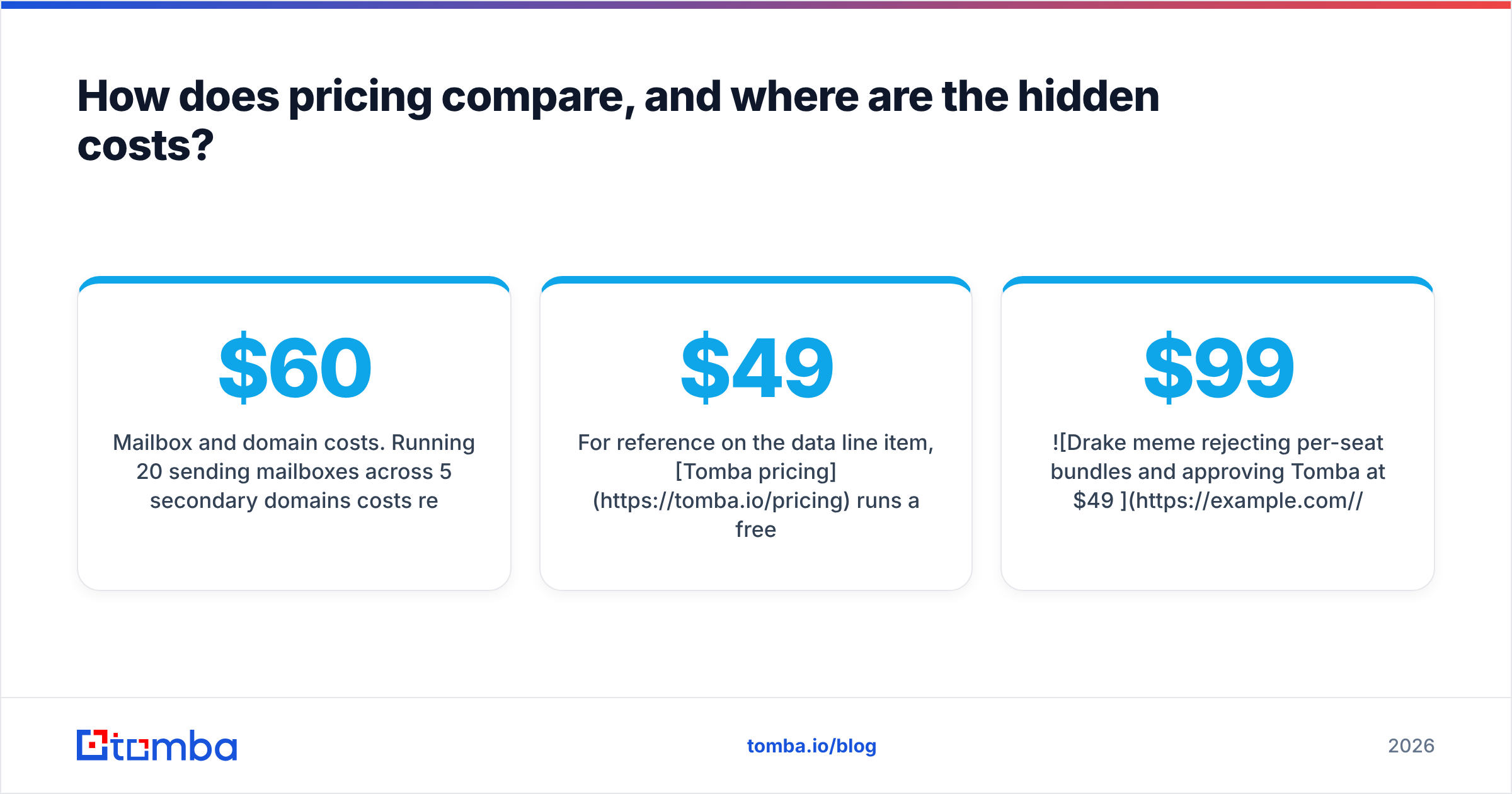
- Mailboxes and domains. Twenty mailboxes across five spare domains run $60–$150 a month in Google Workspace seats, plus the domains.
- Data credits. Weak bundled data means you pay twice.
- Checking. Cleaning a list is not free. Doing it badly costs more.
- Seat inflation. Per-seat plans punish teams that want ops and marketing to have a look.
On the data line item, Tomba pricing starts free at 25 searches a month. Starter is $49, Growth is $99, and Pro is $249. Finding and checking share one credit pool.

Should you buy one, both, or neither?#
Match the LeadEngineAI vs ReachInbox choice to your real bottleneck.
- "My list is fine, my email does not land." → ReachInbox. Add your own checking before each launch.
- "I have no list and no process." → A lead-gen layer helps. Still price it against buying data direct. A finder plus a cheap sender is often cheaper and more exact.
- "I run 10+ client accounts." → ReachInbox for the plumbing. Add a data vendor per vertical.
- "I send 100 emails a week." → Neither, yet. One warm mailbox, 500 checked contacts, and any sequencer will beat a $200 suite.
- "I need phone numbers." → Neither is phone-first. Pair with a phone finder.
Never let one vendor own both your sending name and your data.
Strong outbound teams all do the same thing. They unbundle. Data from a data company. Sending from a sending company. Contacts in a CRM. Each layer can be swapped on its own.
What to check before you sign#
Run this in a 30-minute trial, not a 30-day one.
- Export 100 contacts from your exact ICP. Not the demo segment. Yours.
- Check them with an outside tool. Over 5% invalid is a fail.
- Count role accounts and catch-alls. If they are not labelled, the "valid" rate is padded.
- Get the refresh policy in writing. "Always updated" is not a policy.
- Test the export. Can you pull contacts and replies as CSV with no support ticket?
- Check the API. A documented email finder API is the line between a tool you can automate and one you cannot.
Few vendors pass all six. The ones that fail step 2 are why teams buy data on their own six months later.
The bottom line on LeadEngineAI vs ReachInbox#
ReachInbox wins on track record, send controls, and clear pricing. LeadEngineAI solves an earlier problem: the empty list. But it is a quieter vendor, so it carries more risk. Its data layer earns the same doubt as any bundled data.
Neither one solves the thing that sets your reply rate. Are the addresses real, current, and tied to the right person?
That layer is worth owning yourself. Tomba's Email Finder finds work addresses by domain, name, or company. It checks them in the same flow. It flags catch-all domains instead of guessing. The free tier gives 25 searches a month, and Starter is $49. You also get an API, a Chrome extension, and Google Sheets support. Put it in front of ReachInbox, LeadEngineAI, or whatever you pick next year. The sending tool then becomes the easy call it always should have been.
Related guides#
// get started
Find, verify and enrich your first contacts today
Start on the free plan with 25 searches a month, then scale when your team is ready.
Free plan · No credit card required · GDPR & CCPA
// about the author