LeadEnrich Pricing Review 2026: Real Costs, Pros and Cons
LeadEnrich sells credits, not contacts. Here is how the pricing model really works, what buyers praise and complain about, and when a flat-rate email finder costs less per usable lead.
This LeadEnrich pricing review is short on hype and long on math. Here is what the credits really cost, what buyers like, what they gripe about, and when a flat-rate email finder wins.
TL;DR
- LeadEnrich sells credits, not contacts. Your true cost is the price divided by the share of records that pass a verify test.
- Public pricing is thin. Past the entry tier, expect a sales quote, a one-year term, and seat minimums.
- Buyers like the data breadth. They dislike credit burn, export caps, and rigid contracts.
- Need good work emails at a set monthly price? A focused finder like Tomba pricing at $49/mo (Starter) or $99/mo (Growth) often wins on cost per usable lead.
- Buy LeadEnrich when deep data drives your routing or scoring. Skip it when you just need an email and a verify check.
Every price in this LeadEnrich pricing review was checked in September 2026. Data vendors shuffle tiers often. Get the current terms in writing before you sign.
What is LeadEnrich and who is it for?#
LeadEnrich is a B2B data tool. You feed it a partial record: a domain, a name, a LinkedIn URL, or a messy CRM row. It hands back a fuller profile.
That profile may hold a work email, a direct dial, a job title, a seniority level, company size, industry, funding stage, and tech stack. Some plans add intent or job-change signals.
An email finder does a smaller job. It answers one question: what is this person's verified work email? A data suite answers a dozen at once. That is why it costs more, and why it bills per credit.
Buyers split into three camps:
- RevOps teams. They need every inbound form fill topped up before routing.
- ABM and demand gen teams. They score accounts on company fit and tech stack.
- Outbound SDR teams. They need a name, a good email, and a reason to reach out.
The first two camps get real value from breadth. The third camp often pays suite prices for finder work. That gap drives most of the gripes in every LeadEnrich pricing review thread you will read.

LeadEnrich pricing review: how the credit model works#
Credit pricing looks simple on a web page. It gets messy on an invoice. Five rules decide what you pay.
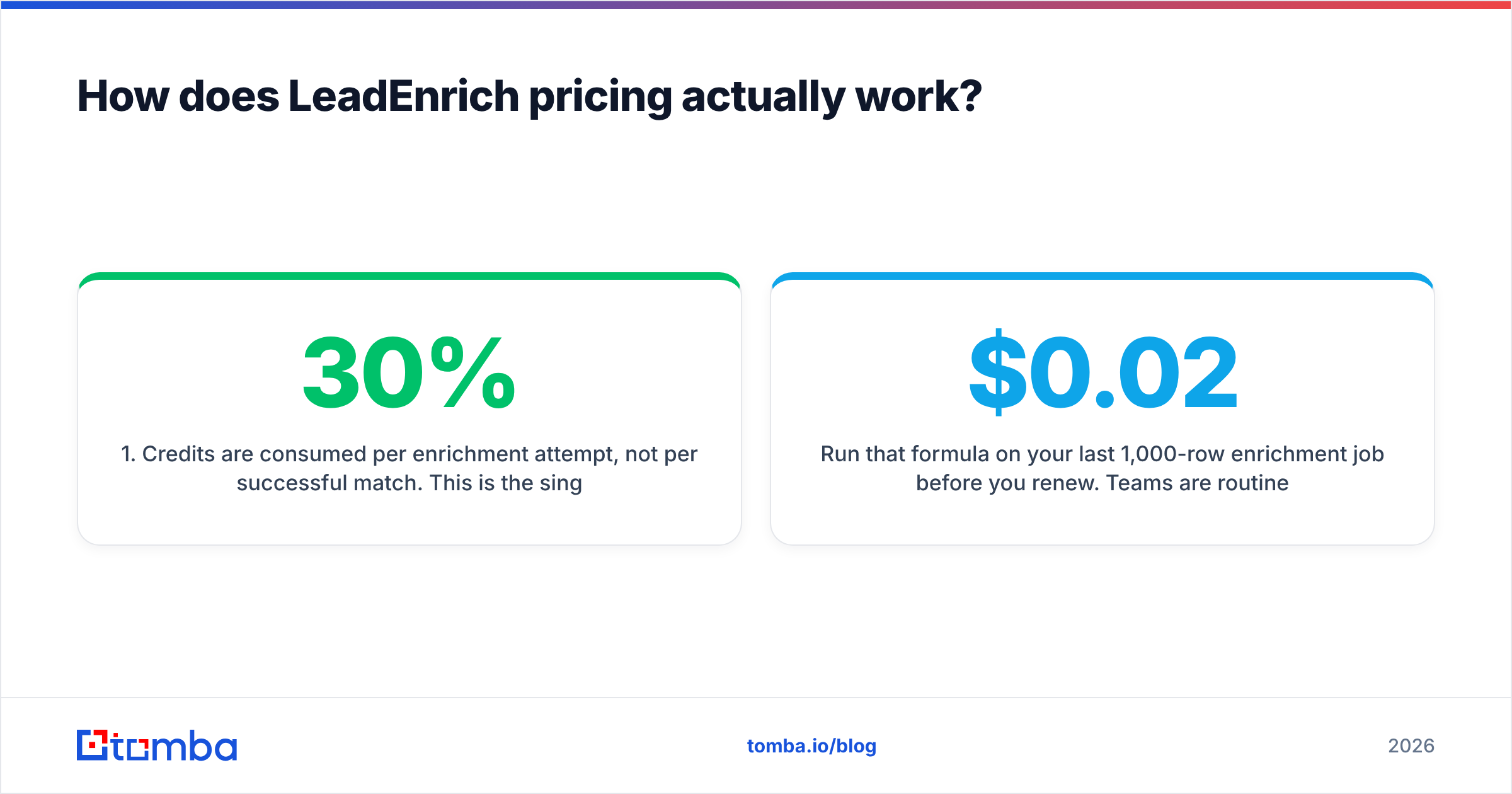
Credits burn per try, not per hit. This is the biggest hidden cost. If a tool misses on 30% of your list, you still paid. Ask in writing whether misses are refunded.
Fields cost different amounts. An email is often 1 credit. A mobile number can cost 5 to 10 times that. A person lookup plus a company lookup can bill twice on one row. So a 10,000-row file is rarely 10,000 credits.
Seats and credits bill apart. Entry plans bundle a few credits per seat. Growing teams need more credits than seats. That pushes them into a custom quote fast.
A one-year term is the norm at scale. Monthly billing tends to stop at the lowest self-serve plan. Talk to sales and you get a 12-month deal. Unused credits often expire. Ask for rollover in writing.
Export and API caps are separate levers. Plenty of teams learn mid-quarter that their plan limits CSV exports or API calls. That throttles the bulk job they bought the tool for.
None of this is unique to LeadEnrich. It is how the whole category works. But it means the sticker rate per credit tells you very little. The number that counts is cost per usable contact.
Cost per usable contact = monthly spend ÷ (rows returned × match rate × verify pass rate)
Run that on your last 1,000-row job before you renew. Most teams get a shock. A tool billed at "$0.02 per credit" can cost $0.14 per contact that tests clean.
What do LeadEnrich reviews say about pros and cons?#
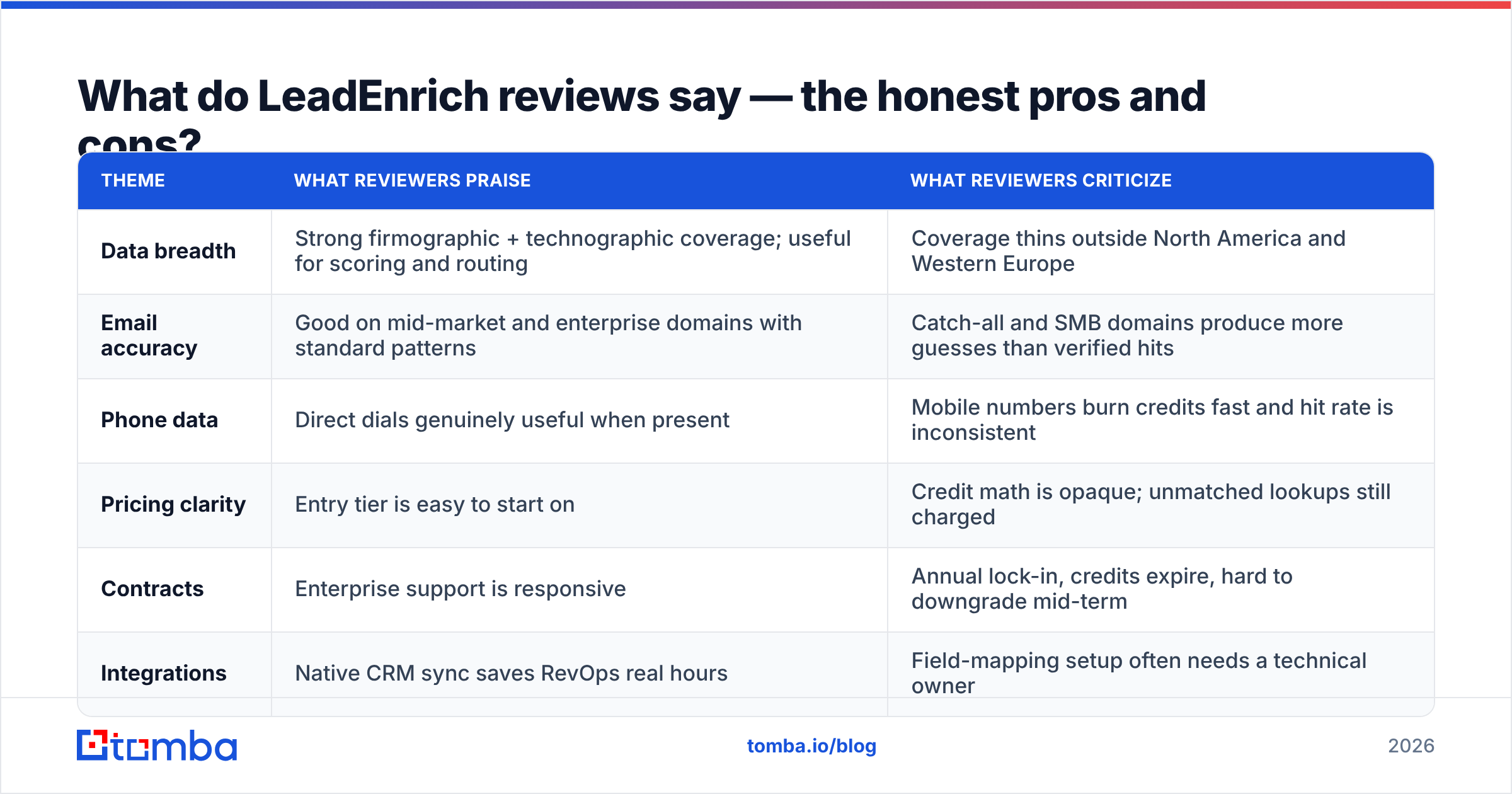
Reviews are the other half of a LeadEnrich pricing review. Buyer sentiment on G2 and Capterra follows a steady shape in this tier. Here is what comes up most.
| Theme | What buyers praise | What buyers criticize |
|---|---|---|
| Data breadth | Strong company and tech-stack coverage. | Coverage thins outside North America and Europe. |
| Email accuracy | Good on mid-market domains with clear patterns. | Catch-all and small-firm domains give more guesses. |
| Phone data | Direct dials are useful when they show up. | Mobile numbers burn credits, and hit rate swings. |
| Pricing clarity | The entry tier is easy to start on. | Credit math is murky, and misses still get billed. |
| Contracts | Support is quick to answer. | Yearly lock-in, expiring credits, and no easy downgrade. |
| Integrations | CRM sync saves RevOps real hours. | Field mapping needs a technical owner. |
The pros, plainly. The data depth is real. Say a new lead works at a 200-person Series B firm that runs HubSpot and is hiring three SDRs. A suite tells you all of that in one call. CRM sync is the second win. Pushing new fields straight into your CRM cuts out a whole layer of RevOps busywork.
The cons, plainly. Credit billing moves match-rate risk from the vendor to you. A one-year term takes away your exit when quality drops. Export caps can quietly break the bulk list job you bought the tool for. That trio shows up in nearly every LeadEnrich pricing review on the web.
Is LeadEnrich accurate enough to justify the price?#
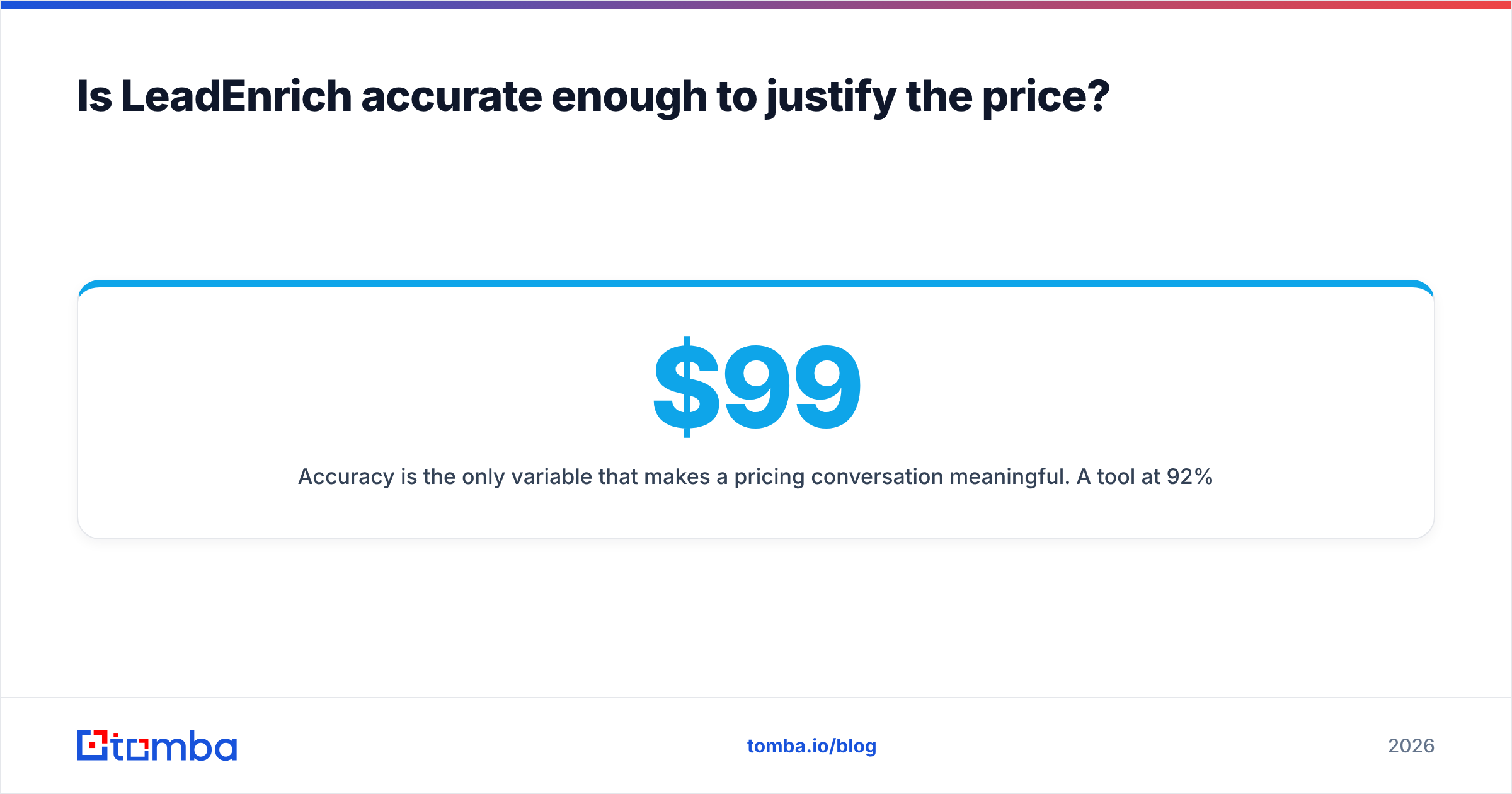
No LeadEnrich pricing review means much without accuracy data. A $99/mo tool at 92% good emails beats a $49/mo tool at 55%. Every time.
Email accuracy swings by domain type. Standard company domains with clear patterns (first.last@) resolve well almost everywhere. Tools split on catch-all domains, small firms, non-Latin scripts, and people who just changed jobs.

Test two things before you spend:
- Run one 200-row sample through every tool on your list. Same rows, same day. Then push all output through one neutral email verifier. Grade on one standard, not on each vendor's own score.
- Count hard bounces on a live send. Some tools mark catch-all domains as valid. Your ESP will disagree, and your sender reputation pays for it.
If a vendor blocks a sample test before a one-year deal, that is your answer.
How does LeadEnrich compare to the alternatives?#
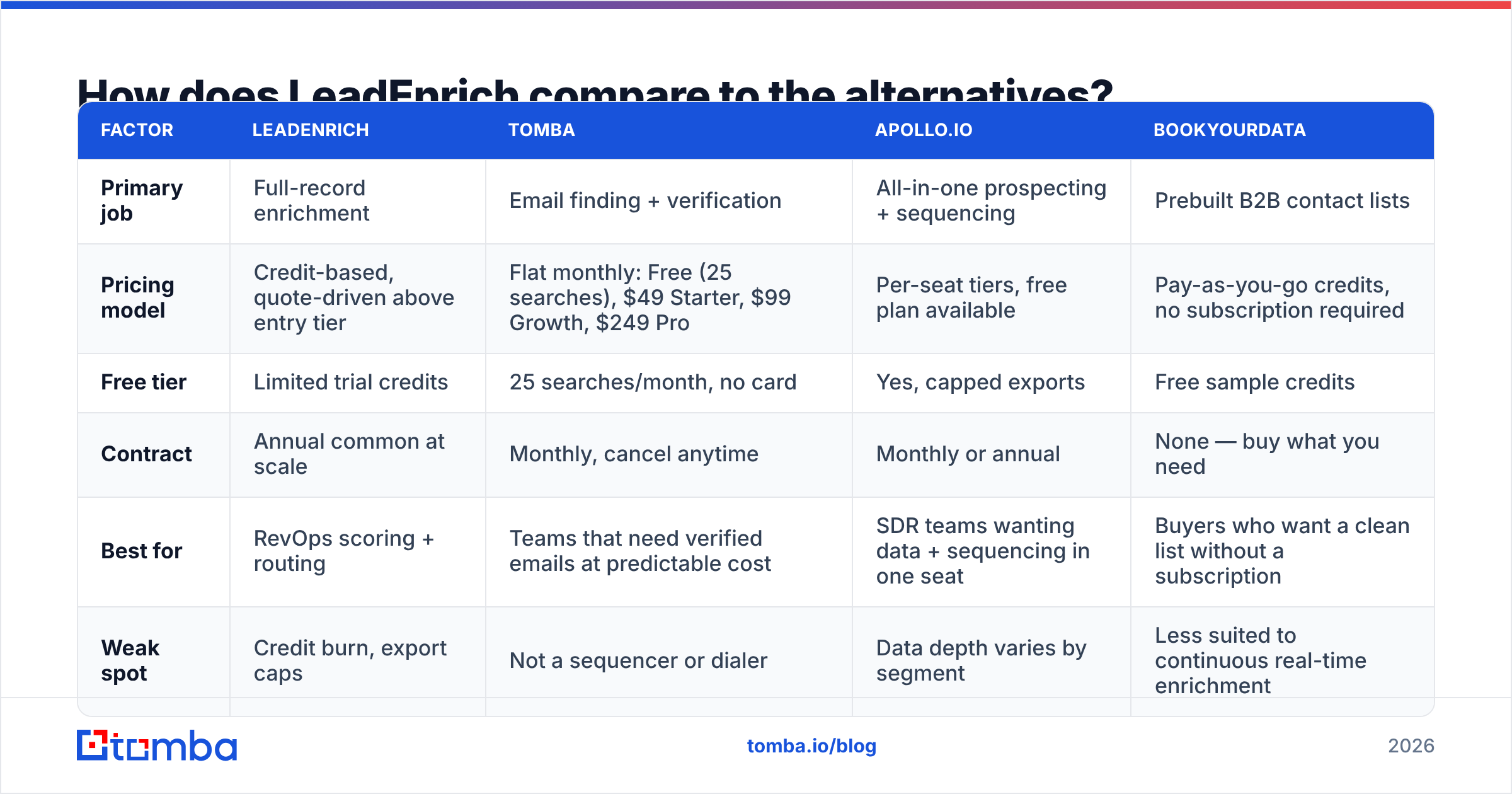
This LeadEnrich pricing review lines up four common shortlist picks. Prices are list prices today, and they change often.
| Factor | LeadEnrich | Tomba | Apollo.io | BookYourData |
|---|---|---|---|---|
| Main job | Full-record data. | Email finding and checks. | Prospecting plus sequencing. | Prebuilt B2B lists. |
| Pricing model | Credits. Quote-driven above entry tier. | Flat: Free, $49, $99, $249 a month. | Per-seat tiers with a free plan. | Pay as you go, no plan needed. |
| Free tier | A few trial credits. | 25 searches a month, no card. | Yes, with capped exports. | Free sample credits. |
| Contract | Yearly is common at scale. | Monthly, cancel any time. | Monthly or yearly. | No contract needed. |
| Best for | Scoring and routing. | Teams that need good emails cheap. | SDRs who want data plus outreach. | Buyers who want one clean list. |
| Weak spot | Credit burn and export caps. | Not a sequencer or dialer. | Data depth swings by segment. | Not built for live top-ups. |

A few notes, so the table does not read as a hit piece.
BookYourData fits when your pain is buying, not tech. Pay as you go means no credit expiry talk at all. Some teams build lists in bursts: a quarterly push, or a trade show follow-up. Those teams pay less this way than for twelve months of a tool they use four.
Apollo.io wins when one seat must cover data and outreach. The trade-off is simple: you buy an average of both jobs, not a star at either. The Apollo alternative page digs into the data side.
Tomba is narrow on purpose. It finds emails, checks them, searches domains, flags catch-alls, finds phones, and adds data enrichment. It prices all of that flat, not per credit. That is the point. If your loop is find, verify, send, you do not fund intent data you never open.

Hidden costs this LeadEnrich pricing review keeps finding#
Four line items skip the quote and show up in year one.
Wasted misses. At a 70% match rate, 30% of your spend returns nothing. On a $12,000 deal, that is $3,600 of blank rows.
Re-checks. Data decays about 2 to 3% a month as people move jobs. Any record older than a quarter needs a fresh check. That costs more credits, or a second tool.
Setup time. Field mapping, dedupe rules, and routing logic are a RevOps project, not a signup. Budget ops hours. Budget more if you sync to Salesforce with custom objects.
Compliance work. EU contact data needs a lawful basis and a paper trail. Check the vendor against the GDPR rules. Ask where each field comes from. Tomba lists its data sources in public. Expect that from anyone you shortlist.
Who should buy LeadEnrich, and who should skip it?#
Buy it if:
- Inbound volume is high, and auto-filling every form saves real SDR time.
- Your score model truly uses company and tech-stack fields, not just email.
- You have a RevOps owner who will keep mappings clean and watch credit use.
- You can win credit rollover and a mid-term exit clause.
Skip it if:
- You just need a good work email for a named person at a known firm. That is finder work at a fraction of the price.
- You build lists in bursts. Pay as you go serves you better.
- Your market sits outside North America and Western Europe. Coverage thins there, and waste rises.
- You cannot get a sample test first. Never buy data you have not bounce-tested.
The buy or skip call in any LeadEnrich pricing review comes down to one question: do the extra fields change what you do next?
Many teams land in the middle. Keep a light finder and verifier running all the time. Add the heavy suite only where extra fields change a decision. Run a bulk email finder over the list first. Then top up only the rows that matched. You stop paying for people you could never reach.
What is the fastest way to test this decision?#
Give yourself two weeks and three numbers.
- Export 500 real target rows. Not a clean demo file, but your actual messy list.
- Run them through each tool on your list. Include the free tiers.
- Check every output through one neutral tool. Then send a small warm-up batch and log the hard bounce rate.
Divide monthly cost by the contacts that survived all three steps. The tool that wins that number wins the deal. The pricing page does not get a vote. Setup takes an afternoon, and it often saves five figures on a yearly deal. It is also the only LeadEnrich pricing review that speaks to your own list.
Start with the cheaper half of the stack#
Does your outbound run on verified work emails? Start there. Add a heavy data suite later, when one workflow demands it.
Tomba Email Finder gives you 25 free searches a month with no card. After that, pricing is flat: $49/mo Starter, $99/mo Growth, $249/mo Pro. No credit bundles to forecast. No tax on misses. Checks are built in, so you grade on delivery, not on a vendor's own score.
Run your real list through the free tier this week. Then compare cost per usable contact against the quote sitting in your inbox.
Related guides#
// get started
Find, verify and enrich your first contacts today
Start on the free plan with 25 searches a month, then scale when your team is ready.
Free plan · No credit card required · GDPR & CCPA
// about the author