LeadGibbon Pros and Cons: An Honest 2026 Review
LeadGibbon sells simple, exportable B2B lists at a low entry price. But the bounce rates, credit model, and thin coverage outside the US tell a more complicated story. Here's the honest breakdown.
TL;DR
- LeadGibbon is a list-building tool: you filter a B2B database by title, industry, and geography, then export contacts to CSV or Google Sheets. It is not a real-time email finder.
- The biggest pro is simplicity and price — the interface is close to zero-learning-curve, and entry plans start cheaper than Apollo or ZoomInfo.
- The biggest con is data freshness. Pre-built database records decay roughly 2-2.5% per month, so a list you export today is measurably wrong by next quarter.
- Coverage skews heavily US/tech. EMEA, LATAM, and APAC job-title accuracy drops off noticeably, and phone data is thin.
- Best fit: a solo founder or small SDR team that wants a fast, cheap list. Poor fit: anyone running high-volume outbound where a 12-18% bounce rate will torch domain reputation.
What is LeadGibbon, exactly?#
LeadGibbon is a B2B contact database with a list-builder UI on top. You pick filters — job title, company size, industry, location, technology — and it returns a set of contact rows with names, emails, company data, and sometimes a phone number. You export, you upload to your sequencer, you send.
That's the whole product, and the simplicity is deliberate. There is no sequencer, no dialer, no CRM, no intent data layer. Compared to platforms like Apollo that bundle prospecting, sequencing, and analytics into one bill, LeadGibbon does one job.
The important distinction — and the one that drives most of the pros and cons below — is database vs. finder:
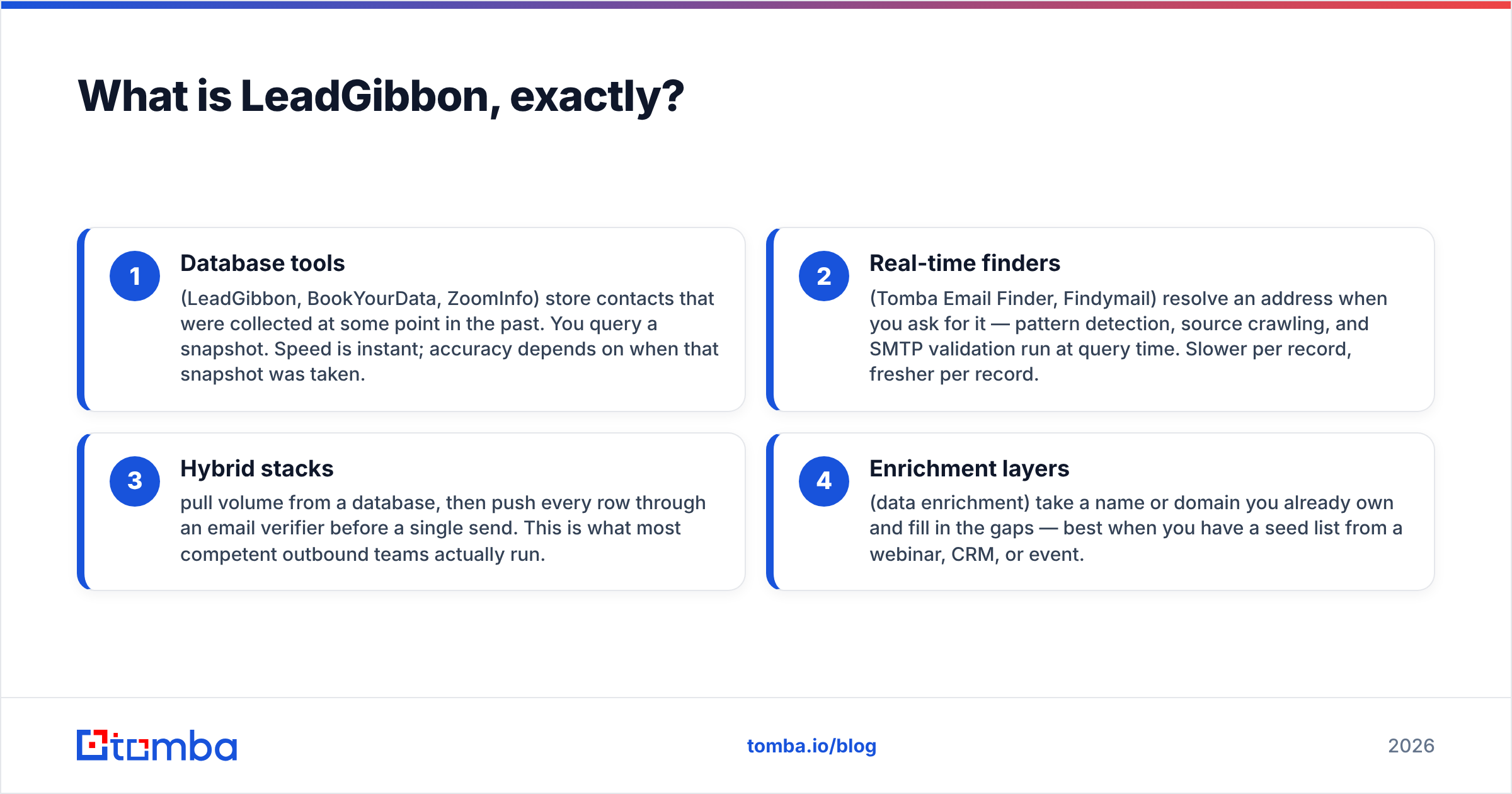
- Database tools (LeadGibbon, BookYourData, ZoomInfo) store contacts that were collected at some point in the past. You query a snapshot. Speed is instant; accuracy depends on when that snapshot was taken.
- Real-time finders (Tomba Email Finder, Findymail) resolve an address when you ask for it — pattern detection, source crawling, and SMTP validation run at query time. Slower per record, fresher per record.
- Hybrid stacks pull volume from a database, then push every row through an email verifier before a single send. This is what most competent outbound teams actually run.
- Enrichment layers (data enrichment) take a name or domain you already own and fill in the gaps — best when you have a seed list from a webinar, CRM, or event.
Knowing which category you're buying decides whether LeadGibbon's tradeoffs are acceptable or fatal.

What are the real pros of LeadGibbon?#
Pro 1 — The learning curve is close to nothing. Most B2B data platforms require a demo, an onboarding call, and a week before your first usable export. LeadGibbon's filter panel is legible in about ninety seconds. For a founder doing their own prospecting between customer calls, that matters more than feature depth.
Pro 2 — The export is genuinely clean. LeadGibbon pushes to CSV and Google Sheets without the column mangling that plagues some competitors. Field names are consistent, and you don't spend an hour normalizing headers before your sequencer will accept the file. If you live in Google Sheets, this workflow fits naturally.
Pro 3 — Predictable list-based pricing. You know what a list of 1,000 contacts costs before you build it. That's easier to budget against than credit systems where a single enrichment call silently burns four credits.
Pro 4 — No annual contract pressure at the low end. Unlike ZoomInfo, which typically requires an annual commitment in the five figures, you can start small and leave. For testing a new ICP hypothesis, that optionality has real value.
Pro 5 — Decent US mid-market coverage. Where LeadGibbon does have data — US-based SaaS, services, and agency companies in the 10-500 employee band — the records are reasonable. Director- and VP-level titles are covered better than C-suite at enterprises.

What are the cons you should weigh seriously?#
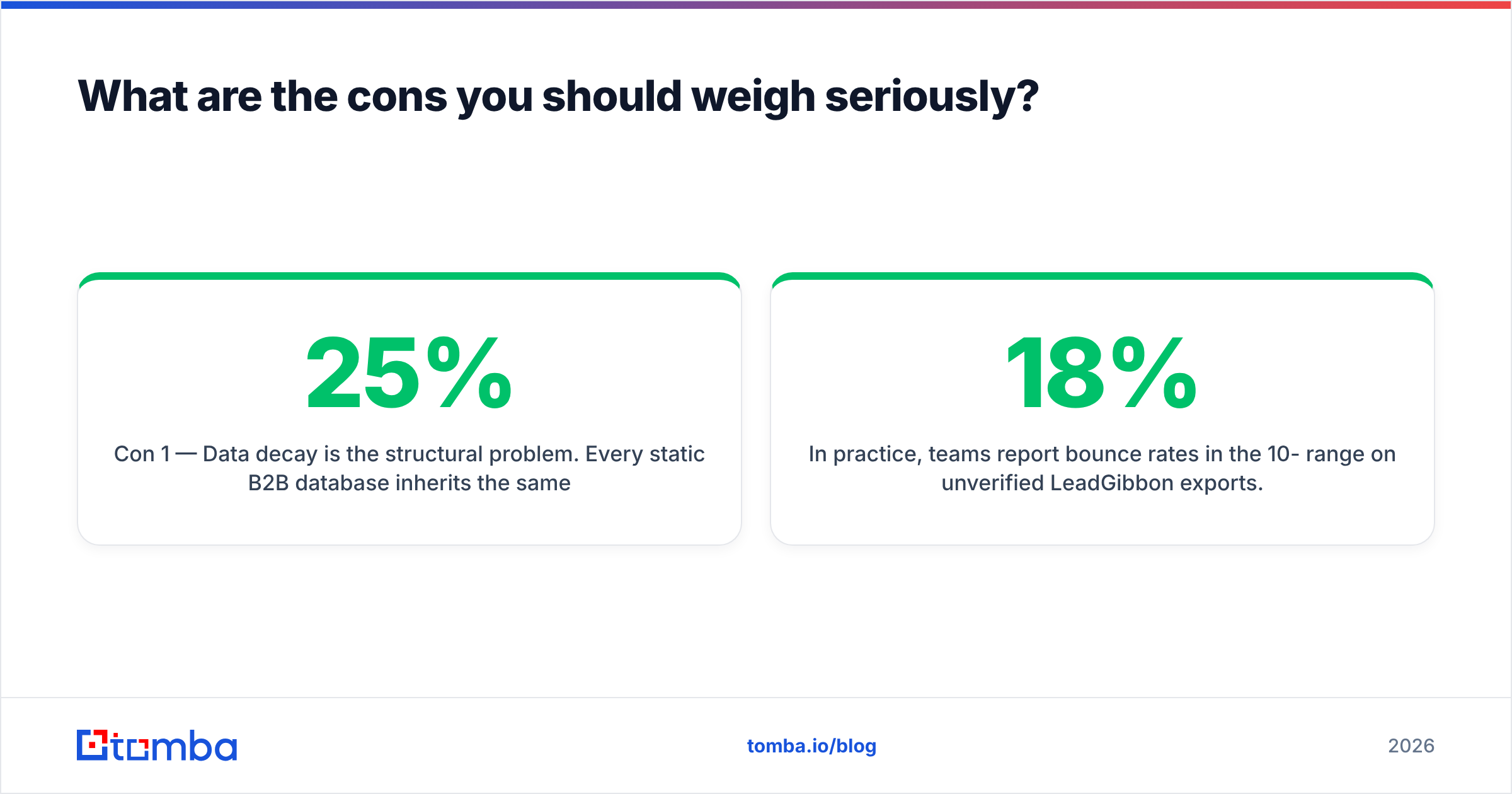
Con 1 — Data decay is the structural problem. Every static B2B database inherits the same physics. Research from HubSpot and others has consistently put B2B database decay at roughly 22-25% per year — people change jobs, companies rebrand, domains migrate. A snapshot database cannot outrun that; it can only re-crawl on a schedule you don't control or see.
In practice, teams report bounce rates in the 10-18% range on unverified LeadGibbon exports. For context, Google and Yahoo's bulk-sender rules now enforce a spam-complaint threshold of 0.3%, and mailbox providers treat high hard-bounce rates as a strong negative signal. A 12% bounce on a 3,000-contact campaign is not a data inconvenience — it's a sender reputation event.
Con 2 — Verification is not built in. You get an address; you do not get a confidence tier, an SMTP result, a catch-all flag, or a role-account warning. That means an extra tool, extra cost, and an extra step in every workflow. If you're running any volume, budget for a catch-all verifier on top of whatever you pay LeadGibbon.
Con 3 — Non-US coverage thins out fast. Filter for "Head of Growth, Germany, 50-200 employees" and the result count collapses versus the equivalent US query. Worse, the records you do get skew older, because European data is harder and more legally constrained to collect and refresh. If your ICP is EMEA or APAC, run a sample query before you pay for anything.
Con 4 — No API-first workflow. LeadGibbon is a UI product. If you want contact resolution inside your own app, your CRM automation, or an AI agent pipeline, you need a programmable layer — a email finder API or MCP endpoint — not a CSV download. This is the single biggest architectural limitation for technical teams.
Con 5 — Limited transparency on sourcing. Buyers increasingly need to answer "where did this data come from?" for GDPR and CCPA reviews. Vendors that publish their data sources make that conversation short. Vendors that don't, make it long.
How does LeadGibbon compare to the alternatives in 2026?#
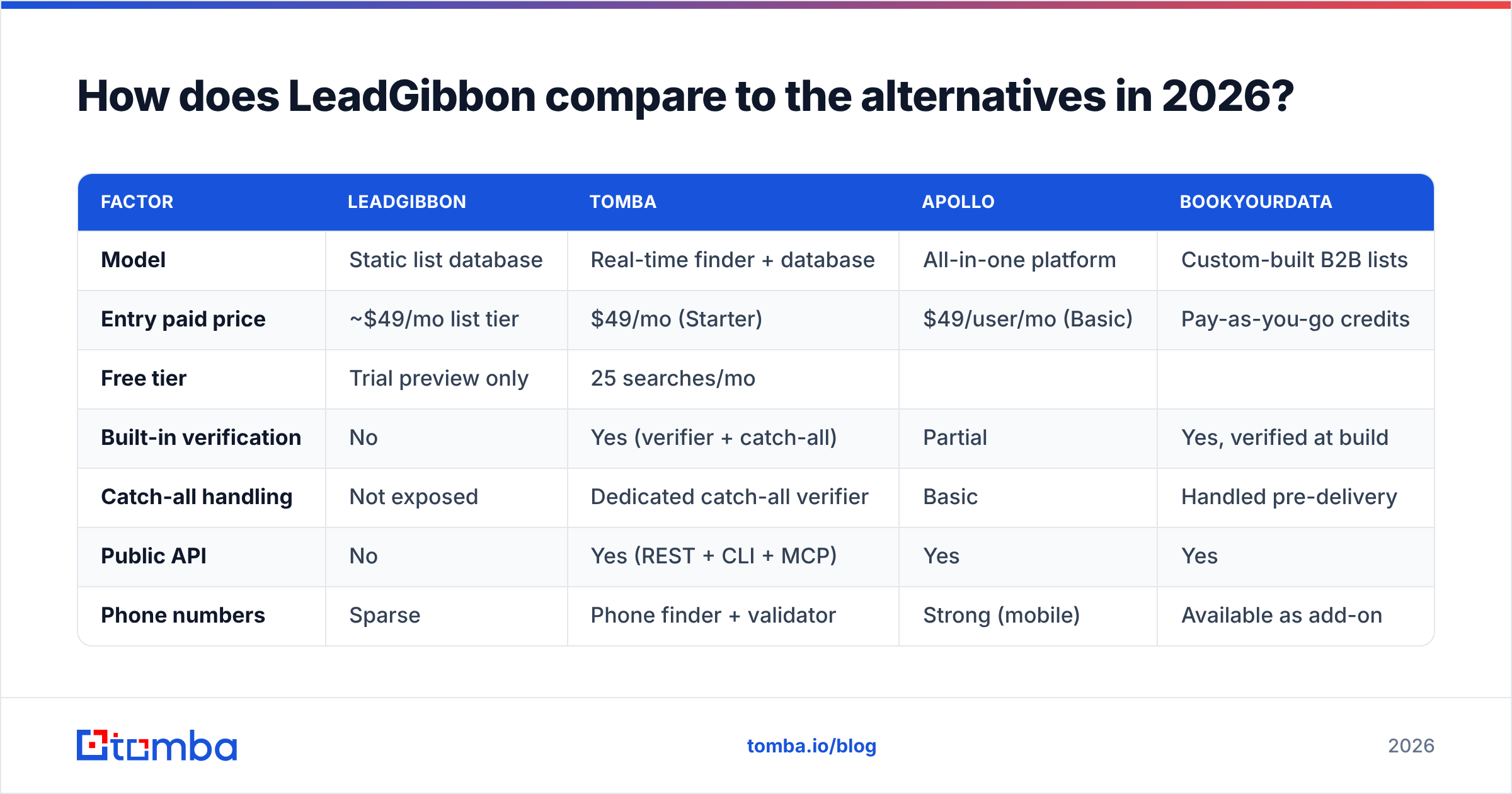
Here's the honest side-by-side. Prices are entry-tier list prices as published by each vendor; check current pages before you buy, since this category repricies often.
| Factor | LeadGibbon | Tomba | Apollo | BookYourData |
|---|---|---|---|---|
| Model | Static list database | Real-time finder + database | All-in-one platform | Custom-built B2B lists |
| Entry paid price | ~$49/mo list tier | $49/mo (Starter) | $49/user/mo (Basic) | Pay-as-you-go credits |
| Free tier | Trial preview only | 25 searches/mo | ||
| Limited free plan | Sample records | |||
| Built-in verification | No | Yes (verifier + catch-all) | Partial | Yes, verified at build |
| --- | --- | --- | --- | --- |
| Catch-all handling | Not exposed | Dedicated catch-all verifier | Basic | Handled pre-delivery |
| Public API | No | Yes (REST + CLI + MCP) | Yes | Yes |
| Phone numbers | Sparse | Phone finder + validator | Strong (mobile) | Available as add-on |
| Non-US coverage | Weak | Moderate-strong | Strong | Strong (global targeting) |
| Best for | Fast cheap US lists | Verified sends + dev workflows | Full outbound stack | Precision-targeted list buys |
Two things worth calling out from that table.
First, BookYourData is a genuinely different product than it looks like on a feature grid. It builds targeted lists with verification baked into delivery, which removes the "export then verify" two-step that LeadGibbon forces. If your objection to LeadGibbon is bounce rate rather than price, that's a serious option — and its guarantee-backed accuracy model is meaningfully stronger than a raw snapshot export.
Second, Apollo and LeadGibbon aren't really competing for the same buyer. Apollo wins when you want one bill for data + sequencing + reporting. LeadGibbon wins when you already have Instantly or Smartlead and just need rows. Comparing them on price alone misleads.

Is LeadGibbon's pricing actually good value?#
It depends entirely on what you count.
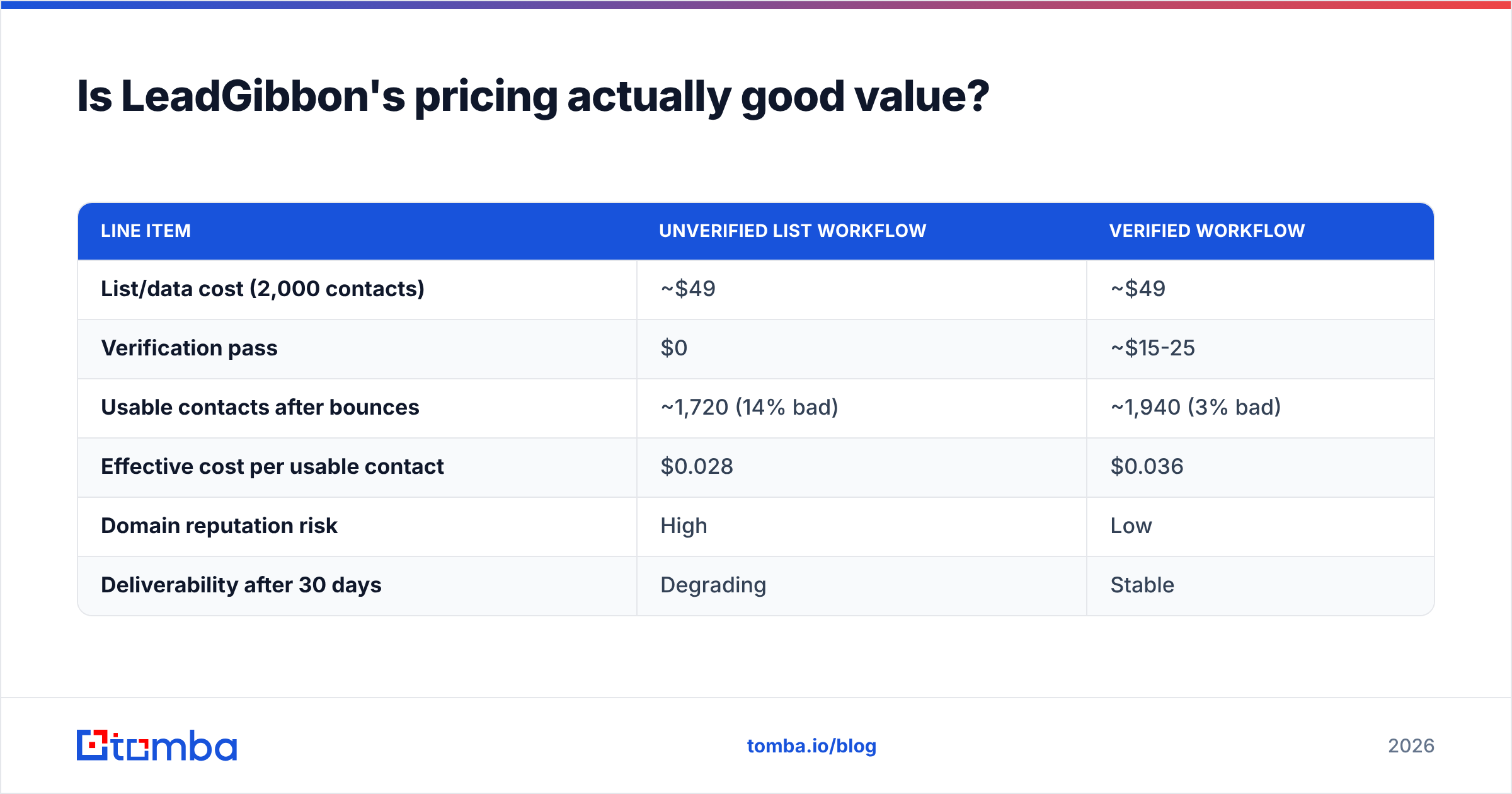
The sticker price looks competitive. The real cost is sticker price plus verification plus the opportunity cost of burned domains. Run the arithmetic on a realistic month:
| Line item | Unverified list workflow | Verified workflow |
|---|---|---|
| List/data cost (2,000 contacts) | ~$49 | ~$49 |
| Verification pass | $0 | ~$15-25 |
| Usable contacts after bounces | ~1,720 (14% bad) | ~1,940 (3% bad) |
| Effective cost per usable contact | $0.028 | $0.036 |
| Domain reputation risk | High | Low |
| Deliverability after 30 days | Degrading | Stable |
The unverified path is cheaper per row and more expensive per meeting, because a degraded sending domain drags down every campaign that follows it — including the ones using good data. That's the part the spreadsheet doesn't capture.
For reference, Tomba pricing runs a free tier at 25 searches/mo, Starter at $49/mo, Growth at $99/mo, and Pro at $249/mo, with verification included rather than billed separately. Whether that's better value than LeadGibbon depends on whether you were going to pay for verification anyway. If you were, the bundled model usually wins. If you genuinely don't care about bounce rates — and some very early-stage teams legitimately don't — the cheaper list is the rational buy.

When should you actually use LeadGibbon?#
Use it when all of these are true:
- Your ICP is US-based and sits in the SMB-to-mid-market range where coverage is strongest.
- You send low volume — under a few hundred emails a week — so a double-digit bounce rate doesn't accumulate into a reputation problem fast.
- You already own a verifier and will actually run every export through it before touching your sequencer.
- You don't need programmatic access. A human clicks export, a human uploads the file, and that's fine.
- You're testing an ICP hypothesis, not scaling a proven one. Cheap, disposable lists are a reasonable research tool.
Skip it when any of these are true: you're sending more than ~2,000 emails/month, your targets are outside North America, you need contact resolution inside an app or agent workflow, or your domain reputation is already fragile from a prior bad campaign.
What's the smarter workflow if you want both cheap and clean?#
Split the job. Volume and accuracy are different problems, and one tool rarely does both well.
- Source broadly. Pull candidate companies from whatever database is cheapest for your segment — LeadGibbon included.
- Resolve contacts at the domain level. Use domain search to pull the current addresses on a target company right now, rather than trusting a record captured months ago. This catches the job-change problem that kills static lists.
- Verify before you sequence. Every address, no exceptions. Flag catch-all domains separately and treat them as a lower-confidence segment rather than dropping or blindly sending to them.
- Enrich only what converts. Don't pay to enrich 2,000 rows when 200 of them will ever get a reply. Enrich the responders and the accounts that open twice.
- Automate the boring parts. If you're doing this weekly, push it into a bulk email finder run or an API job instead of repeating the manual export-upload-verify dance.
This stack is more steps on paper and fewer steps in practice, because you stop re-running campaigns that failed for data reasons. Teams that adopt it typically see hard bounces settle under 3% and reply rates improve simply because more messages reach a human inbox. If you want the industry-level view on which category of tool fits which motion, G2's lead intelligence grid is a reasonable neutral starting point for cross-checking vendor claims against real user reviews.
What's the verdict on LeadGibbon's pros and cons?#
LeadGibbon is a competent, inexpensive list builder with one honest weakness: it sells you a snapshot and leaves the verification problem on your desk. If your volume is low, your market is American, and you already run a verifier, that tradeoff is fine and the price is fair. If you're scaling outbound, targeting globally, or building anything programmatic, the total cost of that snapshot — measured in bounces, blocked domains, and rebuilt sender reputation — exceeds what you saved on the subscription.
The decision isn't "LeadGibbon or not." It's "static list or live resolution." Answer that first, and the vendor choice follows.
Try the live-resolution side before you commit. The Tomba Email Finder resolves professional addresses by name, domain, or company in real time and returns a confidence score with every result — no separate verification bill, no guessing which rows will bounce. The free tier gives you 25 searches a month, which is enough to run the same query in both tools and compare the bounce rate yourself. That head-to-head test takes twenty minutes and will tell you more than any review, including this one.
Related guides#
// get started
Find, verify and enrich your first contacts today
Start on the free plan with 25 searches a month, then scale when your team is ready.
Free plan · No credit card required · GDPR & CCPA
// about the author