LeadIQ Alternatives: 9 Better Options for B2B Prospecting
LeadIQ is solid at LinkedIn capture, but the per-seat pricing and credit caps push a lot of teams to look elsewhere. Here are nine alternatives compared on price, data accuracy, and real-world fit.
TL;DR
- LeadIQ is genuinely good at one thing: grabbing contacts off LinkedIn and pushing them into Salesforce or Outreach without leaving the tab. If that's your whole workflow, it earns its price.
- The friction is structural — per-seat pricing, credit ceilings that reset monthly, and annual contracts that make it awkward to scale a team up or down mid-quarter.
- If you need raw email discovery at volume, an API-first tool like Tomba costs less per verified contact and doesn't charge per seat.
- If you need a full sequencer bundled in, Apollo or Amplemarket consolidate more of the stack — at the cost of data depth in some regions.
- Pick by workflow, not by feature count. The nine options below are grouped by what they actually replace.
Why are teams looking for LeadIQ alternatives?#
LeadIQ built its reputation on a Chrome extension that captures prospects from LinkedIn Sales Navigator and syncs them straight into your CRM with clean field mapping. That's a real problem solved well, and it's why the tool has stuck around.
The complaints that push teams to shop around cluster into four buckets, and they show up consistently across G2 reviews and procurement threads:
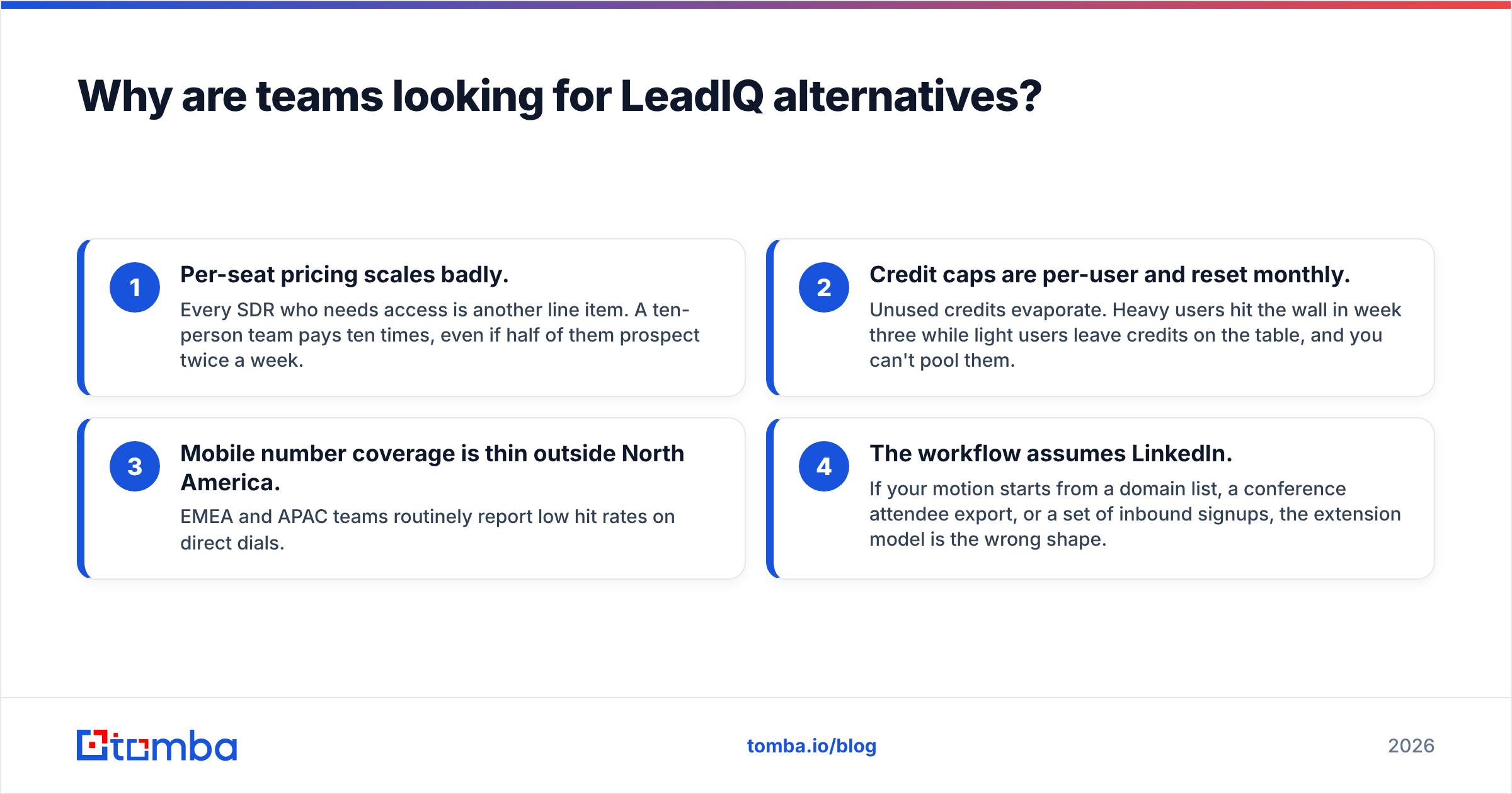
- Per-seat pricing scales badly. Every SDR who needs access is another line item. A ten-person team pays ten times, even if half of them prospect twice a week.
- Credit caps are per-user and reset monthly. Unused credits evaporate. Heavy users hit the wall in week three while light users leave credits on the table, and you can't pool them.
- Mobile number coverage is thin outside North America. EMEA and APAC teams routinely report low hit rates on direct dials.
- The workflow assumes LinkedIn. If your motion starts from a domain list, a conference attendee export, or a set of inbound signups, the extension model is the wrong shape.
None of that makes LeadIQ bad software. It makes it a specialized tool being asked to do general-purpose work.

What should you actually compare when replacing LeadIQ?#
Before you look at logos, get honest about which of these five dimensions you're optimizing for. Most teams pick a replacement on the wrong axis and re-shop six months later.
- Sourcing entry point — Do your reps start from a LinkedIn profile, a company domain, a CSV of names, or an API call from your own system? This single answer eliminates half the market.
- Pricing model — Per seat, per credit, per verified result, or flat platform fee. Per-seat tools punish team growth; credit tools punish list-building sprints.
- Verification depth — Does the vendor verify at the moment of delivery, or serve you a cached record from a database refreshed quarterly? Cached data is why bounce rates spike on "accurate" lists.
- Catch-all handling — Roughly a fifth of B2B domains accept everything at the SMTP layer. Tools that dodge catch-alls entirely leave real contacts on the table; tools that guess inflate your bounce rate.
- Integration surface — Native CRM sync, Zapier, raw API, CLI, spreadsheet add-ons. A tool your RevOps team can't automate is a tool that stays manual forever.
Write down your answer to each before you book a single demo. It turns a vague "which is best" question into a filter.
How do the top LeadIQ alternatives compare?#
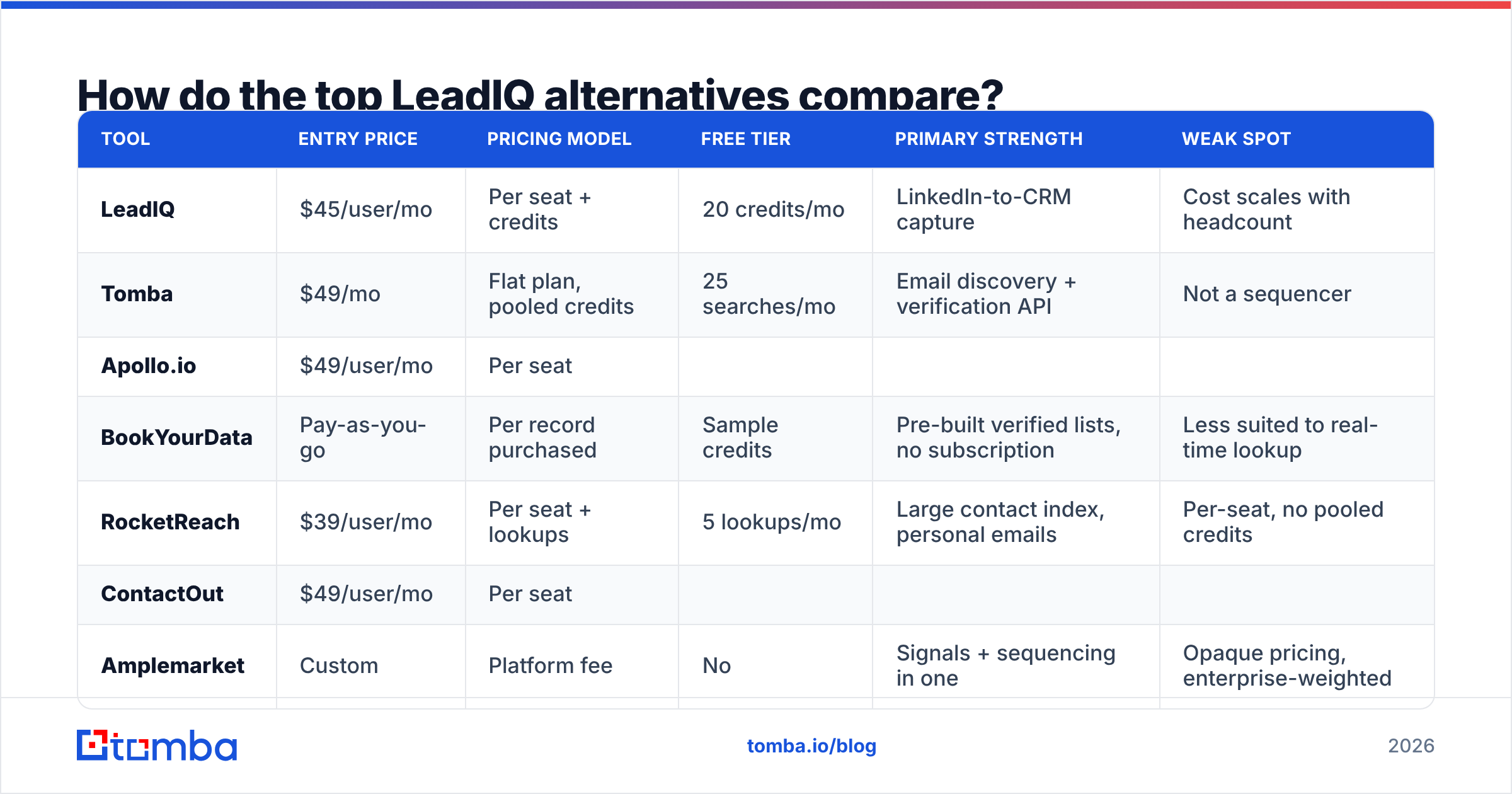
Here's the comparison across the dimensions that actually change your cost per meeting. Prices are entry-level paid tiers as published by each vendor in 2026; enterprise quotes vary.
| Tool | Entry price | Pricing model | Free tier | Primary strength | Weak spot |
|---|---|---|---|---|---|
| LeadIQ | $45/user/mo | Per seat + credits | 20 credits/mo | LinkedIn-to-CRM capture | Cost scales with headcount |
| Tomba | $49/mo | Flat plan, pooled credits | 25 searches/mo | Email discovery + verification API | Not a sequencer |
| Apollo.io | $49/user/mo | Per seat | |||
| Limited | All-in-one data + sequencing | Data freshness varies by region | |||
| BookYourData | Pay-as-you-go | Per record purchased | Sample credits | Pre-built verified lists, no subscription | Less suited to real-time lookup |
| --- | --- | --- | --- | --- | --- |
| RocketReach | $39/user/mo | Per seat + lookups | 5 lookups/mo | Large contact index, personal emails | Per-seat, no pooled credits |
| ContactOut | $49/user/mo | Per seat | |||
| Limited | Recruiter-grade personal emails | Recruiting-first, thin firmographics | |||
| Amplemarket | Custom | Platform fee | No | Signals + sequencing in one | Opaque pricing, enterprise-weighted |
| --- | --- | --- | --- | --- | --- |
| Seamless.AI | Custom | Per seat | Limited trial | Aggressive real-time search | Heavy upsell, mixed accuracy reports |
| Clearbit (Breeze) | Bundled | Platform / HubSpot tier | No | Enrichment inside HubSpot | Now tied to the HubSpot ecosystem |
If you want a deeper head-to-head on any single one, Tomba maintains breakdowns for the LeadIQ alternative, Apollo alternative, and RocketReach alternative comparisons.
Which alternative fits which workflow?#
If you prospect from domains, not profiles#
Tomba is the closest structural opposite of LeadIQ. Instead of a browser extension attached to LinkedIn, it starts from a company domain or a person's name and returns a verified professional address. The domain search pulls every discoverable address at a company with role and department labels, which is how you build an account map without touching Sales Navigator.
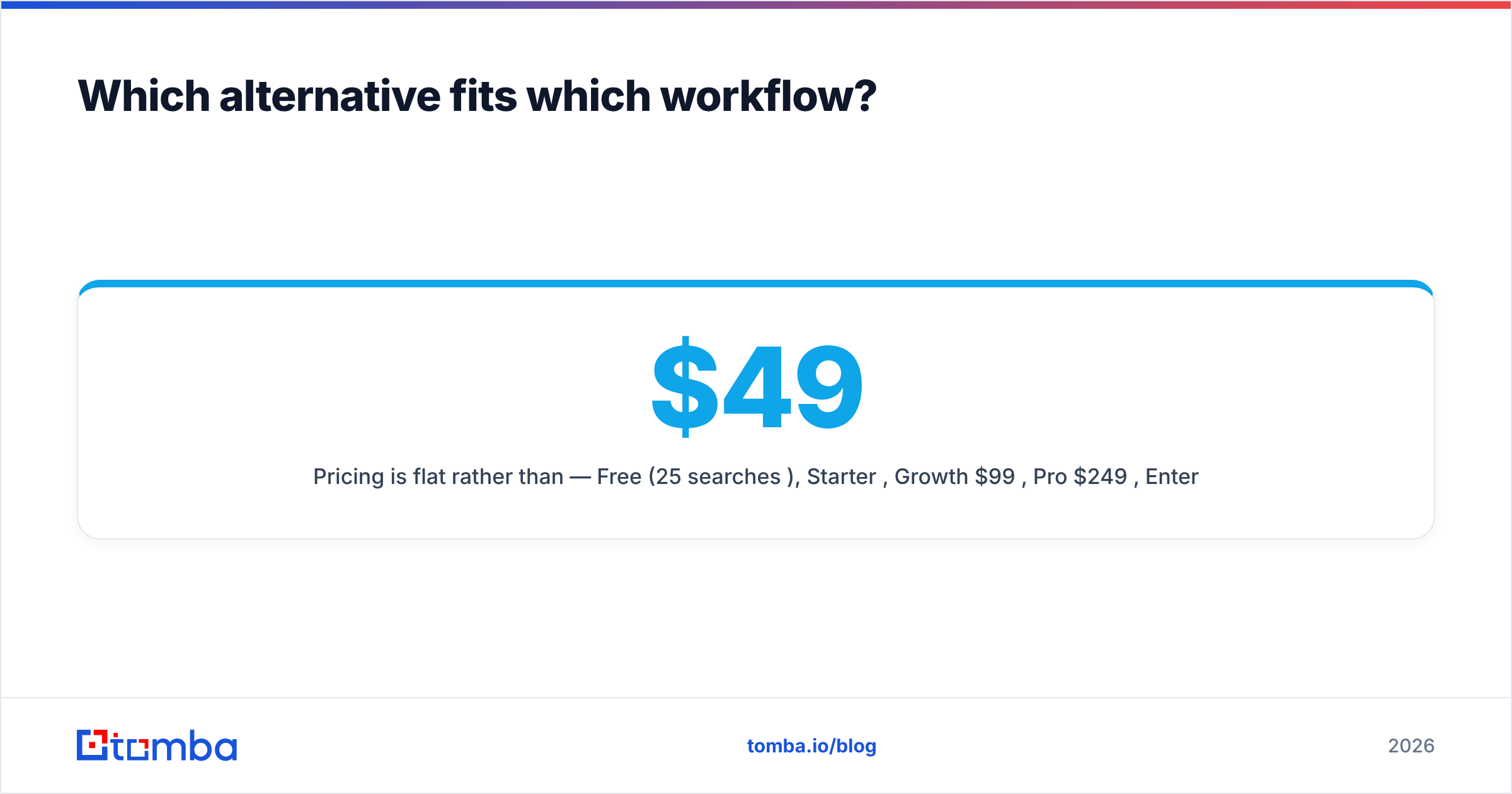
Pricing is flat rather than per seat — Free (25 searches/mo), Starter $49/mo, Growth $99/mo, Pro $249/mo, Enterprise custom — and credits pool across the whole team. For a five-person SDR pod, that difference alone is usually the deciding factor. The Tomba API, CLI, and MCP server mean RevOps can wire lookups into whatever already exists instead of asking reps to click a button.
Where it doesn't compete: there's no built-in sequencer. You'll pair it with Instantly, Smartlead, or your existing outreach layer.
If you want the whole stack in one bill#
Apollo.io bundles a contact database, sequencing, dialer, and basic CRM. For a team of three that wants one login, the consolidation is worth real money. The trade-off is data depth — Apollo's database is broad but self-reported in places, and European coverage draws more complaints than its US coverage does. Verify before you send, regardless of what the UI claims.
Amplemarket sits a tier above, layering intent signals and AI-assisted copy onto the same idea. Pricing is quote-only and it's built for teams that already have budget approval, not for a two-person startup testing outbound.
If you buy lists rather than look up contacts#
BookYourData takes a different and underrated approach: you filter a verified database, see the count, and buy exactly those records with no subscription. There's a bounce guarantee attached, and for teams running a handful of campaigns a year rather than continuous prospecting, pay-as-you-go beats paying twelve monthly invoices for a tool used in three of them. It's a genuinely different purchase shape — worth pricing out before you default to a SaaS seat.
If you need personal emails and phone numbers#
RocketReach and ContactOut both index personal contact details more aggressively than LeadIQ does. ContactOut leans recruiting; RocketReach leans general B2B. Both are per-seat, so you inherit the same scaling problem you were trying to escape — just at a different price point. If phone coverage is the real driver, evaluate a dedicated phone finder alongside your email tool rather than paying a premium for a bundle where the dials are mediocre.

How accurate is the data, really?#
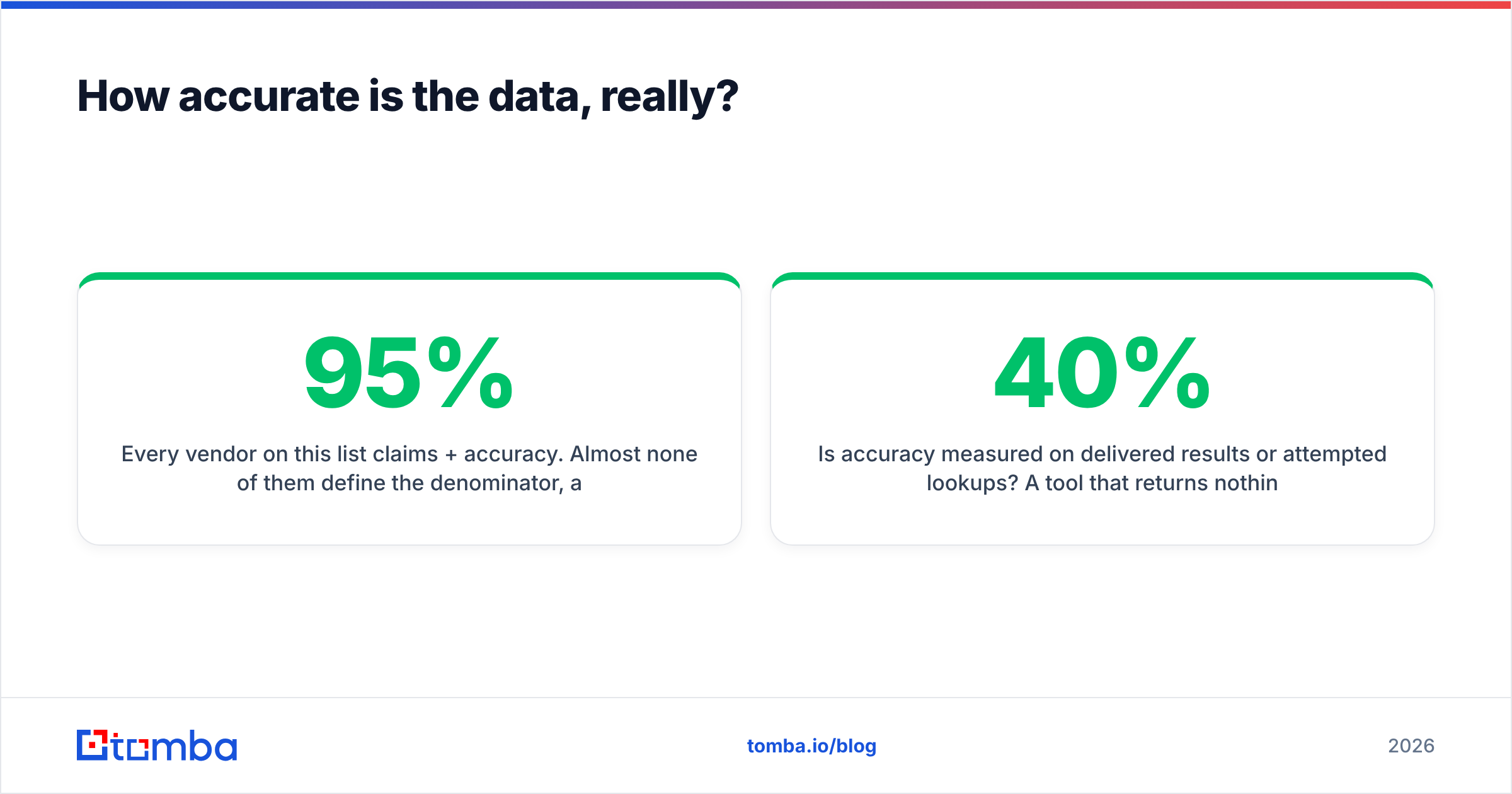
Every vendor on this list claims 95%+ accuracy. Almost none of them define the denominator, and that's where the number stops meaning anything.
Three questions cut through the marketing:
- Is accuracy measured on delivered results or attempted lookups? A tool that returns nothing 40% of the time can claim 98% accuracy on what it does return. That's a coverage problem dressed up as an accuracy stat.
- When was the record last verified? A cached address from an eight-month-old crawl is a coin flip. Tools that run a live SMTP check at request time — see Tomba's data sources page for how that pipeline works — give you a current answer, not a historical one.
- How are catch-all domains scored? If a vendor marks every catch-all as "valid," your bounce rate will not match their dashboard. A proper catch-all verifier treats them as their own category with a confidence score rather than a binary pass.
The practical move: run the same 100-contact test list through every tool on your shortlist during trials. Same accounts, same names, same day. Then send to all of them through a throwaway domain and count actual bounces. Vendor benchmarks are marketing; your test list is data.
If your list came from a CSV export rather than a live lookup, push it through an email verifier before the first send regardless of source. Even a perfect vendor can't know that a contact left the company last Thursday.
Does switching hurt your deliverability?#
It can, and this is the part most migration guides skip.
Swapping data vendors mid-campaign changes your bounce profile overnight. If the new source has different catch-all handling or a stale cache, you can go from a 2% bounce rate to 8% in a single send — and mailbox providers notice. Google and Microsoft both tightened bulk-sender enforcement in 2024, and the thresholds haven't loosened since. Google's sender guidelines are still the clearest published statement of what triggers filtering.
Three guardrails for the first 30 days after a switch:
- Cap the first send at 200 contacts from the new source and measure bounce rate before scaling.
- Verify everything twice — once at the vendor, once through an independent checker — until you trust the new pipeline.
- Watch your sender reputation in Google Postmaster Tools during the transition, not after complaints start.
A cheaper data source that costs you domain reputation isn't cheaper.
What does the migration actually involve?#
Practical sequence, roughly a two-week job for a mid-sized team:
- Export your existing LeadIQ data before the contract lapses. Contacts captured in the tool are yours; enrichment attached to them may not survive the export cleanly. Check field-by-field.
- Deduplicate against your CRM. New vendors will happily sell you contacts you already own. Run a remove duplicates pass on the merged file first.
- Rebuild the sync. If LeadIQ was writing directly to Salesforce or HubSpot, the replacement needs equivalent mapping. Tomba's HubSpot integration and Zapier connector cover most of this without custom code; heavier stacks go through the API.
- Re-train reps on the new entry point. This is the real cost. A team fluent in "open LinkedIn, click extension, done" needs a new muscle memory if you move to domain-first or bulk lookup. Budget a working session, not an email announcement.
- Run both in parallel for two weeks. Overlap is cheaper than a gap. You'll also get a free accuracy comparison out of it.
Is LeadIQ ever still the right call?#
Yes — and pretending otherwise would be dishonest.
Keep LeadIQ if all three are true: your reps live inside Sales Navigator, your team size is stable, and your CRM hygiene depends on the clean field mapping the extension provides. That combination is exactly what the product was designed for, and switching to a domain-first tool will feel like a downgrade to those reps.
Leave if any of these apply: you're adding seats faster than revenue, your prospecting starts anywhere other than LinkedIn, you need programmatic access for an automated workflow, or your credit ceiling has become a planning constraint rather than a budget one.
Frequently asked questions#
Is there a free LeadIQ alternative? Several have free tiers. Tomba offers 25 searches per month free with no card; Apollo and RocketReach both cap free usage lower. Free tiers are for evaluation, not production — plan to pay once you're past testing.
What's the cheapest option for a solo founder? A flat plan beats per-seat when you're one person who might become three. At $49/mo with pooled credits, a flat email finder plan doesn't re-price when you hire. Per-seat tools do.
Can I use more than one tool? Yes, and many teams should. A common stack: one high-coverage database for list building, one verification layer before send, one sequencer. Paying for three narrow tools often beats one broad one that's mediocre at all three.
Do these tools handle GDPR compliance? Coverage of B2B contact data under legitimate interest varies by vendor and jurisdiction. Every vendor here publishes a DPA; read the specific one rather than trusting a badge on the homepage.
Where should you start?#
Start with the workflow question, not the vendor list. If your prospecting begins with a company rather than a LinkedIn profile — and for most outbound teams in 2026 it does — the per-seat extension model is solving a problem you don't have.
Try the Tomba Email Finder on 25 free searches against accounts you already know. Use contacts whose addresses you can confirm, so you're measuring accuracy rather than reading a dashboard. If the hit rate holds and the flat pricing fits your headcount plan better than a per-seat contract, the migration path above takes about two weeks. If it doesn't, you've lost nothing and you've got a real benchmark to hold the next vendor to.
Related guides#
// get started
Find, verify and enrich your first contacts today
Start on the free plan with 25 searches a month, then scale when your team is ready.
Free plan · No credit card required · GDPR & CCPA
// about the author