LeadLeaper vs Apollo.io: Which Lead Finder Fits Your Team in 2026?
LeadLeaper is a lightweight Chrome extension for finding emails. Apollo.io is a full sales platform with a large contact database. This guide covers data, accuracy, pricing, and workflow so you pick the one that fits how you prospect.
TL;DR
- LeadLeaper is a lightweight Chrome extension. It captures leads and finds emails while you browse LinkedIn, Sales Navigator, and company websites. It's cheap, simple, and built for solo prospectors.
- Apollo.io is an all-in-one sales platform: a 200M+ contact database, email sequences, a dialer, intent signals, and CRM sync. It's powerful, but you pay per seat and credits run out quickly.
- Pick LeadLeaper if you prospect one lead at a time from LinkedIn and just need an email address.
- Pick Apollo if you want to search a database, build lists, and run outreach in one place, and your team can grow into the pricing.
- Consider a dedicated email finder if what you really need is accurate, verified emails at a flat price, without buying a whole engagement platform.
What is the real difference between LeadLeaper and Apollo.io?#
The short answer: LeadLeaper finds emails for the people you're already looking at. Apollo helps you find the people in the first place.
LeadLeaper is a browser extension. You open a LinkedIn profile, a Sales Navigator search, or a company site, click the extension, and it tries to return a work email. It then saves the contact to a lead list you can export. It doesn't have its own searchable database and doesn't send sequences. It's a capture-and-find tool.
Apollo.io starts from the other end. You filter a large B2B database by title, industry, headcount, technology, funding, and buying intent, then enrich the results, then send them through multi-step sequences, all in the same app. Its Chrome extension also works on LinkedIn, but that's one entry point into a much bigger platform.
So this isn't really a like-for-like fight. Comparing them is like comparing a good pocket knife with a full toolbox. What matters is which one fits the job you do every day.
How does each tool fit into a prospecting workflow?#
Before looking at features, map your own workflow. Most outbound processes have five stages, and the two tools cover them very differently:
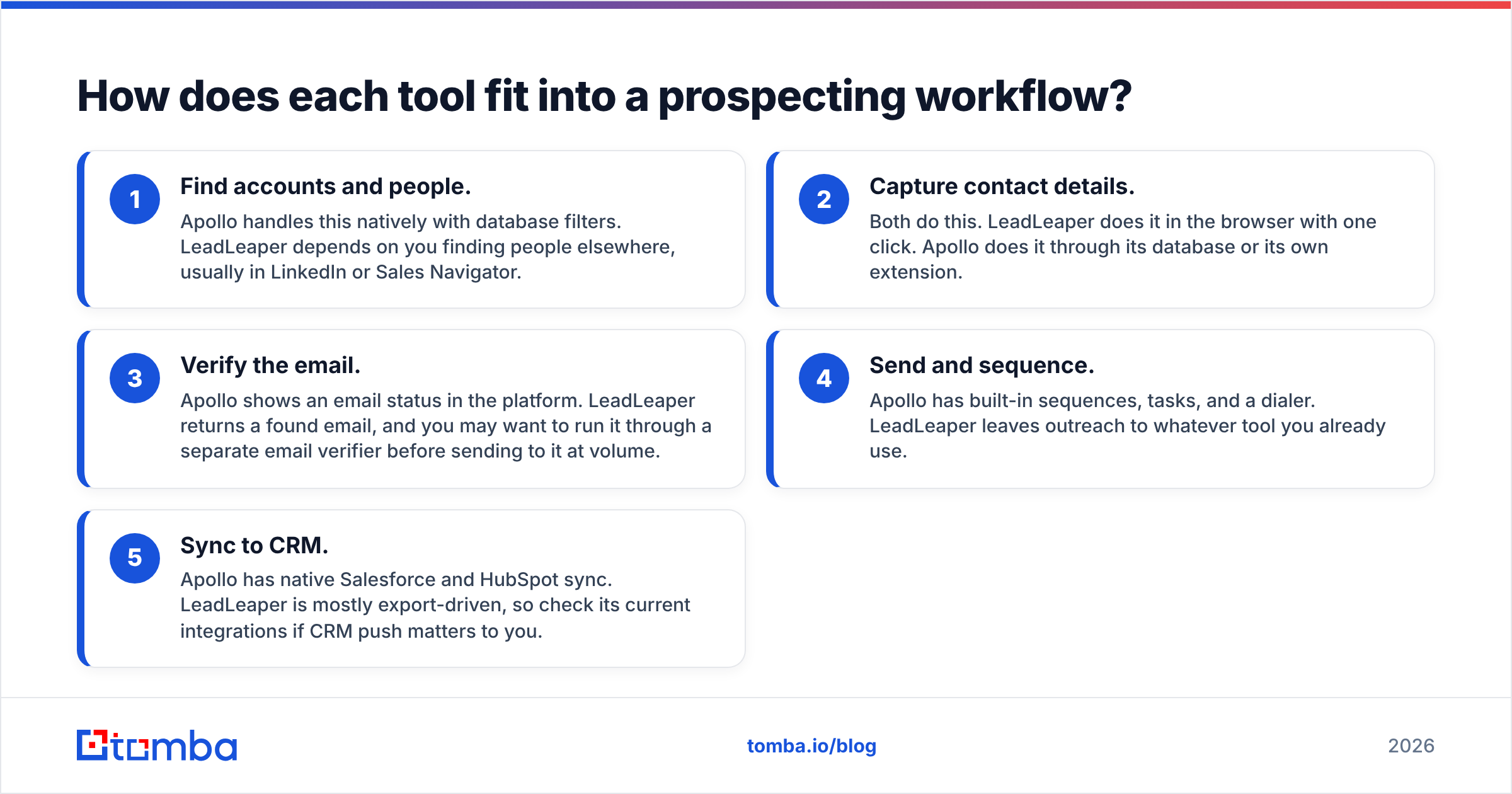
- Find accounts and people. Apollo handles this natively with database filters. LeadLeaper depends on you finding people elsewhere, usually in LinkedIn or Sales Navigator.
- Capture contact details. Both do this. LeadLeaper does it in the browser with one click. Apollo does it through its database or its own extension.
- Verify the email. Apollo shows an email status in the platform. LeadLeaper returns a found email, and you may want to run it through a separate email verifier before sending to it at volume.
- Send and sequence. Apollo has built-in sequences, tasks, and a dialer. LeadLeaper leaves outreach to whatever tool you already use.
- Sync to CRM. Apollo has native Salesforce and HubSpot sync. LeadLeaper is mostly export-driven, so check its current integrations if CRM push matters to you.
If you work through stages 1 and 4 by hand today and are happy doing so, LeadLeaper covers what's left at a fraction of the cost. If you want those stages automated, Apollo is the one built for it.

LeadLeaper vs Apollo.io: how do the features compare side by side?#
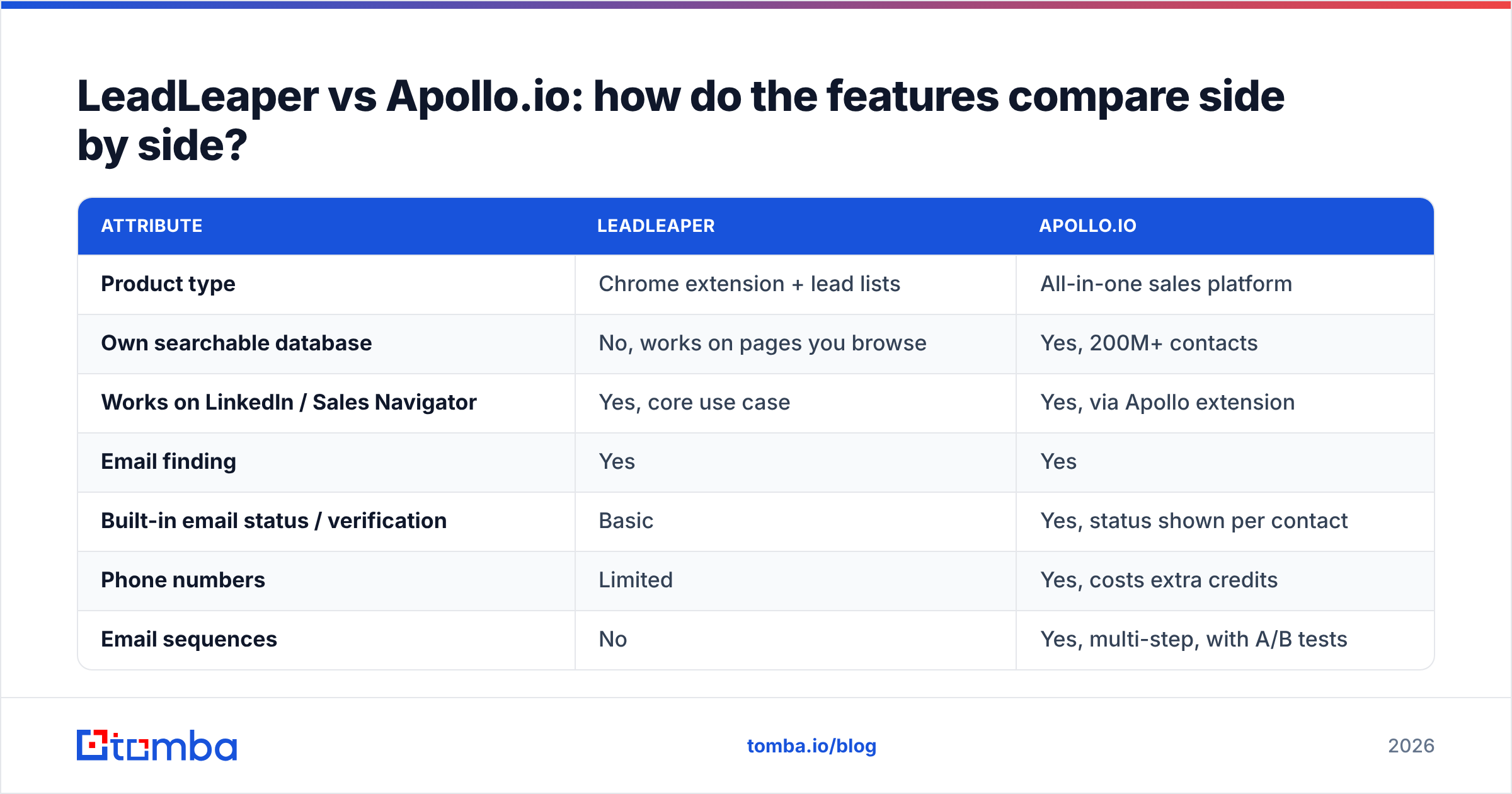
This table compares both tools on the attributes that usually decide the purchase. Pricing reflects publicly listed plans at the time of writing. Both vendors change tiers often, so confirm on their pricing pages before you buy.
| Attribute | LeadLeaper | Apollo.io |
|---|---|---|
| Product type | Chrome extension + lead lists | All-in-one sales platform |
| Own searchable database | No, works on pages you browse | Yes, 200M+ contacts |
| Works on LinkedIn / Sales Navigator | Yes, core use case | Yes, via Apollo extension |
| Email finding | Yes | Yes |
| Built-in email status / verification | Basic | Yes, status shown per contact |
| Phone numbers | Limited | Yes, costs extra credits |
| Email sequences | No | Yes, multi-step, with A/B tests |
| Dialer | No | Yes (paid plans) |
| Intent / buying signals | No | Yes (higher tiers) |
| Native CRM sync | Limited, export-first | Salesforce, HubSpot, others |
| Free tier | Yes, limited monthly lookups | Yes, limited credits |
| Paid entry point | Low monthly fee | ~$49/user/mo (annual), more monthly |
| Mid tier | Higher-volume plans | ~$79/user/mo (annual) |
| Team tier | N/A | ~$119/user/mo, 3-seat minimum |
| Learning curve | Minutes | Days to weeks |
| Best for | Solo reps, founders, recruiters | SDR teams, RevOps-led outbound |

The pattern is clear. LeadLeaper does fewer things and costs less. Apollo does almost everything but charges per seat and per credit. Neither is "better" in the abstract.
Which tool finds more accurate email addresses?#
Accuracy is where most buyers get burned, and neither vendor gives you a clean, independent number to rely on.
Apollo's advantage is scale. A huge database means you'll get a result for most mid-market and enterprise contacts. The known downside, which comes up again and again in G2 reviews of Apollo, is data freshness. People change jobs, companies change domains, and records in any big static database decay. Users regularly report bounce rates that go up in certain regions or with smaller companies.
LeadLeaper takes a different route. It looks for an email for a specific person at the moment you ask, based on their current profile and company domain. That can help with freshness on individual lookups. But coverage depends on how well it can work out the right domain and email pattern, and results vary more on small companies and catch-all domains.

In practice, three factors decide accuracy more than the brand name:
- Catch-all domains. Many company mail servers accept every address, so a basic check can't confirm the mailbox exists. Tools that flag catch-all results separately save you from false confidence.
- Recency of the source. Emails seen recently on public web sources, or confirmed by live verification, beat emails sitting in a database for 18 months.
- Verification before sending. Whatever tool you pick, verify before a campaign. Keeping bounces under roughly 2% protects your domain reputation, and that matters more than a few extra percentage points of coverage.
If accuracy is your main concern, take a sample of 100 contacts from your real ICP, run them through each tool, verify everything, and send a small test batch. That tells you far more than any vendor's claimed accuracy figure.
How much do LeadLeaper and Apollo.io really cost?#
The sticker price isn't the real cost. How credits work and how seats scale matters more.
LeadLeaper is built to be cheap. There's a free plan with a limited monthly allowance, and the paid tiers mostly raise the number of emails you can find each month. There's no per-seat platform fee on top, so a solo user gets clear, predictable costs. Check leadleaper.com for current tiers, since the limits change.
Apollo.io looks affordable at first: a generous free plan and a Basic tier around $49 per user per month on annual billing. Costs grow in three ways:
- Per-seat pricing. Every rep needs a license. The Organization tier also has a three-seat minimum, so your cost triples before you've added a single extra user.
- Credit consumption. Email reveals, mobile numbers, and exports all use credits, and mobile numbers cost much more than emails. Heavy users often buy add-on credits.
- Monthly vs annual. The prices people quote are usually annual. Monthly billing costs noticeably more per seat.
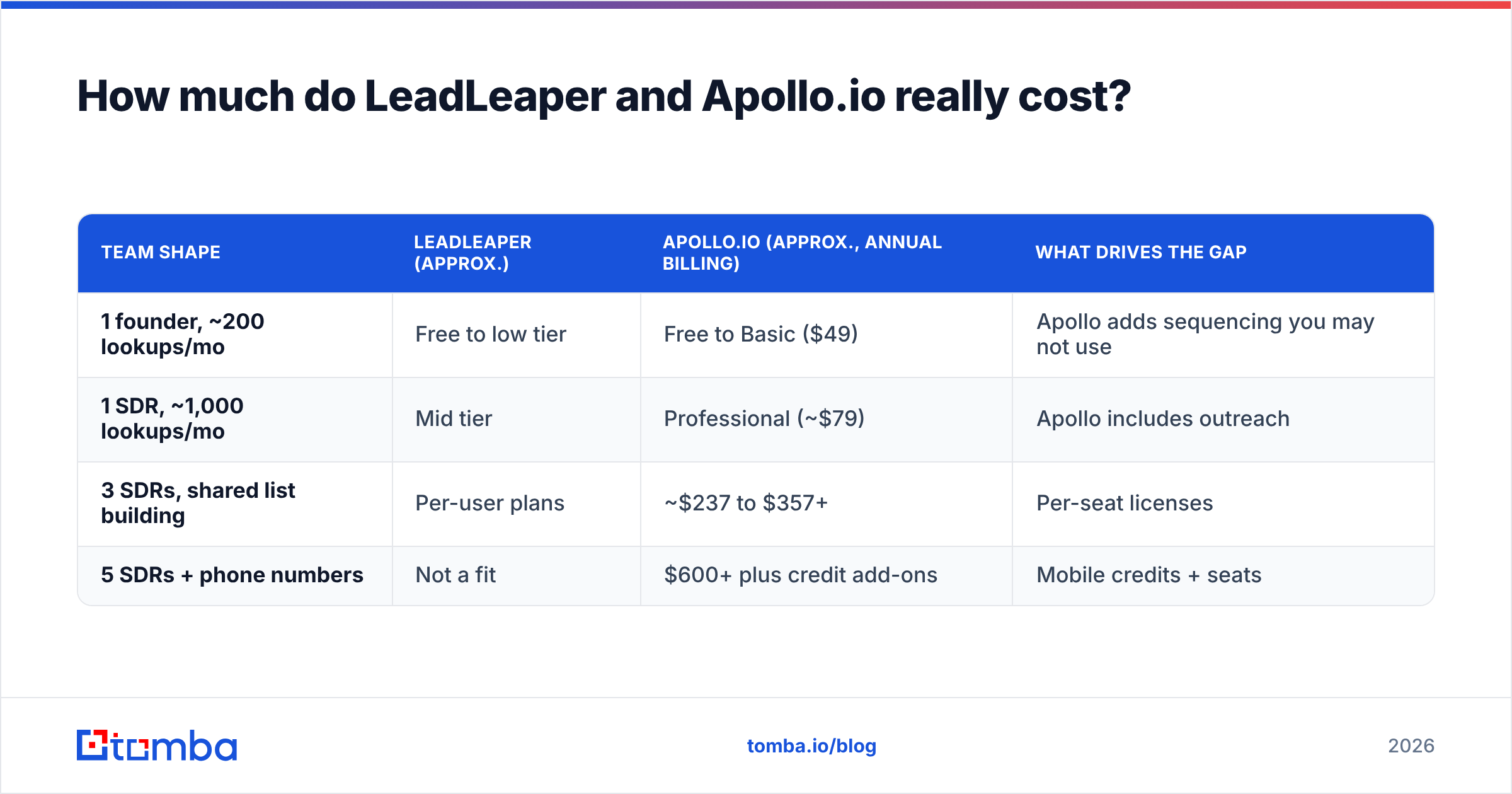
Here's a rough monthly cost for common team shapes:
| Team shape | LeadLeaper (approx.) | Apollo.io (approx., annual billing) | What drives the gap |
|---|---|---|---|
| 1 founder, ~200 lookups/mo | Free to low tier | Free to Basic ($49) | Apollo adds sequencing you may not use |
| 1 SDR, ~1,000 lookups/mo | Mid tier | Professional (~$79) | Apollo includes outreach |
| 3 SDRs, shared list building | Per-user plans | ~$237 to $357+ | Per-seat licenses |
| 5 SDRs + phone numbers | Not a fit | $600+ plus credit add-ons | Mobile credits + seats |
If you're a single user who already sends email through Gmail, Outlook, or a cheap sequencer, Apollo's platform fee pays for features you won't touch. If you're running a five-person SDR team, LeadLeaper doesn't give you the list building and sequencing that make the team productive.

Is Apollo.io better than LeadLeaper for teams?#
For most teams of three or more reps, yes. Apollo is the stronger choice because it removes handoffs. List building, enrichment, sequencing, call tasks, and CRM sync live in one system, so managers can see activity and results without stitching spreadsheets together. According to Salesforce's State of Sales research, reps spend most of their week on non-selling tasks. Consolidating tools directly attacks that problem.
The trade-offs are real, though:
- Complexity. Apollo has a lot of settings, and a badly set up sequence can damage your sending domain quickly.
- Data dependency. Your whole motion rests on one vendor's data quality. When their data is stale for your segment, everything downstream suffers.
- Lock-in. Sequences, templates, and history pile up inside Apollo, which makes switching harder later. If that worries you, look at an Apollo alternative before you commit to an annual contract.
LeadLeaper is the better team tool in one narrow case: a team where each rep does careful, account-based prospecting on LinkedIn, sends low volumes of highly personalized emails, and already has a separate outreach stack.
When is LeadLeaper the smarter choice?#
LeadLeaper fits a specific profile very well. Choose it if you:
- Live in LinkedIn or Sales Navigator and want the email for the profile you're looking at, without switching tabs.
- Send low volume, high-personalization outreach, say 20 to 50 carefully researched emails a week.
- Are a founder, recruiter, or consultant who needs contact data, not a sales engagement platform.
- Have a tight budget and want predictable monthly costs without per-seat licenses.
- Already have an outreach tool and don't want to pay twice for sequencing.
The main limitation is scale. LeadLeaper can't build a 2,000-contact list from firmographic filters. If your pipeline goals need that, you'll outgrow it.
When should you choose Apollo.io instead?#
Apollo makes sense when volume and coordination matter more than simplicity. Choose it if you:
- Need to build lists from scratch using filters like industry, headcount, tech stack, or hiring signals.
- Run multi-channel sequences across email, calls, and LinkedIn tasks.
- Manage a team and need shared lists, activity reporting, and CRM sync.
- Want intent data to prioritize accounts showing buying signals.
- Can absorb per-seat pricing and have someone who owns setup and deliverability.
Before you sign an annual deal, run your target segment through the free plan. If data coverage or bounce rates for your ICP are poor, the rest of the platform won't make up for it.
What are the pros and cons of each?#
LeadLeaper pros
- Fast, one-click email capture on LinkedIn and websites
- Very short learning curve
- Low, predictable cost for individuals
- On-demand lookups can surface current contact data
LeadLeaper cons
- No searchable database of its own
- No sequencing, dialer, or intent data
- CRM integration is limited compared to full platforms
- Coverage varies on small companies and catch-all domains
Apollo.io pros
- Large searchable B2B database with deep filters
- Built-in sequences, dialer, and tasks
- Native CRM sync and team reporting
- Generous free plan to test with
Apollo.io cons
- Per-seat pricing and credit limits add up quickly
- Data freshness complaints in some segments and regions
- Steep learning curve and easy to misconfigure
- Harder to leave once your workflows live inside it
Is there a middle ground between the two?#
Yes, and many teams end up there. The typical setup separates the data layer from the engagement layer:
- A dedicated email finder for accurate, verified contact data, used from the browser, by domain, or in bulk.
- Verification as a required step before any list goes into a sequence.
- Whatever sequencer you prefer, whether that's Apollo's, a cold email tool, or your CRM's built-in sequences.
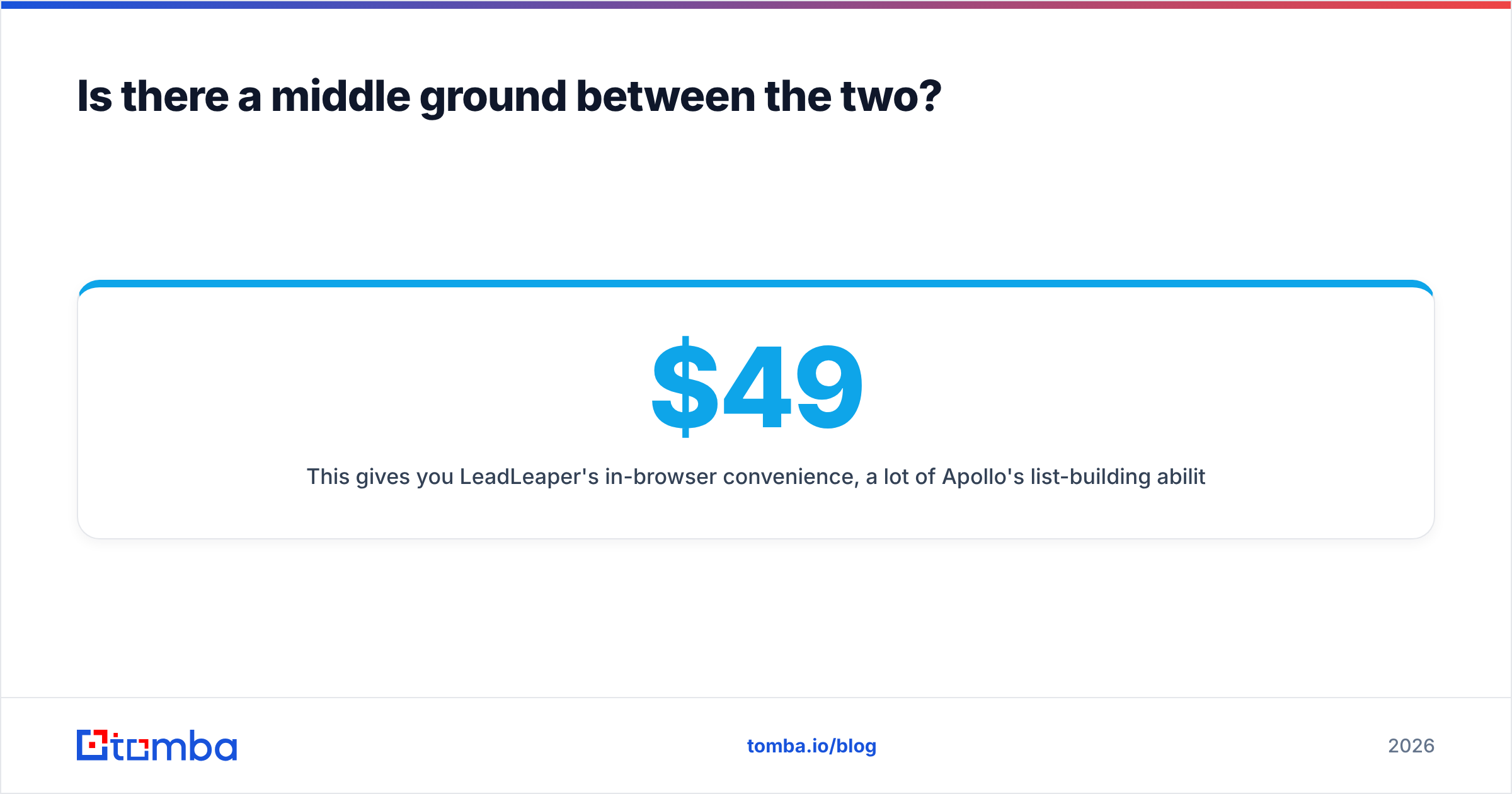
This gives you LeadLeaper's in-browser convenience, a lot of Apollo's list-building ability through domain-level search, and flat pricing that doesn't scale per seat. For example, Tomba offers a browser extension that works on LinkedIn and company websites, domain search to pull every public email at a company, and built-in verification. Tomba's plans start with a free tier of 25 searches a month, with paid plans at $49, $99, and $249 per month.
The honest caveat: a data tool doesn't replace a sequencer. If you want list building and outreach in one login, Apollo is still the more complete package.
So, LeadLeaper vs Apollo.io: which should you pick?#
Here's the verdict:
- Solo prospector, LinkedIn-first, small budget: LeadLeaper. It does one job, does it quickly, and costs little.
- SDR team running outbound at volume: Apollo.io. The database, sequences, and CRM sync justify the per-seat cost, as long as you test data quality for your ICP first.
- Anyone whose main pain is bounces and bad data: keep your outreach tool and upgrade the data layer with a dedicated finder plus verification.
Whichever you pick, measure it on the metric that matters: verified, deliverable emails per dollar for your target segment. Not database size, and not feature count.
If you want accurate business emails without paying for a whole engagement platform, try the Tomba Email Finder. Search by name and company, by domain, or straight from LinkedIn with the extension, and every result is verified before it lands in your list. Start on the free plan with 25 searches a month, and move to Starter at $49/mo only when the data proves itself in your own campaigns.
Related guides#
// get started
Find, verify and enrich your first contacts today
Start on the free plan with 25 searches a month, then scale when your team is ready.
Free plan · No credit card required · GDPR & CCPA
// about the author