LeadPro Alternatives: 7 Tools for Lead Management and Contact Data
LeadPro tracks the leads you already have, but it won't find new ones or tell you if their emails still work. Here are 7 LeadPro alternatives, grouped by the gap each one fills.
- LeadPro is mainly a lead-tracking tool. It stores leads and moves them through a pipeline. It doesn't find new contacts or check whether their emails still work.
- Most people looking for LeadPro alternatives want one of two things: a stronger CRM (HubSpot, Pipedrive) or a way to fill that CRM with verified contacts (Tomba, Apollo, Hunter, BookYourData, ZoomInfo).
- For small teams, the best value is usually a free or low-cost CRM plus a separate email finder. An all-in-one suite often costs more than you need.
- Tomba starts at $49/mo and has a 25-search free tier. It covers email finding, verification, and enrichment, and it plugs into HubSpot, Pipedrive, and Salesforce.
- Pick based on your real bottleneck. If deals slip through the cracks, you need a better pipeline. If reps sit idle, you need more contacts. If emails bounce, you need verification.
What is LeadPro, and why do teams look for alternatives?#
"LeadPro" is the name of more than one product. The one most B2B buyers mean is LeadPro CRM, a lightweight lead-management system for small businesses. It captures inquiries, assigns them to reps, and tracks follow-ups until a deal closes or dies. Its Capterra listing puts it in the small-business CRM category. That tells you who it's built for: teams that need structure more than scale. There's also an unrelated UK property-lead platform called Lead Pro. If you're an estate agent, this article isn't about that tool.
Here's the key point: a lead-management tool only manages the leads you feed it. When teams outgrow LeadPro, it's rarely because the pipeline view stopped working. Usually it's one of these reasons:
- The lead supply dries up. Inbound leads plateau, and the CRM has no way to find new ones.
- Contact data goes stale. People change jobs, so emails bounce and phone numbers stop working. B2B contact data decays by roughly 20-30% a year.
- Integrations run out. The tool doesn't connect cleanly to your email platform, your sequencer, or your enrichment tools.
- Reporting gets thin. Managers want forecasts, stage conversion rates, and rep activity, not just a list of open leads.
- Per-seat pricing stops adding up. Every new rep adds a seat, but nobody gets better data.
Each reason points to a different kind of alternative. Before you migrate anything, work out which of the five is really hurting you.
Which types of LeadPro alternatives should you consider?#
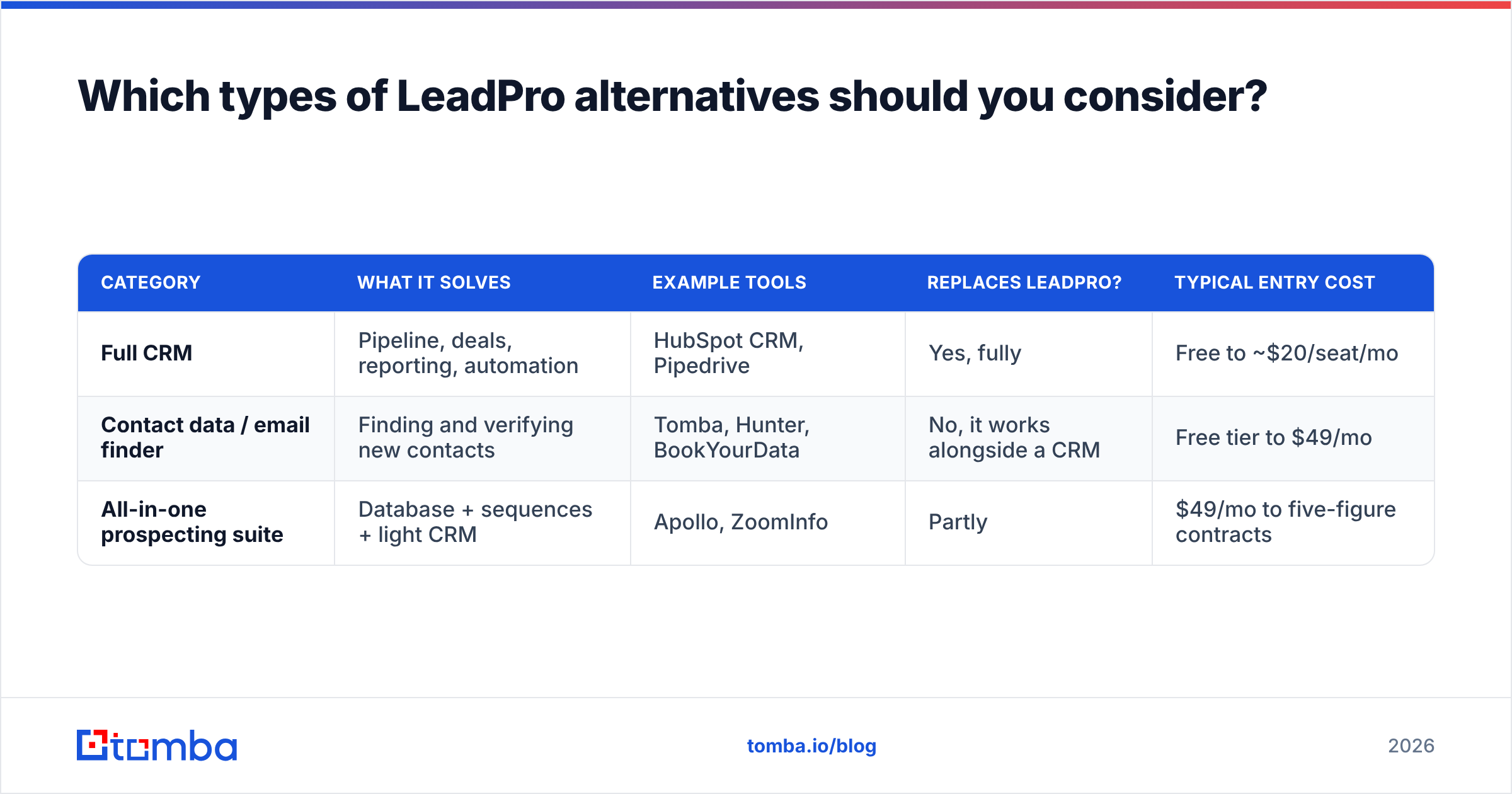
Tools that get called "LeadPro alternatives" fall into three groups, and treating them as interchangeable is the most common buying mistake.
| Category | What it solves | Example tools | Replaces LeadPro? | Typical entry cost |
|---|---|---|---|---|
| Full CRM | Pipeline, deals, reporting, automation | HubSpot CRM, Pipedrive | Yes, fully | Free to ~$20/seat/mo |
| Contact data / email finder | Finding and verifying new contacts | Tomba, Hunter, BookYourData | No, it works alongside a CRM | Free tier to $49/mo |
| All-in-one prospecting suite | Database + sequences + light CRM | Apollo, ZoomInfo | Partly | $49/mo to five-figure contracts |
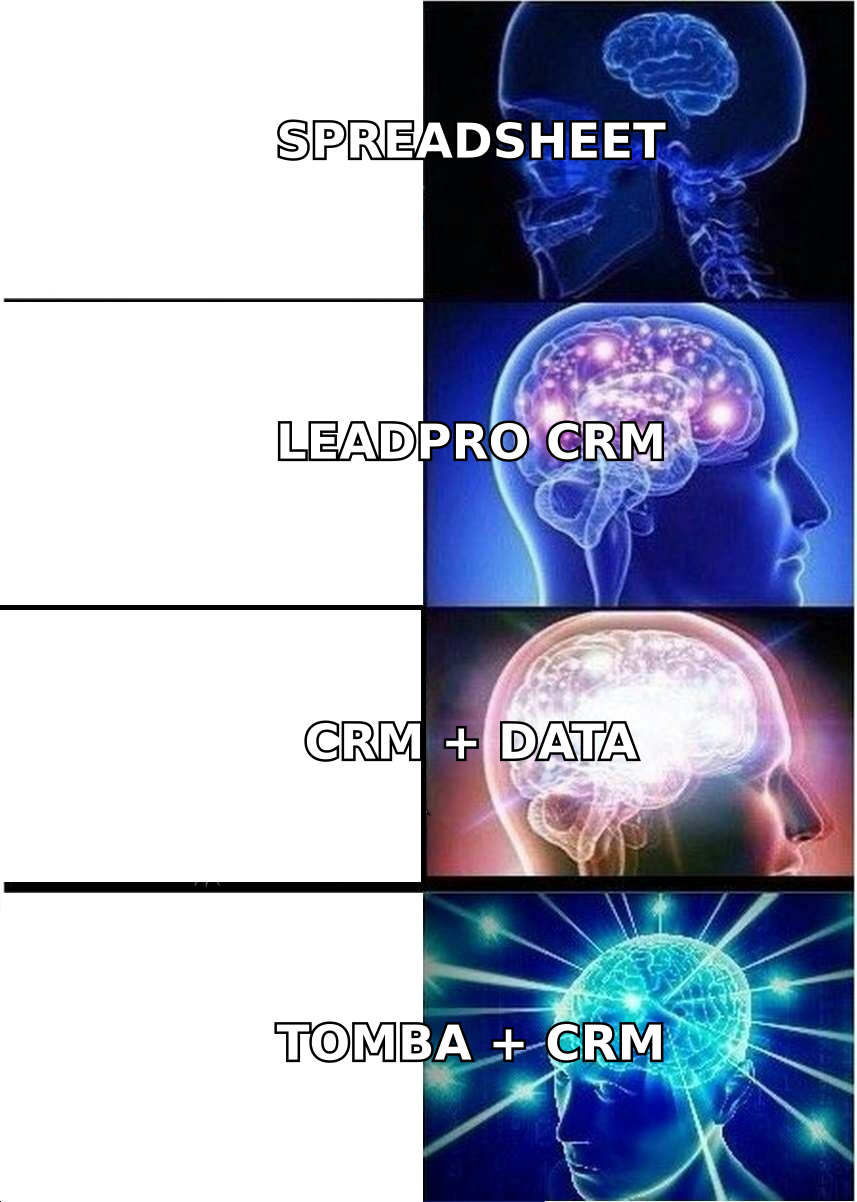
Think of it like a restaurant. The CRM is the dining room where you seat and serve guests. The contact-data tool is the marketing that brings new guests in. An all-in-one suite tries to do both, and it usually does one of them better than the other.
What are the 7 best LeadPro alternatives in 2026?#
Pricing below comes from each vendor's public pages as of September 2026. Vendors change plans often, so confirm current prices before you commit.
1. Tomba: best for adding verified contacts to any CRM#
Tomba doesn't try to replace your CRM. It fixes the problem most LeadPro users actually have, which is too few reachable contacts. You can find email addresses by name and company, pull every public address at a domain, verify existing lists, and enrich records with job titles, company data, and phone numbers.
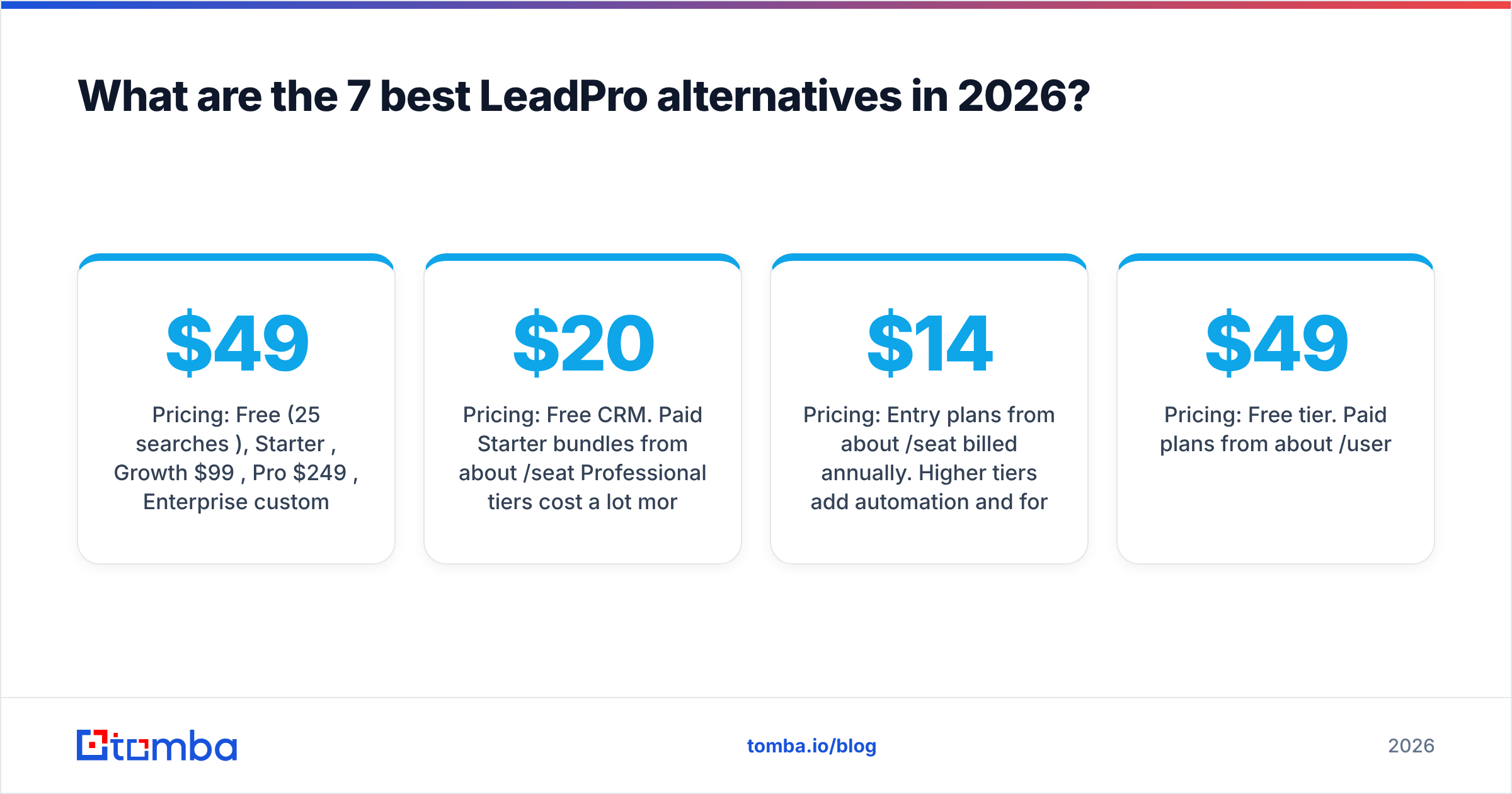
- Pricing: Free (25 searches/mo), Starter $49/mo, Growth $99/mo, Pro $249/mo, Enterprise custom
- Strengths: Finder, verifier, and catch-all checks in one tool. Chrome extension, API, Google Sheets add-on, and native CRM integrations.
- Limitations: No pipeline management, sequencing, or deal tracking. You pair it with a CRM.
- Best for: Teams that want to keep a simple CRM but stop working with bad data.
If you already run HubSpot, the HubSpot integration sends found and verified contacts straight into your records, so nobody has to export and re-import CSVs.
2. HubSpot CRM: best free full replacement#
For most small teams moving off LeadPro, the free HubSpot CRM is the natural next step. It covers contacts, companies, deals, tasks, email tracking, and a pipeline board with no seat cap on the free tier.
- Pricing: Free CRM. Paid Starter bundles from about $20/seat/mo. Professional tiers cost a lot more.
- Strengths: Large integration marketplace, solid reporting, and marketing tools when you need them.
- Limitations: Costs rise sharply once you need automation or advanced reporting. It includes no built-in B2B contact database worth relying on.
- Best for: Teams that want room to grow without paying on day one.
3. Pipedrive: best pipeline-first CRM for small sales teams#
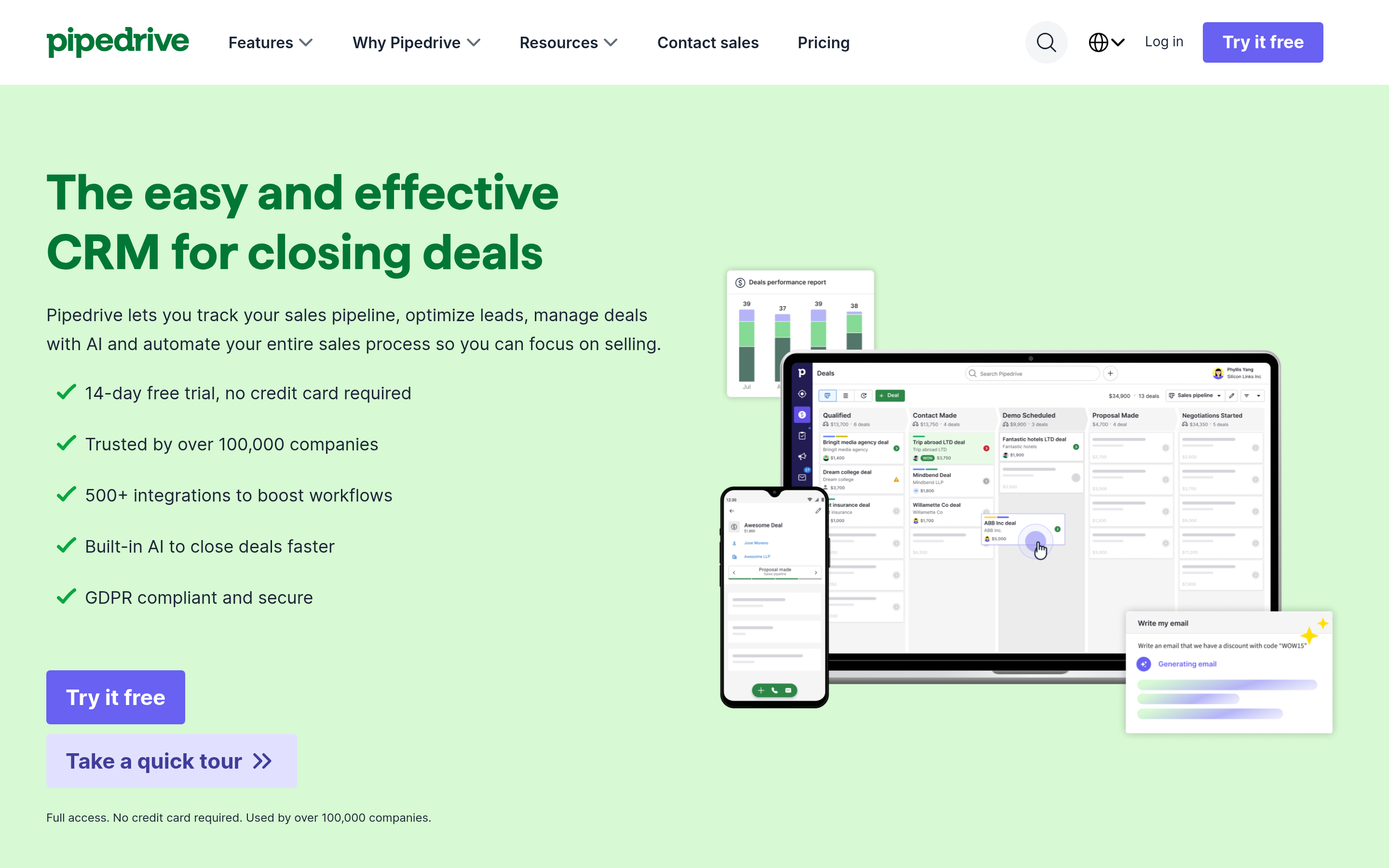
Pipedrive feels closest to LeadPro's philosophy, a visual pipeline built around the next action, but it goes much further on automation, reporting, and integrations.
- Pricing: Entry plans from about $14/seat/mo billed annually. Higher tiers add automation and forecasting.
- Strengths: Quick to adopt, and its activity-based selling keeps reps focused.
- Limitations: Its built-in prospecting add-ons cost extra, and data coverage there is modest.
- Best for: Teams of 2-20 reps that live in their pipeline.
4. Apollo: best all-in-one for outbound-heavy teams#

Apollo combines a large contact database, email sequences, and a light CRM. If your LeadPro frustration is that "we need outbound and the CRM can't do it," Apollo covers the most ground in one login.
- Pricing: Free tier. Paid plans from about $49/user/mo.
- Strengths: Database, sequencing, and dialer in one place.
- Limitations: Data accuracy varies by region and seniority. Credit rules and per-seat pricing can get complicated. Its CRM layer is thinner than HubSpot's or Pipedrive's.
- Best for: SDR teams running high-volume outbound. For a side-by-side look, see our Apollo alternative breakdown.
5. Hunter: best simple domain-based email finder#
Hunter is the long-standing pick for domain-based email lookups. It's simple, well documented, and priced in the same range as Tomba's entry tier.
- Pricing: Free (small monthly credit allowance). Paid plans from about $49/mo.
- Strengths: Clean UI, good at finding company email patterns, and a built-in verifier.
- Limitations: Narrower enrichment and phone coverage than broader platforms.
- Best for: Solo founders and marketers doing light prospecting.
6. BookYourData: best for buying targeted lists without a subscription#
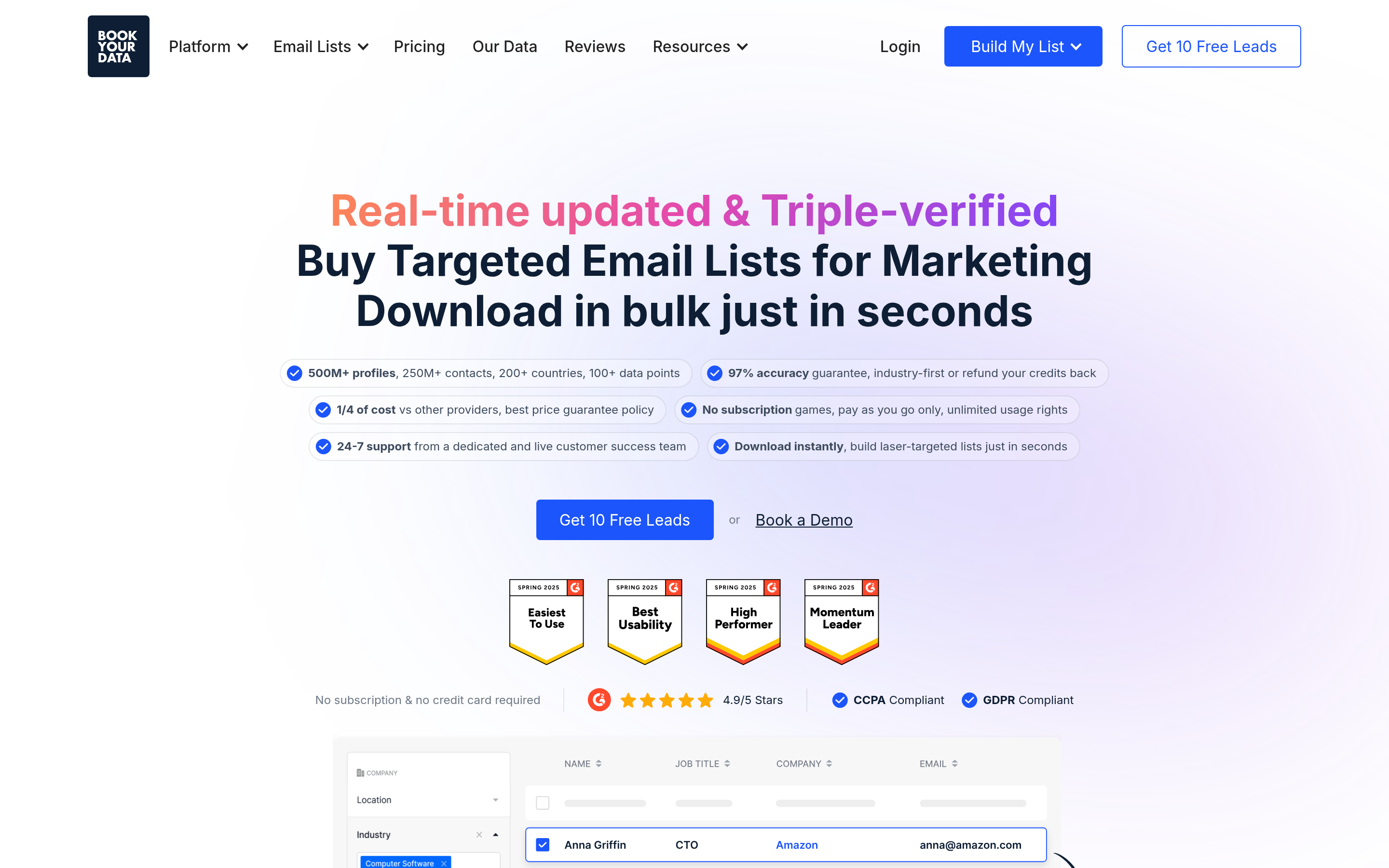
BookYourData works differently. Instead of looking up contacts one at a time, you filter a large B2B database by industry, title, location, and company size, then buy the exact list you need. It's a well-respected option for teams that want a ready-made, pre-verified list for a specific campaign.
- Pricing: Pay-as-you-go credits, plus subscription options for heavier users.
- Strengths: Fast to get a large targeted list, a strong focus on list accuracy, and no lengthy contract.
- Limitations: Best suited to building lists in batches rather than enriching contacts in real time inside a CRM.
- Best for: Campaign-driven teams that plan outbound in waves.
7. ZoomInfo: best for enterprise-scale data and intent#
ZoomInfo is the enterprise option. It offers deep org charts, intent signals, technographics, and a large contact database with CRM sync.
- Pricing: Custom quotes, usually annual contracts in the five figures.
- Strengths: Coverage depth, intent data, and enterprise admin controls.
- Limitations: Far more than a small LeadPro user needs. Long contracts and seat minimums.
- Best for: Mid-market and enterprise sales orgs with RevOps support.
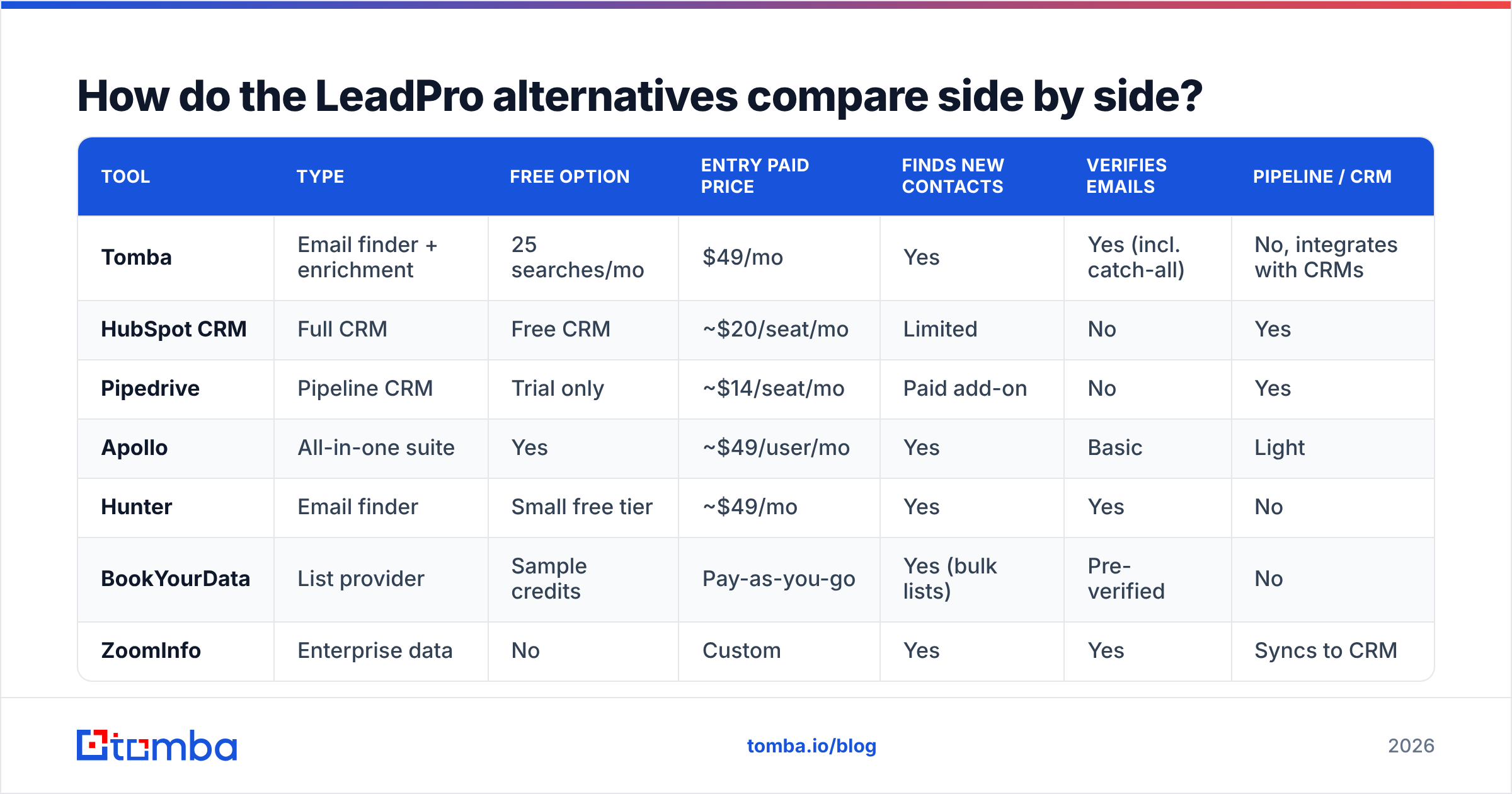
How do the LeadPro alternatives compare side by side?#
| Tool | Type | Free option | Entry paid price | Finds new contacts | Verifies emails | Pipeline / CRM |
|---|---|---|---|---|---|---|
| Tomba | Email finder + enrichment | 25 searches/mo | $49/mo | Yes | Yes (incl. catch-all) | No, integrates with CRMs |
| HubSpot CRM | Full CRM | Free CRM | ~$20/seat/mo | Limited | No | Yes |
| Pipedrive | Pipeline CRM | Trial only | ~$14/seat/mo | Paid add-on | No | Yes |
| Apollo | All-in-one suite | Yes | ~$49/user/mo | Yes | Basic | Light |
| Hunter | Email finder | Small free tier | ~$49/mo | Yes | Yes | No |
| BookYourData | List provider | Sample credits | Pay-as-you-go | Yes (bulk lists) | Pre-verified | No |
| ZoomInfo | Enterprise data | No | Custom | Yes | Yes | Syncs to CRM |
Most teams end up with one row from the CRM group and one from the data group. A HubSpot free + Tomba Starter setup costs $49/mo in total. That's often less than a few seats on a single all-in-one platform, and each tool does its own job better.
Should you replace LeadPro or just add to it?#
You don't always need to migrate. Swapping CRMs means moving data, retraining reps, and rebuilding automations, and that can eat weeks. Ask these three questions first:
- Are reps complaining about the pipeline itself, or about what's in it? If the pipeline works fine but it's empty or full of bounces, keep LeadPro and add a data tool.
- Do you need integrations LeadPro doesn't have? If your sequencer, calendar, or billing tool can't connect, a full CRM move to HubSpot or Pipedrive is justified.
- Is reporting blocking decisions? If managers can't see stage conversion or win rate by rep, you've outgrown a lightweight tool.
A good rule: fix data before you fix process. Moving a list full of bounces into a nicer CRM just gives you nicer-looking bounces. Run your existing contacts through an email verifier before any migration. You'll move fewer records, and your sender reputation will survive the first campaign from the new system.

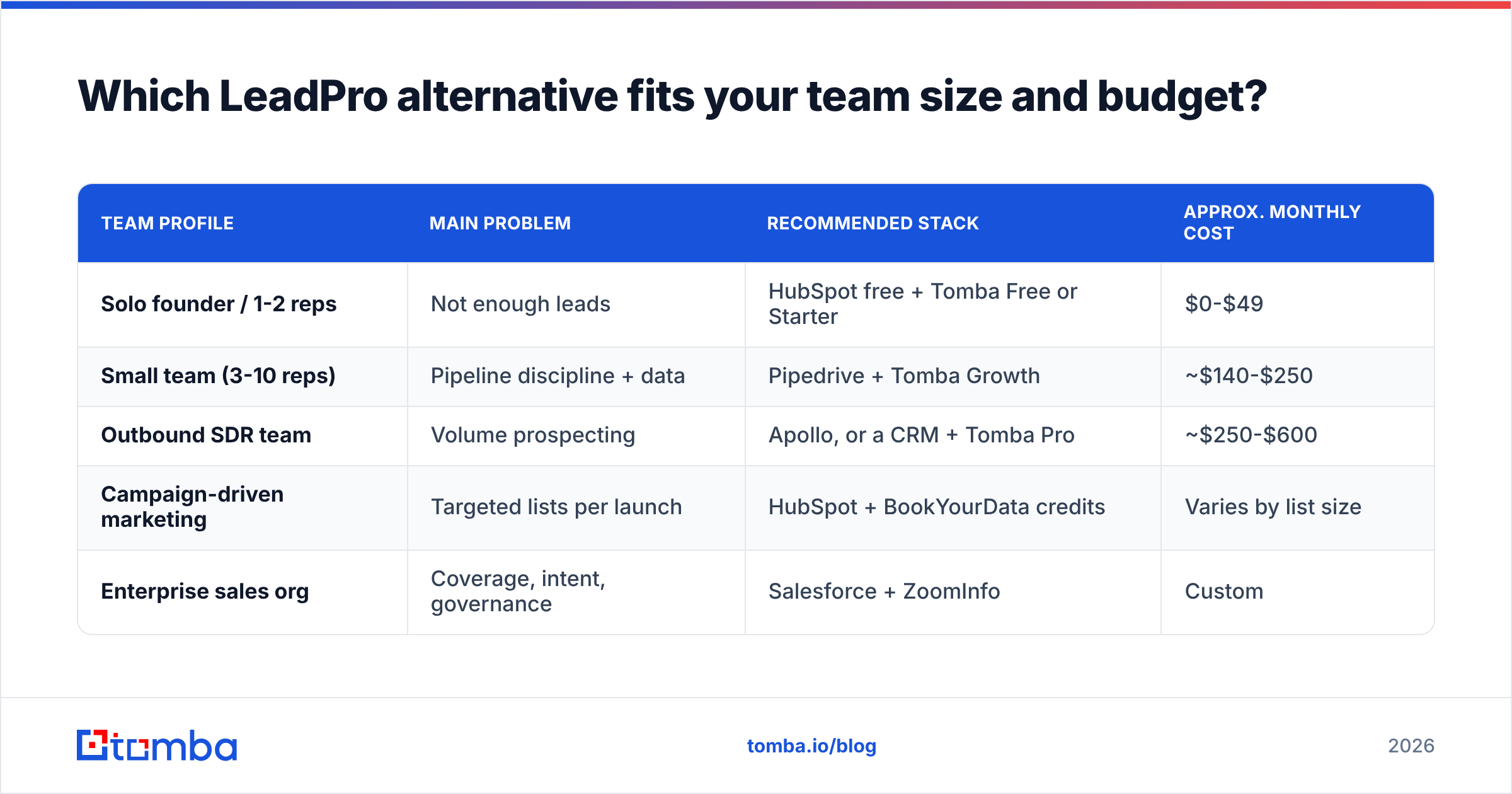
Which LeadPro alternative fits your team size and budget?#
Match the setup to where you are now, not where you hope to be in three years.
| Team profile | Main problem | Recommended stack | Approx. monthly cost |
|---|---|---|---|
| Solo founder / 1-2 reps | Not enough leads | HubSpot free + Tomba Free or Starter | $0-$49 |
| Small team (3-10 reps) | Pipeline discipline + data | Pipedrive + Tomba Growth | ~$140-$250 |
| Outbound SDR team | Volume prospecting | Apollo, or a CRM + Tomba Pro | ~$250-$600 |
| Campaign-driven marketing | Targeted lists per launch | HubSpot + BookYourData credits | Varies by list size |
| Enterprise sales org | Coverage, intent, governance | Salesforce + ZoomInfo | Custom |
Two notes on this table. First, costs grow with seats on CRMs and all-in-ones but with usage on data tools. If your team is growing faster than your lead volume, a usage-priced data tool keeps costs predictable. Second, don't buy enterprise intent data before you have a repeatable outbound motion. It's a sharp tool, but it's no help if you don't know yet who to target.
What should you check before you switch?#
A two-week trial tells you more than any comparison article. Use it to test these points on your own data:
- Hit rate on your ICP. Take 50 real target accounts and see how many decision-makers each tool finds. Coverage differs a lot by country, industry, and seniority.
- Bounce rate after verification. Send a small test campaign. Anything above 2-3% hard bounces means the data or verification isn't good enough.
- Catch-all handling. Many B2B domains accept every address, so basic verifiers can't confirm them. Check whether the tool flags catch-alls separately or quietly marks them "valid."
- CRM sync behavior. Does it create duplicates? Does it overwrite fields you care about? Test with a sandbox or a small list first.
- Total cost at your real volume. Model three months of actual usage, including extra credits and seat growth, instead of comparing sticker prices.
Neutral review sites like G2 and Capterra help you narrow the list. Your own 50-account test is what should decide it.
What's the bottom line on LeadPro alternatives?#
LeadPro does one job reasonably well: it keeps leads from being forgotten. Most teams that search for alternatives have hit one of two walls. Either they need a CRM with real automation and reporting, or they need a steady supply of contacts that actually reach an inbox.
For the first wall, HubSpot CRM (free to start) and Pipedrive (pipeline-first) are the safest moves. For the second, a dedicated data tool beats upgrading to a bigger CRM. Tomba, Hunter, and BookYourData each handle it well in different ways, and Apollo or ZoomInfo make sense once you're running outbound at scale.
If contact data is the bottleneck, start with the cheapest fix. Tomba Email Finder finds and verifies professional email addresses by name, domain, or company, then pushes them into HubSpot, Pipedrive, or Salesforce. You can keep the CRM you have or move to a new one, and either way your pipeline gets contacts that reach the inbox. Try it on the free plan with 25 searches a month, then check Tomba pricing when you're ready to scale. Plans start at $49/mo.
Related guides#
// get started
Find, verify and enrich your first contacts today
Start on the free plan with 25 searches a month, then scale when your team is ready.
Free plan · No credit card required · GDPR & CCPA
// about the author