Leadrocks vs Lusha (2026): Accuracy, Pricing, and Which to Pick
Leadrocks and Lusha both promise verified B2B contacts, but they're built for different buyers. Here's how they compare on data coverage, credit costs, workflow fit, and hidden costs.
TL;DR
- Lusha is the more mature, polished platform. It has strong phone coverage, a well-known Chrome extension, native CRM integrations, and compliance certifications. That polish costs more per seat, and phone reveals use up credits quickly.
- Leadrocks is a leaner, LinkedIn-centric contact database. It suits solo founders, recruiters, and small outbound teams who want bulk exports without enterprise overhead.
- Pick Lusha if your team makes a lot of calls, runs on Salesforce or HubSpot, and needs security paperwork for procurement. Pick Leadrocks if you mostly build lists from LinkedIn and care about cost per contact.
- Neither tool is a full email finder plus verifier stack. If your main job is finding and verifying work emails from a domain or a name, a dedicated email finder is often cheaper and more accurate per credit.
- Always run a 100-contact bounce test on your own ICP before buying either one. Vendor accuracy claims don't carry over reliably from one market to another.
What are Leadrocks and Lusha, and why compare them?#
Both tools solve the same problem: you know who you want to reach, and you need a working email or phone number. They get there differently.
Lusha has been around since 2016 and is one of the best-known names in B2B contact data. It started as a Chrome extension that showed emails and phone numbers on LinkedIn profiles. It has since grown into a prospecting platform with list building, intent signals, job-change alerts, and CRM enrichment. It's aimed at sales teams from SMB to mid-market and sells per seat. Pricing is on Lusha's pricing page.
Leadrocks is smaller and more focused. It's a B2B contact database built mostly from LinkedIn-style professional profiles, plus a Chrome extension that pulls contact data while you browse LinkedIn and Sales Navigator. Its pitch is simple: search, filter, export contacts in bulk, and pay for the data rather than platform features. See leadrocks.io for the current plans.
So this isn't a matchup between two equal products. It's closer to a comparison between a full sales-intelligence suite and a lean list-building utility. Which one fits you depends on how your team actually works.
How do Leadrocks and Lusha compare feature by feature?#
Here's the side-by-side. Tomba is included as a reference column because many teams considering either tool mainly need email finding, not a full prospecting suite. Vendor pricing changes often, so treat competitor pricing as directional and check it on their sites before you buy.
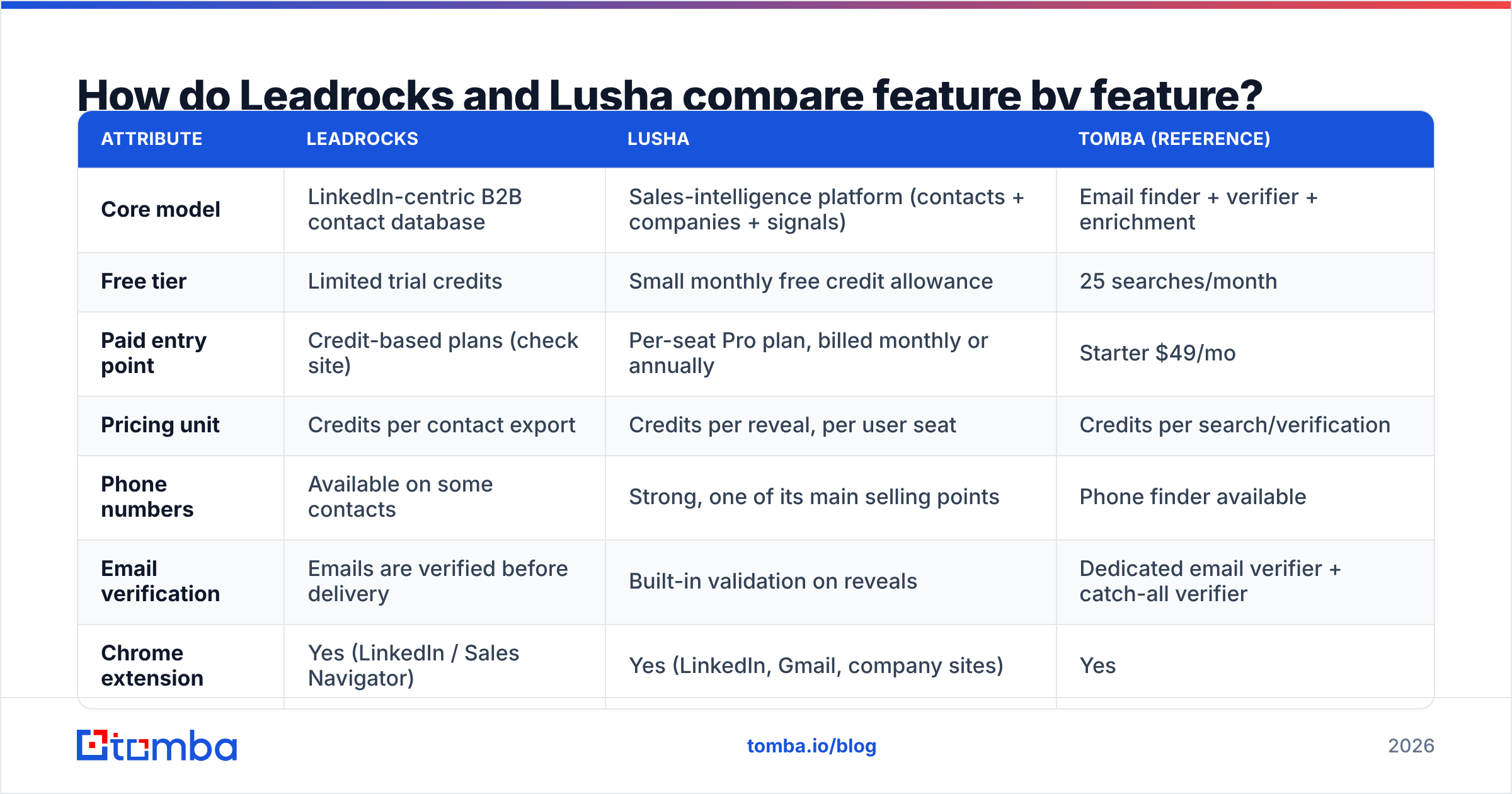
| Attribute | Leadrocks | Lusha | Tomba (reference) |
|---|---|---|---|
| Core model | LinkedIn-centric B2B contact database | Sales-intelligence platform (contacts + companies + signals) | Email finder + verifier + enrichment |
| Free tier | Limited trial credits | Small monthly free credit allowance | 25 searches/month |
| Paid entry point | Credit-based plans (check site) | Per-seat Pro plan, billed monthly or annually | Starter $49/mo |
| Pricing unit | Credits per contact export | Credits per reveal, per user seat | Credits per search/verification |
| Phone numbers | Available on some contacts | Strong, one of its main selling points | Phone finder available |
| Email verification | Emails are verified before delivery | Built-in validation on reveals | Dedicated email verifier + catch-all verifier |
| Chrome extension | Yes (LinkedIn / Sales Navigator) | Yes (LinkedIn, Gmail, company sites) | Yes |
| CRM integrations | CSV export, basic integrations | Native Salesforce, HubSpot, Pipedrive, and more | HubSpot, Salesforce, Pipedrive, Zapier, and more |
| API | Limited | Yes, on higher tiers | Yes, on all paid plans |
| Compliance posture | GDPR statements | GDPR/CCPA, ISO 27001, SOC 2 | GDPR-focused |
| Best for | Recruiters, founders, budget outbound | SDR teams with phone-heavy motions | Email-first outbound and enrichment |

The main difference is in the pricing unit. Lusha charges per user and then counts credits inside each seat. Phone reveals cost several times more credits than email reveals. Leadrocks is closer to paying per contact exported. For a three-person team pulling 2,000 contacts a month, these two models can produce very different invoices.
Which tool has more accurate data?#
This question matters most, and it's the one vendors are least able to answer honestly. Accuracy depends a lot on:
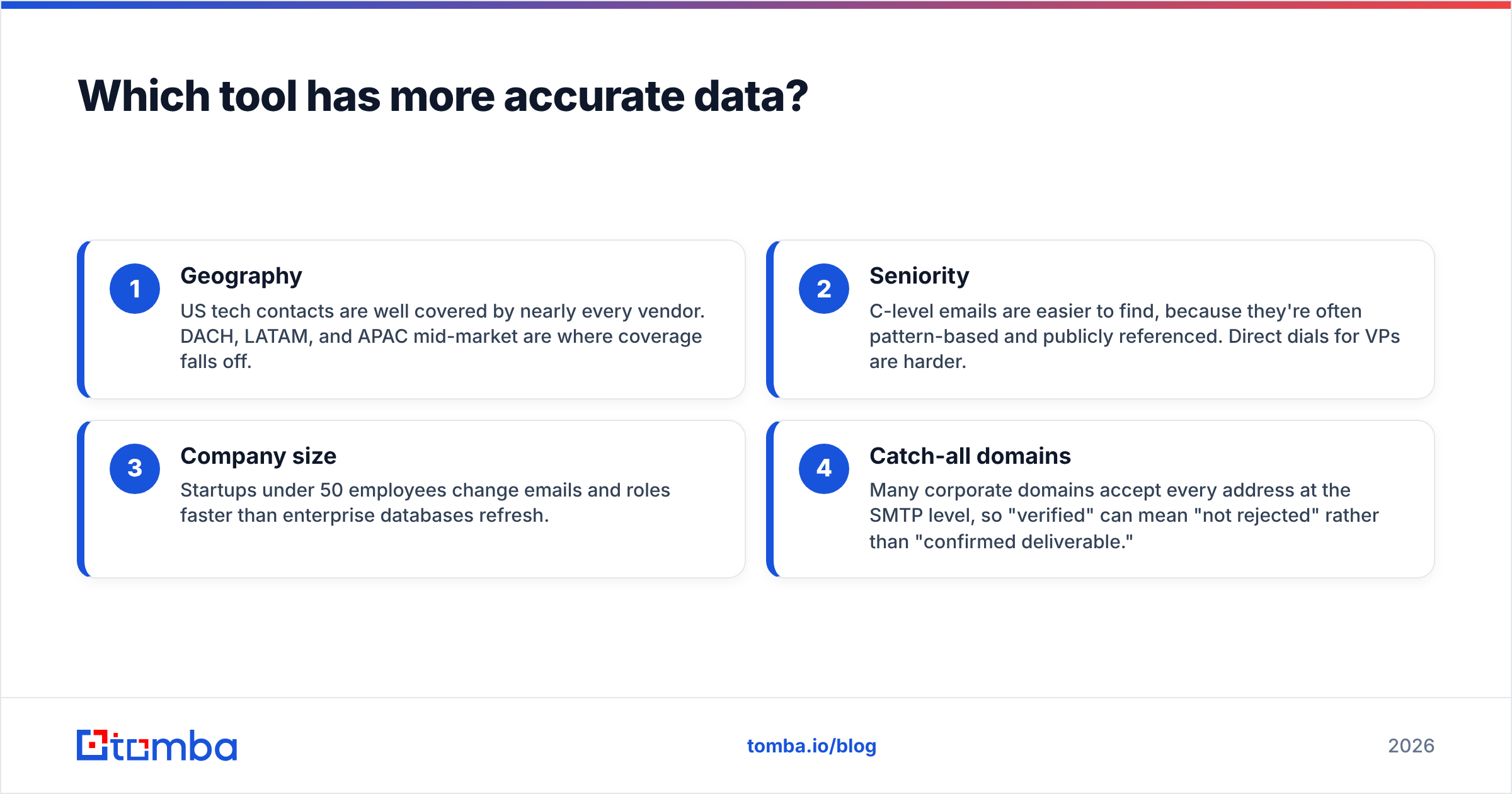
- Geography: US tech contacts are well covered by nearly every vendor. DACH, LATAM, and APAC mid-market are where coverage falls off.
- Seniority: C-level emails are easier to find, because they're often pattern-based and publicly referenced. Direct dials for VPs are harder.
- Company size: Startups under 50 employees change emails and roles faster than enterprise databases refresh.
- Catch-all domains: Many corporate domains accept every address at the SMTP level, so "verified" can mean "not rejected" rather than "confirmed deliverable."

From public reviews on G2 and hands-on testing patterns, the rough picture looks like this:
- Lusha is consistently strong on phone numbers, especially mobile numbers for North American contacts. That's the main reason teams pay its premium. Email accuracy is solid, and reviewers most often complain about stale data in fast-moving segments.
- Leadrocks does reasonably well on emails for LinkedIn-visible professionals, since that's what its database is built around. Phone coverage is thinner. It performs best on mid-level and senior roles at companies with a clear LinkedIn presence.
The honest answer is to test both on your own data. Take 100 contacts from your real ICP and run them through each tool. Then send the resulting emails through an independent email verifier before any outreach. Measure three numbers: find rate, verified-valid rate, and actual bounce rate after a small send. The tool that wins on your segment is the right one, whatever a vendor's marketing says.

How much do Leadrocks and Lusha actually cost?#
List prices hide the real number. What matters is cost per usable contact: a contact with a valid email (and a phone number, if you need one) that doesn't bounce.
Lusha's cost structure:
- Pricing is per seat, so costs rise with headcount even if some reps rarely prospect.
- Each seat has a monthly credit allowance. Email reveals are cheap in credits, but phone reveals cost significantly more.
- Unused credits may not roll over indefinitely. Check the current terms.
- Features like intent data, advanced filters, and full CRM sync usually sit on higher tiers.
A phone-heavy SDR can use up a month's credit allowance in a week or two. If you're comparing Lusha to a cheaper option, calculate cost per phone reveal, not cost per seat.
Leadrocks's cost structure:
- Credit-based, with less emphasis on seats. That usually suits small teams and solo users better.
- Bulk export is part of the core pitch, so large list pulls tend to cost less per contact.
- Fewer bundled features means you're paying mostly for data, which is good if data is all you need and less good if you also want workflow tools.
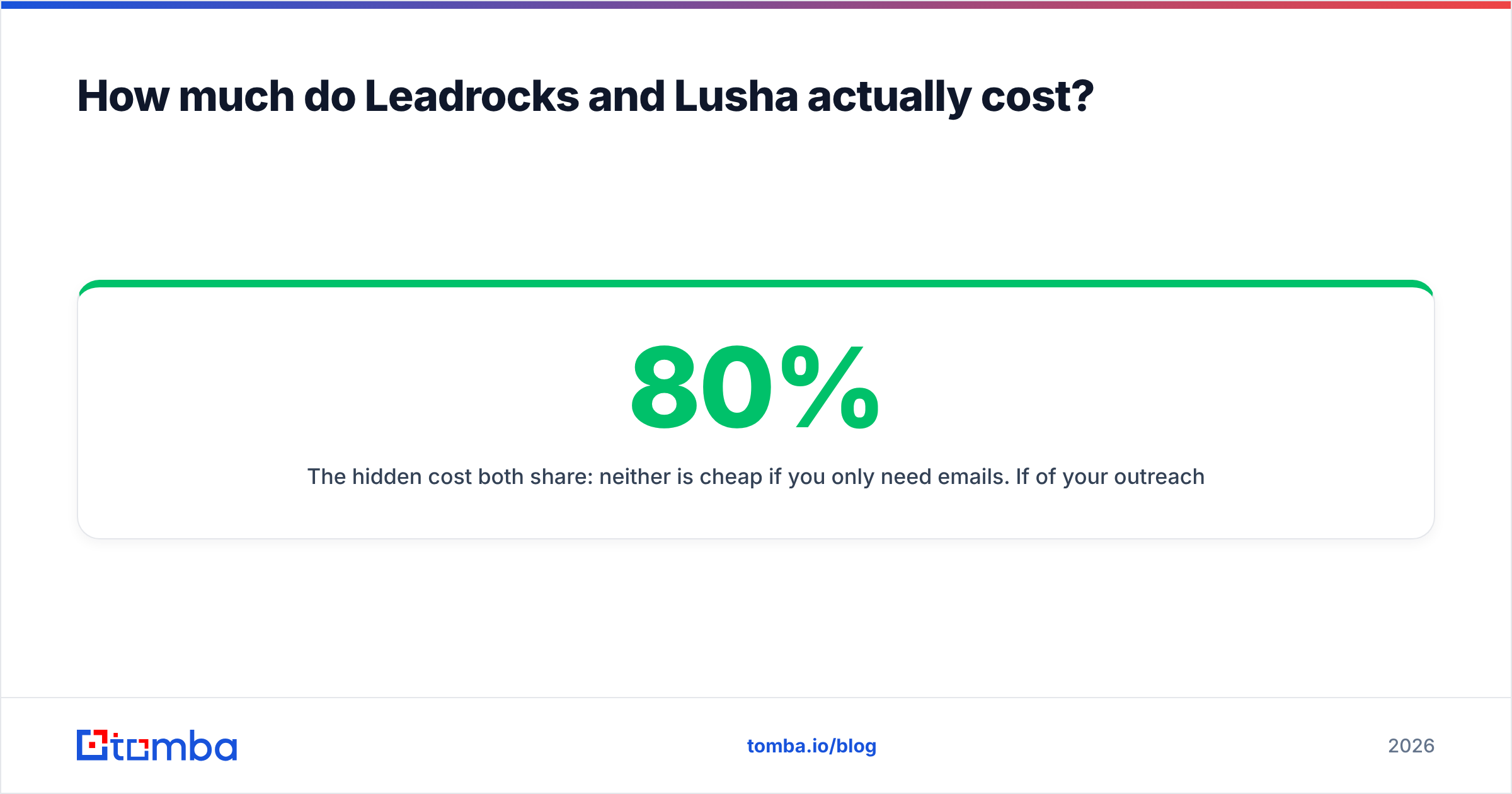
The hidden cost both share: neither is cheap if you only need emails. If 80% of your outreach is cold email, you're paying Lusha for phone coverage you won't use. With Leadrocks, you're paying for a database when an on-demand lookup might work better. That's where a dedicated email tool changes the math. Tomba pricing starts with a free tier of 25 searches a month, then $49/mo for Starter, $99/mo for Growth, and $249/mo for Pro, and it doesn't charge per seat.
Which one fits your workflow better?#
Features only matter if they fit how your team already works. Here are four common setups and which tool usually fits each.
- Phone-first SDR team on Salesforce or HubSpot: Lusha. Native CRM sync, phone coverage, and an extension reps actually use justify the per-seat cost. Procurement will also value the SOC 2 and ISO paperwork.
- Recruiter or agency sourcing from LinkedIn: Leadrocks. You live in LinkedIn and Sales Navigator, you need contact data on those profiles, and you want to export lists without paying for SDR features.
- Founder-led outbound on a budget: Leadrocks or an email-first tool. You need a few hundred good emails a month, not a platform with a learning curve.
- Email-first outbound or data ops team: Neither is ideal on its own. You'll get better value from a dedicated finder that can search by name, by domain, or in bulk, and verify each result. A domain search that returns every public email at a target company is often faster than searching for people one by one.
What do users like and dislike about each tool?#
Lusha: what users like
- The Chrome extension is fast, clean, and works across LinkedIn, Gmail, and company websites.
- Phone numbers, especially mobiles, are the strongest part of the product.
- CRM integrations are mature and reliable.
- Good security and compliance posture for mid-market buyers.
Lusha: what users dislike
- Per-seat pricing gets expensive as a team grows.
- Phone reveals burn through credits quickly.
- Data freshness varies for fast-growing startups and non-US regions.
- Some useful features are locked behind higher tiers.
Leadrocks: what users like
- Simple, database-first experience with fast list building.
- Bulk exports are affordable compared with per-seat platforms.
- Works well with LinkedIn-based sourcing workflows.
- Lower commitment, which suits testing a new segment.
Leadrocks: what users dislike
- Thinner phone coverage than Lusha.
- Fewer native integrations and less workflow automation.
- Smaller brand footprint, so there are fewer third-party reviews to benchmark against.
- Less suited to teams with strict procurement or compliance reviews.

Is Leadrocks a good alternative to Lusha?#
For some teams, yes. If you mainly use Lusha to export email lists from LinkedIn searches and your reps rarely make calls, Leadrocks can cover much of that work at a lower cost per contact.
It isn't a drop-in replacement, though, if you depend on:
- Direct dials and mobile numbers at scale
- Native two-way CRM sync with field mapping
- Job-change alerts and intent signals
- Vendor security documentation for enterprise procurement
In those cases, Lusha earns its price. What you should avoid is paying Lusha's price for a use case that doesn't need what Lusha does best.
It's also worth looking outside this pair. If you're evaluating contact data broadly, compare against pure email tools and against larger platforms. The Apollo alternative breakdown covers the all-in-one side of the market.
How should you run a fair Leadrocks vs Lusha trial?#
A structured trial takes about a week and prevents a year of regret. Here's the process:
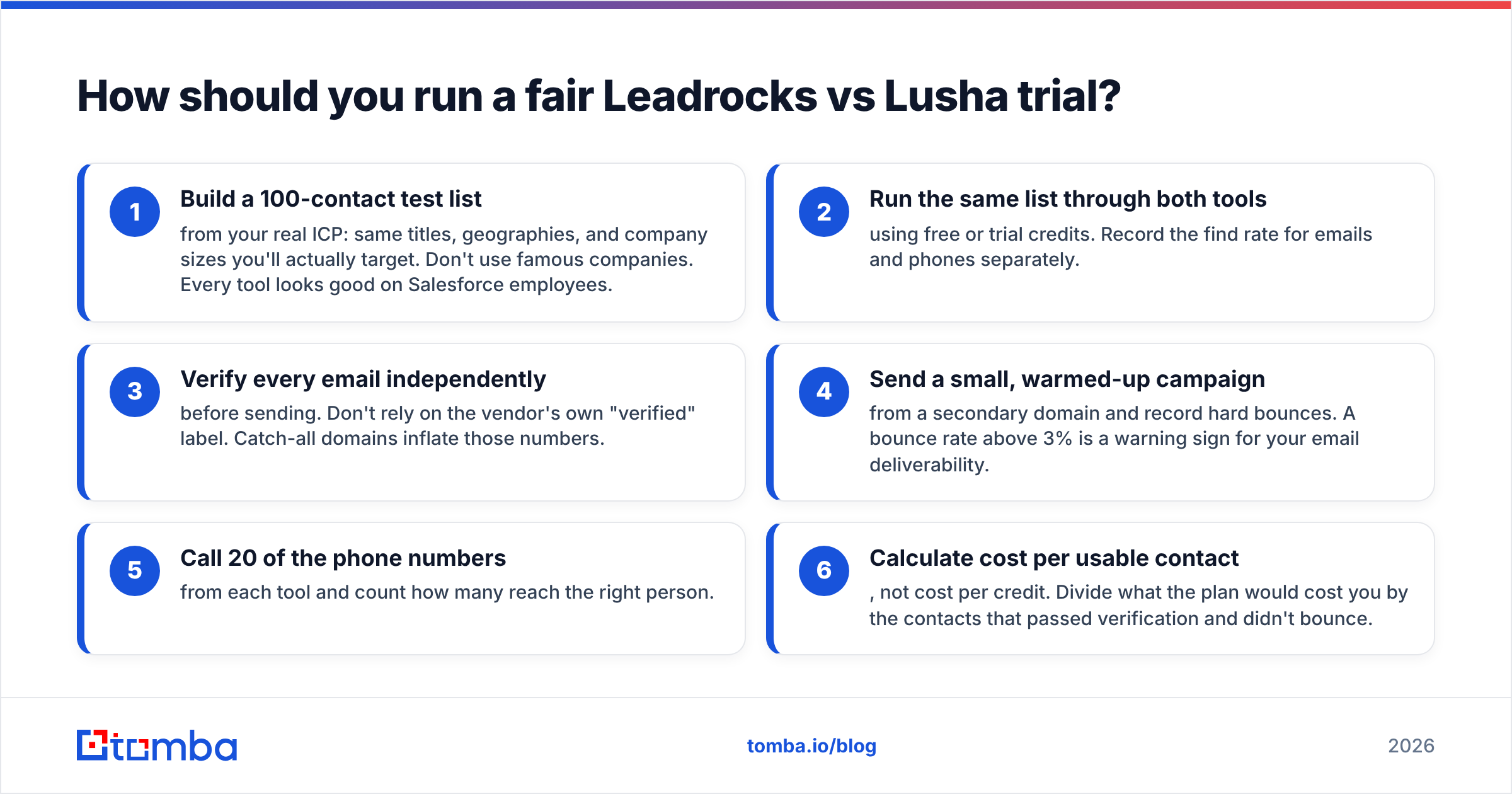
- Build a 100-contact test list from your real ICP: same titles, geographies, and company sizes you'll actually target. Don't use famous companies. Every tool looks good on Salesforce employees.
- Run the same list through both tools using free or trial credits. Record the find rate for emails and phones separately.
- Verify every email independently before sending. Don't rely on the vendor's own "verified" label. Catch-all domains inflate those numbers.
- Send a small, warmed-up campaign from a secondary domain and record hard bounces. A bounce rate above 3% is a warning sign for your email deliverability.
- Call 20 of the phone numbers from each tool and count how many reach the right person.
- Calculate cost per usable contact, not cost per credit. Divide what the plan would cost you by the contacts that passed verification and didn't bounce.
That final number usually settles the decision more clearly than any feature table.
So, Leadrocks or Lusha: which should you choose?#
Choose Lusha if:
- Your team calls prospects as much as it emails them
- You run Salesforce or HubSpot and want native enrichment
- You need compliance documentation for procurement
- Budget per seat matters less than rep productivity
Choose Leadrocks if:
- You source mostly from LinkedIn and Sales Navigator
- You want affordable bulk exports without per-seat pricing
- You're a recruiter, agency, or solo founder
- Email matters more to you than phone data
Choose neither, or add a dedicated email tool, if:
- Your outbound is mostly or entirely email
- You need to find contacts by domain or company rather than by LinkedIn profile
- You want API access to automate enrichment inside your own stack
- You're tired of paying for phone credits you never use
Most teams don't need one tool that does everything. They need the right data for the channel they actually use, at a cost per contact that still makes sense at 10x volume.
Where does Tomba fit if email is your main channel?#
If your comparison of Leadrocks vs Lusha keeps coming back to "we mostly just need accurate work emails," it's worth trying a purpose-built email finder before you commit to either platform. Tomba Email Finder lets you find professional emails by name, by company domain, or in bulk. Every result can be run through Tomba's verifier and catch-all checks, and there's no per-seat pricing. You can start with 25 free searches a month to test it on the same 100-contact list you use for Leadrocks and Lusha, then scale to Starter at $49/mo if the numbers hold up. Run the test, compare cost per usable contact, and pick the tool that performs best on your market.
Related guides#
// get started
Find, verify and enrich your first contacts today
Start on the free plan with 25 searches a month, then scale when your team is ready.
Free plan · No credit card required · GDPR & CCPA
// about the author