Leads Filter: How to Screen Out Bad Leads Before They Cost You
Most pipelines aren't short on leads. They're full of leads that will never buy. Here's how to build a five-layer leads filter that removes the junk before your reps waste a single touch on it.
TL;DR
- A leads filter is the set of rules that decides which contacts reach your reps, which get nurtured, and which get deleted. Most teams have one. It just isn't written down.
- Good filters run in five layers, in this order: data hygiene, ICP fit, contactability, intent, and engagement. If you run them out of order, you end up scoring garbage.
- The cheapest filter is the one you run before outreach. Once a bad address has bounced, your sender reputation has already paid for it.
- Keep your ICP filter strict and your intent filter loose. Fit rarely changes, but timing changes every week.
- Check the filter every quarter against closed-won data, not against gut feel.
What is a leads filter?#
A leads filter is a repeatable set of criteria that sorts incoming or sourced contacts into buckets: work now, work later, or discard. It sits between your lead sources (forms, lists, enrichment tools, events, website visitors) and your sales team.
Think of it as the bouncer at the door of your CRM. The bouncer doesn't decide who gets married at the wedding. That's the sales process. The bouncer decides who gets in at all, and who should come back when they're on the list.
A leads filter is related to lead scoring, but it isn't the same thing. Lead scoring puts a number on each contact based on attributes and behaviour. A filter is binary and comes first. It removes contacts that should never be scored because they're invalid, out of market, or unreachable. Teams that skip filtering and go straight to scoring spend a lot of effort ranking leads that were never going to convert.
In practice, a leads filter can live in several places:
- As rules inside your CRM or marketing automation platform (HubSpot workflows, Salesforce assignment rules)
- As a spreadsheet step in a manual list-building process
- As an enrichment and verification pass before contacts are imported
- As routing logic in a tool like Zapier or Make
Where it lives matters less than whether it's explicit. An unwritten filter is simply whatever your busiest rep felt like chasing this week.
Why do most lead lists need filtering at all?#
Raw lead data decays and arrives dirty. People change jobs, companies get acquired, domains expire, and form fills include fake names and personal addresses entered to get past a gate. B2B contact data goes stale quickly, and any list that has sat in a CRM for a year without re-verification will have a meaningful share of dead records.
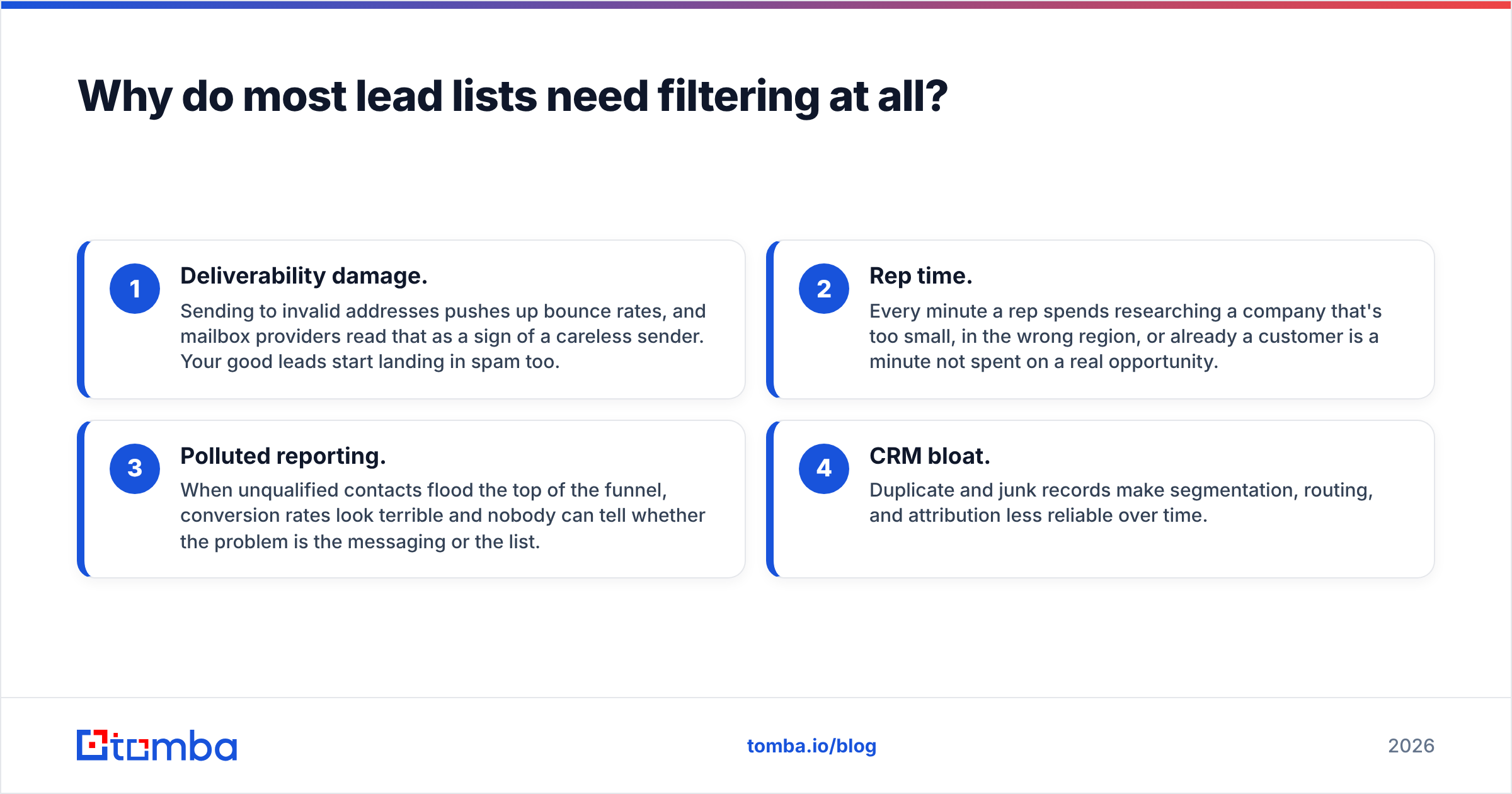
Skipping the filter costs you in four ways:
- Deliverability damage. Sending to invalid addresses pushes up bounce rates, and mailbox providers read that as a sign of a careless sender. Your good leads start landing in spam too.
- Rep time. Every minute a rep spends researching a company that's too small, in the wrong region, or already a customer is a minute not spent on a real opportunity.
- Polluted reporting. When unqualified contacts flood the top of the funnel, conversion rates look terrible and nobody can tell whether the problem is the messaging or the list.
- CRM bloat. Duplicate and junk records make segmentation, routing, and attribution less reliable over time.
What are the five layers of an effective leads filter?#
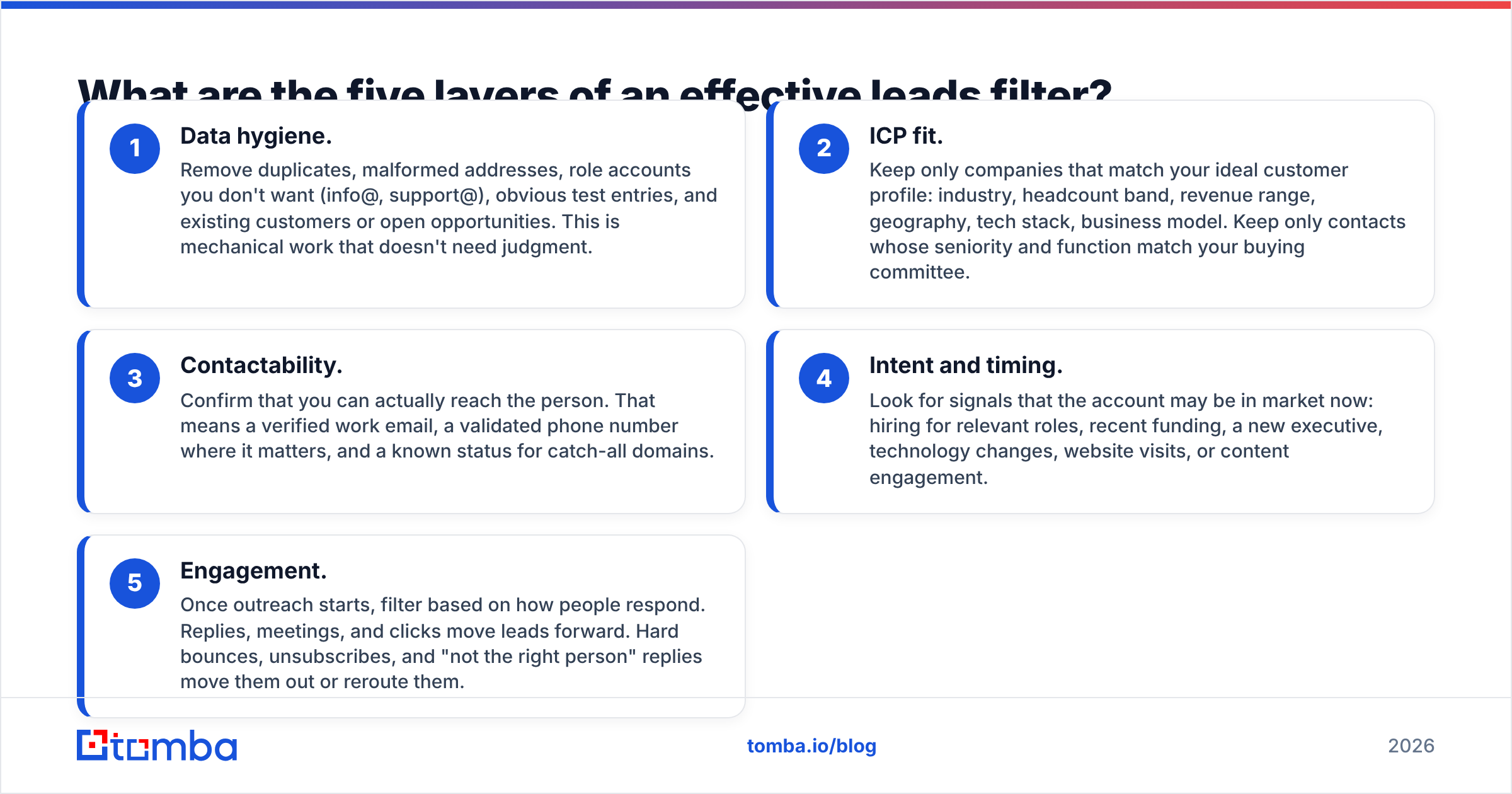
The order matters. Each layer is cheaper to run than the one after it, and each removes records that would otherwise waste effort further down.
- Data hygiene. Remove duplicates, malformed addresses, role accounts you don't want (info@, support@), obvious test entries, and existing customers or open opportunities. This is mechanical work that doesn't need judgment.
- ICP fit. Keep only companies that match your ideal customer profile: industry, headcount band, revenue range, geography, tech stack, business model. Keep only contacts whose seniority and function match your buying committee.
- Contactability. Confirm that you can actually reach the person. That means a verified work email, a validated phone number where it matters, and a known status for catch-all domains.
- Intent and timing. Look for signals that the account may be in market now: hiring for relevant roles, recent funding, a new executive, technology changes, website visits, or content engagement.
- Engagement. Once outreach starts, filter based on how people respond. Replies, meetings, and clicks move leads forward. Hard bounces, unsubscribes, and "not the right person" replies move them out or reroute them.
Layers 1 through 3 are pass/fail. Layers 4 and 5 are where scoring earns its keep. A lead that fails ICP fit shouldn't get extra points for downloading three ebooks. It should be routed to nurture or dropped.
How do the filter layers compare in cost and impact?#
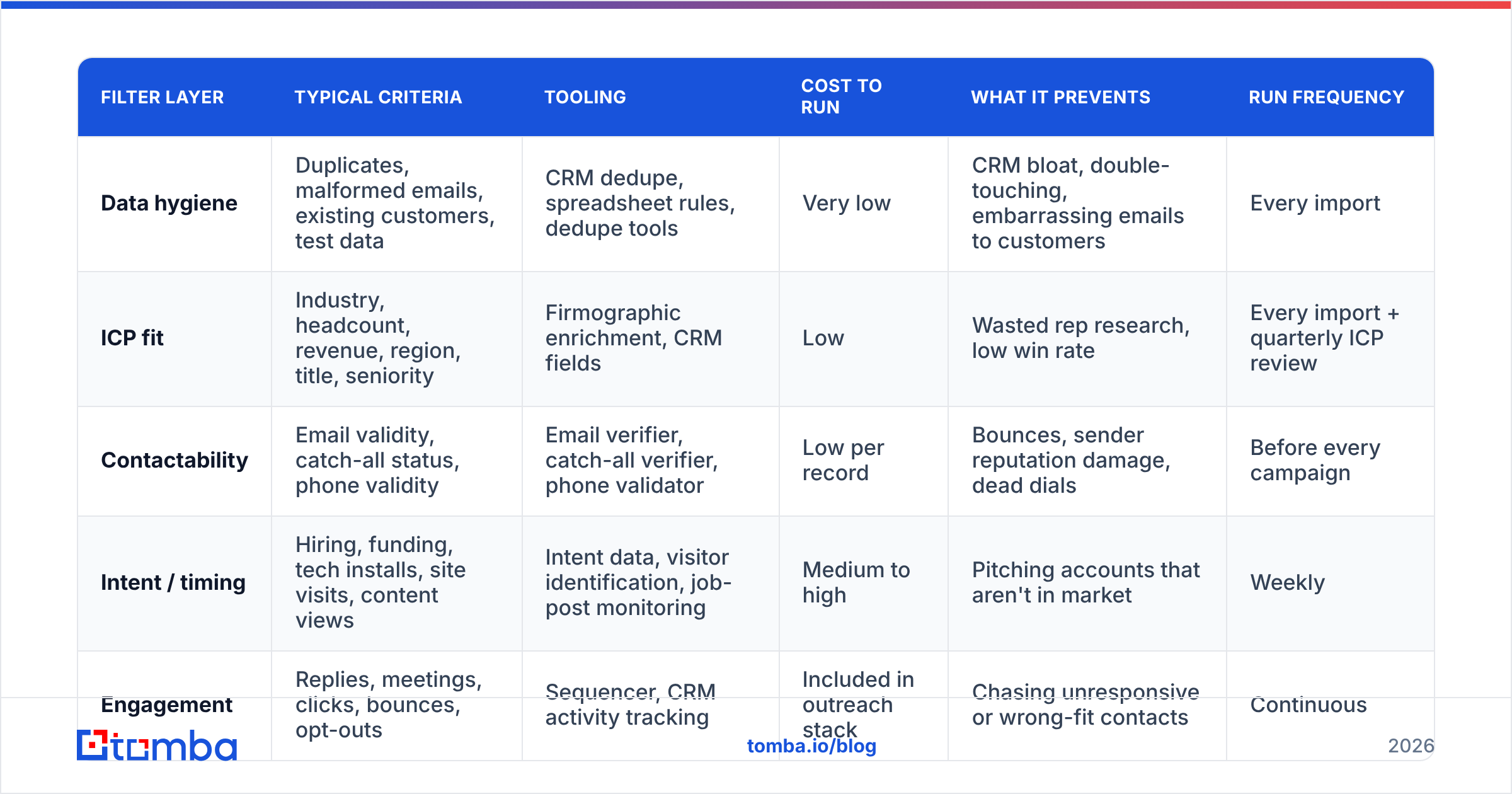
Here is a practical view of what each layer takes to run and what it catches.
| Filter layer | Typical criteria | Tooling | Cost to run | What it prevents | Run frequency |
|---|---|---|---|---|---|
| Data hygiene | Duplicates, malformed emails, existing customers, test data | CRM dedupe, spreadsheet rules, dedupe tools | Very low | CRM bloat, double-touching, embarrassing emails to customers | Every import |
| ICP fit | Industry, headcount, revenue, region, title, seniority | Firmographic enrichment, CRM fields | Low | Wasted rep research, low win rate | Every import + quarterly ICP review |
| Contactability | Email validity, catch-all status, phone validity | Email verifier, catch-all verifier, phone validator | Low per record | Bounces, sender reputation damage, dead dials | Before every campaign |
| Intent / timing | Hiring, funding, tech installs, site visits, content views | Intent data, visitor identification, job-post monitoring | Medium to high | Pitching accounts that aren't in market | Weekly |
| Engagement | Replies, meetings, clicks, bounces, opt-outs | Sequencer, CRM activity tracking | Included in outreach stack | Chasing unresponsive or wrong-fit contacts | Continuous |
Look at the cost column. Teams often buy intent data before fixing hygiene and contactability, which means they pay for premium signals and then apply them to records that bounce.
How do you build the ICP layer without over-filtering?#
The ICP layer is where most filters go wrong, in one of two directions. Some are so loose they let everything through. Others are so tight they block the edge cases that turn into your best customers.
Start from closed-won data, not from your pitch deck. Pull your last 12 to 24 months of won deals and look for patterns:
- Headcount band. Where do most wins cluster? Is there a floor below which deals never close?
- Industry. Which verticals convert, and which ones stall at procurement?
- Region. Are there markets where you can't sell because of language, compliance, or support hours?
- Buyer title. Who signed, who championed, and who blocked?
- Tech stack. Are there integrations or tools that predict a fit?
Then split your criteria into hard and soft. Hard criteria are dealbreakers: a region you can't legally serve, a company size your product doesn't support. Soft criteria are preferences, and they should adjust priority rather than exclude anyone.
A useful rule is to hard-filter on a small number of attributes and soft-score the rest. For example, you might hard-filter on "headcount between 20 and 2,000" and "region in North America or EU," then use industry and tech stack for scoring. That way, you won't silently throw away the fintech company that doesn't fit your SaaS-heavy ICP but would buy tomorrow.
You can only filter on fields you actually have. If half your records have no industry or headcount, your ICP filter will either reject them all or let them all through. Run a data enrichment pass before you apply the ICP layer so the filter has something to work with.
How do you filter for contactability?#
Contactability is the layer most often skipped and the one that hurts most when it is. A lead that fits your ICP perfectly is worthless if the email bounces.
A working contactability filter has three checks:
1. Email verification. Run every address through an email verifier before it enters a sequence. You'll typically get statuses like valid, invalid, risky or unknown, and accept-all. Send to valid. Drop invalid. Handle the rest deliberately.
2. Catch-all handling. Catch-all domains accept mail for any address, so a standard check can't confirm the mailbox exists. Many strong B2B accounts sit on catch-all domains, so dropping them all throws away real pipeline. A common approach is to send catch-all contacts in smaller, separate batches from a secondary domain and watch bounces closely.
3. Phone validation (if you call). If your motion includes cold calling, confirm numbers are valid and identify whether they're mobile or landline. Invalid dials burn rep time just as bounced emails burn reputation.
Contactability goes stale. An address that verified as valid six months ago may belong to someone who has since left. Re-verify any list that has been sitting for more than a few weeks before you launch a campaign on it.
How do intent signals fit into a leads filter?#
Intent answers "why now?" It's the layer that separates a good-fit account you'll call someday from a good-fit account you should call this week.
Common intent signals in B2B include:
- Hiring signals. Job posts for roles your product supports, such as a company hiring five SDRs when you sell prospecting tools.
- Funding and M&A. New capital often means new budget and new tooling decisions.
- Leadership changes. A new VP tends to re-evaluate the stack within their first months.
- Technology changes. A company adding or dropping a complementary or competing tool.
- First-party engagement. Pricing page visits, repeat sessions, demo-page views, webinar attendance.
- Third-party research. Topic-level intent from review sites and publisher networks, available through vendors like G2 and dedicated intent platforms.
Use intent as a priority lever, not a gate. If you exclude every account without a visible signal, you'll miss buyers who are researching quietly. A better setup is fit plus intent goes to the top of the queue, fit without intent goes to steady outbound or nurture, and intent without fit gets a quick human check, since it's sometimes a sign that your ICP definition is out of date.
Should you filter leads manually or automate it?#
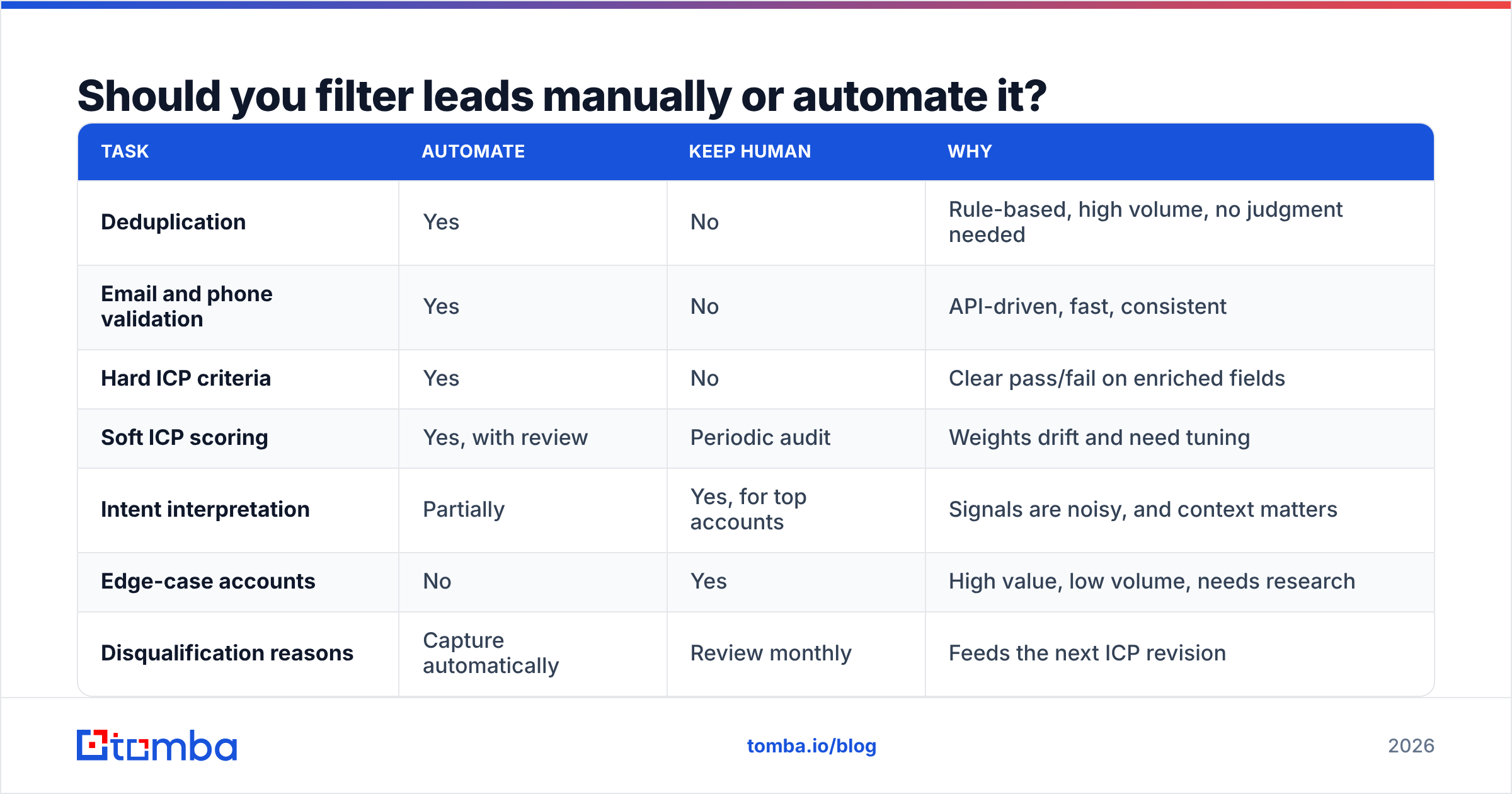
Automate the mechanical layers and keep a human on the judgment calls.
| Task | Automate | Keep human | Why |
|---|---|---|---|
| Deduplication | Yes | No | Rule-based, high volume, no judgment needed |
| Email and phone validation | Yes | No | API-driven, fast, consistent |
| Hard ICP criteria | Yes | No | Clear pass/fail on enriched fields |
| Soft ICP scoring | Yes, with review | Periodic audit | Weights drift and need tuning |
| Intent interpretation | Partially | Yes, for top accounts | Signals are noisy, and context matters |
| Edge-case accounts | No | Yes | High value, low volume, needs research |
| Disqualification reasons | Capture automatically | Review monthly | Feeds the next ICP revision |
Most CRMs can handle the automated side. HubSpot workflows and Salesforce assignment rules can both route contacts by property values, and tools like Zapier or Make can connect verification and enrichment APIs so records are cleaned before they're created.
Whatever you automate, log why each lead was filtered out. A "disqualified: headcount < 20" field is far more useful in a quarterly review than a record that simply disappeared.

What does a leads filter checklist look like in practice?#
Here's a checklist you can adapt. Run it on every new list or import before anything reaches a rep or a sequence.
Before import
- Deduplicate against the list itself and against your existing CRM. A remove duplicates pass on the raw file catches the obvious ones.
- Suppress existing customers, open opportunities, and anyone who has previously opted out.
- Remove role-based addresses unless your motion specifically targets them.
- Strip test entries, placeholder names, and personal email domains if you only sell B2B.
ICP pass
- Enrich missing firmographic fields.
- Apply hard criteria: region, headcount band, excluded industries.
- Apply title and seniority rules for the buying committee.
- Tag soft-fit attributes for scoring rather than exclusion.
Contactability pass
- Verify every email address.
- Split catch-all results into their own segment.
- Validate phone numbers if you plan to call.
- Re-verify anything older than a few weeks before launch.
Prioritisation
- Layer in intent signals to rank the remaining leads.
- Route fit plus intent to active outbound and fit only to steady cadence or nurture.
- Flag intent-only accounts for a human look.
After outreach
- Remove hard bounces immediately.
- Honour unsubscribes across every tool, not just the sender that received them.
- Reroute "wrong person" replies to the right contact at the same account.
- Log disqualification reasons for the quarterly review.
How often should you revisit your leads filter?#
At least quarterly, and whenever something big changes: a new product line, a new market, a pricing change, or a noticeable shift in win rate.
A simple review looks like this:
- Pull closed-won and closed-lost deals from the last quarter.
- Check how many won deals would have passed your current filter. If good customers were being filtered out, your hard criteria are too tight.
- Check how much of your lost pipeline passed the filter easily. If many clear-fit leads stall for the same reason, add that reason as a criterion.
- Look at disqualification reasons. If one reason dominates, see whether it points to a sourcing problem upstream rather than a filtering problem.
- Update the written ICP and the automation rules together, so they don't drift apart.
Analyst firms like Gartner regularly note that B2B buying groups are getting larger and buying journeys less linear. A filter built for last year's buyer won't fit this year's without adjustment.
What are the most common leads filter mistakes?#
- Scoring before cleaning. You end up ranking invalid records, and your scoring model learns from noise.
- Treating the ICP as permanent. Markets move, and so does your product. Revisit the ICP with data every quarter.
- Filtering out all catch-all domains. You lose a real share of legitimate enterprise contacts. Segment them instead.
- Letting intent override fit. A tiny company researching your category isn't a better lead than a perfect-fit account with no visible signal.
- No feedback loop. If reps can't mark leads as bad fit with a reason, the filter never improves.
- Buying more leads to fix low conversion. When conversion is poor, a bigger unfiltered list usually makes things worse. Tighten the filter before you widen the source.
Where should you start?#
Start with contactability. It's the cheapest layer to fix and has the quickest payoff: fewer bounces, a healthier sender reputation, and reps who stop chasing people who left the company last spring. Once every address is verified, tighten your ICP rules using closed-won data, then add intent to rank what's left.
If your filter keeps rejecting good-fit accounts because you can't find a reachable contact, the gap is at the source, not in the filter. Tomba Email Finder finds professional email addresses by name, domain, or company, and comes with verification, catch-all checks, and enrichment in the same workflow, so contacts arrive already filtered for contactability. You can try it on the free tier (25 searches a month) and move to Starter at $49/mo when your list-building grows. Plans are listed on the Tomba pricing page.
Related guides#
// get started
Find, verify and enrich your first contacts today
Start on the free plan with 25 searches a month, then scale when your team is ready.
Free plan · No credit card required · GDPR & CCPA
// about the author