Leads Sniper Alternatives: 9 Tools Compared for B2B Leads in 2026
Leads Sniper can pull a lot of raw business data. Getting that data verified, enriched and into your CRM is the hard part. Here are 9 Leads Sniper alternatives, each matched to the job it does best.
TL;DR
- Leads Sniper is a set of desktop scrapers. They pull business listings, emails and phone numbers from Google Maps, social platforms and websites. It works well for local-business lists, but it doesn't verify emails or find specific decision-makers, and it doesn't connect to your CRM.
- If you prospect local SMBs, the closest like-for-like alternatives are Outscraper, Apify and Scrap.io.
- If you sell B2B and need named contacts, Tomba, Hunter, Snov.io, Apollo and BookYourData are better fits because they return verified professional emails, not whatever address a website happens to show.
- PhantomBuster suits teams that want to automate scraping and outreach steps across LinkedIn and other platforms.
- Most teams end up with two tools: one to build the list and one to find and verify the emails.
What is Leads Sniper, and why do people look for alternatives?#
Leads Sniper sells a group of lead-extraction tools. The best known is a Google Maps scraper. Next to it sit extractors for emails, phone numbers and social profiles on platforms like Facebook, Instagram and LinkedIn. You type a keyword and a location, such as "dentists in Austin", and it collects business names, addresses, phone numbers, websites and any email it can find.
For agencies and freelancers selling to local businesses, that is useful. The reasons people start searching for Leads Sniper alternatives tend to repeat:
- Generic inboxes. Scraped emails are mostly
info@,contact@oroffice@. Those addresses reach a shared inbox, not the owner or the marketing lead. - No verification layer. Scraped addresses can be old, mistyped or on catch-all domains. If you send to them without checking, your bounce rate goes up and your email deliverability suffers.
- Desktop-first workflow. Local software that exports CSVs is harder to automate than a cloud API. It also doesn't plug easily into a CRM or sequencer.
- Maintenance risk. Scrapers break whenever the source site changes its layout. Cloud vendors with dedicated engineering teams usually fix those breaks faster.
- B2B mismatch. If your buyers are VPs at 200-person SaaS companies, Google Maps is the wrong place to look for them.
None of this makes Leads Sniper a bad tool. It was built for a narrow job. Whether you need an alternative depends on which part of your pipeline is holding you back.
How should you evaluate Leads Sniper alternatives?#
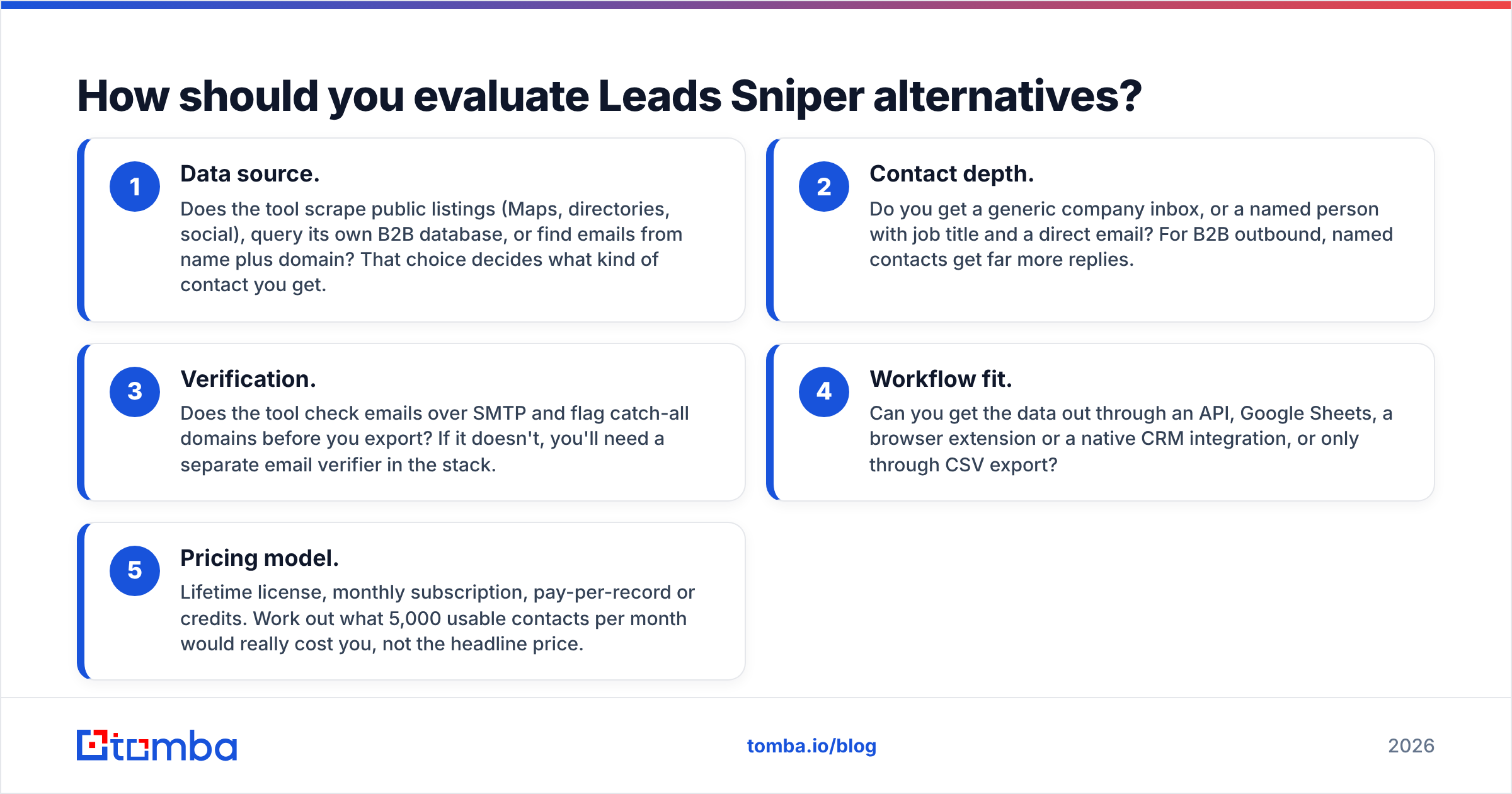
Before you compare vendors, decide which of these five criteria matter for your motion. The right tool for a local-SEO agency is different from the right tool for an enterprise SDR team.
- Data source. Does the tool scrape public listings (Maps, directories, social), query its own B2B database, or find emails from name plus domain? That choice decides what kind of contact you get.
- Contact depth. Do you get a generic company inbox, or a named person with job title and a direct email? For B2B outbound, named contacts get far more replies.
- Verification. Does the tool check emails over SMTP and flag catch-all domains before you export? If it doesn't, you'll need a separate email verifier in the stack.
- Workflow fit. Can you get the data out through an API, Google Sheets, a browser extension or a native CRM integration, or only through CSV export?
- Pricing model. Lifetime license, monthly subscription, pay-per-record or credits. Work out what 5,000 usable contacts per month would really cost you, not the headline price.
Rate each tool below against these five, and the shortlist gets short quickly.
Which Leads Sniper alternatives are worth considering in 2026?#
Here are nine tools, grouped by the job they do best. Pricing is approximate and based on publicly listed plans at the time of writing. Vendors change plans often, so check each pricing page before you buy.
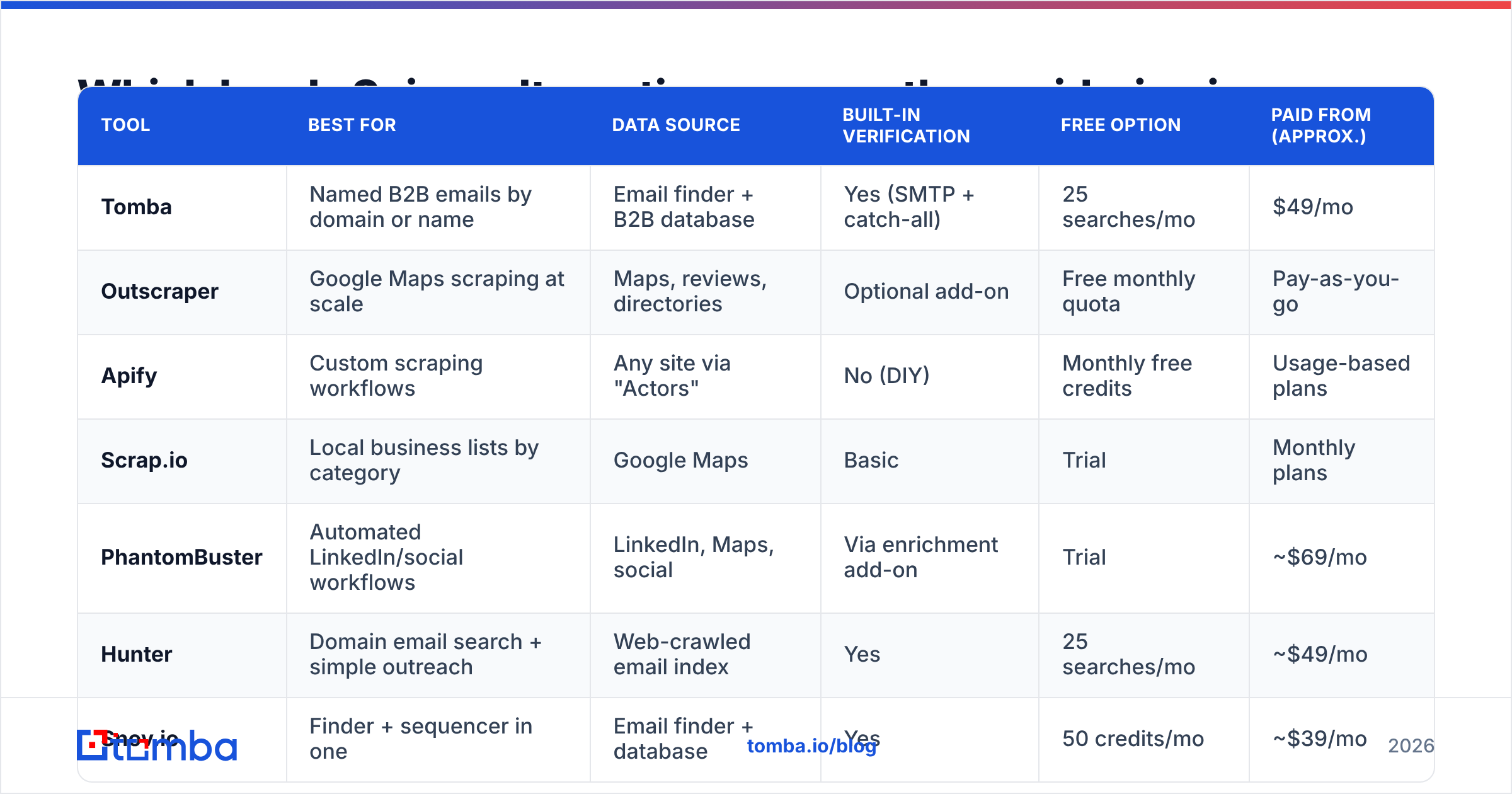
| Tool | Best for | Data source | Built-in verification | Free option | Paid from (approx.) |
|---|---|---|---|---|---|
| Tomba | Named B2B emails by domain or name | Email finder + B2B database | Yes (SMTP + catch-all) | 25 searches/mo | $49/mo |
| Outscraper | Google Maps scraping at scale | Maps, reviews, directories | Optional add-on | Free monthly quota | Pay-as-you-go |
| Apify | Custom scraping workflows | Any site via "Actors" | No (DIY) | Monthly free credits | Usage-based plans |
| Scrap.io | Local business lists by category | Google Maps | Basic | Trial | Monthly plans |
| PhantomBuster | Automated LinkedIn/social workflows | LinkedIn, Maps, social | Via enrichment add-on | Trial | ~$69/mo |
| Hunter | Domain email search + simple outreach | Web-crawled email index | Yes | 25 searches/mo | ~$49/mo |
| Snov.io | Finder + sequencer in one | Email finder + database | Yes | 50 credits/mo | ~$39/mo |
| Apollo | All-in-one B2B database + sequences | Large B2B database | Yes | Free plan | ~$49/user/mo |
| BookYourData | Pay-as-you-go verified B2B lists | Curated B2B database | Yes (accuracy guarantee) | Free sample leads | Per-contact credits |
1. Tomba: best for turning company lists into named, verified emails#
Tomba Email Finder starts where Leads Sniper stops. If you already have a list of companies, maybe even one scraped from Google Maps, Tomba's domain search returns the professional emails linked to each domain, with names, job titles and source URLs. If you know the person, you can look them up by first name, last name and domain.
Why it's a strong alternative: every result can go through SMTP verification and catch-all detection before you export it. That covers the biggest weakness of raw scraping. You can use it through the web app, a Chrome extension, Google Sheets and Excel add-ons, a REST API, a CLI and an MCP server, and it integrates natively with HubSpot, Salesforce, Pipedrive and Zapier.
Limitations: Tomba does not scrape Google Maps listings. Local-business agencies usually pair it with a Maps scraper for list-building.
Pricing: free tier with 25 searches per month, Starter at $49/mo, Growth at $99/mo, Pro at $249/mo, and custom Enterprise plans. See Tomba pricing for the credit breakdown.
2. Outscraper: best like-for-like Google Maps replacement#
Outscraper is the closest cloud-based equivalent to Leads Sniper's Maps extractor. It pulls places, reviews, photos and contact details from Google Maps, and it can add emails and social links found on each business website. Everything runs in the cloud, so you don't need to keep a desktop app running for hours, and it also has an API.
Best for: agencies building big local-business lists across many cities. Watch out for: the emails are still mostly generic inboxes. Budget for a verification step.
3. Apify: best for custom or unusual scraping jobs#
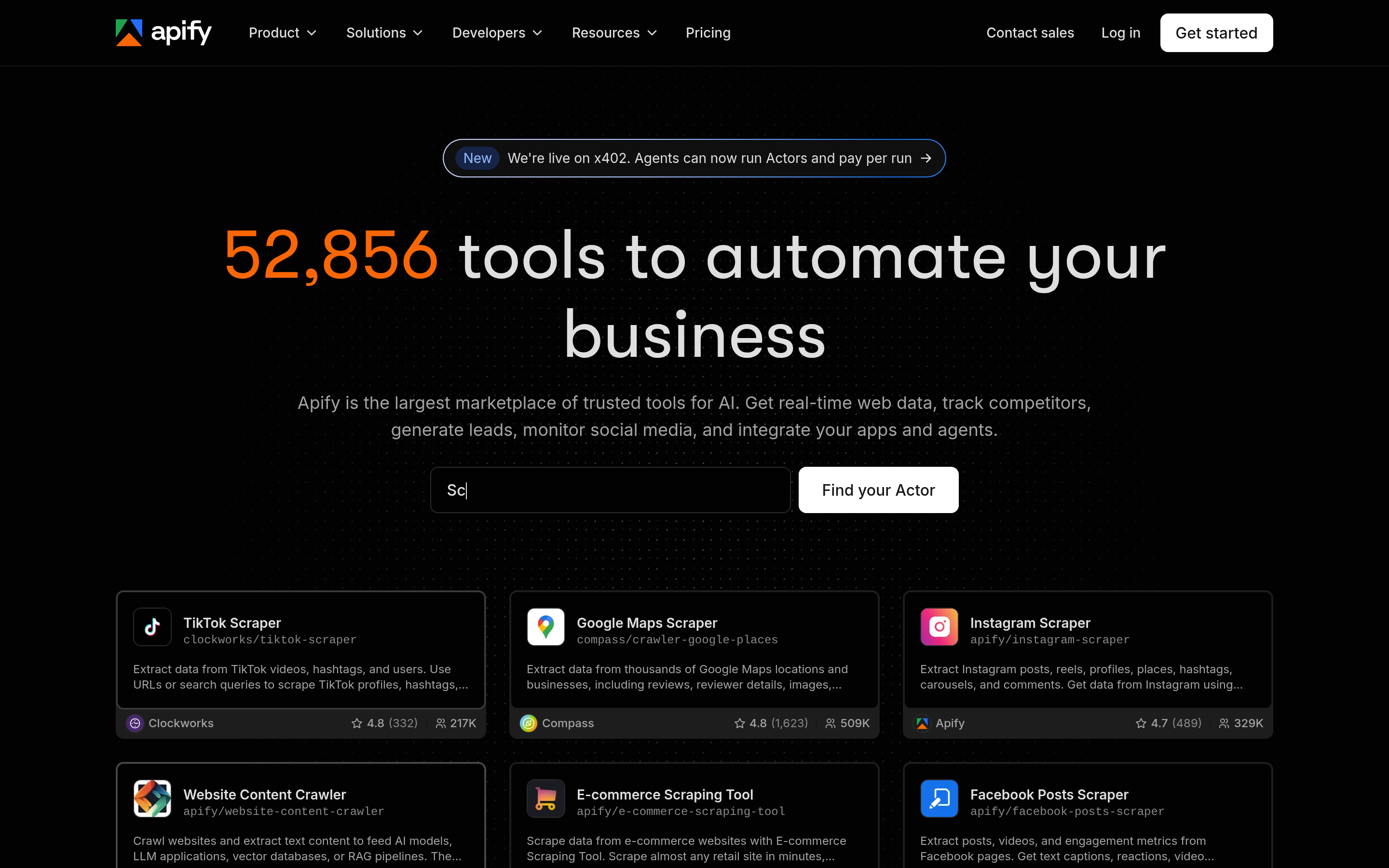
Apify is a scraping platform, not a single tool. Its marketplace of "Actors" includes Google Maps scrapers, LinkedIn tools, directory crawlers and thousands of niche extractors. If Leads Sniper doesn't cover a source you need, someone has probably built an Actor for it.
Best for: technical growth teams that are comfortable chaining scrapers and webhooks. Watch out for: usage-based billing is hard to predict, and quality varies from one community Actor to the next. Apify is infrastructure, so verification and enrichment are left to you.
4. Scrap.io: best for simple, no-code local prospecting#
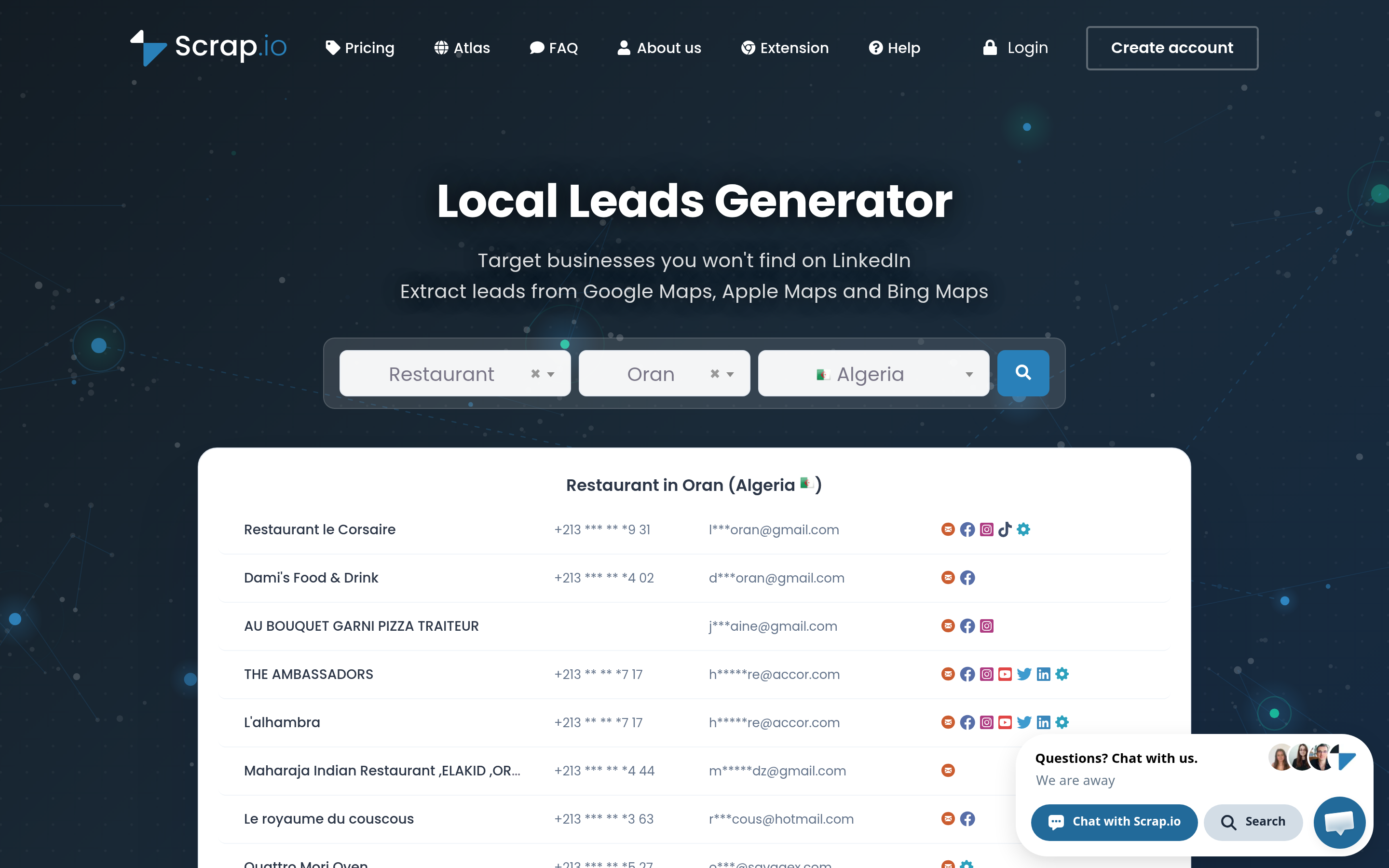
Scrap.io focuses on Google Maps data and lets you export every business in a category across a whole city or country without setting up keywords one at a time. The interface is simpler than Apify's, and it's cloud-based, unlike Leads Sniper.
Best for: non-technical users who want a quick way to build local lists. Watch out for: the scope is narrow. It's a list builder, not a contact finder.
5. PhantomBuster: best for automating social prospecting#
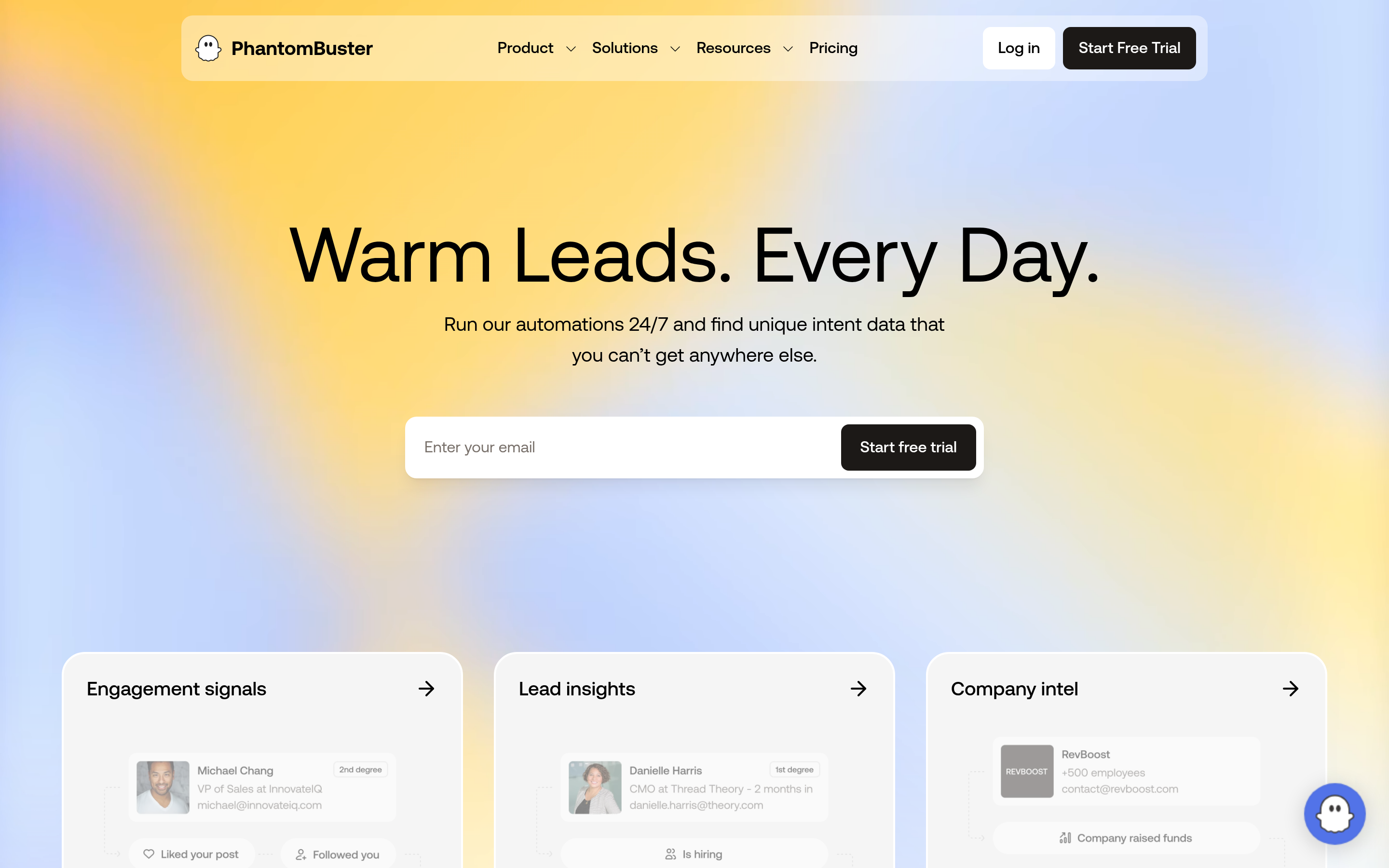
PhantomBuster runs cloud automations called "Phantoms" that extract LinkedIn search results, profile data, Google Maps listings and more. It can also chain steps together, for example scrape, then enrich, then send a connection request. For teams doing LinkedIn outreach, it replaces Leads Sniper's social extractors with something you can schedule.
Best for: growth marketers running repeatable social-selling workflows. Watch out for: LinkedIn automation carries account risk if you push volume too hard, and email coverage depends on enrichment add-ons.
6. Hunter: best for straightforward domain email search#
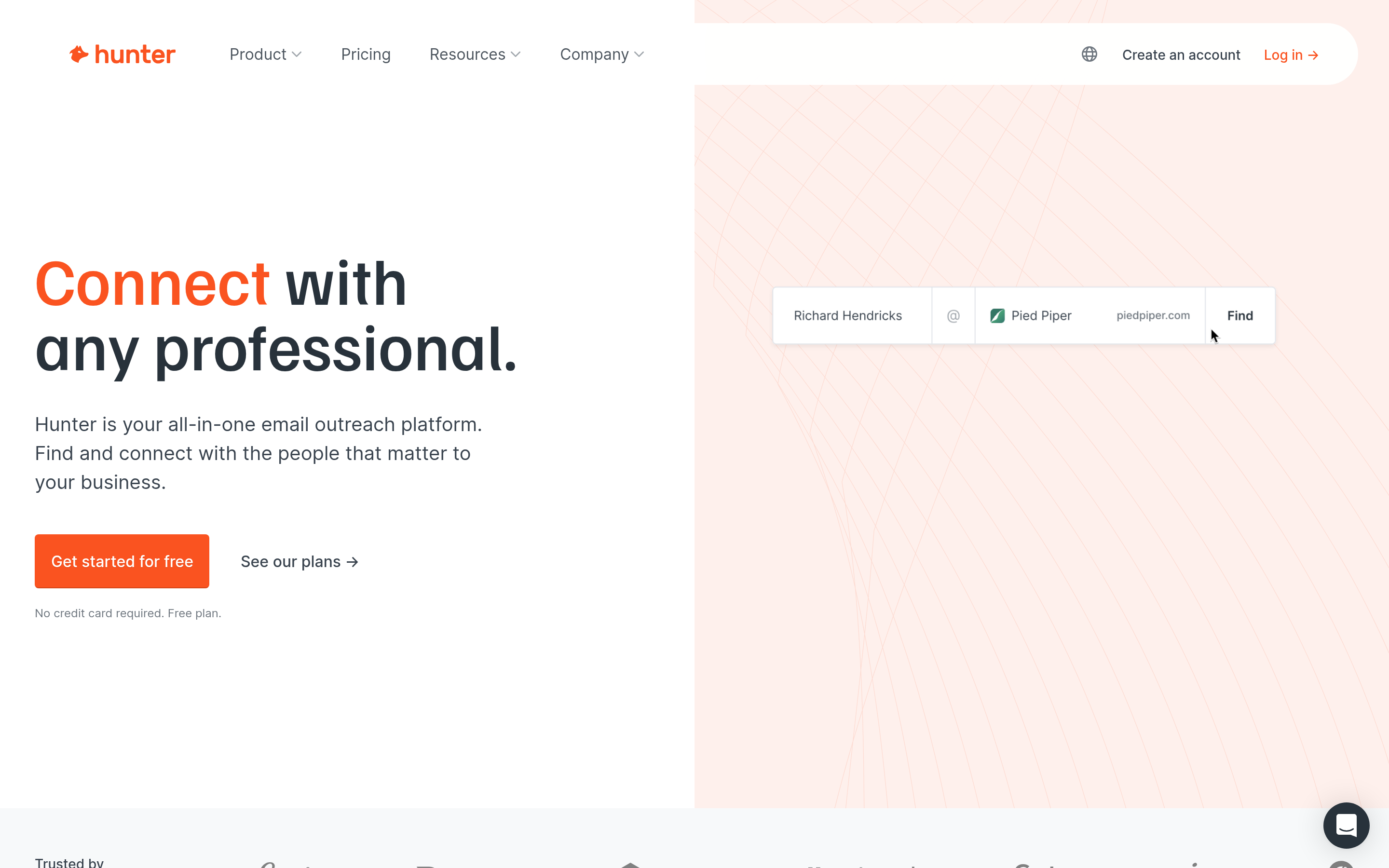
Hunter is one of the most widely used email finders. Enter a domain and it returns the known email addresses and the company's email pattern. Verification and a lightweight campaign tool are built in.
Best for: small teams that want a clean finder with a gentle learning curve. Watch out for: credits run out quickly at volume, and coverage for small local businesses can be thin.
7. Snov.io: best for finder plus sequencer on a budget#
Snov.io combines an email finder, a verifier, a drip-campaign builder and a light CRM. For a solo founder who wants to replace a scraper, a verifier and a sending tool with one subscription, it is good value.
Best for: founders and small agencies consolidating tools. Watch out for: each module is shallower than a dedicated tool.

8. Apollo: best all-in-one B2B database#

Apollo gives you a large B2B contact database with firmographic and technographic filters, plus sequences, a dialer and a Chrome extension. It is a different kind of product from Leads Sniper. Instead of scraping, you filter a database for "Head of Marketing, 50-200 employees, US, uses HubSpot".
Best for: SDR teams that want database, sequencing and analytics in one place. Watch out for: per-seat pricing adds up for larger teams, and data freshness varies by segment, so verify before large sends. If Apollo's seat model doesn't suit you, compare it with other options in our Apollo alternative breakdown.
9. BookYourData: best for pay-as-you-go verified lists#
BookYourData offers a curated B2B database where you filter by industry, job title, company size and location, then pay only for the contacts you download. It stands out for its accuracy guarantee and its credit-based model with no required subscription, which suits teams whose prospecting volume goes up and down.
Best for: teams that want ready-to-use, verified B2B lists without committing to a monthly seat. Watch out for: as with any database, niche local businesses are covered less well than in a Maps scraper.
Is Leads Sniper better than a B2B email finder?#
It depends on who you sell to. Here is the practical split:
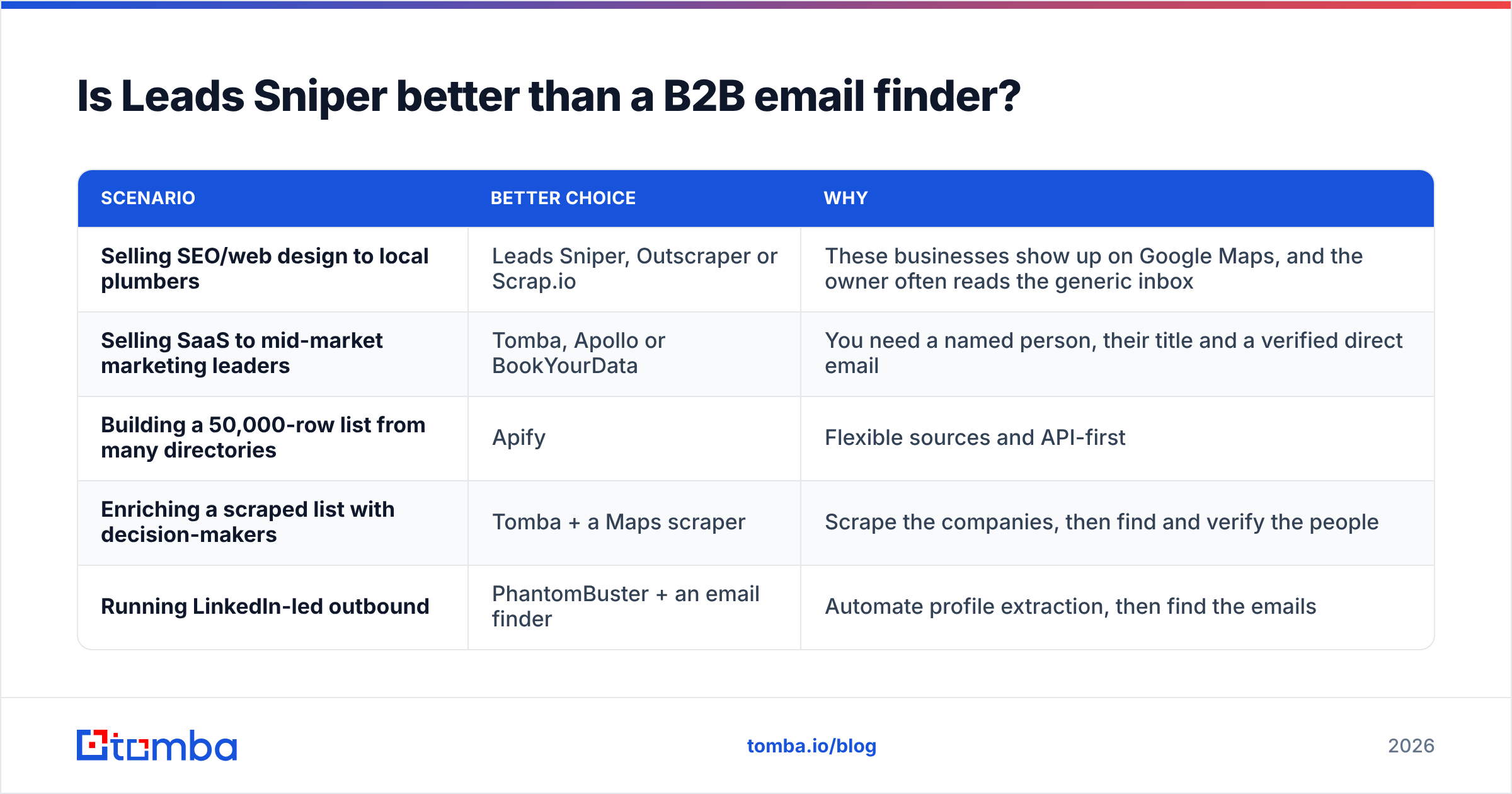
| Scenario | Better choice | Why |
|---|---|---|
| Selling SEO/web design to local plumbers | Leads Sniper, Outscraper or Scrap.io | These businesses show up on Google Maps, and the owner often reads the generic inbox |
| Selling SaaS to mid-market marketing leaders | Tomba, Apollo or BookYourData | You need a named person, their title and a verified direct email |
| Building a 50,000-row list from many directories | Apify | Flexible sources and API-first |
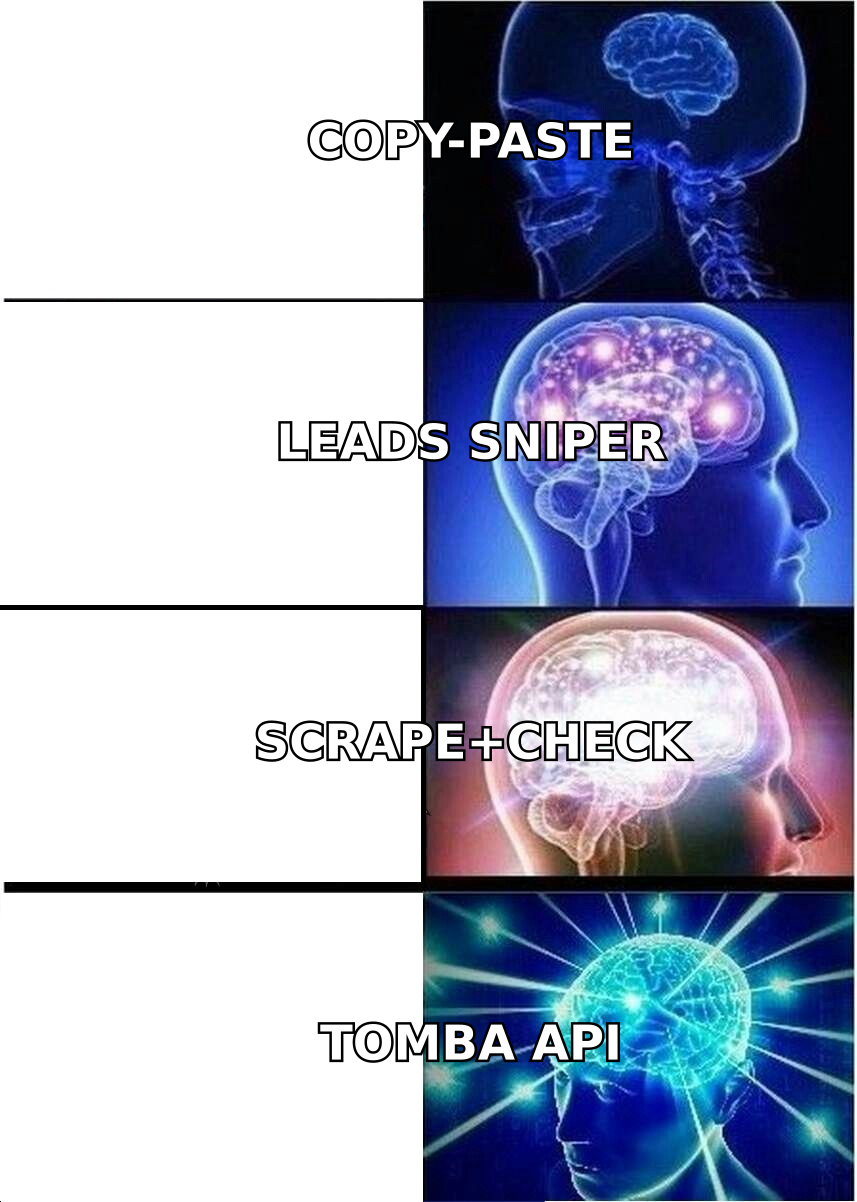
| Enriching a scraped list with decision-makers | Tomba + a Maps scraper | Scrape the companies, then find and verify the people |
| Running LinkedIn-led outbound | PhantomBuster + an email finder | Automate profile extraction, then find the emails |
Response rates show the difference most clearly. Messages sent to generic inboxes are filtered by gatekeepers, while messages to a named decision-maker reach the person who can say yes. Public benchmarks from vendors such as HubSpot consistently show that personalisation and relevance drive cold-email response rate more than volume does. A scraped info@ list makes both hard to achieve.
What does a modern "scrape plus enrich" workflow look like?#
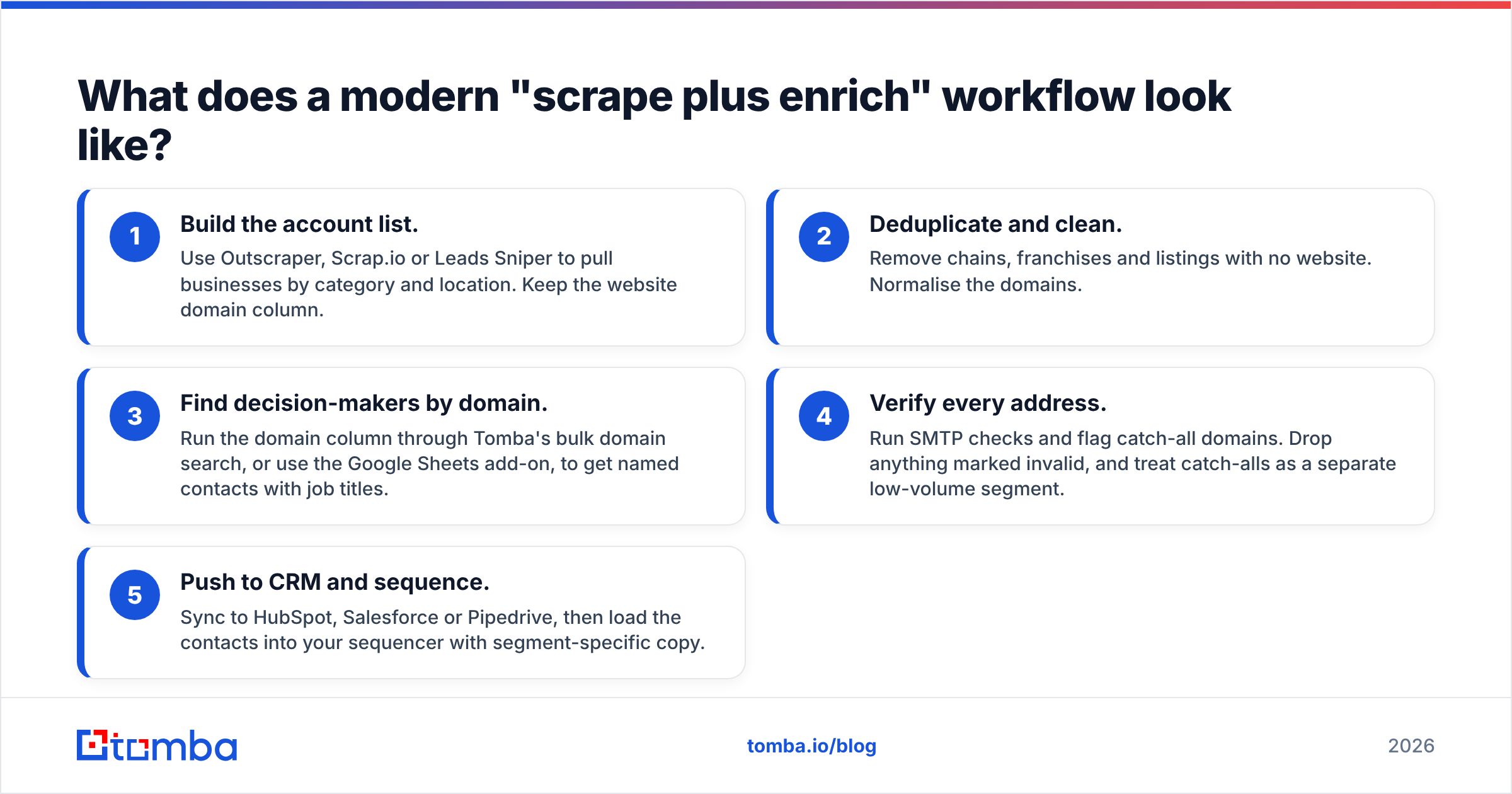
Many teams keep a Maps scraper and add a finder and verifier behind it. Here is the workflow that tends to hold up at scale:
- Build the account list. Use Outscraper, Scrap.io or Leads Sniper to pull businesses by category and location. Keep the website domain column.
- Deduplicate and clean. Remove chains, franchises and listings with no website. Normalise the domains.
- Find decision-makers by domain. Run the domain column through Tomba's bulk domain search, or use the Google Sheets add-on, to get named contacts with job titles.
- Verify every address. Run SMTP checks and flag catch-all domains. Drop anything marked invalid, and treat catch-alls as a separate low-volume segment.
- Push to CRM and sequence. Sync to HubSpot, Salesforce or Pipedrive, then load the contacts into your sequencer with segment-specific copy.
This pipeline keeps Leads Sniper's strength, which is cheap list discovery, and fixes its weaknesses of generic inboxes and no verification. If you'd like to learn more about web scraping and where its legal and technical limits sit, the Wikipedia overview of web scraping is a useful starting point. Always check each platform's terms of service and your local data-protection rules, such as GDPR and CAN-SPAM, before you send.
Which Leads Sniper alternative should you pick?#
Start with your buyer, then work backwards to the tool:
- You sell to local SMBs and just want a better Maps scraper: choose Outscraper (cloud and API) or Scrap.io (simplest to use).
- You need unusual sources or custom logic: choose Apify.
- You prospect on LinkedIn: choose PhantomBuster, paired with an email finder.
- You sell B2B and need named, verified emails: choose Tomba or Hunter for finding by domain, Apollo for an all-in-one database with sequencing, or BookYourData for pay-as-you-go verified lists.
- You want one cheap subscription for finding and sending: choose Snov.io.
Before you commit, check recent user reviews on G2 for your shortlist, and run the same 100-domain test list through each free tier. Compare three numbers: named contacts found, verified-valid rate and cost per usable email. Those numbers tell you more than any feature list.
FAQ#
Is Leads Sniper a one-time purchase? Leads Sniper has historically sold its tools as individual licenses rather than one bundled SaaS subscription. Check its site for current terms, because packaging changes.
Can I use Leads Sniper and Tomba together? Yes. Export the website column from your scraped list and run it through Tomba's domain search or bulk tools to find named contacts and verify them before you send.
What is the cheapest Leads Sniper alternative? For Maps scraping, Outscraper's and Apify's free monthly allowances are enough for small tests. For verified B2B emails, Tomba and Hunter both offer 25 free searches per month, and Snov.io offers 50 free credits.
Do scraped emails hurt deliverability? They can. Unverified scraped lists often include invalid addresses and spam traps, and those raise bounce rates and damage sender reputation. Always verify before sending.
Ready to turn scraped lists into verified contacts?#
Leads Sniper and similar scrapers are good at finding companies. They were never designed to find the right person at each company or to confirm that the email will actually arrive. That's what Tomba Email Finder does. Paste in a domain, or upload a whole scraped list, and get named decision-makers with job titles, source links and SMTP-verified emails, ready to sync to your CRM. Start on the free plan with 25 searches a month, and move up to Starter at $49/mo once the workflow proves itself.
Related guides#
// get started
Find, verify and enrich your first contacts today
Start on the free plan with 25 searches a month, then scale when your team is ready.
Free plan · No credit card required · GDPR & CCPA
// about the author