Leadsforge Reviews 2026: Pricing, Accuracy, Pros and Cons
Leadsforge lets you type your ideal customer profile like a chat message and get back a lead list. We looked at the pricing, the credit math, what reviewers actually say, and when a plain email finder is the better buy.
TL;DR
- Leadsforge is an AI lead-list builder from the Salesforge team. You describe your ideal customer in plain English and it returns a list of contacts with emails you can export.
- Pricing starts at $49/month for 2,000 credits on the Essential plan. An email costs 1 credit, a phone number costs 10, and unused credits roll over.
- Reviews are positive but there aren't many of them. G2 shows roughly 4.5/5 from about a dozen reviews. People like the chat interface and the rollover credits. The complaints are about cost per usable lead and verification that isn't always included in the price you first see.
- It fits best if you already send through Salesforge or want a list built from an ICP description. If you already have target accounts or names and only need emails, a dedicated email finder is usually cheaper and more precise.
What is Leadsforge?#
Leadsforge is a B2B lead-generation tool in the "Forge" product family, which also includes Salesforge (sequencing), Mailforge and Infraforge (sending infrastructure), and Warmforge (warmup). What sets it apart is the input. You don't click through a dozen filter panels. You type something like "Heads of RevOps at US SaaS companies with 50–200 employees that raised a Series A in the last 12 months" and Leadsforge turns that into a search.
It returns a list of people and companies that you can refine, enrich, and export to CSV or push straight into a Salesforge sequence. That last part matters. Leadsforge makes the most sense as the top of a funnel that runs entirely on Forge products.
For buyers, the practical questions are simple:
- Are the emails accurate enough to send to without hurting your domain?
- What does one usable, verified lead actually cost?
- Is a chat-style search better than the filters you'd get in Apollo or a domain search in an email finder?
The rest of this review works through those three.
How does Leadsforge actually work?#
Most Leadsforge reviews describe the same workflow. Here's each step and where the friction shows up.
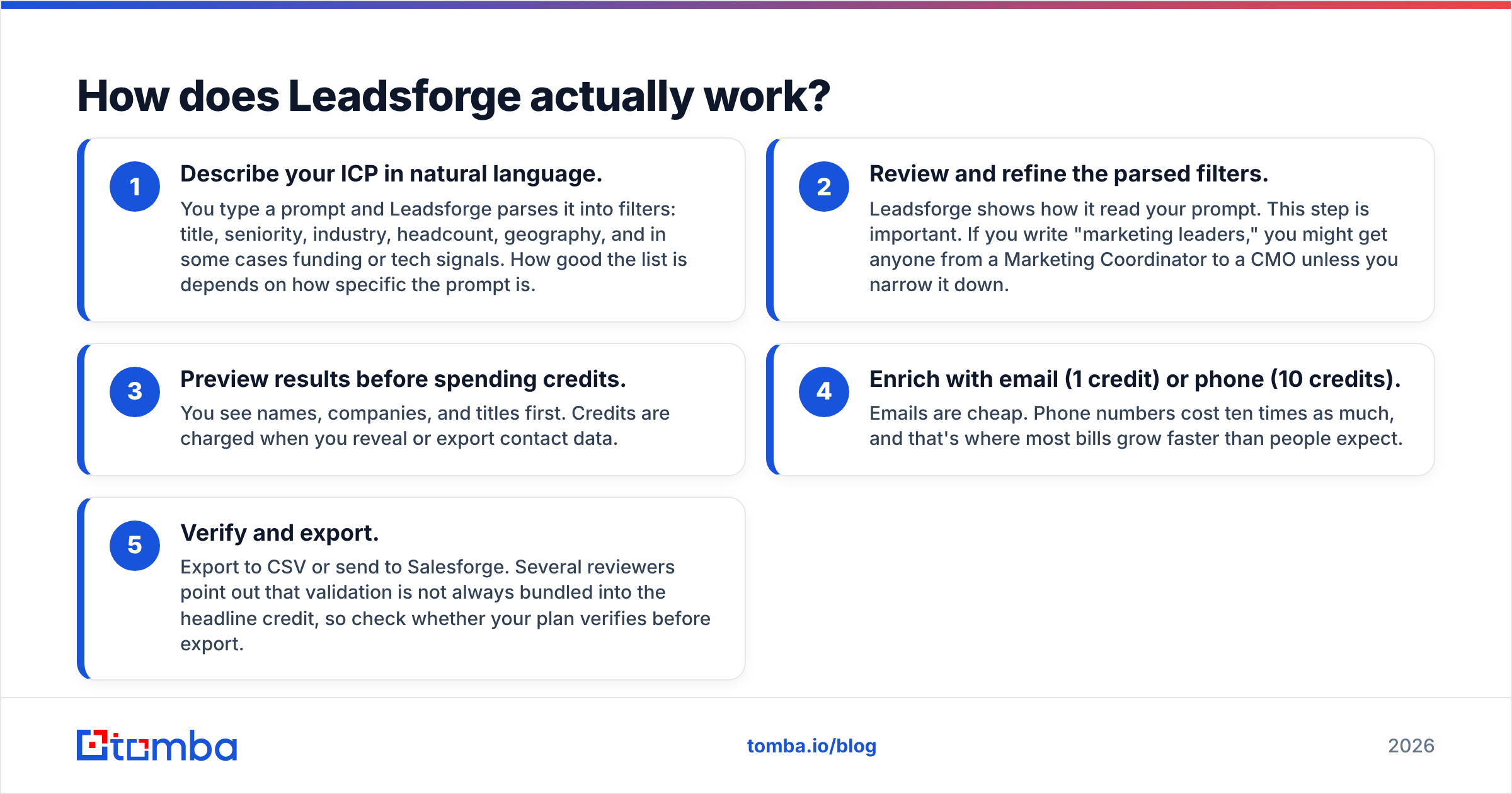
- Describe your ICP in natural language. You type a prompt and Leadsforge parses it into filters: title, seniority, industry, headcount, geography, and in some cases funding or tech signals. How good the list is depends on how specific the prompt is.
- Review and refine the parsed filters. Leadsforge shows how it read your prompt. This step is important. If you write "marketing leaders," you might get anyone from a Marketing Coordinator to a CMO unless you narrow it down.
- Preview results before spending credits. You see names, companies, and titles first. Credits are charged when you reveal or export contact data.
- Enrich with email (1 credit) or phone (10 credits). Emails are cheap. Phone numbers cost ten times as much, and that's where most bills grow faster than people expect.
- Verify and export. Export to CSV or send to Salesforge. Several reviewers point out that validation is not always bundled into the headline credit, so check whether your plan verifies before export.
The chat layer works well for exploratory prospecting, when you know the kind of buyer you want but not the specific accounts. It adds less when you already have a target account list, because you're converting a precise list into a vague prompt and back again.
What does Leadsforge cost in 2026?#
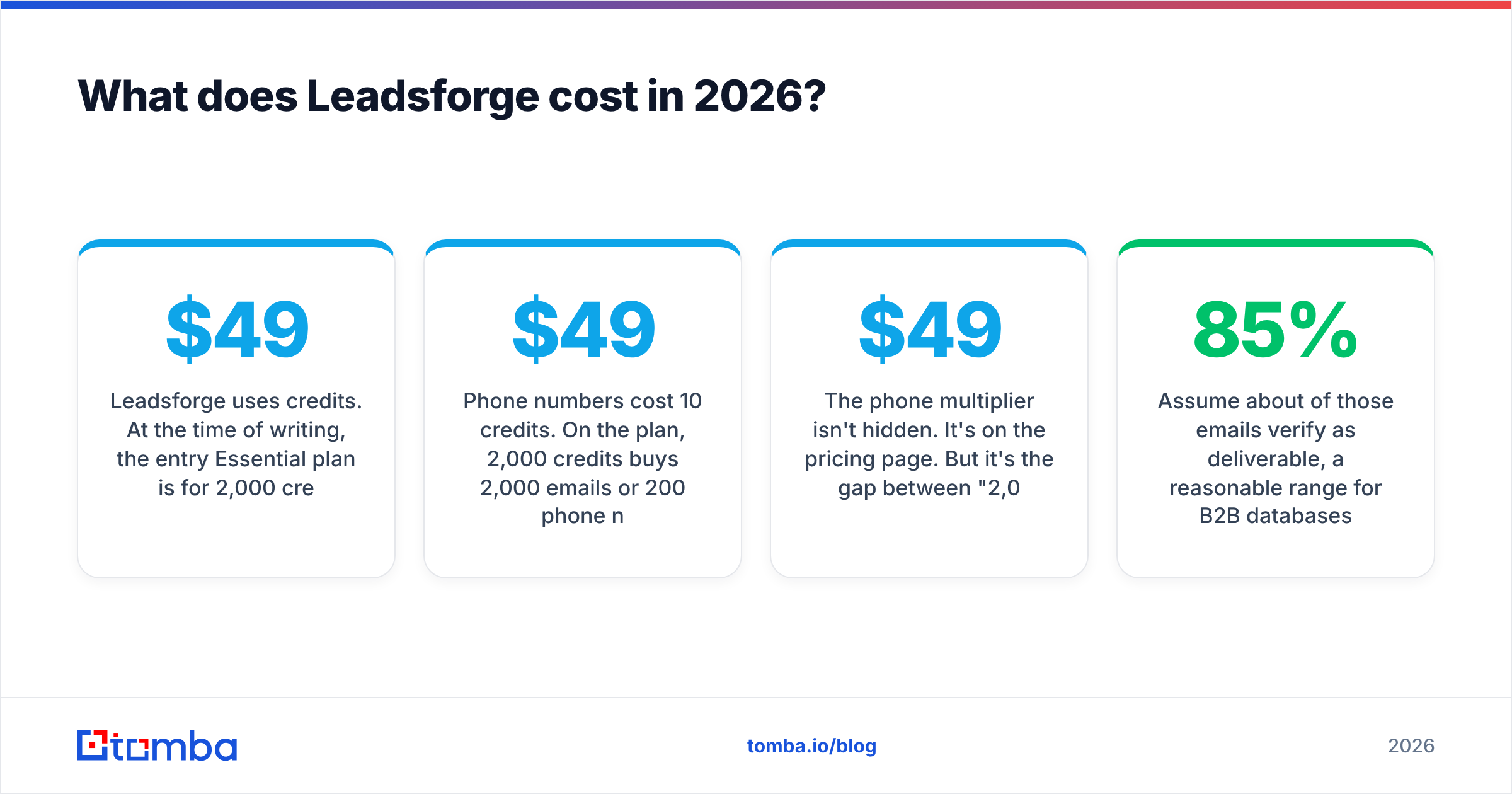
Leadsforge uses credits. At the time of writing, the entry Essential plan is $49/month for 2,000 credits, and new signups get 100 free credits to test with. Annual billing brings the effective per-credit cost down to about $0.021, compared with about $0.0245 monthly. Higher tiers exist for larger teams. Check the Leadsforge site for current numbers, because credit bundles change often.
Two details change the real cost:
- Credits roll over. This is the most praised pricing feature in Leadsforge reviews. If your outbound volume is uneven, say a big push in Q1 and a quieter summer, you don't lose credits you've already paid for.
- Phone numbers cost 10 credits. On the $49 plan, 2,000 credits buys 2,000 emails or 200 phone numbers. Most teams want a mix, and a list of 500 contacts with emails and phones uses 5,500 credits, which is more than twice the Essential allowance.

The phone multiplier isn't hidden. It's on the pricing page. But it's the gap between "2,000 leads for $49" and what you actually end up with, and it comes up again and again in user feedback.
What does a usable lead actually cost?#
Sticker price per credit tells you little. What matters is cost per contact that you can actually send to and that fits your ICP. Here's a rough example:
- 2,000 credits, spent on emails only
- Assume about 85% of those emails verify as deliverable, a reasonable range for B2B databases
- Assume about 80% of contacts are a real ICP fit after you remove bad title matches from a loose prompt
That gives you about 1,360 usable contacts for $49, or around $0.036 per usable lead. That's competitive. Add phones, or write a vague prompt that returns weak matches, and the number climbs quickly.
What do Leadsforge reviews actually say?#
The honest summary is that the reviews are positive but thin. Leadsforge has about a 4.5/5 rating on G2 from roughly a dozen reviews, plus a small number of reviews on Trustpilot. That's too small a sample to treat the score as settled. A few more reviews in either direction could move it noticeably.
Reviewers tend to agree on these points:
What users like
- The conversational search is easy to learn. Non-technical founders and SDRs say they had a working list within minutes, without learning a filter-heavy UI.
- Rollover credits. Paying for credits you keep suits small teams with irregular outbound.
- Native Salesforge handoff. If you already sequence in Salesforge, going from list to campaign takes one step.
- Reasonable email coverage. One tester reported finding emails for close to 90% of the leads surfaced. Coverage is not the same as accuracy, though.
What users complain about
- Cost per lead feels high once you add verification or phones. "$49 for 2,000 leads" is the headline, but actual usage often costs more.
- Verification as a separate step. Several users mention that validation uses its own credits or needs a separate pass.
- Prompt ambiguity. Broad prompts return broad lists. You still need to understand how the filters work to get precise results.
- Small review base. Buyers who want social proof from hundreds of G2 reviews won't find it yet.

How accurate is Leadsforge's email data?#
Leadsforge says its emails are verified, and users mostly report acceptable deliverability. But no large, independent Leadsforge-specific accuracy benchmark has been published, so treat accuracy claims (including marketing claims from every vendor in this space) as something to test for yourself.
Here's how to run a fair test in one afternoon:
- Pull 200 contacts from a single, tightly defined ICP prompt.
- Export them without using Leadsforge's own verification.
- Run the list through an independent email verifier and record valid, invalid, catch-all, and unknown rates.
- Repeat the same ICP with one or two competitors and compare.
Pay close attention to catch-all domains. Many mid-market and enterprise companies accept all mail at the server level. That makes "verified" look good on paper while real bounces happen later. Any provider's accuracy on catch-alls is where a sender-reputation problem usually starts.
Leadsforge vs alternatives: how does it compare?#
Leadsforge competes with two kinds of tools: database and prospecting platforms (Apollo, and data vendors like BookYourData) and email finders (Tomba, Hunter). They solve slightly different problems. Database tools help you discover who to contact. Email finders help you reach people you've already picked.
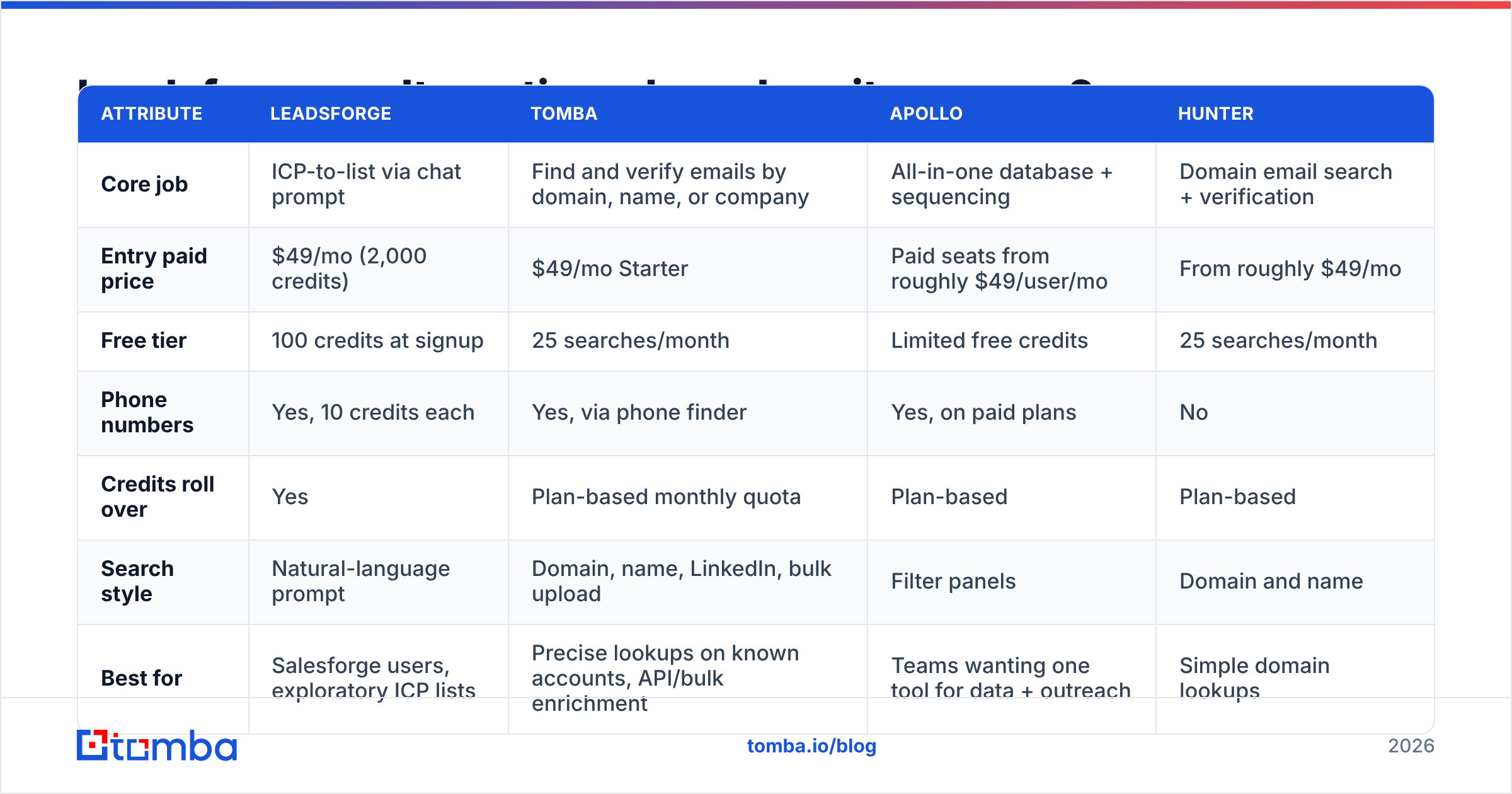
| Attribute | Leadsforge | Tomba | Apollo | Hunter |
|---|---|---|---|---|
| Core job | ICP-to-list via chat prompt | Find and verify emails by domain, name, or company | All-in-one database + sequencing | Domain email search + verification |
| Entry paid price | $49/mo (2,000 credits) | $49/mo Starter | Paid seats from roughly $49/user/mo | From roughly $49/mo |
| Free tier | 100 credits at signup | 25 searches/month | Limited free credits | 25 searches/month |
| Phone numbers | Yes, 10 credits each | Yes, via phone finder | Yes, on paid plans | No |
| Credits roll over | Yes | Plan-based monthly quota | Plan-based | Plan-based |
| Search style | Natural-language prompt | Domain, name, LinkedIn, bulk upload | Filter panels | Domain and name |
| Best for | Salesforge users, exploratory ICP lists | Precise lookups on known accounts, API/bulk enrichment | Teams wanting one tool for data + outreach | Simple domain lookups |
| Main drawback | Thin review base, phone cost | No chat-style ICP discovery | Seat pricing, data quality varies by region | Smaller feature set |
Competitor prices are indicative and change often, so confirm them on each vendor's pricing page before you buy.

A few observations the table can't show:
- Apollo is the obvious incumbent if you want database, sequencer, and dialer in one login. If that's your plan, it's worth reading our breakdown of Apollo alternatives first, since seat-based pricing adds up quickly for teams.
- BookYourData is a well-regarded pay-as-you-go list vendor with strong filter-based building and real-time verification. It's a good fit if you want prebuilt lists without a subscription.
- Tomba is the precision option. If you already know the company, you can run a domain search to see every public professional email at that company, or look up a specific person by name and domain. You get less discovery than Leadsforge and more control over exactly who you're reaching.
Is Leadsforge worth it?#
Leadsforge is worth it if you already run outbound on Salesforge or if you prospect by persona rather than by account list. The chat interface removes real friction, rollover credits suit bursty teams, and $49/month is an easy price to test at.
It's harder to justify if you:
- Need lots of phone numbers. At 10 credits each, phone-heavy prospecting gets expensive fast.
- Already have a named target account list. Converting it into a prompt is a roundabout way to get something an email finder does directly.
- Need an established review record for procurement. A dozen G2 reviews won't satisfy most vendor-risk checklists.
- Care most about deliverability on enterprise domains, where catch-all handling matters more than list size.
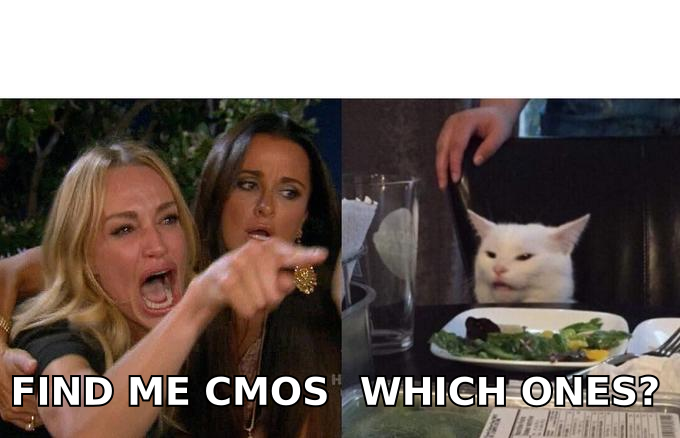
The meme sums up the main trade-off. A natural-language prompt is only as precise as the words you type. "Find me CMOs" is a request, not a targeting spec. Teams that get the most out of Leadsforge write prompts the way they'd write a filter: exact titles, headcount bands, geography, and exclusions.
How should you decide between Leadsforge and an email finder?#
Pick based on what you're starting from, not on which tool has the nicer interface.
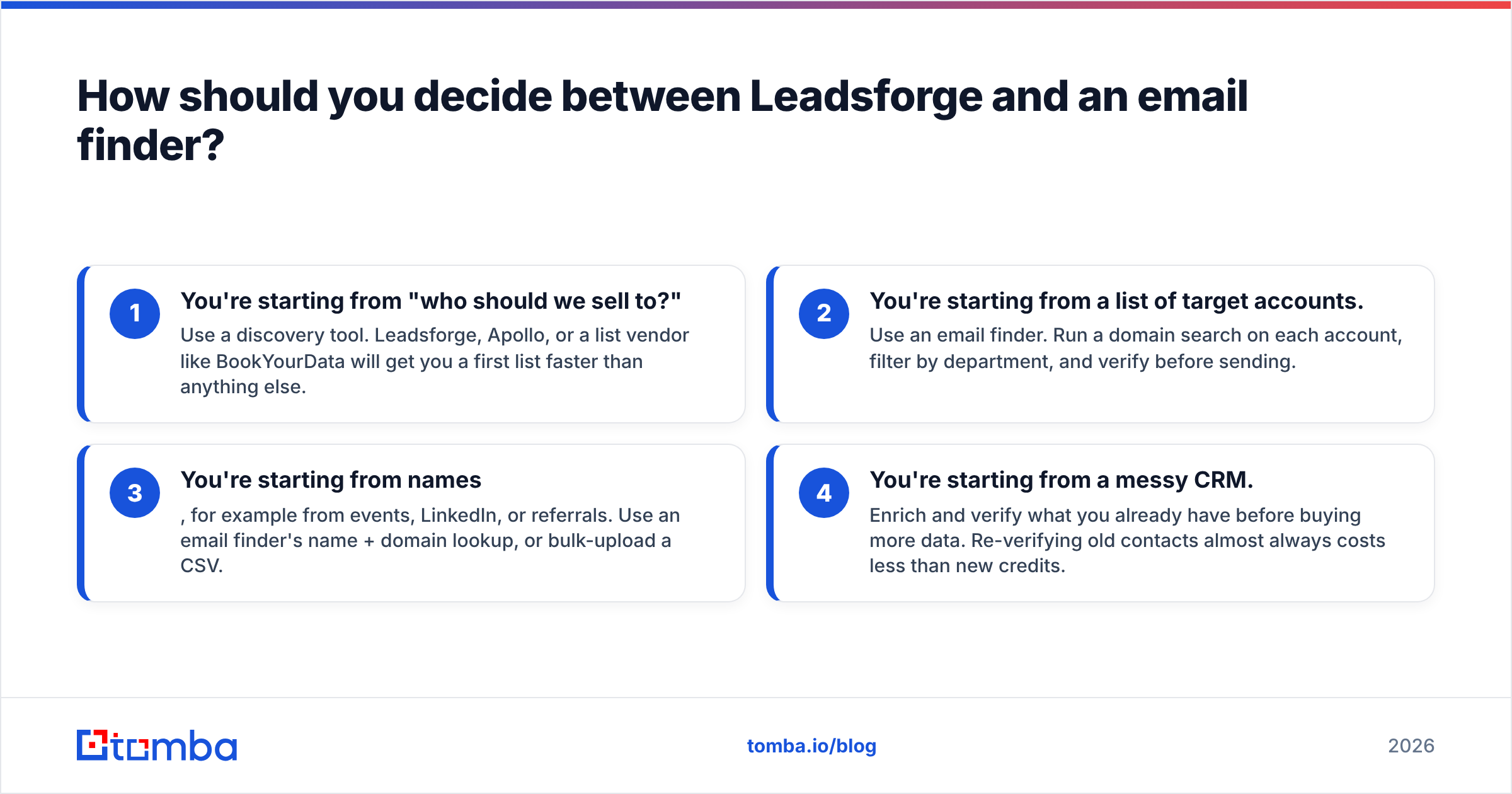
- You're starting from "who should we sell to?" Use a discovery tool. Leadsforge, Apollo, or a list vendor like BookYourData will get you a first list faster than anything else.
- You're starting from a list of target accounts. Use an email finder. Run a domain search on each account, filter by department, and verify before sending.
- You're starting from names, for example from events, LinkedIn, or referrals. Use an email finder's name + domain lookup, or bulk-upload a CSV.
- You're starting from a messy CRM. Enrich and verify what you already have before buying more data. Re-verifying old contacts almost always costs less than new credits.
Many mature outbound teams use both: a discovery tool to build the initial list and an independent email finder and verifier as a second check before anything goes into a sequence. That combination catches the gaps any single database has, whichever vendor you choose.
Frequently asked questions about Leadsforge#
Is Leadsforge free? No, but new accounts get 100 free credits, which is enough to test a small ICP prompt and check the data quality before paying.
Do Leadsforge credits expire? According to current pricing information, credits roll over month to month on paid plans. Confirm this for your plan before committing to annual billing.
Does Leadsforge include phone numbers? Yes. Each phone number costs 10 credits, compared with 1 credit for an email.
Is Leadsforge the same as Salesforge? No. They're sister products. Leadsforge builds lead lists, Salesforge runs the email sequences, and the two integrate natively.
What's a good Leadsforge alternative for known accounts? An email finder with domain search and verification, such as Tomba, Hunter, or similar tools, is usually more cost-effective when you already know which companies you're targeting.
The bottom line#
Leadsforge is a solid, well-designed entry in AI-assisted list building, with fair entry pricing and one of the friendlier interfaces in the category. It is still early. The review base is small, phone data is expensive, and the precision of your lists depends on how carefully you write prompts. Test it with the free credits, verify the output independently, and calculate cost per usable lead before you commit to annual billing.
If your team already knows which companies it wants to reach and needs accurate, verified contacts at those companies, try Tomba Email Finder. Search by domain, name, or company, verify in the same workflow, and start on the free tier with 25 searches a month before moving to a paid plan. See Tomba pricing for the full plan breakdown.
Related guides#
// get started
Find, verify and enrich your first contacts today
Start on the free plan with 25 searches a month, then scale when your team is ready.
Free plan · No credit card required · GDPR & CCPA
// about the author