Leadsforge vs Salesgenie (2026): Which Lead Source Fits Your Team?
Leadsforge lets you describe your ideal customer in a chat box. Salesgenie runs on Data Axle's long-standing, phone-verified business files. Here's which one fits your outbound motion in 2026, and where each one falls short.
This Leadsforge vs Salesgenie guide compares data, pricing, and workflow fit. Use it to pick the right lead source for your team.
TL;DR
Leadsforge is an AI-first prospecting tool from the Forge ecosystem (Salesforge, Mailforge, Warmforge). You describe your ideal customer in plain English and it builds a list. It suits cold email teams selling to tech, SaaS, and digital-first companies.
Salesgenie is Data Axle's lead-list platform. It is built on decades of US and Canadian business records. It suits teams selling to small and local businesses that barely show up on LinkedIn: trades, retail, clinics, franchises.
Pick Leadsforge if your pipeline runs on email and you want a list ready to send in under an hour. Pick Salesgenie if you need phone numbers, street addresses, and company data for Main Street businesses.
Neither tool removes the need to verify addresses before sending. Treat both exports as raw material.
Pricing models differ. Leadsforge is self-serve and credit-based. Salesgenie is sold by subscription, usually through a rep. Check both pricing pages before you budget.
What are Leadsforge and Salesgenie, and why compare them?#
These two tools answer the same question, "who should my team contact next?", from opposite directions.
Leadsforge launched as part of the Forge stack. That stack also includes Salesforge (sequencing), Mailforge and Infraforge (sending setup), and Warmforge (warmup). Its main idea is a chat-style search box. You type something like "Series A fintech companies in the UK with 20–100 employees, show me heads of finance." It turns that into filters and returns companies and contacts. You can then refine the list by chatting. It also offers lookalike search: give it a customer's domain and it finds similar companies.
Salesgenie belongs to Data Axle, the company formerly known as infoUSA. For decades Data Axle has compiled business and consumer records. Its sources include public filings, directories, and its own check calls. Salesgenie is the self-service front end for that data. You filter by SIC/NAICS code, location, headcount, sales volume, and years in business. Then you save lists, map them, and export.
People compare the two because both show up when a sales leader searches for a "lead database" or "B2B list builder." They're not interchangeable, though. Pick the wrong one and you'll pay for data you don't use. Worse, you'll miss the accounts you actually need.

How does each tool actually build a lead list?#
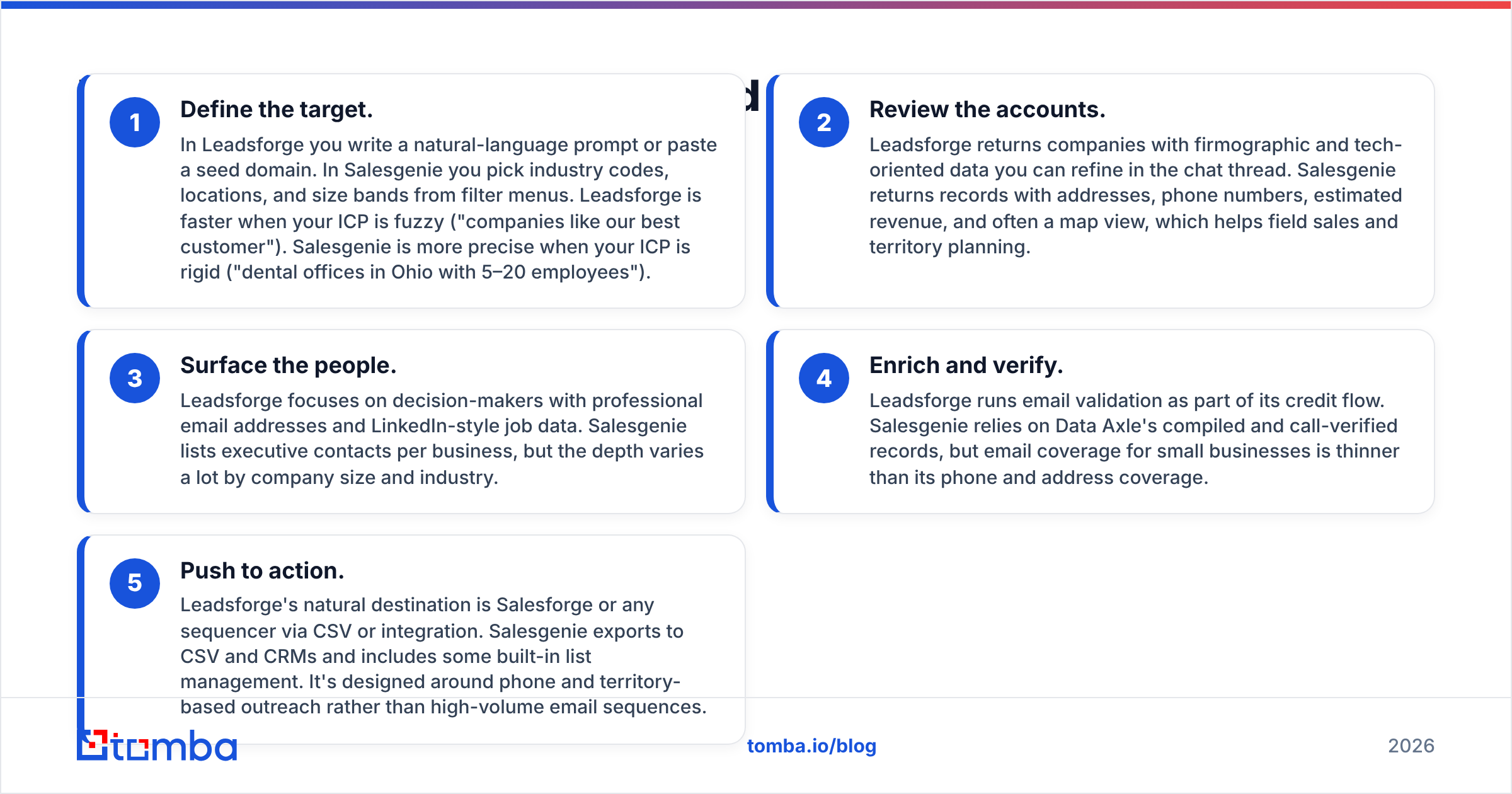
The workflow difference matters more than any single feature. Here are both processes step by step.
Define the target. In Leadsforge you write a plain-English prompt or paste a seed domain. In Salesgenie you pick industry codes, locations, and size bands from menus. Leadsforge is faster when your target is fuzzy ("companies like our best customer"). Salesgenie is more precise when it is rigid ("dental offices in Ohio with 5–20 employees").
Review the accounts. Leadsforge returns companies with company and tech data you can refine in the chat. Salesgenie returns records with addresses, phone numbers, and estimated revenue. It often adds a map view, which helps field sales and territory planning.
Surface the people. Leadsforge focuses on decision-makers with work emails and LinkedIn-style job data. Salesgenie lists executive contacts per business. The depth varies a lot by company size and industry.
Enrich and verify. Leadsforge runs email checks as part of its credit flow. Salesgenie relies on Data Axle's compiled, call-checked records. Its email coverage for small businesses is thinner than its phone and address coverage.
Push to action. Leadsforge feeds Salesforge or any sequencer via CSV or integration. Salesgenie exports to CSV and CRMs and has some built-in list tools. It's designed for phone and territory outreach, not high-volume email.
In short, Leadsforge is built to feed a cold email machine. Salesgenie is built to feed a sales territory.
Is Leadsforge better than Salesgenie for cold email?#
For most cold email teams, yes.
There are three reasons. First, Leadsforge targets B2B tech and service companies. These tend to have clean domains, consistent email patterns, and public work profiles, so emails are easier to find. Second, the Forge tools link prospecting, inboxes, warmup, and sequencing. That means less CSV shuffling between tools. Third, the chat box cuts the time from "we should target X" to "list is ready" from hours to minutes. That matters when you test several target ideas a week.
Salesgenie can support email campaigns, but its best data is phone numbers, street addresses, and company details. A local HVAC company or pharmacy often uses a generic inbox (info@, office@) or a personal Gmail address. No database fixes that fully, because clean data doesn't exist to begin with.
Where Leadsforge falls short: AI-built filters sometimes miss nuance. If you ask for "manufacturing companies," you may get software companies that sell to manufacturers. Check the first page of results before you spend credits on the whole list.
Is Salesgenie better than Leadsforge for SMB and local markets?#
Yes, and by a wide margin.
Data Axle's business file covers millions of US and Canadian locations. That includes single-site businesses with no LinkedIn page and no useful website. Say you sell payroll software to restaurants or POS systems to salons. Or you sell insurance to contractors or supplies to private clinics. Salesgenie reaches accounts that AI-first, web-driven tools tend to miss.
Salesgenie's filters also match how SMB sales teams think:
- SIC and NAICS codes down to fine-grained sub-industries
- Radius and ZIP-code targeting for territories
- Estimated sales volume and employee counts per location
- Years in business, useful for "new business" campaigns
- Consumer lists alongside business lists, which matters for B2C or hybrid sellers
Where Salesgenie falls short: The interface feels built for buying lists, not for ongoing prospecting. Export limits and plan tiers can bite when you pull large volumes every week. Pricing also tends to need a sales call. That slows down small teams that want to try it first.
Leadsforge vs Salesgenie: how do they compare feature by feature?#
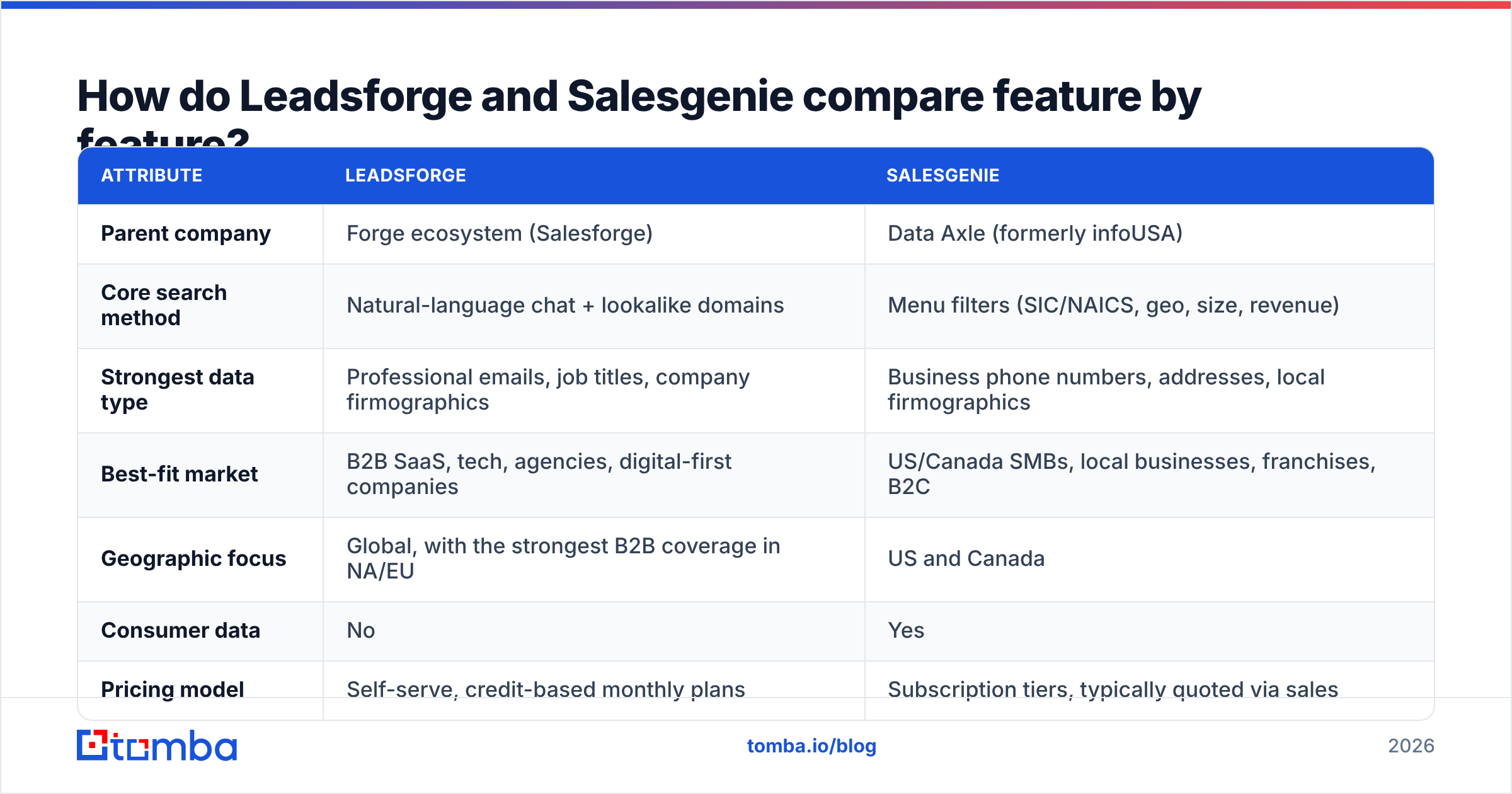
The table below sums up the practical differences. Vendors change plans often, so treat pricing as a rough guide and confirm on each vendor's site.
| Attribute | Leadsforge | Salesgenie |
|---|---|---|
| Parent company | Forge ecosystem (Salesforge) | Data Axle (formerly infoUSA) |
| Core search method | Natural-language chat + lookalike domains | Menu filters (SIC/NAICS, geo, size, revenue) |
| Strongest data type | Professional emails, job titles, company firmographics | Business phone numbers, addresses, local firmographics |
| Best-fit market | B2B SaaS, tech, agencies, digital-first companies | US/Canada SMBs, local businesses, franchises, B2C |
| Geographic focus | Global, with the strongest B2B coverage in NA/EU | US and Canada |
| Consumer data | No | Yes |
| Pricing model | Self-serve, credit-based monthly plans | Subscription tiers, typically quoted via sales |
| Free trial | Limited trial credits (check current offer) | Demo/trial via sales (check current offer) |
| Native outreach link | Salesforge sequencing, CSV, CRM exports | CRM exports, list management, mapping |
| Email verification | Built into credit flow | Relies on compiled data; verify separately |
| Ideal buyer | Cold email SDR teams, agencies, founders | Field sales, inside sales for SMB, franchise development |
| Main weakness | AI filter misreads; thinner local-SMB coverage | Weaker email depth; less flexible for high-volume sequencing |
Are you weighing either tool against all-in-one platforms? Then see how Tomba stacks up as an Apollo alternative. Apollo is the third name most teams shortlist next to these two.
How accurate is the data from each tool?#
The honest answer: accuracy depends on your segment more than on the brand.
Leadsforge does well where the web has clean signals. Think modern websites, consistent email formats, and work profiles that update when people change jobs. Accuracy drops for older industries, very small companies, and regions with little public data.
Salesgenie benefits from Data Axle's ongoing process, which the company says includes phone checks of business records. Phone numbers and addresses for established local businesses are usually its most reliable fields. Executive emails are less consistent, especially at companies under 10 employees.
Two practical rules apply to both tools:
- Always verify emails before sending. B2B data decays fast as people change roles, companies get acquired, and domains change. Run exports through a dedicated email verifier before they reach your sequencer. It protects your sender reputation far better than any database's freshness claim.
- Sample before you scale. Pull 50 records from your exact target in each tool, verify them, and count real, reachable decision-makers. That number is your real cost per usable lead. Headline database size isn't.
What do Leadsforge and Salesgenie cost in 2026?#
Both vendors change packaging often. So here's the shape of each pricing model rather than figures that may go stale.
Leadsforge uses self-serve monthly plans built around credits. You spend credits when you reveal or export contacts, and higher tiers lower the cost per contact. Some teams bundle it with Salesforge and other Forge products. That bundle saves money if you'd buy those tools anyway. If you wouldn't, it adds lock-in. Check the current Leadsforge pricing page for credit counts and trial terms.
Salesgenie is sold as subscription tiers, often with seat and export limits. A sales rep usually quotes the price. Expect it to scale with how many records you export per month and which modules you add. Before signing, ask about export caps, contract length, and auto-renewal. These matter more than the headline monthly rate.
How to compare fairly: work out cost per verified, reachable decision-maker in your target market, not cost per record. A list of 10,000 records with 40% usable contacts can cost more per useful lead than a list of 3,000 with 85% usable.
Review sites like G2 are worth checking for recent user comments on renewals and support. Those issues rarely appear on pricing pages.
Which teams should choose Leadsforge?#
Choose Leadsforge if most of these apply:
- Your outbound motion is email-first, with LinkedIn as a secondary channel
- You sell to B2B companies with a real web presence, mostly SaaS, tech, professional services, or agencies
- You run frequent ICP experiments and want to spin up new lists in minutes
- You already use or plan to use Salesforge, or you want prospecting and sending handled by one vendor family
- You prefer self-serve, credit-based spending over annual contracts
A typical Leadsforge buyer is a 3–15 person outbound team or an agency running campaigns for several clients. It's also common with founders doing their own outreach.

Which teams should choose Salesgenie?#
Choose Salesgenie if most of these apply:
- Your buyers are small and mid-sized local businesses in the US or Canada
- Phone, direct mail, and in-person visits make up a large share of your outreach
- You plan by territory, radius, or ZIP code
- You need consumer data alongside business data
- Your verticals, such as trades, hospitality, healthcare practices, retail, and franchises, are poorly covered by web-signal tools
A typical Salesgenie buyer is an insurance agency, a regional B2B distributor, a franchise development team, a merchant services company, or a field sales organization with defined territories.
Can you use Leadsforge and Salesgenie together?#
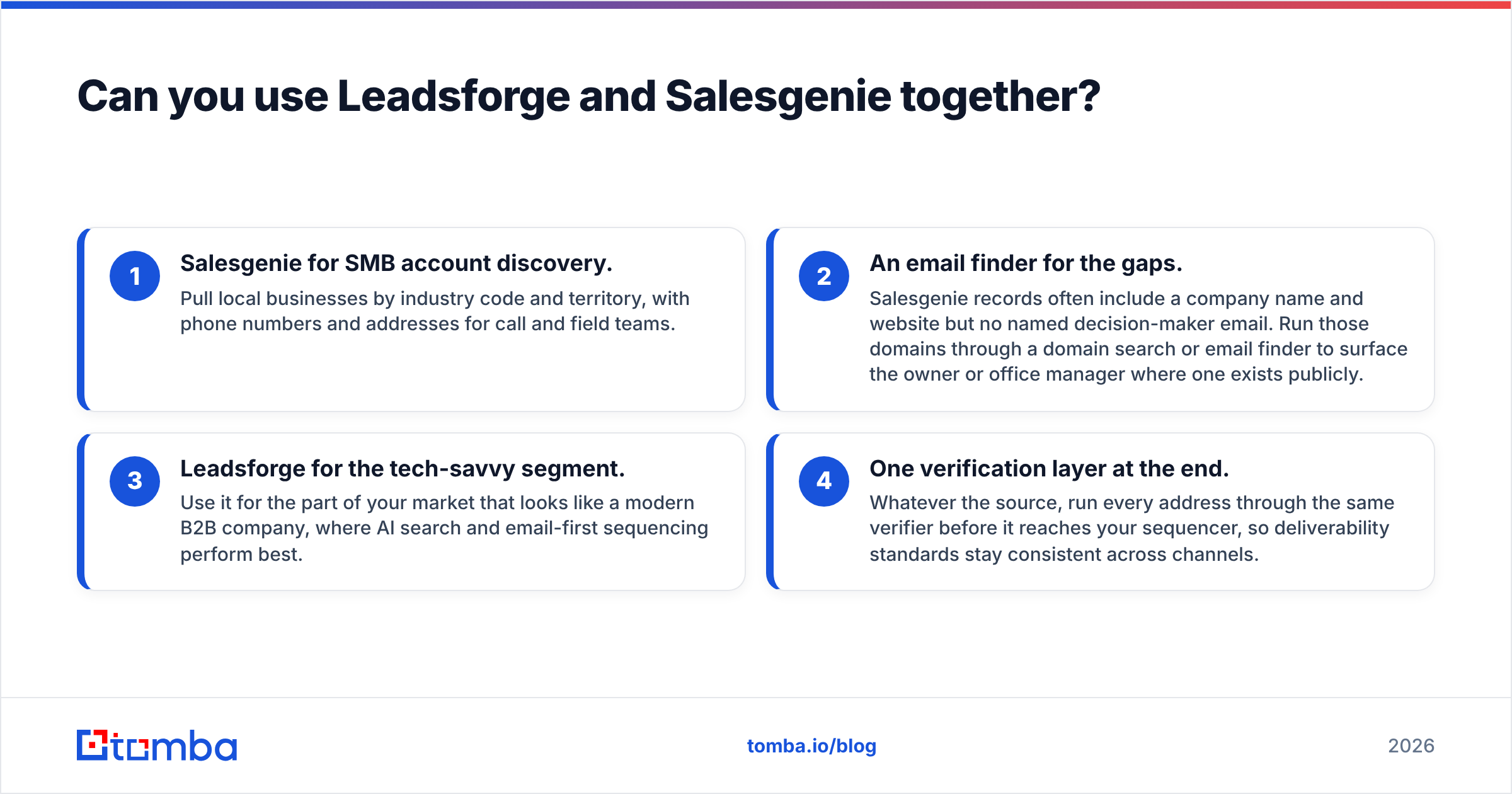
Yes, and some mid-market teams do. One common split:
Salesgenie for SMB account discovery. Pull local businesses by industry code and territory. You get phone numbers and addresses for call and field teams.
An email finder for the gaps. Salesgenie records often include a company name and website but no named contact email. Run those domains through a domain search or email finder. It can surface the owner or office manager where one is public.
Leadsforge for the tech-savvy segment. Use it for the part of your market that looks like a modern B2B company. That's where AI search and email-first sequencing work best.
One verification layer at the end. Whatever the source, run every address through the same verifier before it reaches your sequencer. That keeps deliverability standards the same across channels.
The downside is overhead. You pay two vendors, remove duplicates across sources, and keep CRM field mappings aligned. If no one clearly owns that process, pick one tool and commit.
What are the alternatives to Leadsforge and Salesgenie?#
If neither fits, the shortlist usually includes all-in-one platforms (Apollo, ZoomInfo). It also includes list providers such as BookYourData, a solid option for buying ready-made, verified B2B lists. Finally, there are focused email-finding tools that plug into whatever database or CRM you already use.
A focused email finder makes sense when you already know which companies you want. Maybe they came from your CRM, a trade show list, a Salesgenie export, or your own research. What you're missing is the right person's verified address. In that case you don't need another database, just a reliable way to find and check emails. Pair that with data enrichment to fill in titles, social profiles, and company details without a separate data contract.
So which one wins: Leadsforge or Salesgenie?#
Leadsforge vs Salesgenie comes down to who your buyer is.
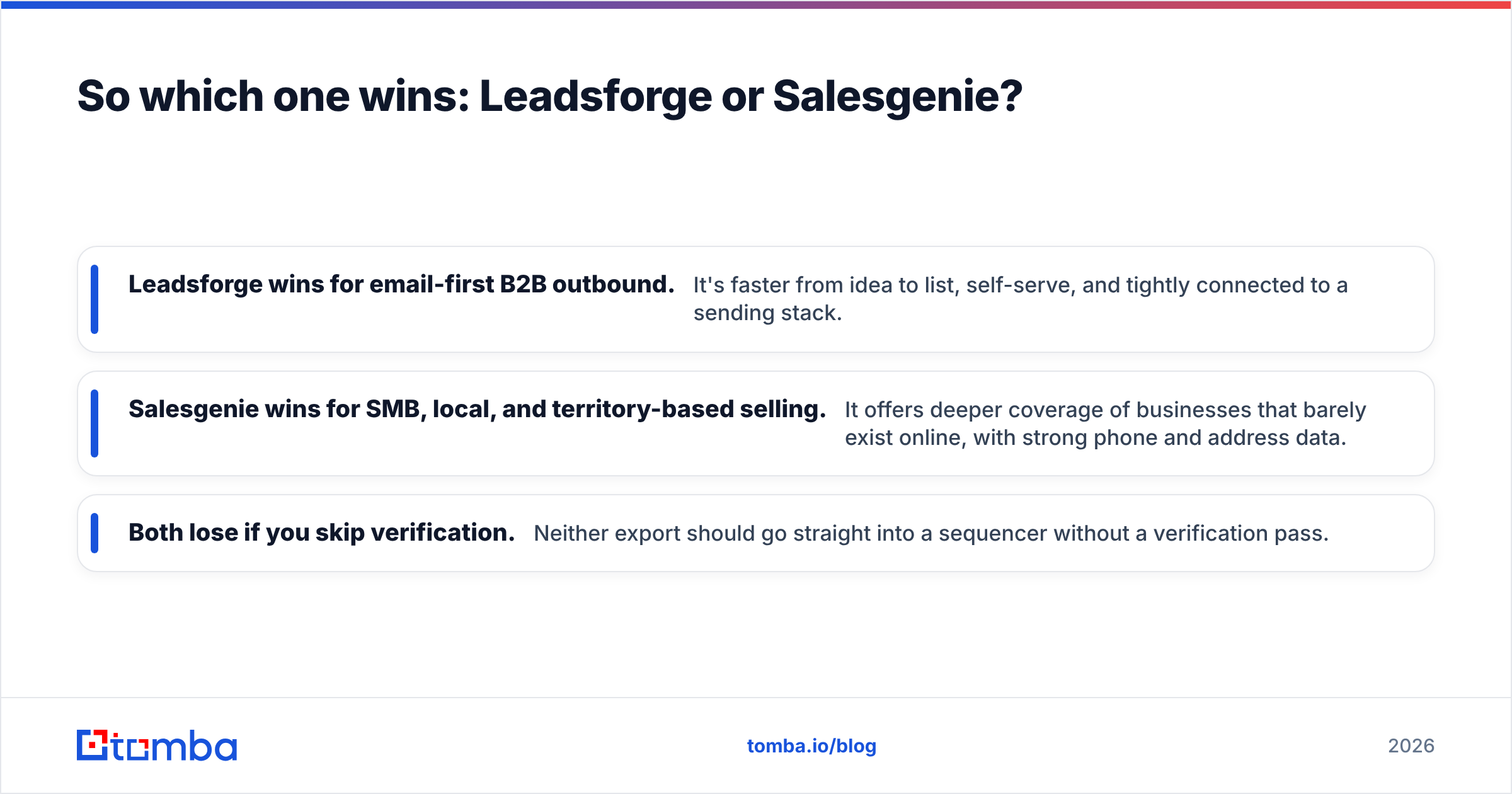
- Leadsforge wins for email-first B2B outbound. It's faster from idea to list, self-serve, and tightly linked to a sending stack.
- Salesgenie wins for SMB, local, and territory-based selling. It covers businesses that barely exist online, with strong phone and address data.
- Both lose if you skip verification. Neither export should go straight into a sequencer without a verification pass.
Before you sign with either, run the 50-record sample test on your exact target market. Then work out the cost per verified decision-maker. That number decides it.
Where does Tomba fit in your lead workflow?#
Whichever database you choose, you'll hit the same gap. Some accounts lack the right contact. Some contacts lack an email you can trust. Tomba Email Finder covers that. Enter a domain, a name, or a company and get work email addresses. Verification is built in, so you can send with confidence. It works alongside Leadsforge, Salesgenie, or your CRM. Use the Chrome extension, Google Sheets, bulk uploads, or the API. The free tier gives you 25 searches a month, and paid plans start at $49/mo. Compare Tomba plans and try it on your next export before you buy another database seat.
Related guides#
// get started
Find, verify and enrich your first contacts today
Start on the free plan with 25 searches a month, then scale when your team is ready.
Free plan · No credit card required · GDPR & CCPA
// about the author