Lemlist vs Mailshake: Which Cold Email Tool Fits Your Team in 2026?
Lemlist and Mailshake both send cold email sequences, but they're built for different teams. Here's how they compare on price, deliverability, multichannel steps and ease of use, plus the one layer both tools depend on.
TL;DR
- Pick Lemlist if you want multichannel sequences (email, LinkedIn, calls, WhatsApp), deep personalization with images and landing pages, and a built-in lead database. It costs more per seat and takes longer to learn.
- Pick Mailshake if you want a simpler email-first tool with a phone dialer, a clean reply inbox (Lead Catcher), and a lower starting price. It's easier to learn in a week.
- Deliverability matters more than which tool you pick. Both include warmup and sending limits. Neither can save a campaign sent to a list full of bad addresses.
- Both run on the same fuel: accurate emails. Build and verify your list before you import it into either one, or you'll burn domains no matter which sequencer you chose.
- Budget note: at list prices, a 3-rep team on Lemlist's multichannel tier costs roughly $100–$150/month more than the same team on Mailshake's mid tier.
What are Lemlist and Mailshake?#
Both tools are cold email sequencers. You connect a mailbox, import a list of prospects, write a multi-step sequence, and the platform sends it on a schedule, tracks replies and stops each thread when the prospect answers. Past that, they were built with different goals.
Lemlist started in France in 2018 as the "personalized images in cold email" tool. Since then it has turned into a full multichannel sales engagement platform. It now includes LinkedIn automation steps, a calling step, a B2B lead database, AI-written sequences and lemwarm, its own mailbox warmup network.
Mailshake was co-founded in 2015 by growth marketer Sujan Patel. It started as a simple way to send mail-merge cold campaigns from Gmail. It has added a phone dialer, LinkedIn task steps, an AI copy assistant and deliverability tooling, but it's still an email-first product that puts ease of use ahead of feature depth.
In short: Lemlist aims to be an outbound operating system, and Mailshake aims to be the easiest good cold email tool to run.
How do Lemlist and Mailshake differ at their core?#
Before comparing features, it helps to see how each vendor's product philosophy plays out in daily use. These five differences shape almost every other comparison point:
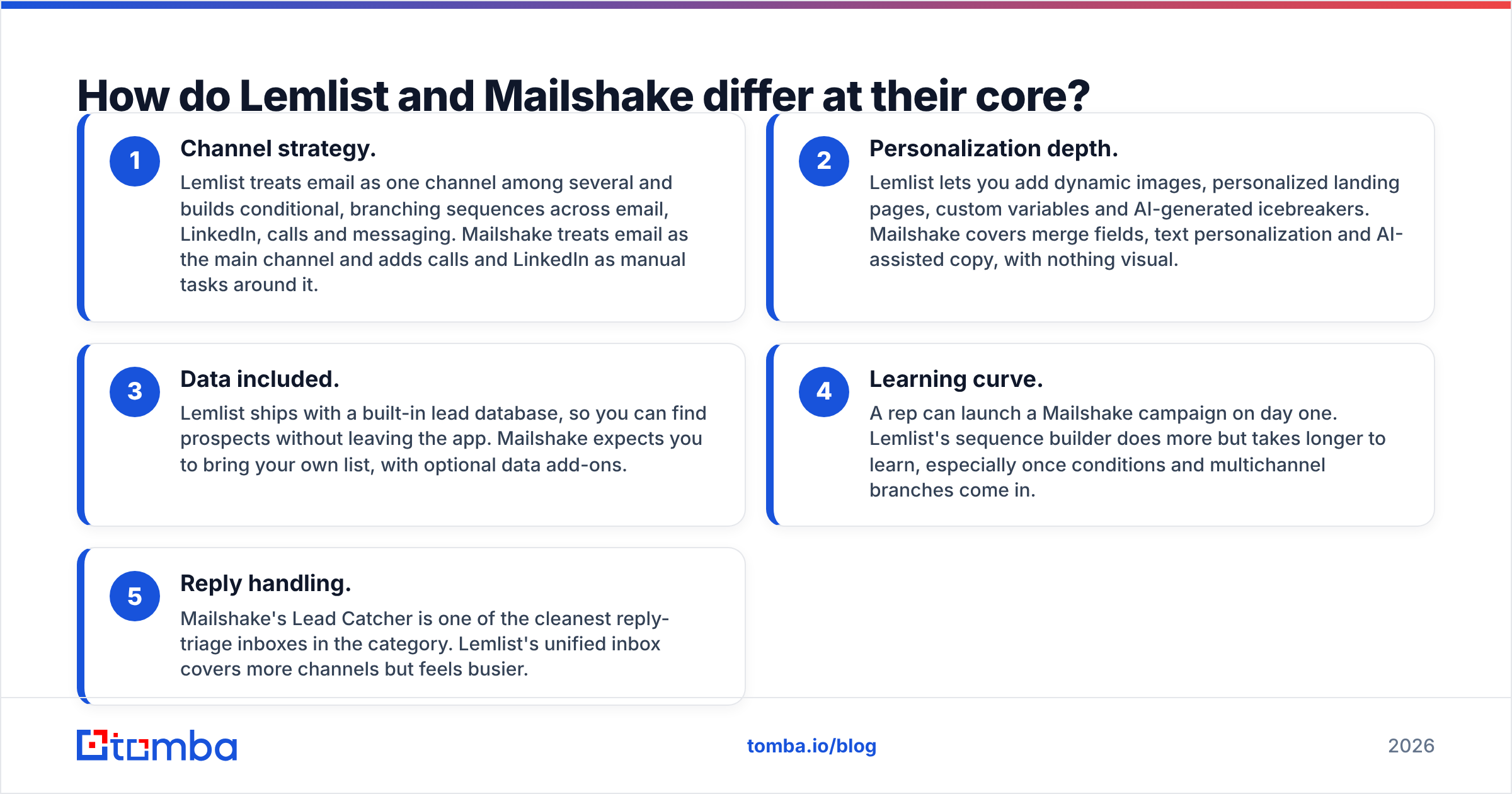
- Channel strategy. Lemlist treats email as one channel among several and builds conditional, branching sequences across email, LinkedIn, calls and messaging. Mailshake treats email as the main channel and adds calls and LinkedIn as manual tasks around it.
- Personalization depth. Lemlist lets you add dynamic images, personalized landing pages, custom variables and AI-generated icebreakers. Mailshake covers merge fields, text personalization and AI-assisted copy, with nothing visual.
- Data included. Lemlist ships with a built-in lead database, so you can find prospects without leaving the app. Mailshake expects you to bring your own list, with optional data add-ons.
- Learning curve. A rep can launch a Mailshake campaign on day one. Lemlist's sequence builder does more but takes longer to learn, especially once conditions and multichannel branches come in.
- Reply handling. Mailshake's Lead Catcher is one of the cleanest reply-triage inboxes in the category. Lemlist's unified inbox covers more channels but feels busier.

How do Lemlist and Mailshake compare feature by feature?#
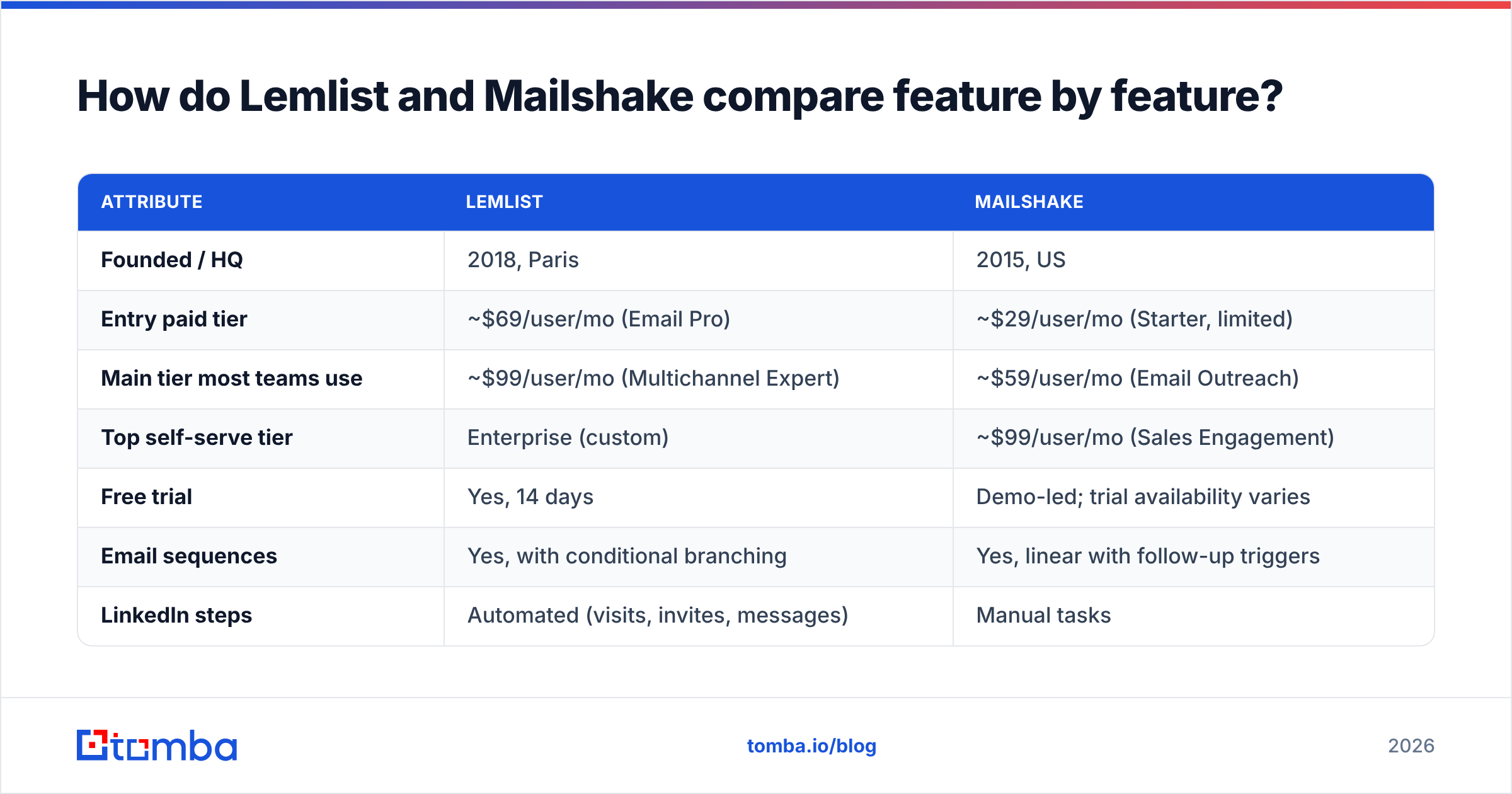
Here's the side-by-side. Prices are approximate public list prices at the time of writing, per user per month on monthly billing. Both vendors discount annual plans and change packaging often, so check their pricing pages before you buy.
| Attribute | Lemlist | Mailshake |
|---|---|---|
| Founded / HQ | 2018, Paris | 2015, US |
| Entry paid tier | ~$69/user/mo (Email Pro) | ~$29/user/mo (Starter, limited) |
| Main tier most teams use | ~$99/user/mo (Multichannel Expert) | ~$59/user/mo (Email Outreach) |
| Top self-serve tier | Enterprise (custom) | ~$99/user/mo (Sales Engagement) |
| Free trial | Yes, 14 days | Demo-led; trial availability varies |
| Email sequences | Yes, with conditional branching | Yes, linear with follow-up triggers |
| LinkedIn steps | Automated (visits, invites, messages) | Manual tasks |
| Phone / calling | Call steps + dialer integrations | Built-in dialer (higher tier) |
| Image / video personalization | Yes, native | No |
| Built-in lead database | Yes | No (bring your own list) |
| Warmup | lemwarm (included on most plans) | Included deliverability/warmup tools |
| AI writing | AI sequence + icebreaker generation | SHAKEspeare AI copy assistant |
| Reply management | Unified multichannel inbox | Lead Catcher |
| CRM integrations | HubSpot, Salesforce, Pipedrive, Zapier | HubSpot, Salesforce, Pipedrive, Zapier |
| Best for | Agencies, growth teams, multichannel SDRs | Small sales teams, founders, email-first outbound |
| Main drawback | Price per seat, complexity | Thinner multichannel and personalization |
Two things stand out. First, Mailshake is cheaper on every tier, and the gap grows as you add seats. Second, Lemlist's extra features (automated LinkedIn, visual personalization, lead database) only earn their cost if your team uses them. If your reps only send email, you'd be paying for capabilities you never switch on.
Which tool has better deliverability?#
Neither, in any way that matters, and the reason is worth understanding.
Deliverability is mostly determined by things outside the sequencer: domain age, SPF/DKIM/DMARC setup, daily sending volume per mailbox, bounce rate, spam complaints and content. Both tools give you the controls you need: sending limits, random delays, warmup, custom tracking domains and the option to turn off open tracking.
Lemlist has the edge on warmup tooling. lemwarm is a mature, large warmup network, and Lemlist puts deliverability scoring inside the app. Mailshake's deliverability features cover the same basics and are enough for most small teams sending under a few hundred emails per mailbox per week.
The factor both tools can't fix is list quality. If 8% of your imported addresses bounce, mailbox providers will downgrade your sender reputation no matter how well you warmed up. Google's sender guidelines and Microsoft's bulk-sender rules both treat high bounce and complaint rates as strong negative signals.
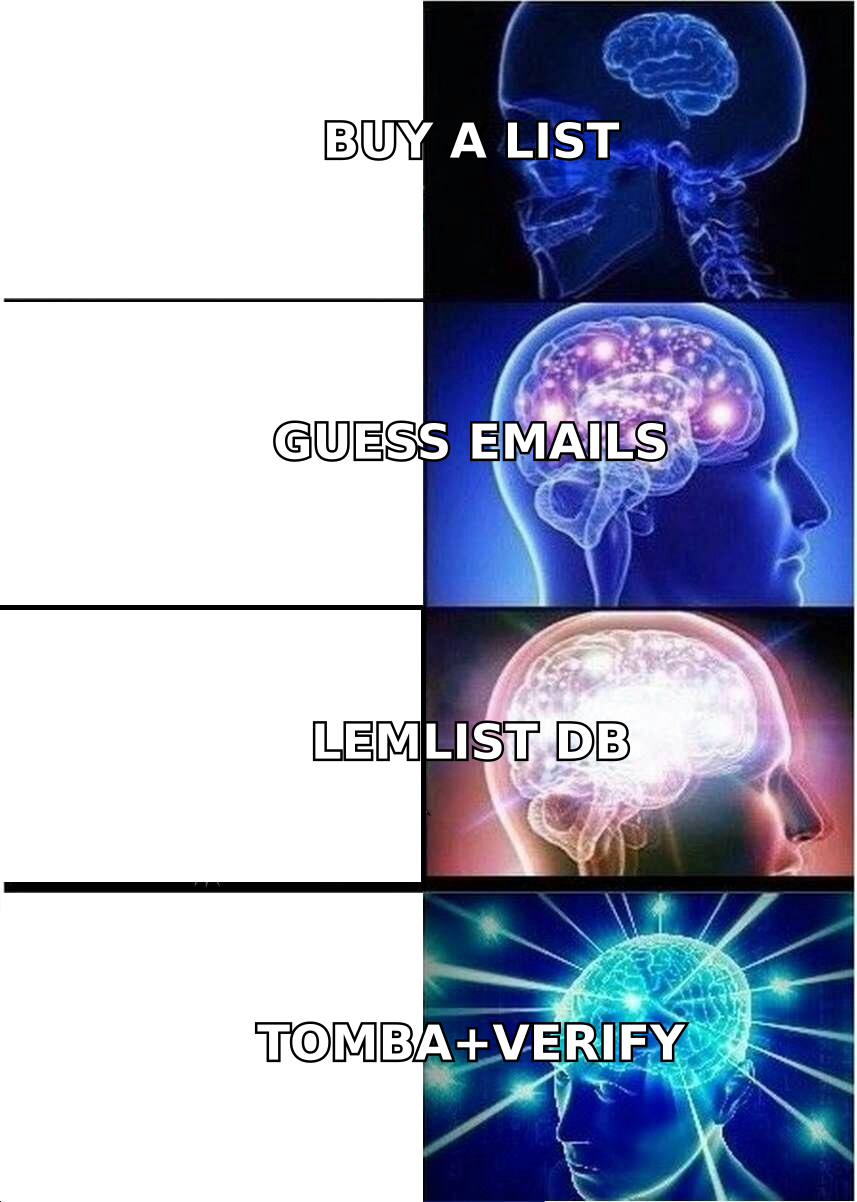
Before any list goes into Lemlist or Mailshake, run it through an email verifier. Remove invalid addresses, flag catch-all domains, and send to catch-alls in a separate, lower-volume campaign. That one habit protects your domains better than any feature difference between these two tools. If you're setting up new mailboxes, a warmup calculator helps you plan a ramp that doesn't spike volume too early.
Is Lemlist better than Mailshake for multichannel outreach?#
Yes, clearly, if multichannel means automated steps and not just reminders.
In Lemlist you can build a sequence like this: visit the prospect's LinkedIn profile on day 1, send email 1 on day 2, send a connection request on day 4 if there was no reply, send a LinkedIn message on day 7 if they accepted, or a follow-up email if they didn't, then add a call task on day 10. The branching runs on its own based on prospect behavior.
Mailshake can include LinkedIn and phone steps too, but they show up as tasks for the rep. The platform reminds you to call or connect, and you do the action yourself. The built-in dialer on the higher tier makes the calling part smooth, so for email-plus-phone teams Mailshake holds up well.
A useful rule:
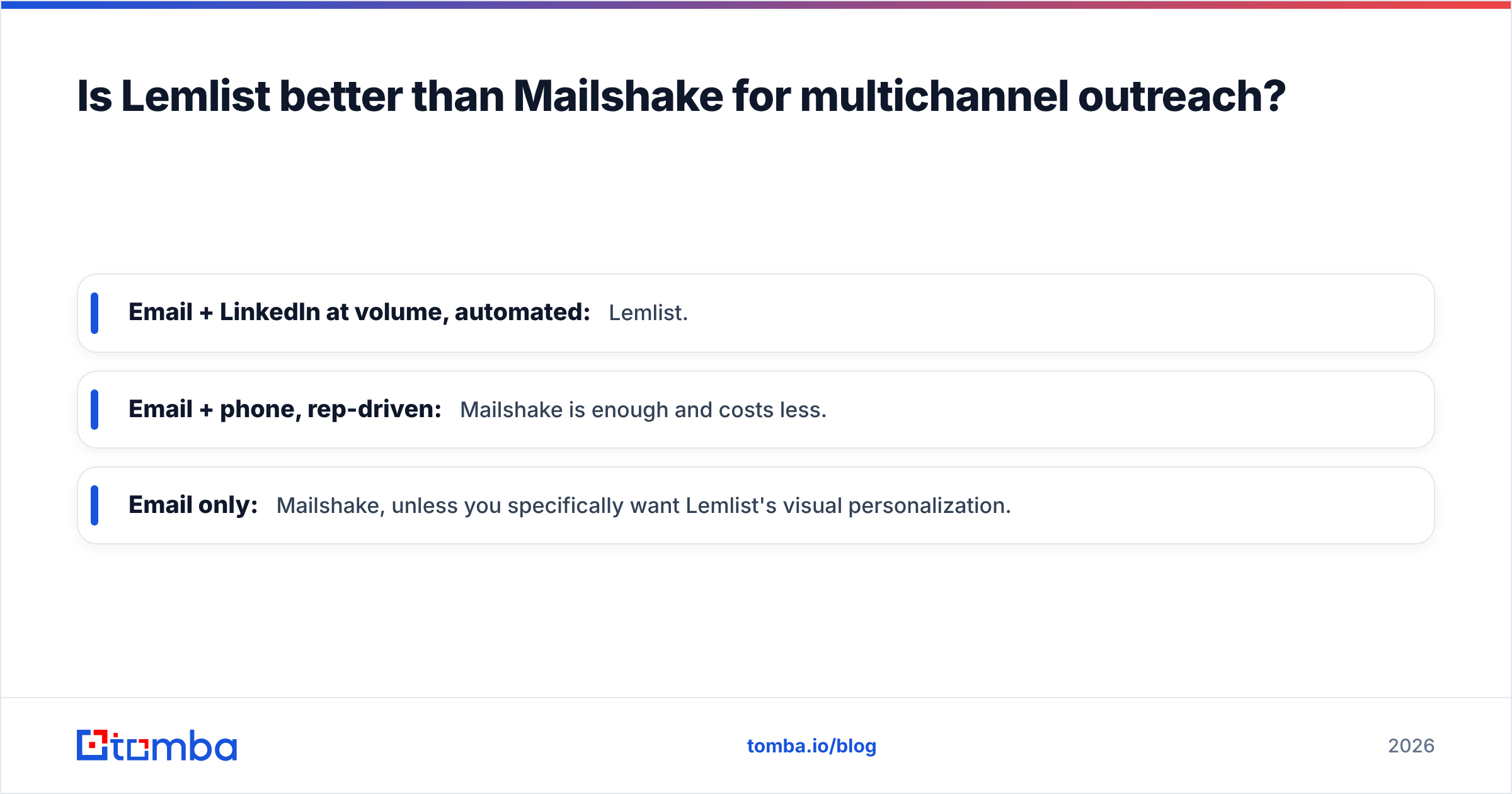
- Email + LinkedIn at volume, automated: Lemlist.
- Email + phone, rep-driven: Mailshake is enough and costs less.
- Email only: Mailshake, unless you specifically want Lemlist's visual personalization.
If your team is thinking about the wider LinkedIn outreach playbook, remember that LinkedIn automation always carries account risk. LinkedIn's user agreement restricts automated activity, and both vendors add safety limits for that reason. Keep automated steps modest regardless of which tool you use.
Which is easier to use?#
Mailshake. It's the most consistent point in user reviews on G2, where reviewers often praise its simplicity and fast onboarding.
Mailshake's interface is built around a campaign wizard: pick recipients, write messages, set follow-ups, launch. Lead Catcher then collects replies and lets reps sort them as interested, not interested or needing follow-up, and push the good ones to the CRM. A non-technical founder can get a first campaign out in about an hour.
Lemlist's builder is visual and well designed, but it does more, so there's more to learn. Conditions, multichannel steps, custom variables, image templates, lemwarm settings and the lead database all live in one app. Teams that commit to it get a lot out of that depth. Teams that just want to send 200 emails a week often find they're paying for complexity they don't need.
How much do Lemlist and Mailshake really cost?#
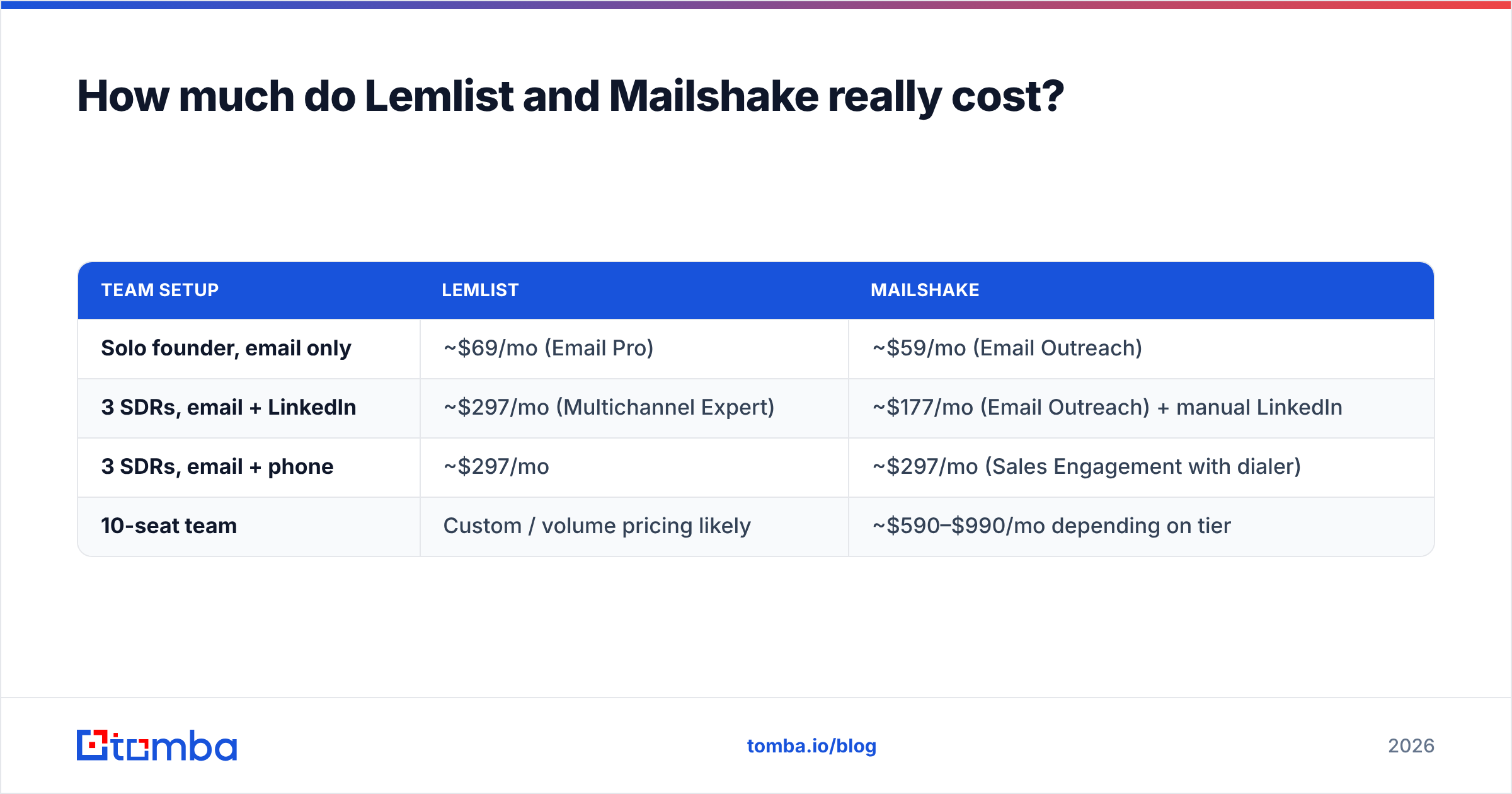
Here's a realistic monthly bill at list prices on monthly billing:
| Team setup | Lemlist | Mailshake |
|---|---|---|
| Solo founder, email only | ~$69/mo (Email Pro) | ~$59/mo (Email Outreach) |
| 3 SDRs, email + LinkedIn | ~$297/mo (Multichannel Expert) | ~$177/mo (Email Outreach) + manual LinkedIn |
| 3 SDRs, email + phone | ~$297/mo | ~$297/mo (Sales Engagement with dialer) |
| 10-seat team | Custom / volume pricing likely | ~$590–$990/mo depending on tier |
Three costs are easy to miss on both sides:
- Mailboxes. You pay Google Workspace or Microsoft 365 for every sending inbox. Serious outbound teams run 2–5 mailboxes per rep across secondary domains.
- Data. Lemlist's database credits cover part of your prospecting. On Mailshake, you'll need a separate source for contacts. Either way, most teams still add a dedicated email finder for accounts the built-in database misses.
- Verification. Neither sequencer replaces a proper verification pass. Budget for it as a separate line item.
The honest verdict on price: Mailshake is cheaper for email-first teams. Lemlist can come out cheaper overall if its built-in database and LinkedIn automation let you cancel other tools. Run the numbers against your current stack, not just the sticker price.
Where do Lemlist and Mailshake each fall short?#
Lemlist weaknesses
- Per-seat cost goes up quickly on the multichannel tier.
- Setting up conditional sequences, image templates and LinkedIn steps takes time.
- Built-in database coverage varies by region and niche. Expect gaps in smaller markets.
- LinkedIn automation always carries some account-restriction risk.
Mailshake weaknesses
- LinkedIn steps are manual, so they don't scale like true automation.
- No visual personalization (images, video thumbnails, landing pages).
- No built-in lead database, so you need a separate data source.
- Fewer advanced sequence conditions than Lemlist.
Neither set of weaknesses is a dealbreaker. Each one only matters if it lines up with how your team actually works.
Which should you choose: Lemlist or Mailshake?#
Use this decision shortcut:
- Choose Lemlist if you run an agency or growth team, your prospects reply better on LinkedIn than on email, you want visual personalization to stand out in crowded inboxes, or you want prospecting and sequencing in one tool.
- Choose Mailshake if you're a founder or small sales team, email and phone are your main channels, you want reps productive in days, and keeping cost per seat low matters.
- Consider neither if you need very high sending volume across dozens of mailboxes. Volume-focused tools like Instantly or Smartlead fit that job better. (If you're weighing that route, our Instantly alternative breakdown covers the trade-offs.)
Whichever you pick, your outcome depends on the same three inputs: an accurate list, healthy sending domains and copy that reads like a human wrote it for one person. The sequencer is the engine, and the data is the fuel.
Frequently asked questions#
Is Lemlist or Mailshake cheaper? Mailshake is cheaper per seat on comparable tiers. Lemlist can close the gap if its built-in database and LinkedIn automation replace other tools you're paying for.
Can I use Lemlist or Mailshake with Gmail and Outlook? Yes. Both connect to Google Workspace and Microsoft 365 mailboxes, plus custom SMTP/IMAP.
Do Lemlist and Mailshake include email warmup? Both include warmup. Lemlist's lemwarm is the more developed of the two. Warmup still can't make up for sending to unverified lists.
Does Lemlist's built-in database replace an email finder? Partly. It covers many common prospects, but coverage varies by region and niche. Most teams add a dedicated email finder and verifier to fill the gaps and check addresses before sending.
Which is better for agencies? Lemlist, usually. Multi-client workspaces, visual personalization and multichannel sequences suit agency workflows better.
Ready to fill either sequencer with emails that actually land?#
Lemlist and Mailshake are both good tools. The campaigns that work in either one start with contacts that are real, current and deliverable. Tomba Email Finder finds professional emails by name, company or domain, verifies them before export and pushes clean lists into your sequencer through CSV, integrations or the API. Start on the free tier with 25 searches a month, or move to Starter at $49/month when you're ready to run outbound at scale.
Related guides#
// get started
Find, verify and enrich your first contacts today
Start on the free plan with 25 searches a month, then scale when your team is ready.
Free plan · No credit card required · GDPR & CCPA
// about the author