List of CRM Tools: 12 Top CRMs Compared for B2B Teams in 2026
A no-fluff list of CRM tools for 2026: 12 platforms compared on starting price, free tier, and the team each one actually fits. Includes a HubSpot vs Salesforce breakdown and a data-hygiene checklist.
TL;DR
- This list of CRM tools covers 12 platforms that B2B teams actually shortlist in 2026: HubSpot, Salesforce, Pipedrive, Zoho CRM, Freshsales, Microsoft Dynamics 365, monday sales CRM, Attio, Close, Copper, Less Annoying CRM, and folk.
- Paid plans start at roughly $9-$25 per user per month. Salesforce and Dynamics cost the most once you need custom objects and advanced forecasting.
- Pick by motion, not by feature count. Outbound-heavy teams need calling and sequences (Close, Pipedrive). Marketing-led teams need attribution (HubSpot). Complex enterprises need customization (Salesforce, Dynamics).
- Bad data sinks more CRM rollouts than choosing the wrong tool. Budget for enrichment and verification from day one.
What is a CRM tool, and what should it actually do?#
A CRM (customer relationship management) tool is the system of record for everyone you sell to: contacts, companies, deals, and every email, call, and meeting tied to them. If you want the textbook version, see our CRM glossary entry. In practice, a CRM earns its seat price when it does five things well:
- Contact and account management. One clean record per person and per company, with deduplication and relationship mapping between them.
- Pipeline and deal tracking. Visual stages, probabilities, close dates, and a forecast your manager believes.
- Activity capture. Emails, calls, and meetings logged automatically. If reps have to type it in, it won't get logged.
- Automation. Task creation, deal-stage triggers, lead routing, and ideally email sequences, so reps spend their time selling and not doing data entry.
- Reporting and integrations. Dashboards leadership can trust, plus native connections to your email, calendar, dialer, and data tools.
A tool that nails all five for your team size is a good CRM. A tool with 400 features that your reps avoid is an expensive spreadsheet.
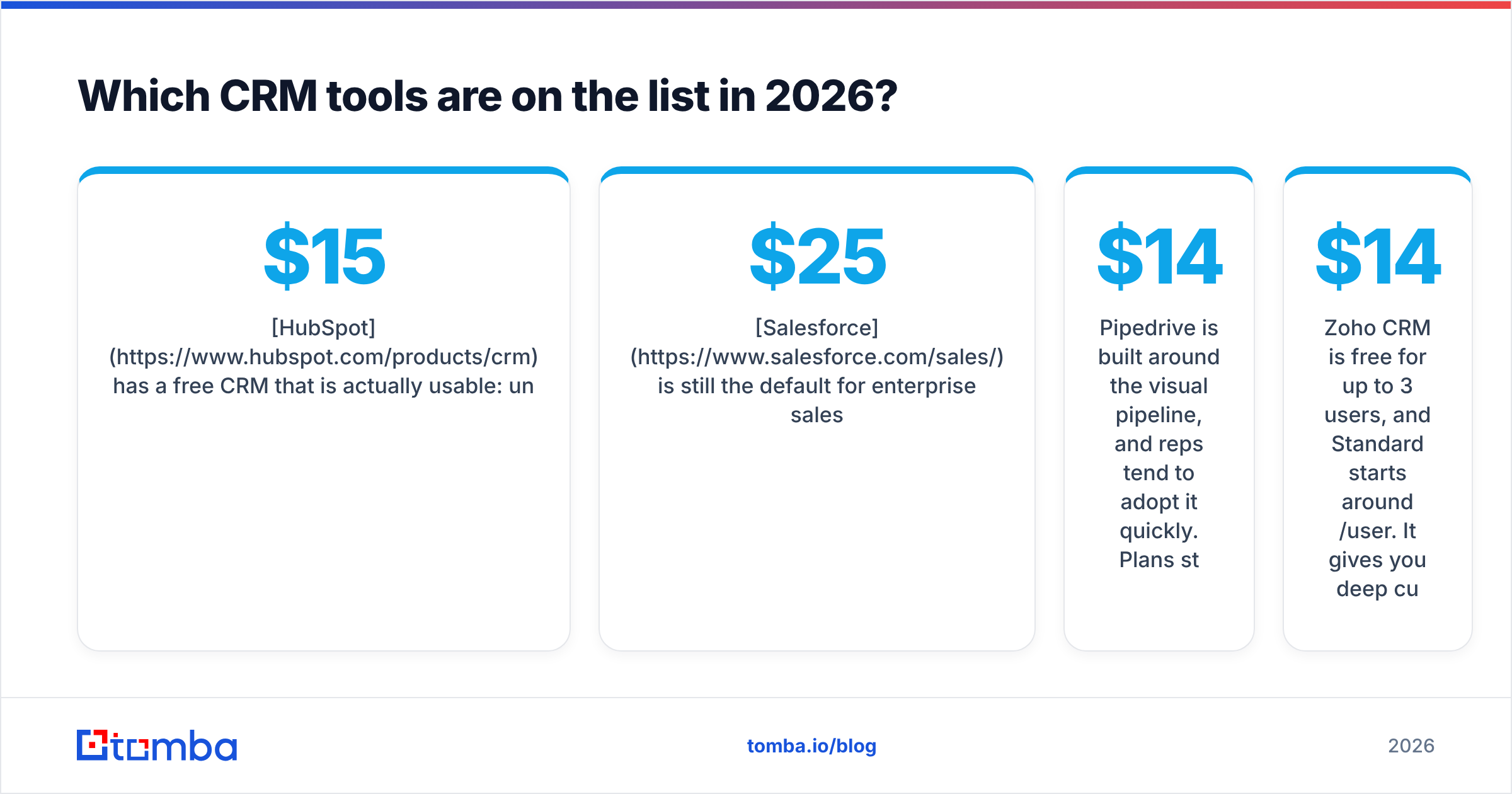
Which CRM tools are on the list in 2026?#
Below is the shortlist. Each entry covers who it's built for and where it falls short. Prices are starting prices per user per month on annual billing, checked at the time of writing. Vendors change pricing often, so confirm on their pricing pages before you buy.
1. HubSpot Sales Hub#
HubSpot has a free CRM that is actually usable: unlimited users, contacts, deals, and basic email tracking. Sales Hub Starter begins around $15/seat, and Professional (sequences, forecasting, playbooks) jumps to about $90/seat. Its real strength is the shared marketing and sales database, so attribution from first touch to closed-won works without glue code.
Watch out for: the price cliff between Starter and Professional, and contact-tier pricing on Marketing Hub.
2. Salesforce Sales Cloud#
Salesforce is still the default for enterprise sales orgs. Starter Suite begins around $25/user, and the Pro, Enterprise, and Unlimited tiers climb from there. Nothing else on this list matches its customization (custom objects, Flow automation, AppExchange). Its Agentforce AI layer is now part of most enterprise conversations.
Watch out for: implementation cost. Most mid-market deployments need an admin or a partner, and that often costs more than the licenses.
3. Pipedrive#
Pipedrive is built around the visual pipeline, and reps tend to adopt it quickly. Plans start at roughly $14/seat, and mid-tiers add email sync, automations, and forecasting. It's a strong fit for SMB and transactional sales teams that want momentum without an admin.
Watch out for: reporting depth and multi-object data models, which fall behind HubSpot and Salesforce as you grow.
4. Zoho CRM#
Zoho CRM is free for up to 3 users, and Standard starts around $14/user. It gives you deep customization for the money, plus Zia AI. If you already run Zoho Books, Desk, or Campaigns, the suite integration is a real advantage.
Watch out for: a busy UI and a steeper setup curve than Pipedrive.
5. Freshsales (Freshworks)#
Freshsales has a free plan for small teams, and Growth starts around $9/user. Built-in phone, email, and chat plus Freddy AI lead scoring make it good value for inside sales teams that want everything in one place.
Watch out for: a smaller integration ecosystem than HubSpot or Salesforce.
6. Microsoft Dynamics 365 Sales#
Dynamics 365 Sales Professional starts around $65/user, and Enterprise costs more. The draw is native Outlook, Teams, and Power BI integration, plus Copilot built into the sales workflow. It makes sense if your company is already standardized on Microsoft.
Watch out for: licensing complexity and a partner-dependent implementation, much like Salesforce.
7. monday sales CRM#
monday sales CRM is built on monday.com's work-management boards. Basic starts around $12/seat with a 3-seat minimum. Its flexibility and easy post-sale handoff to delivery teams are the reasons to choose it.
Watch out for: the seat minimums, and the fact that key sales features (sequences, forecasting) sit on higher tiers.
8. Attio#
Attio is the modern, data-model-first CRM that many startups and VC-backed teams now pick. It has a free tier for small teams, with Plus around $29/user. Records sync automatically from email and calendar, and the flexible objects let you model investors, partners, or product-led signups without hacks.
Watch out for: a younger ecosystem, and less out-of-the-box enterprise governance.
9. Close#
Close is built for outbound and inside sales. It includes a dialer, power dialer, SMS, and email sequences, with no add-on stack needed. Entry plans run roughly $19-$35/seat depending on tier. If your reps live on the phone and in the inbox, Close removes a lot of tool sprawl.
Watch out for: limited marketing features. It's a sales-only tool by design.
10. Copper#
Copper lives inside Google Workspace. It pulls contacts and activity from Gmail and Calendar and shows the CRM in a Gmail sidebar. Starter plans begin around $9/seat. It's a good fit for relationship-driven teams such as agencies and consultancies that run on Google.
Watch out for: it's much less compelling if you're on Microsoft 365.
11. Less Annoying CRM#
Less Annoying CRM has one plan at about $15/user with everything included, plus free human support. It's aimed at small businesses that want contacts, pipelines, and follow-up reminders without complexity.
Watch out for: no sequences, and light automation. It's intentionally simple.
12. folk#
folk is a lightweight, relationship-focused CRM with a Chrome extension for capturing contacts from LinkedIn and the web. The Standard plan starts around $20/user. Founders, agencies, and partnership teams like it for its speed.
Watch out for: shallow forecasting and pipeline analytics compared with sales-first CRMs.
How do the top CRM tools compare on price and fit?#
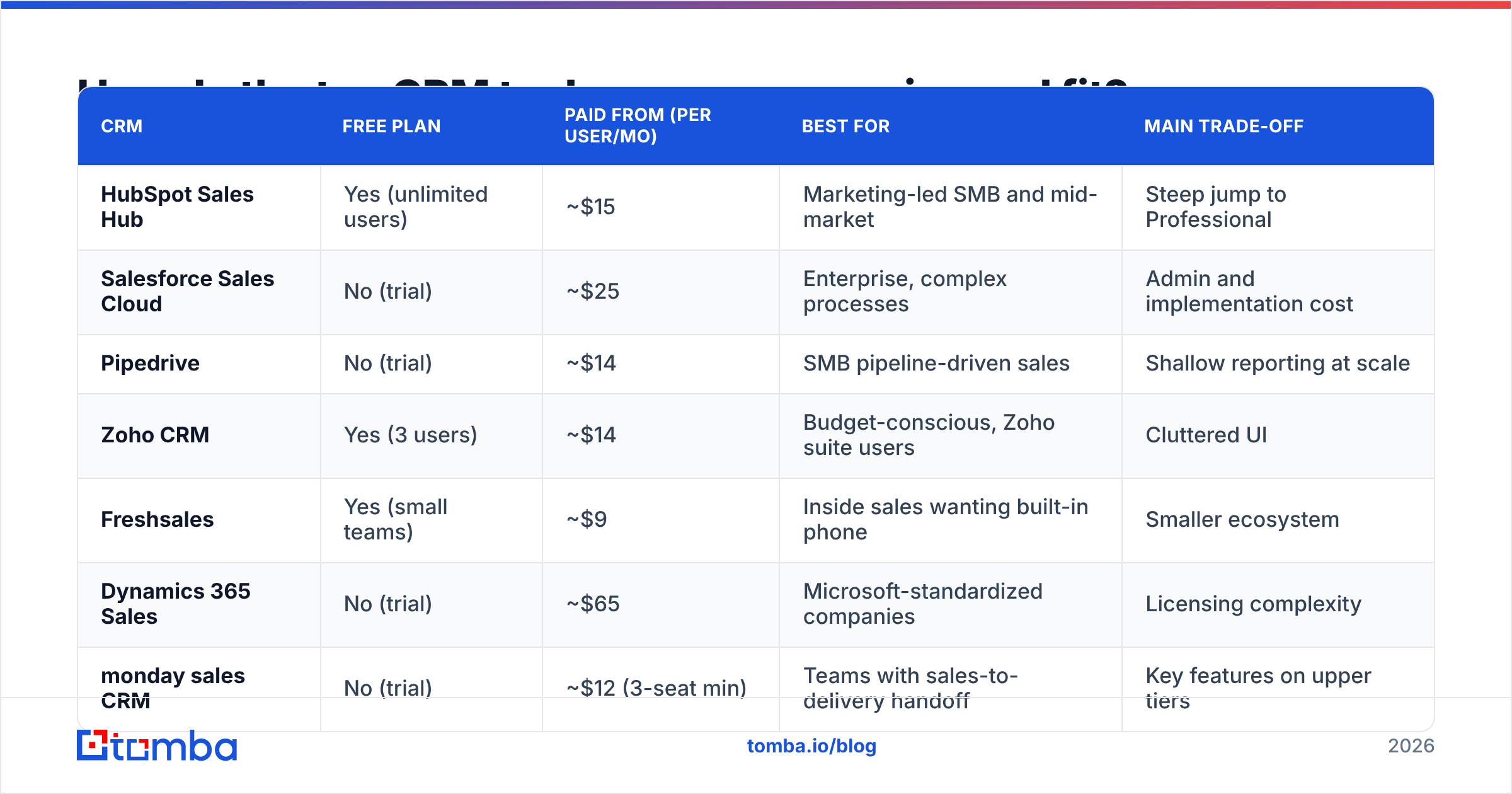
Here's the whole list side by side. "From" means the cheapest paid plan on annual billing.
| CRM | Free plan | Paid from (per user/mo) | Best for | Main trade-off |
|---|---|---|---|---|
| HubSpot Sales Hub | Yes (unlimited users) | ~$15 | Marketing-led SMB and mid-market | Steep jump to Professional |
| Salesforce Sales Cloud | No (trial) | ~$25 | Enterprise, complex processes | Admin and implementation cost |
| Pipedrive | No (trial) | ~$14 | SMB pipeline-driven sales | Shallow reporting at scale |
| Zoho CRM | Yes (3 users) | ~$14 | Budget-conscious, Zoho suite users | Cluttered UI |
| Freshsales | Yes (small teams) | ~$9 | Inside sales wanting built-in phone | Smaller ecosystem |
| Dynamics 365 Sales | No (trial) | ~$65 | Microsoft-standardized companies | Licensing complexity |
| monday sales CRM | No (trial) | ~$12 (3-seat min) | Teams with sales-to-delivery handoff | Key features on upper tiers |
| Attio | Yes (small teams) | ~$29 | Startups, flexible data models | Younger ecosystem |
| Close | No (trial) | ~$19-$35 | Outbound, phone-heavy teams | No marketing features |
| Copper | No (trial) | ~$9 | Google Workspace teams | Weak outside Google |
| Less Annoying CRM | No (trial) | ~$15 (one plan) | Very small businesses | Minimal automation |
| folk | No (trial) | ~$20 | Founders, agencies, partnerships | Light forecasting |
For peer reviews by company size, G2's CRM category is a useful second opinion. Filter reviews to your segment, because a 5-person agency and a 500-rep sales org rate the same tool very differently.
Which CRM should you pick for your team size and sales motion?#
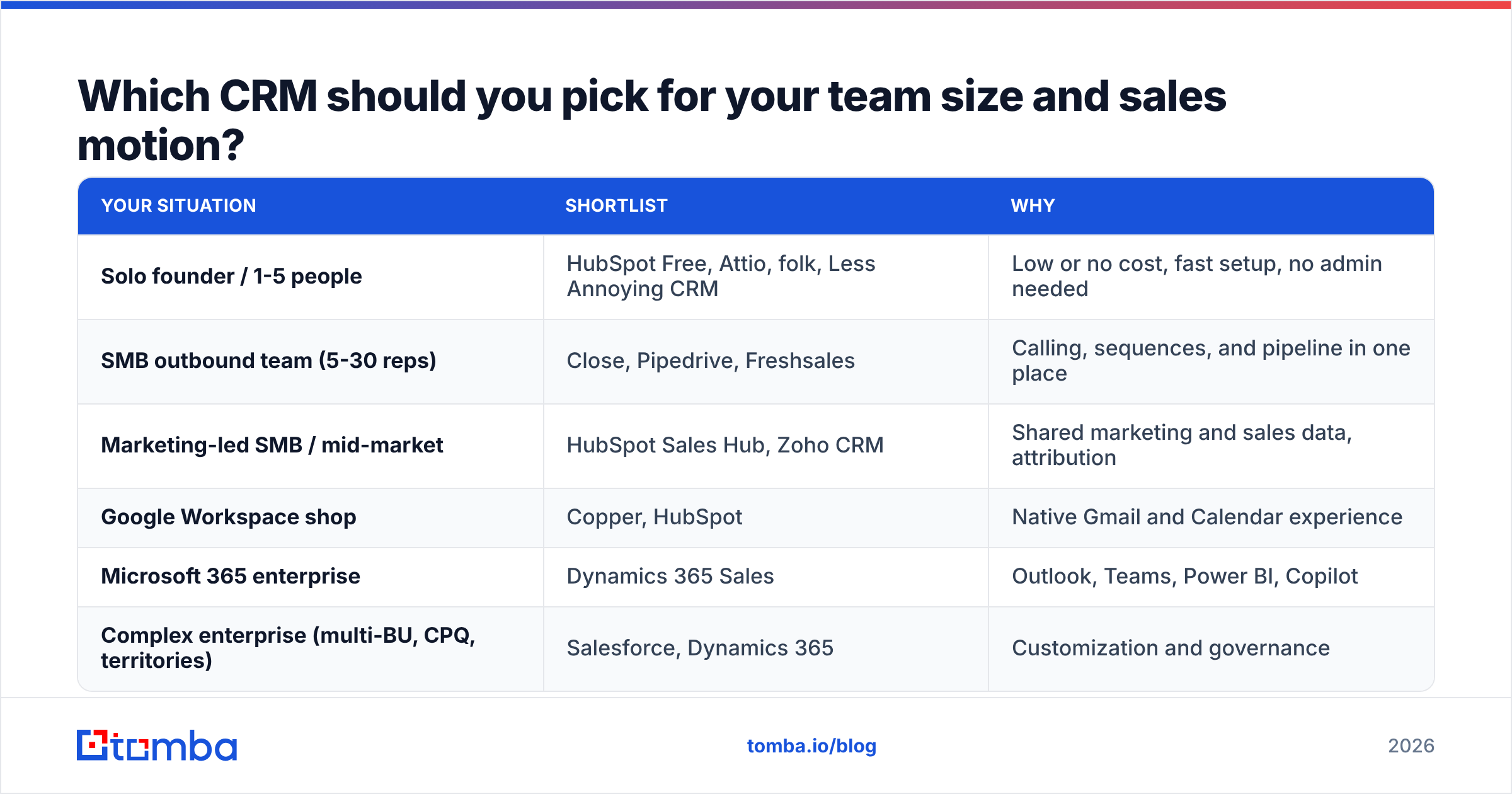
Features look similar on paper, so match the CRM to how you sell:
| Your situation | Shortlist | Why |
|---|---|---|
| Solo founder / 1-5 people | HubSpot Free, Attio, folk, Less Annoying CRM | Low or no cost, fast setup, no admin needed |
| SMB outbound team (5-30 reps) | Close, Pipedrive, Freshsales | Calling, sequences, and pipeline in one place |
| Marketing-led SMB / mid-market | HubSpot Sales Hub, Zoho CRM | Shared marketing and sales data, attribution |
| Google Workspace shop | Copper, HubSpot | Native Gmail and Calendar experience |
| Microsoft 365 enterprise | Dynamics 365 Sales | Outlook, Teams, Power BI, Copilot |
| Complex enterprise (multi-BU, CPQ, territories) | Salesforce, Dynamics 365 | Customization and governance |
A simple rule: if you can't name the person who will own CRM configuration, stay off Salesforce and Dynamics for now. Both reward dedicated admins and punish teams that don't have one.
Is HubSpot or Salesforce the better CRM?#
This is the most common final-round decision. The honest answer is that it depends on who runs the system.
- Choose HubSpot if marketing and sales share a funnel, you want to be live in weeks rather than quarters, and you don't have a full-time admin. The free tier also lets you test it with real data before paying anything.
- Choose Salesforce if you have complex territories, custom objects, CPQ, or multiple business units, and you can fund an admin or partner. Its ceiling is higher, but so is the cost of reaching it.
Both connect to the rest of your stack. If you prospect with Tomba, the HubSpot integration and the Pipedrive integration push found and verified contacts straight into your pipeline, and Salesforce is supported as well.
Why do CRM rollouts fail even with a good tool?#
Most failed CRM projects don't fail because of the software. They fail because of the data and the habits around it:
- Garbage in. Imported lists full of bounced emails, duplicate companies, and job titles from three roles ago. Reps stop trusting the records and go back to spreadsheets.
- Manual logging. If activity capture isn't automatic, pipeline reports show what reps remembered to type in, not what actually happened.
- Over-customization on day one. Forty required fields on the deal form make reps skip creating deals at all.
- No owner. Without someone accountable for fields, stages, and hygiene, the CRM decays within about two quarters.
How do you keep CRM data clean after you choose a tool?#
Treat data quality as part of the CRM project, not a cleanup job for next year. A practical routine:
- Verify before import. Run every list through email verification before it touches the CRM. Bounces hurt your sender reputation and clutter your records.
- Enrich at creation. Use data enrichment to fill in company size, industry, title, and LinkedIn URL when the record is created, so routing and scoring rules have something to work with.
- Deduplicate on a schedule. Merge duplicate contacts and companies monthly. Most CRMs on this list have native dedupe tools, and they only help if someone runs them.
- Re-verify stale contacts. People change jobs constantly. Re-check contacts older than 6-12 months before you add them to a sequence.
- Keep required fields minimal. Require only what drives routing and forecasting. Enrichment can fill the rest.
What are the most common questions about CRM tools?#
What is the best free CRM tool?#
For most small B2B teams it's HubSpot's free CRM, because it has no user cap and a clear upgrade path. Zoho CRM and Freshsales are solid alternatives if you have 3 users or fewer, and Attio's free tier suits startups that want flexible data models.
How much does a CRM cost per user?#
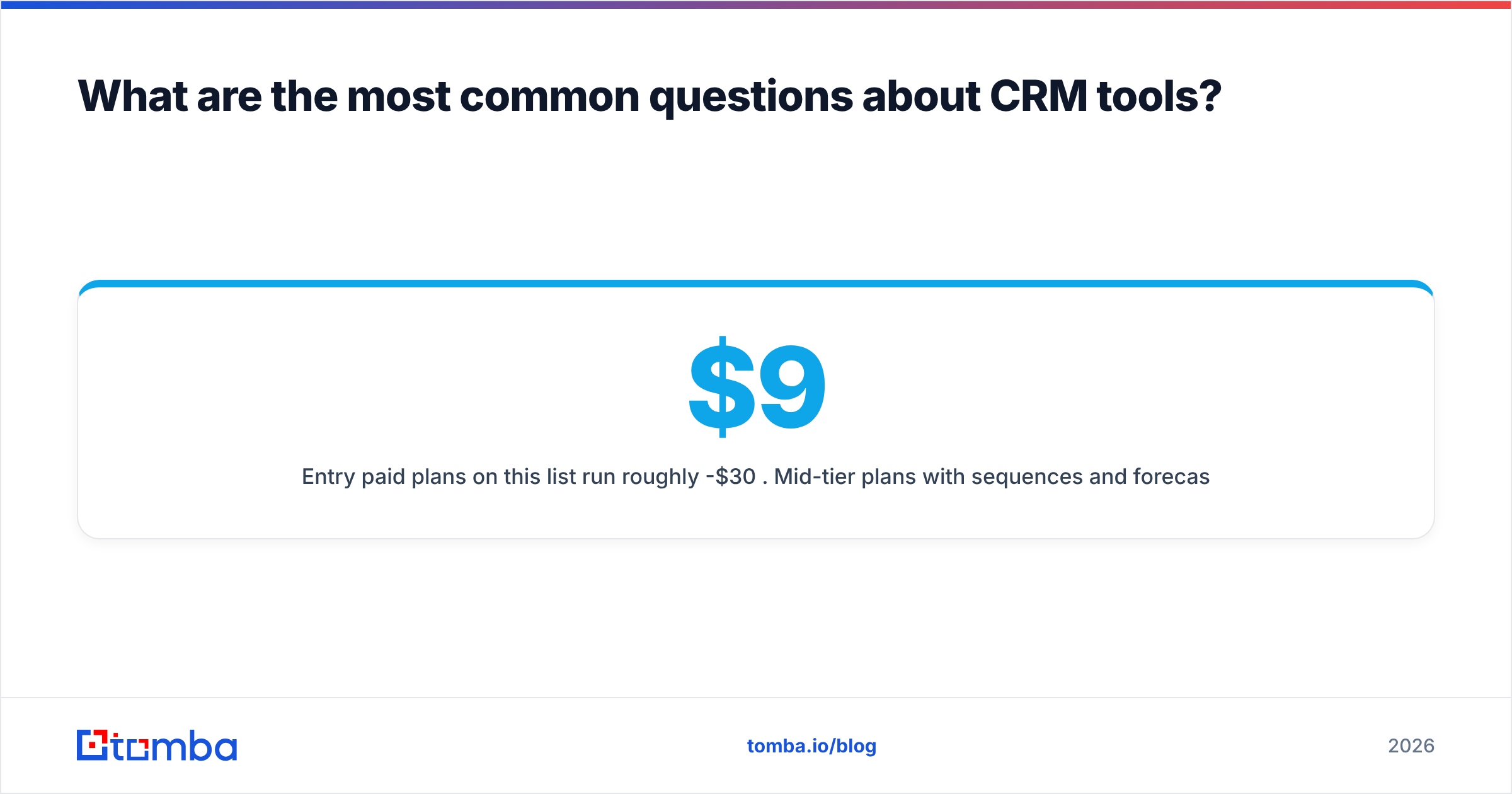
Entry paid plans on this list run roughly $9-$30 per user per month. Mid-tier plans with sequences and forecasting usually cost $50-$100. Enterprise tiers from Salesforce and Microsoft go well past that before implementation costs.
Do I need a CRM if I already use a spreadsheet?#
Once more than one person is selling, or you have more than a few dozen active deals, yes. Spreadsheets can't log activity automatically, trigger follow-ups, or give you a trustworthy forecast.
Can I switch CRMs later?#
Yes, but migrations are painful: field mapping, activity history, and automations all have to be rebuilt. Pick a tool you can grow into for at least 2-3 years, and export your data regularly.
Where does Tomba fit in your CRM stack?#
Whichever CRM you pick from this list, it only works as well as the contacts you put in it. Tomba Email Finder finds professional email addresses by name, company, or domain and verifies them before they reach HubSpot, Salesforce, Pipedrive, or any other CRM through native integrations. You can start on the free tier (25 searches per month) and move to Starter at $49/mo once your pipeline needs more volume. Try Tomba Email Finder and give your new CRM clean data from the first import.
Related guides#
// get started
Find, verify and enrich your first contacts today
Start on the free plan with 25 searches a month, then scale when your team is ready.
Free plan · No credit card required · GDPR & CCPA
// about the author