ListKit vs Tomba (2026): Lead Database or Email Finder?
ListKit sells ready-made, verified lead lists. Tomba finds and verifies emails for people you already picked. Here's where each one fits, what it costs in 2026, and which to choose for your outbound motion.
TL;DR
- ListKit is a list builder. You filter a large B2B contact database by title, industry, headcount and similar fields, then export leads whose emails are verified when you export them.
- Tomba is an email finder and verifier. You bring a name, domain, company or LinkedIn URL, and Tomba returns the professional email, then verifies it or enriches it.
- Pricing is different. ListKit starts at about $97/mo on monthly billing and has no permanent free plan. Tomba has a free tier (25 searches/mo), and paid plans start at $49/mo.
- Choose ListKit if you need thousands of net-new contacts matching an ICP every month and nobody on your team researches accounts.
- Choose Tomba if you already know which accounts or people to target, need an API or CRM enrichment, or want to verify lists you got elsewhere.
What is the real difference between ListKit and Tomba?#
These tools start at opposite ends of the prospecting process. That is the main thing to understand before you look at a feature grid.
ListKit starts with the database. You describe your ideal customer ("VP Marketing, SaaS, 50–200 employees, US") and ListKit gives you a list of people who match. Its main selling point is "triple-verified" emails: each address is checked again when you export it, including catch-all and risky addresses, so the list can go into a sequencer without a separate cleaning step. In 2026, ListKit also sells intent data, phone lookups and a done-for-you email infrastructure service.
Tomba starts with the person or the domain. You already know the company (from a target-account list, a CRM view, a conference attendee sheet or a website visit) and need the right contact at it. You run a domain search to see every public professional address at a company, or you use the email finder with a first name, last name and domain to get one specific address. Verification, phone finding, enrichment and catch-all checks are built around that core workflow.
Think of it like groceries. ListKit sells a pre-packed meal kit: a lot of food, already portioned, ready to cook. Tomba is the specialist shop where you buy exactly the ingredients on your recipe. Neither one is better in general. It depends on whether you already have a recipe.
How do ListKit and Tomba compare feature by feature?#
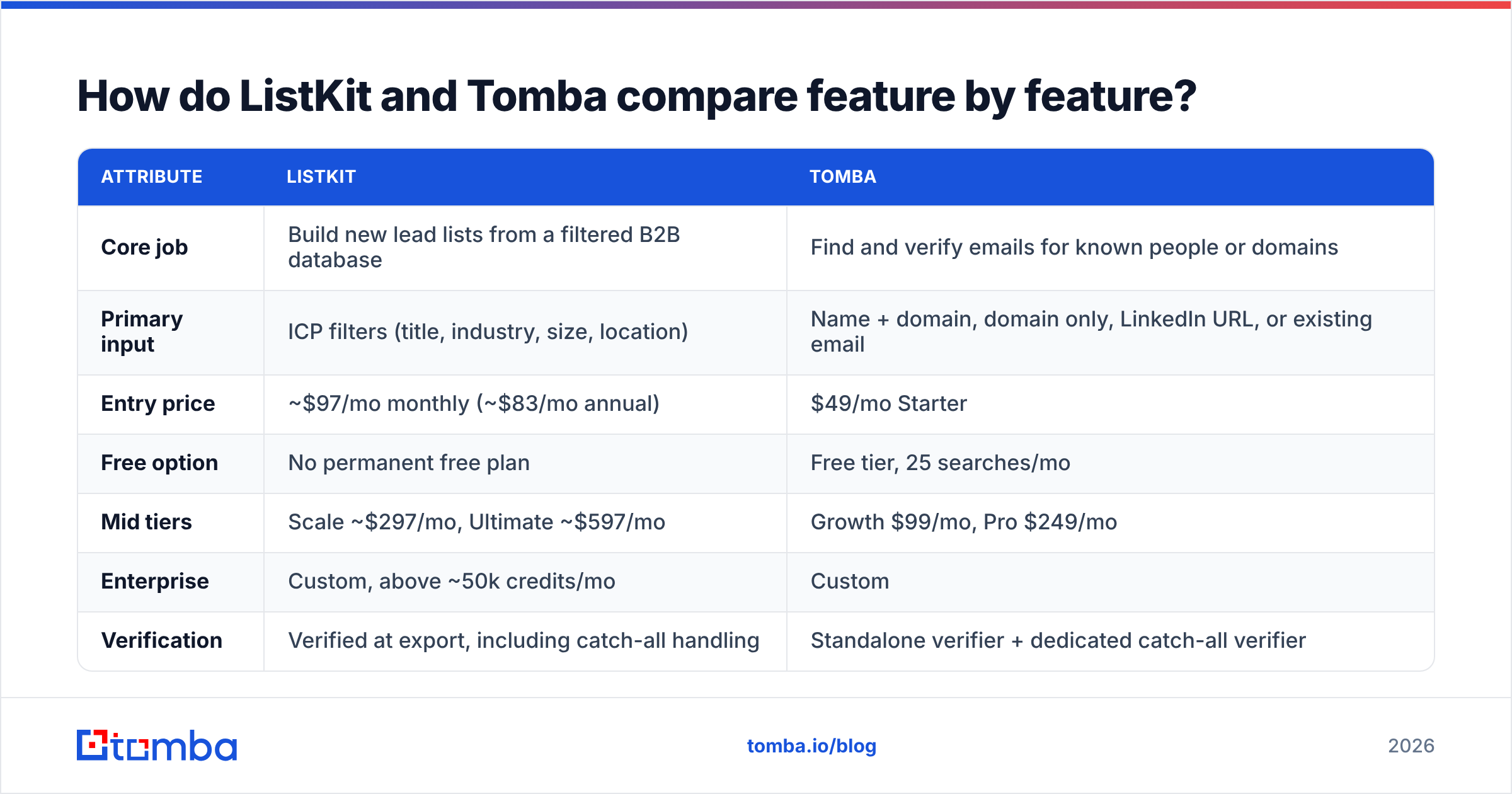
Here is the side-by-side view. ListKit figures come from its public pricing page and third-party reviews as of 2026. Confirm them on ListKit's pricing page before you buy, because ListKit changed its credit pricing during 2026.
| Attribute | ListKit | Tomba |
|---|---|---|
| Core job | Build new lead lists from a filtered B2B database | Find and verify emails for known people or domains |
| Primary input | ICP filters (title, industry, size, location) | Name + domain, domain only, LinkedIn URL, or existing email |
| Entry price | $49/mo Starter | |
| Free option | No permanent free plan | Free tier, 25 searches/mo |
| Mid tiers | Scale ~$297/mo, Ultimate ~$597/mo | Growth $99/mo, Pro $249/mo |
| Enterprise | Custom, above ~50k credits/mo | Custom |
| Verification | Verified at export, including catch-all handling | Standalone verifier + dedicated catch-all verifier |
| Bulk workflows | CSV export of filtered lists | Bulk finder, bulk verifier, Sheets/Excel add-ins |
| API / developer access | Limited, mostly UI-first | Full REST API, CLI, MCP server |
| Credit rollover | Credits expire monthly | Plan-based monthly quota |
| Extras | Intent data, phone numbers, done-for-you email infra | Phone finder/validator, enrichment, author finder, visitor reveal |
| Best fit | Agencies and SDR teams that need volume | Account-based teams, RevOps, developers, verification-heavy workflows |
What the table tells you: ListKit prices by how many leads you pull out of its database. Tomba prices by how many lookups you run against contacts you already chose. If you use either one for the other's job, you will overpay or be frustrated.
Which is cheaper, ListKit or Tomba?#
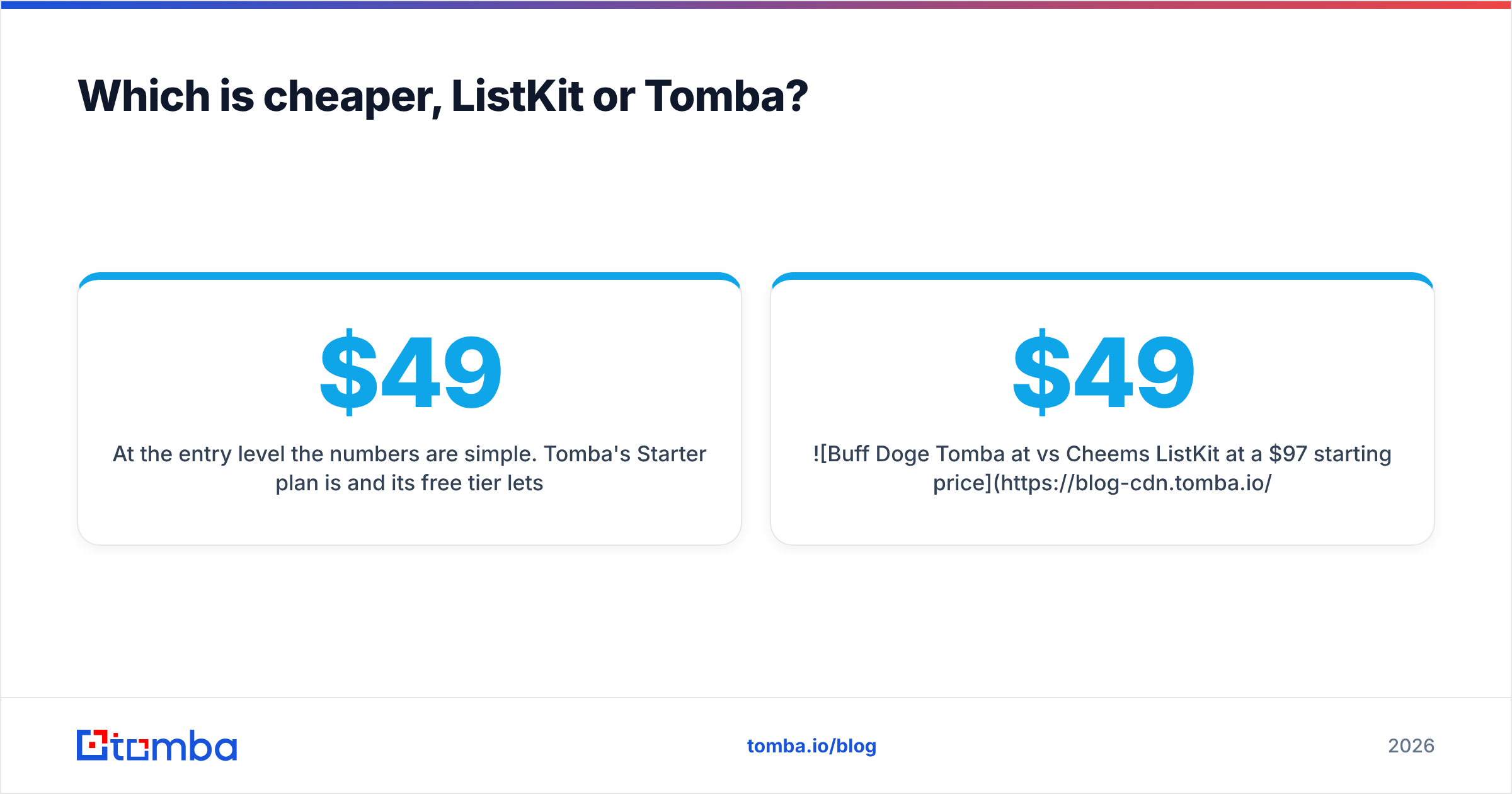
Tomba is cheaper to start with. Which one is cheaper per usable contact depends on your workflow.
At the entry level the numbers are simple. Tomba's Starter plan is $49/mo and its free tier lets you test the data at no cost. ListKit's entry tier is about double that, and third-party reviewers (including ZoomInfo's ListKit pricing breakdown) note there is no ongoing free plan. Evaluating ListKit means paying for at least one month.
Unit economics are a better comparison:
- High-volume cold outbound (5,000+ new contacts/month): ListKit's model does well here. Each exported lead already comes with a verified email and firmographics, so one credit replaces what would otherwise be a search step, a find step and a verify step. If your team measures cost per verified contact on net-new lists, ListKit's higher tiers can be good value.
- Targeted ABM (200–1,000 named accounts): Tomba does better here. You don't need a database of 700M people. You need the six right people at each of your 400 accounts. Paying for a list builder to reach a known account list means paying for filtering you don't use.
- List hygiene: If you buy data from several sources, or have an old CRM export to clean, ListKit won't help much because it verifies its own exports. Tomba's email verifier works on any list.
One more cost detail: ListKit credits expire at the end of each monthly term. If your outbound volume is seasonal, credits you don't use in a slow month are lost. Work out what you will realistically use, not your best-month volume.

How accurate is each tool's email data?#
Both vendors put deliverability first, but they get there in different ways.
ListKit verifies each email again at export. Reviewers generally find its deliverability claims hold up best for US mid-market and enterprise contacts, which is where its database is most complete. On review sites such as G2's ListKit reviews, users regularly praise the ease of use and the verification. Some also say they still see bounces, just fewer than with unverified exports. That is normal. No database is 100% accurate, because people change jobs every week.
Tomba finds the address from a combination of pattern detection, public web sources and its own index, then lets you verify it through an SMTP-level check. Catch-all domains, where the server accepts every address, are where most finders fail quietly. Tomba handles them with a dedicated catch-all verifier so you don't have to guess.
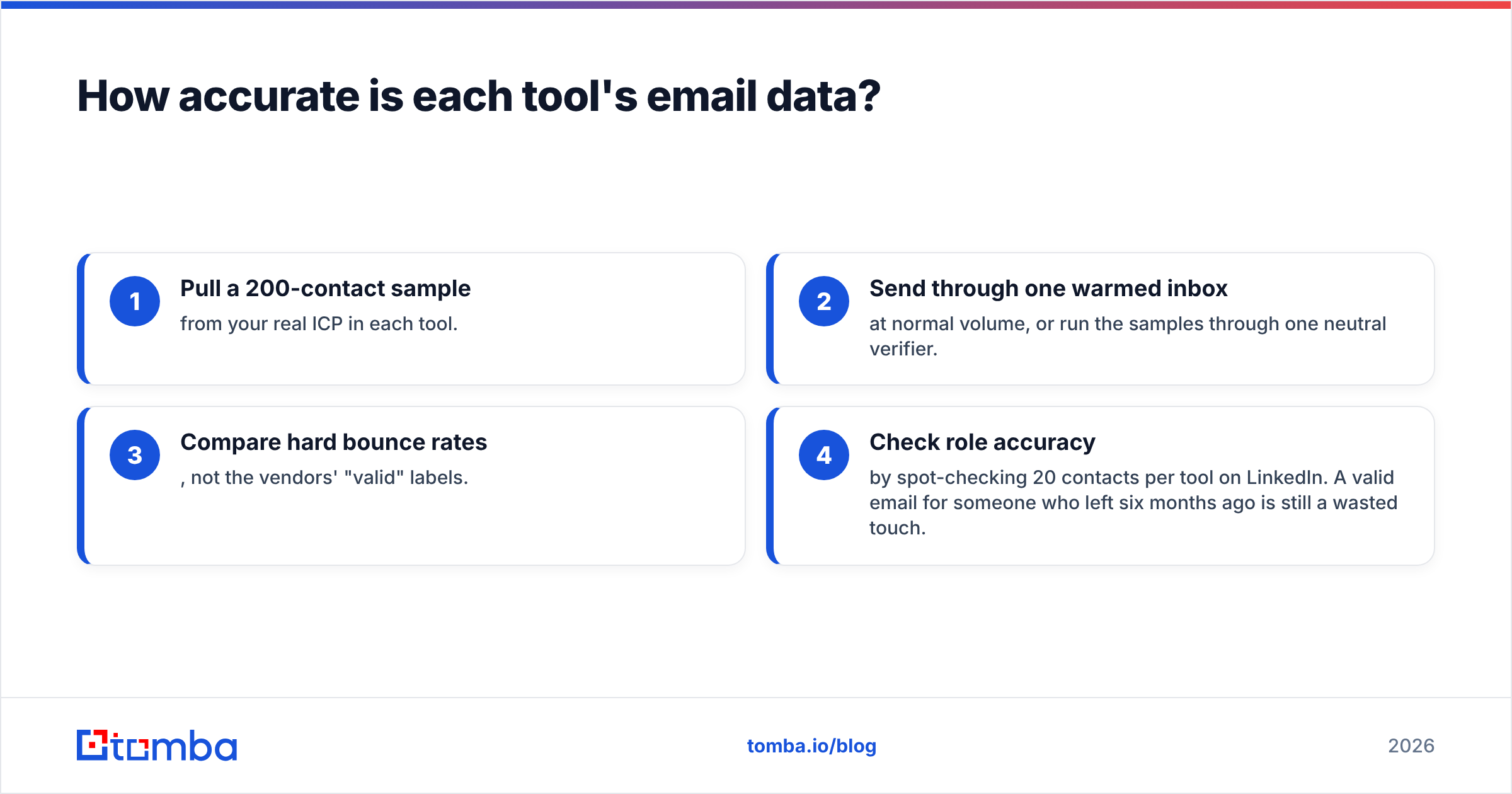
In practice, accuracy depends on the region and the segment you sell into. A tool that's excellent for US SaaS may be average for German manufacturing. The only reliable test:
- Pull a 200-contact sample from your real ICP in each tool.
- Send through one warmed inbox at normal volume, or run the samples through one neutral verifier.
- Compare hard bounce rates, not the vendors' "valid" labels.
- Check role accuracy by spot-checking 20 contacts per tool on LinkedIn. A valid email for someone who left six months ago is still a wasted touch.
Tomba's free tier makes step one free. ListKit requires a paid month, so plan your test inside one billing cycle.
When should you choose ListKit?#
ListKit is the better choice when finding the prospects is the bottleneck, not finding their emails.
Pick ListKit if:
- You run an agency or lead-gen shop that ships thousands of contacts per client per month and needs a repeatable way to build lists.
- Your ICP is broad and mostly US-based, where ListKit's coverage and verification are strongest.
- You don't have SDR research time. If your reps should be writing copy and taking meetings instead of building account lists, export-ready leads save real hours.
- You want infrastructure help. ListKit's done-for-you email engine packages domains, inboxes and campaign setup, which is useful if you'd otherwise run email warmup and DNS setup yourself.
What to watch for: credits don't roll over, there's no free plan to test with, and a single-database model means that segments where ListKit's coverage is thin will stay thin. Also be skeptical of intent data in any list builder. Treat it as a sorting signal, not a buying signal.
When should you choose Tomba?#
Tomba is the better choice when you already know who you want to reach and need an accurate, verified way to contact them, or when email lookup has to run inside other systems.
Pick Tomba if:
- You sell account-based. You have a named account list and need decision-makers at each one. Domain search shows every known address at a company, with sources, so you can map the buying committee.
- You need an API. Tomba exposes finder, verifier, enrichment and phone lookups over a REST API, a CLI and an MCP server. You can find emails from inside a CRM workflow, a product signup flow, or an AI agent.
- You enrich rather than prospect. Inbound form fills, event lists, webinar signups and website visitors all start with partial data. Tomba fills in the gaps.
- You verify lists from several sources. Many teams use a list builder and Tomba, and send every export through Tomba's verifier before sequencing as a single, consistent check.
- You want to start small. A $49/mo plan plus a free tier makes it easy for a founder or a solo SDR to start without committing.
What to watch for: Tomba isn't built to answer "give me 5,000 CMOs in fintech" from a single filter screen the way a dedicated list builder is. If generating net-new volume is your main task, you'll pair Tomba with a sourcing step (LinkedIn Sales Navigator, a target-account list, or a database product).
Can you use ListKit and Tomba together?#
Yes, and for many outbound teams in 2026 that's the most practical setup. The tools overlap less than their marketing suggests.
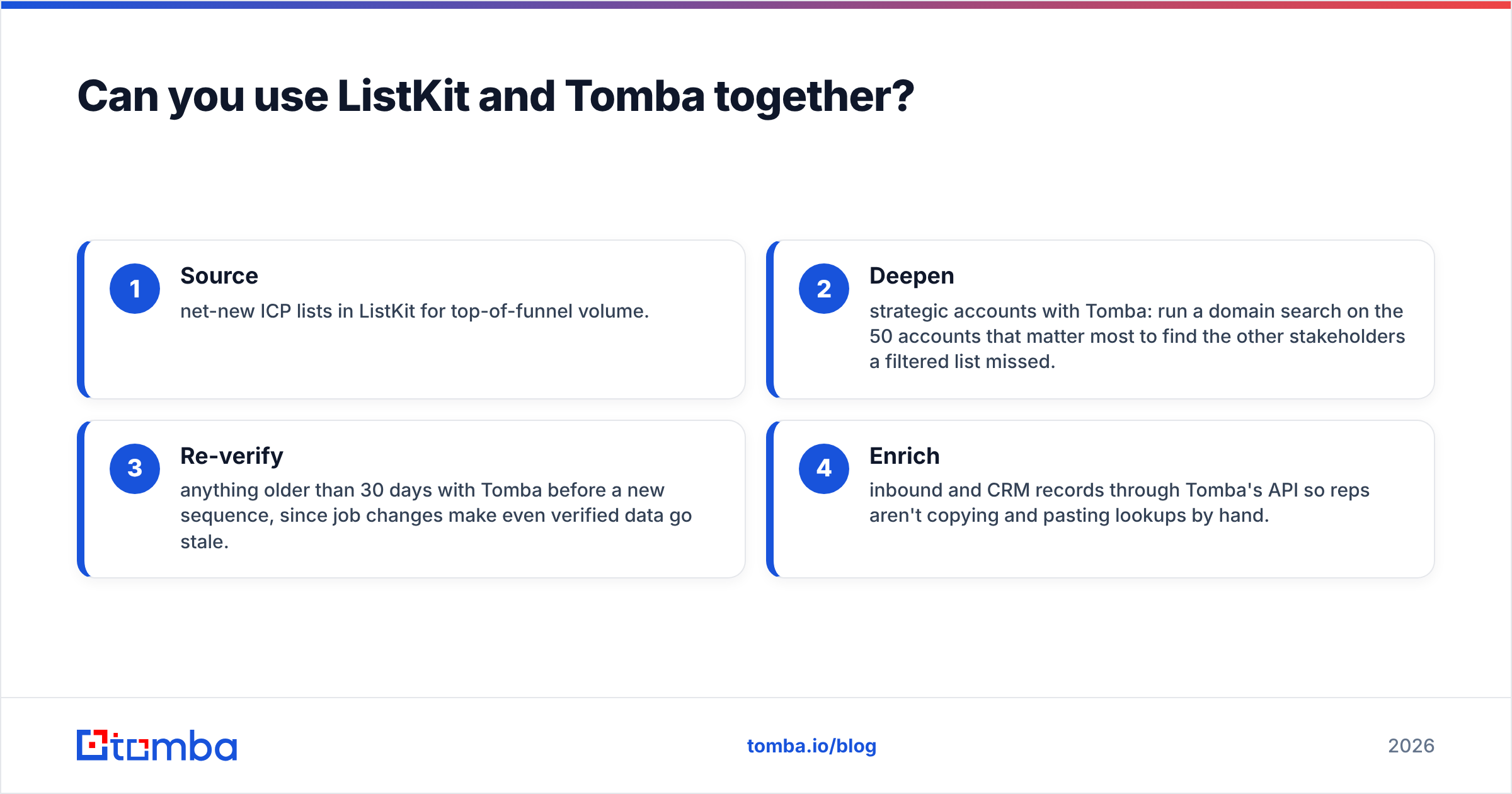
A common split:
- Source net-new ICP lists in ListKit for top-of-funnel volume.
- Deepen strategic accounts with Tomba: run a domain search on the 50 accounts that matter most to find the other stakeholders a filtered list missed.
- Re-verify anything older than 30 days with Tomba before a new sequence, since job changes make even verified data go stale.
- Enrich inbound and CRM records through Tomba's API so reps aren't copying and pasting lookups by hand.

If budget forces you to pick one, decide by your bottleneck. Too few prospects: ListKit. Too few reachable prospects among the accounts you already chose: Tomba.
How do the workflows feel day to day?#
ListKit's daily loop: open the search UI, adjust filters, preview counts, export a CSV, upload it to your sequencer (Instantly, Smartlead, lemlist and so on). It's quick and non-technical, and it suits managers who build lists for a team. Most reviewers say the interface is one of its strongest points.
Tomba's daily loop depends on where you work:
- Browser: the Chrome extension finds emails on company websites and LinkedIn profiles while you browse.
- Spreadsheets: the Google Sheets and Excel add-ins let you find or verify a whole column without exporting anything.
- Bulk: upload a CSV of names and domains and get back found and verified addresses.
- Code: call the API from your CRM, a Zapier/Make scenario, or an AI agent through MCP.
- CRM: native integrations with HubSpot, Salesforce and Pipedrive enrich records where reps already work. HubSpot's CRM documentation is worth reading if you're mapping enriched fields for the first time.
The difference: ListKit is a destination you visit to build lists. Tomba is a set of tools that plugs into the places your team already works.
Which one should you pick in 2026?#
Here is the short decision rule:
- Pick ListKit if your pipeline problem is volume of new contacts, your market is mostly US, and you want export-ready lists with minimal setup. Budget at least ~$97/mo and plan for credits that expire monthly.
- Pick Tomba if your pipeline problem is reaching specific people, you need API or CRM enrichment, or you want one verification layer across every data source. Start free, then $49/mo. See Tomba pricing for the full tier breakdown.
- Use both if you run a mix of high-volume outbound and ABM. Source with ListKit, then deepen, verify and enrich with Tomba.
Whichever you choose, run the 200-contact bounce test on your real ICP first. Reviews and vendor claims give you a shortlist, but only your own bounce data tells you which tool to use.
Ready to find the right people, not just more people?#
If your team already knows which accounts matter and needs verified contacts for the decision-makers at them, Tomba Email Finder is the fastest way to test the approach. Enter a name and domain, get a verified professional address with its public sources, and scale up to bulk, Sheets or API when the numbers hold. The free tier gives you 25 searches a month to check it against your ICP before you spend anything.
Related guides#
// get started
Find, verify and enrich your first contacts today
Start on the free plan with 25 searches a month, then scale when your team is ready.
Free plan · No credit card required · GDPR & CCPA
// about the author