Lusha Data Collection: Where Its Contact Data Really Comes From
Lusha's database is built largely from other users' inboxes, public sources, and partners. Here's how Lusha data collection works, what it means for GDPR, and how to opt out.
TL;DR
- Lusha collects data from three main places: its user "community" (contact details taken from members' email signatures and address books), publicly available sources, and third-party data partners.
- The community model is what gives Lusha its direct dials and mobile numbers. It is also why people who never signed up for Lusha can still find their details in it.
- Lusha says it complies with GDPR and CCPA, relying on "legitimate interest" and offering an opt-out. Whether that is acceptable for your team comes down to your own legal review and your market.
- If you buy B2B data, the question that matters is "can I explain to a prospect where I got their email?", not just "is the data accurate?"
- Tools that index public web sources and show you the source URL for each email, such as Tomba, give you a cleaner provenance story. They usually find fewer mobile numbers.
What is Lusha, and why does its data collection matter?#
Lusha is a B2B contact data platform. It is best known for its Chrome extension, which shows emails and phone numbers on LinkedIn profiles and company websites. Sales reps like it because it often returns a mobile number where other tools only return a switchboard.
That strength comes straight from how Lusha collects data. Everyone who buys contact data inherits the collection method. When you email or call someone using Lusha data, you are the one the prospect asks "how did you get my number?", and under GDPR you are a data controller who has to answer.
So knowing how Lusha collects data isn't just trivia. You need it to decide whether the tool fits your compliance posture, your target regions, and your brand.
Where does Lusha get its data?#
According to Lusha's own privacy materials on lusha.com, the database is assembled from a mix of sources. In practice they break down like this:
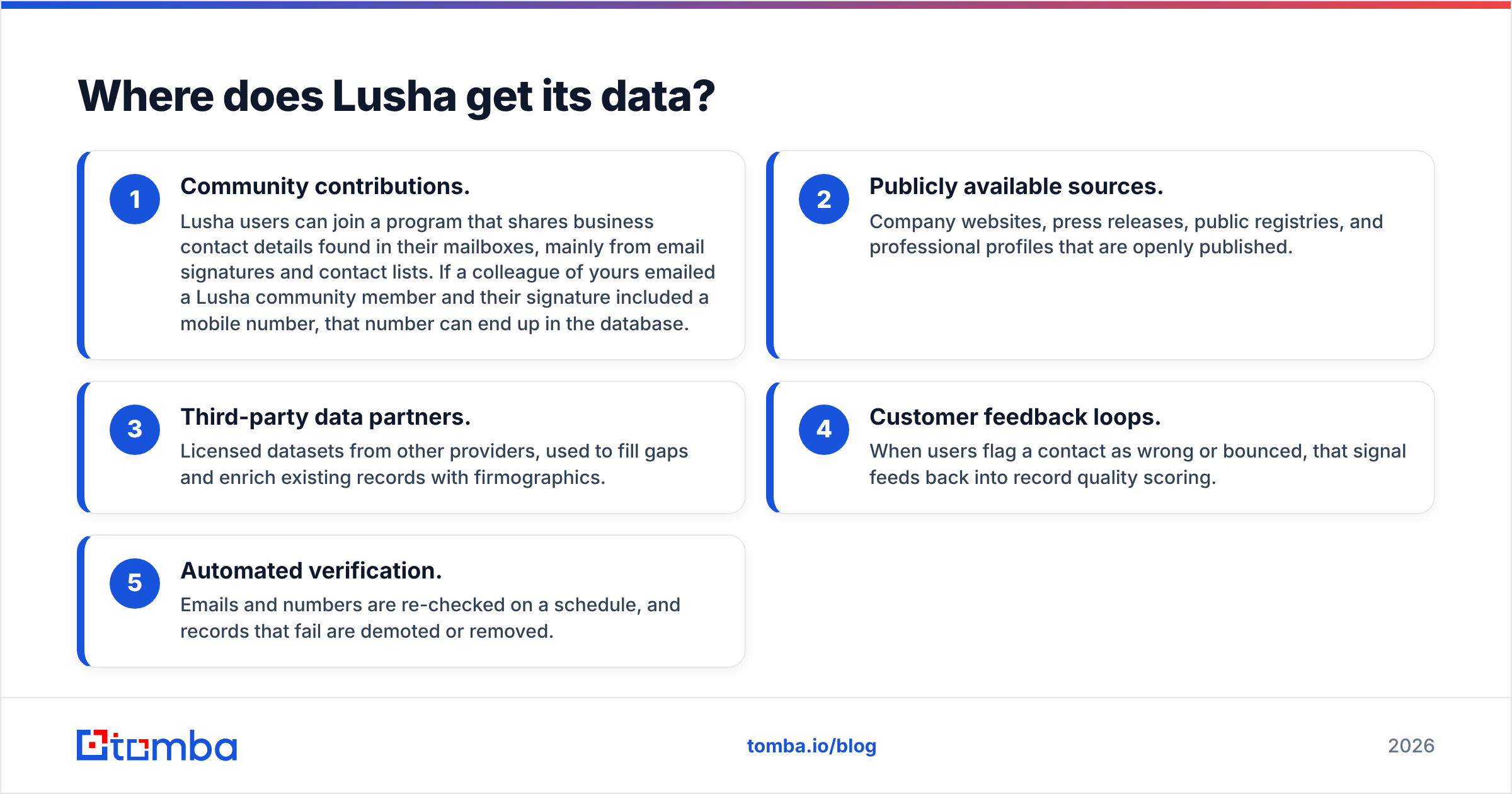
- Community contributions. Lusha users can join a program that shares business contact details found in their mailboxes, mainly from email signatures and contact lists. If a colleague of yours emailed a Lusha community member and their signature included a mobile number, that number can end up in the database.
- Publicly available sources. Company websites, press releases, public registries, and professional profiles that are openly published.
- Third-party data partners. Licensed datasets from other providers, used to fill gaps and enrich existing records with firmographics.
- Customer feedback loops. When users flag a contact as wrong or bounced, that signal feeds back into record quality scoring.
- Automated verification. Emails and numbers are re-checked on a schedule, and records that fail are demoted or removed.
The first item is the one that matters most. The rest are standard for the industry. Crowdsourced address-book data is what sets Lusha apart, and it is also where most of the privacy debate sits.

How does the Lusha community model actually work?#
Think of it as a neighbourhood phone book assembled by the neighbours. Nobody asked you to be listed. Someone who had your number shared it.
Technically, a Lusha user connects a mailbox or installs a plugin that reads business signatures. In exchange they get benefits such as free credits. Lusha's system parses names, titles, companies, emails, and phone numbers out of those signatures, matches them against existing records, and adds or updates entries.
Lusha is not the only company to do this. ZoomInfo has run a contributory network for years, and Apollo has a data network fed by connected inboxes. It is a common model among the big B2B databases because it produces something public web crawling rarely finds: personal mobile numbers and direct dials.
The trade-off:
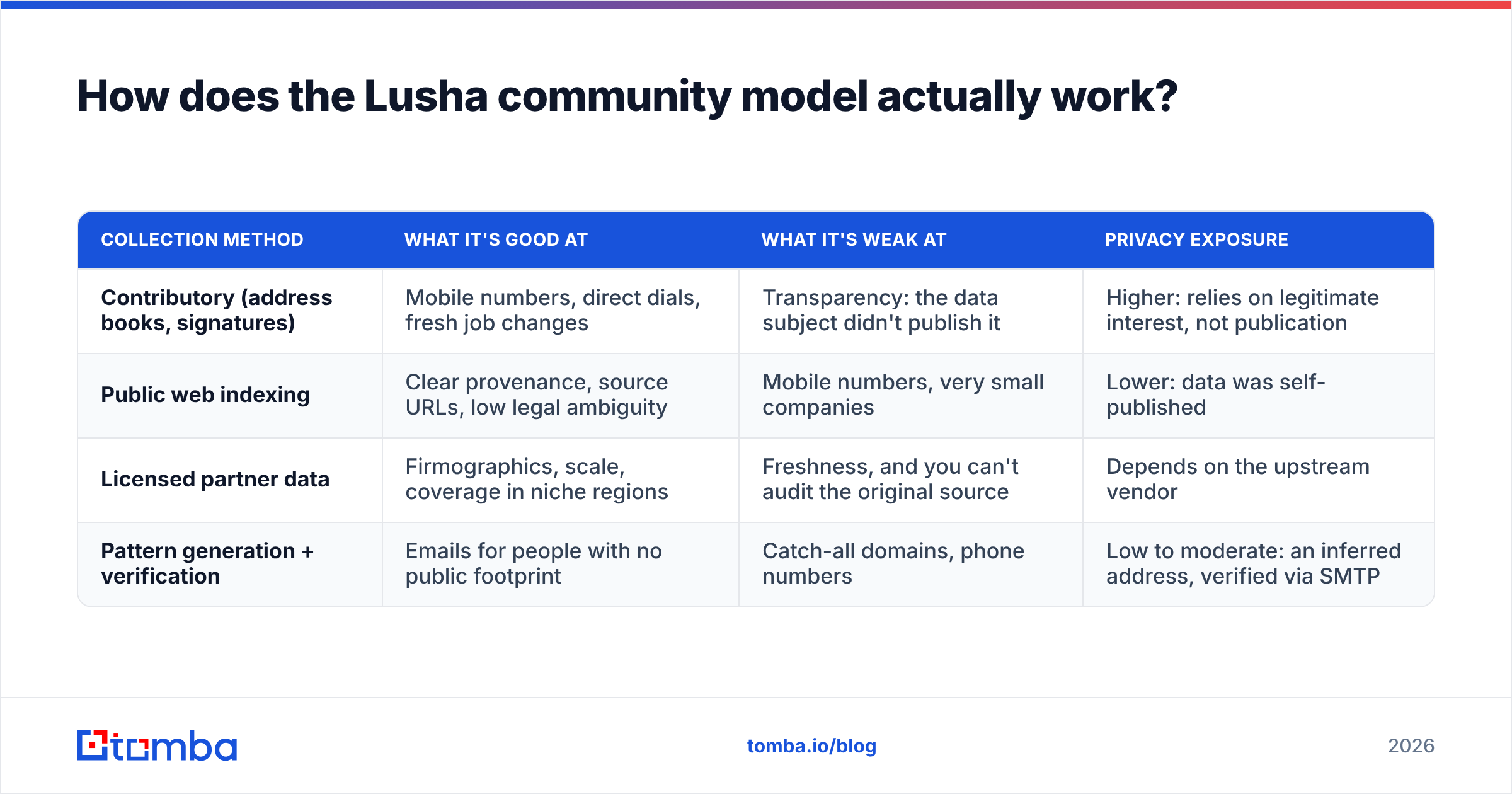
| Collection method | What it's good at | What it's weak at | Privacy exposure |
|---|---|---|---|
| Contributory (address books, signatures) | Mobile numbers, direct dials, fresh job changes | Transparency: the data subject didn't publish it | Higher: relies on legitimate interest, not publication |
| Public web indexing | Clear provenance, source URLs, low legal ambiguity | Mobile numbers, very small companies | Lower: data was self-published |
| Licensed partner data | Firmographics, scale, coverage in niche regions | Freshness, and you can't audit the original source | Depends on the upstream vendor |
| Pattern generation + verification | Emails for people with no public footprint | Catch-all domains, phone numbers | Low to moderate: an inferred address, verified via SMTP |
Most vendors mix all four. The weight they give each one is what separates them, and Lusha leans heavily toward the first.
Is Lusha data collection GDPR compliant?#
Lusha says it is. It has pointed to GDPR and CCPA compliance, ISO 27/001-style security certifications, and SOC 2 audits in its trust materials. Its legal basis for processing business contact data in the EU is legitimate interest under Article 6(1)(f) of the General Data Protection Regulation.
Legitimate interest is a real legal basis, and B2B prospecting can qualify. It is not automatic, though. It requires:
- A legitimate purpose (B2B sales outreach usually passes)
- Necessity (you couldn't reasonably reach the person another way)
- A balancing test (the person's rights don't override your interest)
- Transparency: under Article 14, the person must be told their data is being processed, generally within a month of collection
Contributory data gets strained at the last two points. A mobile number pulled from someone else's inbox is harder to defend in a balancing test than an email the person published on their company's team page. "Lusha is compliant" does not automatically make your use compliant. You are a controller in your own right.
Our practical, non-lawyer reading:
- Selling mainly into the US: the risk is lower. CCPA/CPRA is opt-out based, and B2B cold outreach is broadly allowed if you honour opt-outs and follow CAN-SPAM.
- Selling into Germany, France, or the Nordics: regulators and recipients are much stricter. Cold-calling a mobile number from a contributory database is the scenario most likely to lead to a complaint.
- Selling into regulated industries: your own customers' procurement teams may ask about data provenance. Have an answer ready.
How do you opt out of Lusha?#
Lusha runs a privacy center where individuals can ask to have their data removed or suppressed. The usual flow is to submit your email or phone number, confirm by verification, and have the record suppressed.

The catch applies to every contributory database, not just Lusha: opting out of one vendor does nothing about the others. Your details may sit in a dozen databases fed by the same inbox. Anyone who wants to stay out has to repeat the process with each vendor.
This matters for sellers too. If you pull a contact from Lusha, the prospect replies "remove me," and you then re-import them from another tool next quarter, you now have a suppression problem. Keep a single global do-not-contact list in your CRM and check every import against it, whichever vendor it came from.
How does Lusha's data collection compare to other tools?#
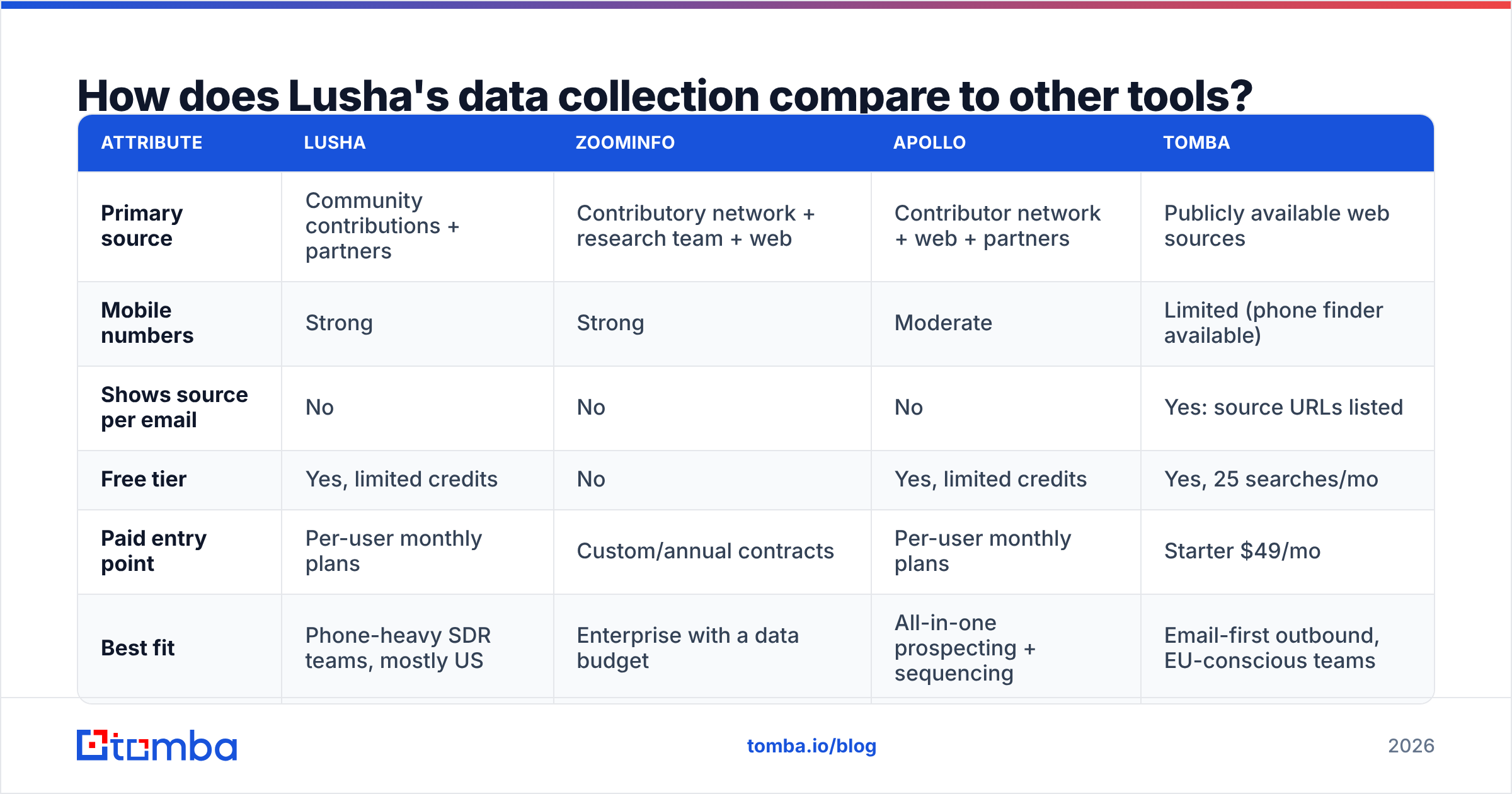
Here is how the main approaches compare, based on each vendor's public descriptions of its sourcing. It is a comparison of collection philosophy, not a benchmark of accuracy.
| Attribute | Lusha | ZoomInfo | Apollo | Tomba |
|---|---|---|---|---|
| Primary source | Community contributions + partners | Contributory network + research team + web | Contributor network + web + partners | Publicly available web sources |
| Mobile numbers | Strong | Strong | Moderate | Limited (phone finder available) |
| Shows source per email | No | No | No | Yes: source URLs listed |
| Free tier | Yes, limited credits | No | Yes, limited credits | Yes, 25 searches/mo |
| Paid entry point | Per-user monthly plans | Custom/annual contracts | Per-user monthly plans | Starter $49/mo |
| Best fit | Phone-heavy SDR teams, mostly US | Enterprise with a data budget | All-in-one prospecting + sequencing | Email-first outbound, EU-conscious teams |
Two notes:
- Pricing for Lusha, ZoomInfo, and Apollo changes often, and it is credit-based with per-user seats. Check each vendor's live pricing page and reviews on G2 before you commit instead of relying on any blog's snapshot, this one included.
- "Shows source" is the undervalued column. When a prospect asks where you found them, "it was listed on your company's About page (here's the link)" ends the conversation. "A database vendor had it" often doesn't.
If you're weighing the wider field, our Apollo alternative breakdown covers similar trade-offs for all-in-one platforms.
What are the real pros and cons of Lusha's approach?#
In fairness to Lusha, the contributory model exists because it works.
Pros
- Phone coverage. For SDR teams whose motion is built on calling, Lusha's mobile hit rate is the reason they buy it. Public web sources won't match it.
- Freshness on job changes. Email signatures update when people move companies, so community data can pick up a job change before LinkedIn scrapers do.
- Speed of use. The extension is fast, and the learning curve is close to zero.
- Security posture. Lusha has invested visibly in certifications and a privacy center, which helps with vendor security reviews.
Cons
- Provenance is opaque. You can't see why a given number is in the database.
- Recipient perception. A cold call to a personal mobile can feel intrusive, especially in Europe, and that reflects on your brand, not Lusha's.
- Opt-out fragmentation. You inherit a data-subject-rights workload you can't fully control.
- Credit economics. Phone reveals usually cost more credits than emails, so per-contact cost climbs quickly for phone-heavy use.
None of these disqualifies Lusha. They are the things to weigh against your market and sales motion.
How should you evaluate any vendor's data collection?#
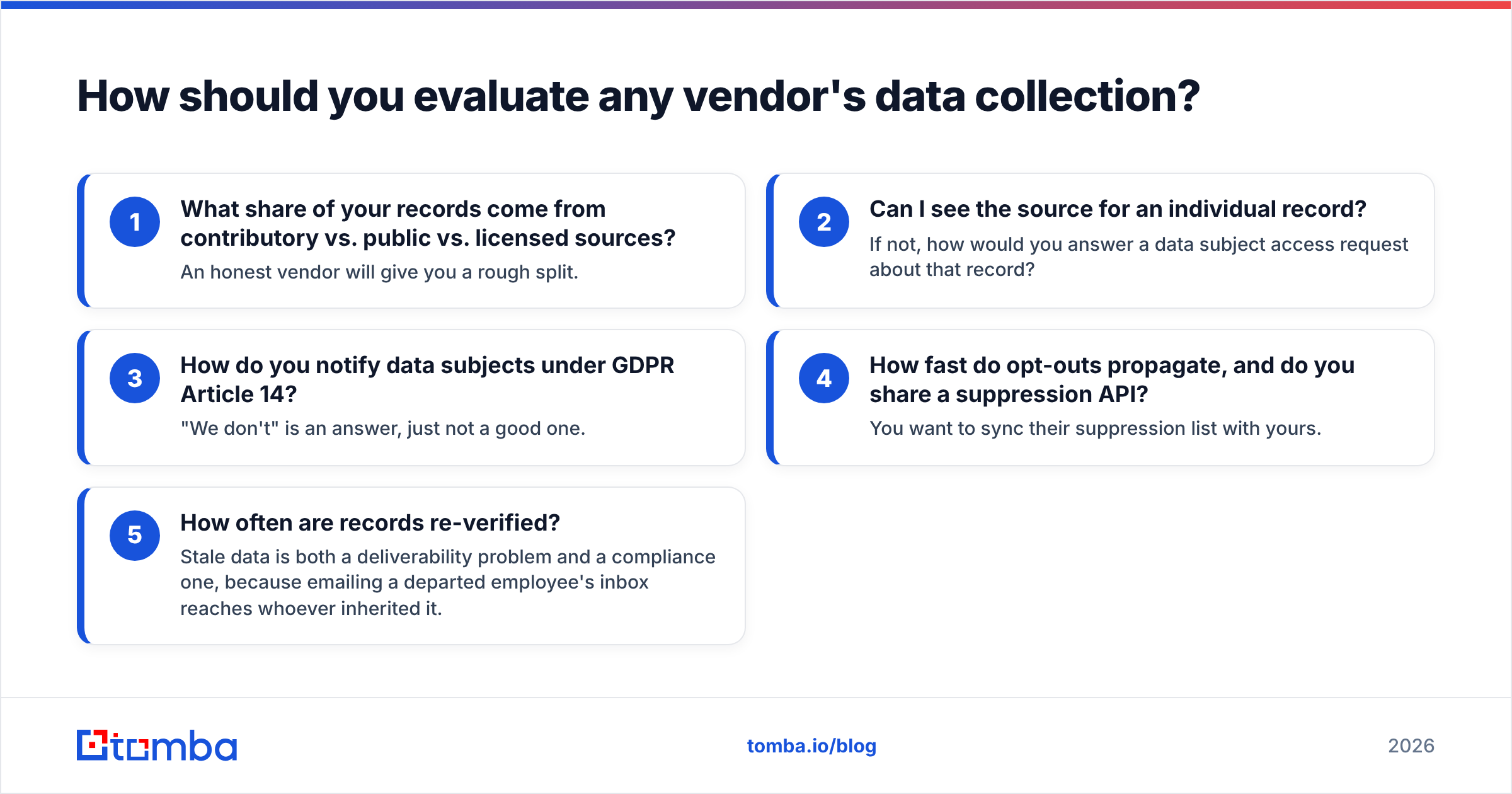
Whether you pick Lusha, Tomba, or something else, ask every vendor these five questions before signing:
- What share of your records come from contributory vs. public vs. licensed sources? An honest vendor will give you a rough split.
- Can I see the source for an individual record? If not, how would you answer a data subject access request about that record?
- How do you notify data subjects under GDPR Article 14? "We don't" is an answer, just not a good one.
- How fast do opt-outs propagate, and do you share a suppression API? You want to sync their suppression list with yours.
- How often are records re-verified? Stale data is both a deliverability problem and a compliance one, because emailing a departed employee's inbox reaches whoever inherited it.
Also run any list you buy through an independent email verifier before sending, whatever the vendor promises. Bounce rates are the fastest way to burn a sending domain, and a verification pass is cheap insurance.
When is a public-source email finder the better choice?#
A public-source tool is the better choice when your outbound motion is email-first and you sell into markets where provenance matters.
Public-source finders crawl company websites, press pages, author bylines, public documents, and similar pages where people chose to publish their work email. You can read how that works in Tomba's data sources overview. The result is a record with a citation attached. The trade-off is fewer mobile numbers and thinner coverage on very small companies with little web presence.
A sensible stack for many teams:
- A public-source email finder for the bulk of email prospecting, with source URLs kept in your CRM
- A verifier pass on every list before it enters a sequence
- A phone-focused tool (Lusha is a reasonable pick here) used deliberately, for a short list of high-value accounts where a call is justified and you're comfortable with the jurisdiction
This way each tool does what its collection method is good at, and you don't stake your whole compliance story on one vendor's legal basis.
So, should you use Lusha?#
Use Lusha if your team makes a lot of calls, sells mostly into North America, and has a legal team that has signed off on legitimate-interest processing of contributory data. Its phone coverage is hard to match, and its security investment is real.
Think twice, or pair it with a public-source tool, if you're email-led, sell into the EU, or work with customers who ask about data provenance in procurement. What decides it is less whether the data is accurate than whether you can defend how it was collected when a prospect asks.
If your outreach is email-first and you want to show exactly where each address came from, try the Tomba Email Finder. Search by domain, name, or company, see the public sources behind every result, and start on the free tier with 25 searches a month before moving to a paid plan.
Related guides#
// get started
Find, verify and enrich your first contacts today
Start on the free plan with 25 searches a month, then scale when your team is ready.
Free plan · No credit card required · GDPR & CCPA
// about the author