Lusha Email Finder Review 2026: Accuracy, Pricing and Alternatives
Lusha is quick inside LinkedIn and the CRM, but its credit caps shape how much you can actually do with it. Here is where the Lusha email finder fits, what it costs, and when another tool fits better.
TL;DR
- The Lusha email finder works best inside a browser. You open a LinkedIn profile, company site or CRM record, click the extension, and get a work email plus, often, a direct dial.
- It is built for reps who work account by account. Teams that need thousands of emails a month from domains or CSV files will find the credit model restrictive.
- Paid plans are priced per user and come with a monthly or annual credit allowance. Phone numbers cost more credits than emails, which is the main thing that drives up your real cost.
- Lusha's contact data is strong in North America and at mid-market companies. Coverage of small businesses and some non-English markets varies more, so verify before you send.
- For domain-level search, bulk finding and built-in verification at a flat monthly price, tools such as Tomba are worth a side-by-side test.
What is the Lusha email finder?#
Lusha is a B2B contact data platform founded in 2016. Its best-known product is the browser extension. You open someone's LinkedIn profile, a company website, or a record in Salesforce or HubSpot, and Lusha shows you a verified business email, a phone number where it has one, and firmographic details about the company.
The "email finder" is not a separate product. It is the email part of Lusha's contact reveal. When you reveal a contact, Lusha looks up the person in its database and returns what it holds. Around that core, the platform has added a prospecting search, list building, intent signals, and CRM enrichment. Lusha's own product pages describe the full feature set at lusha.com.
In practice this means Lusha is database-first. It does not generate candidate addresses from a pattern and test them in real time the way pattern-based finders do. If the person is in the dataset, you get a result immediately. If they are not, you usually get nothing, not a best guess.
How does the Lusha email finder actually work?#
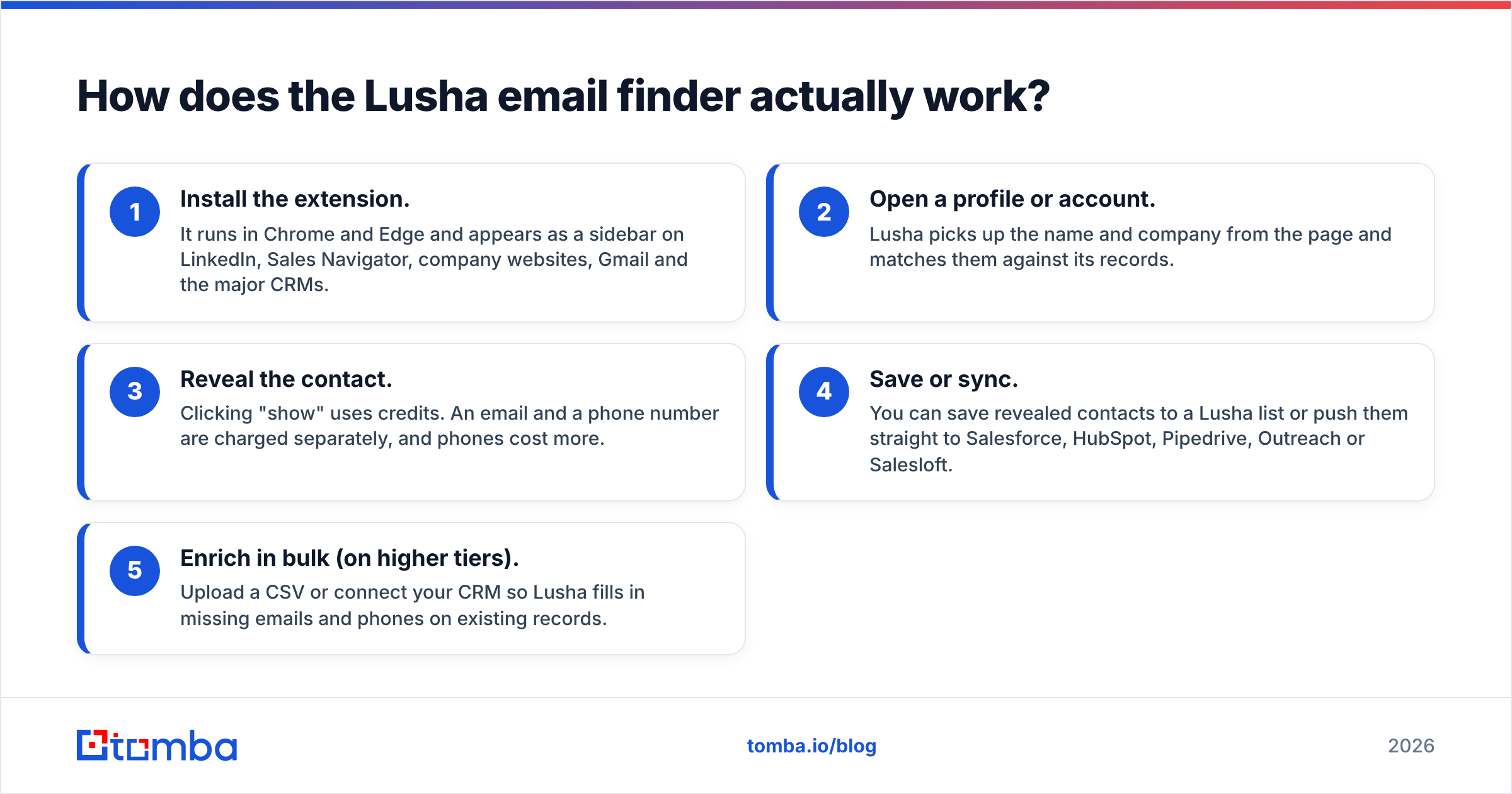
A typical workflow has five steps:
- Install the extension. It runs in Chrome and Edge and appears as a sidebar on LinkedIn, Sales Navigator, company websites, Gmail and the major CRMs.
- Open a profile or account. Lusha picks up the name and company from the page and matches them against its records.
- Reveal the contact. Clicking "show" uses credits. An email and a phone number are charged separately, and phones cost more.
- Save or sync. You can save revealed contacts to a Lusha list or push them straight to Salesforce, HubSpot, Pipedrive, Outreach or Salesloft.
- Enrich in bulk (on higher tiers). Upload a CSV or connect your CRM so Lusha fills in missing emails and phones on existing records.
The browser experience is very smooth. For an SDR who researches 30 accounts a day in Sales Navigator, the whole thing takes a few seconds per contact. That speed is the main reason Lusha is so popular with frontline reps.

How accurate is the Lusha email finder?#
Accuracy depends on which segment you prospect into. In G2 reviews (Lusha on G2) users consistently praise Lusha's US and UK mid-market data, especially direct dials. The complaints that come up again and again are:
- Stale records at fast-moving startups, where people change roles often and the database lags behind.
- Thinner coverage outside North America and Western Europe, particularly for smaller firms.
- "No result" on long-tail contacts. A database-first tool can only return records it already holds.
Two things matter more than any headline accuracy percentage:
- Bounce rate after sending. Revealed emails still need a check before they go into a sequence, especially on catch-all domains. A separate email verifier pass before every send is standard practice, whichever finder you use.
- Fill rate on your ICP. Run 100 contacts from your real target list through each tool. The tool that returns the most deliverable emails for your market is the accurate one for you, whatever the vendor's benchmark says.
How much does Lusha cost in 2026?#
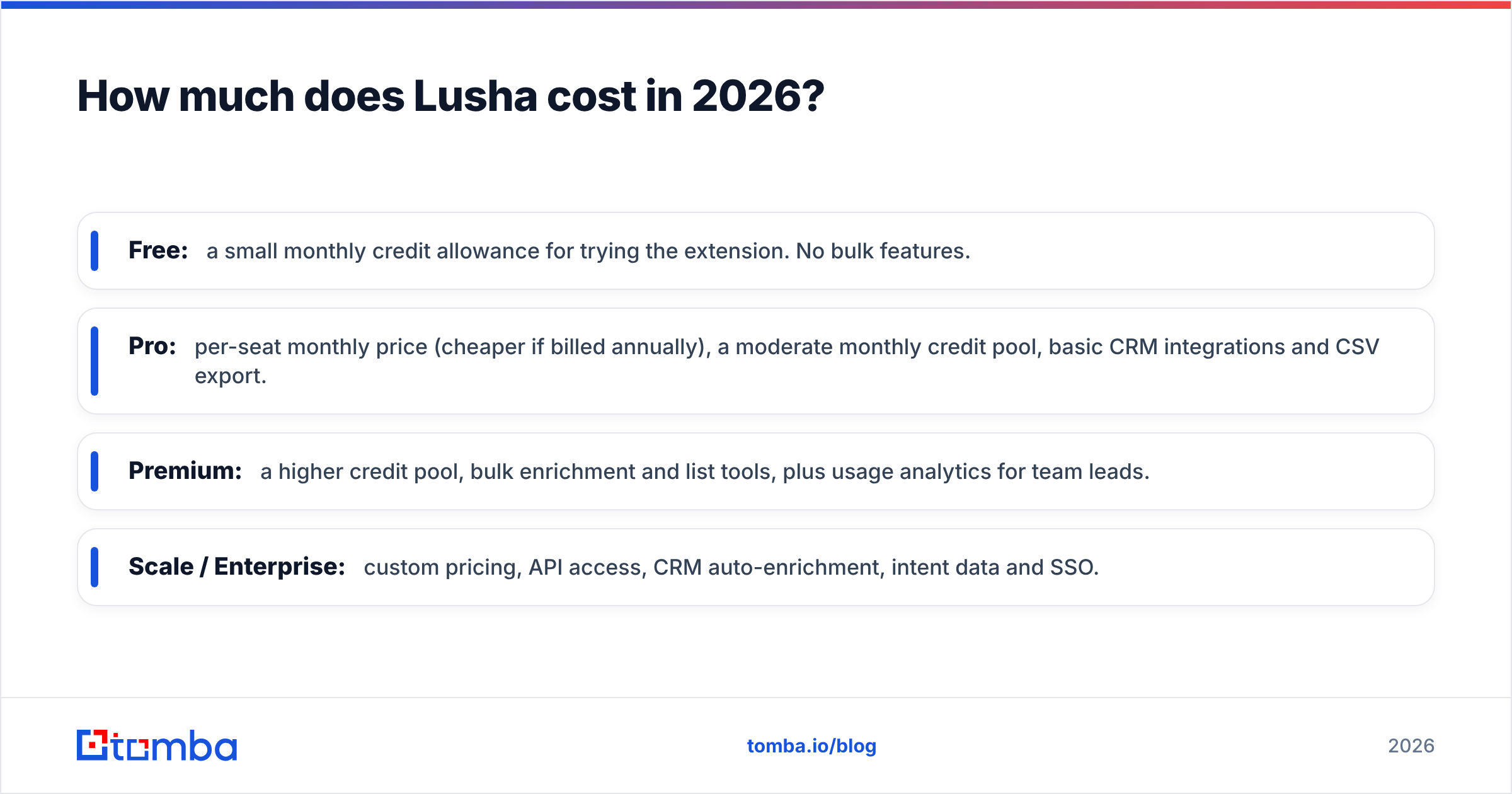
Lusha charges per user and gives each plan a credit allowance. The tiers have roughly the same shape year to year. Check the live Lusha pricing page before you buy, because allowances and per-seat prices change often.
- Free: a small monthly credit allowance for trying the extension. No bulk features.
- Pro: per-seat monthly price (cheaper if billed annually), a moderate monthly credit pool, basic CRM integrations and CSV export.
- Premium: a higher credit pool, bulk enrichment and list tools, plus usage analytics for team leads.
- Scale / Enterprise: custom pricing, API access, CRM auto-enrichment, intent data and SSO.
The pricing detail most buyers miss is credit weighting. An email reveal costs one credit. A phone reveal costs several. If your team reveals both for every contact, your effective allowance drops sharply. Credits also generally do not roll over indefinitely, so an unused month is lost value.
Is the Lusha email finder better than Tomba, Apollo or Hunter?#
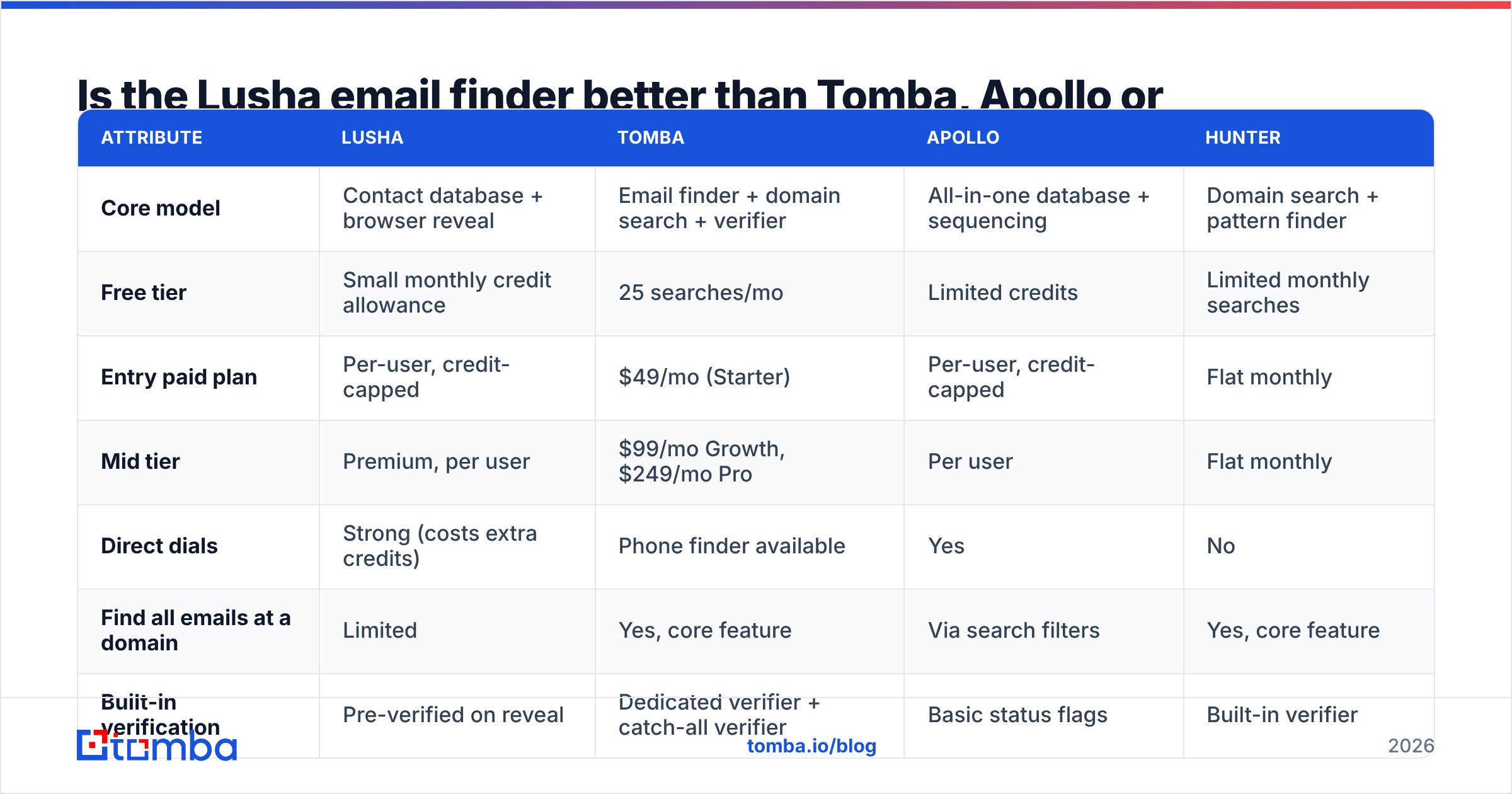
It depends on how you prospect. Lusha is the better fit for rep-level, profile-by-profile research with phone numbers. Domain-first tools fit better when you start from a list of companies and need everyone at them, or when you run large bulk jobs. Here is how the main options compare.

| Attribute | Lusha | Tomba | Apollo | Hunter |
|---|---|---|---|---|
| Core model | Contact database + browser reveal | Email finder + domain search + verifier | All-in-one database + sequencing | Domain search + pattern finder |
| Free tier | Small monthly credit allowance | 25 searches/mo | Limited credits | Limited monthly searches |
| Entry paid plan | Per-user, credit-capped | $49/mo (Starter) | Per-user, credit-capped | Flat monthly |
| Mid tier | Premium, per user | $99/mo Growth, $249/mo Pro | Per user | Flat monthly |
| Direct dials | Strong (costs extra credits) | Phone finder available | Yes | No |
| Find all emails at a domain | Limited | Yes, core feature | Via search filters | Yes, core feature |
| Built-in verification | Pre-verified on reveal | Dedicated verifier + catch-all verifier | Basic status flags | Built-in verifier |
| Bulk / CSV | Higher tiers | All paid plans | Yes | Yes |
| API | Enterprise-focused | Available on plans, Tomba API | Yes | Yes |
| Best for | SDRs working LinkedIn with phones | Domain- and list-driven prospecting at flat cost | Teams wanting data + sequencer in one | Content and SEO outreach |
A few honest takeaways:
- If phone numbers are your main channel, Lusha is hard to beat for ease of use. Cold-calling teams often keep it for that reason alone.
- If you start from domains, for example a target account list, event exhibitors or a technographic export, a domain-first finder gives you more contacts per dollar.
- If you want one tool for data and sending, Apollo bundles a sequencer. The trade-off is data depth on some segments. See our Apollo alternative breakdown for the detail.
What are the pros and cons of Lusha?#
Pros
- Fast browser workflow. One click on a LinkedIn or CRM page, and data syncs straight to your CRM.
- Strong direct-dial coverage, especially in the US.
- Compliance posture. Lusha publicly states it complies with GDPR and CCPA and holds security certifications. This matters to enterprise procurement.
- Low learning curve. New reps can use it on day one.
Cons
- Per-seat pricing adds up quickly as the team grows.
- Credit weighting makes phone-heavy use expensive.
- Database-first coverage leaves gaps for small companies and niche regions.
- Bulk and API features sit on higher tiers, which puts ops-heavy use cases out of reach on entry plans.
When should you pick a Lusha alternative?#
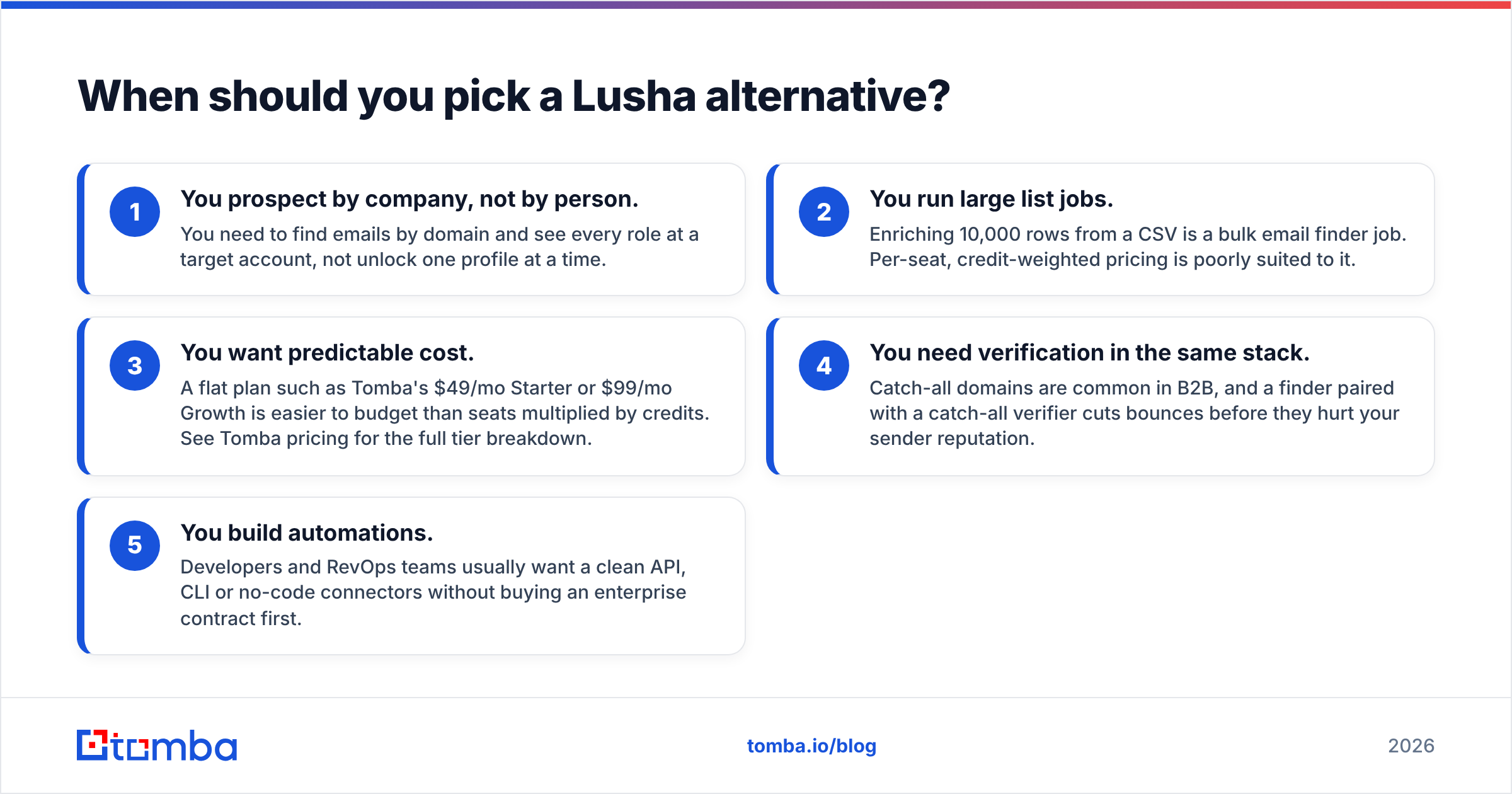
Look beyond Lusha if any of these describe your team:
- You prospect by company, not by person. You need to find emails by domain and see every role at a target account, not unlock one profile at a time.
- You run large list jobs. Enriching 10,000 rows from a CSV is a bulk email finder job. Per-seat, credit-weighted pricing is poorly suited to it.
- You want predictable cost. A flat plan such as Tomba's $49/mo Starter or $99/mo Growth is easier to budget than seats multiplied by credits. See Tomba pricing for the full tier breakdown.
- You need verification in the same stack. Catch-all domains are common in B2B, and a finder paired with a catch-all verifier cuts bounces before they hurt your sender reputation.
- You build automations. Developers and RevOps teams usually want a clean API, CLI or no-code connectors without buying an enterprise contract first.
How do you test the Lusha email finder before committing?#
Don't decide from feature lists. Run a two-week bake-off:
- Build a 100-contact sample from your real ICP: the same titles, company sizes and regions you will actually prospect.
- Run it through Lusha and one or two alternatives. Record the fill rate (emails returned), the phone fill rate and the credits used.
- Verify every returned email with the same independent verifier so the scoring is fair.
- Send a small, warmed-up test and track hard bounces and replies.
- Calculate cost per deliverable contact, not cost per credit. That number decides the winner.
Most teams end up with a clear answer. Some keep Lusha for rep-level phone work and add a domain-first finder for list building. Others consolidate on one platform to cut seat costs.
Frequently asked questions#
Is the Lusha email finder free? Lusha has a free plan with a small monthly credit allowance, which is enough to test the extension. Real prospecting volume requires a paid seat.
Does Lusha verify emails? Lusha marks the emails it returns as verified according to its own checks. Many teams still run a separate verification pass before sequencing, particularly on catch-all domains.
Can Lusha find emails from a company domain? Lusha's prospecting search can filter by company. Its strength is revealing individual contacts, though. Tools built around domain search return every indexed email at a domain in a single query.
Is Lusha GDPR compliant? Lusha states that it complies with GDPR and CCPA. Your own outreach still needs a lawful basis, such as legitimate interest, and an easy way to opt out.
Should you use Lusha or try Tomba?#
Keep Lusha if your reps live in LinkedIn and pick up the phone. It is fast, polished and strong on direct dials. If most of your pipeline starts from company domains, CSV lists or automated workflows, test a finder that charges a flat monthly price and ships verification in the same box. The Tomba Email Finder lets you find professional emails by name, domain or company, then run them through Tomba's verifier and catch-all checks before they reach your sequencer. Start on the free tier with 25 searches a month, run the same 100-contact bake-off described above, and let the cost-per-deliverable-email number make the decision.
Related guides#
// get started
Find, verify and enrich your first contacts today
Start on the free plan with 25 searches a month, then scale when your team is ready.
Free plan · No credit card required · GDPR & CCPA
// about the author