Lusha Pros and Cons in 2026: An Honest Review for B2B Sales Teams
Lusha gets reps to a direct dial in two clicks, but phone reveals use credits fast and per-seat pricing adds up. Here is where Lusha is worth the money and where another tool fits better.
TL;DR
- Lusha is strongest when reps need mobile numbers and direct dials fast. Its Chrome extension on LinkedIn and in the CRM is one of the smoothest in the category.
- The biggest downside is credit economics. A phone reveal costs far more credits than an email, so teams that make a lot of calls run through their allowance quickly.
- Pricing is per seat, which works for a 3-person SDR pod and gets expensive for a 20-person team or a RevOps team enriching in bulk.
- Coverage is strongest for North American mid-market and enterprise contacts. It is patchier for small companies, some EU markets and niche industries.
- If your workflow is email-first, domain-based or API-heavy, a dedicated email finder like Tomba usually costs less per verified contact. If you live on the phone, Lusha is hard to beat.
What is Lusha, and who is it built for?#
Lusha is a B2B contact data platform founded in 2016. It became popular because of one simple thing: you open a LinkedIn profile, click the extension, and see a work email and phone number. Since then it has added company search, intent signals, job-change alerts, list building, CRM enrichment and a lightweight sequencing module (Lusha Engage).
Think of Lusha as a well-stocked convenience store rather than a warehouse. You pay a premium for each item, but it's right there when you need it and you don't have to plan the trip. That model suits:
- SDRs and AEs who prospect one account at a time from LinkedIn or Salesforce
- Phone-heavy teams in staffing, SaaS, insurance and financial services who need a mobile number rather than a switchboard
- Small and mid-sized sales teams that want something they can roll out in an afternoon without RevOps help
It's a weaker fit for teams that want to enrich 50,000 CRM records every quarter, pull every email at a target domain, or pipe lookups through an API at scale. Those jobs favour volume-priced tools.
You can review current plan details on Lusha's official pricing page. Tiers and credit allowances have changed several times since 2023, so check the live numbers before you budget.
What are Lusha's biggest pros?#
Here are the strengths that come up most often in hands-on use and in Lusha's G2 reviews:
- Phone data quality. This is Lusha's clearest advantage. Its direct dials and mobile numbers for North American decision-makers are consistently among the better options on the market, and connect rates are its main selling point.
- A fast, low-friction extension. It works on LinkedIn, Sales Navigator, Gmail, Salesforce and HubSpot. Reps don't have to switch tabs, which keeps them using it.
- Compliance posture. Lusha promotes GDPR and CCPA alignment plus ISO 27001 and SOC 2 certifications. That shortens procurement reviews at security-conscious buyers.
- Easy onboarding. Most teams are productive on day one. Admin controls, credit allocation per user and usage reporting are simple.
- Useful signals on higher tiers. Job-change alerts, hiring signals and intent topics let reps time their outreach instead of cold-dialling a static list.
- CRM enrichment in place. Native Salesforce and HubSpot integrations can fill missing fields on existing records without a CSV round trip.
If your reps' main question is "who picks up the phone at this account?", these pros matter far more than anything in the cons list.
What are Lusha's biggest cons?#
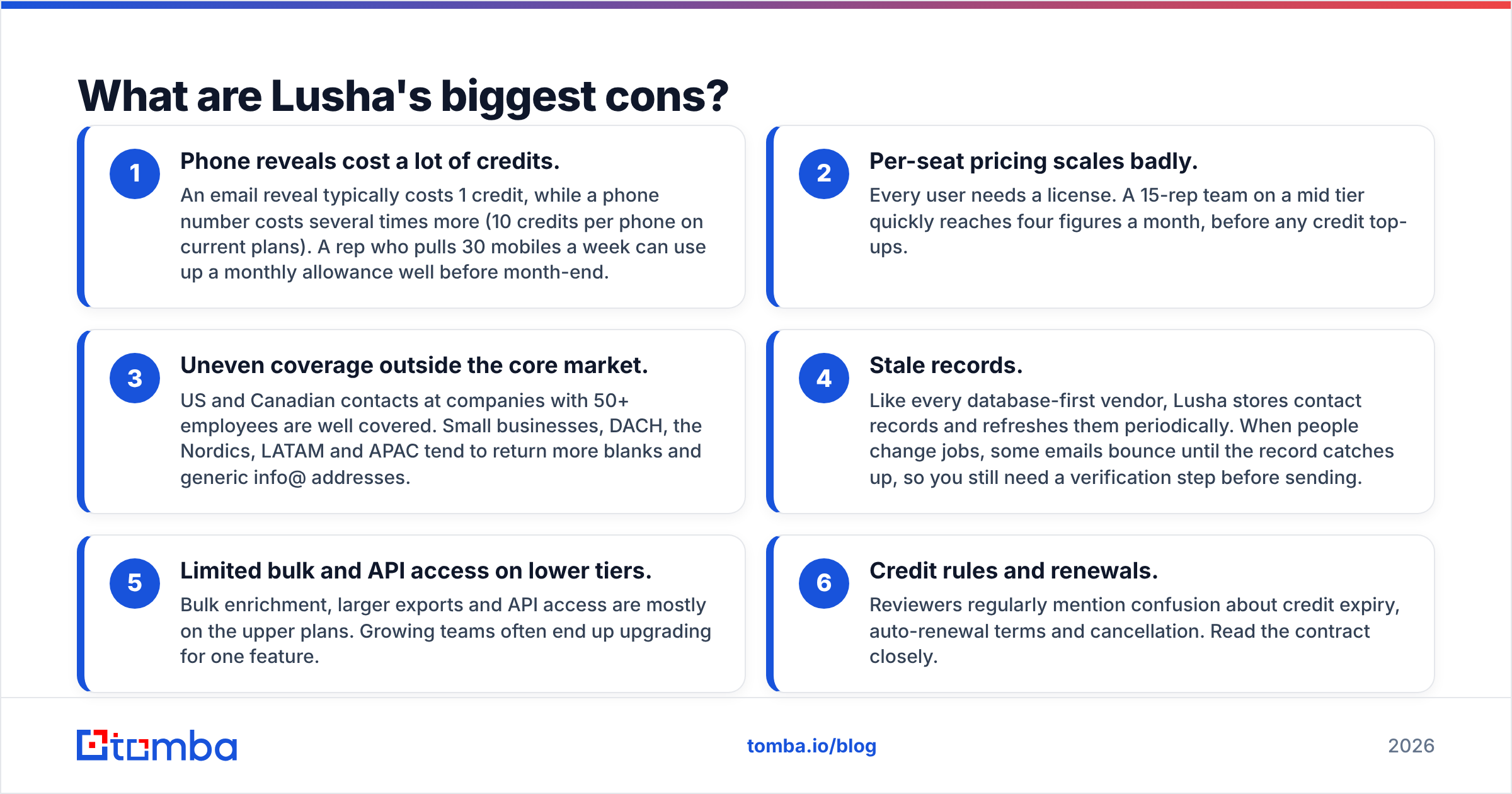
The same things that make Lusha convenient create its weaknesses:
- Phone reveals cost a lot of credits. An email reveal typically costs 1 credit, while a phone number costs several times more (10 credits per phone on current plans). A rep who pulls 30 mobiles a week can use up a monthly allowance well before month-end.
- Per-seat pricing scales badly. Every user needs a license. A 15-rep team on a mid tier quickly reaches four figures a month, before any credit top-ups.
- Uneven coverage outside the core market. US and Canadian contacts at companies with 50+ employees are well covered. Small businesses, DACH, the Nordics, LATAM and APAC tend to return more blanks and generic info@ addresses.
- Stale records. Like every database-first vendor, Lusha stores contact records and refreshes them periodically. When people change jobs, some emails bounce until the record catches up, so you still need a verification step before sending.
- Limited bulk and API access on lower tiers. Bulk enrichment, larger exports and API access are mostly on the upper plans. Growing teams often end up upgrading for one feature.
- Credit rules and renewals. Reviewers regularly mention confusion about credit expiry, auto-renewal terms and cancellation. Read the contract closely.
None of these are dealbreakers on their own. Together they mean Lusha's real cost per usable contact is often higher than the sticker price suggests.
How do Lusha's pros and cons compare side by side?#
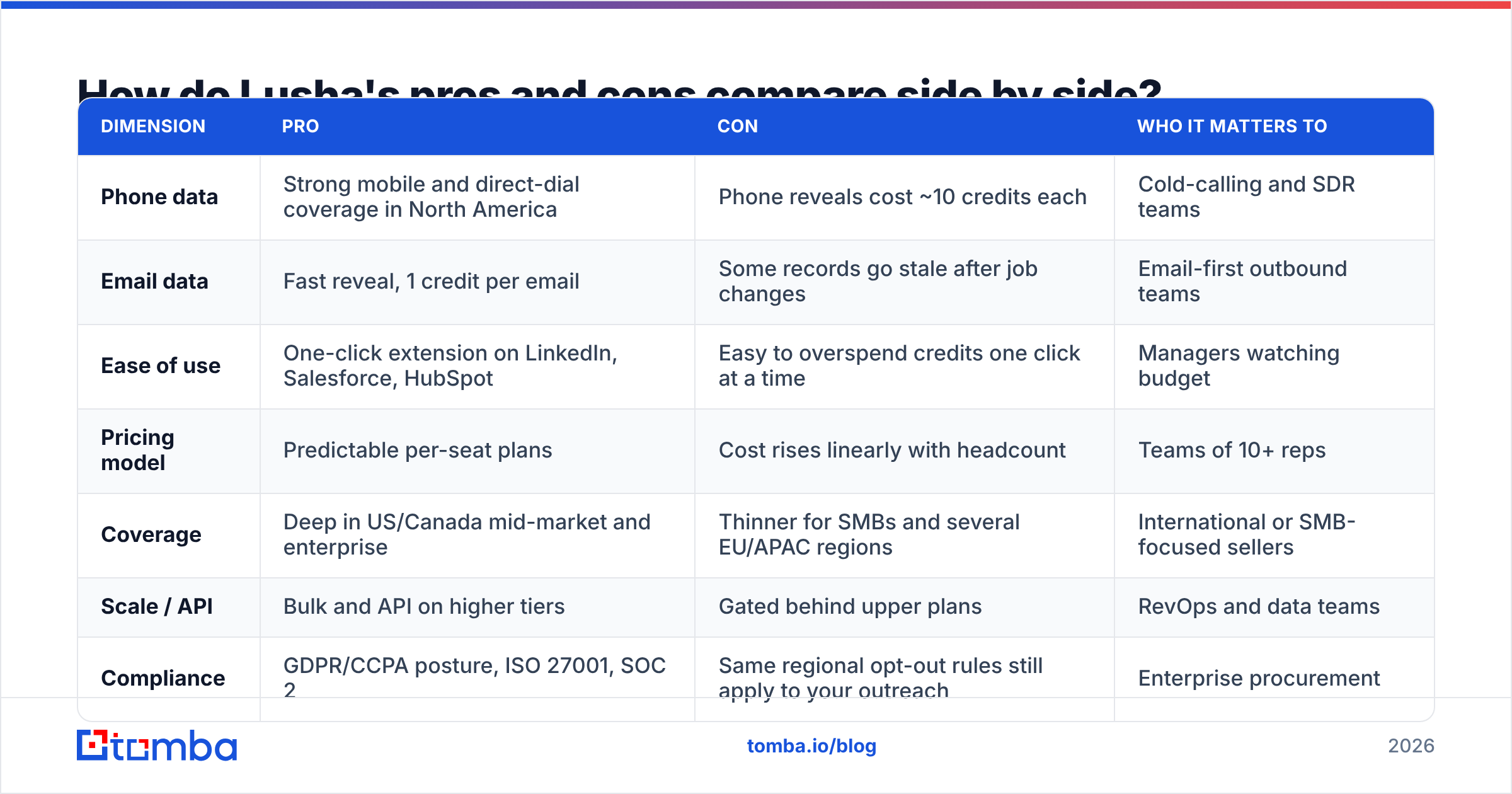
Here is the full picture in one table, so you can map it against your own workflow:
| Dimension | Pro | Con | Who it matters to |
|---|---|---|---|
| Phone data | Strong mobile and direct-dial coverage in North America | Phone reveals cost ~10 credits each | Cold-calling and SDR teams |
| Email data | Fast reveal, 1 credit per email | Some records go stale after job changes | Email-first outbound teams |
| Ease of use | One-click extension on LinkedIn, Salesforce, HubSpot | Easy to overspend credits one click at a time | Managers watching budget |
| Pricing model | Predictable per-seat plans | Cost rises linearly with headcount | Teams of 10+ reps |
| Coverage | Deep in US/Canada mid-market and enterprise | Thinner for SMBs and several EU/APAC regions | International or SMB-focused sellers |
| Scale / API | Bulk and API on higher tiers | Gated behind upper plans | RevOps and data teams |
| Compliance | GDPR/CCPA posture, ISO 27001, SOC 2 | Same regional opt-out rules still apply to your outreach | Enterprise procurement |
The pattern is clear. Lusha gives you quality and convenience per contact, and you pay for it in cost per contact.
How much does Lusha actually cost per usable contact?#
Sticker price is the wrong number to compare. What you should calculate is cost per contact you can actually reach.
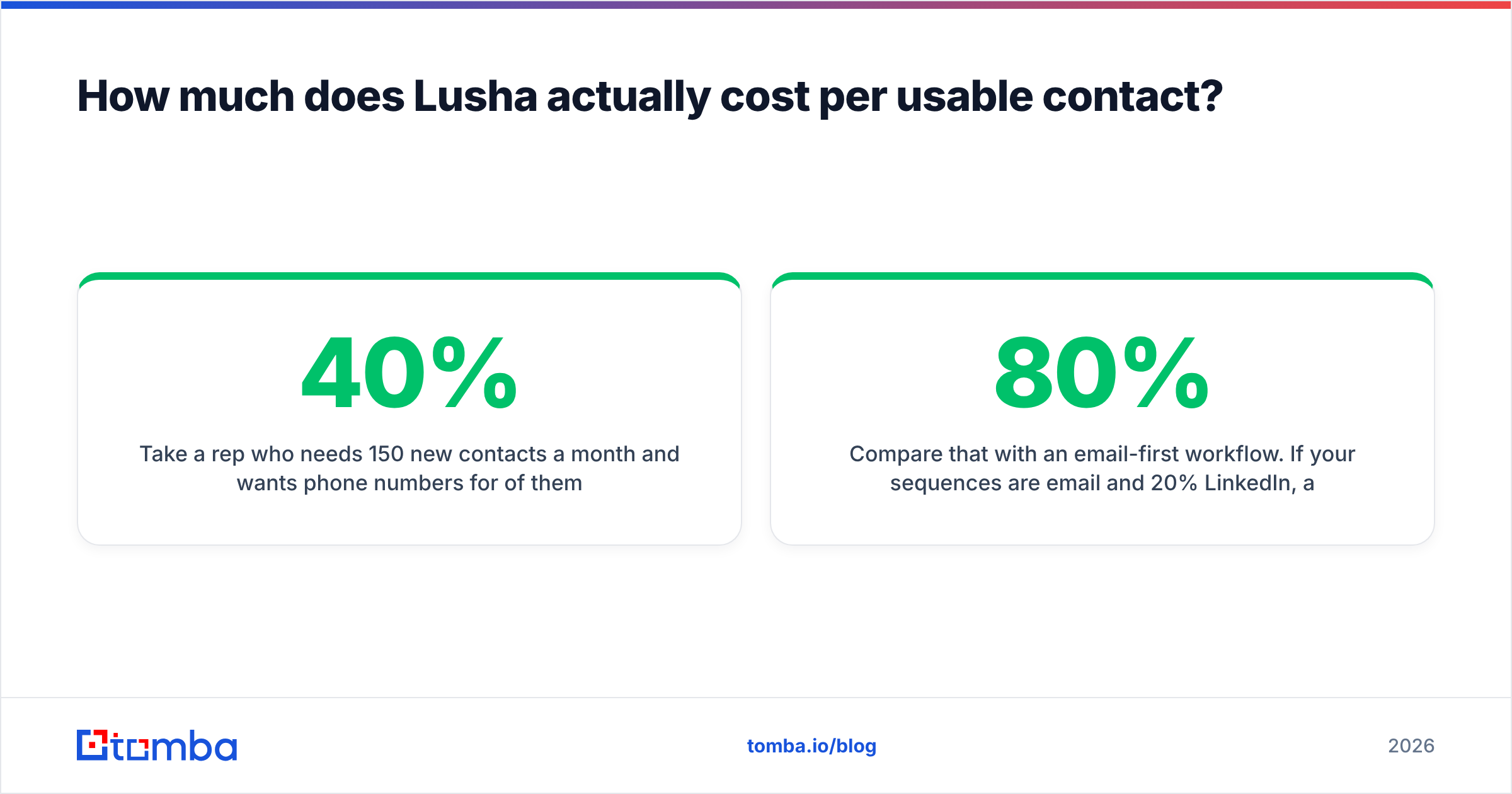
Take a rep who needs 150 new contacts a month and wants phone numbers for 40% of them:
- 150 emails × 1 credit = 150 credits
- 60 phones × 10 credits = 600 credits
- Total: ~750 credits per rep per month
That volume usually pushes a rep beyond the entry tier and into a higher plan or add-on credits. Then subtract the reveals that come back empty or bounce. The cost per usable contact can end up several times higher than a simple "price divided by credits" calculation.
Compare that with an email-first workflow. If your sequences are 80% email and 20% LinkedIn, and you only call warm replies, you're paying Lusha's phone premium for data you rarely use. In that case a volume-priced email finder plus a separate email verifier usually costs much less.
Put simply: Lusha makes sense when phone numbers drive your pipeline, and it's overpriced when they don't.
Is Lusha better than the main alternatives?#
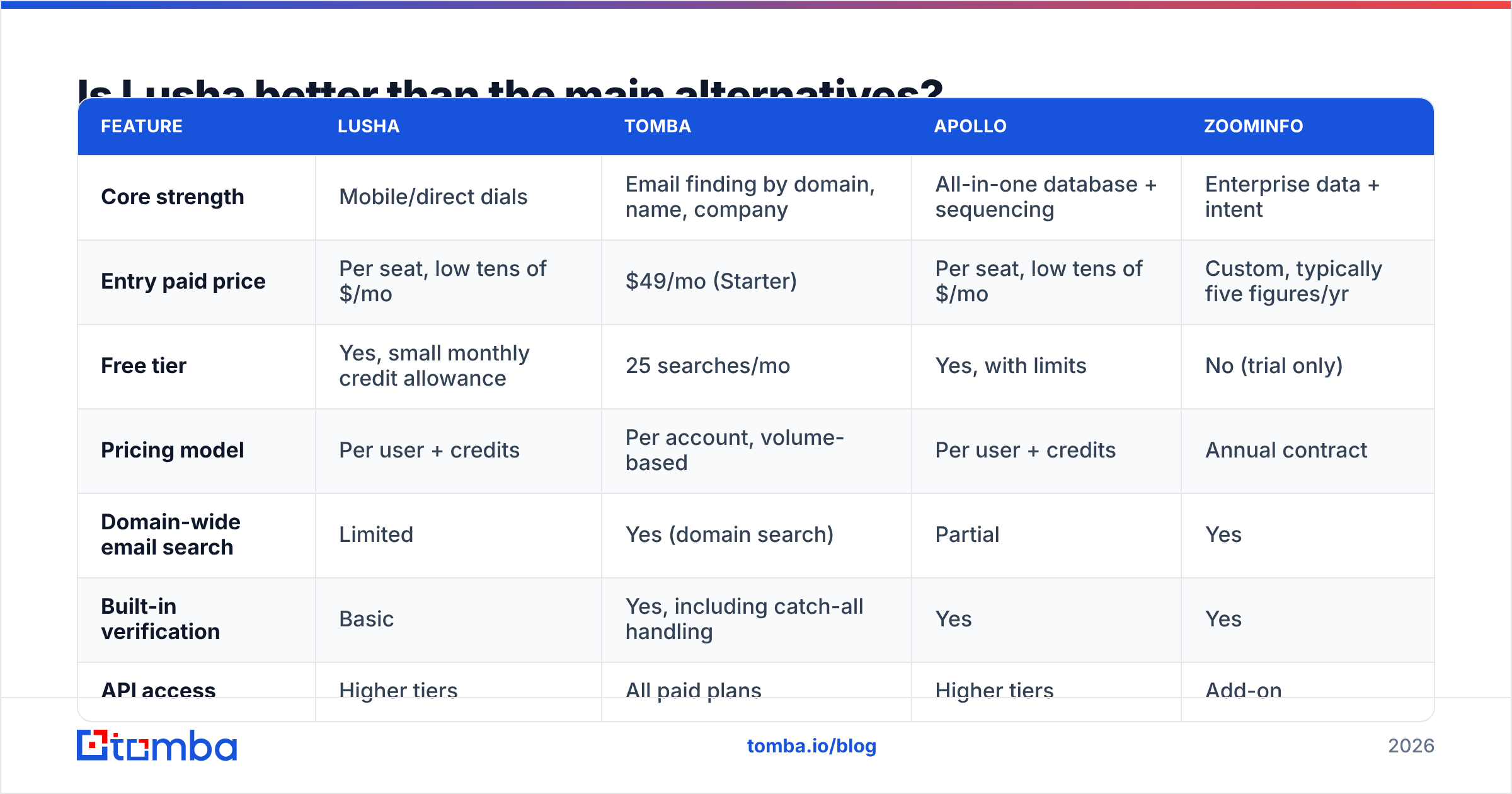
It depends on the job. Here's how Lusha compares with tools teams commonly evaluate alongside it:
| Feature | Lusha | Tomba | Apollo | ZoomInfo |
|---|---|---|---|---|
| Core strength | Mobile/direct dials | Email finding by domain, name, company | All-in-one database + sequencing | Enterprise data + intent |
| Entry paid price | Per seat, low tens of $/mo | $49/mo (Starter) | Per seat, low tens of $/mo | Custom, typically five figures/yr |
| Free tier | Yes, small monthly credit allowance | 25 searches/mo | Yes, with limits | No (trial only) |
| Pricing model | Per user + credits | Per account, volume-based | Per user + credits | Annual contract |
| Domain-wide email search | Limited | Yes (domain search) | Partial | Yes |
| Built-in verification | Basic | Yes, including catch-all handling | Yes | Yes |
| API access | Higher tiers | All paid plans | Higher tiers | Add-on |
| Best for | Phone-first SDR teams | Email-first outbound, RevOps, developers | Budget all-in-one | Large enterprise GTM |
A few honest takeaways:
- Choose Lusha if phone connect rates matter most and your team is small enough that per-seat pricing stays reasonable.
- Choose Tomba if you're email-first, need to find emails across a whole domain, want to enrich lists in bulk or through an API, or want to pay by volume instead of by rep. Its phone finder exists, but for North American mobiles specifically, Lusha is still the more specialised tool.
- Choose Apollo if you want database, sequencing and dialer in one cheap seat and accept that data quality varies. Our breakdown of Apollo.io alternatives covers the trade-offs.
- Choose ZoomInfo if you have enterprise budget and need org charts, technographics and intent across global territories.
Many teams pair tools. Lusha licenses go to a few phone-heavy reps, and a volume-priced email finder handles the other 80% of lookups.
When should you pick Lusha, and when should you skip it?#
Use this quick checklist.
Lusha is a good fit if:
- More than a third of your first touches are phone calls
- Your ICP is mostly US/Canada companies with 50+ employees
- Your team has fewer than about 10 prospecting seats
- Reps prospect from LinkedIn one account at a time
- You need a vendor that clears enterprise security review quickly
Skip Lusha (or use it narrowly) if:
- Your outbound is mostly email and LinkedIn messaging
- You sell into SMBs, or into Europe outside the UK, or into APAC
- You need to enrich thousands of records a month through CSV or API
- Budget is tied to credits rather than headcount
- You need every contact at a domain, not a single named person
How do you get the most out of Lusha if you already pay for it?#
If Lusha is already in your stack, these habits stretch the credits further:
- Reveal email first, phone second. Only unlock a phone number after the contact opens or replies. That avoids spending 10 credits on people who were never going to engage.
- Set per-rep credit caps. Admin controls let you allocate credits by user. Give heavier callers more and cap everyone else.
- Verify before you sequence. Run revealed emails through a verifier before they go into your sending tool. Bounces from stale records hurt sender reputation far more than they cost in credits.
- Use CRM enrichment selectively. Enrich only open opportunities and target-account contacts, not your entire historical database.
- Audit usage every month. Compare credits used with meetings booked per rep. Seats that consistently return little should move to a cheaper tool.
- Negotiate at renewal. Annual plans, multi-seat deals and credit bundles are usually negotiable, especially if you can show usage data and a cheaper alternative.
What is the final verdict on Lusha's pros and cons?#
Lusha is a strong, specialised tool with a clear strength: fast, compliant access to mobile numbers and direct dials for North American B2B buyers. Its extension is among the best in the category, and phone-first reps like it for good reason.
The weaknesses follow from that same focus. Phone reveals are expensive in credits, per-seat pricing grows with every hire, and coverage drops off outside its core market. For email-first outbound, domain-level prospecting or bulk enrichment, you're paying for a phone-data premium you don't fully use.
The practical approach for most teams is to keep Lusha, or a similar phone-focused tool, for the reps who call, and handle email discovery with something priced by volume rather than by seat.
If email is your main channel, try the Tomba Email Finder. You can look up professional emails by name, company or domain, verify them in the same step, and scale through bulk upload, browser extension or API. It includes a free tier of 25 searches a month, and paid plans start at $49/mo. See the full Tomba pricing and calculate your own cost per verified contact before your next Lusha renewal.
Related guides#
// get started
Find, verify and enrich your first contacts today
Start on the free plan with 25 searches a month, then scale when your team is ready.
Free plan · No credit card required · GDPR & CCPA
// about the author