Lusha vs Nymeria (2026): Pricing, Data Quality and Our Pick
Lusha sells phone-heavy sales intelligence per seat; Nymeria sells cheap pay-on-success credits for recruiters and founders. Here is which one fits your workflow, and where both fall short.
TL;DR
- Lusha is a full sales-intelligence platform. It has strong direct-dial phone coverage, intent signals, CRM sync and enterprise compliance, and it charges per seat. Phone reveals cost several times more credits than email reveals.
- Nymeria is a lightweight contact finder. It came out of recruiting and is built around LinkedIn, GitHub and other social profiles. Its credits are cheap (about $39/mo for roughly 2,500), and you're only charged when a lookup succeeds.
- Pick Lusha if your SDR team lives on the phone and needs Salesforce/HubSpot enrichment, intent data and procurement-friendly security docs.
- Pick Nymeria if you're a recruiter, founder or small team that mainly needs emails from social profiles and hates paying for misses.
- If your main job is finding and verifying work emails by domain, a dedicated email finder with built-in verification, like Tomba, usually costs less per valid address than either one.
What are Lusha and Nymeria, in plain terms?#
Think of Lusha as a department store and Nymeria as a specialty shop. The department store stocks everything: phones, emails, company data, intent signals, a prospecting database, CRM connectors. You pay for the building, the staff and the floor space, mostly through per-seat pricing. The specialty shop sells one thing, contact details pulled from public profiles, and only charges you when you leave with the product.
Lusha is a B2B contact and company data platform headquartered in New York with R&D in Tel Aviv. Its Chrome extension shows emails and direct dials on LinkedIn profiles and company websites. Behind it sits a searchable prospecting database with firmographic filters, intent topics, job-change alerts and native integrations with Salesforce, HubSpot, Pipedrive and the major sales engagement tools. You can check the current packaging on Lusha's official site.
Nymeria is a contact finder that started out serving technical recruiters. Its browser extension works on LinkedIn, GitHub, Twitter/X and personal sites, and it returns work emails, personal emails and phone numbers where it has them. It also offers an API and bulk enrichment, and it has a pricing quirk buyers like: a lookup that returns nothing costs nothing. The details are on Nymeria's homepage.
So "Lusha vs Nymeria" doesn't really compare two versions of the same product. It compares two buying philosophies: platform plus seats, or credits that you only spend on hits.
How do Lusha and Nymeria compare feature by feature?#
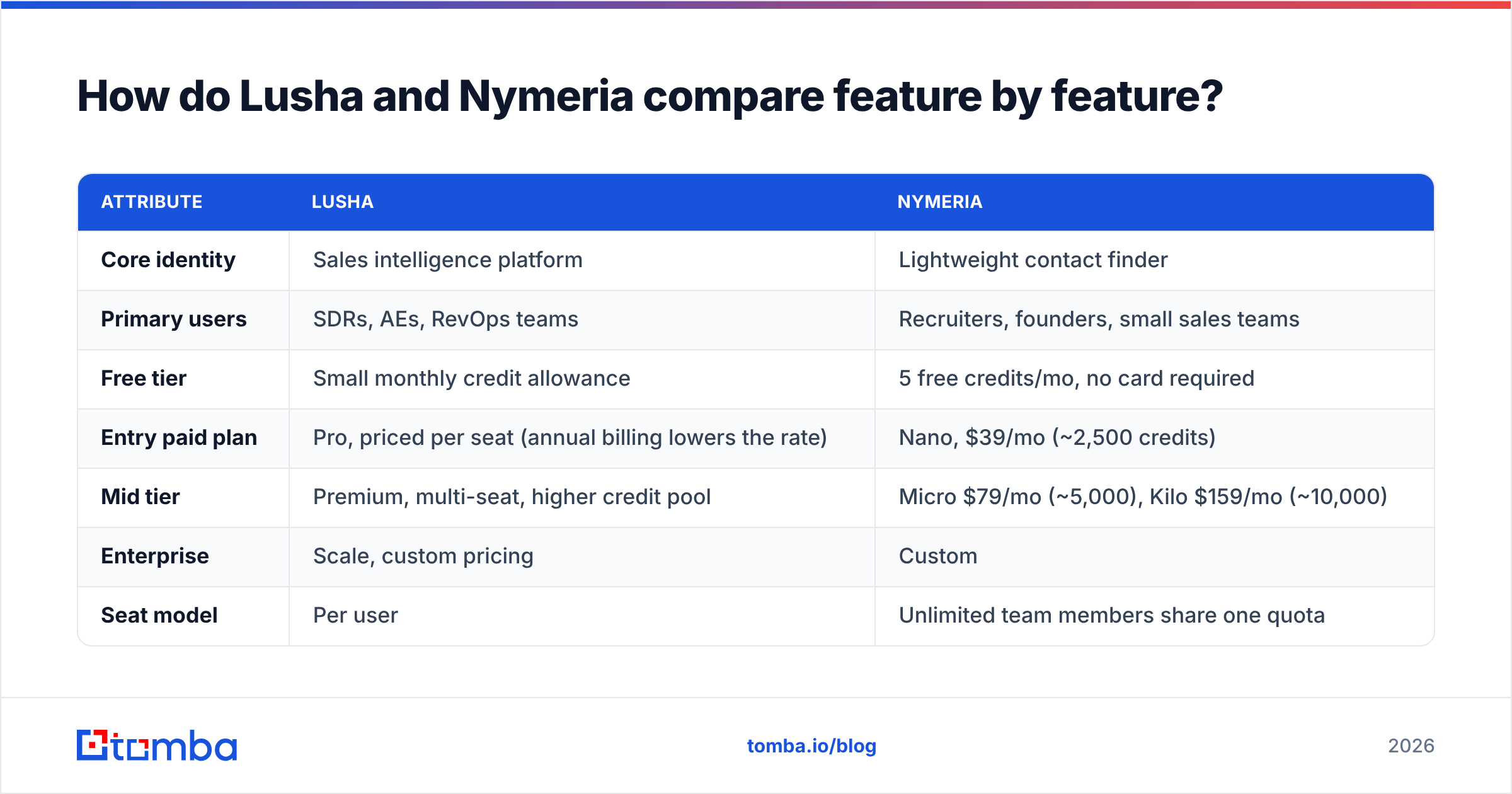
Here's the side-by-side. Pricing is based on each vendor's public pages and third-party breakdowns as of late 2026. Both companies adjust credit bundles often, so check before you buy.
| Attribute | Lusha | Nymeria |
|---|---|---|
| Core identity | Sales intelligence platform | Lightweight contact finder |
| Primary users | SDRs, AEs, RevOps teams | Recruiters, founders, small sales teams |
| Free tier | Small monthly credit allowance | 5 free credits/mo, no card required |
| Entry paid plan | Pro, priced per seat (annual billing lowers the rate) | Nano, $39/mo (~2,500 credits) |
| Mid tier | Premium, multi-seat, higher credit pool | Micro $79/mo (~5,000), Kilo $159/mo (~10,000) |
| Enterprise | Scale, custom pricing | Custom |
| Seat model | Per user | Unlimited team members share one quota |
| Charged for misses? | Credits consumed on reveal | No, failed lookups are free |
| Phone numbers | Strong direct-dial coverage, costs more credits | Available, thinner coverage |
| Email verification | Emails flagged as verified in-app | One credit per verification request |
| Social sources | LinkedIn-centric | LinkedIn, GitHub, Twitter/X, personal sites |
| Prospecting database | Yes, with filters and intent | Limited search, mostly lookup-driven |
| CRM integrations | Native Salesforce, HubSpot, Pipedrive and more | API, Zapier-style workflows, fewer native connectors |
| Compliance | SOC 2 Type II, ISO 27001, GDPR, CCPA | GDPR-focused, lighter documentation |
| Best fit | Phone-first outbound at scale | Low-volume, social-profile email lookups |
If you're shortlisting more than these two, the benchmark data below shows how the wider email-finder category performs on accuracy:

How much do Lusha and Nymeria actually cost?#
On paper, Nymeria wins on price by a wide margin. In practice the gap depends on what you're buying.
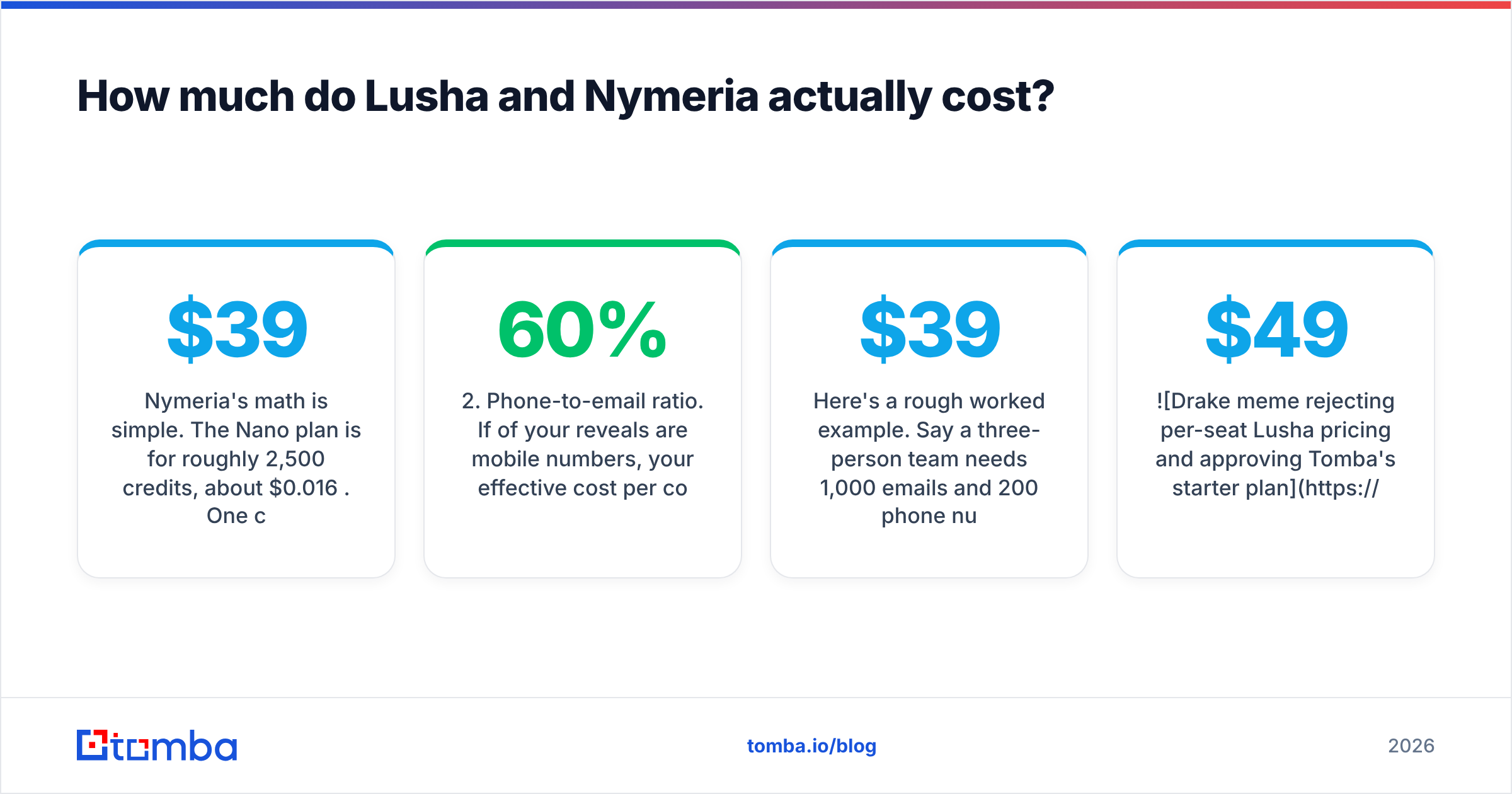
Nymeria's math is simple. The Nano plan is $39/month for roughly 2,500 credits, about $0.016 per credit. One credit covers one successful enrichment (an email, phone or social profile) or one verification request. Failed lookups don't burn credits, so your cost per found contact stays close to the sticker rate. Paying annually saves about 20%, and your whole team can share the account with no per-seat fee.
Lusha's math has more moving parts. You pay per seat and get a credit pool sized to that plan. Revealing an email costs one credit, while revealing a phone number costs several (third-party breakdowns in 2026 put it at 5x). The numbers that drive your real bill are:
- Seats. A five-rep team pays for five logins whether or not every rep prospects every day.
- Phone-to-email ratio. If 60% of your reveals are mobile numbers, your effective cost per contact goes up several times.
- Credit expiry. Monthly credits that go unused don't help you, so over-buying is easy.
- Feature gating. Intent topics, advanced API access and team credit allocation sit in the higher tiers.
Here's a rough worked example. Say a three-person team needs 1,000 emails and 200 phone numbers a month. On Nymeria that's about 1,200 credits, which fits inside the $39 Nano plan if hit rates are decent. On Lusha it's 1,000 + (200 × 5) = 2,000 credits plus three seats, which pushes you into a paid team tier that typically costs several times more. Lusha is selling coverage, workflow and compliance in return for that premium. Whether those are worth it depends on how much of your pipeline comes from phone calls.

Which tool has better data quality?#
Neither vendor publishes an independent, audited accuracy figure, so be skeptical of any single percentage you see quoted. That includes vendor claims and competitor blog posts. Look at what each dataset is built to do well.
Where Lusha tends to be stronger:
- Direct dials and mobile numbers in North America and Western Europe. Most Lusha reviews on G2 cite this as the reason people pay for it.
- Mid-market and enterprise contacts at companies with a clear LinkedIn footprint.
- Freshness signals. Job-change alerts help you catch champions who switch companies.
Where Nymeria tends to be stronger:
- Technical talent. Engineers often have thin LinkedIn profiles and active GitHub accounts, and Nymeria's GitHub support helps a lot there.
- Personal emails when you're recruiting and the candidate's work inbox is the wrong channel.
- Long-tail profiles (freelancers, indie founders, open-source maintainers) that sales databases don't prioritise.
Where both struggle: catch-all domains. If a company's mail server accepts every address, neither tool can be sure a guessed address actually reaches a person. If you're mailing at volume, run the export through a separate email verifier before it reaches your sending tool. One bad list can do more damage to your domain than a month of good copy can fix.
A useful test: take 50 contacts you already know are correct, from closed-won deals and current customers, and run them through each tool's trial. Count exact matches, wrong addresses and blanks. Half an hour of testing on your own ICP tells you more than any vendor claim.
Is Lusha better than Nymeria for sales teams?#
For a structured outbound team, usually yes. That's not because Lusha's emails are dramatically better. It's because Lusha fits into the rest of how a sales team works.
- CRM enrichment. Lusha's native Salesforce and HubSpot integrations push revealed contacts straight into records, enrich existing leads and avoid duplicates. Nymeria can get there through its API, but someone has to build and maintain that connection.
- Prospecting from scratch. With Lusha you can filter by industry, headcount, seniority, technology and intent topic and build a list from zero. Nymeria assumes you already know who you want and just need their contact details.
- Phone-first motions. If your SDRs make 60+ dials a day, Lusha's mobile coverage is what you're paying for.
- Procurement. SOC 2 Type II and ISO 27001 documentation shortens security reviews at larger companies. Nymeria's lighter compliance documentation can slow a deal down if your buyer's security team gets involved.
Lusha's weak spots for sales teams are the usual platform ones. Per-seat costs grow faster than headcount productivity does, phone credits run out quickly, and reps often keep revealing contacts they never work.
Is Nymeria better than Lusha for recruiters and founders?#
For most recruiters and solo operators, yes.
- The cost structure fits low, irregular volume. You might look up 40 candidates one week and 400 the next. Because failed searches are free and there's no seat fee, you aren't paying for a platform that sits unused.
- Social coverage matches where candidates are. GitHub, personal sites and Twitter/X profiles are often more current than LinkedIn for technical hires.
- Personal emails matter in recruiting. Contacting a candidate at their current employer's address is awkward and sometimes against policy. Nymeria surfaces personal addresses where available. Just respect GDPR and local rules on lawful basis before you use them.
- The API is simple. A founder writing a quick enrichment script can wire up Nymeria in an afternoon.
The trade-offs: you get no real prospecting database, fewer native integrations and thinner phone data. If your recruiting firm also does business development calling, you'll probably need a second tool for phones.
What are the pros and cons of each tool?#
Lusha pros
- Strong direct-dial and mobile coverage
- Prospecting database with intent topics and job-change alerts
- Native CRM and sales engagement integrations
- Enterprise-grade compliance documentation
Lusha cons
- Per-seat pricing scales poorly for teams that prospect occasionally
- Phone reveals use several credits each
- Advanced features are locked behind higher tiers
Nymeria pros
- Cheap credits, and you don't pay for misses
- Unlimited team members on one quota
- Strong on GitHub and other social sources
- Simple API for builders
Nymeria cons
- No meaningful list-building database
- Lighter phone coverage
- Fewer native integrations and less compliance documentation for enterprise procurement
Are there alternatives if neither one fits?#
Yes. Often the best answer to "Lusha vs Nymeria" is a third tool that matches what you actually need to do. Use your main workflow to decide:
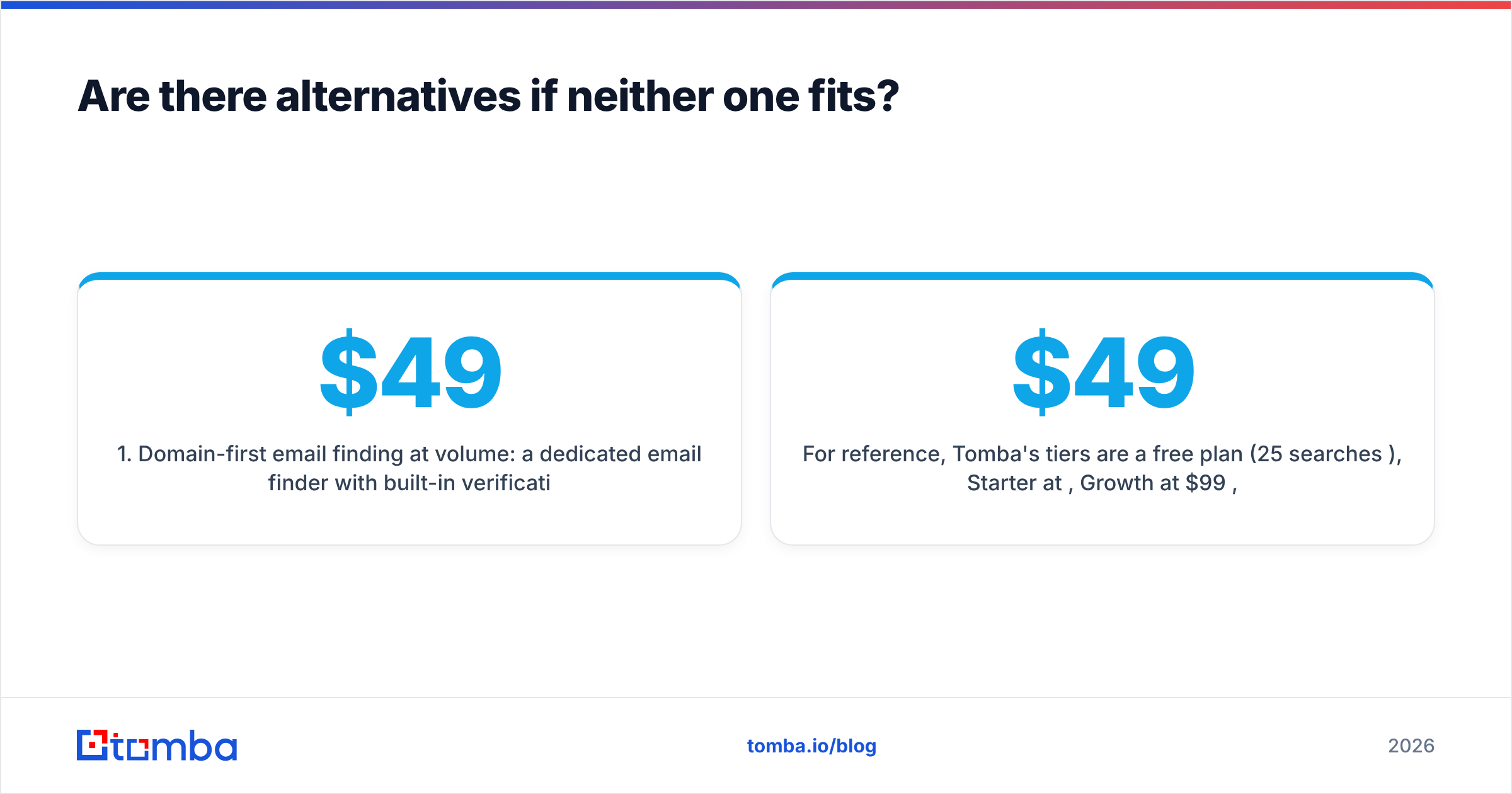
- Domain-first email finding at volume: a dedicated email finder with built-in verification. Tomba's domain search returns every public address at a company along with its source, and paid plans start at $49/mo.
- All-in-one prospecting plus sequencing: platforms like Apollo bundle a database with outreach. If you're already comparing those, see our Apollo alternative breakdown.
- Phone-only calling motions: stay on Lusha or a phone-specialist vendor, and pair it with a cheaper email source.
- Large static lists for a one-off campaign: a list vendor such as BookYourData can be a sensible, cost-predictable choice when you need a pre-built segment rather than on-demand lookups.
Here's how the wider category lines up on features and pricing:

For reference, Tomba's tiers are a free plan (25 searches/mo), Starter at $49/mo, Growth at $99/mo, Pro at $249/mo and custom Enterprise. Full details are on the Tomba pricing page. It's not a direct-dial specialist like Lusha, and it doesn't focus on GitHub the way Nymeria does. Its strength is turning a name and domain into a verified work email cheaply, through the web app, the API, Google Sheets or the Chrome extension.

So which should you choose: Lusha or Nymeria?#
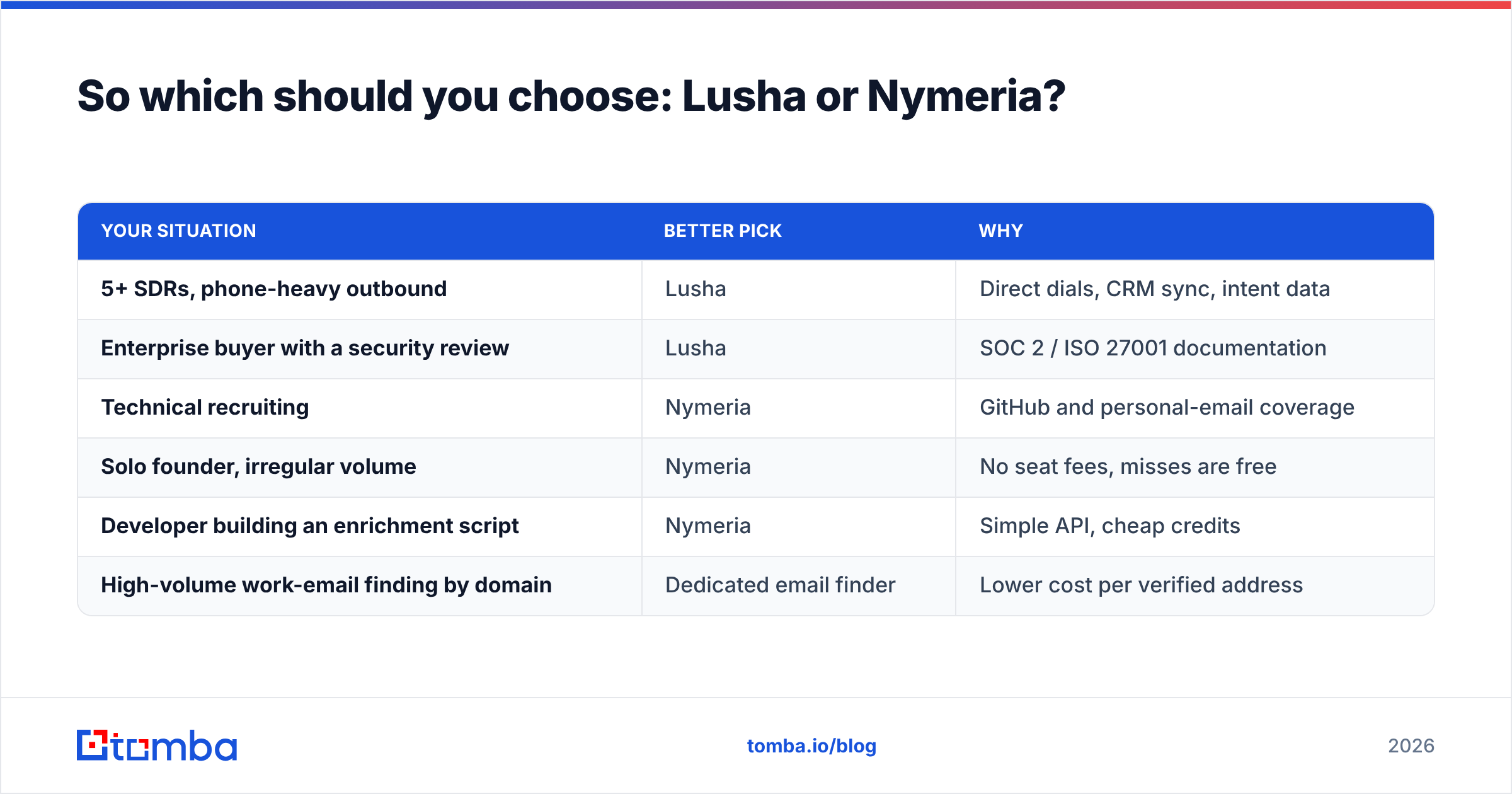
Base the decision on how your team actually prospects, not on feature lists:
| Your situation | Better pick | Why |
|---|---|---|
| 5+ SDRs, phone-heavy outbound | Lusha | Direct dials, CRM sync, intent data |
| Enterprise buyer with a security review | Lusha | SOC 2 / ISO 27001 documentation |
| Technical recruiting | Nymeria | GitHub and personal-email coverage |
| Solo founder, irregular volume | Nymeria | No seat fees, misses are free |
| Developer building an enrichment script | Nymeria | Simple API, cheap credits |
| High-volume work-email finding by domain | Dedicated email finder | Lower cost per verified address |
Before you commit to either, run the 50-contact test described above, work out your real phone-to-email reveal ratio, and count how many seats would actually be in use every week. Those three numbers will settle it faster than any review.
Ready to find verified work emails without paying per seat?#
If your shortlist came down to Lusha vs Nymeria because you mostly need reliable work emails, not a phone dialer or a recruiting toolkit, try the Tomba Email Finder. Enter a name and company domain and you get the address, a verification status and the public sources it came from. The free plan includes 25 searches a month, so you can run the same 50-contact accuracy test on your own ICP before you pay anything. Paid plans start at $49/mo.
Related guides#
// get started
Find, verify and enrich your first contacts today
Start on the free plan with 25 searches a month, then scale when your team is ready.
Free plan · No credit card required · GDPR & CCPA
// about the author