

Maildoso Pricing Reviews Pros and Cons: 2026 Breakdown
Maildoso sells cold email mailboxes for as little as $0.50 each, but tier cliffs, shared IPs and domain fees change the math. Here is what reviewers praise, what they complain about, and who should actually buy it.
Looking for Maildoso pricing reviews pros and cons in one place? This guide covers what the inboxes cost, what users say, and who should buy them.
TL;DR
- Maildoso sells cold email infrastructure: SMTP and Google Workspace "combo" mailboxes, bulk domains, and automatic DNS setup. It is not a sequencer and it is not a lead database.
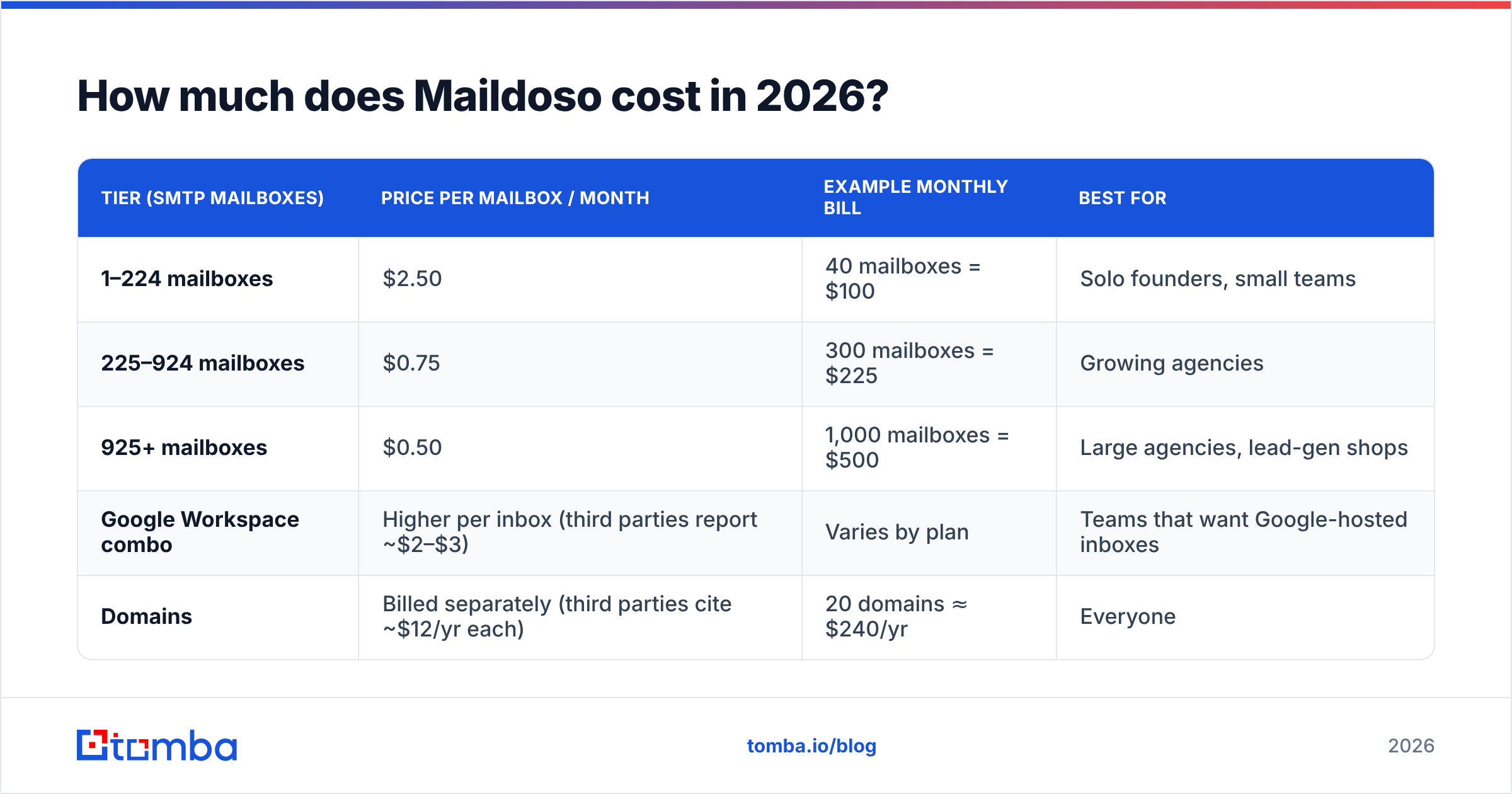
- Maildoso's help center lists volume-tiered SMTP pricing of $2.50/mailbox (1–224), $0.75 (225–924) and $0.50 (925+). The tier rate applies to every mailbox on the account, so you get price cliffs worth planning around.
- Reviews are strong. G2 shows roughly 4.6/5 from about 150+ reviews, with praise for setup speed and support. Complaints focus on the UI, limited customization and the risks of shared IPs.
- It's a good fit for agencies and high-volume senders running Instantly or Smartlead. It's a poor fit for a single SDR sending 50 emails a day.
- Cheap inboxes don't fix a dirty list. Your cost per delivered email depends on verified contacts as much as on mailbox count.
What is Maildoso, and what are you actually paying for?#
Maildoso is a mailbox and domain provider built for cold outreach. You buy secondary domains, which are lookalikes of your main brand. This keeps your primary domain's sender reputation safe. Maildoso then creates mailboxes on those domains in bulk. It sets up SPF, DKIM, DMARC and forwarding for you, then hands over SMTP/IMAP credentials. You plug those into a sending tool such as Instantly, Smartlead or Woodpecker.
So you are not paying for:
- Contacts or lead data
- Sequencing, A/B testing or reply handling
- Copywriting or personalization
You are paying for sending capacity. Cold email best practice limits each mailbox to roughly 30–50 sends a day. If you want to send 3,000 emails a day, you need around 60–100 mailboxes spread across 15–30 domains. Buying those through regular Google Workspace seats gets expensive and slow to set up. Maildoso's pitch is that it makes this bulk setup cheap and fast.
Think of it as renting more checkout lanes in a supermarket. More lanes move more customers per hour, but they do nothing about who walks into the store.
How much does Maildoso cost in 2026?#
The short answer: it depends heavily on volume and on which mailbox type you choose. Public sources also disagree, so treat any number (including the ones below) as something to confirm on Maildoso's own pricing page before you buy.
According to Maildoso's help center article on SMTP mailbox pricing, standard SMTP mailboxes are billed per mailbox per month on volume tiers. The Custom plan has a minimum of 10 mailboxes and 1 domain.
| Tier (SMTP mailboxes) | Price per mailbox / month | Example monthly bill | Best for |
|---|---|---|---|
| 1–224 mailboxes | $2.50 | 40 mailboxes = $100 | Solo founders, small teams |
| 225–924 mailboxes | $0.75 | 300 mailboxes = $225 | Growing agencies |
| 925+ mailboxes | $0.50 | 1,000 mailboxes = $500 | Large agencies, lead-gen shops |
| Google Workspace combo | Higher per inbox (third parties report ~$2–$3) | Varies by plan | Teams that want Google-hosted inboxes |
| Domains | Billed separately (third parties cite ~$12/yr each) | 20 domains ≈ $240/yr | Everyone |
Some third-party reviews, Woodpecker's among them, have described older quarterly bundles, for example 32 mailboxes for $299/quarter with 8 domains included. Maildoso has changed its packaging more than once. If an article quotes bundles, check its date.
Maildoso has also run a promotional trial: 300 SMTP mailboxes for 30 days at $225 ($0.75 each), described in this help article.
Where are the hidden costs in Maildoso pricing?#
The headline per-inbox price is the cheapest part of the stack. Watch these four line items.
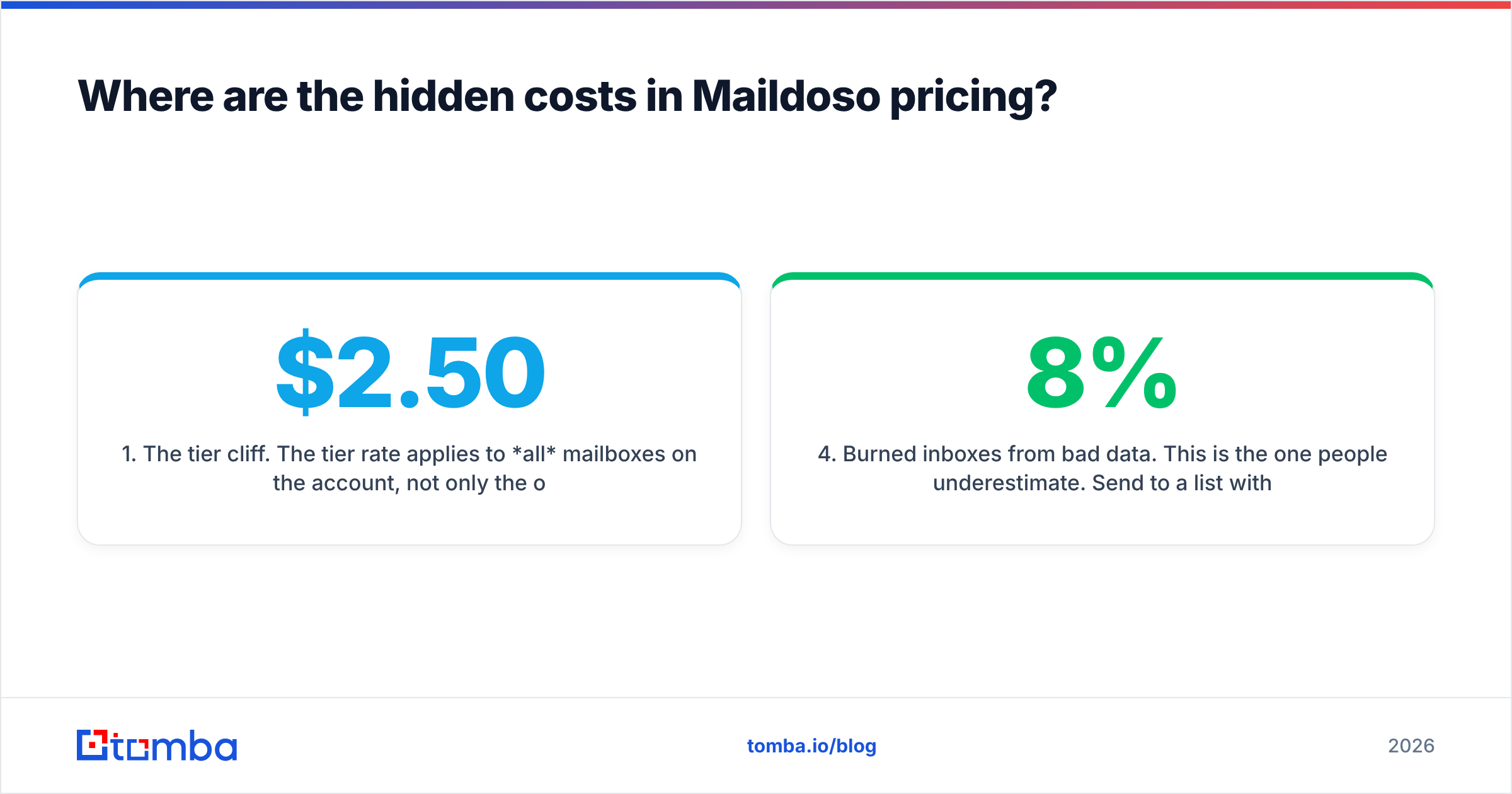
The tier cliff. The tier rate applies to all mailboxes on the account, not only the ones above a threshold. That creates a strange result. 224 mailboxes at $2.50 cost $560/month, while 225 mailboxes at $0.75 cost $168.75/month. The same thing happens at the next break: 924 mailboxes cost $693, and 925 cost $462.50. If you're near 200 mailboxes, do the math before you pick a count.
Domains. Each domain should carry only 2–5 mailboxes. At 100 mailboxes that's 20–50 domains, which adds a few hundred dollars a year on top of the mailbox bill.
Your sending tool. Maildoso doesn't send sequences, so you still need Instantly, Smartlead or a similar tool. Those usually cost more per month than the mailboxes do.
Burned inboxes from bad data. This is the one people underestimate. Send to a list with 8% invalid addresses and your new domains collect hard bounces from the first week. Then you're paying to replace domains and wait out warmup again.
Before you buy capacity, run your list through an email verifier. Use a warmup calculator to see how many days each new inbox needs before it can carry real volume.

What do Maildoso reviews say?#
On Maildoso's G2 reviews page, the product holds roughly a 4.6/5 rating from about 150–165 reviews. The exact count and score move slightly between G2 snapshots. The themes stay consistent.
What reviewers praise
- Setup speed. Reviewers often say they went from zero to dozens of connected inboxes in under an hour, with no manual DNS work.
- Support. This comes up in a large share of reviews. Fast chat support matters a lot when an inbox disconnects mid-campaign.
- Price at scale. At the 225+ tier, per-inbox cost is far below standard Google Workspace or Microsoft 365 seats.
- Deliverability out of the box. Several reviewers report solid inbox placement once mailboxes are warmed and connected to a sequencer.
What reviewers complain about
- Interface. The dashboard works, but some users call it clunky, especially when managing hundreds of mailboxes.
- Limited customization. Reviewers mention limits on profile pictures and per-mailbox details. Prospects never see these, but they make the inboxes look less like real employee accounts.
- Shared IP model. SMTP mailboxes send from shared infrastructure. When everyone on the pool behaves, the pool's reputation helps you. When one sender blasts scraped lists, everyone can feel it.
- Warmup and tooling gaps. Third-party comparisons say the base SMTP tier lacks pre-warmed accounts and deep deliverability analytics. You depend on your sequencer's warmup.
Keep in mind that several of the most-cited Maildoso reviews outside G2 come from competing infrastructure vendors. Read them for facts, and discount their verdicts.
Maildoso pricing reviews pros and cons at a glance#
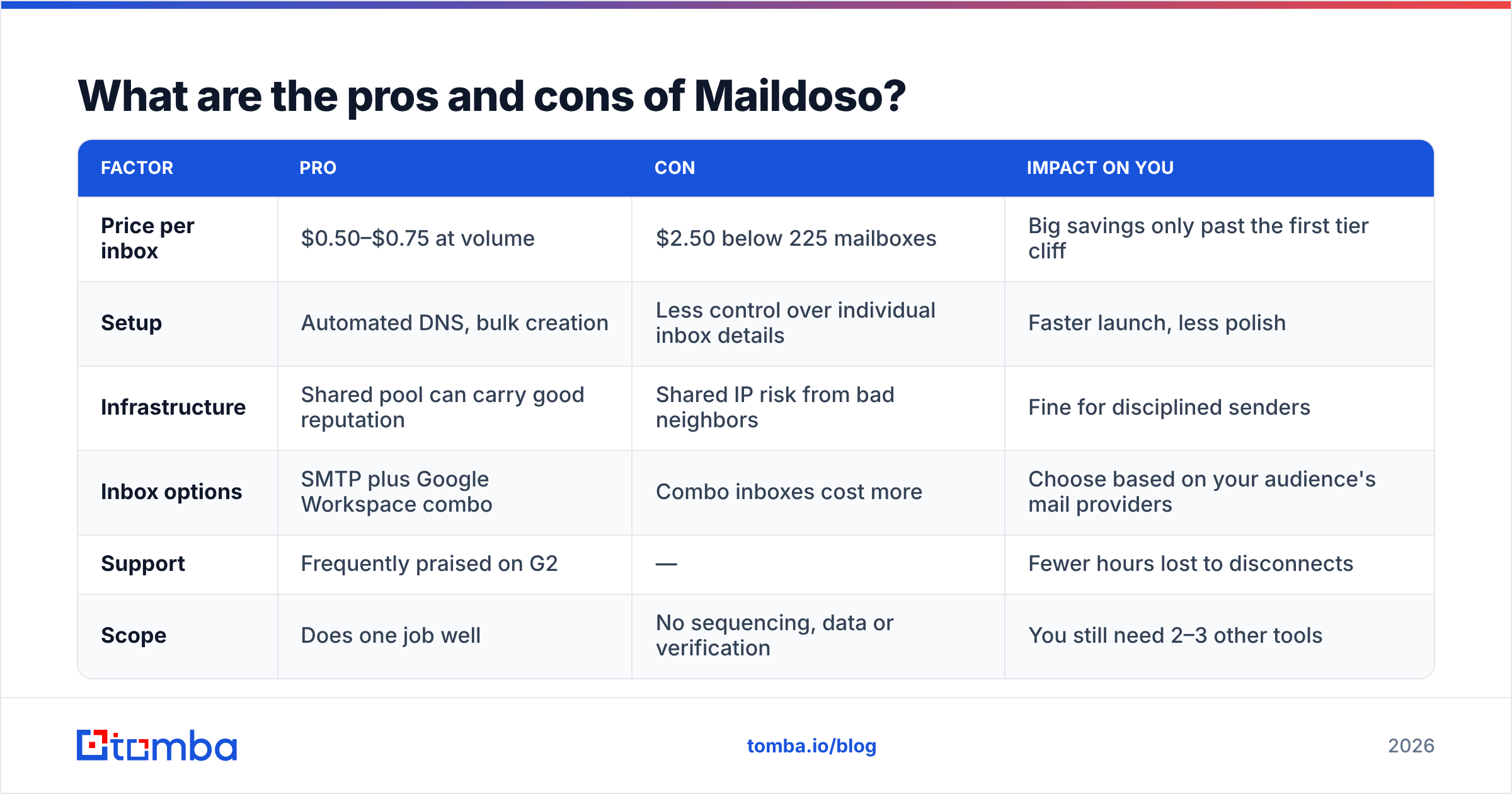
Here's the condensed version, scored on the factors that actually decide cold email ROI.
| Factor | Pro | Con | Impact on you |
|---|---|---|---|
| Price per inbox | $0.50–$0.75 at volume | $2.50 below 225 mailboxes | Big savings only past the first tier cliff |
| Setup | Automated DNS, bulk creation | Less control over individual inbox details | Faster launch, less polish |
| Infrastructure | Shared pool can carry good reputation | Shared IP risk from bad neighbors | Fine for disciplined senders |
| Inbox options | SMTP plus Google Workspace combo | Combo inboxes cost more | Choose based on your audience's mail providers |
| Support | Frequently praised on G2 | — | Fewer hours lost to disconnects |
| Scope | Does one job well | No sequencing, data or verification | You still need 2–3 other tools |
Is Maildoso better than buying Google Workspace or Microsoft 365 directly?#
For a small team, usually not. For an agency, usually yes.
Buying Google Workspace seats directly gets you private mailboxes that you fully control. They run on Google's infrastructure, which many B2B prospects also use. The trade-offs are cost and effort. Each seat costs several times Maildoso's volume rate, and you set up DNS by hand for every domain. If you need 6–10 inboxes, the extra cost is small and the manual work takes about an afternoon. Direct Workspace seats are a fine choice at that size.
Once you pass 50 or more inboxes across 15 or more domains, the manual work becomes a part-time job. That's when Maildoso's automation starts paying for itself. Past the 225-mailbox tier, the cost gap gets large.
Before you commit, compare a few things:
- Your prospects' mail providers. If most of your targets are on Outlook, Microsoft-hosted inboxes may place better than SMTP-only boxes. Test with a seed list.
- Your daily volume target. Divide it by 30–40 sends per inbox to get a realistic mailbox count, then check which pricing tier that lands in.
- Your sequencer's warmup. If your sending tool has strong built-in warmup, Maildoso's lighter tooling matters less.
- Who else is in the pool. Ask support how they police abusive senders on shared SMTP infrastructure.
How does Maildoso compare to other cold email infrastructure providers?#
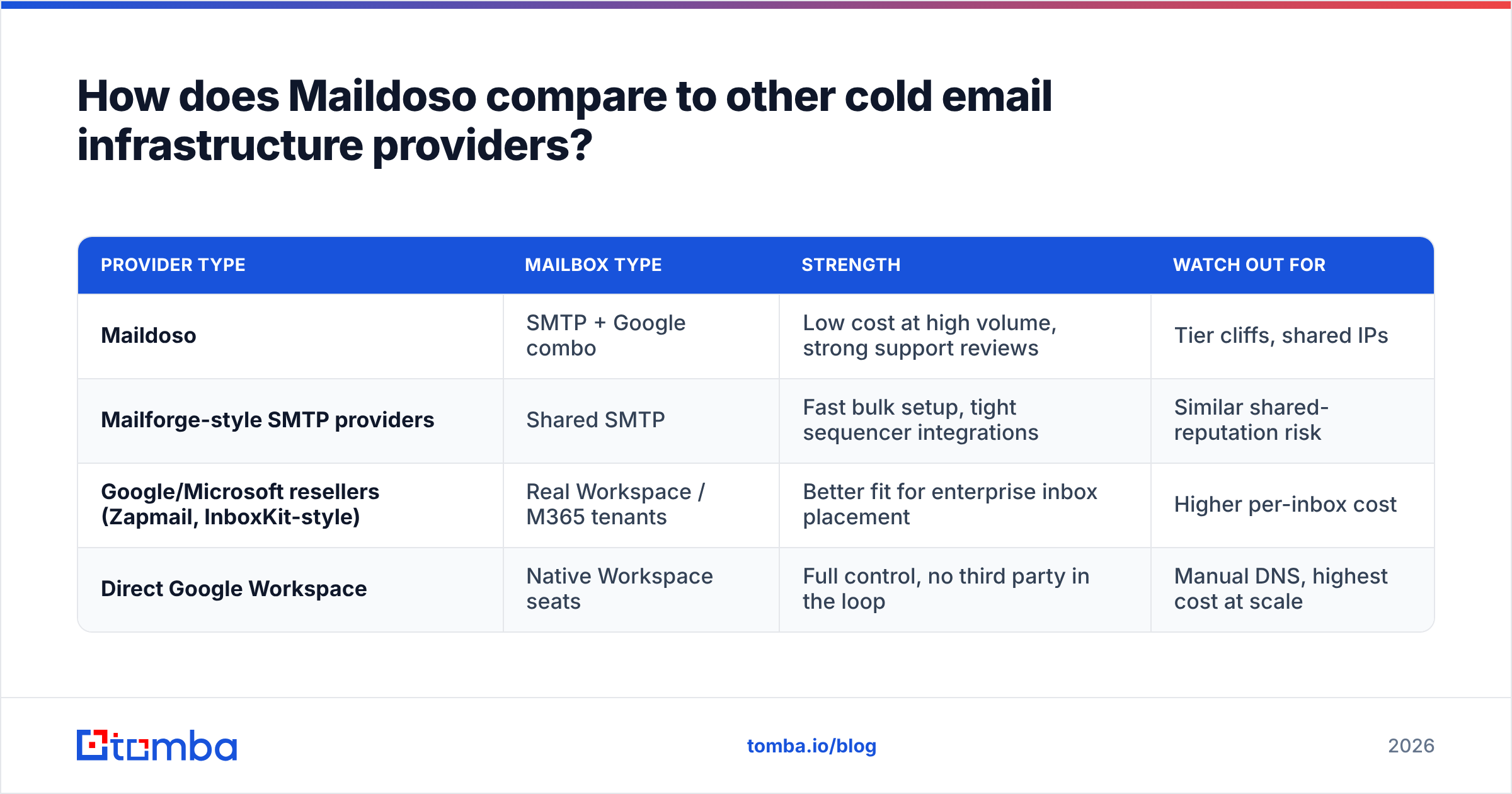
The infrastructure category got crowded quickly. Mailforge, Zapmail, InboxKit and Mailscale all sell some version of "bulk inboxes plus automated DNS." Pricing changes often in this market, so the table compares positioning rather than exact prices.
| Provider type | Mailbox type | Strength | Watch out for |
|---|---|---|---|
| Maildoso | SMTP + Google combo | Low cost at high volume, strong support reviews | Tier cliffs, shared IPs |
| Mailforge-style SMTP providers | Shared SMTP | Fast bulk setup, tight sequencer integrations | Similar shared-reputation risk |
| Google/Microsoft resellers (Zapmail, InboxKit-style) | Real Workspace / M365 tenants | Better fit for enterprise inbox placement | Higher per-inbox cost |
| Direct Google Workspace | Native Workspace seats | Full control, no third party in the loop | Manual DNS, highest cost at scale |
None of these providers is the best for every team. The right pick depends on volume, where your audience's mail is hosted, and how much setup work you're willing to do yourself.

Who should use Maildoso, and who should skip it?#
Maildoso is a good fit if you are:
- A cold email agency running campaigns for multiple clients and rotating domains regularly
- A lead-gen team sending 2,000+ emails a day through Instantly or Smartlead
- A founder who has already confirmed the offer converts and now just needs more sending capacity
Skip it (for now) if you are:
- A single SDR sending under 100 emails a day. Two or three Workspace inboxes will do the job.
- A team still testing messaging. More inboxes only multiply an unproven pitch.
- Anyone with list-quality problems. Cheap inboxes plus bad data burn domains faster.
That last point is where most of the money disappears. Infrastructure decides how many emails you can send. Data quality decides how many of them reach a real person. A 3% hard-bounce rate on 60 fresh domains can undo a month of warmup. Mailbox providers watch bounces and spam complaints closely. Google's sender guidelines make clear that bulk senders are judged on exactly those signals.
How do you get the most out of Maildoso if you buy it?#
A short operating checklist:
- Pick your tier on purpose. If you're at 180–224 mailboxes, compare the cost of going to 225. It may be cheaper.
- Keep it to 2–4 inboxes per domain and 30–40 sends per inbox per day once warmed.
- Warm up for 2–3 weeks before sending real campaigns, and keep warmup running at a low level afterwards.
- Verify every list before it touches a new domain. Remove invalid, risky and unknown results. Handle catch-all domains separately with a catch-all verifier.
- Check blacklists weekly. If a domain gets listed, pause it rather than pushing through.
- Track reply rate per domain, not just per campaign, so you can retire underperforming domains early.
Is Maildoso worth it in 2026?#
Yes, for the right buyer. Past the first pricing tier, Maildoso is one of the cheapest ways to get cold email sending capacity at scale. Its G2 reputation for fast setup and helpful support also holds up. The trade-offs are real but manageable: the price cliff at 225 mailboxes, the shared IP model, a basic interface and limited per-inbox customization. That's the full picture of Maildoso pricing reviews pros and cons.
What Maildoso can't do is give those inboxes accurate people to email. That's a separate layer of your stack, and it decides whether your new domains build reputation or lose it.
If you're spending money on sending infrastructure, put the same care into the contacts. Tomba Email Finder finds professional email addresses by name, company or domain and checks deliverability before you export. You can start on the free tier with 25 searches a month, or move to the Starter plan at $49/mo when you're ready to fill those Maildoso inboxes with verified contacts.
Related guides#
// start free
See who Tomba finds at any company
Type a company's domain to see its people, their roles and verified work emails, each with the pages it was found on. Free account, no card.
Free plan · No credit card required · GDPR & CCPA
// about the author