Mailead vs Salesbot: Cold Email Platform or AI SDR in 2026?
Mailead gives you a cheap cold email engine you run yourself. Salesbot sells an AI SDR that runs outbound for you at €149/mo. Here is which one fits your team, budget, and data quality.
TL;DR
- Mailead is a self-serve cold email platform. You get unlimited sending accounts, AI-written sequences, and a built-in email finder. Third-party listings put its entry plan at about $19/mo.
- Salesbot (sales-bot.io) is an AI SDR. It finds decision-makers, starts conversations, qualifies interest, and books meetings for you. Its own site lists a flat €149/mo.
- Pick Mailead if you already have someone who can write copy, manage mailboxes, and run campaigns. Pick Salesbot if you have no SDR capacity and want outbound handled for you.
- Neither tool fixes a bad list. If more than 2–3% of your emails bounce, your domain reputation drops on both platforms, so verify contacts before you upload them.
- A good setup for most small teams: a dedicated finder and verifier for data, plus whichever of these two matches the hours you have each week.
What are Mailead and Salesbot, and why are they compared?#
People compare these two tools because both promise more booked meetings from outbound. They get there in very different ways.
Mailead is a cold email outreach platform built for volume. You connect your mailboxes, upload or find leads, generate sequences with AI, and launch campaigns. Third-party reviews describe it as built for "cold email outreach at a large scale." Its features include unlimited sending accounts, unlimited sequence steps, AI-personalized copy, and an email finder with catch-all verification that charges only for valid emails found. You still run the program yourself.
Salesbot (sales-bot.io) calls itself "the AI SDR that books your meetings." Per the vendor, it identifies B2B decision-makers, starts conversations, qualifies interest, and hands booked meetings to your team. The pitch is that the bot does the SDR's job, not just the SDR's sending.
One note before going further: several unrelated products use the name "Salesbot." There is a chatbot platform, a phone-calling AI at salesbot.tech, and others. Review sites often mix up their pricing. This article covers sales-bot.io, the AI SDR. If you see a "$49/mo Salesbot" on a directory site, that is almost certainly a different product.
So the real question is not which tool sends better emails. It is whether you want a tool you operate or an operator you rent.
How do Mailead and Salesbot compare feature by feature?#
Here is the side-by-side, based on public vendor information and third-party listings as of late 2026. Pricing in this category changes often, so confirm on each vendor's site before you buy.
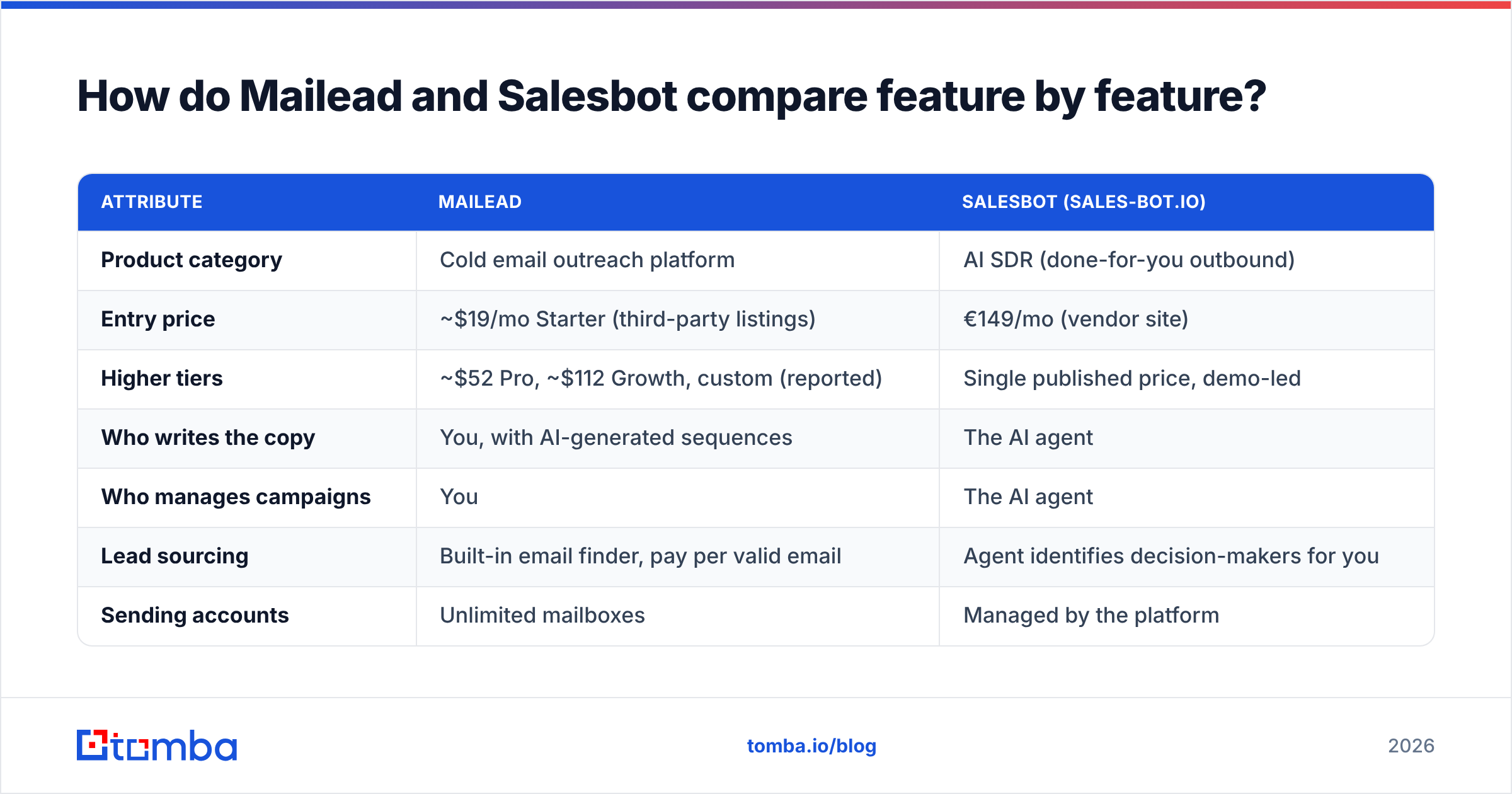
| Attribute | Mailead | Salesbot (sales-bot.io) |
|---|---|---|
| Product category | Cold email outreach platform | AI SDR (done-for-you outbound) |
| Entry price | ~$19/mo Starter (third-party listings) | €149/mo (vendor site) |
| Higher tiers | ~$52 Pro, ~$112 Growth, custom (reported) | Single published price, demo-led |
| Who writes the copy | You, with AI-generated sequences | The AI agent |
| Who manages campaigns | You | The AI agent |
| Lead sourcing | Built-in email finder, pay per valid email | Agent identifies decision-makers for you |
| Sending accounts | Unlimited mailboxes | Managed by the platform |
| Reply handling and qualification | Your team | The AI agent qualifies and books meetings |
| Control over targeting and tone | High | Moderate, since you set the brief and the agent runs it |
| Best for | Agencies, growth teams, technical founders | Founders and small teams with no SDR |
| Main risk | Your time cost, plus deliverability errors you make yourself | Less visibility into what goes out under your brand |
The table shows the main tradeoff. Mailead is cheaper per month but costs you hours. Salesbot costs more per month but saves those hours, and you give up some control in return.
Which one is cheaper in practice?#
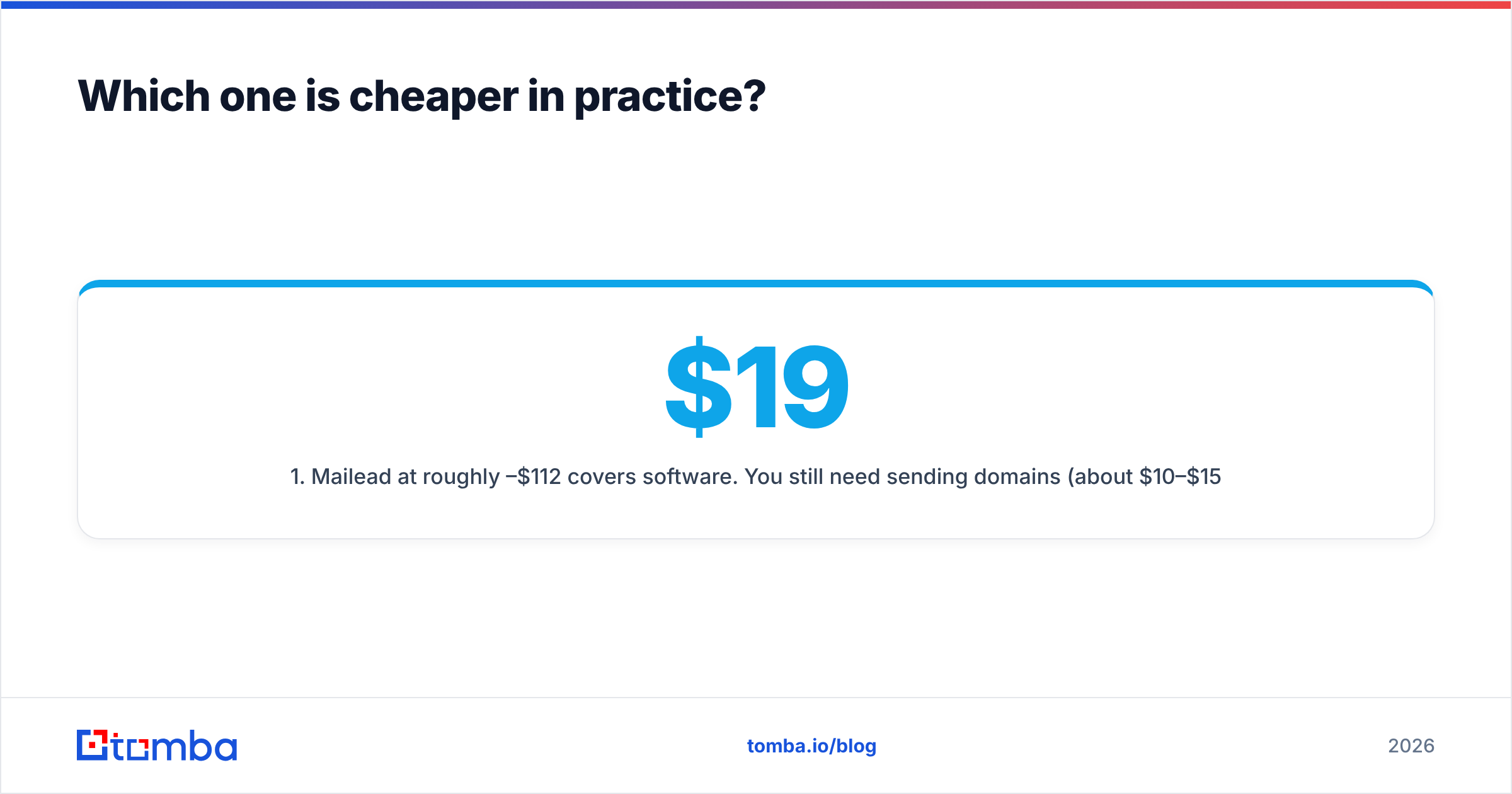
Mailead wins on sticker price. Salesbot can win on total cost if your time is expensive.
The math works like this:
- Mailead at roughly $19–$112/mo covers software. You still need sending domains (about $10–$15 per year each), mailboxes (about $6–$7 per mailbox per month on Google Workspace or Microsoft 365), a warmup period, and someone who knows how to write a cold sequence. If that person is you, value your hours honestly.
- Salesbot at €149/mo bundles in the work an SDR would do: prospect research, first-touch messaging, follow-ups, and qualification. A junior human SDR in Europe or the US costs many times that per month once you add salary and tools.
A rough way to decide: if running outbound on Mailead would take you more than about three hours a week, and your hourly value is above €15–€20, Salesbot's flat fee pays for itself on time alone. That holds only if it books comparable meetings, which you can only learn by testing.
The vendor's site shows projected warm-lead and revenue figures in its calculator. Treat those as the vendor's own projections, not benchmarks. Run a 30-day pilot with a clear target, for example "X qualified meetings with ICP accounts," before you commit.

Is Mailead better than Salesbot for deliverability?#
Neither tool handles deliverability for you. They put the responsibility in different places.
With Mailead, deliverability is your job. Unlimited sending accounts are useful because they let you spread volume across many mailboxes and keep each one under safe daily limits. That only helps if you set them up correctly:
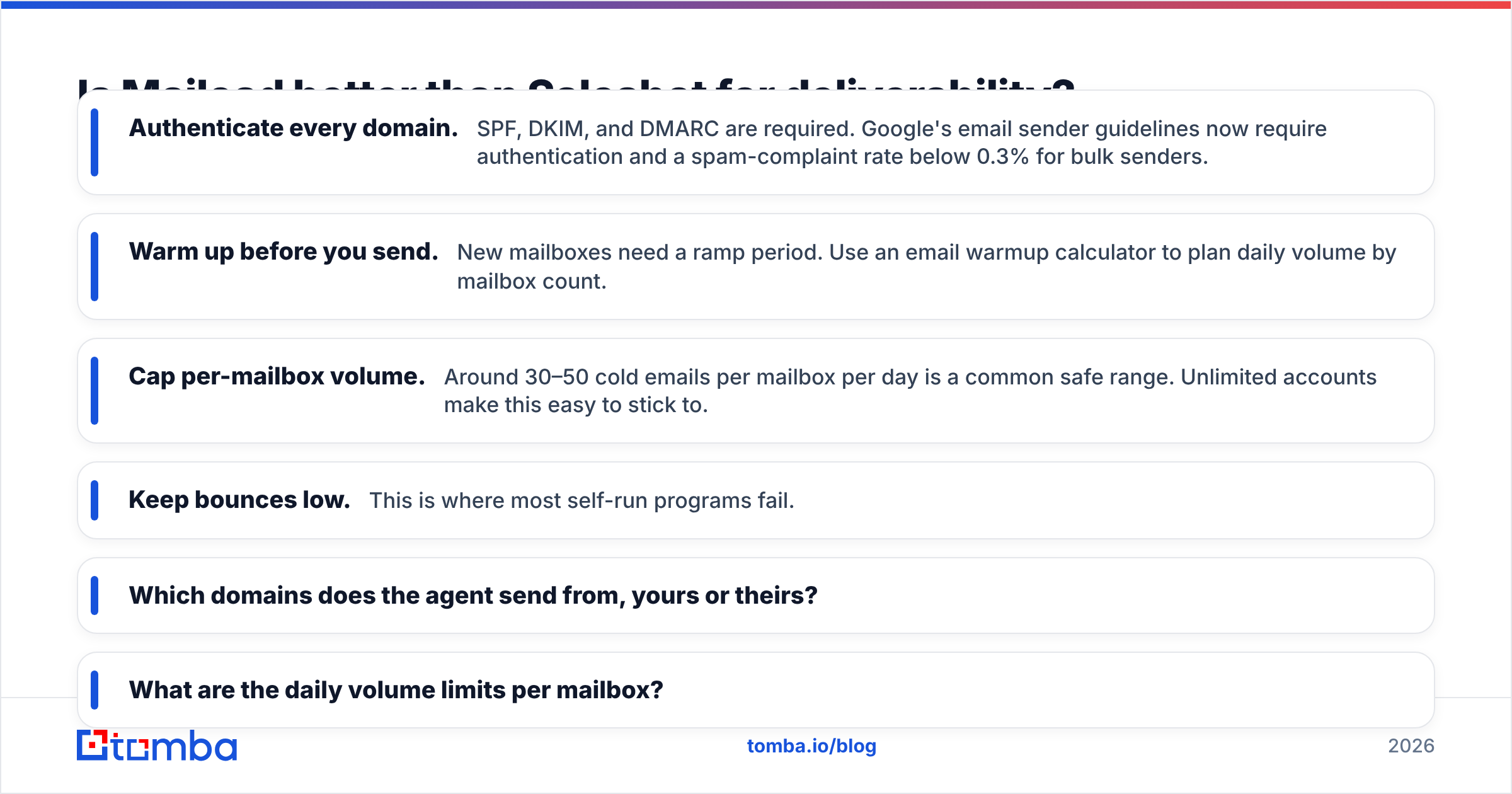
- Authenticate every domain. SPF, DKIM, and DMARC are required. Google's email sender guidelines now require authentication and a spam-complaint rate below 0.3% for bulk senders.
- Warm up before you send. New mailboxes need a ramp period. Use an email warmup calculator to plan daily volume by mailbox count.
- Cap per-mailbox volume. Around 30–50 cold emails per mailbox per day is a common safe range. Unlimited accounts make this easy to stick to.
- Keep bounces low. This is where most self-run programs fail.
With Salesbot, the platform manages the sending infrastructure, so you don't configure it. The tradeoff is that you can see less of what is happening. Before you sign, ask the vendor:
- Which domains does the agent send from, yours or theirs?
- What are the daily volume limits per mailbox?
- How are bounce and complaint rates reported to you?
- Can you review or approve messages before they go out?
If the answers are vague, treat that as a warning sign. An AI SDR that burns a domain is still burning your brand.
How good is the lead data in each tool?#
Both tools depend on good contacts, and data quality is where outbound programs most often fail without anyone noticing.
Mailead includes an email finder with catch-all verification, and you pay only for valid emails found. For an outreach platform, that is a reasonable design. Still, an email finder bundled into a sending tool is usually not the vendor's main focus. Spot-check a sample of found emails against an independent email verifier before your first big campaign. If you see disagreement on more than a few percent of addresses, fix that before scaling.
Salesbot sources decision-makers itself as part of the agent workflow. That is convenient, but it raises some questions:
- What data sources does the agent use?
- Does it verify emails before sending, or does it learn from bounces?
- Can you bring your own list, for example key target accounts from your CRM?
Catch-all domains are a specific problem. Many mid-market and enterprise companies accept mail for any address, so a basic SMTP check returns "valid" for addresses that don't exist. If your ICP includes many such companies, you need a dedicated catch-all verifier that goes beyond a simple SMTP handshake. Otherwise either tool will send to inboxes nobody reads, and your reply rate will fall with no clear cause.
Here is a pre-flight data checklist that applies to both tools:
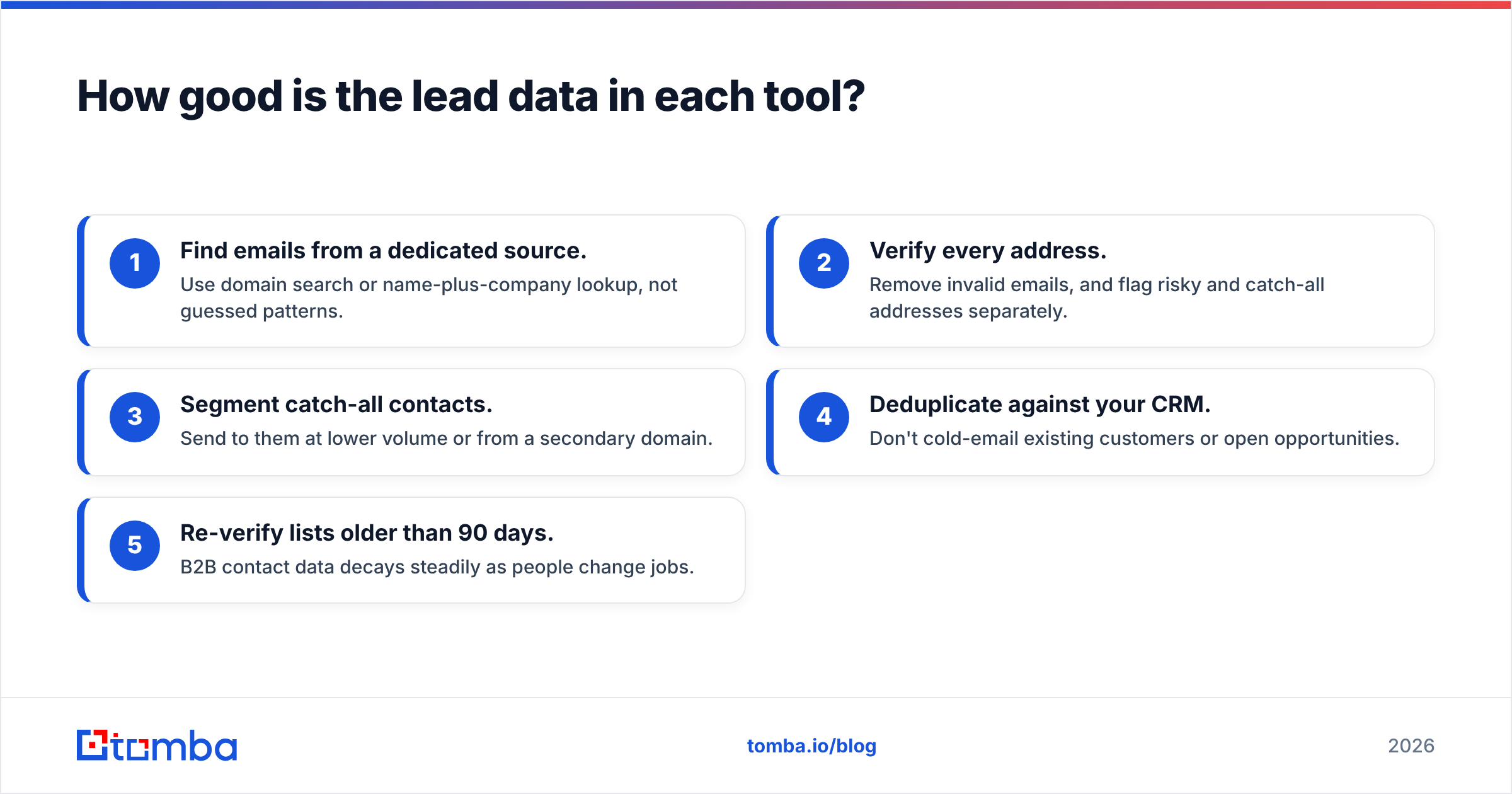
- Find emails from a dedicated source. Use domain search or name-plus-company lookup, not guessed patterns.
- Verify every address. Remove invalid emails, and flag risky and catch-all addresses separately.
- Segment catch-all contacts. Send to them at lower volume or from a secondary domain.
- Deduplicate against your CRM. Don't cold-email existing customers or open opportunities.
- Re-verify lists older than 90 days. B2B contact data decays steadily as people change jobs.
Who should choose Mailead?#
Mailead fits teams that want control and have the skills to use it.
Choose Mailead if:
- You are an agency running campaigns for several clients and need unlimited mailboxes without per-seat pricing.
- You have a growth marketer or founder who enjoys writing copy and testing subject lines.
- You want to own every variable: targeting, timing, copy, sending domains, and follow-up logic.
- You are budget-constrained and your time is cheaper than a monthly AI SDR fee.
- You already have, or plan to build, a clean data pipeline feeding the platform.
Skip Mailead if nobody on your team will log in three times a week to check replies, adjust sequences, and watch deliverability. Cheap software that runs unattended still costs you, mostly in reputation damage.
Woodpecker's Mailead review is a useful second opinion on the product's strengths and limits. Keep in mind that it is written by a competitor.

Who should choose Salesbot?#
Salesbot fits teams that need pipeline more than they need control.
Choose Salesbot if:
- You are a founder or small team with no SDR and no time to become one.
- Your ICP is well-defined and easy to describe, for example "Heads of Finance at 50–500 employee SaaS companies in DACH."
- You want qualified meetings delivered, not a dashboard to manage.
- You are comfortable with a flat €149/mo as a test budget and can judge results within a month or two.
- You value speed to first meeting over fine-grained message control.
Skip Salesbot if you sell into a niche where every message needs deep, account-specific research, for example strategic enterprise deals with six-figure ACVs. AI SDRs perform best on high-volume, well-defined ICPs. They struggle when personalization requires real context from your account history. Also skip it if your legal or brand team requires approval of every outbound message.
Can you use Mailead and Salesbot together?#
You can, but most teams shouldn't start that way.
Running both makes sense in one case: you have a strategic segment you want to control manually (Mailead) and a high-volume, lower-priority segment you hand to an agent (Salesbot). Even then, you need strict rules so the two don't contact the same people:
- One CRM is the source of truth. Both tools sync to it, and nothing is contacted twice.
- Separate sending domains for each tool, so a problem on one doesn't damage the other.
- Clear segment boundaries by industry, company size, or region.
For most teams under 10 people, pick one, run it for 60 days, and measure meetings booked per €100 spent. Then decide.
What is the verdict: Mailead or Salesbot?#
In short, Mailead is the better tool, and Salesbot is the better shortcut.
- If you have the skills and the hours, Mailead gives you more control, more sending capacity, and a lower monthly bill. It rewards operators who care about copy and deliverability.
- If you lack the hours, Salesbot replaces most of the SDR workload for a flat fee. It rewards founders who need meetings this quarter and have a clear ICP.
Whichever you choose, the result depends on your data. A cold email platform sending to bad addresses burns your domain, and an AI SDR working from weak data books few meetings. The tool you choose matters less than the contacts you give it.
How do you make either tool work better with clean data?#
Start with verified contacts. Tomba Email Finder finds professional email addresses by domain, by name and company, or straight from LinkedIn. Every result comes with verification status, so you know which contacts are safe to upload before Mailead sends anything and before Salesbot goes after an account. You can test it on the free tier (25 searches per month) and move to Starter at $49/mo when you are ready to fill a real pipeline. Clean data at the start costs much less than repairing a damaged sending domain later.
Related guides#
// start free
See who Tomba finds at any company
Type a company's domain to see its people, their roles and verified work emails, each with the pages it was found on. Free account, no card.
Free plan · No credit card required · GDPR & CCPA
// about the author