Best Mailgun Alternatives in 2026: 8 Email APIs Compared
Mailgun is solid, but its pricing, log retention, and support tiers push many teams to look elsewhere. Here are 8 Mailgun alternatives, what each one is best at, and the trade-offs to check before you migrate.

TL;DR
- Postmark is the best Mailgun alternative for transactional email where inbox speed matters most. It splits transactional and broadcast traffic into separate streams by default.
- Amazon SES is the cheapest at volume, at roughly $0.10 per 1,000 emails. You pay for that price by building the analytics, suppression handling, and support layer yourself.
- SendGrid, Brevo, and Mailjet fit teams that want a marketing UI and an API on one bill.
- Resend suits developer-first teams on React or Next.js who want a modern API and clean docs.
- Whichever provider you pick, your deliverability depends on list quality. Verify addresses before migrating, or your new IPs will inherit your old bounce problems.
What is Mailgun, and why do teams look for alternatives?#
Mailgun is a developer-focused email API for sending, receiving, and tracking email. It was owned by Rackspace and is now part of Sinch. It covers transactional email (password resets, receipts, alerts), bulk sending, inbound routing, and an optional validation add-on. Its docs are good, its SMTP relay and REST API are both mature, and it has a long track record. That's why it shows up on almost every shortlist.
The reasons people leave are usually practical, not dramatic:
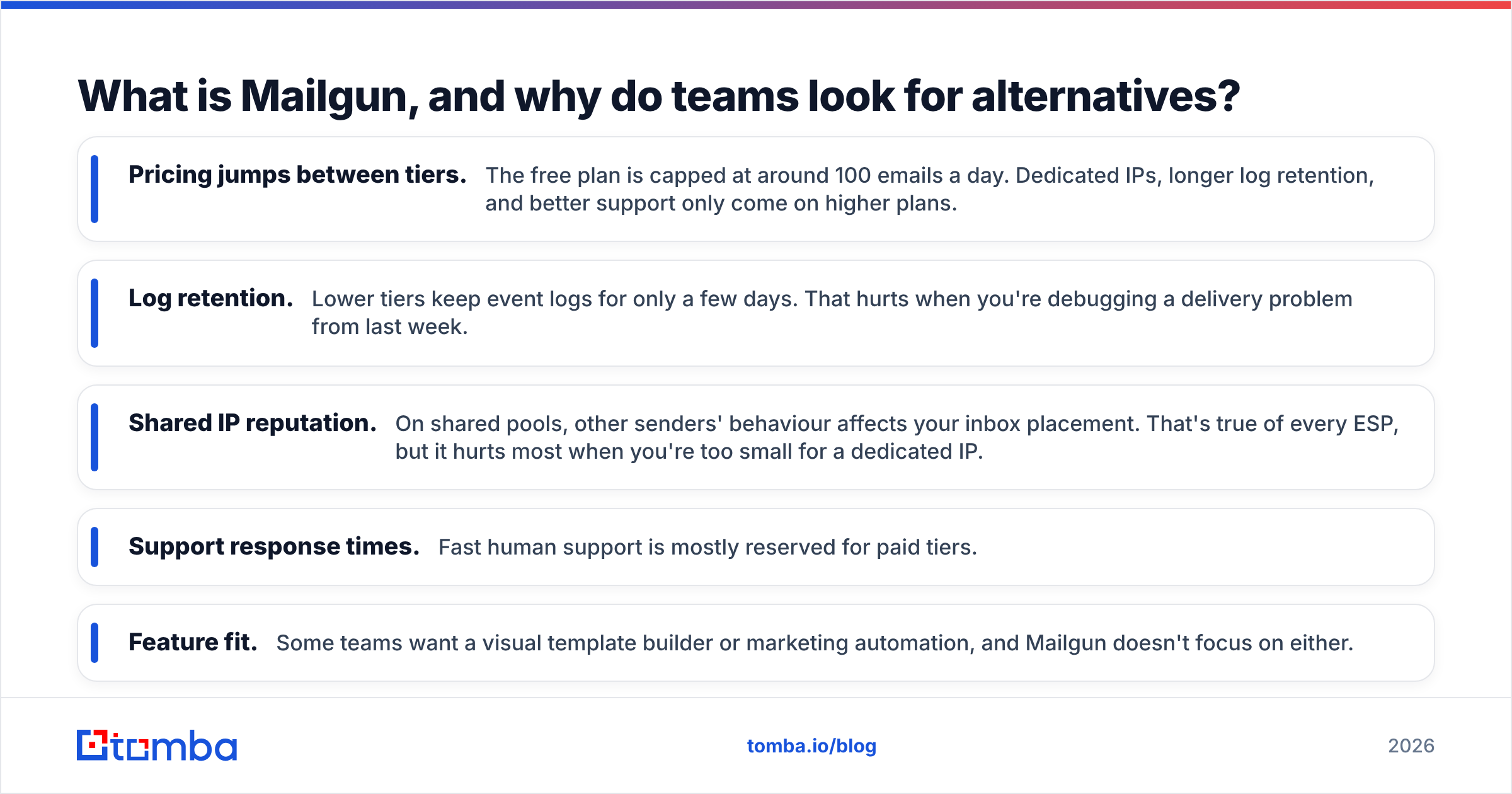
- Pricing jumps between tiers. The free plan is capped at around 100 emails a day. Dedicated IPs, longer log retention, and better support only come on higher plans.
- Log retention. Lower tiers keep event logs for only a few days. That hurts when you're debugging a delivery problem from last week.
- Shared IP reputation. On shared pools, other senders' behaviour affects your inbox placement. That's true of every ESP, but it hurts most when you're too small for a dedicated IP.
- Support response times. Fast human support is mostly reserved for paid tiers.
- Feature fit. Some teams want a visual template builder or marketing automation, and Mailgun doesn't focus on either.
If any of those apply to you, the options below are worth comparing. Prices are approximate as of 2026 and change often, so check each vendor's pricing page before you commit.
Which Mailgun alternatives are worth considering in 2026?#
Here's the short list, based on what each tool does best rather than on feature-count bingo.
- Postmark: best for transactional speed and inbox placement
- Amazon SES: best for raw cost at high volume
- SendGrid (Twilio): best all-rounder for transactional plus marketing
- Resend: best developer experience for modern JavaScript stacks
- Brevo: best for SMBs that want CRM-lite, marketing, and transactional email together
- Mailjet: best for EU-based teams that need collaborative template editing
- SMTP2GO: best simple SMTP relay with straightforward pricing
- Mailtrap: best for teams that want staging and testing next to production sending
How do Mailgun alternatives compare on price and features?#
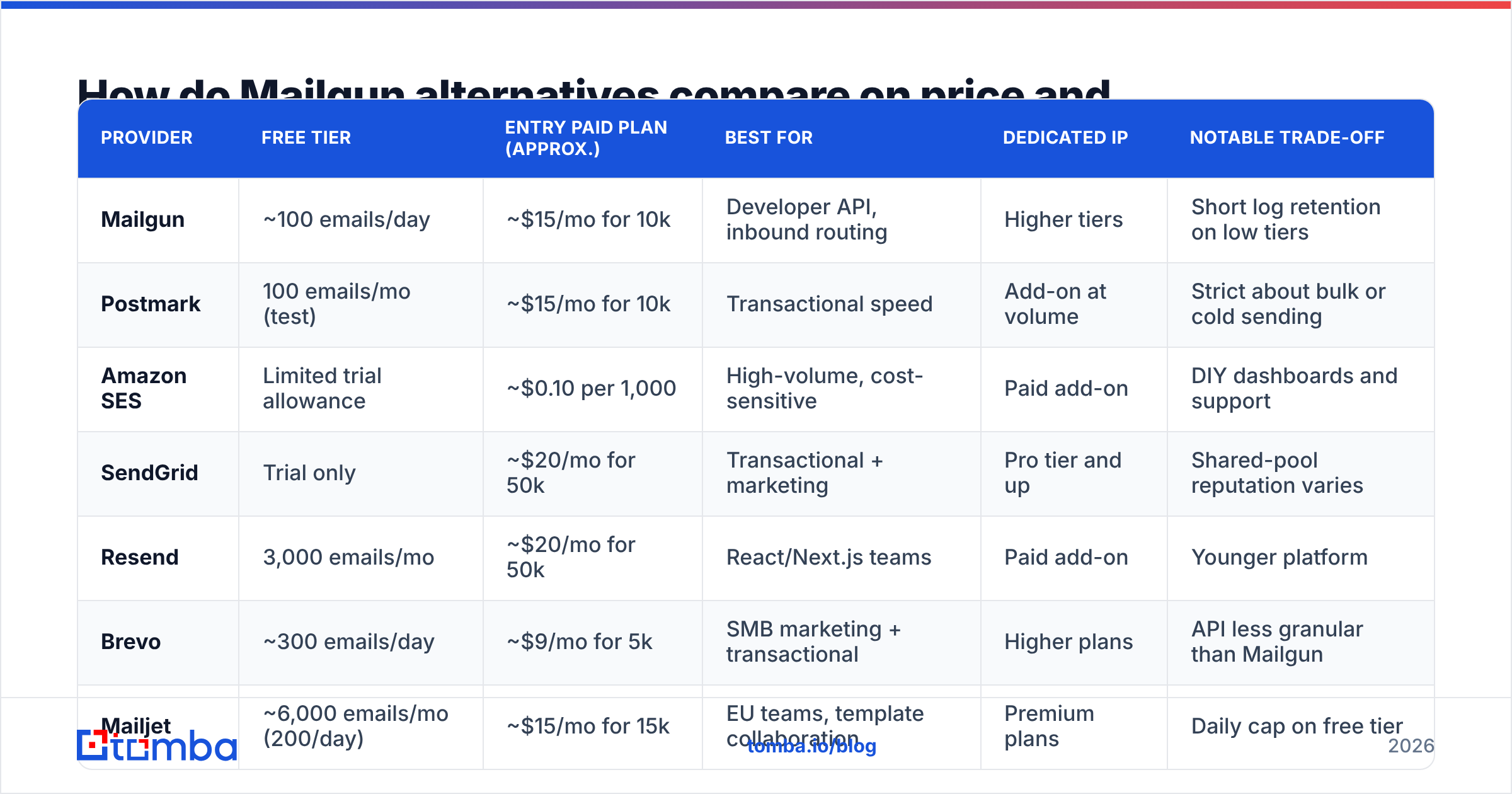
| Provider | Free tier | Entry paid plan (approx.) | Best for | Dedicated IP | Notable trade-off |
|---|---|---|---|---|---|
| Mailgun | ~100 emails/day | ~$15/mo for 10k | Developer API, inbound routing | Higher tiers | Short log retention on low tiers |
| Postmark | 100 emails/mo (test) | ~$15/mo for 10k | Transactional speed | Add-on at volume | Strict about bulk or cold sending |
| Amazon SES | Limited trial allowance | ~$0.10 per 1,000 | High-volume, cost-sensitive | Paid add-on | DIY dashboards and support |
| SendGrid | Trial only | ~$20/mo for 50k | Transactional + marketing | Pro tier and up | Shared-pool reputation varies |
| Resend | 3,000 emails/mo | ~$20/mo for 50k | React/Next.js teams | Paid add-on | Younger platform |
| Brevo | ~300 emails/day | ~$9/mo for 5k | SMB marketing + transactional | Higher plans | API less granular than Mailgun |
| Mailjet | ~6,000 emails/mo (200/day) | ~$15/mo for 15k | EU teams, template collaboration | Premium plans | Daily cap on free tier |
| SMTP2GO | 1,000 emails/mo | ~$10–15/mo for 10k | Simple SMTP relay | Higher plans | Fewer marketing features |
| Mailtrap | Small free sending tier | ~$15/mo for 10k | Testing + sending in one tool | Higher plans | Smaller ecosystem |
Free tiers and caps change frequently. Use the table to build a shortlist, not as a final quote.

Is Postmark better than Mailgun for transactional email?#
For pure transactional email, often yes. Postmark built its reputation on one thing: getting password resets and receipts into the inbox within seconds. It does this partly by being strict about who it lets send. Bulk and promotional mail must go through a separate "broadcast" message stream, so your transactional reputation doesn't get dragged down by newsletter complaints.
Where Postmark wins:
- Consistently fast delivery times, which Postmark publishes openly.
- Message streams that separate transactional and broadcast traffic by default.
- 45 days of message history on standard plans, which helps with debugging.
- Responsive support, even at low tiers.
Where Mailgun still wins:
- Inbound email routing and parsing are more flexible.
- Better suited to high-volume bulk sending.
- More configuration knobs for teams that want them.
If most of your volume is triggered by user actions, Postmark is the most direct upgrade. If you send a lot of bulk mail, its strictness becomes a limitation.
Is Amazon SES the cheapest Mailgun alternative?#
At volume, yes, by a wide margin. Amazon SES charges roughly $0.10 per 1,000 outbound emails, plus small fees for attachments, data transfer, and optional dedicated IPs. Sending a million emails a month costs about $100 in base sending fees. On most managed ESPs, the same volume costs several hundred dollars.
The catch is that SES is infrastructure, not a product. You get:
- A sending API and SMTP endpoint
- Bounce and complaint notifications through SNS or EventBridge
- A Virtual Deliverability Manager add-on for basic insight
You don't get a polished event log, a template designer, or a human who will look at your account when Gmail starts throttling you. Teams that use SES well usually build or buy a layer on top: suppression list management, webhook processing, and dashboards.
New SES accounts also start in a sandbox. You can only send to verified addresses until AWS approves a production access request. Plan for that in your migration timeline.
Choose SES if: you have engineering capacity, send more than a few hundred thousand emails a month, and already run on AWS.
Is SendGrid still a good Mailgun alternative?#
SendGrid, owned by Twilio, is the closest like-for-like replacement for Mailgun. It offers a mature API, SMTP relay, webhooks, a template engine, and a marketing campaigns product on the same account. It's also the most widely integrated: almost every CRM, e-commerce platform, and framework has a SendGrid plugin.
Things to know before switching:
- SendGrid dropped its permanent free plan in 2025. New accounts now get a time-limited trial, then move to paid tiers.
- Shared IP reputation depends heavily on which pool you land in. Mid-volume senders often see better results after moving to a dedicated IP on the Pro tier.
- Marketing Campaigns is billed separately from the Email API, so check which product you actually need.
SendGrid makes sense when you want one vendor for transactional and marketing email, and when integrations matter more than squeezing out the last dollar.
What about developer-first options like Resend?#
Resend has grown quickly with JavaScript and TypeScript teams. Its pitch is a clean REST API, first-class SDKs, and React Email, an open-source library that lets you write email templates as React components instead of fighting table-based HTML.
Strengths:
- One of the nicest developer experiences in the category
- A generous free tier (around 3,000 emails a month) for side projects and early-stage products
- Straightforward domain setup with clear DNS instructions
Weaknesses:
- A younger platform, so there's less public history at very high volume
- Fewer enterprise controls than Mailgun or SendGrid
If your product is built on Next.js and your team dreads email templating, Resend is worth a weekend test.
Which alternatives suit marketing and SMB teams?#
Not everyone leaving Mailgun wants a purer API. Some teams want the opposite: a UI that non-engineers can use.
Brevo (formerly Sendinblue) bundles transactional email, marketing campaigns, SMS, a lightweight CRM, and automation. Its free tier allows roughly 300 emails a day, and paid plans are priced by email volume rather than contact count. That suits companies with big lists that send infrequently. The trade-off is a less granular API than Mailgun's.
Mailjet, also owned by Sinch, is strong in Europe. It offers EU data hosting, a collaborative drag-and-drop template editor, and a free tier of about 6,000 emails a month with a 200-a-day cap. If you're on Mailgun and like the idea of staying within the Sinch family while gaining a marketing UI, Mailjet is a natural move.
SMTP2GO and Mailtrap sit in the middle. SMTP2GO is a no-fuss relay with readable reports and fair pricing. Mailtrap started as an email testing sandbox and now offers production sending too. That's handy if you want staging and production in one dashboard.
For independent user reviews across these vendors, G2's transactional email category is a reasonable starting point. Weigh recent reviews more heavily than old ones.
How do you choose the right Mailgun alternative?#
Ignore feature lists at first. Answer these questions in order:
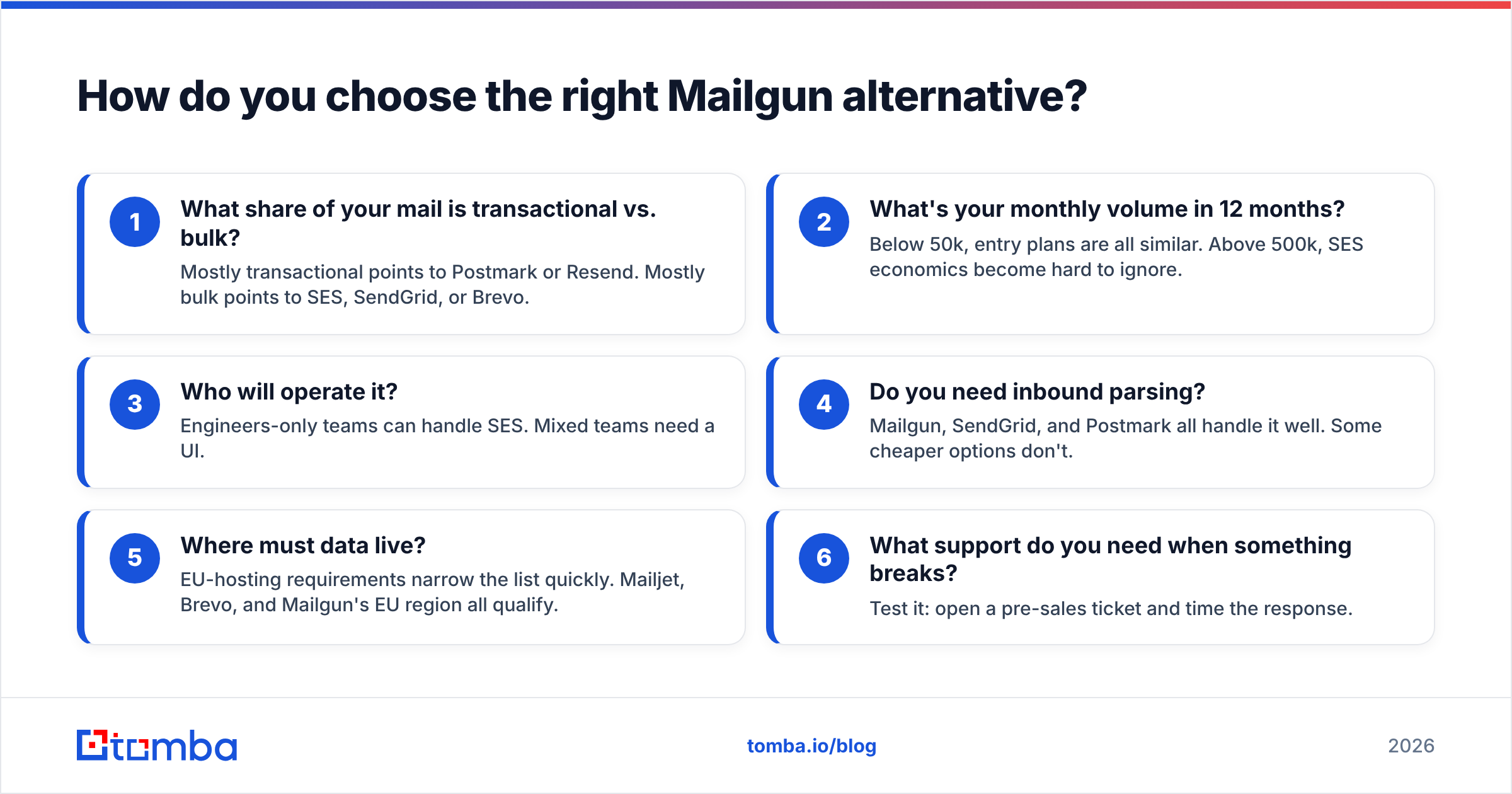
- What share of your mail is transactional vs. bulk? Mostly transactional points to Postmark or Resend. Mostly bulk points to SES, SendGrid, or Brevo.
- What's your monthly volume in 12 months? Below 50k, entry plans are all similar. Above 500k, SES economics become hard to ignore.
- Who will operate it? Engineers-only teams can handle SES. Mixed teams need a UI.
- Do you need inbound parsing? Mailgun, SendGrid, and Postmark all handle it well. Some cheaper options don't.
- Where must data live? EU-hosting requirements narrow the list quickly. Mailjet, Brevo, and Mailgun's EU region all qualify.
- What support do you need when something breaks? Test it: open a pre-sales ticket and time the response.
What should you do before migrating email providers?#
Most failed migrations aren't the new vendor's fault. Teams copy over the same sending habits and the same contact data, then wonder why placement didn't improve. Run through this list first:
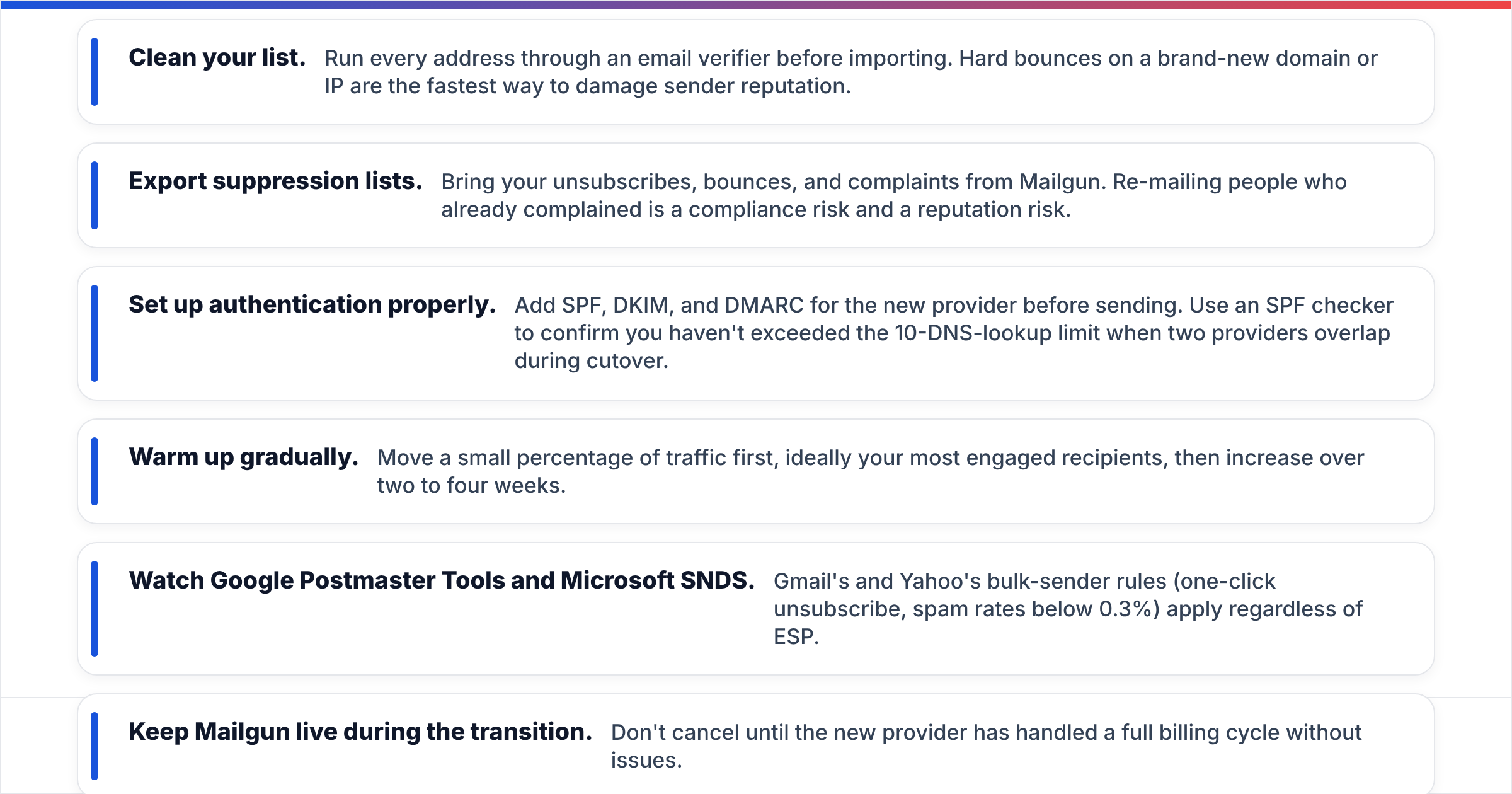
- Clean your list. Run every address through an email verifier before importing. Hard bounces on a brand-new domain or IP are the fastest way to damage sender reputation.
- Export suppression lists. Bring your unsubscribes, bounces, and complaints from Mailgun. Re-mailing people who already complained is a compliance risk and a reputation risk.
- Set up authentication properly. Add SPF, DKIM, and DMARC for the new provider before sending. Use an SPF checker to confirm you haven't exceeded the 10-DNS-lookup limit when two providers overlap during cutover.
- Warm up gradually. Move a small percentage of traffic first, ideally your most engaged recipients, then increase over two to four weeks.
- Watch Google Postmaster Tools and Microsoft SNDS. Gmail's and Yahoo's bulk-sender rules (one-click unsubscribe, spam rates below 0.3%) apply regardless of ESP.
- Keep Mailgun live during the transition. Don't cancel until the new provider has handled a full billing cycle without issues.
For more background on what actually drives inbox placement, see our explainer on email deliverability.

Can you use Mailgun alternatives for cold email?#
Mostly no, and this catches a lot of teams out. Transactional ESPs, including Mailgun, Postmark, SendGrid, SES, and Resend, generally prohibit unsolicited bulk email in their acceptable use policies. Postmark is especially strict. Sending cold outreach through them risks account suspension, and it can damage the shared IPs other customers rely on.
Cold outreach belongs on dedicated mailboxes (Google Workspace or Microsoft 365) sending at human-scale volumes through a sequencing tool. That setup has its own rules: separate domains, warmup, low daily caps, and above all accurate contact data. A cold campaign with a 10% bounce rate will burn a domain whatever infrastructure sits underneath it.
Which Mailgun alternative should you pick?#
There's no single winner. There's a best fit for each team:
- Transactional-first SaaS: Postmark
- High volume on AWS with engineering capacity: Amazon SES
- One vendor for API and marketing: SendGrid
- Modern JavaScript stack: Resend
- SMB that wants CRM, campaigns, and transactional email: Brevo
- EU data residency with a template UI: Mailjet
- Simple relay, simple bill: SMTP2GO
- Testing and sending together: Mailtrap
Shortlist two, run the same week of real traffic through both, and compare placement, latency, and support response. Data beats vendor marketing every time.
Start with contacts that actually exist#
Changing email providers fixes infrastructure problems, not data problems. If your outbound or sales team is building lists for the mailbox-based outreach described above, start with addresses that are right. Tomba Email Finder finds professional email addresses from a name, a company, or a domain, and returns a confidence score so you can skip guesses before they bounce. Pair it with verification before every import, and whichever provider you choose starts from a clean reputation instead of inheriting someone else's bounces.
Related guides#
// start free
See who Tomba finds at any company
Type a company's domain to see its people, their roles and verified work emails, each with the pages it was found on. Free account, no card.
Free plan · No credit card required · GDPR & CCPA
// about the author