Mailgun Pricing Reviews, Pros and Cons: Is It Worth It in 2026?
Mailgun's sticker price starts at $15/mo, but overages, add-on validations, and log limits change the math. Here's what reviewers actually say and who should pay for it.
TL;DR
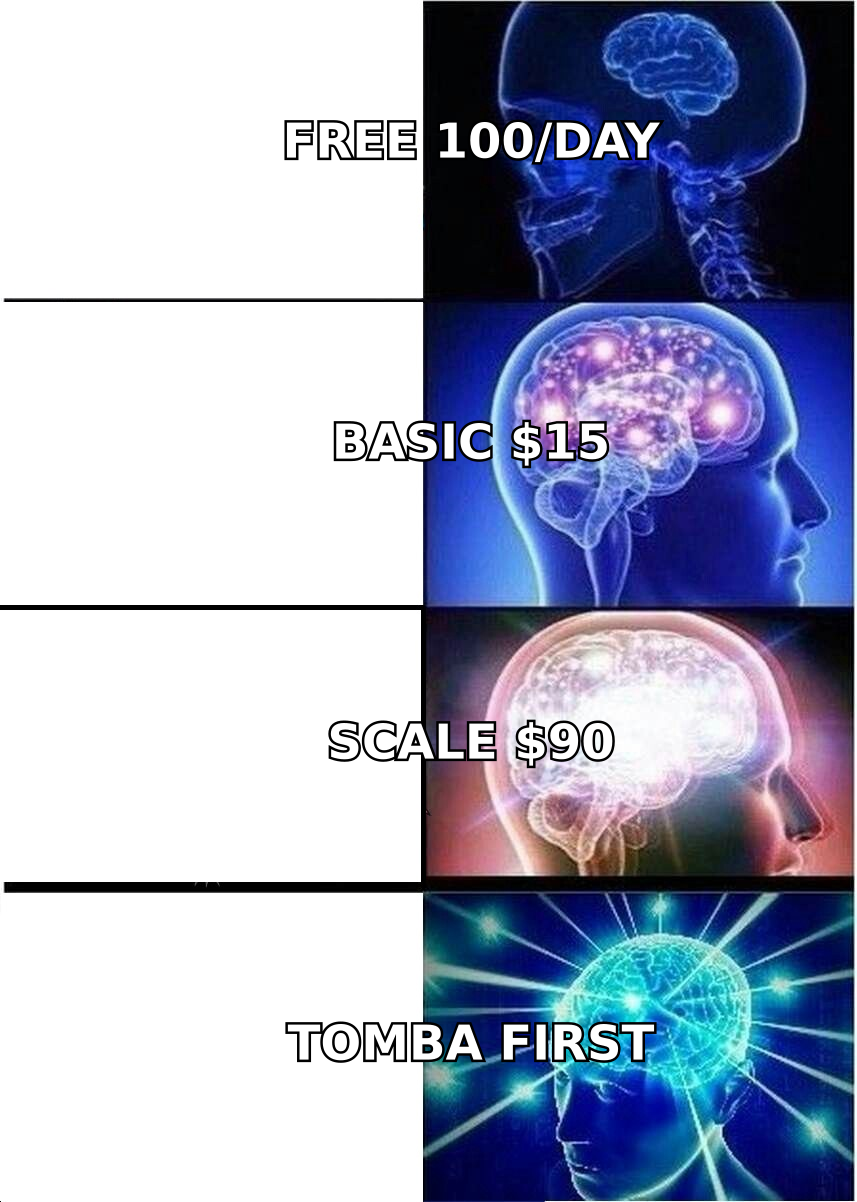
- Mailgun's paid plans start at $15/mo for 10,000 emails (Basic), then go to $35/mo for 50,000 (Foundation) and $90/mo for 100,000 (Scale). Enterprise is custom-quoted.
- The free plan only allows 100 emails per day, which is fine for testing and too small for anything in production.
- Reviewers praise the API, the documentation and deliverability. The common complaints are setup friction, a learning curve for non-developers, and costs that grow once you add overages, validations and longer log retention.
- Mailgun is a good fit for developer-led teams that send transactional or high-volume email. If your main need is campaign building, or very cheap raw volume, other tools may cost you less.
- Your plan does nothing for bad addresses. Your sending reputation depends on list quality, so find and verify contacts before they go into any sending API.
What is Mailgun, and who is it actually built for?#
Mailgun is an email delivery API owned by Sinch. Developers use it to send, receive and track email through code (REST API or SMTP relay) instead of a drag-and-drop campaign builder. Typical jobs are password resets, order confirmations, product notifications, inbound email parsing, and high-volume sending from apps and SaaS platforms.
Keep that in mind when you read reviews. Many negative Mailgun reviews come from marketers who expected something like Mailchimp and got an API console. Many positive ones come from engineers who wanted exactly that. The pricing follows the same logic: you pay by sending volume and by infrastructure features such as logs, dedicated IPs and validations. Templates and automations are not what you're paying for.
If you send cold outbound or B2B prospecting email, Mailgun can technically send it. Its acceptable use policy and your own email deliverability are what limit you in practice, not the plan tier.
How much does Mailgun cost in 2026?#
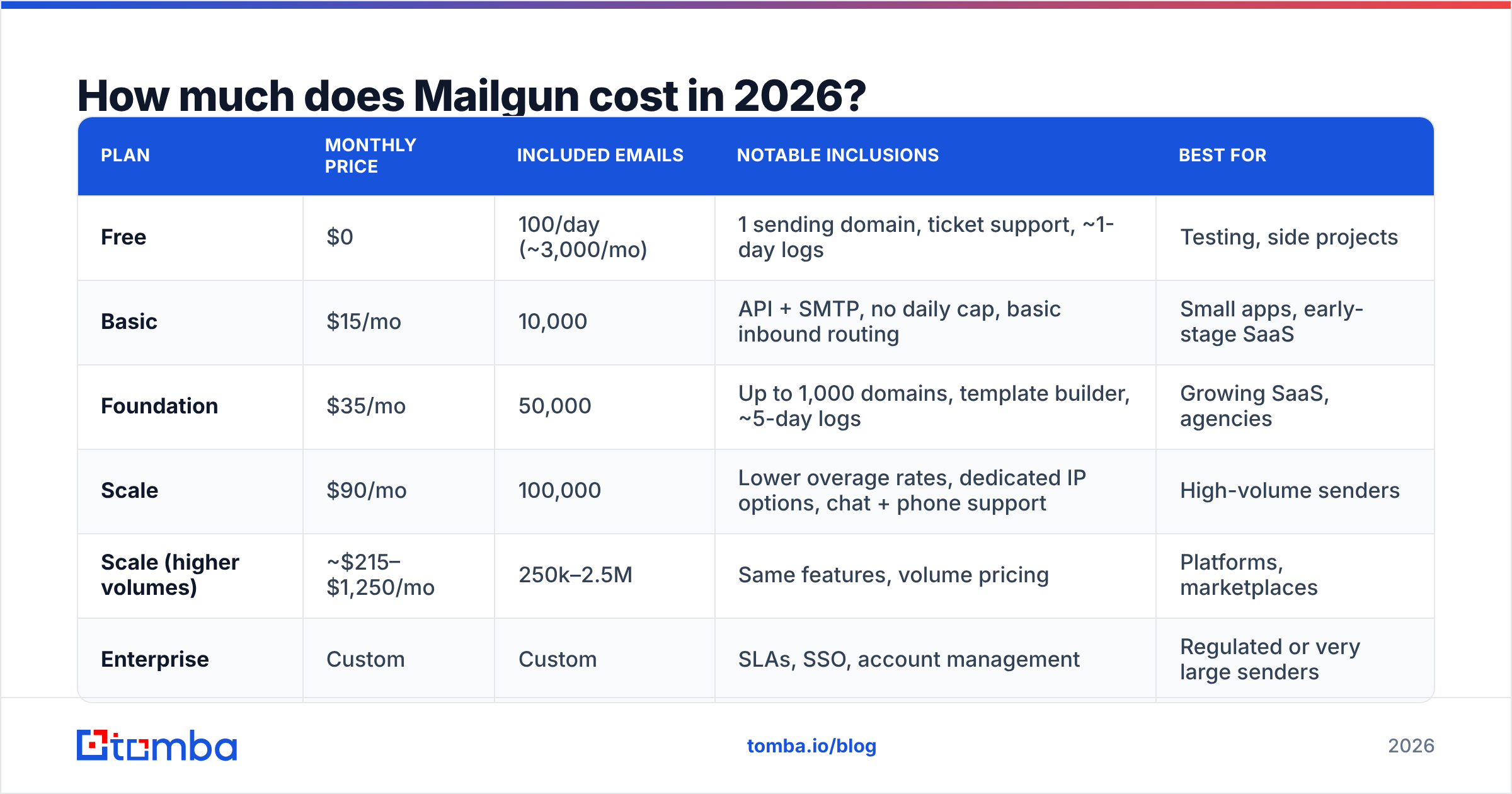
Mailgun's official pricing page lists five "Send" tiers. Prices below are list prices as of October 2026, paid monthly. Mailgun has changed its free tier and plan names several times since 2012, so check the live page before you budget.
| Plan | Monthly price | Included emails | Notable inclusions | Best for |
|---|---|---|---|---|
| Free | $0 | 100/day (~3,000/mo) | 1 sending domain, ticket support, ~1-day logs | Testing, side projects |
| Basic | $15/mo | 10,000 | API + SMTP, no daily cap, basic inbound routing | Small apps, early-stage SaaS |
| Foundation | $35/mo | 50,000 | Up to 1,000 domains, template builder, ~5-day logs | Growing SaaS, agencies |
| Scale | $90/mo | 100,000 | Lower overage rates, dedicated IP options, chat + phone support | High-volume senders |
| Scale (higher volumes) | ~$215–$1,250/mo | 250k–2.5M | Same features, volume pricing | Platforms, marketplaces |
| Enterprise | Custom | Custom | SLAs, SSO, account management | Regulated or very large senders |
Two things the table leaves out, and both of them affect your real bill:
- Overages. If you go over your included volume, Mailgun charges per 1,000 extra emails. On Scale that starts around $1.10 per 1,000, and lower tiers pay more. A Basic customer who regularly sends 25,000 emails is overpaying. Foundation would be cheaper.
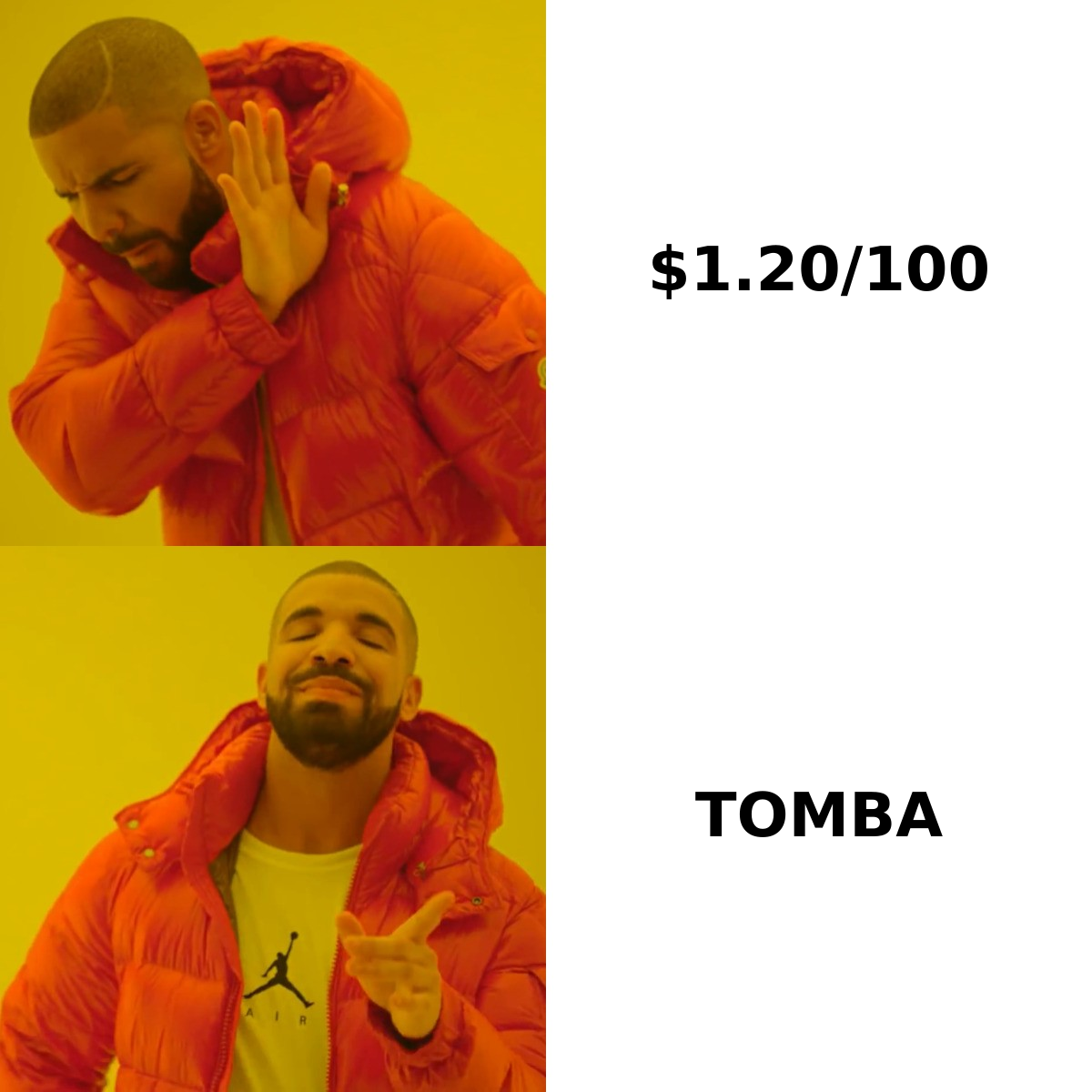
- Add-ons. Email validation, Mailgun Optimize (inbox placement and reputation monitoring) and Mailgun Inspect (pre-send testing) are billed separately or bundled in limited amounts. Validation runs roughly $0.80–$1.20 per 100 checks depending on plan. That is expensive per address compared with dedicated verification tools.
What are the hidden costs in Mailgun pricing?#
Most first-time buyers compare only the headline price. Here's where the gap opens up.
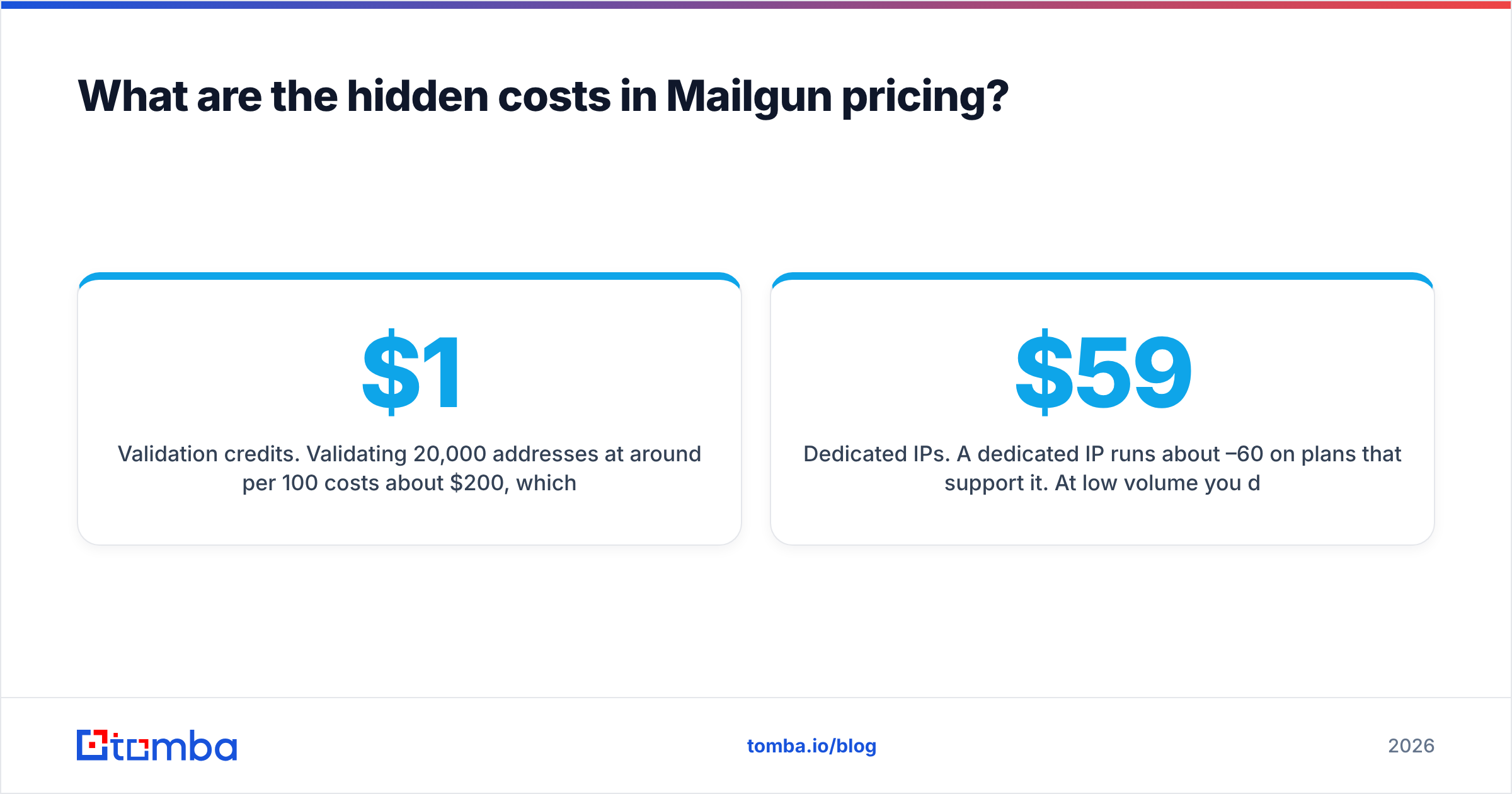
- Validation credits. Validating 20,000 addresses at around $1 per 100 costs about $200, which is more than two months of the Scale plan. Teams that send to purchased, scraped or aging lists hit this cost fast.
- Dedicated IPs. A dedicated IP runs about $59–60/month on plans that support it. At low volume you don't want one anyway: a cold dedicated IP with thin traffic can deliver worse than a well-managed shared pool. Use a warmup calculator before you commit.
- Log retention. Free and Basic keep logs for only a short window. If support or compliance needs to look up a bounce from three weeks ago, you have to move up a plan or export events yourself.
- Engineering time. Mailgun has no visual campaign editor worth building a marketing program on. Someone has to wire up webhooks, templates and suppression handling. That's a real cost even though it never shows up on the invoice.
- Plan mismatch. Volume that swings between months, such as seasonal ecommerce, can leave you paying for unused capacity one month and overage rates the next.
What do Mailgun reviews say? Pros and cons from real users#
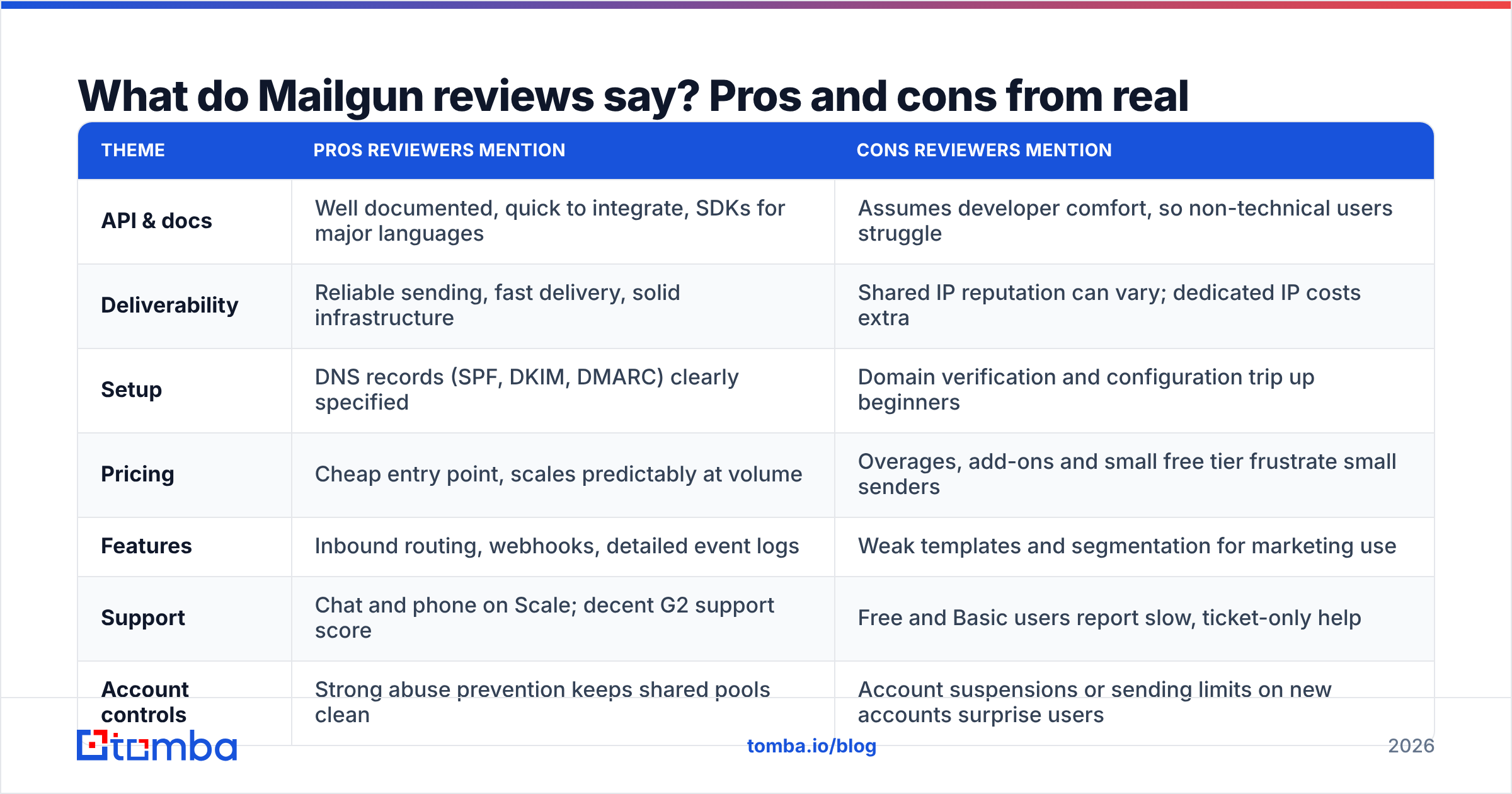
On G2, Mailgun scores around 4.2 out of 5 from 300+ reviews. The themes are consistent across review sites, so here they are side by side.
| Theme | Pros reviewers mention | Cons reviewers mention |
|---|---|---|
| API & docs | Well documented, quick to integrate, SDKs for major languages | Assumes developer comfort, so non-technical users struggle |
| Deliverability | Reliable sending, fast delivery, solid infrastructure | Shared IP reputation can vary; dedicated IP costs extra |
| Setup | DNS records (SPF, DKIM, DMARC) clearly specified | Domain verification and configuration trip up beginners |
| Pricing | Cheap entry point, scales predictably at volume | Overages, add-ons and small free tier frustrate small senders |
| Features | Inbound routing, webhooks, detailed event logs | Weak templates and segmentation for marketing use |
| Support | Chat and phone on Scale; decent G2 support score | Free and Basic users report slow, ticket-only help |
| Account controls | Strong abuse prevention keeps shared pools clean | Account suspensions or sending limits on new accounts surprise users |
The strongest pros#
Developer experience is the main reason to choose Mailgun. Reviewers repeatedly describe the API as clean, the docs as thorough, and integration as a job of hours, not days. If your engineers are choosing the tool, they'll probably be happy with it.
Deliverability is reliable for legitimate senders. Mailgun's infrastructure handles large volumes without much drama, and the event logs and webhooks give you detailed visibility into bounces, complaints and deliveries.
Inbound routing is underrated. Parsing replies and inbound email into your app is something many competitors do badly or charge extra for.
The strongest cons#
It's not a marketing tool. G2 scores Mailgun's template creation and segmentation noticeably lower than marketing-first platforms. If you're writing newsletters, you'll miss a proper editor.
New accounts get scrutinized. Several reviews describe sending limits or account reviews right after signup. From Mailgun's side this protects shared IP reputation. For you it can mean a launch delay.
The bill grows as you scale. The $15 entry price is real, but reviewers note that the effective price goes up once you add validations, longer logs and dedicated IPs.
How does Mailgun pricing compare with SendGrid, Postmark, and Amazon SES?#
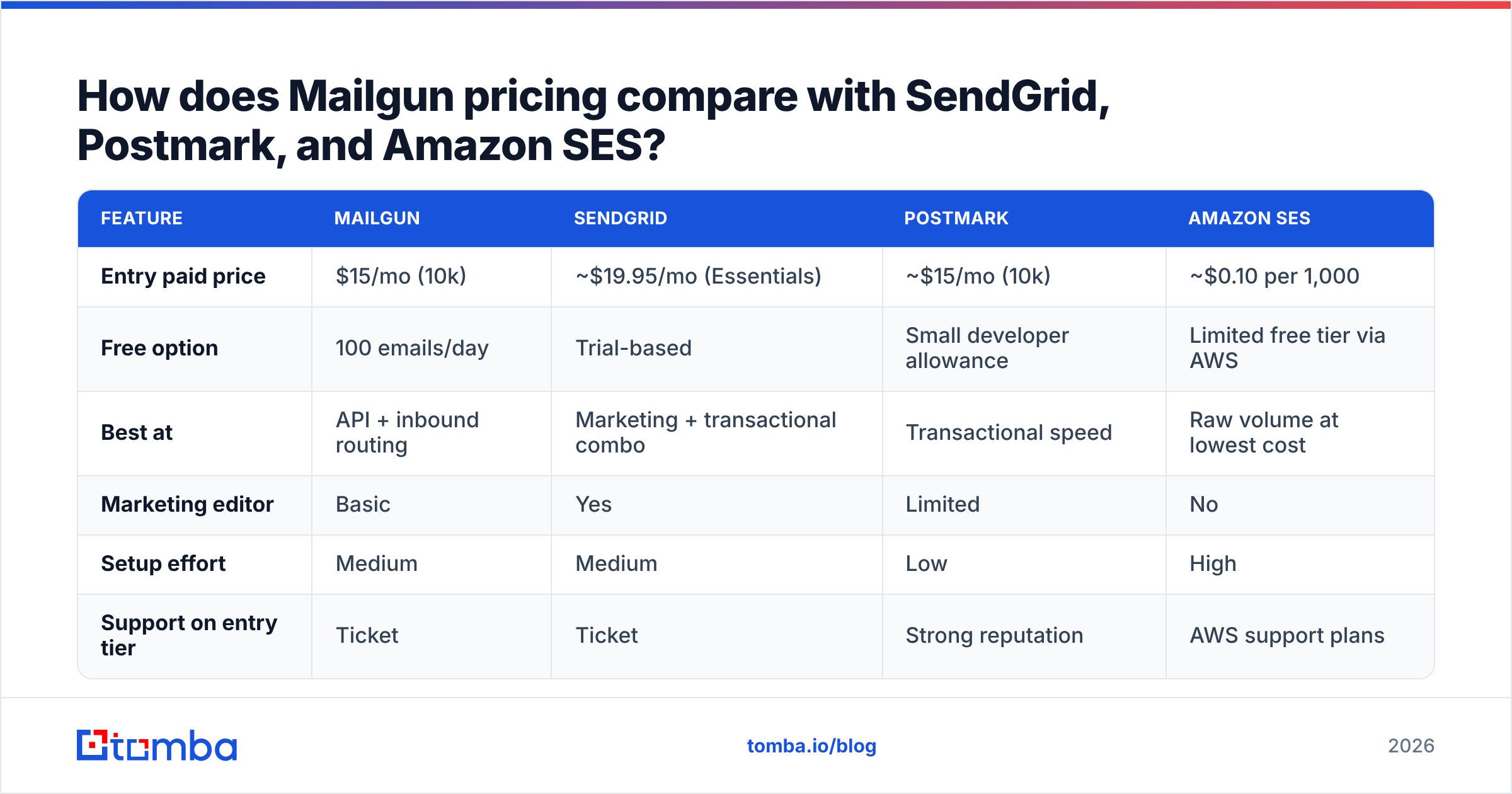
Most teams shortlisting Mailgun are also looking at the same few alternatives. The figures below are approximate entry prices, so verify each on the vendor's site.
| Feature | Mailgun | SendGrid | Postmark | Amazon SES |
|---|---|---|---|---|
| Entry paid price | $15/mo (10k) | ~$19.95/mo (Essentials) | ~$15/mo (10k) | ~$0.10 per 1,000 |
| Free option | 100 emails/day | Trial-based | Small developer allowance | Limited free tier via AWS |
| Best at | API + inbound routing | Marketing + transactional combo | Transactional speed | Raw volume at lowest cost |
| Marketing editor | Basic | Yes | Limited | No |
| Setup effort | Medium | Medium | Low | High |
| Support on entry tier | Ticket | Ticket | Strong reputation | AWS support plans |
How to read this:
- Lowest cost per email: Amazon SES, by a wide margin, if you can handle the AWS setup and build your own monitoring.
- Best transactional reputation: Postmark is the reviewer favourite for password resets and receipts, at a similar entry price to Mailgun.
- Best all-rounder for marketing + transactional: SendGrid, though its reviews raise pricing and support concerns of their own.
- Best API + inbound flexibility: Mailgun.
Is Mailgun worth the price? A decision framework#
Use this checklist to decide quickly whether Mailgun fits your situation:
- You have developers who will own the integration. If yes, Mailgun's main strength works for you. If not, a marketing-first platform will cost you less time.
- Your monthly volume is stable and predictable. Mailgun's tiers reward steady volume. Erratic volume puts you on overage pricing.
- You need inbound email processing. If you need to parse replies into your app, Mailgun is one of the better options at any price.
- Your lists are already clean. If you'd be paying Mailgun to validate large lists, a dedicated verifier is cheaper per address.
- You care about per-email cost above everything else. If so, look at Amazon SES before committing.
- You need hand-holding support. Plan for Scale ($90/mo) or above. Entry tiers are ticket-only.
Four or more "yes" answers to items 1–4 make Mailgun a strong choice. If items 5 or 6 matter most, look elsewhere first.
Why your list quality matters more than your Mailgun plan#
Every sending platform, Mailgun included, watches your bounce and complaint rates. Google's email sender guidelines require authentication and low spam rates for bulk senders, and mailbox providers punish high hard-bounce rates quickly. A $90/mo Scale plan won't save a domain that keeps sending to dead addresses.
This is also where most Mailgun accounts get flagged. Teams import a list from a CRM export, a conference badge scan or an old spreadsheet, the hard bounces pile up, and Mailgun throttles or reviews the account. Reviews often blame Mailgun for this, but the cause is usually the data that went in.
Fixing it doesn't take much:
- Source addresses properly. Use an email finder that returns addresses with confidence scores and sources, so you're not guessing patterns like firstname.lastname@ by hand.
- Verify before sending. Run lists through an email verifier before they reach Mailgun. Dedicated verification usually costs less per address than Mailgun's built-in validation add-on.
- Handle catch-all domains separately. Catch-all domains accept everything at SMTP level and bounce later. Segment them, send to them at lower volume, and watch the results.
- Suppress immediately. Wire Mailgun's bounce and complaint webhooks into your CRM so a bad address is never sent to twice.
If you budget for data quality alongside the Mailgun plan, you'll often find you can stay on a lower tier, because you're no longer paying to send email to addresses that bounce.
Mailgun pricing reviews pros and cons: the final verdict#
Mailgun is worth the money if you're a developer-led team sending transactional or high-volume programmatic email and you value a strong API, inbound routing and detailed event data. The Foundation plan at $35/mo is the best value for most growing SaaS products. Basic suits small apps, and Scale makes sense once you need phone support or dedicated IP options.
It's less suitable if you want a marketing editor, if your volume is unpredictable, or if you'd be relying on Mailgun's per-address validation to clean large lists. In those cases, compare Postmark, SendGrid or Amazon SES, and keep list cleaning in a dedicated tool.
Whatever you choose, your sender reputation depends on the addresses you send to. Before your first Mailgun send, use the Tomba Email Finder to get verified professional addresses by name, domain or company, so your bounce rate stays low from the start. You can start with the free tier's 25 monthly searches, and paid plans start at $49/mo (see Tomba pricing).
Related guides#
// start free
See who Tomba finds at any company
Type a company's domain to see its people, their roles and verified work emails, each with the pages it was found on. Free account, no card.
Free plan · No credit card required · GDPR & CCPA
// about the author