Mailmerge365 Alternatives: 7 Mail Merge Tools Compared for 2026
Mailmerge365 handles personalized Outlook sends well, but it doesn't fit every team. We compare 7 alternatives by inbox, price, send limits and use case so you can switch without breaking your outreach.

TL;DR
- Mailmerge365 is a mail merge add-in for Outlook and Microsoft 365. It sends personalized one-to-one emails from your own mailbox and includes open/click tracking and unsubscribe handling. Third-party comparisons put it at roughly €14 per mailbox per month on annual billing.
- If you live in Outlook and want something close to it, start with EmailMerge365 or Mail Merge Toolkit. If your team runs on Gmail, GMass, YAMM and Mailmeteor are the usual swaps.
- If what you're really doing is cold outbound (sequences, follow-ups, multiple sending inboxes), a mail merge tool isn't enough. A cold email platform like Instantly fits better.
- No merge tool can fix a bad list. Verify every address before you send, or your bounce rate will damage the mailbox you depend on.
What is Mailmerge365, and why do people look for alternatives?#
Mailmerge365 is an add-in for Outlook and Microsoft 365. You connect a spreadsheet of contacts, write a template with merge fields like {FirstName} and {Company}, and it sends each recipient an individual email from your own mailbox. Recipients don't see a "To: 400 people" header or a newsletter layout. Each person gets what looks like a personal email.
Third-party comparisons, such as Mailbutler's roundup, list Mailmerge365 at about €14 per mailbox per month on annual billing, with built-in open/click tracking and unsubscribe management. Pricing changes, so check the vendor's own page before you budget.
People usually start looking for alternatives for one of four reasons:
- They're switching inbox platforms. A team moving from Microsoft 365 to Google Workspace needs a Gmail-native tool.
- Per-mailbox pricing adds up. €14 per seat is fine for one recruiter. Across a 15-person SDR team, it's a line item someone will question.
- They've outgrown one-off sends. Mail merge sends one batch. Outbound sales needs multi-step sequences, reply detection and inbox rotation.
- They want a perpetual licence or a free tier for occasional use, such as a yearly customer announcement or a one-time event invite.
Your reason for switching should decide which alternative you pick. Choosing on "best overall" alone is how teams end up paying for features they never use.

What should you look for in a Mailmerge365 alternative?#
Here are the criteria that matter, roughly in order of how often they decide the choice:
- Inbox compatibility. Ask whether it runs in Outlook desktop, Outlook on the web, New Outlook, Outlook for Mac, Gmail, or several of these. This rules out more tools than any other factor.
- Sending model. A true mail merge sends from your mailbox, inside your provider's daily limits. Cold email platforms connect several mailboxes and spread the volume across them.
- Follow-ups. Check whether the tool can automatically send step 2 to people who didn't reply. Many merge tools can't, or only offer it on higher tiers.
- Tracking and unsubscribe handling. Open tracking is less reliable since Apple Mail Privacy Protection. Click and reply tracking still matter, and unsubscribe handling is a compliance requirement for bulk senders.
- Pricing model. Options include per-user subscriptions, flat-rate subscriptions and one-time perpetual licences.
- Data source. Look at where your contact list comes from and whether the tool validates it before sending.
The last point gets skipped most often, and it's the one that hurts your sender reputation when you get it wrong.

Which Mailmerge365 alternatives are worth considering?#
Below are seven tools, grouped by the job they do best. Prices are starting points pulled from vendor pages and listings such as Capterra at the time of writing. Confirm current pricing before you buy.
1. EmailMerge365 (Standss): the closest Outlook-native swap#
The names are confusingly similar, but EmailMerge365 is a separate product from Standss. According to its Microsoft AppSource listing, it works across all versions of Outlook: Office 365, Outlook on the web, New Outlook and Outlook for Mac. That matters if your team uses a mix of devices, which most teams do.
Best for: Microsoft 365 teams that want to keep the same workflow and need wider Outlook client coverage. Watch out for: Like any Outlook-native merge tool, it's limited by Microsoft's sending limits. It is not a cold outreach engine.
2. Mail Merge Toolkit (MAPILab): the perpetual-licence option#
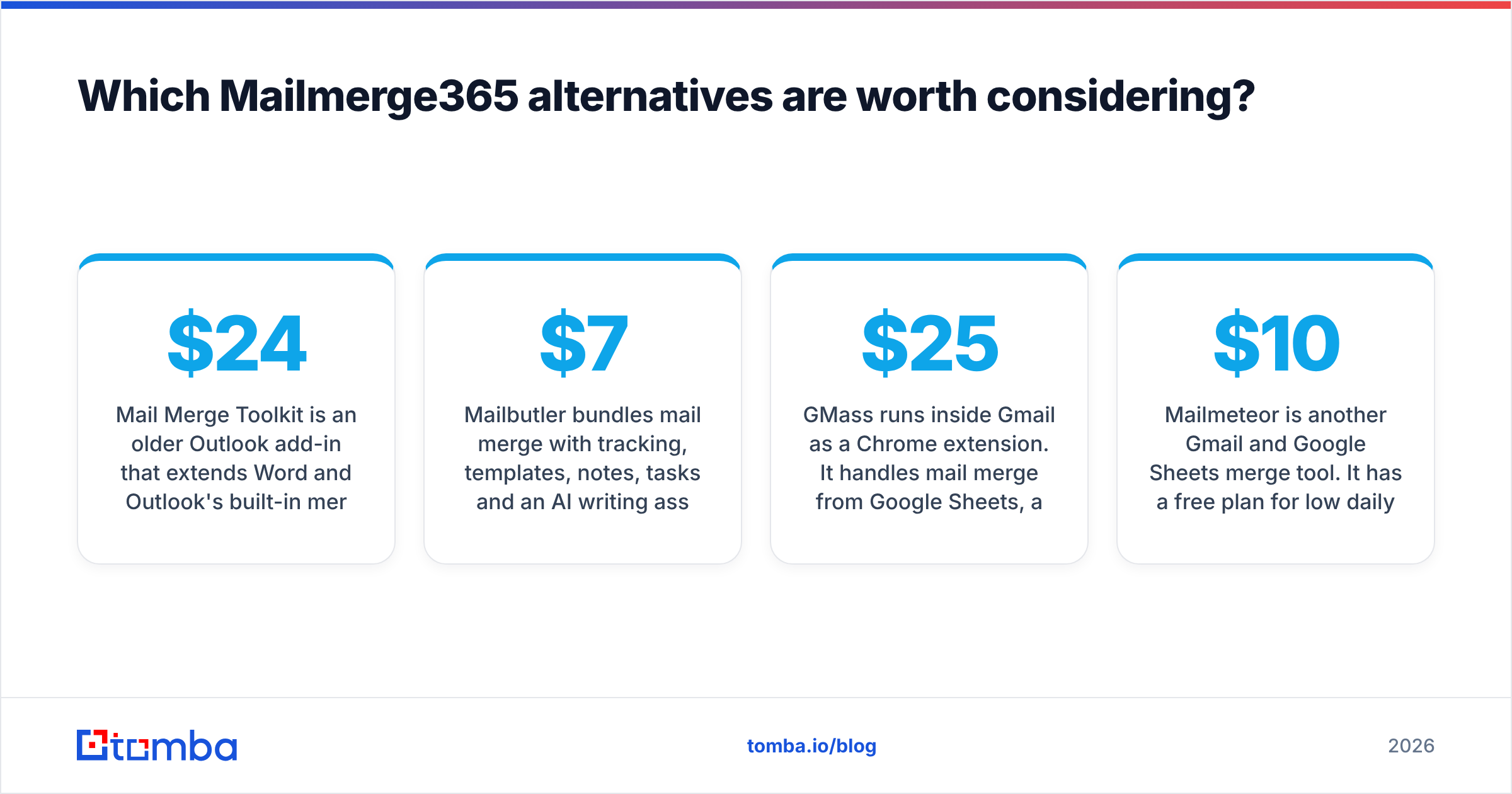
Mail Merge Toolkit is an older Outlook add-in that extends Word and Outlook's built-in merge with personalized subjects, attachments and per-recipient sending. Its main differentiator is pricing. Capterra lists a starting price of around $24 with a perpetual licence model, so you pay once instead of every month.
Best for: Admins, office managers and small teams who merge a few times a quarter and don't want a subscription. Watch out for: It's a desktop-Outlook tool. Teams fully on Outlook on the web or Mac should confirm compatibility first.
3. Mailbutler: merge plus inbox productivity#
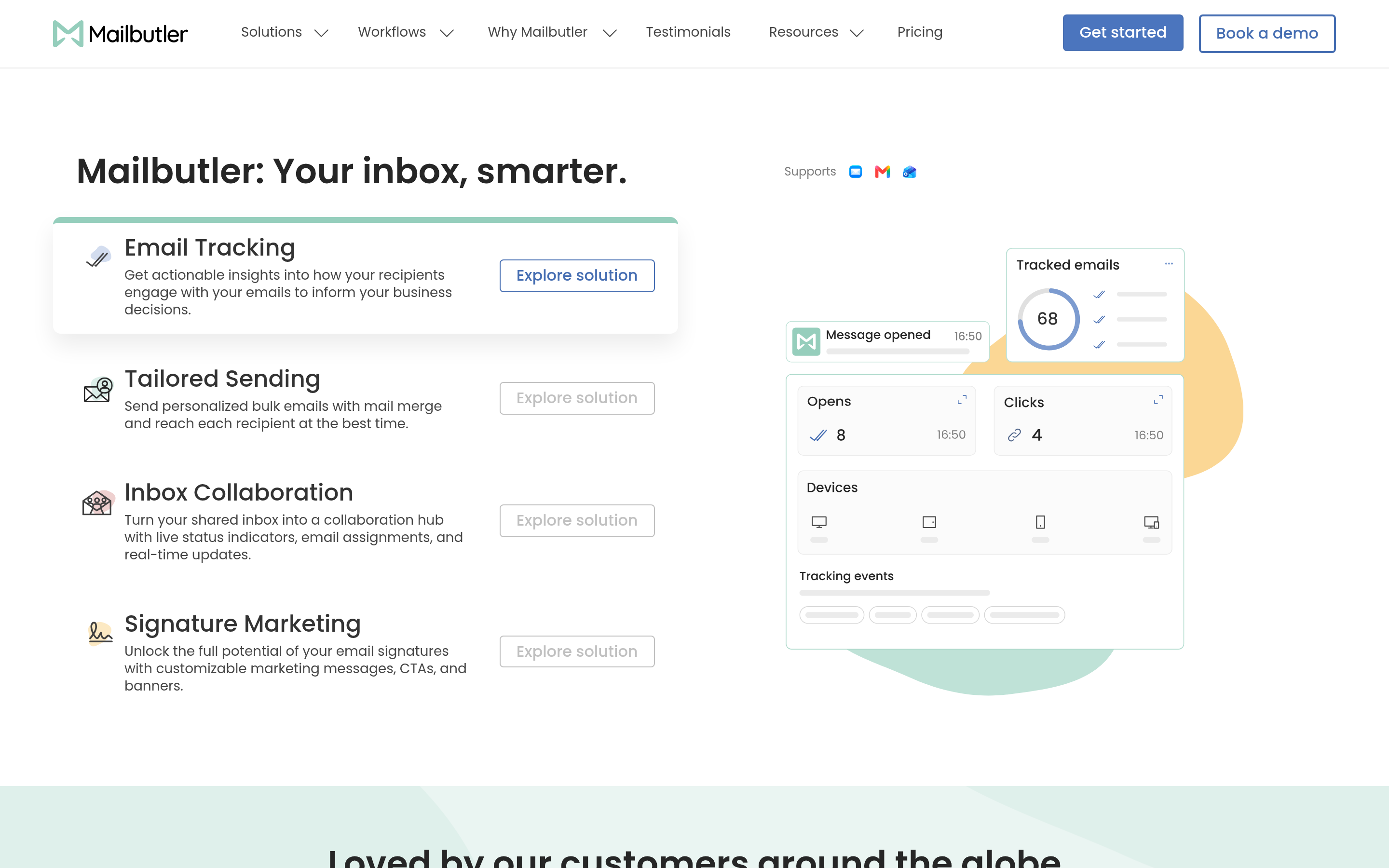
Mailbutler bundles mail merge with tracking, templates, notes, tasks and an AI writing assistant. It works with Outlook, Gmail and Apple Mail. Its published starting price is around $7 per user per month on annual billing, which is cheaper than Mailmerge365's per-mailbox rate.
Best for: People who send merges occasionally but want tracking and productivity features in their inbox every day. Watch out for: Merge is one feature among many, so it's not as deep as a dedicated merge tool on high-volume sends.
4. GMass: the Gmail power user's choice#

GMass runs inside Gmail as a Chrome extension. It handles mail merge from Google Sheets, automatic follow-ups, A/B testing and send scheduling. Of all the merge tools here, it comes closest to a cold email platform. Paid plans start at roughly $25 per month.
Best for: Gmail and Google Workspace users who want follow-up sequences without leaving their inbox. Watch out for: It's tied to Gmail. If your company ever moves back to Microsoft 365, you'll be shopping again.
5. YAMM (Yet Another Mail Merge): the simplest Sheets merge#
YAMM is a Google Sheets add-on. You put contacts in a sheet, draft the template in Gmail and click send. Tracking results are written back into the sheet. The free tier covers small daily volumes, and paid plans are billed annually at a low rate.
Best for: Teachers, nonprofits, event organizers and anyone who sends a few hundred personalized emails at a time. Watch out for: Follow-up and sequencing features are limited compared with GMass.
6. Mailmeteor: privacy-minded and budget-friendly#

Mailmeteor is another Gmail and Google Sheets merge tool. It has a free plan for low daily volume and paid plans that start at roughly $10 per month. Its pitch is a clean interface and a privacy-first approach to handling your data.
Best for: Small teams and freelancers who want YAMM-style simplicity with a more modern editor. Watch out for: Like YAMM and GMass, it's Gmail-only.
7. Instantly: when "mail merge" really means cold outbound#
If you used Mailmerge365 to send prospecting emails, you probably need a cold email platform rather than a merge tool. Instantly connects multiple sending mailboxes, rotates volume across them, warms them up and runs multi-step sequences with reply detection. Its entry plan starts at around $37 per month. If it's not the right fit either, see our Instantly alternative breakdown.
Best for: SDRs, agencies and founders sending outbound at volume. Watch out for: It's overkill for a quarterly customer announcement, and it takes setup (domains, mailboxes, warmup) before your first send.
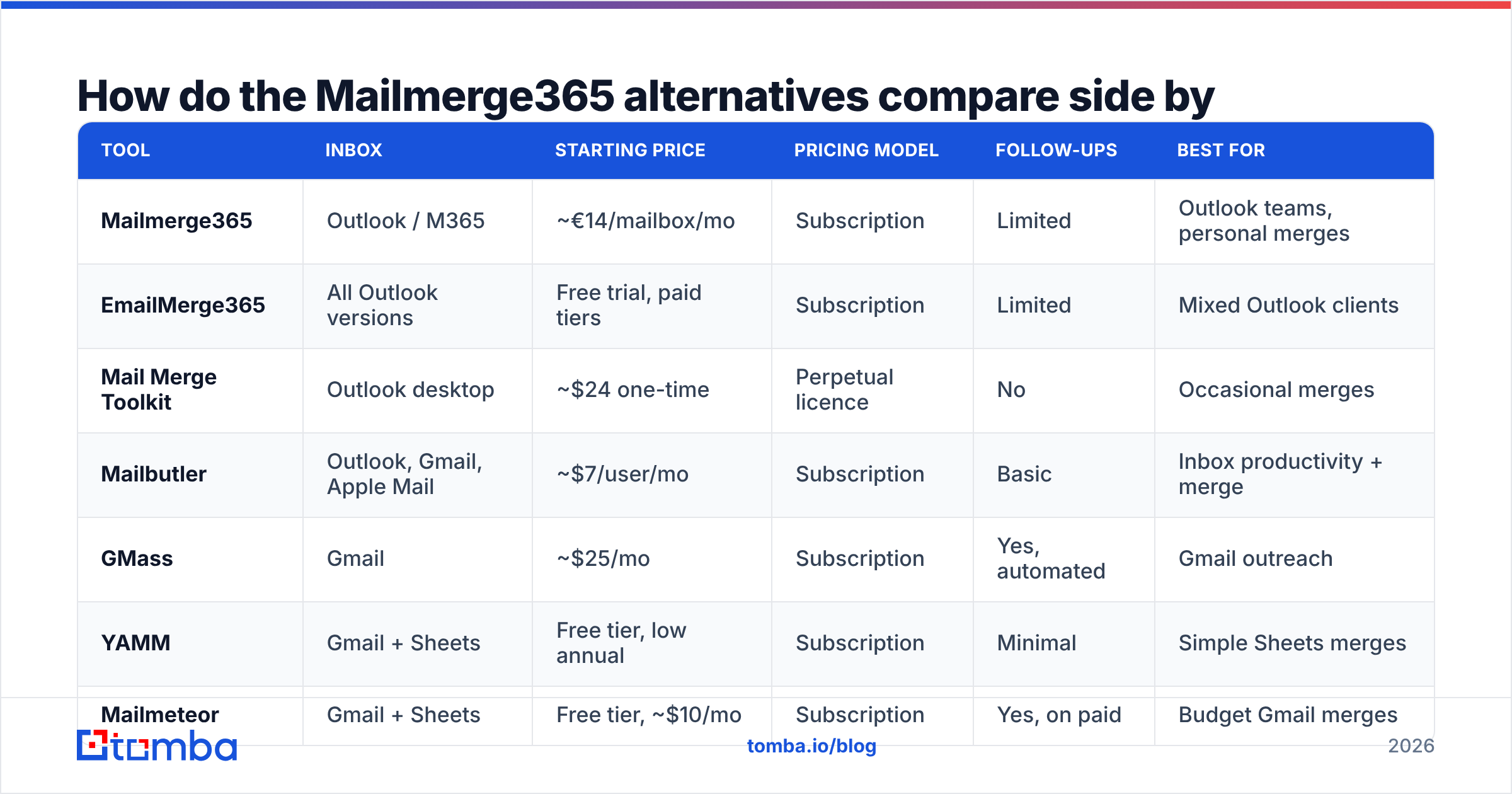
How do the Mailmerge365 alternatives compare side by side?#
| Tool | Inbox | Starting price | Pricing model | Follow-ups | Best for |
|---|---|---|---|---|---|
| Mailmerge365 | Outlook / M365 | ~€14/mailbox/mo | Subscription | Limited | Outlook teams, personal merges |
| EmailMerge365 | All Outlook versions | Free trial, paid tiers | Subscription | Limited | Mixed Outlook clients |
| Mail Merge Toolkit | Outlook desktop | ~$24 one-time | Perpetual licence | No | Occasional merges |
| Mailbutler | Outlook, Gmail, Apple Mail | ~$7/user/mo | Subscription | Basic | Inbox productivity + merge |
| GMass | Gmail | ~$25/mo | Subscription | Yes, automated | Gmail outreach |
| YAMM | Gmail + Sheets | Free tier, low annual | Subscription | Minimal | Simple Sheets merges |
| Mailmeteor | Gmail + Sheets | Free tier, ~$10/mo | Subscription | Yes, on paid | Budget Gmail merges |
| Instantly | Any (multi-inbox) | ~$37/mo | Subscription | Yes, full sequences | Cold outbound at scale |
The table shows that inbox platform is the first filter and use case is the second. Price only separates the tools left after those two.
Is a mail merge tool or a cold email platform the right choice?#
This is the decision that matters, and most comparison posts skip it.
A mail merge tool is like a printing press attached to your own mailbox. It stamps out personalized copies of one message and sends them through the account you already use. It works well for warm audiences: existing customers, event attendees, partners, applicants. These people expect to hear from you, so deliverability is rarely a problem.
A cold email platform is closer to a distribution center. It spreads volume across several sending mailboxes on secondary domains, warms each one up and manages follow-up logic. It exists because sending 300 cold emails a day from your main work mailbox is a reliable way to get that mailbox flagged.
Use this rule of thumb:
- Recipients know you → mail merge (Mailmerge365, EmailMerge365, YAMM, Mailmeteor, Mail Merge Toolkit).
- Recipients don't know you, but volume is low and you're on Gmail → GMass, carefully.
- Recipients don't know you and you need volume → cold email platform (Instantly or similar), separate domains, and a proper email warmup plan.
Microsoft and Google both cap daily sending per mailbox and have tightened bulk-sender rules. Microsoft documents its limits in the Exchange Online limits reference. If your merge volume regularly gets close to those caps, you've moved into cold email territory, whatever the tool calls itself.
Why does list quality matter more than which tool you pick?#
Every tool above sends to whatever is in your spreadsheet. None of them knows that j.smith@acme.com left the company eight months ago or that half the rows came from a guessed firstname.lastname pattern.
A bounce rate above roughly 2% is enough for mailbox providers to start treating your sends with suspicion. On a personal Outlook or Gmail account, the one your whole job runs through, that's a serious risk. Switching from Mailmerge365 to GMass doesn't change it. Cleaning the list does.
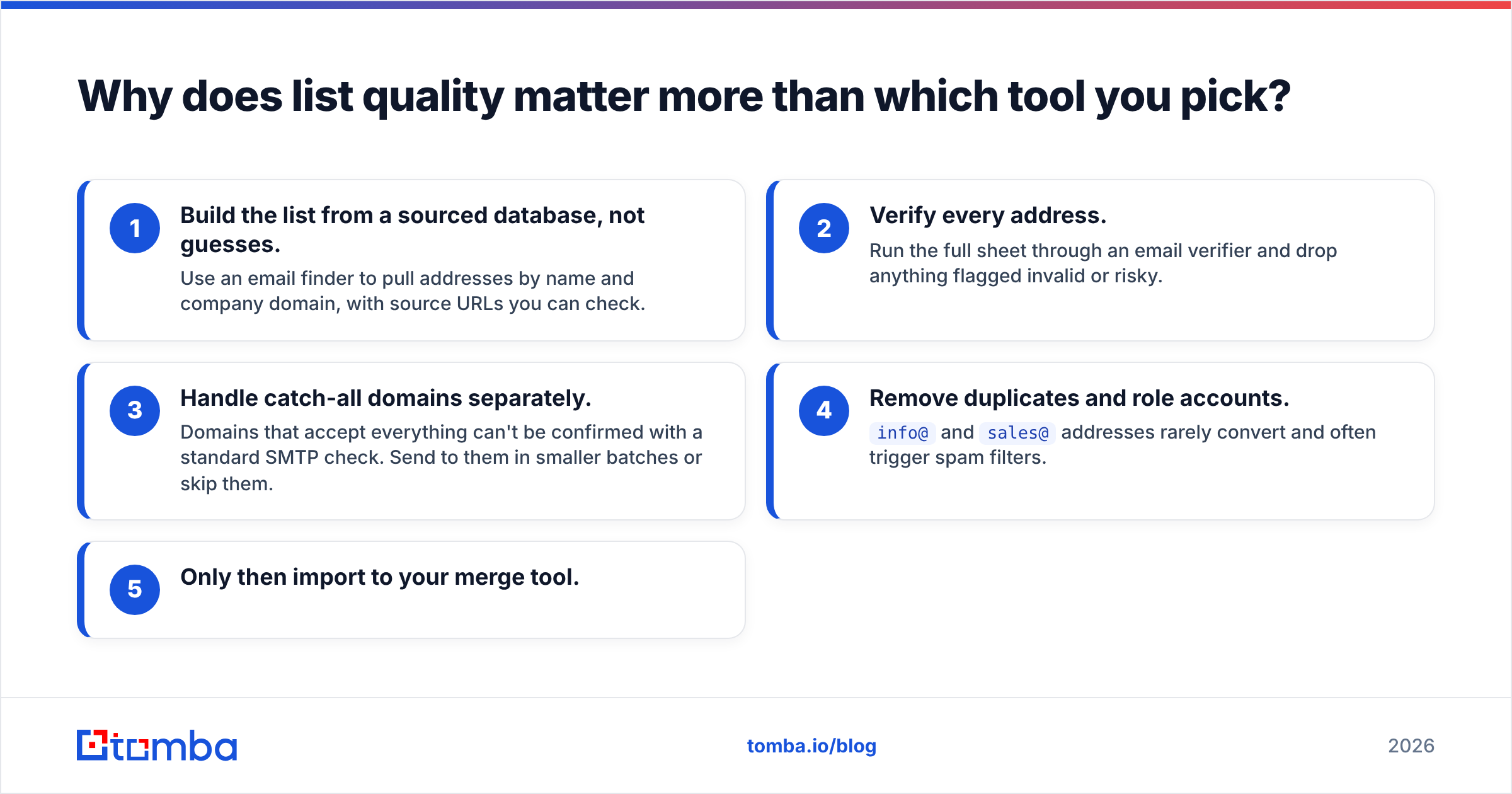
A sensible pre-send workflow looks like this:
- Build the list from a sourced database, not guesses. Use an email finder to pull addresses by name and company domain, with source URLs you can check.
- Verify every address. Run the full sheet through an email verifier and drop anything flagged invalid or risky.
- Handle catch-all domains separately. Domains that accept everything can't be confirmed with a standard SMTP check. Send to them in smaller batches or skip them.
- Remove duplicates and role accounts.
info@andsales@addresses rarely convert and often trigger spam filters. - Only then import to your merge tool.
This takes about ten minutes and protects the mailbox you can't easily replace.

Which Mailmerge365 alternative should you pick?#
Match the tool to your situation:
- Staying on Microsoft 365, want a near-identical workflow: EmailMerge365.
- Outlook desktop, merging a few times a year: Mail Merge Toolkit, with its one-time licence.
- Mixed inboxes, want daily productivity features too: Mailbutler.
- On Gmail, want follow-ups built in: GMass.
- On Gmail, want the simplest possible Sheets merge: YAMM or Mailmeteor.
- Actually doing cold prospecting: Instantly or a comparable cold email platform, not a merge tool.
If none of these clearly beats what you have, keeping Mailmerge365 is a reasonable choice. It does its core job well for Outlook users, and switching tools has its own costs. Re-evaluate when your inbox platform, team size or outreach model changes.
Frequently asked questions#
Is there a free alternative to Mailmerge365?#
Yes, with limits. YAMM and Mailmeteor both offer free tiers capped at small daily volumes, and both are Gmail-only. On Outlook, the built-in Word-to-Outlook mail merge is free but has no tracking, no attachments per recipient and no unsubscribe handling.
Can I use a mail merge tool for cold email?#
You can, but it's risky at volume. Merge tools send from your primary mailbox, so complaints and bounces hit your main sender reputation. For cold outreach, use separate sending domains and a cold email platform.
Does Mailmerge365 work with Gmail?#
Mailmerge365 is built for Outlook and Microsoft 365. Gmail users are better served by GMass, YAMM or Mailmeteor.
How do I lower bounce rates before a mail merge?#
Verify the list first. Run every address through a verifier, remove invalid and risky results, handle catch-all domains carefully and dedupe before importing.
Ready to fix the list before you switch the tool?#
Whichever mail merge tool you choose, it can only perform as well as the addresses you load into it. Tomba Email Finder finds professional email addresses by name, company or domain, with sources attached. Built-in verification means you only import contacts that will actually receive your email. Start with the free tier's 25 monthly searches, then move to the Starter plan at $49/month when your outreach grows. See all the Tomba plans to compare.
Related guides#
// get started
Find, verify and enrich your first contacts today
Start on the free plan with 25 searches a month, then scale when your team is ready.
Free plan · No credit card required · GDPR & CCPA
// about the author