Email Extraction and Scraping: The 2026 B2B Data Playbook
Scraping emails is easy. Keeping them clean, legal, and deliverable is the hard part. Here is the 2026 playbook for turning raw extraction into a usable B2B list.
TL;DR
- Email extraction is pulling addresses out of pages, files, and profiles; email scraping is doing it at scale with automation. The two blur together, but the legal and quality stakes are different.
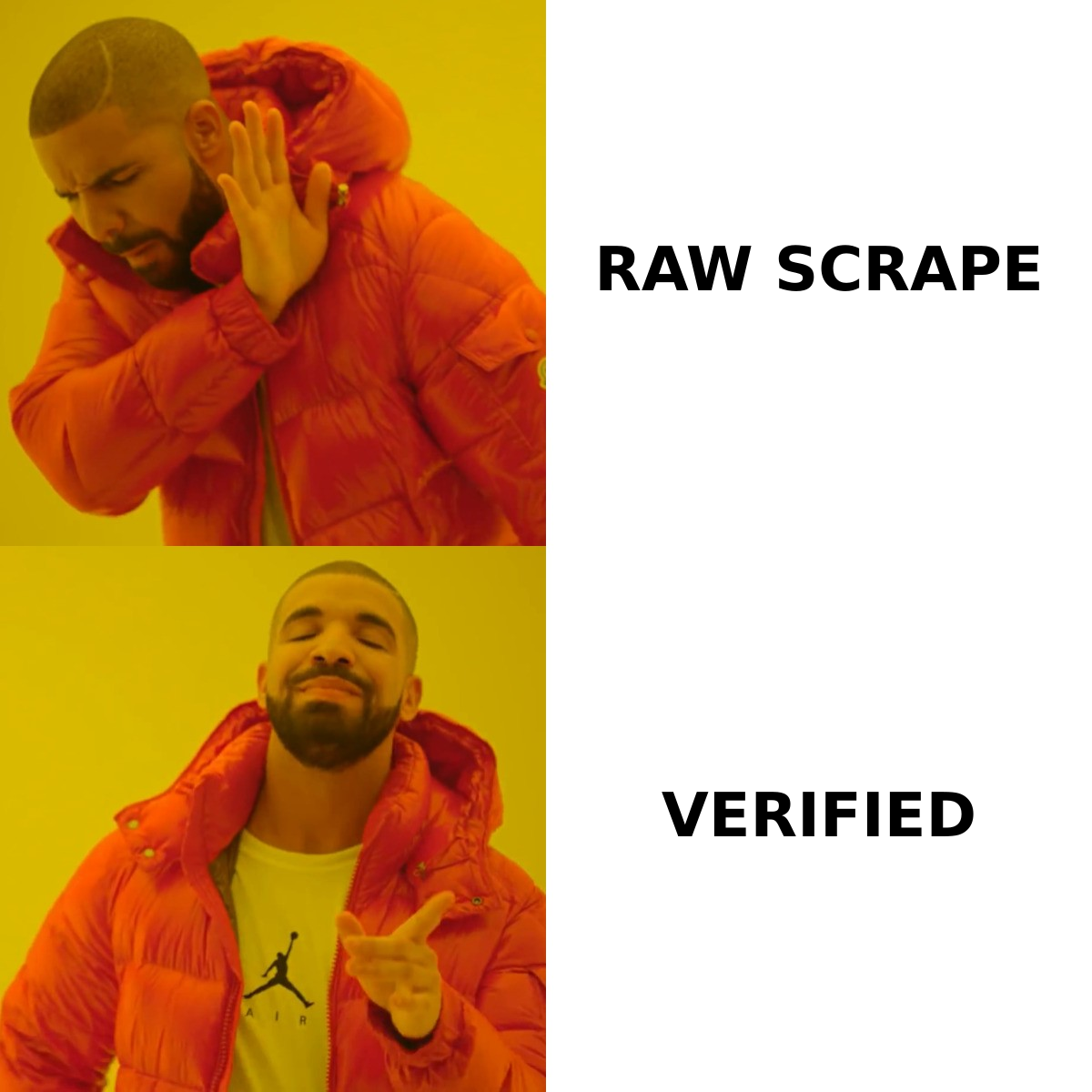
- Raw scraped lists are mostly noise: stale addresses, role accounts, catch-all domains, and traps that wreck your sender reputation.
- The winning workflow in 2026 is extract narrow, verify hard, enrich selectively — not "scrape everything and pray."
- Pattern-based finders and API lookups beat brute-force page scraping on both accuracy and compliance.
- Always verify before you send. An unverified scraped list is a bounce problem waiting to happen.
What is email extraction and scraping?#
Email extraction and scraping are two ends of the same pipeline. Extraction is the act of pulling an email address out of a source — a web page, a PDF, a spreadsheet, a LinkedIn profile, or a chunk of pasted text. Scraping is the automated, repeatable version of that: a script or tool that crawls many sources and harvests addresses in bulk.
Think of it like fishing. Extraction is catching one fish with a line because you know it's there. Scraping is dragging a net across the whole lake. The net is faster, but it hauls up boots, weeds, and protected species along with the fish you actually want. The technical step is trivial; the cleanup is where the real work lives.
In B2B, the goal is rarely "collect emails." It's "collect emails that belong to real decision-makers, are safe to contact, and won't bounce." That distinction is the whole reason this guide exists.
How does email scraping actually work?#
There are four common extraction methods, and they vary wildly in accuracy and risk.
1. Page scraping (regex harvesting). A crawler loads a web page and runs a pattern match for anything shaped like name@domain.com. It's cheap and instant. It's also the lowest-quality method — you get generic inboxes (info@, sales@), obfuscated decoys, and addresses with no name attached. You learn an email exists, not whose it is.
2. Pattern inference. Instead of reading the page, you infer the format. If you know Jane Doe works at acme.com and the company uses first.last@acme.com, you can generate jane.doe@acme.com. A good email finder does this against a database of known company patterns, then confirms the guess. This is far more accurate than blind harvesting because it's targeted.
3. API lookups. You send a name and domain to an endpoint and get back the most likely address plus a confidence score and sources. This is the cleanest method for engineering teams — see the email finder API approach — because it's structured, rate-limited, and auditable.
4. File and text extraction. You already have raw material — exported CSVs, conference attendee PDFs, signature blocks — and you just need to pull and dedupe the addresses. A free email extractor handles this without any crawling at all, which sidesteps most legal concerns.
Which extraction method should you use?#
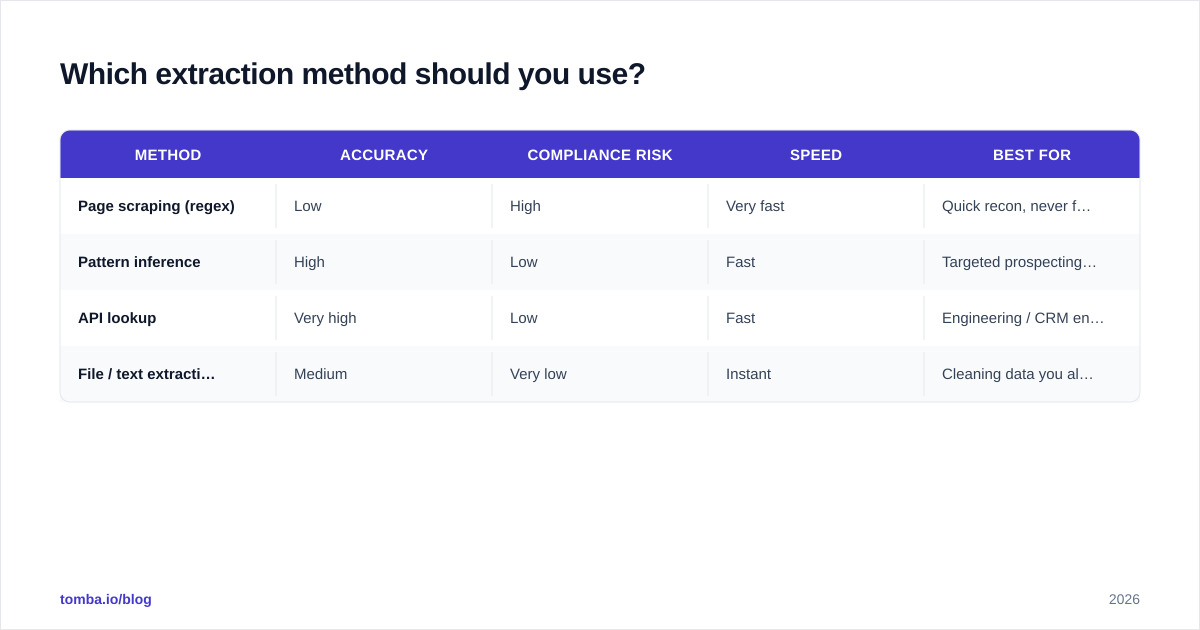
Here's the honest trade-off table. There is no single "best" method — it depends on what you're starting with and how much risk you can carry.
| Method | Accuracy | Compliance risk | Speed | Best for |
|---|---|---|---|---|
| Page scraping (regex) | Low | High | Very fast | Quick recon, never for outreach lists |
| Pattern inference | High | Low | Fast | Targeted prospecting by company |
| API lookup | Very high | Low | Fast | Engineering / CRM enrichment at scale |
| File / text extraction | Medium | Very low | Instant | Cleaning data you already own |
The pattern most teams land on: use API lookups or pattern inference for net-new prospecting, and use a file extractor to clean lists you already control. Reserve raw page scraping for one-off research, never for the addresses you actually email.
Is email scraping legal?#
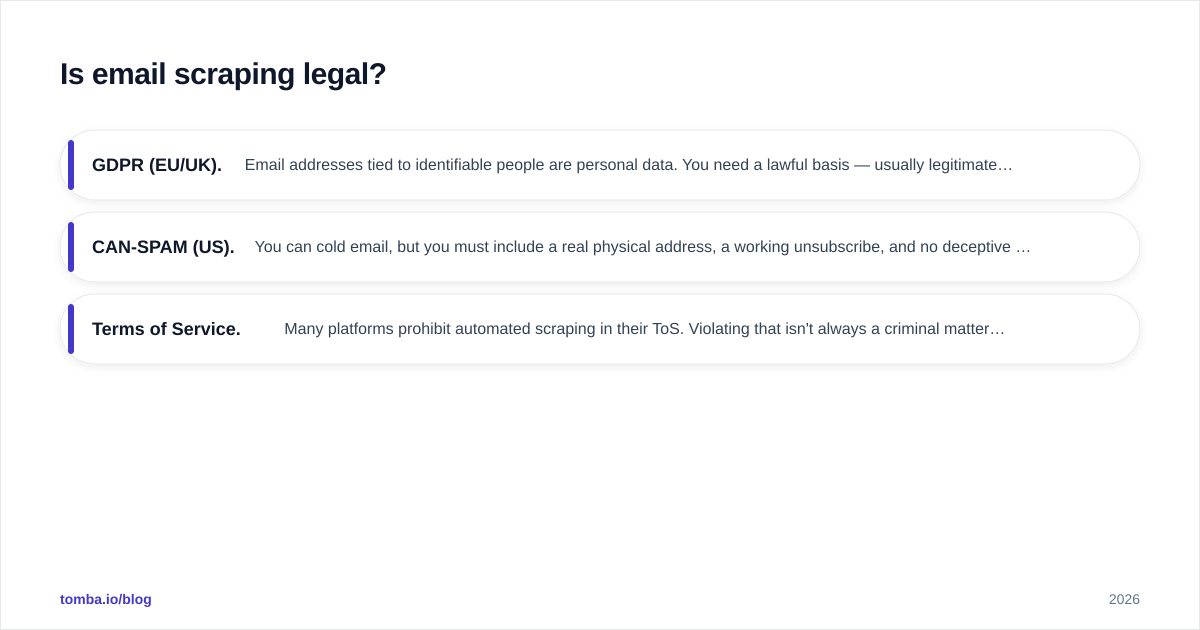
Short answer: scraping publicly visible data is generally legal, but using the resulting emails for outreach is governed by an entirely separate set of rules — and that's where teams get burned.
The act of collecting public information has been treated permissively in several jurisdictions (the well-known hiQ v. LinkedIn line of cases in the US is the usual reference point — see the web scraping overview on Wikipedia). But three things still constrain you:
- GDPR (EU/UK). Email addresses tied to identifiable people are personal data. You need a lawful basis — usually legitimate interest for B2B — and you must honor opt-outs and data-subject requests.
- CAN-SPAM (US). You can cold email, but you must include a real physical address, a working unsubscribe, and no deceptive headers.
- Terms of Service. Many platforms prohibit automated scraping in their ToS. Violating that isn't always a criminal matter, but it can get your accounts banned and your IPs blocked.
The practical takeaway: prefer consent-light, low-friction sources — company websites, public directories, and your own data exports — over aggressive scraping of gated platforms. And keep records of where each address came from. If you want a primer on the downstream side, HubSpot's guidance on email deliverability and compliance is a solid, vendor-neutral read.
This is also why where your data comes from matters. Tomba publishes its data sources so you can trace provenance — something a random scraper script can never give you.
Why are scraped email lists so low quality?#
Because scraping captures a moment in time, and contact data decays fast. Roughly a third of B2B contact data goes stale every year — people change jobs, companies rebrand domains, and inboxes get retired. A list scraped six months ago is already partly fiction.
Raw scrapes are polluted by:
- Role accounts (
info@,support@) that no human reads and that mailbox providers weight as spam signals. - Catch-all domains that accept every address, so a "valid" result tells you nothing. You need a dedicated catch-all verifier to deal with these.
- Spam traps — addresses planted specifically to catch list buyers and scrapers. Hit a few and your domain reputation tanks.
- Duplicates and malformed strings from sloppy regex matching.
Send to that list as-is and you'll see double-digit bounce rates, which mailbox providers read as "this sender doesn't know their audience." Your sender reputation drops, and even your clean emails start landing in spam. The scrape didn't just waste time — it actively damaged your ability to reach anyone.
How do you turn a scrape into a usable list?#
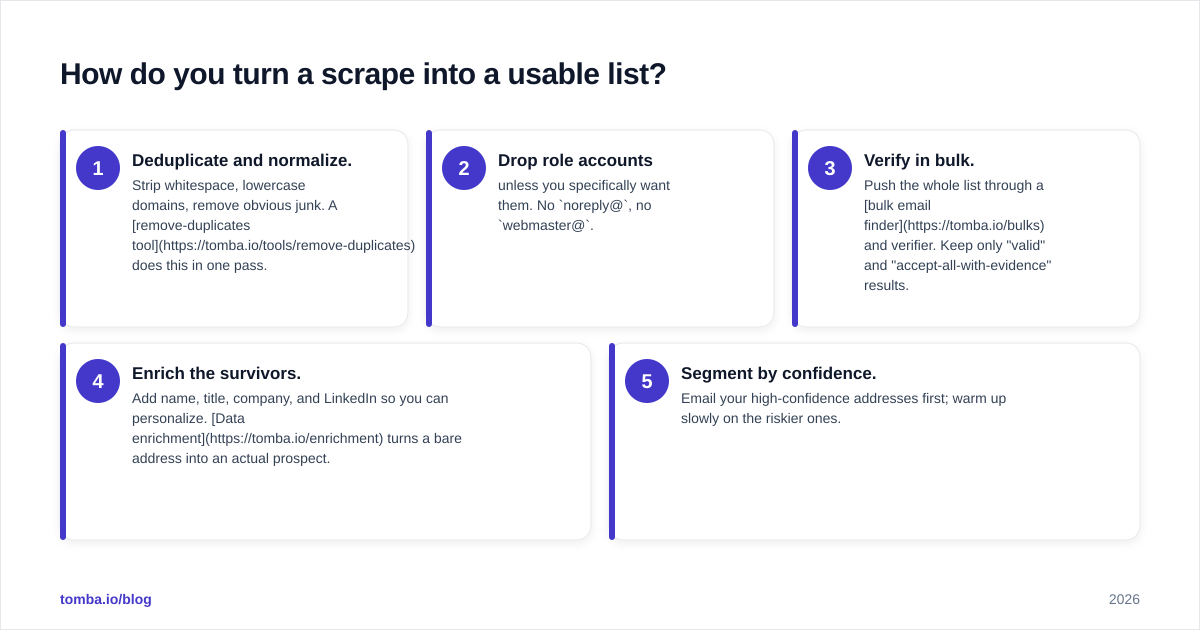
You verify, then enrich, then segment. Verification is non-negotiable. Run every address through an email verifier that checks syntax, domain MX records, mailbox existence, and catch-all status before a single message goes out.
A reliable post-scrape workflow looks like this:
- Deduplicate and normalize. Strip whitespace, lowercase domains, remove obvious junk. A remove-duplicates tool does this in one pass.
- Drop role accounts unless you specifically want them. No
noreply@, nowebmaster@. - Verify in bulk. Push the whole list through a bulk email finder and verifier. Keep only "valid" and "accept-all-with-evidence" results.
- Enrich the survivors. Add name, title, company, and LinkedIn so you can personalize. Data enrichment turns a bare address into an actual prospect.
- Segment by confidence. Email your high-confidence addresses first; warm up slowly on the riskier ones.
The mental model: scraping fills the top of the funnel with raw ore. Verification and enrichment are the smelting step. Nobody ships ore to a customer.

What tools handle email extraction and scraping in 2026?#
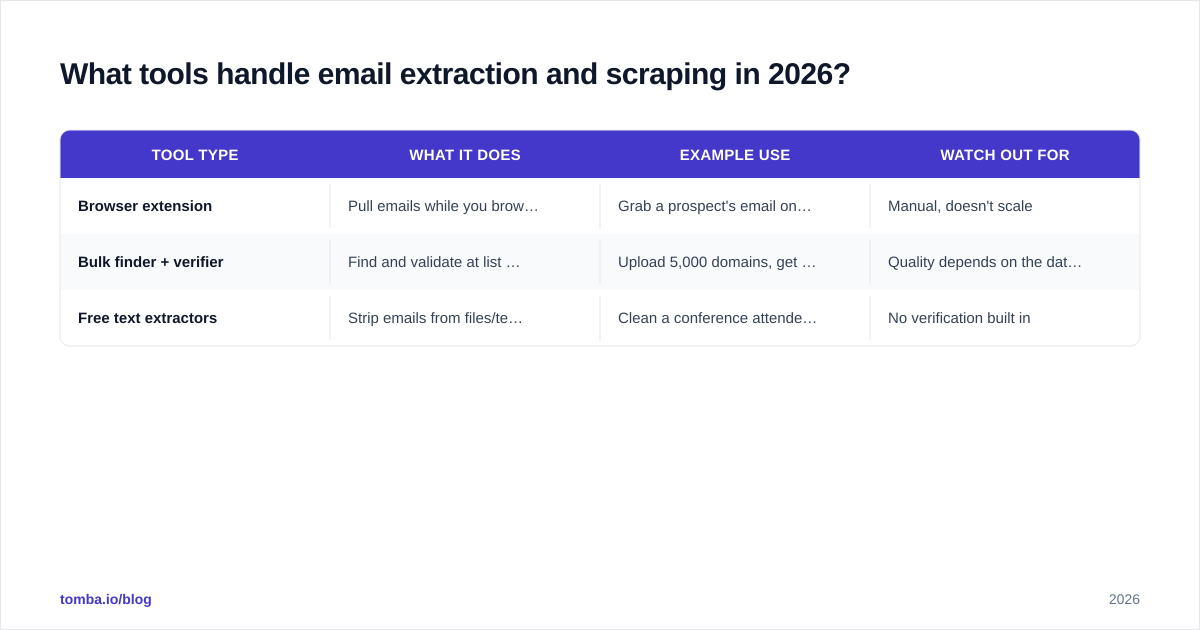
Tooling splits into three buckets, and most teams end up using one from each.
| Tool type | What it does | Example use | Watch out for |
|---|---|---|---|
| Browser extension | Pull emails while you browse | Grab a prospect's email on their company page | Manual, doesn't scale |
| Bulk finder + verifier | Find and validate at list scale | Upload 5,000 domains, get verified contacts | Quality depends on the data source |
| Free text extractors | Strip emails from files/text | Clean a conference attendee export | No verification built in |
For browsing, a Chrome extension lets you extract a verified address without leaving the page. For scale, the domain search feature returns every public address on a company domain along with names and roles — far more useful than a regex dump because it comes pre-structured and verifiable. For raw files, the free email extractor from a file handles CSVs and PDFs.
When you compare options on a review platform like G2, weight three things heavily: verification accuracy, data freshness, and transparency about sources. A tool that scrapes blindly and reports a high "found" rate is often just confidently wrong — it's the verified rate that pays your bills.
How does pattern-based finding beat brute-force scraping?#
Because it starts from a person, not a page. Brute-force scraping asks "what emails are on this page?" Pattern-based finding asks "what is this specific person's email at this company?" The second question produces a clean, attributable, verifiable answer.
Say you have a list of 500 target accounts and the names of the decision-makers. A pattern-based company email search cross-references each company's known email format, generates the most probable address, and verifies it against the mail server — all before you ever hit send. You get a list where every row maps to a real human with a real title, not a bag of anonymous info@ addresses.
That's the difference between a list you can personalize and a list you can only blast. And personalization is what keeps your response rate out of the gutter. Plenty of teams looking for an Apollo alternative or a leaner RocketReach alternative make the switch specifically to get cleaner, better-attributed data instead of bigger raw dumps.
What does good email extraction look like end to end?#
Put it all together and the 2026 best-practice flow is short:
- Define the target first. Companies, roles, geography. Narrow beats broad every time.
- Extract with the right method. Pattern inference or API for net-new; file extraction for data you own. Skip blind page scraping for anything you'll actually email.
- Verify everything. No exceptions. Syntax, MX, mailbox, catch-all.
- Enrich and segment. Names and titles in, role accounts out, confidence tiers assigned.
- Respect the rules. Lawful basis, working opt-out, documented sources.
Do that and a "scraped list" stops being a liability and becomes a real pipeline. Skip the verify step and you're just buying yourself bounces and a damaged domain.
The bottom line#
Scraping is the easy 10% of the job. The other 90% — verifying, enriching, and staying compliant — is what separates a list that books meetings from a list that gets you blocklisted. Extract narrow, verify hard, and treat every raw address as a hypothesis until a verifier confirms it.
If you want to skip the brittle scraper scripts entirely, start with the Tomba Email Finder. It finds professional addresses by name, domain, or company, returns confidence scores and sources, and verifies as it goes — so the list you build is one you can actually send to. Pair it with the free tier to test it on your real target accounts, then check Tomba pricing when you're ready to scale from a handful of lookups to thousands.
// get started
Find, verify and enrich your first contacts today
Start on the free plan with 25 searches a month, then scale when your team is ready.
Free plan · No credit card required · GDPR & CCPA
Get the Tomba newsletter
Product and data updates
// about the author