The Cold Email Checklist for 2026: 27 Steps Before You Hit Send
A field-tested cold email checklist covering list hygiene, deliverability, copy, and follow-up — run it before every send so your emails land, get read, and get replies.
Most cold email advice tells you what to write. Almost none of it tells you what to check before you write — and that gap is where campaigns quietly die in spam folders. A cold email checklist fixes that. It turns a chaotic, hope-for-the-best send into a repeatable process where every variable that decides whether you land, get read, and get a reply is verified before you press "start."
This is that checklist. Twenty-seven concrete steps grouped into four stages, plus the tooling that makes each one fast enough to actually run every time.
TL;DR#
- A cold email checklist is a pre-send QA gate — it catches broken domains, invalid addresses, spammy copy, and missing personalization before they cost you the send.
- The four stages are infrastructure & deliverability, list quality, message & copy, and follow-up & measurement — skip any one and the others underperform.
- List quality is the highest-leverage stage: verifying emails before you send is the single fastest way to protect sender reputation.
- Warmup, SPF/DKIM/DMARC, and a verified list are non-negotiable — everything else is optimization on top.
- Run the checklist as a literal list every campaign; the goal is consistency, not memory.
What is a cold email checklist and why does it matter?#
A cold email checklist is a fixed sequence of pre-send checks that protect deliverability and reply rate. Think of it like a pilot's pre-flight walkaround: the plane usually flies fine without it, but the one time a control surface is jammed, the checklist is what saves the flight. Cold email is the same — 95% of sends are fine, and the 5% that aren't (a misconfigured DMARC record, a list full of dead addresses) can burn a domain for months.
The reason it matters more in 2026 than it did five years ago is that inbox providers got strict. Google and Yahoo now enforce authentication and spam-rate thresholds for bulk senders, so a sloppy send doesn't just get ignored — it actively damages your sender reputation and drags down every future campaign from that domain.
Here's the shift, in one picture:
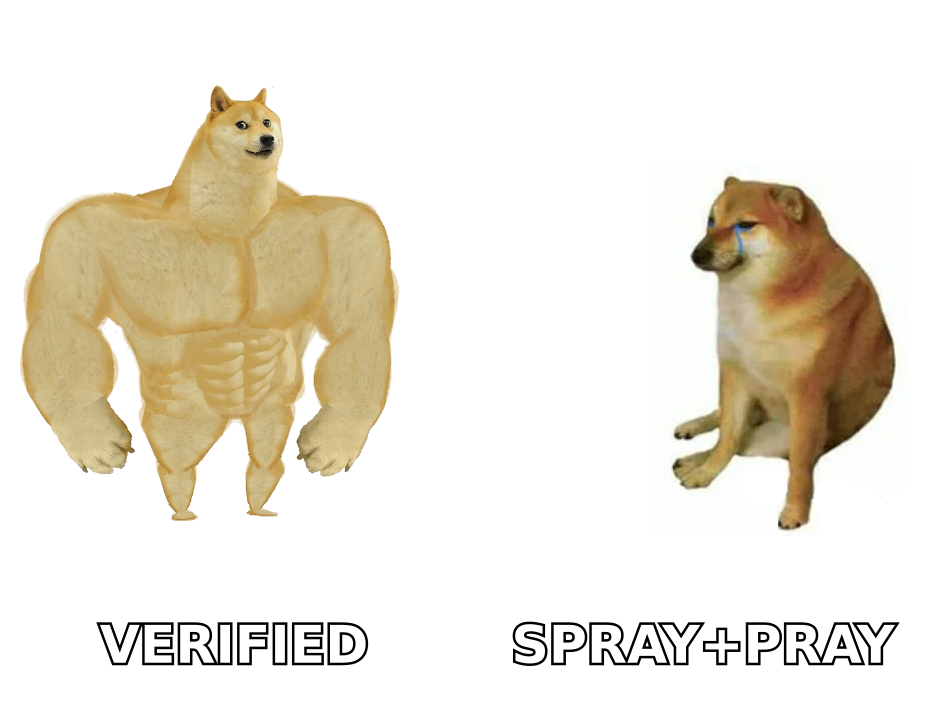
The checklist below is ordered by leverage. Fix infrastructure first, because good copy sent from a burned domain never gets read.
Stage 1 — What infrastructure and deliverability checks come first?#
This stage decides whether your email is allowed into the inbox at all. None of it is optional.
- Buy a separate sending domain. Never send cold email from your primary domain. Use a lookalike (e.g.
getcompany.cominstead ofcompany.com) so a reputation hit never touches your main business email. - Set up SPF, DKIM, and DMARC. These three DNS records prove you are who you say you are. Google and Yahoo require all three for bulk senders. Use a free SPF checker to confirm the record resolves.
- Warm up every mailbox for 2–4 weeks. New mailboxes that suddenly blast 500 emails look exactly like spammers. Ramp volume gradually with automated warmup.
- Cap daily volume per mailbox. Stay under ~30–50 cold sends per mailbox per day. Need more? Add mailboxes, don't raise the ceiling.
- Check your domain and IP against blacklists. A single blacklisting tanks deliverability. Scan with a blacklist checker before and during campaigns.
- Confirm your email deliverability baseline. Send a test to a seed inbox and check whether it lands in Primary, Promotions, or Spam.
- Enable one-click unsubscribe. Required for bulk senders and it genuinely lowers spam complaints — the metric providers watch hardest.

Google's own guidance on this is worth reading directly — their sender guidelines spell out the authentication and spam-rate rules that now gate the inbox.
Stage 2 — How do you make sure your list won't burn your domain?#
This is the highest-leverage stage in the entire checklist. Bounce rate is the fastest way to destroy a sender reputation, and bounces come from bad data. A list that's 15% invalid will get you throttled no matter how good your copy is.
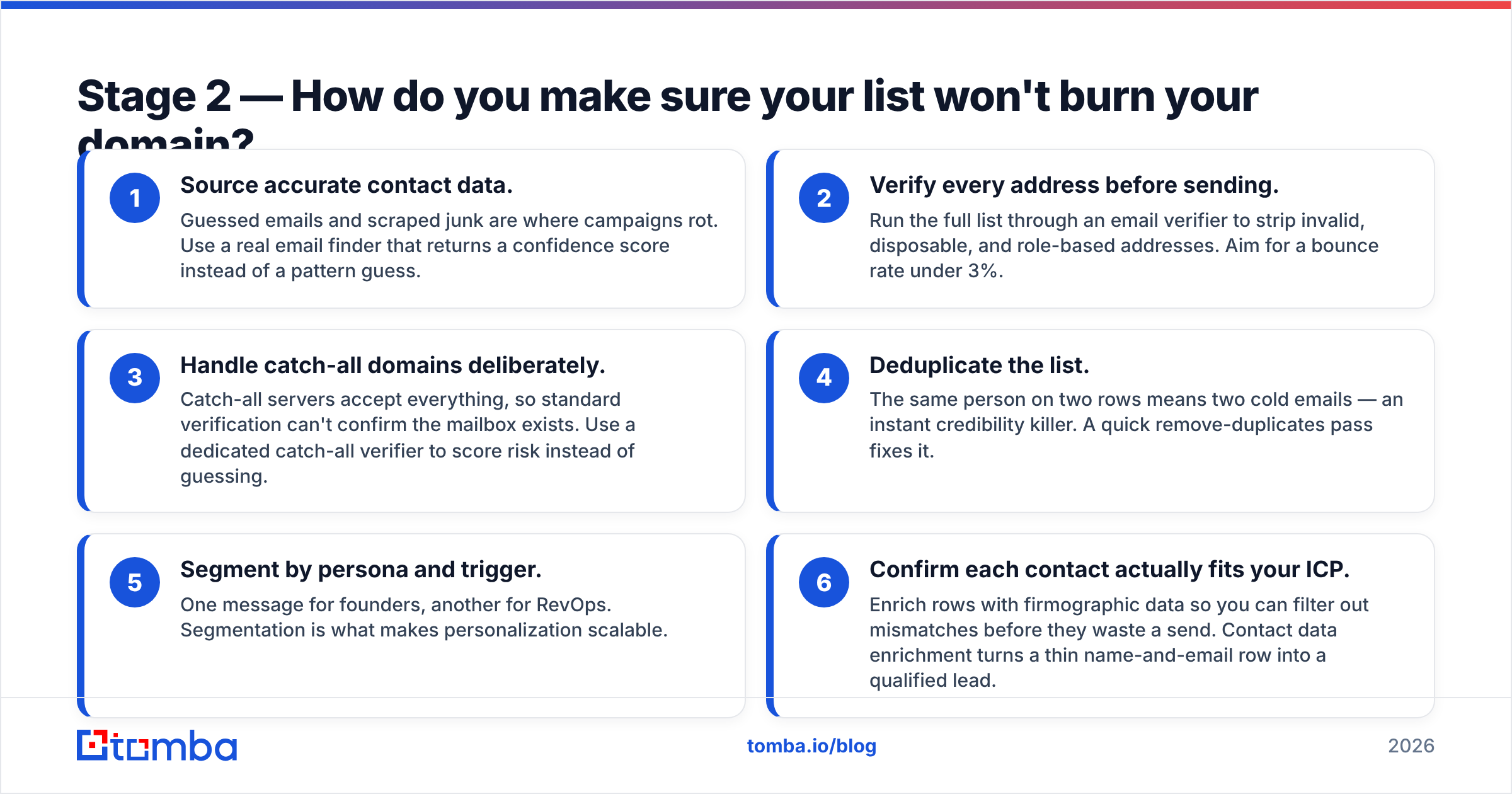
- Source accurate contact data. Guessed emails and scraped junk are where campaigns rot. Use a real email finder that returns a confidence score instead of a pattern guess.
- Verify every address before sending. Run the full list through an email verifier to strip invalid, disposable, and role-based addresses. Aim for a bounce rate under 3%.
- Handle catch-all domains deliberately. Catch-all servers accept everything, so standard verification can't confirm the mailbox exists. Use a dedicated catch-all verifier to score risk instead of guessing.
- Deduplicate the list. The same person on two rows means two cold emails — an instant credibility killer. A quick remove-duplicates pass fixes it.
- Segment by persona and trigger. One message for founders, another for RevOps. Segmentation is what makes personalization scalable.
- Confirm each contact actually fits your ICP. Enrich rows with firmographic data so you can filter out mismatches before they waste a send. Contact data enrichment turns a thin name-and-email row into a qualified lead.
Bad data isn't just wasted sends — it's an active liability. Every hard bounce is a signal to Gmail that you don't know who you're emailing.
Stage 3 — What belongs on the copy and message checklist?#
Now that you can land in the inbox with a clean list, the message has to earn the reply.
- Write a subject line under 6 words. Curiosity beats cleverness. Test variants with a subject line tester before committing.
- Nail the first line. It shows in the preview pane. Never open with "I hope this email finds you well" — open with something only this prospect would recognize.
- Personalize beyond
{{first_name}}. Reference a real trigger: a hire, a launch, a post. Merge-tag personalization at scale requires clean enrichment data (see step 13). - Keep it under 120 words. Cold email is a request for a conversation, not a pitch deck. If it needs scrolling, it's too long.
- Lead with their problem, not your product. One clear value proposition. Cut every "we're excited to."
- Use a single, soft call to action. "Worth a quick look?" outperforms "Book a 30-minute demo here."
- Run a spam-word scan. Words like "free," "guarantee," and excessive links trip filters. A spam checker scores the copy before you send.
- Send plain text, minimal links. One link max. No images, no tracking-heavy HTML — both hurt deliverability and read as marketing.
- Proofread and check the merge tags. A broken
{{company}}tag is the loudest possible "this is automated." Send yourself a live test.
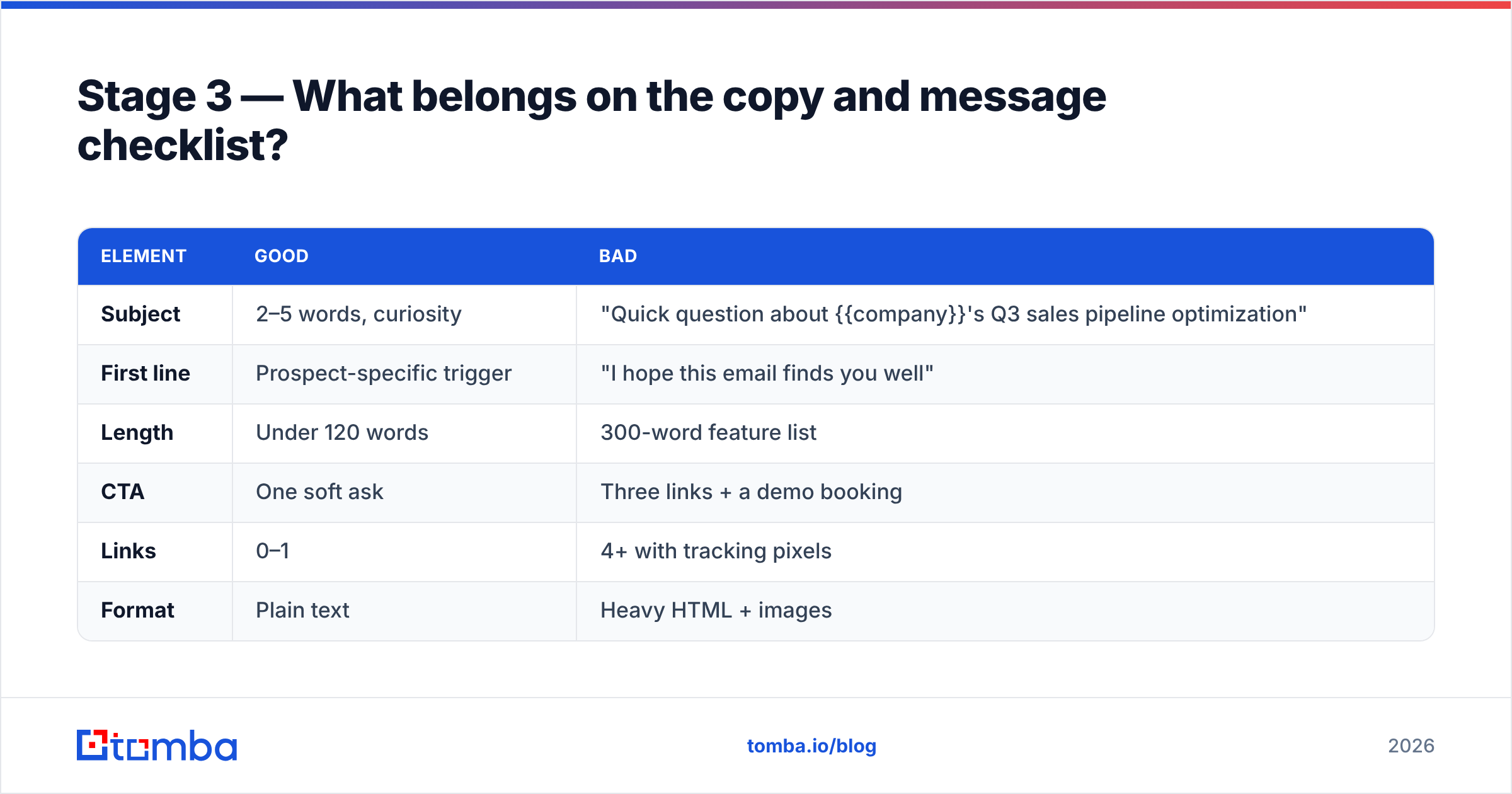
Copy quick-reference#
| Element | Good | Bad |
|---|---|---|
| Subject | 2–5 words, curiosity | "Quick question about {{company}}'s Q3 sales pipeline optimization" |
| First line | Prospect-specific trigger | "I hope this email finds you well" |
| Length | Under 120 words | 300-word feature list |
| CTA | One soft ask | Three links + a demo booking |
| Links | 0–1 | 4+ with tracking pixels |
| Format | Plain text | Heavy HTML + images |
Stage 4 — What follow-up and measurement steps close the loop?#
Most replies come from follow-ups, not the first email. And you can't improve what you don't measure.
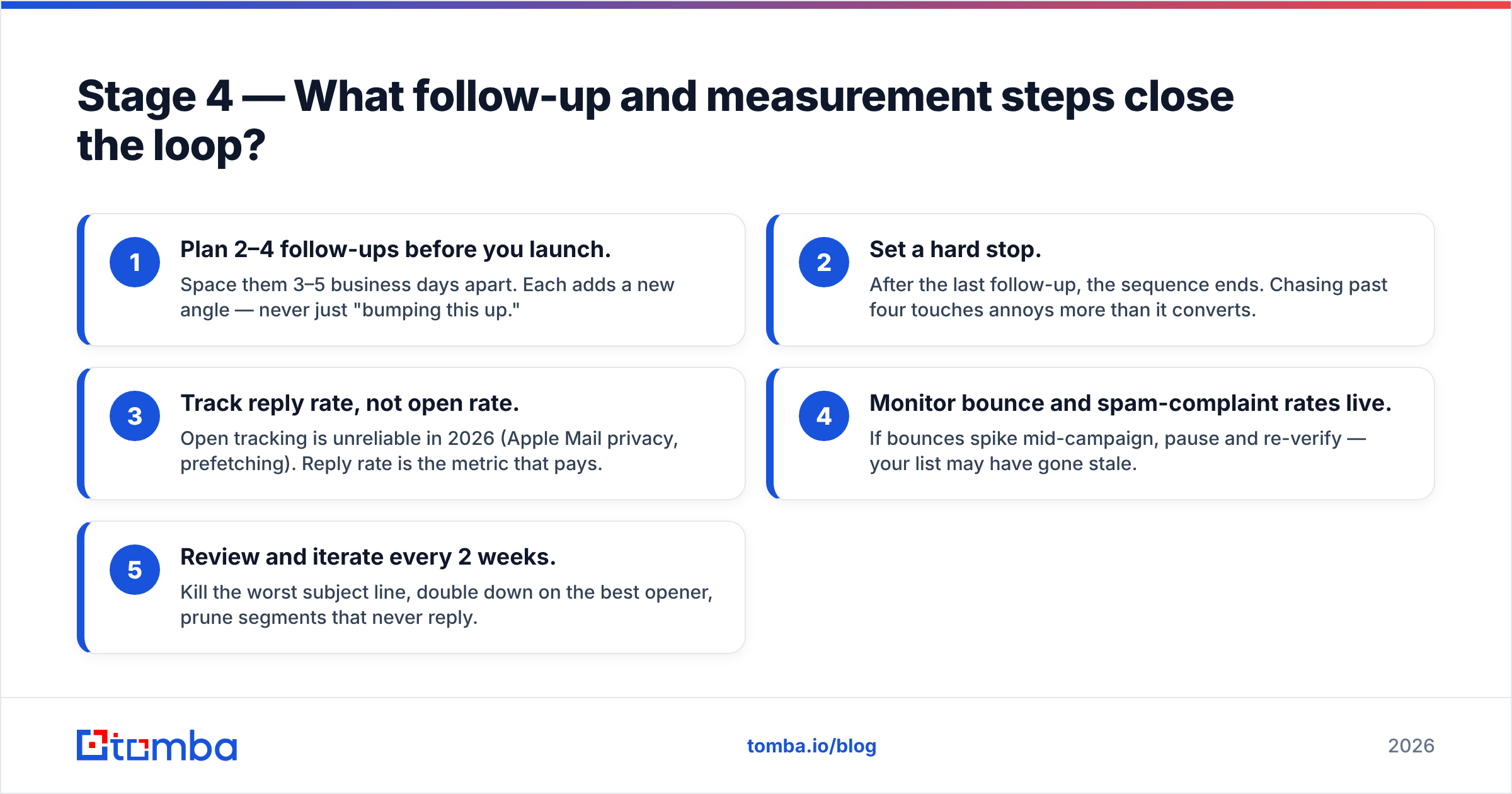
- Plan 2–4 follow-ups before you launch. Space them 3–5 business days apart. Each adds a new angle — never just "bumping this up."
- Set a hard stop. After the last follow-up, the sequence ends. Chasing past four touches annoys more than it converts.
- Track reply rate, not open rate. Open tracking is unreliable in 2026 (Apple Mail privacy, prefetching). Reply rate is the metric that pays.
- Monitor bounce and spam-complaint rates live. If bounces spike mid-campaign, pause and re-verify — your list may have gone stale.
- Review and iterate every 2 weeks. Kill the worst subject line, double down on the best opener, prune segments that never reply.
How do the main cold email tool categories compare?#
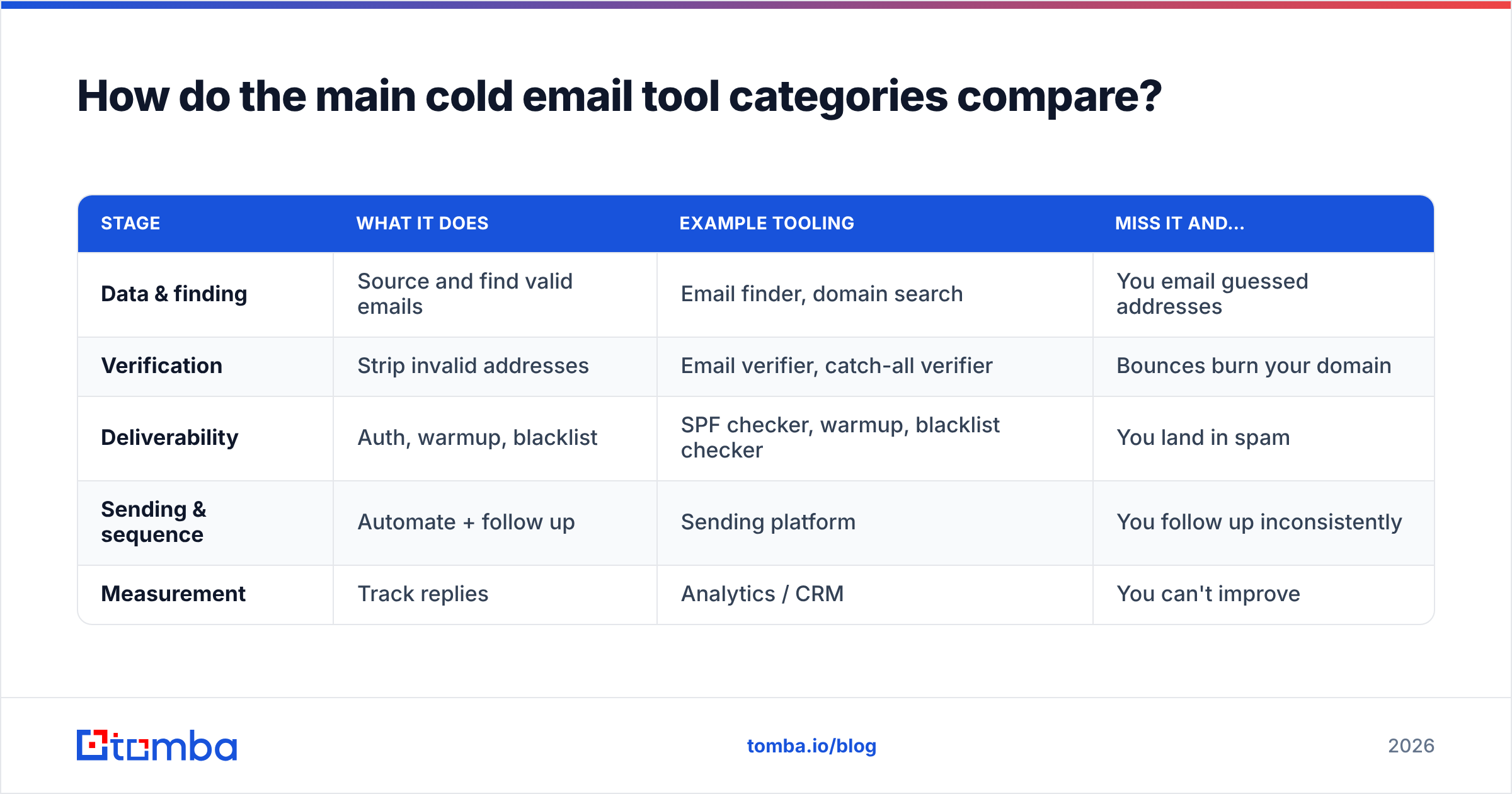
You don't need one giant platform — you need the right tool at each checklist stage. Here's how the categories stack up so you can assemble a stack instead of overpaying for one.
| Stage | What it does | Example tooling | Miss it and… |
|---|---|---|---|
| Data & finding | Source and find valid emails | Email finder, domain search | You email guessed addresses |
| Verification | Strip invalid addresses | Email verifier, catch-all verifier | Bounces burn your domain |
| Deliverability | Auth, warmup, blacklist | SPF checker, warmup, blacklist checker | You land in spam |
| Sending & sequence | Automate + follow up | Sending platform | You follow up inconsistently |
| Measurement | Track replies | Analytics / CRM | You can't improve |
For the first two stages — finding and verifying — a purpose-built tool beats a bundled feature every time. If you're weighing options, independent review sites like G2's email verification category are a useful sanity check on accuracy claims, and vendor docs like HubSpot's cold email guidance cover the copy side well.
How often should you run this checklist?#
Every campaign — no exceptions for the infrastructure and list stages. Copy and follow-up steps become second nature, but list verification and deliverability checks must run fresh each time, because data decays. Roughly 22–30% of B2B contact data goes stale per year: people change jobs, domains get retired, mailboxes get deactivated. A list you verified three months ago is not the list you have today.
The practical move is to make the two highest-leverage stages fast enough to never skip:
- Finding: pull contacts in bulk instead of one at a time. A bulk email finder turns a company list into verified contacts in one pass.
- Verifying: batch-verify right before send, not when you built the list.
When both take minutes instead of hours, "run the checklist every time" stops being aspirational and becomes the default.
What are the most common mistakes this checklist prevents?#
- Sending from your main domain — one bad campaign, and your real email starts landing in spam too.
- Skipping verification to "save time" — the fastest way to a 12% bounce rate and a throttled domain.
- Over-optimizing copy while ignoring deliverability — a perfect email in the spam folder converts at zero.
- Measuring opens instead of replies — chasing a vanity metric that privacy features already broke.
- Following up forever — the difference between persistent and annoying is a hard stop at four touches.
Notice the pattern: the expensive mistakes are almost all infrastructure and data mistakes, not copy mistakes. That's why this checklist front-loads them.
Put the checklist to work#
The checklist is only as good as the data feeding it — and stages 1 and 2 collapse the moment your list is full of guessed, unverified addresses. That's the part worth getting right first.
Start there. Use the Tomba Email Finder to source contacts with a real confidence score, then verify the whole list before you send so bounces never touch your reputation. The free tier gives you 25 searches a month to test it against your ICP, and paid Tomba plans start at $49/mo when you're ready to run the full checklist at volume. Build the list right, and the other 25 steps actually get a chance to work.
Related guides#
// get started
Find, verify and enrich your first contacts today
Start on the free plan with 25 searches a month, then scale when your team is ready.
Free plan · No credit card required · GDPR & CCPA
// about the author