Cold Email Infrastructure: The 2026 Stack That Lands in Inbox
Most cold email failures are not copy problems. They are infrastructure problems. Here is the domain, DNS, mailbox, and warmup stack that actually survives Gmail and Outlook filtering in 2026.

TL;DR
- Cold email infrastructure is the layer beneath your sequencer: sending domains, DNS records, mailboxes, warmup, and list hygiene. Copy cannot rescue a broken one.
- Never send cold email from your primary domain. Buy lookalike domains, authenticate them properly, and treat them as expendable.
- Gmail and Yahoo's bulk-sender rules made SPF, DKIM, DMARC, and a sub-0.3% spam complaint rate table stakes, not optional polish.
- Budget roughly $8–$15 per mailbox per month and cap each at 30–50 cold sends/day. Volume comes from more mailboxes, not louder ones.
- Verification is the cheapest lever you have. A 5% bounce rate on a new domain will do more damage than a bad subject line ever could.
What Is Cold Email Infrastructure?#
Cold email infrastructure is everything that determines whether your message arrives, as opposed to everything that determines whether it gets a reply.
Think of it like a restaurant. Your sequence copy is the menu. Your infrastructure is the health inspection — the plumbing, the fridge temperature, the paperwork. Nobody compliments you for passing it. But fail it, and the menu is irrelevant because the doors are locked.
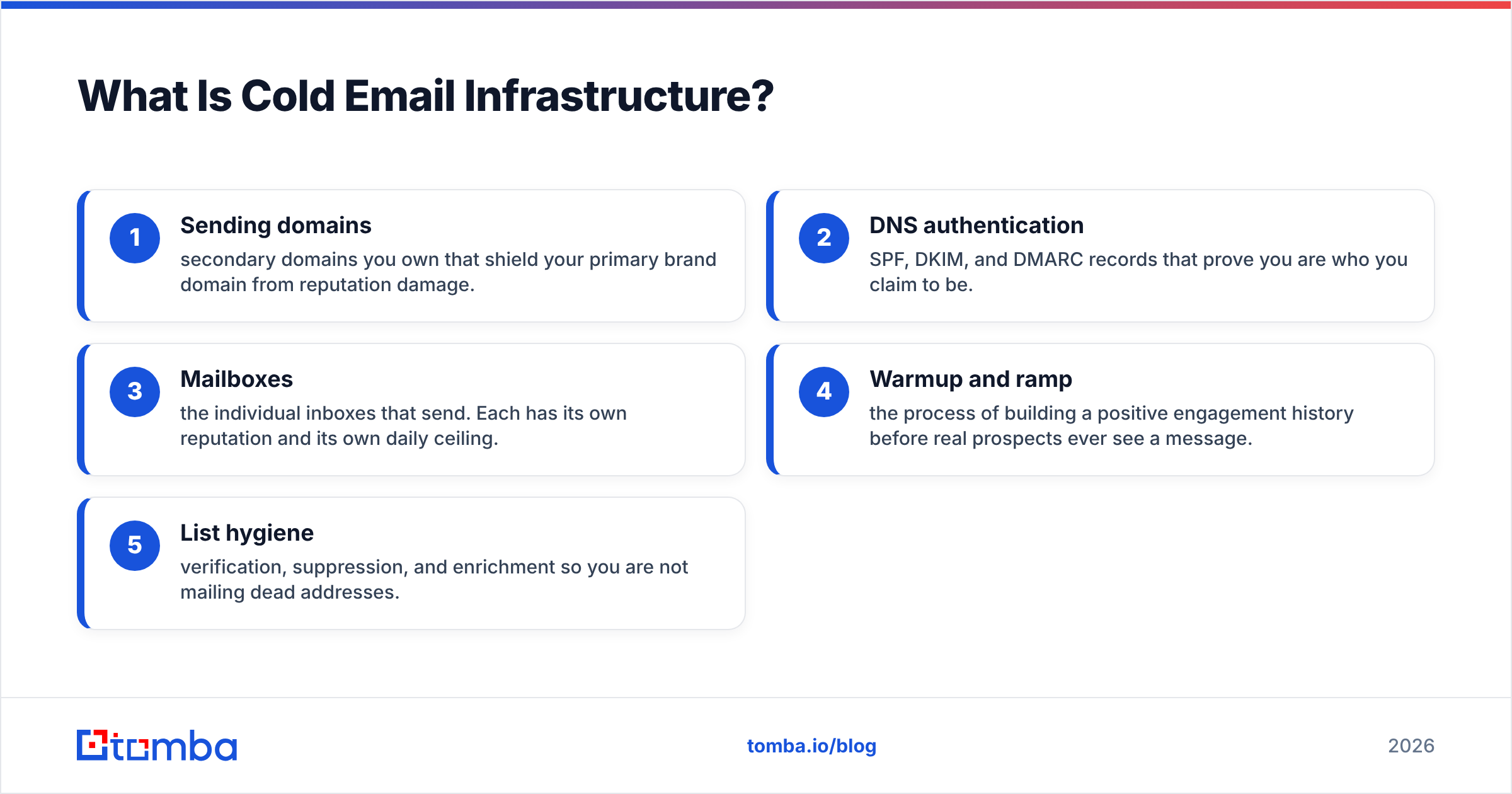
Concretely, the stack has five layers:
- Sending domains — secondary domains you own that shield your primary brand domain from reputation damage.
- DNS authentication — SPF, DKIM, and DMARC records that prove you are who you claim to be.
- Mailboxes — the individual inboxes that send. Each has its own reputation and its own daily ceiling.
- Warmup and ramp — the process of building a positive engagement history before real prospects ever see a message.
- List hygiene — verification, suppression, and enrichment so you are not mailing dead addresses.
Miss any one and the whole thing degrades. Miss two and you are in spam within a month, wondering why your reply rate collapsed.
The uncomfortable truth is that most teams spend 90% of their attention on layer zero — the copy — and treat layers one through five as a checkbox they delegated to an intern in 2023.
Why Can't You Just Send From Your Company Domain?#
Because email deliverability reputation is attached to the domain, and domain reputation does not have an undo button.
If you send 2,000 cold emails from yourcompany.com and 60 people mark them as spam, Gmail learns that yourcompany.com sends unwanted mail. That signal now applies to your invoices, your password resets, your customer support replies, and your investor updates. You have traded a quarter of pipeline for a permanent tax on every message your company sends.
The standard fix is boring and effective:
- Keep
yourcompany.comfor transactional and human-to-human mail. Never cold-send from it. - Register 2–5 lookalike domains:
getyourcompany.com,yourcompany.co,try-yourcompany.com. - Point them at your brand with a real redirect and a real landing page. Parked domains with no website look like throwaways because they usually are.
- Spread mailboxes across those domains. If one burns, you retire it and buy another.
Domains cost $10–$15 a year. Your primary domain's reputation is functionally priceless. The arithmetic is not hard.
One caution: registering fifteen domains on the same registrar, on the same day, with the same WHOIS, and pointing them all at the same landing page is a pattern filters can see. Stagger registrations. Vary the hosting. Give each domain a real, if minimal, web presence.
Which Mailbox Provider Should You Use for Cold Outreach?#
This is where most infrastructure decisions actually get made, and where the tradeoffs are real rather than theoretical.
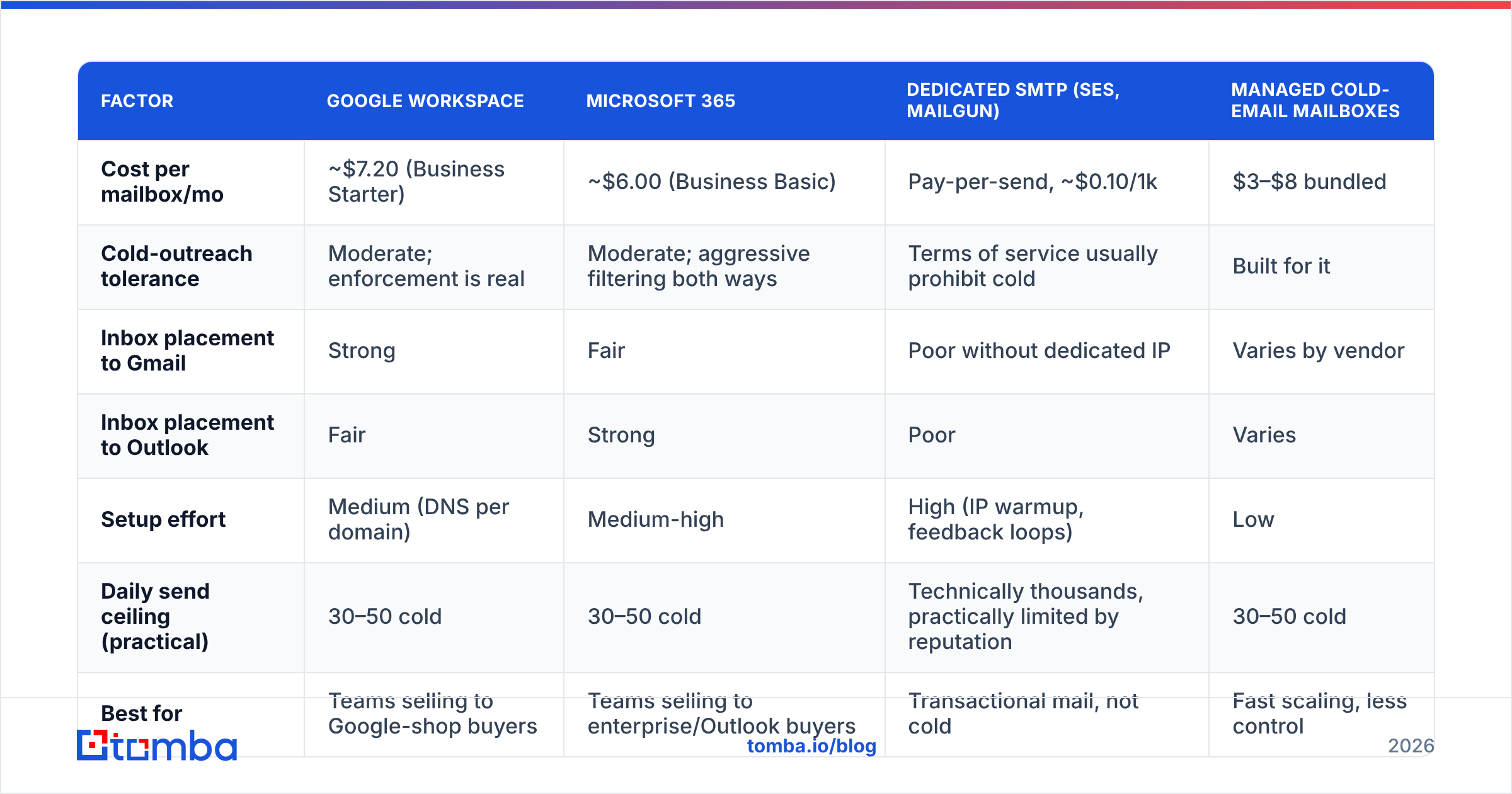
| Factor | Google Workspace | Microsoft 365 | Dedicated SMTP (SES, Mailgun) | Managed cold-email mailboxes |
|---|---|---|---|---|
| Cost per mailbox/mo | ~$7.20 (Business Starter) | ~$6.00 (Business Basic) | Pay-per-send, ~$0.10/1k | $3–$8 bundled |
| Cold-outreach tolerance | Moderate; enforcement is real | Moderate; aggressive filtering both ways | Terms of service usually prohibit cold | Built for it |
| Inbox placement to Gmail | Strong | Fair | Poor without dedicated IP | Varies by vendor |
| Inbox placement to Outlook | Fair | Strong | Poor | Varies |
| Setup effort | Medium (DNS per domain) | Medium-high | High (IP warmup, feedback loops) | Low |
| Daily send ceiling (practical) | 30–50 cold | 30–50 cold | Technically thousands, practically limited by reputation | 30–50 cold |
| Best for | Teams selling to Google-shop buyers | Teams selling to enterprise/Outlook buyers | Transactional mail, not cold | Fast scaling, less control |
The pattern most functional outbound teams land on: mixed infrastructure. Run roughly half your mailboxes on Google Workspace and half on Microsoft 365, because prospects are split between the two and each provider is a little friendlier to mail originating from its own ecosystem.
Dedicated SMTP relays like Amazon SES and Mailgun are excellent products aimed at a different job. They exist to deliver receipts, alerts, and newsletters at volume. Their acceptable-use policies generally do not cover unsolicited outreach, and their shared IP pools will punish you for a bounce rate that Google Workspace would shrug at. Use them for product email. Do not use them for prospecting.
What DNS Records Do You Actually Need?#
Three, and they are not optional anymore. In February 2024, Google and Yahoo began enforcing authentication requirements on bulk senders, and the enforcement has only tightened since. Google's own sender guidelines are the reference document — read them rather than a blog's summary of them, including this one.
SPF (Sender Policy Framework). A TXT record listing which servers may send on your domain's behalf. One SPF record per domain, maximum ten DNS lookups. Exceeding the lookup limit silently invalidates the record — a failure mode that produces no error message and no obvious symptom beyond a slow slide into the spam folder. Run a SPF checker after every change to your sending stack.
DKIM (DomainKeys Identified Mail). A cryptographic signature proving the message body was not altered in transit. Use a 2048-bit key. Rotate it annually. Verify it is signing with the same domain that appears in your From header — alignment matters more than existence.
DMARC (Domain-based Message Authentication). The policy record that tells receivers what to do when SPF or DKIM fails, and where to send reports. Start at p=none with an rua address so you can read the reports. Once you can see that legitimate mail passes, move to p=quarantine, then p=reject. The DMARC.org overview explains the record syntax without vendor spin.
Add BIMI later if you want your logo in the inbox. It is a nice-to-have that requires a verified mark certificate and, in practice, moves reply rates roughly zero percent.
A useful habit: after DNS propagates, send a test message to a Gmail account you control, open it, click the three dots, and view the original. If you do not see SPF: PASS, DKIM: PASS, and DMARC: PASS, stop everything else and fix that first. Nothing downstream matters until those three lines are green.
How Long Does Warmup Really Take?#
Two to four weeks per mailbox, and there is no legitimate shortcut.
Warmup means generating positive engagement signals — opens, replies, moves-out-of-spam — before you send a single cold message. Warmup tools do this by circulating mail between a network of participating mailboxes that reply, star, and mark-as-important on a schedule.
A workable ramp looks like this:
- Week 1: 5 warmup emails per day, zero cold sends.
- Week 2: 15 warmup emails per day, zero cold sends.
- Week 3: 25 warmup, begin 5–10 cold sends per day.
- Week 4: 30 warmup, ramp cold sends to 20–25 per day.
- Week 5+: Steady state. 30–50 cold sends per day, warmup running permanently in the background at reduced volume.
Run the numbers for your own target volume with an email warmup calculator before you buy mailboxes. Teams routinely discover they need eighteen mailboxes to hit a target they assumed three could handle, and they discover it after the domains are already burning.
Two warmup mistakes recur. The first is stopping warmup once cold sending begins — reputation is a rolling average, not a diploma, and it decays. The second is confusing warmup engagement with real engagement. A mailbox with a beautiful warmup score and a 4% cold reply rate is still a mailbox with a 4% cold reply rate. Warmup buys you the right to be judged on your copy. It does not improve your copy.

Does List Quality Affect Infrastructure, or Just Reply Rate?#
Both, and the infrastructure effect is the one that will hurt you longer.
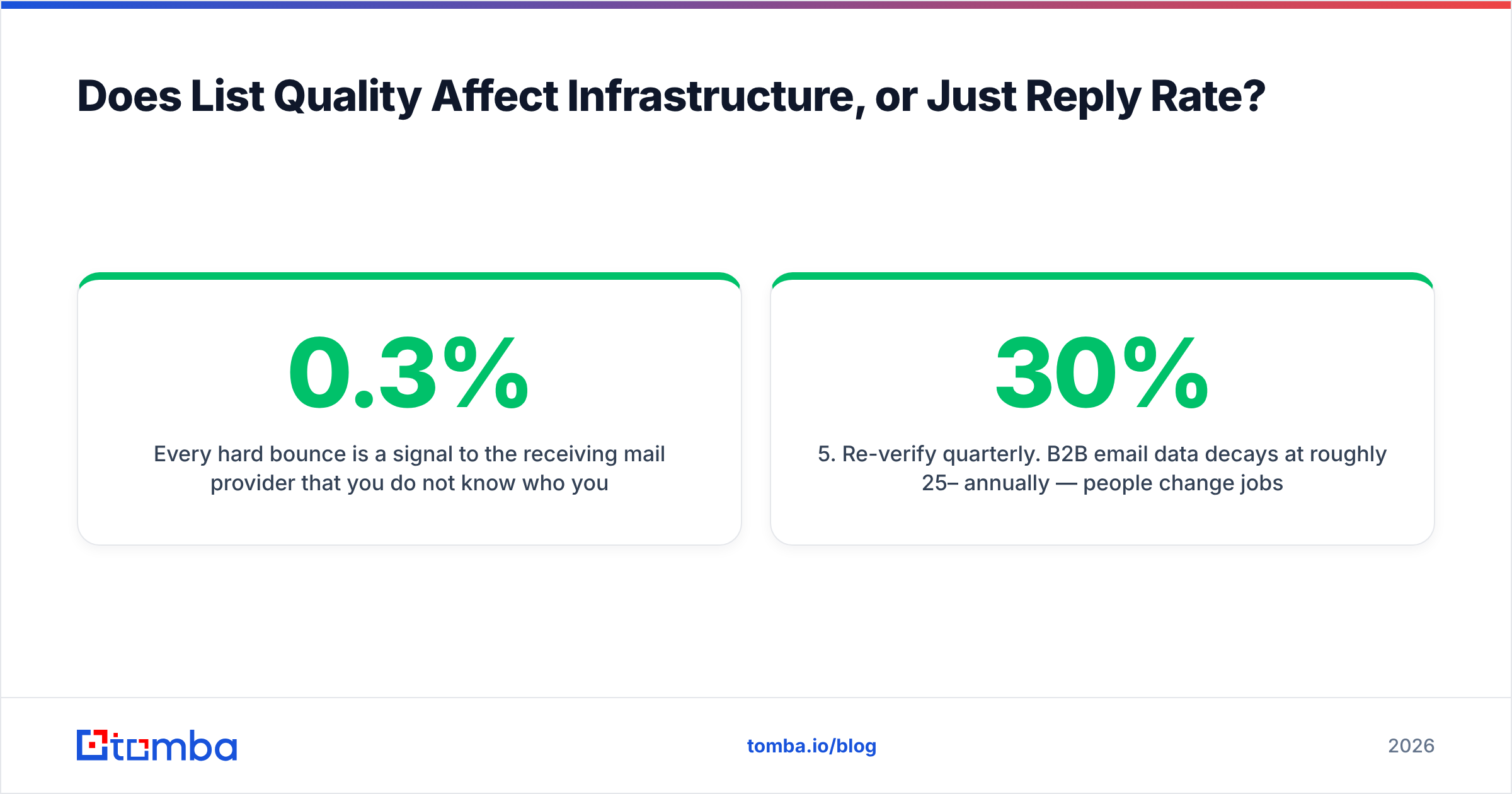
Every hard bounce is a signal to the receiving mail provider that you do not know who you are mailing — which is the single most reliable statistical marker of a spammer. Google's guidelines put the spam complaint threshold at 0.3%. Bounce tolerances are less publicly specified but functionally similar: cross 3–5% on a young domain and placement degrades measurably. Cross it repeatedly and the domain does not recover.
So verification is not a nice-to-have you bolt on when the budget allows. It is the cheapest deliverability insurance available, and it costs a fraction of a cent per address.
The workflow that holds up:
- Source or find the address. Pull contacts by company with domain search, or resolve names to addresses with an email finder. Providers vary in both coverage and honesty about coverage — Tomba, Hunter, and peers like BookYourData each have domains and geographies where they are the strongest option, and you will find that out faster by testing against a known list than by reading feature grids.
- Verify before import, not after bounces. Run everything through an email verifier. Delete
invalid. Deleteunknownunless you have a reason not to. - Handle catch-all domains deliberately. A catch-all accepts every address, so standard SMTP verification returns a shrug. Either exclude them, or use a catch-all verifier that scores likelihood rather than pretending to certainty.
- Deduplicate ruthlessly. Two mailboxes hitting the same prospect in the same week is a complaint waiting to happen.
- Re-verify quarterly. B2B email data decays at roughly 25–30% annually — people change jobs. A list verified in January is meaningfully wrong by July.
- Suppress aggressively. Bounces, complaints, unsubscribes, and closed-lost accounts go into a global suppression list that every sequence checks before send.
For lists above a few thousand rows, batch the whole thing through bulk verify rather than trickling through your sequencer's built-in checker, which is usually a reseller of someone else's API with a markup.
What Does a Complete Cold Email Infrastructure Cost?#
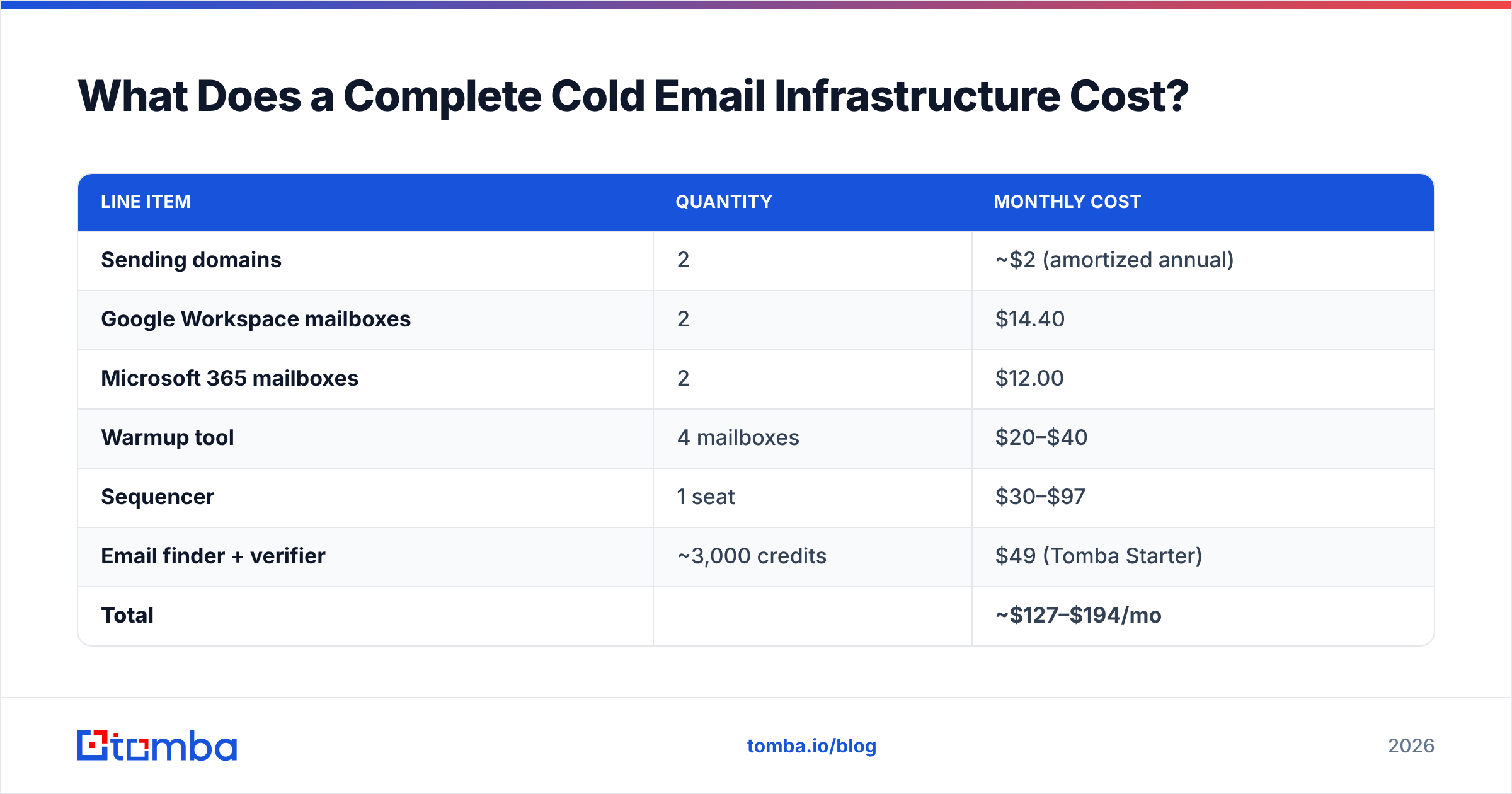
Here is a realistic monthly bill for a team targeting 3,000 cold sends per month — which, at 40 sends per mailbox per day across 22 working days, requires four mailboxes with headroom.
| Line item | Quantity | Monthly cost |
|---|---|---|
| Sending domains | 2 | ~$2 (amortized annual) |
| Google Workspace mailboxes | 2 | $14.40 |
| Microsoft 365 mailboxes | 2 | $12.00 |
| Warmup tool | 4 mailboxes | $20–$40 |
| Sequencer | 1 seat | $30–$97 |
| Email finder + verifier | ~3,000 credits | $49 (Tomba Starter) |
| Total | ~$127–$194/mo |
Scale that to 30,000 sends and the mailbox count goes to roughly forty, the mailbox line becomes the dominant cost, and the finder/verifier line moves to Growth at $99/mo or Pro at $249/mo depending on credit burn.
Two things stand out. First, sending capacity is close to linear in cost — there is no volume discount on reputation. Second, the data layer is the smallest line item and the highest-leverage one. Teams that cut the verification budget to save $49 routinely torch $500 of domain and warmup investment in a single bad campaign.
What Should You Do This Week?#
If you are starting from zero, work in this order and do not skip ahead:
- Buy two lookalike domains. Put a real one-page site on each.
- Configure SPF, DKIM, and DMARC. Verify with a test send to Gmail before proceeding.
- Register with Google Postmaster Tools so you can watch your domain reputation rather than guess at it.
- Create four mailboxes. Fill in real names, real photos, real signatures.
- Start warmup. Wait two weeks. Actually wait.
- While waiting, build and verify your list. This is the week you have time for it.
- Ramp cold sends slowly. Watch bounce rate and complaint rate daily for the first month.
If you are diagnosing an existing setup that has stopped working, invert the order. Check DNS first — it fails silently and it fails often. Then check bounce rate. Then check complaint rate in Postmaster Tools. Only then look at copy.
Infrastructure problems masquerade as copy problems, which is why so many teams rewrite their subject lines six times while a broken SPF record quietly routes every message to spam.
Start with the data layer, because it's the one that fails first and costs least to fix. Tomba's Email Finder resolves names and domains to verified professional addresses, with catch-all scoring and bulk verification built in — so the list you load into your carefully warmed mailboxes does not bounce them into the spam folder on day one. The free tier includes 25 searches a month, which is enough to sanity-check your current list before you spend another dollar on domains.
Related guides#
// get started
Find, verify and enrich your first contacts today
Start on the free plan with 25 searches a month, then scale when your team is ready.
Free plan · No credit card required · GDPR & CCPA
// about the author