Cold Email Personalization in 2026: What Actually Gets Replies
Most cold email personalization is decoration: a first name, a company token, a line scraped from a podcast. Here is what actually moves reply rates, what to cut, and how to scale the parts that work.
TL;DR
- Most cold email personalization is decoration. Mentioning a prospect's podcast episode does not make your pitch relevant to their quarter.
- The variable that moves reply rates is relevance to a job the prospect already has, not the number of custom tokens in the email.
- Personalization has tiers. Tier 1 (name, company) costs seconds and buys almost nothing. Tier 3 (observed trigger + specific consequence) costs minutes and buys most of the lift.
- Deliverability gates everything. A perfectly personalized email that lands in spam has a 0% reply rate, so list hygiene and verification come before copy.
- Scale the research, not the writing. Enrichment and triggers are automatable; the last two sentences should not be.
What is cold email personalization, really?#
Cold email personalization is the practice of changing what you say based on what you know about the recipient. That is the whole definition. Everything else — merge tags, spintax, AI-generated first lines — is implementation detail, and most of it fails because it changes the wrapper without changing the offer.
Here is the distinction that matters. Compare:
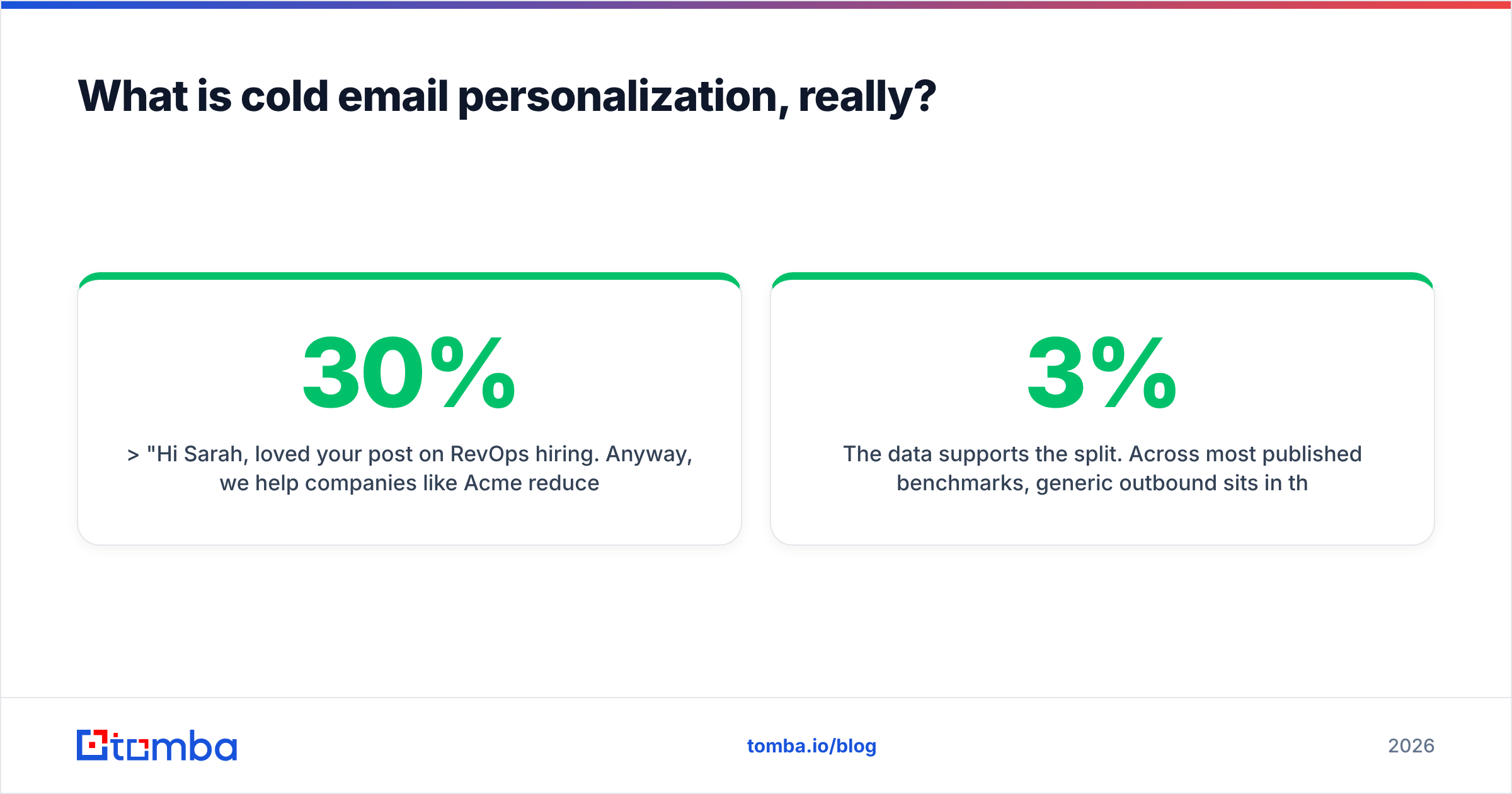
"Hi Sarah, loved your post on RevOps hiring. Anyway, we help companies like Acme reduce CAC by 30%."
versus:
"Hi Sarah, you posted two SDR roles in Berlin last month. Most teams that hire regionally end up with two disconnected data sources within a quarter. Is that already happening, or are you ahead of it?"
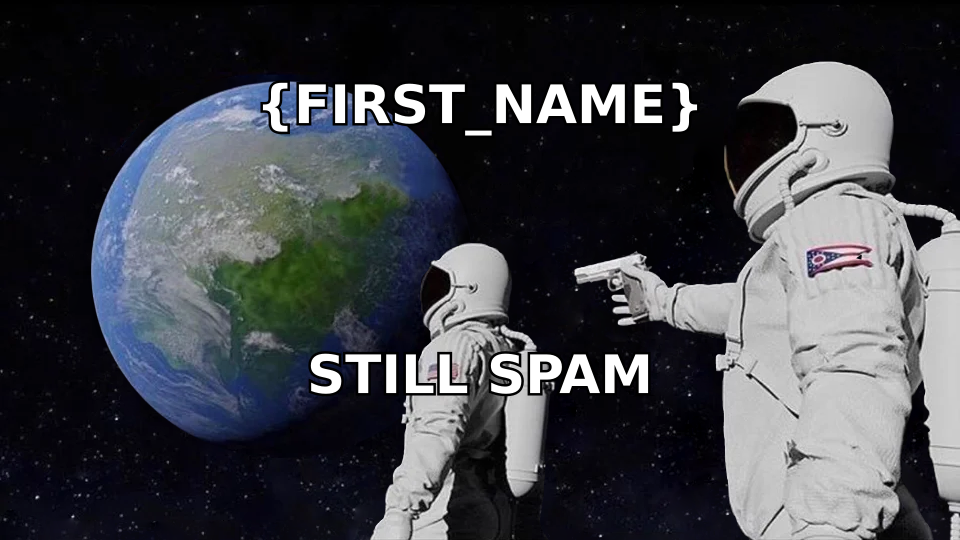
The first email is personalized. The second is relevant. Only one of them names a problem the recipient can confirm or deny in three seconds. Personalization is the mechanism; relevance is the goal. Teams that optimize for the mechanism produce emails that read like a mail merge apologizing for being a mail merge.
The data supports the split. Across most published benchmarks, generic outbound sits in the 1–3% reply range while research-led outbound lands between 8% and 20% depending on ICP tightness and list quality. The delta is not caused by first names. It is caused by the sender knowing something true and consequential about the recipient's situation.
What are the tiers of cold email personalization?#
Not all personalization costs the same, and not all of it pays. Think of it like restaurant service: refilling water is free and expected, remembering that you are allergic to shellfish is what makes you come back. Most cold emailers are refilling water and expecting a tip.
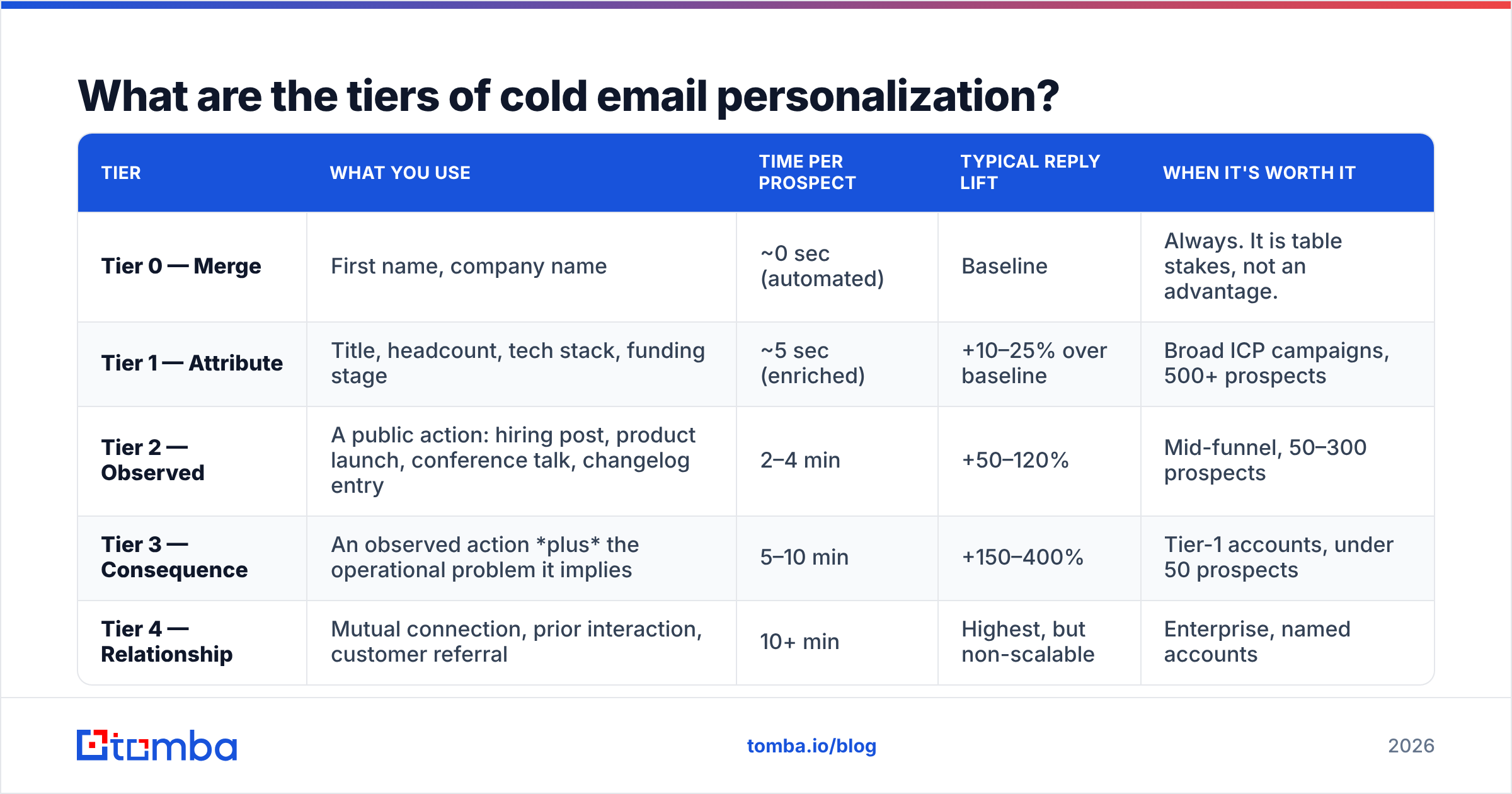
| Tier | What you use | Time per prospect | Typical reply lift | When it's worth it |
|---|---|---|---|---|
| Tier 0 — Merge | First name, company name | ~0 sec (automated) | Baseline | Always. It is table stakes, not an advantage. |
| Tier 1 — Attribute | Title, headcount, tech stack, funding stage | ~5 sec (enriched) | +10–25% over baseline | Broad ICP campaigns, 500+ prospects |
| Tier 2 — Observed | A public action: hiring post, product launch, conference talk, changelog entry | 2–4 min | +50–120% | Mid-funnel, 50–300 prospects |
| Tier 3 — Consequence | An observed action plus the operational problem it implies | 5–10 min | +150–400% | Tier-1 accounts, under 50 prospects |
| Tier 4 — Relationship | Mutual connection, prior interaction, customer referral | 10+ min | Highest, but non-scalable | Enterprise, named accounts |
Two things fall out of this table.
First, Tier 1 is where most teams stop and where the least value sits per minute spent. Adding {{company}} to a subject line is not a strategy. Prospects have received ten thousand emails with their company name in the subject.
Second, Tier 3 is where the curve bends. The reason is mechanical: at Tier 3 you are no longer talking about yourself. You are naming a consequence the prospect is either already feeling or worried about feeling. That is a message they must evaluate, not one they can archive on autopilot.
Which personalization signals are worth researching?#
Ranked by signal-to-effort, based on what consistently correlates with replies in outbound programs:
- Hiring activity. A company posting three AEs is scaling revenue and will feel every gap in its stack within 90 days. Job posts are public, dated, and unusually honest about internal priorities.
- Funding and leadership changes. New capital or a new VP means new budget authority and a mandate to change something. Both have a shelf life of roughly one quarter.
- Tech-stack shifts. A company that just added a CRM, a data warehouse, or a sequencer has an integration problem you can name specifically.
- Public commitments. Anything the prospect said on a podcast, in a conference talk, or in a changelog is something they have staked credibility on. Referencing the commitment — not the fact that you heard it — is Tier 3.
- Competitor or peer movement. "Two of your closest comparables shipped X last month" is relevant even when the prospect has never heard of you.
- Product surface area. If they ship a public API, a status page, or docs, you can observe real constraints instead of guessing at them.
Notice what is not on that list: their alma mater, their marathon, their dog. Those are proof you did research, and proof of research is not the same as research that produced an insight. If your first line could be deleted without changing the email's argument, it was decoration.
Does AI personalization actually work?#
Partly. Here is the honest breakdown, because this is where most 2026 advice goes off the rails.
AI is good at: summarizing a company's positioning from its homepage, extracting a hiring signal from a job board, normalizing 4,000 rows of messy firmographic data, drafting five subject-line variants, and catching the sentence in your email that only makes sense to you.
AI is bad at: deciding whether a signal implies a problem worth an email. That is a judgment call that requires knowing your product's failure modes and the prospect's operating reality. When an LLM makes that call unsupervised, it produces the thing every inbox is now drowning in: a fluent, grammatically flawless, structurally personalized email that says nothing a human would bother answering.
The failure mode has a name in outbound circles: personalization at scale that reads like personalization at scale. Prospects have learned the pattern. A first line that opens with "I noticed you recently..." now functions as a spam signal, because for two years it has been.
The workable division of labor:
- Automate the input layer. Find and verify contacts, enrich firmographics, detect triggers. This is machine work and there is no reason a human should touch it.
- Automate the draft. Let a model produce the skeleton and variants. Use a tool like a cold email AI writer for the first pass, then rewrite.
- Never automate the claim. The one sentence asserting what is going wrong in the prospect's world is the email. Write it yourself, or your reply rate is the reply rate of the model's median training example.

How do you personalize at volume without sounding like a robot?#
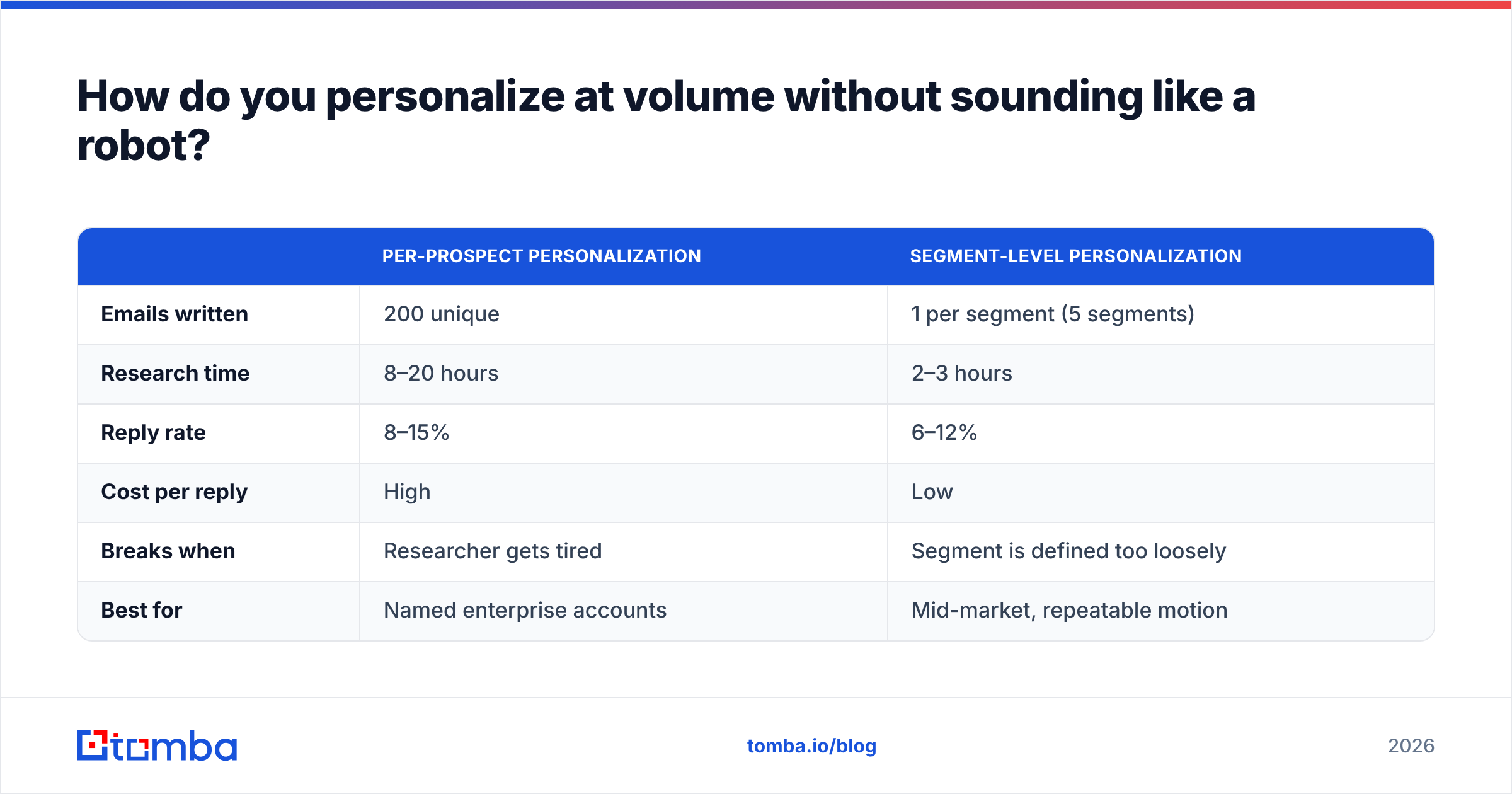
The scaling answer is counterintuitive: narrow the segment until one email is true for everyone in it. This is segment-level personalization, and it beats per-prospect personalization on cost-per-reply for almost every team.
Instead of writing 200 unique emails, write one email that is genuinely, specifically true for 40 companies that share a condition. "Series B SaaS companies that posted a RevOps role in the last 60 days" is a segment where a single, sharp, un-templated paragraph lands as personal — because it is personal to that condition. The prospect cannot tell whether you wrote it for them or for forty of them. They only notice whether it is right.
The workflow:
- Define the trigger, not the persona. "VP Sales" is a persona. "VP Sales at a company that just doubled its SDR headcount" is a trigger.
- Build the list from the trigger. Pull the companies matching the condition first, then find the people. Reversing this order is how you end up with a big list and no message.
- Get contacts and verify them. Use domain search to map the company's email pattern, then run an email verifier pass before a single send. Bounces above 3% will damage your sender reputation faster than bad copy ever will.
- Write one email for the segment. No merge tags beyond name and company. If you need a merge tag to make the email true, your segment is too wide.
- Add one Tier-3 line only for the top 20%. Spend the human minutes where the deal size justifies them.
Compare the two approaches directly:
| Per-prospect personalization | Segment-level personalization | |
|---|---|---|
| Emails written | 200 unique | 1 per segment (5 segments) |
| Research time | 8–20 hours | 2–3 hours |
| Reply rate | 8–15% | 6–12% |
| Cost per reply | High | Low |
| Breaks when | Researcher gets tired | Segment is defined too loosely |
| Best for | Named enterprise accounts | Mid-market, repeatable motion |
Per-prospect wins on rate. Segment wins on economics. Most teams should run segment-level as the default and reserve per-prospect for accounts where a single close pays for a week of research.
Does personalization matter more than deliverability?#
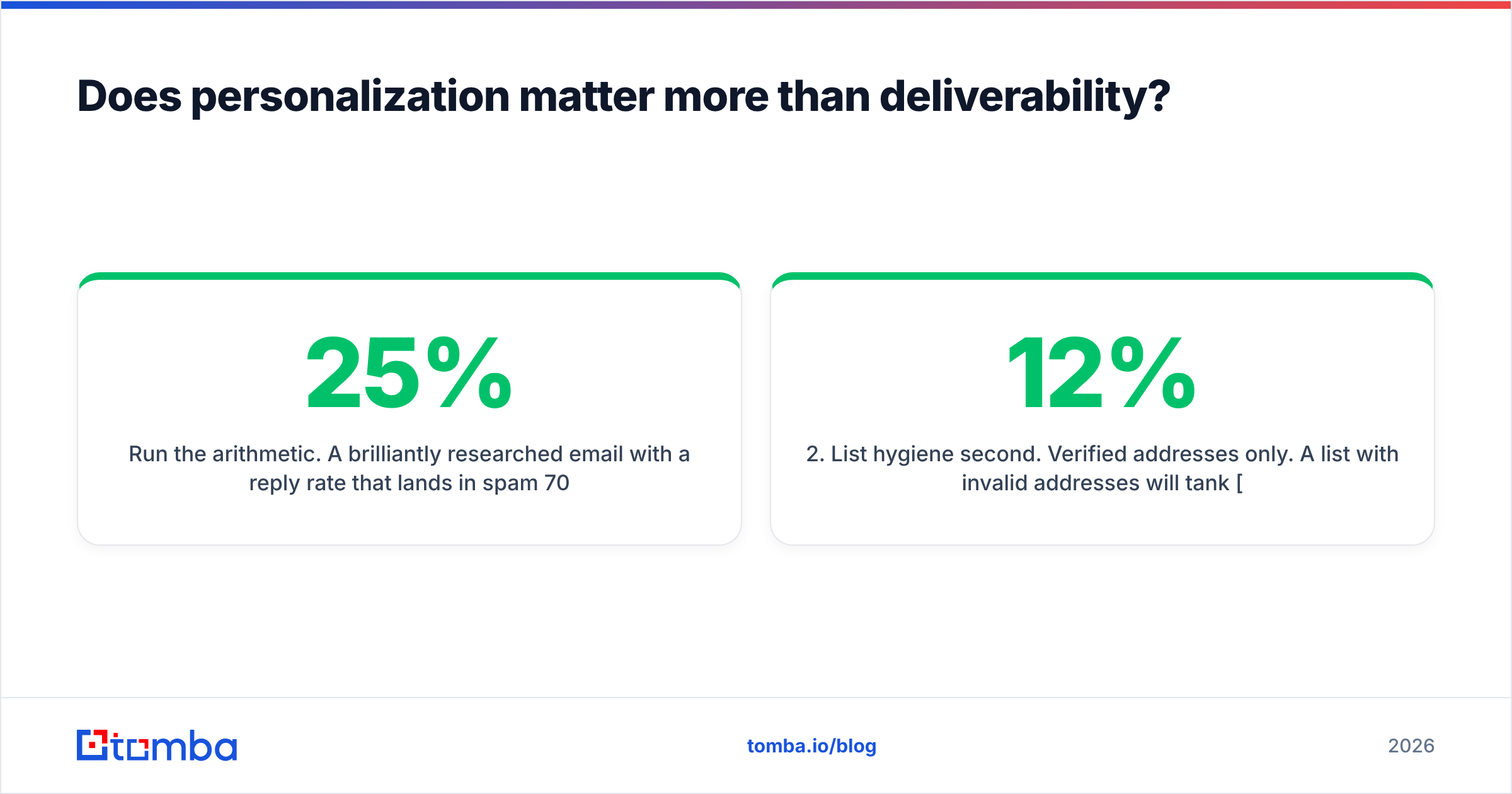
No, and this is the most expensive mistake in outbound. Personalization only operates on emails that arrive.
Run the arithmetic. A brilliantly researched email with a 25% reply rate that lands in spam 70% of the time produces a 7.5% effective reply rate. A mediocre, segment-level email with an 8% reply rate that lands in the primary inbox 95% of the time produces 7.6%. The mediocre email wins, and it took a tenth of the effort.
The ordering of operations is not negotiable:
- Authentication first. SPF, DKIM, DMARC. Check yours with an SPF checker before anything else. Google and Yahoo's bulk-sender requirements made this a hard gate, not a nice-to-have — see Google's own sender guidelines for the current thresholds.
- List hygiene second. Verified addresses only. A list with 12% invalid addresses will tank email deliverability regardless of how thoughtful your copy is.
- Volume and warmup third. Ramp sending gradually per mailbox.
- Personalization fourth. Now, and only now, does copy quality determine outcomes.
Teams skip 1–3 because copy is fun and DNS records are not. Then they blame the messaging.
What does a Tier-3 cold email actually look like?#
Structure, with the reasoning behind each part:
Subject: 2–5 words, lowercase, no company name, no question mark. It should look like an email from a colleague, not a campaign. "berlin sdr hires"
Line 1 — the observation. One clause. State the fact, do not narrate your discovery of it. Not "I noticed you're hiring." Just "You're hiring two SDRs in Berlin."
Line 2 — the consequence. The reason the email exists. "Every regional team we've watched ends up running two contact databases within a quarter, and neither one is the source of truth."
Line 3 — the evidence or the credential. One sentence, specific, no adjectives. "We fixed exactly that for a Series B analytics company last quarter — one enrichment layer, both regions."
Line 4 — the ask. Low-commitment, single question, answerable with yes or no. "Worth fifteen minutes?"
Four sentences. No pleasantries, no "hope this finds you well," no paragraph about your company's mission. The prospect's decision is binary and it happens in the second sentence.
Two rules that survive every A/B test worth trusting:
- Cut every sentence about you that does not directly support the consequence claim. Buyers do not read cold email to learn about vendors. They read it to find out whether the sender understands their situation.
- Never ask for time before you have earned a reason. "Do you have 15 minutes on Thursday?" in line one is a request for charity.
If you want structural starting points, cold email templates are useful as scaffolding — but treat them as skeletons, not scripts. A template's job is to stop you from forgetting the consequence line, not to write it for you. And before you send, run the copy through a spam checker — the words that feel most persuasive to you are often the ones filters flag hardest.
What should you stop doing in 2026?#
Cut these. All of them are net-negative or net-zero, and all of them are still in wide use:
- Fake compliments. "Loved your recent post" when you did not read it. Prospects can tell, and the ones who cannot are not your buyers.
- The scraped first line. Any sentence that begins "I saw that you..." followed by a fact the prospect already knows about themselves.
- Personalization tokens in subject lines.
{{company}}in the subject is now a reliable predictor of a cold email. It suppresses opens. - Multi-paragraph value props. If your email requires a scroll on mobile, it will not be read on mobile, which is where it will be opened.
- Over-personalizing low-value segments. Spending nine minutes on a 200-employee prospect with a $4k ACV is a math error, not a work ethic.
- Personalizing before verifying. Research on an address that bounces is research thrown away, plus damage to your domain.
On sourcing: quality of the underlying data determines the ceiling on all of this. Providers differ meaningfully in coverage and freshness — BookYourData is a solid option when you need pre-built lists with human-verified contacts, while API-first providers suit teams building enrichment into their own pipeline. Whichever you choose, check the vendor's stated bounce guarantee and verify independently. Third-party review data on G2 is a reasonable sanity check against vendor claims.
How do you measure whether personalization is working?#
Reply rate alone will mislead you. Track these four together:
- Positive reply rate, not total reply rate. "Not interested" is a reply. Segment your replies or you will optimize toward annoyance.
- Reply rate by tier. Tag every send with the personalization tier it used. If Tier 3 is not outperforming Tier 1 by at least 2x, your Tier 3 is not actually Tier 3 — it is Tier 1 wearing a costume.
- Cost per positive reply. Include researcher minutes at a real hourly rate. This is the number that decides your strategy, and it is the number nobody tracks.
- Meetings-held per 100 sends, not meetings booked. Personalization that overpromises books meetings that no-show.
Run this for one quarter and you will learn something specific about your own market that no blog post can tell you: exactly where on the tier ladder your ICP stops caring. For some segments that is Tier 2. For enterprise security buyers it is Tier 4 and nothing below it registers. Find your line, then stop spending above it.
Where should you start?#
Start at the bottom of the stack, not the top. Fix authentication, then fix your list, then narrow your segment, then write one genuinely relevant email for it.
The research layer is the part worth automating — it is the highest-volume, lowest-judgment work in the whole process. Pull the companies matching your trigger, resolve the right people at those companies, and verify every address before it enters a sequence. The Tomba Email Finder does that step directly: find professional email addresses by domain, name, or company, with verification built into the same call, so the list you personalize against is a list that will actually arrive. The free tier gives you 25 searches a month to test it against a segment you already know, and Tomba pricing starts at $49/mo for Starter if it earns a place in your workflow.
Then spend your saved hours on the one sentence that decides everything: the sentence where you tell the prospect what is going wrong, and you happen to be right.
Related guides#
Ready to find emails that actually work?
Join 150,000+ professionals who stopped guessing and started sending. Free credits on signup — no credit card required.
Get the Tomba newsletter
Practical outbound tactics and product updates — once every two weeks.
About the author